
Die Art und Weise, wie Verbraucher Produkte online entdecken und kaufen hat sich grundlegend verändert. Googles Shopping Graph, eine riesige Echtzeitdatenbank mit über 50 Milliarden Produkteinträgen, arbeitet nun Hand in Hand mit Gemini AI, um eine neue Ära der intelligenten Produktfindung einzuleiten.
Dies ist nicht einfach nur ein weiteres Algorithmus-Update. Es ist ein kompletter Paradigmenwechsel.
Wenn Kunden den KI-Modus fragen: “Welcher Laufschuh mit Fußgewölbeunterstützung ist der beste unter $150?”, erhalten sie keine statischen Produktübersichten mehr. Stattdessen bekommen sie personalisierte, dialogbasierte Empfehlungen, die auf Googles Shopping Graph basieren und Absicht, Kontext und Nutzerpräferenzen so präzise wie nie zuvor verstehen.
Für E-Commerce-Marken und Einzelhändler, die Plattformen wie diese nutzen StoreSEO, Dies birgt sowohl enorme Chancen als auch eine dringende Herausforderung. Produkte mit unvollständigen Daten, mangelhafter Optimierung oder fehlenden Kennungen laufen Gefahr, von KI-generierten Ergebnissen vollständig ausgeschlossen zu werden. Marken hingegen, die die Optimierung des Shopping Graph beherrschen, erzielen einen viermal höheren Return on Ad Spend und eine deutlich verbesserte Sichtbarkeit.
Noch nie war der Einsatz so hoch. Über 2 Milliarden Produkteinträge werden stündlich im Google Shopping Graph aktualisiert, wodurch Echtzeitgenauigkeit und umfassende Optimierung unerlässlich sind.
Dieser Blog enthüllt die genauen Strategien, mit denen die erfolgreichsten E-Commerce-Unternehmen die KI-Ergebnisse des Google Shopping Graph dominieren. Ob es um die Verwaltung eines Shopify-Shop, Ob WooCommerce-Website oder Enterprise-E-Commerce-Plattform – diese von Experten unterstützten Strategien positionieren Produkte für maximale Sichtbarkeit in der KI-zentrierten Einkaufslandschaft des Jahres 2026.
TL;DR (Zu lang, nicht gelesen)
Googles Shopping Graph AI unterstützt monatlich über 1,2 Milliarden Suchanfragen und mehr als 50 Milliarden Produktlisten, die stündlich aktualisiert werden. Um ein besseres Ranking zu erzielen, optimieren Sie Ihre Produktfeeds mit dialogorientierten Keywords, implementieren Sie vollständiges Produktschema-Markup, stellen Sie korrekte GTINs und Markenidentifikatoren sicher, erstellen Sie nutzerorientierte Beschreibungen, halten Sie Ihre Preise wettbewerbsfähig und nutzen Sie die erweiterten Funktionen des Google Merchant Centers.
Googles Shopping Graph verstehen: Die Grundlage für KI-gestütztes Einkaufen
Googles Shopping Graph dient als umfassendes Gehirn des Suchmaschinenriesen für den E-Commerce – eine ständig aktualisierte Wissensdatenbank, die Produkte, Verkäufer, Preise, Bewertungen, Verfügbarkeit und Eigenschaften im gesamten Web miteinander verbindet.
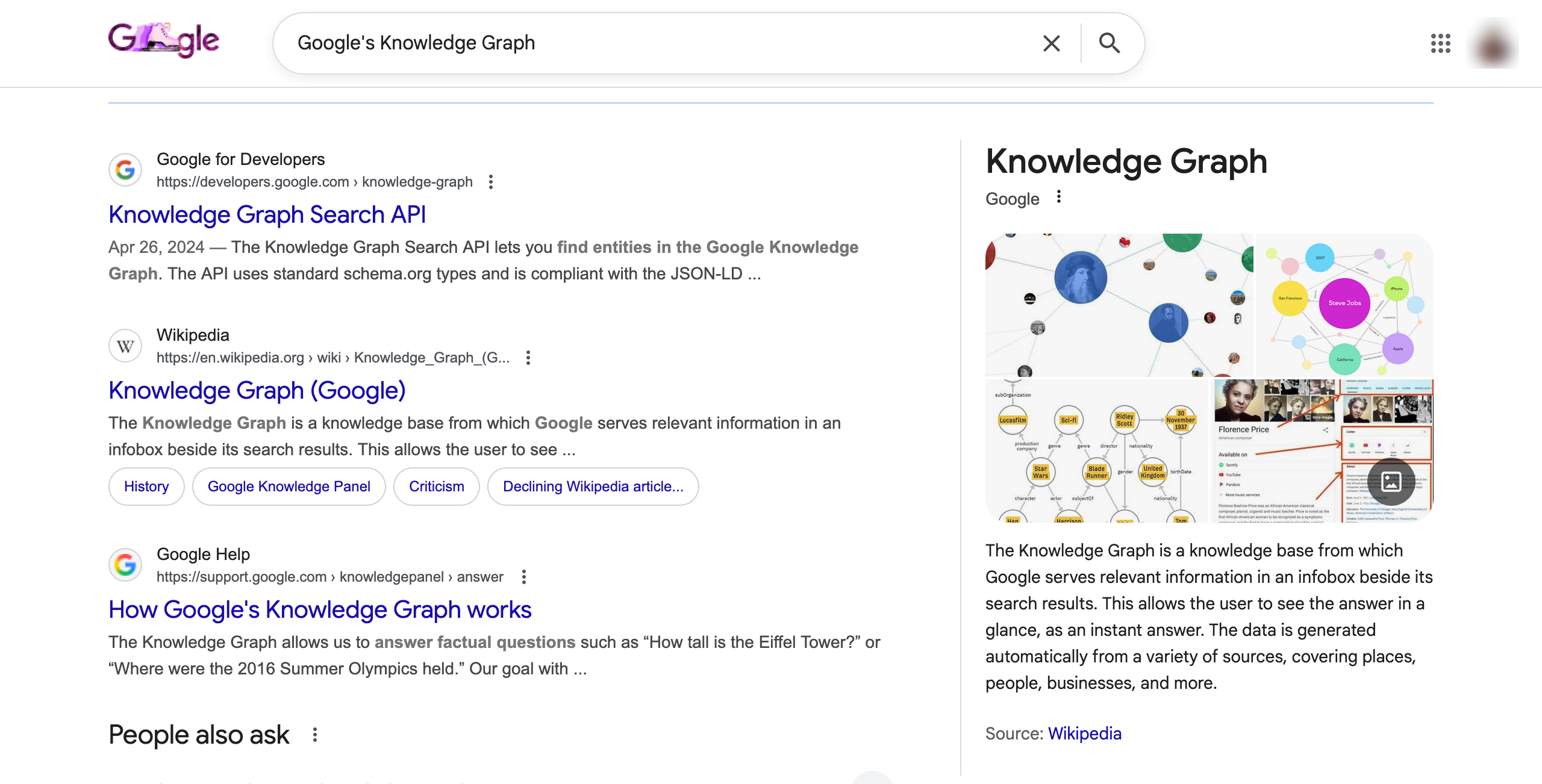
Man kann es sich als das E-Commerce-Äquivalent des Google Knowledge Graph vorstellen, allerdings speziell für den Handel entwickelt. Der Shopping Graph bezieht Informationen aus mehreren maßgeblichen Quellen:
- Google Merchant Center-Produktfeeds
- Produktseiten für organischen E-Commerce
- Herstellerspezifikationen und offizielle Websites
- Kundenrezensionen und Bewertungen auf verschiedenen Plattformen
- Echtzeit-Preis- und Bestandsdaten
- Produktvideos und Vorführungen auf YouTube
- Nutzergenerierte Inhalte und Kaufverhalten
- Strukturierte Daten (Schema-Markup) aus indizierten URLs
Wie der KI-Modus das Einkaufsdiagramm nutzt
Googles neuer KI-gestützter Einkaufsmodus ist die praktische Anwendung dieses riesigen Datensatzes. Dank der KI-Funktionen von Gemini kann der KI-Modus Folgendes leisten:
- Konversationelle, natürlichsprachliche Anfragen verstehen
- Anfragen zur visuellen Inspiration werden mit relevanten Produktbildern bearbeitet.
- Führen Sie gleichzeitige “Fan-Out”-Suchen durch, um komplexe Anforderungen zu verstehen.
- Bieten Sie dynamische Filterung auf Basis von Kontextfaktoren (Wetter, Standort, Anwendungsfall) an.
- Bieten Sie personalisierte Empfehlungen basierend auf Ihrer Einkaufshistorie an.
- Oberflächenprodukte sowohl von großen Einzelhändlern als auch von lokalen Familienbetrieben
- Verfolge die Preise und führe automatische Käufe durch, wenn die Preise fallen.
Wenn ein Kunde beispielsweise AI Mode mitteilt, dass er nach “einer hübschen Reisetasche für eine Reise im Mai nach Portland, Oregon” sucht, recherchiert das System gleichzeitig, was Taschen für regnerisches Wetter und lange Reisen geeignet macht, und empfiehlt dann wasserdichte Optionen mit leicht zugänglichen Taschen – und das alles, während dynamisch aktualisierte Produktübersichten angezeigt werden.
Diese Art der intelligenten Produktfindung bedeutet, dass traditionelle SEO-Taktiken allein nicht mehr ausreichen. Marken müssen ihre Optimierung gezielt auf den Shopping Graph selbst ausrichten.
Die entscheidenden Rankingfaktoren: Was wirklich den Ausschlag gibt
Das Verständnis der Faktoren, die das Ranking im Shopping Graph beeinflussen, ermöglicht es Unternehmen, ihre Optimierungsmaßnahmen effektiv zu priorisieren. Aktuelle Korrelationsstudien, die über 5.000 Keywords analysieren, zeigen klare Muster.
Primäre Rankingfaktoren
| Rankingfaktor | Auswirkungsniveau | Wichtigste Erkenntnis |
| Website-Autorität | Sehr hoch | Produkte von Websites mit höherer Domain-Bewertung schneiden durchweg besser ab als die Konkurrenz. |
| Wettbewerbsfähige Preise | Sehr hoch | Niedrigere Preise korrelieren stark mit Top-3-Platzierungen; der Preis ist das wichtigste Kriterium. |
| Kundenrezensionen | Hoch | Produkte mit Bewertungen (4+ Sterne) schneiden deutlich besser ab als solche ohne Bewertungen. |
| Produktqualität | Hoch | Vollständige und akkurate Feeds mit allen Attributen schneiden 4x besser ab als unvollständige Feeds. |
| Suchanfragen | Hoch | Seiten mit guten organischen Rankings erzielen auch in den Shopping-Ergebnissen 4,4-mal bessere Ergebnisse. |
| Meta-Beschreibungen | Mittel-Hoch | Exakt übereinstimmende Schlüsselwörter in Meta-Beschreibungen weisen eine starke Ranking-Korrelation auf |
| Versandgeschwindigkeit | Medium | Schneller, zuverlässiger Versand und transparente Rückgabebedingungen verbessern das Ranking. |
| GTINs & Kennungen | Medium | Genaue Produktkennzeichnungen verbessern die Zuordnung und die Sichtbarkeit. |
Tabelle 1: Wichtigste Rankingfaktoren für Google Shopping Graph basierend auf Forschungsdaten aus dem Jahr 2026
Der überraschende Autoritätsvorteil
Die Domain-Autorität erwies sich in allen Studien als stärkster Korrelationsfaktor. Amazon belegt mit 521.030 Punkten den ersten Platz, gefolgt von Walmart (61.030 Punkte) und Home Depot (31.030 Punkte). Dies bedeutet jedoch nicht, dass kleinere Einzelhändler nicht konkurrenzfähig sind – es bedeutet, dass sie in den Faktoren, in denen sie sich behaupten müssen, herausragende Leistungen erbringen müssen. dürfen Kontrolle: Optimierung der Produktzufuhr, Preisstrategie und Produktdatenqualität.
Produkte, die in den ersten beiden Positionen im Shopping-Ranking vertreten waren, wiesen 2,72-mal mehr verweisende Domains auf als Produkte auf den Positionen 3-10. Dies unterstreicht den kumulativen Vorteil, den der Aufbau von Website-Autorität durch qualitativ hochwertige Backlinks und Markenbekanntheit mit sich bringt.
Das Preis-Leistungs-Verhältnis
Obwohl wettbewerbsfähige Preise einen starken Einfluss auf das Ranking haben, geht es nicht nur darum, der günstigste Anbieter zu sein. Googles Algorithmus berücksichtigt den Gesamtwert, einschließlich Versandgeschwindigkeit, Rückgabebedingungen, Kundenservicebewertungen und Paketangebote.
Auch Einzelhändler, die Premiumpreise anbieten, können sich im Wettbewerb behaupten, indem sie einzigartige Wertversprechen hervorheben: verlängerte Garantien, exklusive Funktionen, schnellerer Versand oder überlegener Kundenservice.
Schneller Erfolg #1: Produkttitel für die Konversationssuche optimieren
Produkttitel Sie stellen das mit Abstand wichtigste Attribut in Ihrem Google Shopping-Feed dar. Sie beeinflussen direkt, wie Google Ihr Produkt interpretiert und ob Käufer auf Ihren Eintrag klicken.
Der Wandel hin zur konversationellen Suche
Klassische Produkttitel, die auf Keyword-Stuffing optimiert sind, funktionieren im KI-Zeitalter nicht mehr. Moderne Käufer stellen Fragen wie “Beste wasserdichte Wanderschuhe für Damen unter 1000 £”, anstatt nach “Stiefel Damen” zu suchen.
Dieser grundlegende Wandel erfordert einen anderen Ansatz bei der Titeloptimierung.
Die Formel für KI-optimierte Produkttitel
- Marke + Produkttyp + Hauptmerkmal + Charakteristisches Merkmal + Größe/Farbe (falls zutreffend)
- Beispiel: “Nike Air Zoom Pegasus 40 Damen-Laufschuhe – Atmungsaktives Mesh, Schwarz, Größe 8”
Grundprinzipien für effektive Titel:
- Fügen Sie umgangssprachliche Long-Tail-Phrasen hinzu, die zu natürlichsprachlichen Anfragen passen.
- Nennen Sie den Markennamen (erforderlich und stärkt das Vertrauen).
- Geben Sie den Produkttyp genau an (Laufschuhe, nicht nur Schuhe).
- Fügen Sie nutzerorientierte Eigenschaften hinzu (atmungsaktiv, wasserdicht, energieeffizient).
- Geben Sie gegebenenfalls Größe, Farbe oder Menge an.
- Für eine optimale Darstellung bitte unter 150 Zeichen halten.
- Vermeiden Sie werbliche Formulierungen (“Bestes Angebot”, “Sonderangebot”, “Kostenloser Versand”).
- Verwenden Sie die korrekte Groß- und Kleinschreibung und vermeiden Sie die ausschließliche Verwendung von GROSSBUCHSTABEN.
Beispiel aus der Praxis
Vor der Optimierung:
“Damenschuhe – Schwarze Laufschuhe”
Nach der Optimierung:
“Adidas Ultraboost 22 Damen-Laufschuhe – Leichte Dämpfung und Unterstützung für lange Strecken, Schwarz/Weiß, Größe 7,5”
Die optimierte Version enthält die Marke, das spezifische Modell, den Produkttyp, die wichtigsten Vorteile (leicht, gepolstert, große Reichweite) und Details zur Variante – alles Formulierungen, die dem tatsächlichen Suchverhalten und den Fragen der Käufer entsprechen.
Profi-Tipp: Testen Sie mit kombinierten Feldern
Für Plattformen wie WooCommerce oder Shopify empfiehlt sich die Verwendung von Feed-Management-Plugins (wie CTX Feed oder Product Feed Manager), die es ermöglichen, mehrere Produktattribute in optimierten Titelfeldern zu kombinieren. So lassen sich perfekte Shop-Titel erstellen, ohne die Produktnamen auf der Website ändern zu müssen.
Quick Win #2: GTINs und Produktkennungen beherrschen
Globale Artikelnummern (GTINs) und Herstellerteilenummern (MPNs) dienen als eindeutige Produktidentifikatoren, die Google dabei helfen, Ihre Produkte präzise den Suchanfragen zuzuordnen und sie über verschiedene Verkäufer hinweg zu vergleichen.
Warum Identifikatoren für KI-Rankings wichtig sind
Wenn Googles KI eine Shopping-Anfrage verarbeitet, verwendet sie GTINs, um genau zu verstehen, welche Produkte die verschiedenen Verkäufer anbieten. Dies ermöglicht Folgendes:
- Genaue Preisvergleiche bei verschiedenen Händlern
- Zusammenfassung von Rezensionen aus mehreren Quellen
- Produktspezifikationen aus Herstellerangaben verstehen
- Produkte den visuellen Such- und bildbasierten Anfragen zuordnen
- Produktwissen mit maßgeblichen Attributen anreichern
Produkte mit gültigen GTINs werden mit deutlich höherer Wahrscheinlichkeit in den Ergebnissen von Shopping Graph und in KI-generierten Empfehlungen angezeigt.
Wann GTINs erforderlich bzw. optional sind
| GTIN erforderlich | GTIN nicht erforderlich |
| Markenprodukte von führenden Herstellern | Maßgefertigte Produkte |
| Produkte mit Barcodes (UPC, EAN, ISBN) | Eigenmarkenprodukte |
| Artikel, die von mehreren Einzelhändlern verkauft werden | Handgefertigte oder handwerkliche Waren |
| Elektronikartikel und Bekleidung bekannter Marken | Vintage- oder Antiquitätenartikel |
Tabelle 2: GTIN-Anforderungen nach Produkttyp
Wie man GTINs findet und implementiert
Für Produkte, die Sie von Lieferanten beziehen:
- Prüfen Sie die Produktverpackung auf UPC-, EAN- oder ISBN-Barcodes.
- Fordern Sie GTINs direkt bei Herstellern oder Großhändlern an.
- Produkte in der GS1-Datenbank (dem offiziellen GTIN-Register) nachschlagen
- Auszug aus den Produktdatenfeeds des Lieferanten
Für Produkte ohne GTIN:
- Setzen Sie das Attribut identifier_exists in Ihrem Feed auf FALSE.
- Stellen Sie sicher, dass die Felder für Marke und MPN korrekt ausgefüllt sind.
- Geben Sie stattdessen detaillierte benutzerdefinierte Attribute an.
Bewährte Implementierungsmethoden
Prüfen Sie Ihre GTINs vor der Einreichung:
- Nutzen Sie das GTIN-Validierungstool von Google im Merchant Center.
- Prüfen Sie, ob die Prüfziffern korrekt sind (letzte Ziffer im Barcode).
- Stellen Sie sicher, dass die GTINs exakt mit den Angaben auf der Produktverpackung übereinstimmen.
- Verwenden Sie niemals Platzhalter oder gefälschte GTINs (führt zu Ablehnungen des Feeds).
- Aktualisieren Sie die GTINs, wenn Produkte neu verpackt oder neu formuliert werden.
Produkte mit präzisen GTINs weisen weniger Feedfehler, eine bessere Integration in Shopping Graph und eine verbesserte Sichtbarkeit in KI-gestützten Ergebnissen auf.
Schneller Erfolg #3: Nutzenorientierte Produktbeschreibungen erstellen
Während Produkttitel die Aufmerksamkeit auf sich ziehen, liefern Beschreibungen die Kontexttiefe, die KI-Systeme nutzen, um Produktmerkmale, Anwendungsfälle und ideale Kundenprofile zu verstehen.
Beschreibungen für KI-Verständnis schreiben
Googles KI analysiert Produktbeschreibungen Um Fragen in natürlicher Sprache wie “Welcher Laptop eignet sich am besten für die Videobearbeitung?” oder “Was ist ein gutes Geschenk für einen Kaffeeliebhaber?” zu beantworten, müssen die Beschreibungen klare und strukturierte Informationen enthalten, um bei solchen Anfragen gut platziert zu werden.
Wesentliche Elemente KI-optimierter Beschreibungen:
- Hauptnutzen in den Vordergrund stellenNennen Sie das gelöste Hauptproblem oder das erfüllte Bedürfnis.
- Anwendungsfälle einbeziehenGeben Sie an, für wen das Produkt bestimmt ist und wann es verwendet werden soll.
- Hauptmerkmale auflistenStichpunkte eignen sich gut für die KI-Analyse.
- Technische Spezifikationen hinzufügenAbmessungen, Materialien, Kompatibilität
- Antworten auf häufig gestellte Fragen: Inhalte im FAQ-Stil einbinden
- Verwenden Sie natürliche SpracheSchreiben Sie so, wie die Leute tatsächlich sprechen.
- Relevante Schlüsselwörter sollten auf natürliche Weise eingebunden werden.Ohne Keyword-Stuffing
- Bleiben Sie unter 5.000 Zeichen: Maximal zulässig, aber 500-1000 anstreben
Beispiel: Vorher und Nachher
Allgemeine Beschreibung:
“Hochwertige Kaffeemaschine mit vielen Funktionen. Macht hervorragenden Kaffee. Modernes Design.”
KI-optimierte Beschreibung:
“Die programmierbare Kaffeemaschine BrewMaster Pro 2000 liefert Kaffee in Barista-Qualität für zu Hause – mit präziser Temperaturregelung und individuell anpassbarer Brühstärke. Perfekt für Kaffeeliebhaber, die Kaffeespezialitäten wie im Café genießen möchten, ohne das Haus verlassen zu müssen.
Zu den wichtigsten Funktionen gehören eine 12-Tassen-Thermoskanne, die den Kaffee 4 Stunden lang heiß hält, ein eingebautes Mahlwerk für frisch gemahlene Bohnen, ein programmierbarer 24-Stunden-Timer für den Weckkaffee und One-Touch-Optionen für Kaffeespezialitäten (Espresso, Cappuccino, Latte).
Ideal für Haushalte mit 2–4 Kaffeetrinkern, Homeoffices oder alle, die von einer einfachen Filterkaffeemaschine aufrüsten möchten. Die kompakten Maße von 35,5 x 25,5 x 30,5 cm passen auf Standard-Arbeitsplatten. Gefertigt aus Edelstahl mit leicht zu reinigenden, abnehmbaren Teilen.
Geeignet für ganze Bohnen und vorgemahlenen Kaffee. Inklusive permanentem Goldtonfilter (keine Papierfilter erforderlich). Energiesparende automatische Abschaltung nach 2 Stunden.”
Die optimierte Version beantwortet mehrere mögliche Fragen, enthält konversationelle Formulierungen, die zu Suchanfragen passen, spezifiziert Anwendungsfälle und liefert technische Details – alles Elemente, die KI-Systeme verwenden, um Produkte den Suchanfragen zuzuordnen.
Quick Win #4: Umfassendes Produktschema-Markup implementieren
SEO-Schema-Markup Dient als direkter Kommunikationskanal zwischen Ihrer Website und dem Google Shopping Graph. Während die Feeds des Google Merchant Centers eine Datenquelle darstellen, untermauert und validiert die Schema-Auszeichnung auf Ihren Produktseiten diese Informationen.
Warum Schema für die Rankings von Shopping-Grafiken wichtig ist
Produkte mit vollständigem Schema-Markup werden 4,2-mal häufiger in den Google Shopping-Ergebnissen angezeigt als Produkte mit unvollständigen oder fehlenden strukturierten Daten. Schema teilt Google explizit mit:
- Genaue Produktnamen und Kennungen
- Aktuelle Preise und Währung
- Verfügbarkeitsstatus in Echtzeit
- Kundenbewertungen und Anzahl der Rezensionen
- Produktspezifikationen und -eigenschaften
- Marken- und Herstellerinformationen
- Versanddetails und Rückgabebestimmungen
Wesentliche Produktschema-Eigenschaften
Implementieren Sie das JSON-LD-Format (Googles bevorzugte Methode) mit diesen Kerneigenschaften.
{
“@context”: “https://schema.org/“,
“@type”: “Product”,
“Name”: “Genaue Produktbezeichnung”,
“image”: [“high-quality-image-url.jpg”],
“Beschreibung”: “Detaillierte Produktbeschreibung”,
“SKU”: “PRODUCT-SKU-123”,
“mpn”: “Herstellernummer”,
“"Marke": {
“@type”: “Brand”,
“Name”: “Markenname”
},
“gtin”: “00012345678905”,
“Angebote”: {
“@type”: “Offer”,
“url”: “product-page-url”,
“priceCurrency”: “USD”,
“Preis”: “149,99”,
“Verfügbarkeit”: “https://schema.org/InStock“,
“priceValidUntil”: “31.12.2026”,
“shippingDetails”: {
“@type”: “OfferShippingDetails”,
“Versandkosten”: {
“@type”: “MonetaryAmount”,
“Wert”: “0”,
“Währung”: “USD”
}
}
},
“aggregateRating”: {
“@type”: “AggregateRating”,
“ratingValue”: “4,7”,
“reviewCount”: “387”
}
}
Erweitertes Schema für maximale Wirkung
Gehen Sie über das grundlegende Produktschema hinaus, indem Sie Folgendes implementieren:
- Überprüfungsschema: Zeigt Sternebewertungen in den Suchergebnissen an (erhöht die Klickrate 20-40%)
- FAQ-SchemaBeantwortet häufig gestellte Produktfragen direkt in der Suche
- Breadcrumb-Schema: Zeigt den Navigationspfad der Kategorie an
- Organisationsschema: Stärkt die Markenautorität
- Videoschema: Highlights Produktdemonstrationsvideos
Schema-Validierung und -Test
Nach der Implementierung des Schema-Markups:
- Verwenden Sie das Tool „Test für Rich Results“ von Google, um die Auszeichnung zu validieren.
- Überprüfen Sie die Verbesserungsberichte der Google Search Console auf Fehler.
- Überprüfen Sie, ob das Schema im Quellcode korrekt dargestellt wird.
- Stellen Sie sicher, dass die Daten exakt mit dem übereinstimmen, was auf der Seite sichtbar ist.
- Überwachen Sie Warnungen zu veralteten Schematypen.
Produkte mit korrekt implementiertem Schema-Markup liefern KI-Systemen strukturierte, eindeutige Daten, die die Integration von Shopping Graph und das Ranking-Potenzial erheblich verbessern.
Quick Win #5: Produktbilder für KI und visuelle Suche optimieren
Produktbilder stellen eines der am meisten unterschätzten Optimierungspotenziale im Shopping Graph dar. Googles KI analysiert Bilder nicht nur hinsichtlich ihrer Qualität, sondern auch hinsichtlich Inhalt, Kontext und visueller Merkmale, die dabei helfen, Produkte den Suchanfragen zuzuordnen.
Bildanforderungen und bewährte Verfahren
Technische Anforderungen:
- Mindestauflösung: 800 x 800 Pixel (höher ist besser)
- Empfohlene Auflösung: 2000 x 2000 Pixel für optimale Zoomfunktion
- Format: JPG, PNG, GIF, BMP oder TIFF
- Maximale Dateigröße: 16 MB
- Für Produktfotos wird ein weißer oder hellgrauer Hintergrund bevorzugt.
- Das Produkt muss den Bildbereich 75-90% ausfüllen.
- Keine Wasserzeichen, Werbetexte oder Ränder
- Mehrere Blickwinkel empfohlen (in additional_image_link einfügen)
Bilder für das KI-Verständnis optimieren
Googles KI kann nun Bildinhalte analysieren, um Produkteigenschaften wie Farbe, Material, Stil und sogar den Nutzungskontext zu extrahieren. Um diese Funktion zu nutzen:
Strategien zur Bildkomposition:
- Produkte im Anwendungs- oder Lifestyle-Kontext zeigen (zusätzlich zu reinen Produktaufnahmen)
- Mehrere Blickwinkel anzeigen (Vorder-, Rück-, Seiten- und Detailaufnahmen)
- Wichtige Merkmale visuell hervorheben (einzigartige Elemente vergrößern)
- Zeigen Sie gegebenenfalls Größenvergleiche oder Maßstabsangaben an.
- Fügen Sie Farbvarianten in separaten Bildlinks hinzu.
- Produktverpackungen für Geschenkartikel demonstrieren
Die Macht zusätzlicher Bilder
Google erlaubt bis zu 10 zusätzliche Produktbilder über das Attribut „additional_image_link“. Erfolgreiche Einträge enthalten typischerweise:
- Hauptproduktaufnahme vor weißem Hintergrund
- Lifestyle-Bild, das das Produkt in der Anwendung zeigt
- Detaillierte Aufnahmen der wichtigsten Merkmale
- Größen- oder Maßangaben
- Ansicht der Verpackung oder des Auspackens
- Farb- oder Stilvariationen
Alt-Text- und Bild-SEO
Auch wenn sie nicht direkt zu den Shopping-Feeds gehören, optimieren Sie Produktbilder auf Ihrer Website mit beschreibendem Alt-Text, der Folgendes enthält:
- Produktname und Hauptattribut
- Was das Bild konkret zeigt
- Dargestellter Kontext oder Anwendungsfall
- Beschreibungen in natürlicher Sprache (kein Keyword-Stuffing)
Beispiel: “Frau trägt Nike Air Zoom Pegasus 40 Laufschuhe auf einem Waldweg”
Dies hilft Google, Bildinhalte für die visuelle Suche und KI-generierte Shopping-Ergebnisse zu verstehen und schafft so einen weiteren Weg zur Produkteinführung.
Quick Win #6: Echtzeit-Zuführgenauigkeit beibehalten
Eine der leistungsstärksten Funktionen von Google Shopping Graph – und ein entscheidender Rankingfaktor – ist die stündliche Aktualisierung. Über zwei Milliarden Produkteinträge werden stündlich aktualisiert, um sicherzustellen, dass Käufer aktuelle Preise und Verfügbarkeiten sehen.
Produkte mit veralteten Informationen haben schwerwiegende Konsequenzen: niedrigere Platzierungen, Ablehnung und Verlust des Kundenvertrauens.
Die Kosten ungenauer Futtermittel
Auswirkungen von Datenabweichungen zwischen Feed und Website:
- Sofortiger Abfall im Shopping-Ranking
- Aussetzung der Produktangebote nach wiederholten Abweichungen
- Hohe Absprungraten, wenn Käufer unterschiedliche Preise sehen
- Negative Bewertungen aufgrund von Preisverwirrung
- Verlust des Kundenvertrauens und Markenschädigung
- Verschwendetes Werbebudget für falsche Einträge
Automatische Feed-Aktualisierungen einrichten
Manuelle Feed-Uploads können mit den stündlichen Aktualisierungsanforderungen nicht Schritt halten. Implementieren Sie automatische Aktualisierungen durch:
Empfohlene Vorgehensweisen:
- API-IntegrationVerbinden Sie die E-Commerce-Plattform über die Content API direkt mit dem Merchant Center.
- Geplanter AbrufStellen Sie Google so ein, dass der Feed alle 24 Stunden automatisch von Ihrer URL abgerufen wird.
- Software zur FuttermittelverwaltungNutzen Sie Tools wie DataFeedWatch, Feedonomics oder plattformspezifische Plugins.
- Automatische ArtikelaktualisierungenAktivieren Sie die Funktion für automatische Preis-/Verfügbarkeitsaktualisierungen von Google.
Wichtige Eigenschaften, um auf dem Laufenden zu bleiben
Priorisieren Sie die Echtzeitgenauigkeit für diese Attribute:
| Attribut | Aktualisierungspriorität |
| Preis | Wichtig – muss exakt mit der Website übereinstimmen. |
| Verfügbarkeit | Wichtig – auf Lager/nicht auf Lager/Vorbestellung |
| Verkaufspreis | Hoch – inklusive Verkaufsdaten |
| Lagerbestand | Mittel – für Hinweise auf begrenzte Lagerbestände |
| Versandkosten | Medium – insbesondere für Werbeaktionen |
| Produktvarianten | Medium – Größen-/Farbverfügbarkeit |
Tabelle 3: Prioritätsstufen für Echtzeit-Feed-Aktualisierungen
Überwachung der Futtergesundheit
Überprüfen Sie regelmäßig die Diagnosefunktionen des Google Merchant Centers auf Folgendes:
- Fehler und Warnungen bei der Feedverarbeitung
- Google meldet Diskrepanzen zwischen Preis und Verfügbarkeit.
- Produkte, die sich noch in der Überprüfung befinden oder abgelehnt wurden
- Erfolgsraten und Zeitaufwand für das Hochladen von Feeds
- Probleme bei der Einhaltung von Richtlinien auf Kontoebene
Richten Sie automatische Benachrichtigungen ein, um Ihr Team sofort zu informieren, wenn Feed-Fehler auftreten, und vermeiden Sie so längere Phasen eingeschränkter Transparenz.
Schneller Erfolg #7: Nutzen Sie benutzerdefinierte Etiketten für die strategische Produktsegmentierung
Benutzerdefinierte Labels gehören zu den leistungsstärksten, aber gleichzeitig am wenigsten genutzten Funktionen von Google Shopping. Diese fünf anpassbaren Attribute (custom_label_0 bis custom_label_4) ermöglichen die strategische Kategorisierung von Produkten basierend auf Geschäftsprioritäten anstatt auf Produkteigenschaften.
Warum individuelle Etiketten wichtig sind
Benutzerdefinierte Bezeichnungen aktivieren:
- Detaillierte Gebotsanpassungen nach Produktsegment
- Förderung margenstarker oder saisonaler Produkte
- Strategische Budgetverteilung über alle Produktebenen hinweg
- Leistungsverfolgung nach benutzerdefinierten Kategorien
- Bestandsmanagement- und Abverkaufsstrategien
Kampagnen, die auf ausgefeilter, kundenspezifischer Label-Segmentierung basieren, erzielen durchweg bessere Ergebnisse als solche, die alle Produkte gleich behandeln. Fallstudien belegen ROAS-Verbesserungen von bis zu 401 TP3T.
Strategische Rahmenkonzepte für individuelle Etiketten
Effektive Segmentierungsstrategien:
| Etikett | Segmentierungsstrategie |
| benutzerdefiniertes_Label_0 | Margenstufe (hoch/mittel/niedrig) |
| benutzerdefiniertes Label_1 | Saisonalität (Sommer/Winter/ganzjährig) |
| benutzerdefiniertes Label_2 | Leistung (Bestseller/durchschnittlich/langsam) |
| benutzerdefiniertes Label_3 | Preisspanne ($0-50/$51-100/$100+) |
| benutzerdefiniertes Label_4 | Lagerbestand (reichlich/begrenzt/Abverkauf) |
Tabelle 4: Beispiel eines benutzerdefinierten Label-Frameworks zur E-Commerce-Optimierung
Implementierungsbeispiel
Für einen Modehändler könnten individuelle Etiketten beispielsweise wie folgt konfiguriert werden:
custom_label_0 (Gewinnspanne):
- “hohe Marge” (>40% Marge)
- “mittlere Marge” (20-40% Marge)
- “niedrige Marge” (Marge <20%)
custom_label_1 (Season):
- “Frühling-Sommer”
- “Herbst-Winter”
- “ganzjährig”
custom_label_2 (Performance):
- “Bestseller” (Top 20% nach Verkaufsgeschwindigkeit)
- “Dauerbrenner” (mittlere 60%)
- “Langsamfahrer” (unten 20%)
Dieses Rahmenwerk ermöglicht es, in der jeweiligen Saison aggressiver auf margenstarke Bestseller zu bieten und gleichzeitig die Ausgaben für margenschwache Ladenhüter zu reduzieren.
Erweiterte Gebotsstrategien mit benutzerdefinierten Etiketten
Sobald benutzerdefinierte Labels implementiert sind, optimieren Sie Kampagnen wie folgt:
- Erstellung separater Anzeigengruppen oder Kampagnenunterteilungen für jedes Segment
- Höhere Gebote/niedrigere ROAS-Ziele für margenstarke Produkte festlegen
- Reduzierung der Gebote/Erhöhung der ROAS-Ziele für margenschwache Artikel
- Ausgaben für leistungsschwache Segmente aussetzen oder begrenzen
- Saisonale Produkte in den Spitzenzeiten aggressiv bewerben
- Durchführung von Abverkaufsaktionen für überschüssige Lagerbestände
Dieses Maß an strategischer Kontrolle ermöglicht es, verschiedene Produkte entsprechend ihrem Geschäftswert zu behandeln, anstatt eine einheitliche Gebotsstrategie anzuwenden.
Quick Win #8: Google-Produktkategorien meistern
Die korrekte Zuordnung von Google-Produktkategorien ist eine grundlegende, aber häufig vernachlässigte Optimierungsmaßnahme. Diese standardisierten Kategorien helfen Google, genau zu verstehen, was Sie verkaufen, und Produkte relevanten Suchanfragen zuzuordnen.
Die Google-Produkt-Taxonomie
Google verwendet eine hierarchische Taxonomie mit über 6.000 spezifischen Produktkategorien. Obwohl jedem Produkt nur eine Kategorie zugeordnet werden kann, verbessert die Wahl der spezifischsten und treffendsten Kategorie die Relevanzsignale erheblich.
Beispiel für eine Kategorienhierarchie:
- Bekleidung & Accessoires (breit)
- Bekleidung & Accessoires > Schuhe (Genauer)
- Bekleidung & Accessoires > Schuhe > Sportschuhe (Bessere Qualität)
- Bekleidung & Accessoires > Schuhe > Sportschuhe > Laufschuhe (Beste)
- Bekleidung & Accessoires > Schuhe > Sportschuhe (Bessere Qualität)
- Bekleidung & Accessoires > Schuhe (Genauer)
Auswirkungen auf Rankings und Relevanz
Produkte korrekt kategorisiert:
- Erscheinen bei relevanteren Suchanfragen
- Qualifizieren Sie sich für kategoriespezifische Funktionen und Filter
- Wettbewerb mit geeigneten Produkten (nicht mit falsch kategorisierten Artikeln)
- Profitieren Sie von kategoriespezifischen Optimierungsattributen
- In den Such- und Entdeckungsfunktionen angezeigt werden
Falsch kategorisierte Produkte werden mit Ranking-Abstrafungen belegt und können bei irrelevanten Suchanfragen erscheinen, was zu Verschwendung von Werbeausgaben und sinkenden Konversionsraten führt.
Wie man die richtige Kategorie findet
- Laden Sie die vollständige Produkttaxonomie-Tabelle von Google herunter.
- Suchen Sie in der Taxonomie nach Ihrem Produkttyp (verwenden Sie Strg+F/Cmd+F).
- Wählen Sie die spezifischste Kategorie, die das Produkt genau beschreibt.
- Bei Unsicherheit zwischen zwei Kategorien prüfen Sie, welche Wettbewerber verwenden
- Nutzen Sie das Kategorie-Vorschau-Tool von Google im Merchant Center.
- Prüfen Sie, ob die Kategorien mit Ihrem Attribut „product_type“ übereinstimmen.
Kategoriespezifische Attributanforderungen
Unterschiedliche Produktkategorien erfordern unterschiedliche Attribute für optimale Sichtbarkeit. Zu den gängigen kategoriespezifischen Anforderungen gehören:
Bekleidung:
- Farbe, Größe, Geschlecht, Altersgruppe, Material
Elektronik:
- Marke, Herstellernummer, Farbe, Energieeffizienzklasse
Haus & Garten:
- Farbe, Material, Muster, Größe
Medien:
- Format, Sprache, Veröffentlichungsdatum
Ermitteln Sie die optimalen Attribute für Ihre spezifische Kategorie und stellen Sie sicher, dass Ihr Feed alle relevanten Felder enthält.
Quick Win #9: Kundenrezensionen und -bewertungen erstellen
Kundenrezensionen erwiesen sich in den Sichtbarkeitsstudien von Shopping Graph als ein wichtiger Rankingfaktor, wobei Produkte mit Rezensionen deutlich besser abschnitten als solche ohne Rezensionen.
Neben den Rankings haben Rezensionen einen direkten Einfluss auf die Klickraten und Konversionsraten und gehören damit zu den Bereichen mit dem höchsten ROI bei der Optimierung.
Der Vorteil der Rezension
Einfluss von Kundenbewertungen:
- Produkte mit Bewertungen schneiden deutlich besser ab als solche ohne Bewertungen.
- Sternebewertungen von 4,0 und mehr korrelieren mit Top-10-Platzierungen.
- Rezensionen schaffen Vertrauen und erhöhen die Klickraten.
- Nutzergenerierte Inhalte sorgen für zusätzliche Keyword-Relevanz.
- Das Review-Schema erzeugt Rich Snippets in den Suchergebnissen.
- Die Anzahl der Rezensionen signalisiert Popularität und Produktreife.
Produkte mit strukturierten Bewertungsdaten im Schema-Markup zeigten eine positive Korrelation mit verbesserten Shopping Graph-Rankings, selbst wenn das Produktschema selbst nur einen begrenzten Einfluss hatte.
Sammeln von Produktbewertungen
Effektive Strategien zur Generierung von Rezensionen:
- Implementieren Sie E-Mail-Sequenzen nach dem Kauf, in denen Sie um Bewertungen bitten.
- Nehmen Sie am Google-Kundenrezensionsprogramm teil, um Verkäuferbewertungen zu erhalten.
- Kooperation mit verifizierten Bewertungsplattformen (Trustpilot, Yotpo, Reviews.io)
- Bieten Sie Anreize für ehrliche Bewertungen (im Rahmen der Google-Richtlinien)
- Gestalten Sie den Prozess der Bewertungseinreichung einfach und mobilfreundlich.
- Senden Sie Bewertungsanfragen 2-3 Wochen nach der Lieferung (optimaler Zeitpunkt).
- Nach einer Woche sollten Sie bei denjenigen, die nicht reagieren, nachfassen.
Implementierung des Review-Schema-Markups
Um Sternebewertungen in den Shopping-Ergebnissen und Suchergebnissen anzuzeigen, implementieren Sie sowohl das Produkt- als auch das Bewertungsschema:
{
“@type”: “Product”,
“Name”: “Produktname”,
“aggregateRating”: {
“@type”: “AggregateRating”,
“ratingValue”: “4,6”,
“reviewCount”: “284”,
“bestRating”: “5”,
“schlechteste Bewertung”: “1”
},
“"Rezension": [{
“@type”: “Review”,
“Autor”: {
“@type”: “Person”,
“Name”: “Kundenname”
},
“datePublished”: “2026-01-15”,
“reviewBody”: “Detaillierter Rezensionstext…”,
“reviewRating”: {
“@type”: “Bewertung”,
“ratingValue”: “5”,
“bestRating”: “5”,
“schlechteste Bewertung”: “1”
}
}]
}
Qualität und Authentizität der Rezension
Googles Algorithmen können gefälschte oder manipulierte Bewertungen erkennen. Fokus auf:
- Echtes Kundenfeedback (kaufen Sie niemals gefälschte Bewertungen)
- Ausgewogene Mischung an Bewertungen (alle 5 Sterne wirken verdächtig)
- Ausführliche Rezensionen mit konkreten Produktangaben
- Reaktion auf negative Bewertungen, die den Kundenservice zeigen
- Natürliche Akkumulation von Rezensionen im Laufe der Zeit
- Der Inhalt der Rezension entspricht den tatsächlichen Produktmerkmalen.
Quick Win #10: Optimierung für Konversations- und Long-Tail-Keywords
Der Trend hin zu KI-gestützter Suche hat die Keyword-Strategie grundlegend verändert. Anstatt auf kurze Produktkeywords zu setzen, erfordert eine erfolgreiche Optimierung des Shopping Graphs die Verwendung von dialogorientierten, fragenbasierten Suchanfragen.
Die Revolution der Konversationssuche
Die traditionelle Keyword-Recherche konzentrierte sich auf kurze Phrasen: “Laufschuhe”, “Kaffeemaschine”, “Laptop”. Die moderne KI-gestützte Suche basiert auf natürlichsprachlichen Fragen mit durchschnittlich 29 Wörtern, verglichen mit 3 Wörtern bei getippten Suchanfragen.
Traditionell: “"Laptop"”
Konversationell: “Welcher Laptop unter $1500 eignet sich am besten für die Videobearbeitung und bietet eine gute Akkulaufzeit?”
Traditionell: “"Kaffeemaschine."”
Konversationell: “Welche Kaffeemaschine kann Espresso und normalen Kaffee zubereiten und ist leicht zu reinigen?”
Dieser Wandel erfordert ein Umdenken hinsichtlich der Art und Weise, wie Produkte in Feeds betitelt, beschrieben und zugeordnet werden.
Gesprächsschlüsselwörter finden
Forschungsmethoden zur Ermittlung von Gesprächsfragen:
- Nutzen Sie die “Nutzer fragten auch”-Boxen von Google für produktbezogene Anfragen.
- Nutzen Sie Answer the Public für fragenbasierte Keyword-Ideen
- Analysieren Sie E-Mails und Chatprotokolle des Kundenservice auf häufig gestellte Fragen.
- Überprüfen Sie die Produkt-FAQ-Bereiche auf den Webseiten der Konkurrenz und auf Amazon.
- Prüfen Sie, falls verfügbar, die Analysedaten der Sprachsuche.
- Nutzen Sie Keyword-Recherche-Tools, die nach Frage-basierten Anfragen gefiltert sind.
- Beobachten Sie Foren, Reddit und soziale Medien, um Fragen zum Produkt zu finden.
Implementierung von Gesprächsschlüsselwörtern
Integrieren Sie umgangssprachliche Ausdrücke auf natürliche Weise in die Produktdaten:
Produkttitel: Nutzenformulierungen und Anwendungsfälle einbeziehen
- “Am besten geeignet für Videobearbeitung”, “ideal für kleine Küchen”, “perfekt für Anfänger”.”
Beschreibungen: Beantworten Sie die in der Beschreibung enthaltenen Fragen.
- “Sie fragen sich, ob das auch mit einem Mac funktioniert? Ja, es ist vollständig kompatibel mit macOS 12 und neueren Versionen.”
- “Besorgt über den Geräuschpegel? Dieses Gerät arbeitet mit nur 42 dB – leiser als ein normales Gespräch.”
Produkt-Highlights: Nutzenorientierte, umgangssprachliche Sprache verwenden
- “Ergibt 12 Tassen in 8 Minuten, wenn es schnell gehen muss.”
- “Leichtes Design, perfekt für ganztägiges Tragen ohne Ermüdung.”
Long-Tail-Keyword-Strategie
Long-Tail-Keywords – spezifische, mehrteilige Phrasen – haben in der KI-Suche zunehmend an Bedeutung gewonnen:
Vorteile des Long-Tail-Targetings:
- Geringerer Wettbewerb als bei generischen Begriffen
- Höhere Konversionsabsicht (Nutzer wissen genau, was sie wollen)
- Bessere Übereinstimmung mit Anfragen in natürlicher Sprache
- KI-Systeme priorisieren Spezifität und Relevanz.
- Erreichen Sie Nischenzielgruppen mit präzisen Bedürfnissen
Beispiel für Long-Tail-Optimierung:
Statt sich auf “Damenlaufschuhe” (extrem wettbewerbsintensiv) zu konzentrieren, sollte man Folgendes anstreben:
- “Damenlaufschuhe für Plattfüße mit Fußgewölbeunterstützung”
- “Leichte Damenlaufschuhe für das Marathon-Training”
- “Wasserdichte Damen-Trailrunningschuhe zum Wandern”
Diese spezifischen Formulierungen ziehen qualifizierte Besucher an, die mit höherer Wahrscheinlichkeit zu Kunden werden und weniger Konkurrenz haben.
Quick Win #11: Exzellente mobile Optimierung sicherstellen
Bei 941.030.000 Sprachsuchanfragen und der Tatsache, dass die Mehrheit der Interaktionen im KI-Modus auf Smartphones stattfindet, ist die mobile Optimierung nicht mehr optional – sie ist grundlegend für die Sichtbarkeit des Shopping Graph.
Mobile-First-Indexierung und Shopping
Google verwendet Mobile-First-Indexing. Das bedeutet, dass die mobile Version Ihrer Website das Ranking auf allen Plattformen bestimmt. Speziell für den Shopping Graph wirkt sich die mobile Performance auf Folgendes aus:
- Ladezeit der Produktseite und Core Web Vitals
- Einfache Navigation und Produktfindung
- Reibungsverluste im Bezahlvorgang und Konversionsraten
- Bildladen und visuelle Produktpräsentation
- Lokale Lagerverfügbarkeit (häufig auf Mobilgeräten gesucht)
- Kompatibilität und Ergebnisse der Sprachsuche
Wichtige Elemente der mobilen Optimierung
Technische Anforderungen an Mobilgeräte:
- Seitenladegeschwindigkeit: Laden in unter 3 Sekunden (unter 1 Sekunde ideal für KI-Crawler)
- Responsives DesignPasst sich nahtlos an alle Bildschirmgrößen an
- Mobilfreundliche NavigationGroße Touch-Ziele, vereinfachte Menüs
- Schneller CheckoutMinimale Schritte, automatische Ausfüllfunktion, mobile Zahlungsoptionen
- Gut lesbare SchriftartenMindestens 16 Pixel Schriftgröße, ausreichender Kontrast
- Optimierte BilderKomprimiert ohne Qualitätsverlust, verzögertes Laden
- Vermeiden Sie ZwischenzellschichtenKeine aufdringlichen Pop-ups, die den Inhalt blockieren
- Barrierefreie Tasten: Mindestgröße des Touch-Ziels: 44×44 Pixel
Testen der mobilen Leistung
Nutzen Sie diese Tools, um Probleme auf Mobilgeräten zu identifizieren und zu beheben:
- Google PageSpeed Insights für Core Web Vitals-Werte
- Mobilfreundliches Testtool für Kompatibilitätsprobleme
- Fehler im Bericht zur mobilen Benutzerfreundlichkeit der Search Console
- Chrome DevTools Mobile-Emulator zum Testen
- Tests mit realen Geräten auf verschiedenen Bildschirmgrößen
Mobiles Einkaufserlebnis
Neben der technischen Leistungsfähigkeit sollte das mobile Einkaufserlebnis optimiert werden:
- Produktbilder lassen sich einfach per Pinch-Geste vergrößern.
- Produktdetails sind ohne langes Scrollen zugänglich.
- Größe, Farbe und Variantenauswahl sind klar und einfach
- Der „In den Warenkorb“-Button ist immer sichtbar und zugänglich.
- Gast-Checkout-Option verfügbar
- Mehrere mobile Zahlungsmethoden (Apple Pay, Google Pay, PayPal)
- Klicken Sie hier, um den Kundenservice anzurufen.
- Filialfinder und lokale Bestandsübersicht
Quick Win #12: Versand- und Rückgaberichtlinien optimieren
Versandgeschwindigkeit, Transparenz und Qualität der Rückgabebedingungen erwiesen sich in Studien mit Google Shopping Graph als bestätigte Rankingfaktoren.
Google bewertet Händler anhand von fünf Schlüsselkriterien, wobei Versand und Retouren zwei davon sind.
Der Versandvorteil
Auswirkungen der Versandoptimierung auf das Ranking:
- Shops mit “Hervorragenden” oder “Sehr guten” Versandbewertungen haben eine höhere Wahrscheinlichkeit, unter den Top 10 zu sein.
- Schnelle Versandoptionen (Lieferung am nächsten Tag, Lieferung am selben Tag) steigern die Klickraten
- Eine deutlich hervorgehobene Grenze für kostenlosen Versand erhöht die Konversionsrate.
- Genaue Lieferprognosen schaffen Vertrauen und reduzieren Retouren.
- Mehrere Versandgeschwindigkeitsoptionen tragen den unterschiedlichen Kundenbedürfnissen Rechnung.
Versand einrichten im Merchant Center
Umfassende Versandeinstellungen im Google Merchant Center konfigurieren:
- Erstellen Sie Versandoptionen für jede Geschwindigkeitsstufe (Standard, Express, Overnight).
- Geografische Zonen mit spezifischen Tarifen definieren
- Legen Sie Mindestbestellwerte für Gratisversandaktionen fest
- Für genauere Lieferprognosen fügen Sie bitte die Transitzeiten hinzu.
- Bearbeitungszeit konfigurieren (Auftragsbearbeitung vor dem Versand)
- Verwenden Sie Versandetiketten für Abholoptionen und lokale Lieferung.
- Richten Sie Werbeaktionen für saisonale Gratisversandangebote ein.
Optimierung der Rückgaberichtlinien
Klare, kundenfreundliche Rückgabebestimmungen haben einen erheblichen Einfluss auf Rankings und Konversionsraten:
Elemente einer soliden Rückgabepolitik:
- Großzügiges Rückgaberecht (vorzugsweise 30 Tage oder mehr)
- Kostenloser Rückversand (oder transparente Kostenaufstellung)
- Einfacher Rückgabeprozess
- Mehrere Rückgabemöglichkeiten (per Post, im Geschäft, Abholung)
- Schnelle Bearbeitungszeit für Rückerstattungen
- Ausnahmeregelungen sind klar dargelegt
- Die Rückgabebestimmungen sind prominent auf den Produktseiten verlinkt.
Implementierung von Rückgaberichtlinien im Merchant Center
Rückgaberichtlinien auf Konto- oder Produktebene konfigurieren:
- Navigieren Sie zu den Merchant Center-Einstellungen.
- Erstellen Sie eine einheitliche Rückgaberichtlinie für die meisten Produkte
- Fügen Sie Ausnahmeregelungen für bestimmte Produktkategorien hinzu.
- Geben Sie die Rückgabefrist, die Rücksendekosten und die Rückerstattungsmethode an.
- Link zur Seite mit den detaillierten Rückgabebestimmungen auf der Website
- Richtlinien saisonal aktualisieren (verlängerte Rückgabefristen über die Feiertage)
Transparente Versand- und Rückgabebedingungen schaffen Vertrauen sowohl beim Google-Algorithmus als auch bei potenziellen Kunden und wirken sich direkt auf das Ranking im Shopping Graph und die Konversionsraten aus.
Quick Win #13: Performance Max-Kampagnen effektiv nutzen
Performance Max (PMax)-Kampagnen sind Googles KI-gestützte Werbelösung, die automatisch über alle Google-Dienste hinweg optimiert – Suche, Shopping, Display, YouTube, Gmail und Discover.
Für eine optimale Sichtbarkeit im Shopping Graph arbeiten PMax-Kampagnen synergistisch mit optimierten Produktfeeds zusammen, um Reichweite und Leistung zu maximieren.
Die Feed-PMax-Verbindung
Die Kampagnenleistung von PMax hängt direkt von der Feedqualität ab. Die Optimierungshierarchie funktioniert wie folgt:
- Optimierte Zufuhr liefert saubere, genaue und attributreiche Produktdaten
- PMax-Kampagnen Diese Daten nutzen, um die passenden Zielgruppen anzusprechen.
- KI-Algorithmen Produkte kanalübergreifend auf Suchanfragen mit hoher Kaufabsicht abstimmen
- Leistungsdaten Feedback zur Verbesserung von Targeting und Gebotsabgabe
Kampagnen, die optimierte Feeds verwenden, erzielen einen fast vierfach höheren ROAS als solche, die einfache, API-generierte Feeds verwenden.
PMax Best Practices für den Einkauf
Optimierungsstrategien einrichten:
- AnlagengruppenErstellen Sie separate Gruppen für verschiedene Produktkategorien.
- Publikumssignale: Erste Hinweise zur Zielgruppe bereitstellen (Google verfeinert diese im Laufe der Zeit)
- Produktsegmentierung: Verwenden Sie benutzerdefinierte Etiketten, um die Produktpriorisierung zu steuern
- BudgetzuweisungBeginnen Sie mit einem angemessenen Budget für die KI-Lernphase.
- Conversion-Tracking: Gewährleisten Sie eine genaue Umrechnungsmessung
- Wertbasiertes Bieten: ROAS-Ziele anstelle von manuellem CPC verwenden.
- Anlagenvielfalt: Mehrere Bilder, Videos, Überschriften und Beschreibungen einfügen
Eigenschaften des Futters, die die PMax-Leistung verbessern
PMax-Kampagnen nutzen spezifische Feed-Attribute für eine optimale Leistung:
- Vollständige Titel im Format „Schlüsselwort + Attribut + Modell“
- Genaue Google-Produktkategorien (die spezifischsten verfügbaren)
- Alle relevanten Produkteigenschaften (Farbe, Größe, Material, Muster)
- GTIN-Fehler korrigiert für korrekte Produktidentifizierung
- Ausführliche Beschreibungen, die den Suchmustern im Gespräch entsprechen
- Individuelle Etiketten für die strategische Produktsegmentierung
Überwachung und Optimierung
Verfolgen Sie die Kampagnenleistung von PMax über:
- Suchbegriffsberichte (welche Suchanfragen haben Anzeigen ausgelöst?)
- Einblicke auf Asset-Ebene (welche Bilder/Texte am besten funktionieren)
- Leistungsdaten auf Produktebene (welche Produkte den ROAS beeinflussen)
- Zielgruppenanalysen (Wer konvertiert?)
- Aufschlüsselung der Kanalperformance (Ort, an dem Konversionen stattfinden)
Nutzen Sie diese Erkenntnisse, um die Futteroptimierung zu verfeinern, benutzerdefinierte Etiketten anzupassen und das Produkt-Targeting zu verbessern.
Schneller Erfolg #14: Erstellen Sie unterstützende Inhalte für die Produktfindung
Ein oft übersehener Weg zu mehr Sichtbarkeit im Shopping Graph ist die Erstellung von maßgeblichen Inhalten, die in KI-Übersichten gelistet sind und neben Produktempfehlungen zitiert werden.
Inhalte als Einstiegspunkt in einen Einkaufsgraphen
Wenn Produkte in KI-generierten Suchergebnissen erscheinen, werden sie häufig von informativen oder lehrreichen Inhalten derselben Marke begleitet. Dadurch entsteht eine wirkungsvolle doppelte Sichtbarkeitsmöglichkeit:
- Inhalte rangieren in KI-Übersichten oder organischen Suchergebnissen
- Produkte derselben Marke werden in benachbarten Suchergebnissen angezeigt.
- Nutzer entdecken eine Marke über Inhalte und sehen dann sofort die Produkte.
- Das Vertrauen verlagert sich von hilfreichen Inhalten hin zu Produktempfehlungen
Inhaltstypen, die die Produktsichtbarkeit steigern
Inhaltsformate mit hoher Wirkung:
- Kaufberatungen“Wie man die beste [Produktkategorie] auswählt.”
- Vergleichsartikel“Produkt A vs. Produkt B: Vollständiger Vergleich.”
- Tutorialinhalt“So erzielen Sie mit [Produkt] die besten Ergebnisse.”
- Problem-Lösung-Beiträge“Der beste Weg, um [Kundenproblem] zu lösen.”
- Funktionsbeschreibungen“Worauf Sie bei einem [Produkttyp] achten sollten.”
- Anwendungsbeispiele“5 Anwendungsmöglichkeiten für [Produkt], die Sie noch nicht ausprobiert haben”
Optimierung von Inhalten für KI-Zitate
Um sicherzustellen, dass Inhalte in KI-Übersichten und dialogbasierten Suchergebnissen zitiert werden:
- Strukturieren Sie den Inhalt mit klaren Überschriften (H1-H6-Hierarchie).
- Verwenden Sie semantische HTML-Tags (article, section, nav).
- Beantworten Sie Fragen direkt und prägnant.
- Fügen Sie Tabellen und Listen hinzu (KI-Systeme bevorzugen strukturierte Daten).
- Fügen Sie FAQ-Schema-Markup für häufig gestellte Fragen hinzu.
- Verlinken Sie auf natürliche Weise im Inhalt auf relevante Produktseiten.
- Implementieren Sie das Artikelschema mit den entsprechenden Metadaten.
- Fügen Sie Veröffentlichungsdaten und Autoreninformationen hinzu.
- Verwenden Sie eine konversationelle Sprache, die zu natürlichen Anfragen passt.
Beispiel: Strategie von REI
Wenn Nutzer nach “Trinkrucksäcken für Damen, geeignet für Tageswanderungen” suchen, erscheint in der KI-gestützten Zusammenfassung der informative Artikel von REI zur Auswahl von Trinkrucksäcken. Direkt darunter werden die Produkte von REI in den Suchergebnissen angezeigt.
Durch diese doppelte Präsenz entstehen mehrere Berührungspunkte in einem einzigen Suchergebnis, wodurch die Sichtbarkeit und die Klickwahrscheinlichkeit deutlich erhöht werden.
Quick Win #15: Überwachen und Iterieren mit datengestützten Erkenntnissen
Die Optimierung des Shopping-Graphs ist kein einmaliges Projekt, sondern ein fortlaufender Prozess der Überwachung, des Testens und der Verfeinerung auf Basis von Leistungsdaten.
Wichtige Kennzahlen zur Verfolgung
Wesentliche KPIs für den Einkaufsgraphen:
| Metrisch | Was es offenbart |
| Impressionenanteil | Sichtbarkeitspotenzial im Vergleich zu Wettbewerbern |
| Klickrate | Attraktivität und Relevanz der Auflistung |
| Umrechnungskurs | Produkt-Markt-Fit und Seitenoptimierung |
| Durchschnittlicher Bestellwert | Effektivität von Cross-Selling und Upselling |
| ROAS | Gesamtrentabilität der Kampagne |
| Einkaufsrankings | Position für Ziel-Keywords |
| Zuführungsfehlerrate | Datenqualitäts- und Compliance-Probleme |
| Preiswettbewerbsfähigkeit | Positionspreis vs. Benchmark-Preis |
Tabelle 5: Wichtige Leistungskennzahlen des Shopping-Graphs
Wo finde ich Leistungsdaten?
Wichtige Meldeorte:
- Google Merchant CenterFuttermittelgesundheit, Diagnostik, Produktstatus
- Google AdsKampagnenleistung, Suchbegriffe, Produktdaten
- Google AnalyticsTrafficquellen, Verhaltensmuster, Conversion-Attribution
- Search ConsoleOrganische Performance, Impressionen im Shopping-Graph
- Bericht zur PreiswettbewerbsfähigkeitMerchant Center Benchmark-Vergleich
- BestsellerberichtDie leistungsstärksten Produkte und Kategorien
A/B-Test-Framework
Systematische Optimierungstests helfen dabei, herauszufinden, was tatsächlich den gewünschten Effekt erzielt:
Testbare Elemente:
- Formate für Produkttitel und Platzierung von Schlüsselwörtern
- Länge und Struktur der Beschreibung
- Bildstile (Lifestyle-Aufnahmen vs. reine Produktfotos)
- Preisgestaltung und Werbestrategien
- Ansätze zur Segmentierung benutzerdefinierter Etiketten
- Versandangebote und Schwellenwerte
- Vollständigkeit der Produktattribute
Testmethodik:
- Prüfen Sie jeweils nur eine Variable auf eindeutige Kausalzusammenhänge.
- Bitte ausreichend Zeit für die statistische Signifikanz einplanen (mindestens 2-4 Wochen).
- Vergleichen Sie die Leistung vor und nach den Änderungen.
- Segmentierungsergebnisse nach Produktkategorie oder Preisspanne
- Erkenntnisse für zukünftige Optimierungen dokumentieren
Wettbewerbsvergleich
Beobachten Sie die Strategien der Wettbewerber, um Chancen zu erkennen:
- Verfolgen Sie die Preisgestaltung der Wettbewerber für wichtige Produkte
- Analysieren Sie die Produkttitel und -beschreibungen der Konkurrenz.
- Vergleichen Sie Bildqualität und Präsentationsstile
- Identifizieren Sie Lücken in der Wettbewerbsabdeckung
- Beachten Sie die Unterschiede in den Versand- und Rückgabebedingungen.
- Achten Sie auf saisonale Strategieänderungen.
Nutzen Sie Wettbewerbsinformationen, um Ihre Optimierungsprioritäten festzulegen und einzigartige Positionierungsmöglichkeiten zu identifizieren.
Häufige Fehler, die Sie vermeiden sollten
Verstehen, was nicht Das richtige Handeln ist genauso wichtig wie die Kenntnis bewährter Verfahren. Diese häufigen Fehler können die Leistung von Shopping Graph erheblich beeinträchtigen:
Fehler im Futtermanagement
- Nur manuelle Feed-UploadsKann mit den Anforderungen an stündliche Aktualisierungen nicht Schritt halten.
- Unvollständige ProduktdatenFehlende erforderliche oder empfohlene Attribute
- Uneinheitliche PreisgestaltungDie Futterpreise stimmen nicht mit den Preisen auf der Website überein.
- Generische Produkttitel: Keyword-Stuffing ohne natürliche Sprache
- Falsche Produktkategorien: Auswahl allgemeiner Kategorien anstelle spezifischer Kategorien
- Platzhalter-GTINsVerwendung gefälschter oder falscher Kennungen
- Ignorieren von Feedfehlern: Nicht umgehende Überwachung oder Behebung von Beanstandungen
Fehler bei Inhalt und Optimierung
- Keyword-Stuffing: Unnatürliche, sich wiederholende Schlüsselwortverwendung
- Doppelte InhalteGleicher Titel/gleiche Beschreibung für alle Produktvarianten
- Schlechte BildqualitätFotos mit niedriger Auflösung, unscharfen oder unprofessionellen Eigenschaften
- Fehlendes Schema-Markup: Keine Implementierung strukturierter Daten
- Langsame mobile ErfahrungSeitenladezeiten über 3 Sekunden
- Komplexe KasseZu viele Schritte, keine Gast-Checkout-Option
Strategische Fehler
- Alle Produkte gleich behandeln: Keine Verwendung benutzerdefinierter Bezeichnungen für die Segmentierung
- Bewertungen ignorieren: Sammelt nicht aktiv Kundenfeedback
- reiner Preiswettbewerb: Wettbewerb ausschließlich über den Preis ohne Wertdifferenzierung
- „Einstellen und vergessen“-MentalitätDie laufende Leistung wird weder überwacht noch optimiert.
- Silo-Optimierung: Optimierung von Feeds ohne Berücksichtigung der Website-SEO
Fortgeschrittene Strategien für Wettbewerbsvorteile
Für Unternehmen, die über die Grundlagen hinausgehen wollen, bieten diese fortgeschrittenen Taktiken zusätzliche Wettbewerbsvorteile im Shopping Graph-Ranking:
Entitätsbasierte SEO für Produkte
Etablieren Sie Ihre Marke und Ihre Produkte als anerkannte Entitäten in den Wissenssystemen von Google:
- Implementieren Sie ein umfassendes Organisationsschema auf der Startseite.
- Google-Unternehmensprofil erstellen und optimieren
- Wikipedia-Präsenz für die Marke aufbauen (falls relevant)
- Sichere Erwähnungen in maßgeblichen Branchenpublikationen
- Einheitliche NAP-Zitate (Name, Adresse, Telefonnummer) erstellen
- Verlinken Sie Produktseiten mit Herstellerspezifikationen
- Produkte in der Markenwissensdatenbank miteinander verknüpfen
Optimierung von Shopping-Feeds über mehrere Kanäle
Erweitern Sie optimierte Feeds über Google Shopping hinaus auf:
- Microsoft Advertising (Bing Shopping)
- Facebook/Instagram Shopping
- Pinterest-Produkt-Pins
- Amazon Marketplace-Integration
- Walmart-Marktplatz
- Preisvergleichsportale (PriceGrabber, Shopzilla)
Nutzen Sie Feed-Management-Tools, um Feeds an die spezifischen Anforderungen jedes Kanals anzupassen und gleichzeitig die grundlegenden Optimierungsprinzipien beizubehalten.
KI-spezifische technische Optimierung
Speziell für den Zugriff und das Verständnis durch KI-Crawler optimieren:
- Implementieren Sie die llms.txt-Datei, die den durchsuchbaren Inhalt definiert.
- Verwenden Sie sauberes HTML mit semantischen Tags (article, section, nav).
- Stellen Sie sicher, dass Produktdaten auch ohne JavaScript zugänglich sind.
- Inhalte in weniger als einer Sekunde für KI-Crawler zurückgeben
- Programmatischen API-Zugriff mit OpenAPI-Spezifikationen ermöglichen
- Fügen Sie aussagekräftige Metadaten hinzu (Titel, Beschreibungen, Datumsangaben).
- Implementieren Sie umfassendes schema.org-Markup
- Nutzen Sie ARIA-Labels für Barrierefreiheit und KI-Verständnis.
Fortschrittliche Gebotsabgabe und Automatisierung
Nutzen Sie ausgeklügelte Gebotsstrategien für maximale Effizienz:
- Wertorientierte Gebotsabgabe basierend auf dem Kundenlebenszeitwert
- Intelligente Gebotserkundung zur Ermittlung ungenutzter Suchanfragen
- Dynamische Remarketing-Kampagnen, die auf Warenkorbabbrecher abzielen
- Sequenzielle Produktempfehlungen basierend auf dem Wiedergabeverlauf
- Saisonale Gebotsanpassungen, die auf die Nachfragekurven abgestimmt sind
- Bestandsbasierte Gebotsstrategie (Vorrang für Artikel mit hohem Lagerbestand)
Umsetzungsfahrplan: Ihr 90-Tage-Plan
Verändern Sie Ihre Shopping Graph-Präsenz systematisch mit diesem schrittweisen Implementierungsansatz:
Phase 1: Grundlagen (Tage 1-30)
- Überprüfen Sie die aktuelle Google Merchant Center-Konfiguration und die Qualität der Feeds.
- Kritische Feed-Fehler und Richtlinienverstöße beheben
- Implementieren Sie korrekte GTINs für alle anwendbaren Produkte
- Optimieren Sie Produkttitel mithilfe der Formel für dialogorientierte Schlüsselwörter.
- Weisen Sie allen Produkten die korrekten Google-Produktkategorien zu.
- Automatische Feed-Aktualisierungen einrichten (API oder geplanter Abruf)
- Implementieren Sie grundlegendes Produkt-Schema-Markup auf Produktseiten.
- Konfigurieren Sie die Versand- und Rückgaberichtlinien im Merchant Center.
Phase 2: Optimierung (Tage 31-60)
- Verfassen Sie Produktbeschreibungen in einer nutzenorientierten, umgangssprachlichen Sprache.
- Produktbilder optimieren (Qualität, zusätzliche Blickwinkel, Lifestyle-Aufnahmen)
- Erstellen Sie ein benutzerdefiniertes Label-Segmentierungs-Framework
- Implementieren Sie das Review-Schema und beginnen Sie mit der systematischen Datenerhebung für Reviews.
- Füge Produktseiten ein FAQ-Schema hinzu.
- Optimierung der mobilen Nutzererfahrung und der wichtigsten Web Vitals
- Umfassende Analyseverfolgung einrichten
- Starten Sie Performance Max-Kampagnen mit optimierten Feeds
Phase 3: Fortgeschrittene Strategien (Tage 61-90)
- Erstellen Sie unterstützende Inhalte, die auf Käufer-Keywords abzielen.
- Implementieren Sie erweiterte Schematypen (Organisation, Breadcrumb, Video).
- Entwicklung eines Systems zur Überwachung der Wettbewerbsanalyse
- Einführung eines A/B-Testprogramms zur kontinuierlichen Optimierung
- Ausweitung auf weitere Shopping-Kanäle (Microsoft, Facebook).
- Optimierung für Sprachsuche und KI-Zitate
- Implementieren Sie fortgeschrittene Gebotsstrategien auf Basis benutzerdefinierter Labels
- Dokumentieren Sie die gewonnenen Erkenntnisse und etablieren Sie fortlaufende Optimierungsprozesse.
Wichtigste Erkenntnisse
- Googles Shopping Graph verarbeitet über 50 Milliarden Produkteinträge.Dieses KI-gestützte System aktualisiert stündlich 2 Milliarden Einträge, wodurch die Genauigkeit in Echtzeit für die Sichtbarkeit entscheidend ist.
- Konversationelle Suche ist die neue Normalität: Optimierung für natürlichsprachliche Suchanfragen mit durchschnittlich 29 Wörtern anstelle der traditionellen 3-Wort-Schlüsselwortphrasen.
- Die Futterqualität führt zu vierfachen LeistungsunterschiedenVollständige, präzise und attributreiche Feeds sind den einfachen, über die API generierten Feeds deutlich überlegen.
- Produktkennzeichnungen sind nicht verhandelbarGenaue GTINs, MPNs und Markeninformationen ermöglichen eine korrekte Produktzuordnung in den KI-Ergebnissen.
- Schema-Markup schafft einen 4,2-fachen VorteilProdukte mit umfassendem Schema-Markup werden mit deutlich höherer Wahrscheinlichkeit in den Shopping-Ergebnissen angezeigt.
- Rezensionen haben einen erheblichen Einfluss auf die Rangliste.Kundenbewertungen und die Anzahl der Rezensionen korrelieren stark mit den Top-10-Platzierungen im Shopping Graph.
- Mobile-Optimierung ist grundlegend941.300 Sprachsuchanfragen erfolgen über Smartphones; die mobile Nutzererfahrung hat direkten Einfluss auf das Ranking.
- Individuelle Etiketten ermöglichen strategische SegmentierungEine ausgefeilte Produktkategorisierung ermöglicht eine optimierte Gebotsabgabe und Budgetverteilung.
- Inhalte schaffen zusätzliche Einstiegspunkte: Bildungsinhalte, die in KI-Übersichten gut platziert sind, können die Sichtbarkeit angrenzender Produkte steigern.
- Kontinuierliche Optimierung ist erforderlichDas Ranking im Shopping Graph ist ein fortlaufender Prozess, der Überwachung, Tests und Optimierung erfordert.
Die KI-gestützte Zukunft des Einkaufens annehmen
Googles Shopping Graph AI revolutioniert die Art und Weise, wie Konsumenten online Produkte entdecken und kaufen. Die Integration von Gemini AI mit über 50 Milliarden kontinuierlich aktualisierten Produktangeboten hat ein Ökosystem geschaffen, in dem dialogbasierte Suche, visuelle Entdeckung und intelligente Empfehlungen zusammenfließen.
Für E-Commerce-Unternehmen erfordert dieser Wandel eine strategische Antwort. Die Marken, die in dieser KI-geprägten Einkaufslandschaft erfolgreich sein werden, sind diejenigen, die:
- Die Optimierung der Futterzufuhr sollte als Kernkompetenz und nicht als nachträglicher Gedanke Priorität haben.
- Nutzen Sie dialogbasierte Suchmuster und die Optimierung natürlicher Sprache.
- Gewährleisten Sie Echtzeitgenauigkeit an allen Berührungspunkten mit Produktdaten.
- Implementieren Sie umfassende strukturierte Daten, um klar mit KI-Systemen zu kommunizieren.
- Konzentrieren Sie sich auf Faktoren der Kundenzufriedenheit wie Bewertungen, Versand und mobile Optimierung.
- Kontinuierlich testen, messen und auf Basis von Leistungsdaten optimieren.
Das Potenzial ist beträchtlich. Vorreiter bei der Implementierung dieser Shopping-Graph-Optimierungsstrategien verzeichnen bereits eine vierfache Verbesserung der Kampagnenleistung, eine deutlich gesteigerte Sichtbarkeit und eine stärkere Wettbewerbsposition.
Doch das Zeitfenster für Wettbewerbsvorteile verengt sich. Je mehr Einzelhändler die Optimierung des Shopping Graph beherrschen, desto höher wird die Basis für die Sichtbarkeit weiter steigen.
Für StoreSEO-Nutzer und E-Commerce-Experten, die stets einen Schritt voraus sein wollen, ist der Weg klar: Setzen Sie diese 15 schnellen Erfolge systematisch um, nutzen Sie die empfohlenen Tools und Ressourcen und etablieren Sie kontinuierliche Optimierungsprozesse, die mit den sich rasant entwickelnden KI-Fähigkeiten von Google Schritt halten.
Die Zukunft des E-Commerce gehört Marken, die sich für KI-gestützte Shopping-Systeme auffindbar, verständlich und vertrauenswürdig machen. Starten Sie noch heute Ihre Shopping-Graph-Optimierung und positionieren Sie Ihre Produkte für maximale Sichtbarkeit in der KI-gestützten Shopping-Revolution.
Häufig gestellte Fragen
F: Wie lange dauert es, bis Ergebnisse der Shopping-Graph-Optimierung sichtbar werden?
Erste Verbesserungen zeigen sich in der Regel innerhalb von zwei bis vier Wochen, da Google die optimierten Feeds verarbeitet und die Datengenauigkeit überprüft. Deutliche Ranking-Verbesserungen und Traffic-Steigerungen treten üblicherweise innerhalb von 60 bis 90 Tagen nach umfassender Optimierung ein. Dieser Zeitraum kann jedoch je nach Wettbewerbsfähigkeit der Produktkategorie, bisheriger Kontoqualität und Umfang der implementierten Optimierungen variieren.
F: Benötige ich eine separate Optimierung für den KI-Modus im Vergleich zu den herkömmlichen Shopping-Ergebnissen?
Nein. Googles KI-Modus und die herkömmlichen Shopping-Ergebnisse greifen beide auf dieselbe Shopping-Graph-Datenbank zu. Durch die Optimierung Ihrer Produktfeeds, Ihres Schema-Markups und Ihrer Produktdaten verbessern Sie die Sichtbarkeit auf allen Google Shopping-Plattformen – einschließlich KI-Modus, Shopping-Tab, Bildersuche, YouTube und Performance-Max-Kampagnen.
F: Können kleine Einzelhändler mit Amazon und großen Marktplätzen konkurrieren?
Ja, die Strategien unterscheiden sich jedoch. Große Einzelhändler haben zwar Marktmachtvorteile, kleinere Unternehmen können aber durch Stärken in beeinflussbaren Faktoren konkurrieren: Optimierung des Warenangebots, Nischenexpertise, einzigartige Produkte, exzellenter Kundenservice, wettbewerbsfähige Preise in bestimmten Segmenten und lokale Lagervorteile. Der Shopping Graph umfasst über 50 Milliarden Einträge von Einzelhändlern aller Größen, nicht nur von den großen Playern.
F: Welche Optimierung ist die wichtigste, die zuerst umgesetzt werden sollte?
Sollten Sie sich für eine Maßnahme entscheiden müssen, implementieren Sie korrekte GTINs und vervollständigen Sie alle erforderlichen Produktattribute. Diese grundlegenden Daten ermöglichen es Google, Ihre Produkte richtig zu verstehen, zu kategorisieren und den Suchanfragen zuzuordnen. Ohne korrekte Kennungen und vollständige Attribute bringen andere Optimierungen nur begrenzten Nutzen.
F: Wie oft sollte ich meinen Produktfeed aktualisieren?
Idealerweise implementieren Sie automatische Echtzeit-Aktualisierungen per API-Integration oder zeitgesteuertem Abruf. Aktualisieren Sie die Datenfeeds mindestens täglich, um Preis- und Verfügbarkeitsänderungen widerzuspiegeln. Bedenken Sie, dass Google stündlich 2 Milliarden Einträge aktualisiert. Veraltete Daten führen daher zu Wettbewerbsnachteilen.
F: Macht die Schema-Auszeichnung wirklich einen Unterschied, wenn ich bereits einen Merchant Center-Feed habe?
Ja, absolut. Schema-Markup auf Produktseiten dient anderen Zwecken als Merchant Center-Feeds: Es verbessert die Sichtbarkeit in organischen Suchergebnissen, ermöglicht Rich Snippets in den herkömmlichen Suchergebnissen, validiert Feed-Daten mit einer unabhängigen Quelle, optimiert das Inhaltsverständnis durch KI-Systeme und unterstützt umfassendere SEO-Maßnahmen, die über den reinen Online-Handel hinausgehen. Betrachten Sie Feeds und Schema als komplementär, nicht als redundant.
F: Was soll ich tun, wenn meine Produkte trotz Optimierung immer wieder hinter der Konkurrenz zurückbleiben?
Führen Sie eine systematische Wettbewerbsanalyse durch: Vergleichen Sie Produkttitel, -beschreibungen und -eigenschaften; bewerten Sie die Preispositionierung; beurteilen Sie Bildqualität und -vielfalt; prüfen Sie Unterschiede in den Kundenbewertungen; analysieren Sie die Website-Autorität; achten Sie auf Richtlinienverstöße oder Qualitätsprobleme; untersuchen Sie die Wettbewerbsfähigkeit des Versands. Oftmals beruhen Ranking-Abstände auf übersehenen Details in diesen Bereichen.