

Dzięki naszemu wsparciu sztucznej inteligencji Aplikacja StoreSEO, Możesz teraz generować fragmenty kodu AI dla produktów w swoim sklepie. Formularz fragmentu kodu AI ma na celu zapewnienie “zwięzłej tożsamości” Twojego produktu. Zamiast długiego, chaotycznego opisu, dzieli on produkt na konkretne atrybuty, które modele AI preferują do szybkiej ekstrakcji.
Jak generować fragmenty kodu AI dla produktów Shopify? #
Kiedy generujesz fragmenty kodu AI dla swojego produktu z SklepSEO, Pomaga naturalnie wplatać słowa kluczowe w treść, aby poprawić pozycję w wyszukiwarkach. Postępuj zgodnie z poniższymi prostymi krokami:
Krok 1: Przejdź do listy produktów StoreSEO #
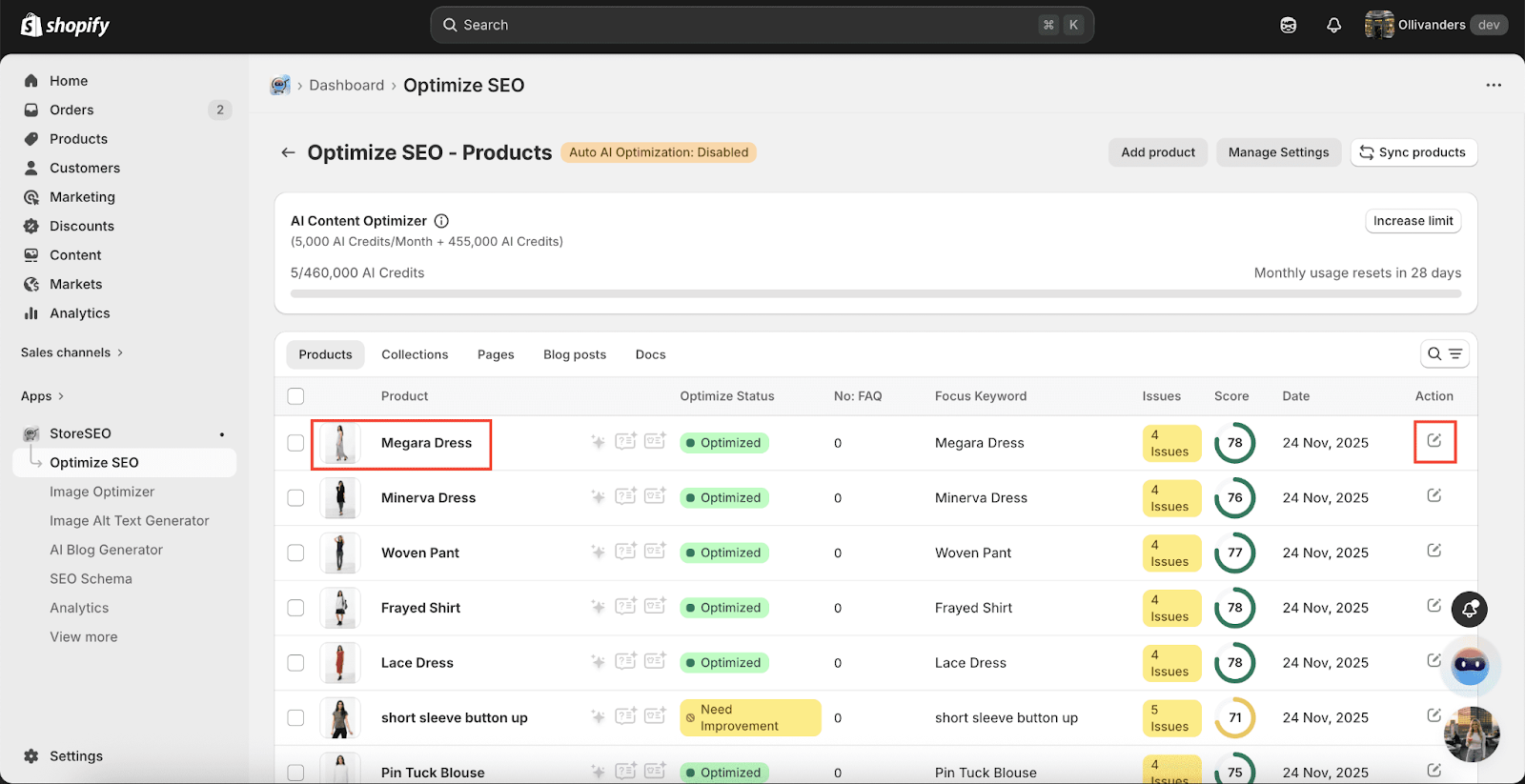
Idź do Aplikacje opcję z pulpitu nawigacyjnego i wybierz „SklepSEO' aplikacja. Teraz kliknij na 'Zoptymalizuj SEO z panelu bocznego wybierz zakładkę ‘Produkty, gdzie wymienione są wszystkie Twoje produkty Shopify wraz ze szczegółami.
Krok 2: Wygeneruj fragment kodu AI #
Tutaj możesz po prostu wygenerować pełny fragment kodu AI skoncentrowany na wybranym słowie kluczowym. Wystarczy kliknąć przycisk “Generuj”, jak pokazano poniżej.
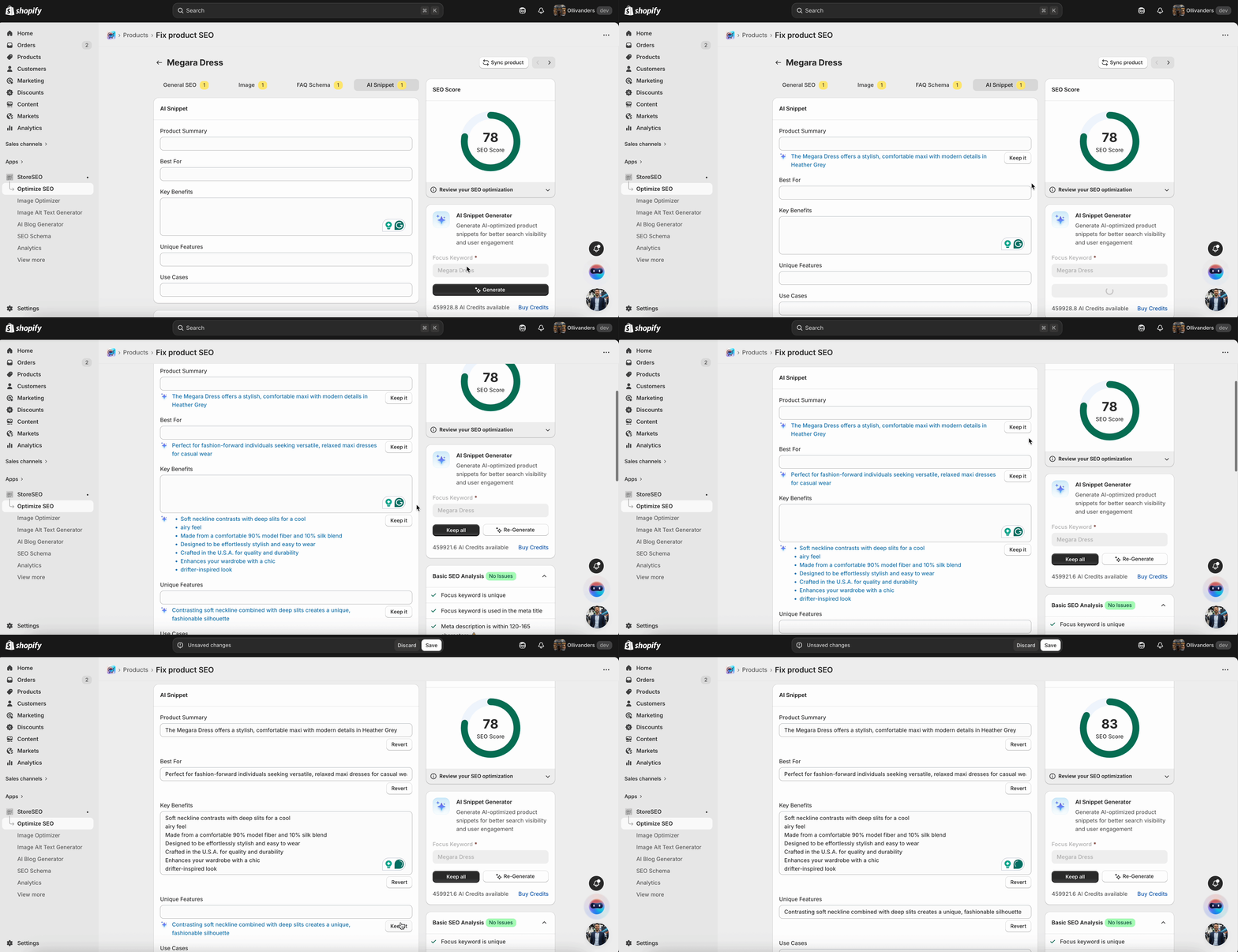
Treść dla “Produkt Streszczenie,,,”To, co najlepsze Dla,,,”Klawisz Korzyści,,,”Unikalny Cechy," I "”Używać Sprawy” zostanie wygenerowany automatycznie. Kliknij na “Trzymać To”przycisk ” pod kryteriami.
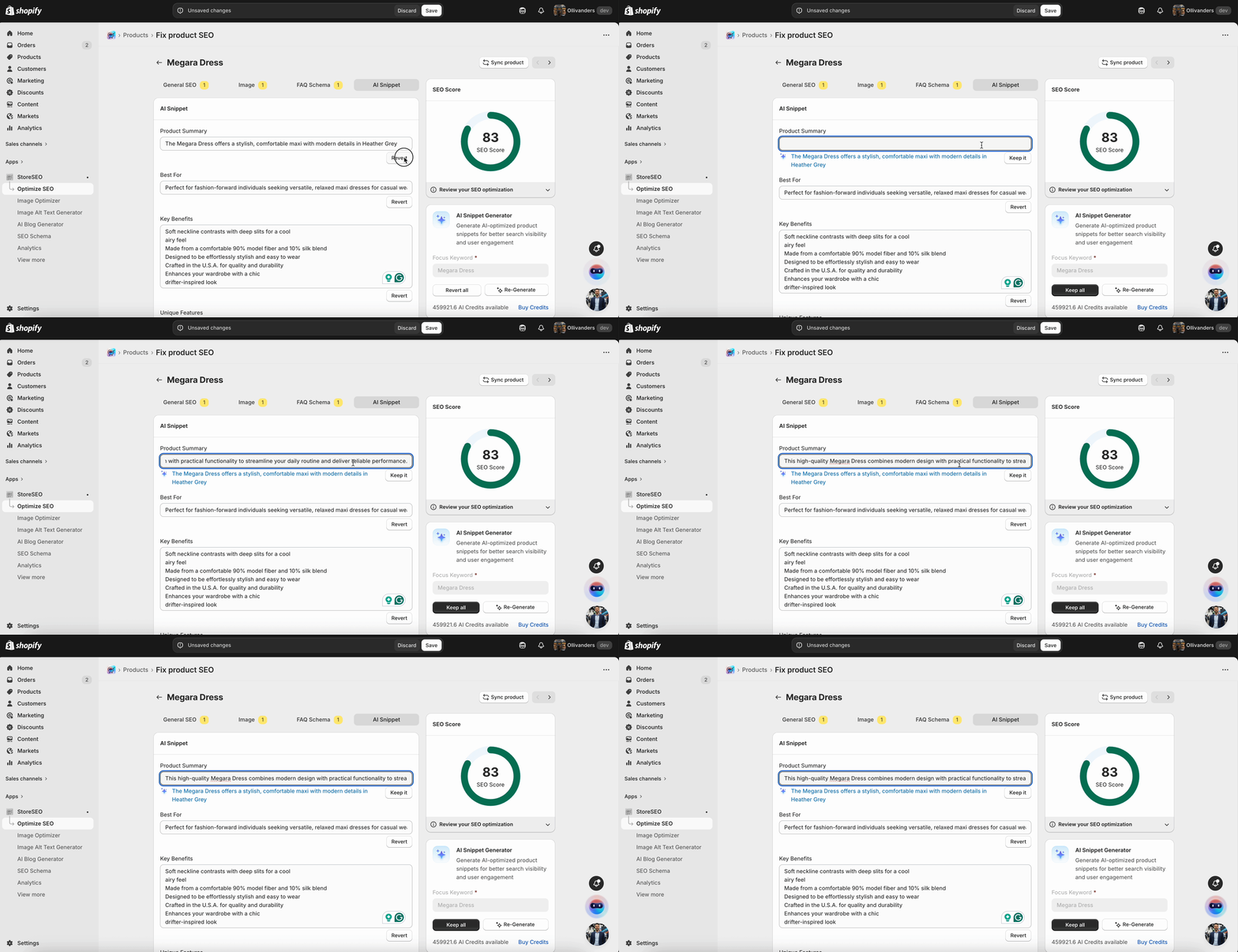
Jeśli chcesz wprowadzić zmiany do wygenerowanej treści, kliknij na “Odwracać”Kliknij przycisk „” i dodaj preferowaną treść, jak pokazano poniżej.
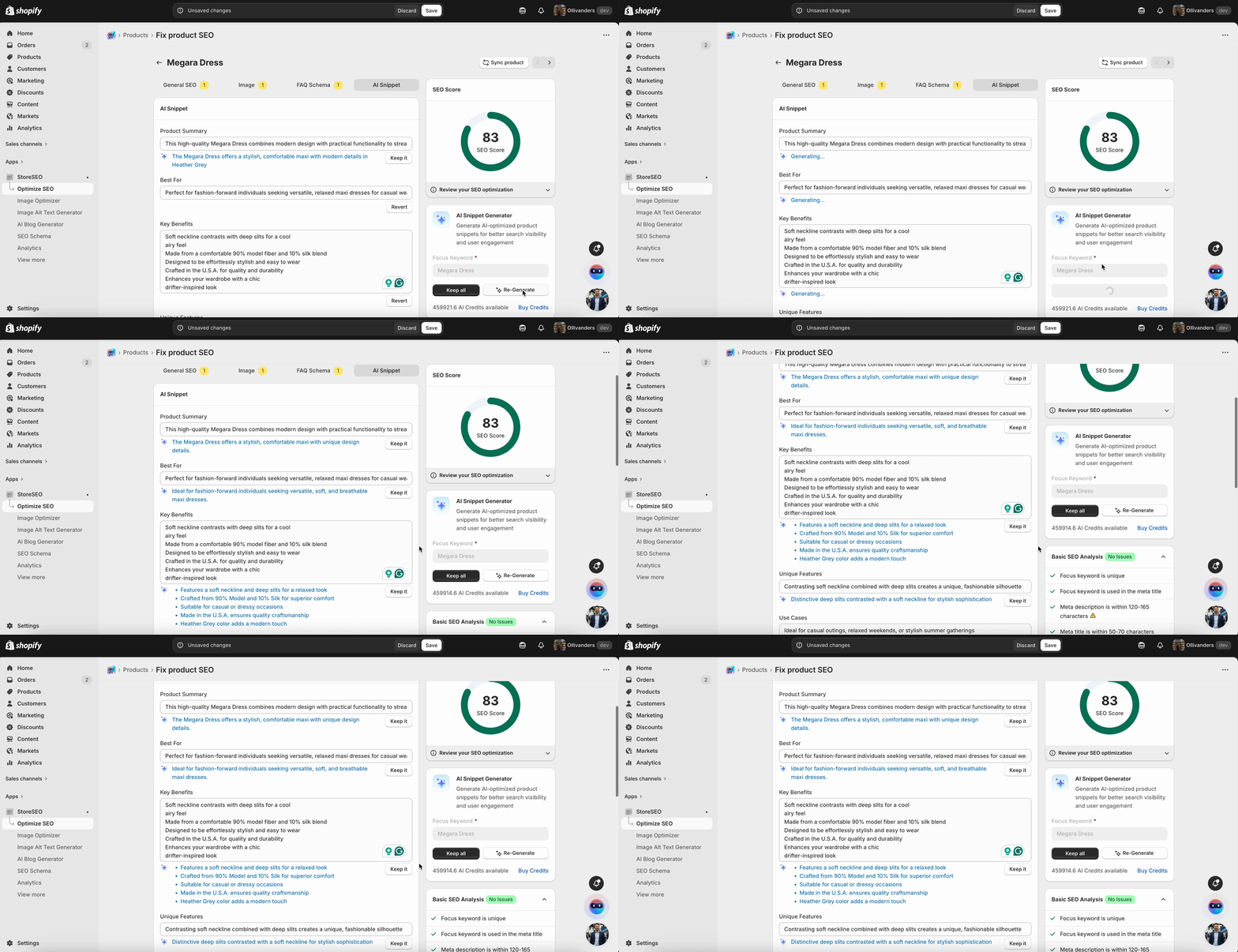
Alternatywnie możesz kliknąć na “Zregenerować”Kliknij przycisk „, aby uzyskać inną wersję treści wygenerowanej przez sztuczną inteligencję dla fragmentów opisów produktów.
Krok 3: Zachowaj całą wygenerowaną treść i zapisz postęp #
Jeżeli jesteś zadowolony z wygenerowanej treści, możesz kliknąć „Zachowaj wszystko”aby zachować całą wygenerowaną treść fragmentów kodu produktu.
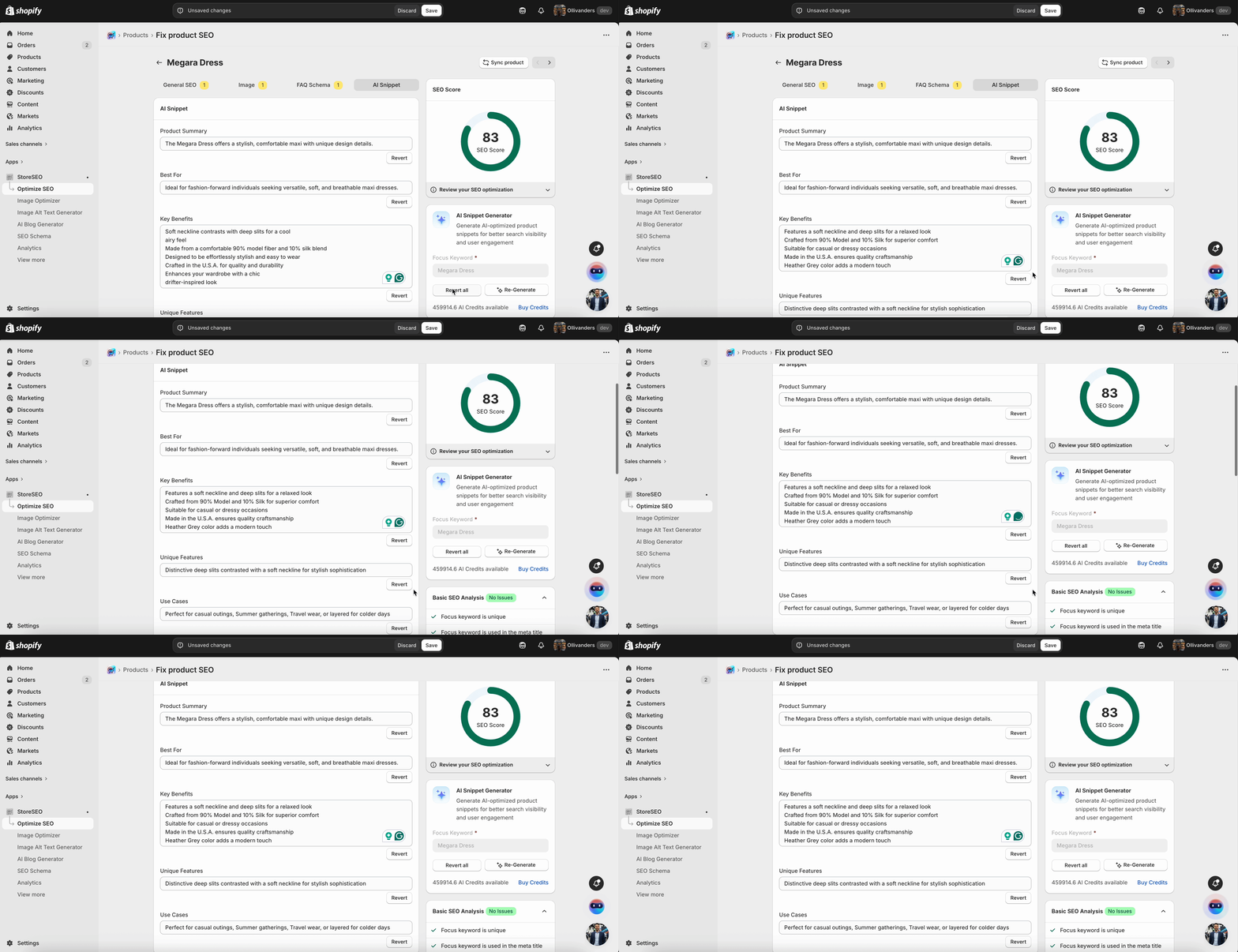
Raz wypełniłeś wszystkie wymagane pola preferowaną przez siebie treścią, robić upewnij się, że klikniesz 'Ratować' przycisk, aby zachować wszystkie informacje.
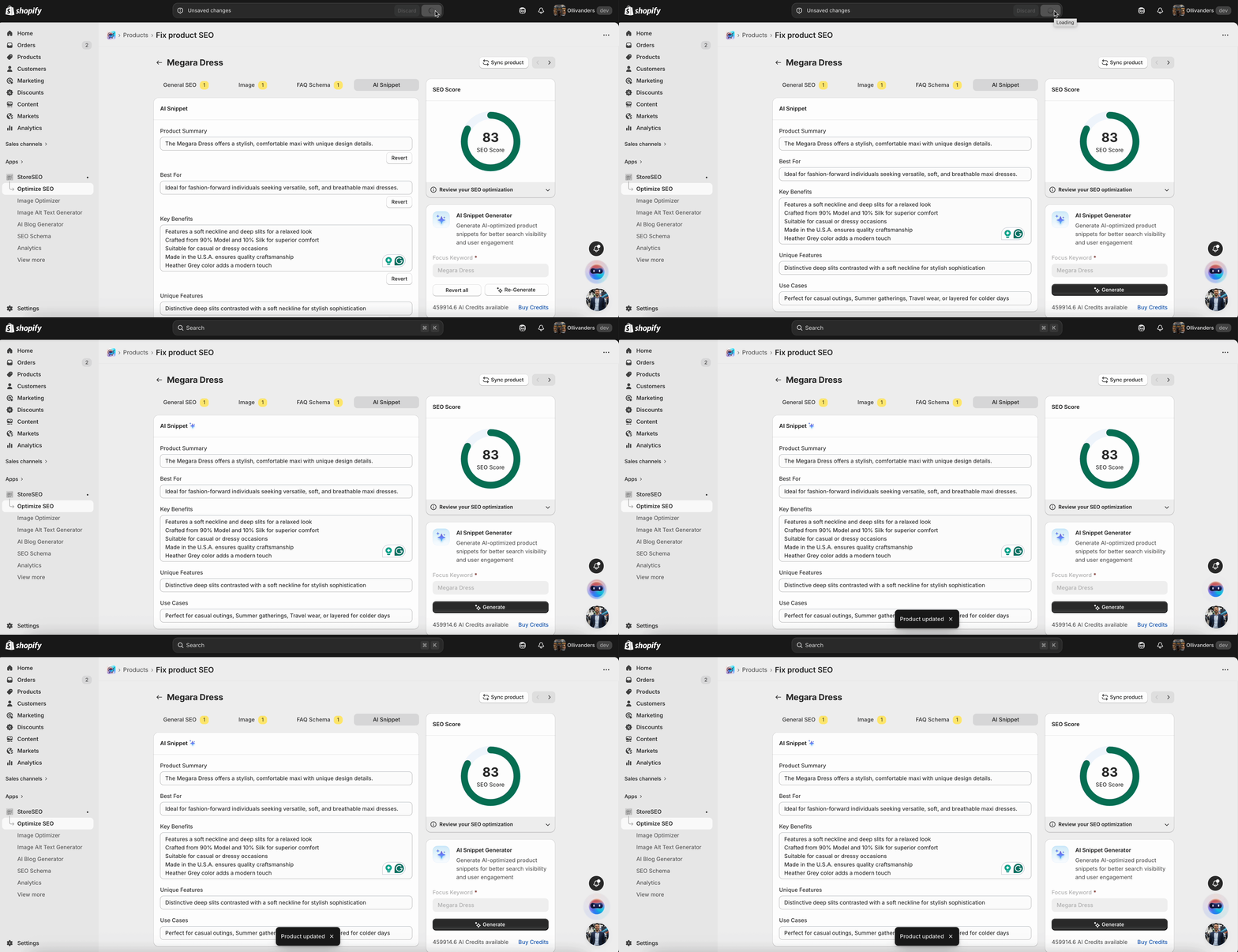
Oto jak łatwo możesz wygenerować fragment kodu AI za pomocą StoreSEO dla swojego Produkty Shopify.
Potrzebujesz pomocy? Skontaktuj się z nami dedykowany zespół wsparcia dla wszelkiego rodzaju zapytań.