

SklepSEO Generator klastrów słów kluczowych to potężna funkcja, która pomaga Ci optymalizować opisy produktów pod kątem trafnych słów kluczowych, co jest kluczowym krokiem w poprawie widoczności Twojego sklepu w wyszukiwarkach i skuteczności konwersji. Nasza nowa funkcja upraszcza ten proces, pomagając Ci automatycznie generować klastry słów kluczowych i zoptymalizowane pod kątem SEO opisy produktów, dopasowane do Twojego konkretnego produktu.
Ta dokumentacja przeprowadzi Cię przez każdy etap procesu – od wyboru produktu, przez generowanie i dopracowywanie klastrów słów kluczowych, tworzenie opisów produktów, aż po wprowadzanie ostatecznych zmian. Postępując zgodnie z tymi instrukcjami, będziesz w stanie tworzyć wysokiej jakości, bogate w słowa kluczowe treści produktowe, zgodne z najlepszymi praktykami SEO i generujące większy ruch organiczny w Twoim sklepie.
Upewnij się, że masz zainstalowano aplikację StoreSEO na twoim Sklep internetowy sklep. Następnie postępuj zgodnie z poniższymi wskazówkami krok po kroku, aby rozpocząć korzystanie z funkcji śledzenia pozycji słów kluczowych w swoim sklepie Shopify za pomocą StoreSEO.
Jak korzystać z generatora klastrów słów kluczowych StoreSEO do optymalizacji produktu #
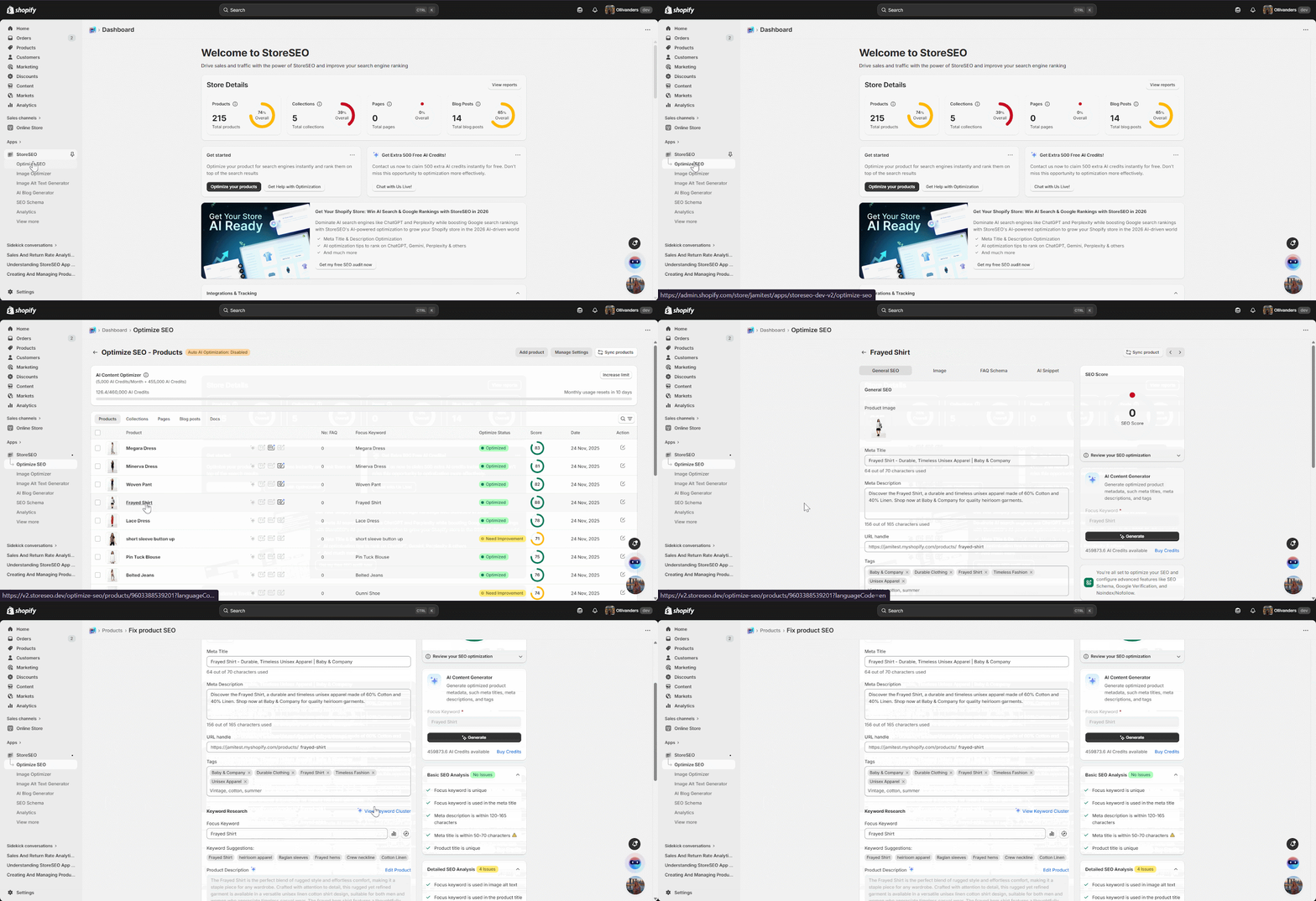
Krok 1: Wybierz produkt #
Zacznij od przejścia do panelu Optymalizacji SEO. Następnie wybierz produkt, dla którego chcesz wygenerować klaster słów kluczowych. Wybór odpowiedniego produktu gwarantuje, że wygenerowane słowa kluczowe i opisy będą idealnie dopasowane do niszy i intencji odbiorców Twojego produktu.
Krok 2: Wygeneruj klaster słów kluczowych #
Po wybraniu produktu, w panelu „Badanie słów kluczowych” znajdź opcję „Generuj klaster słów kluczowych”. Kliknij przycisk „Generuj klaster słów kluczowych”, aby rozpocząć proces.
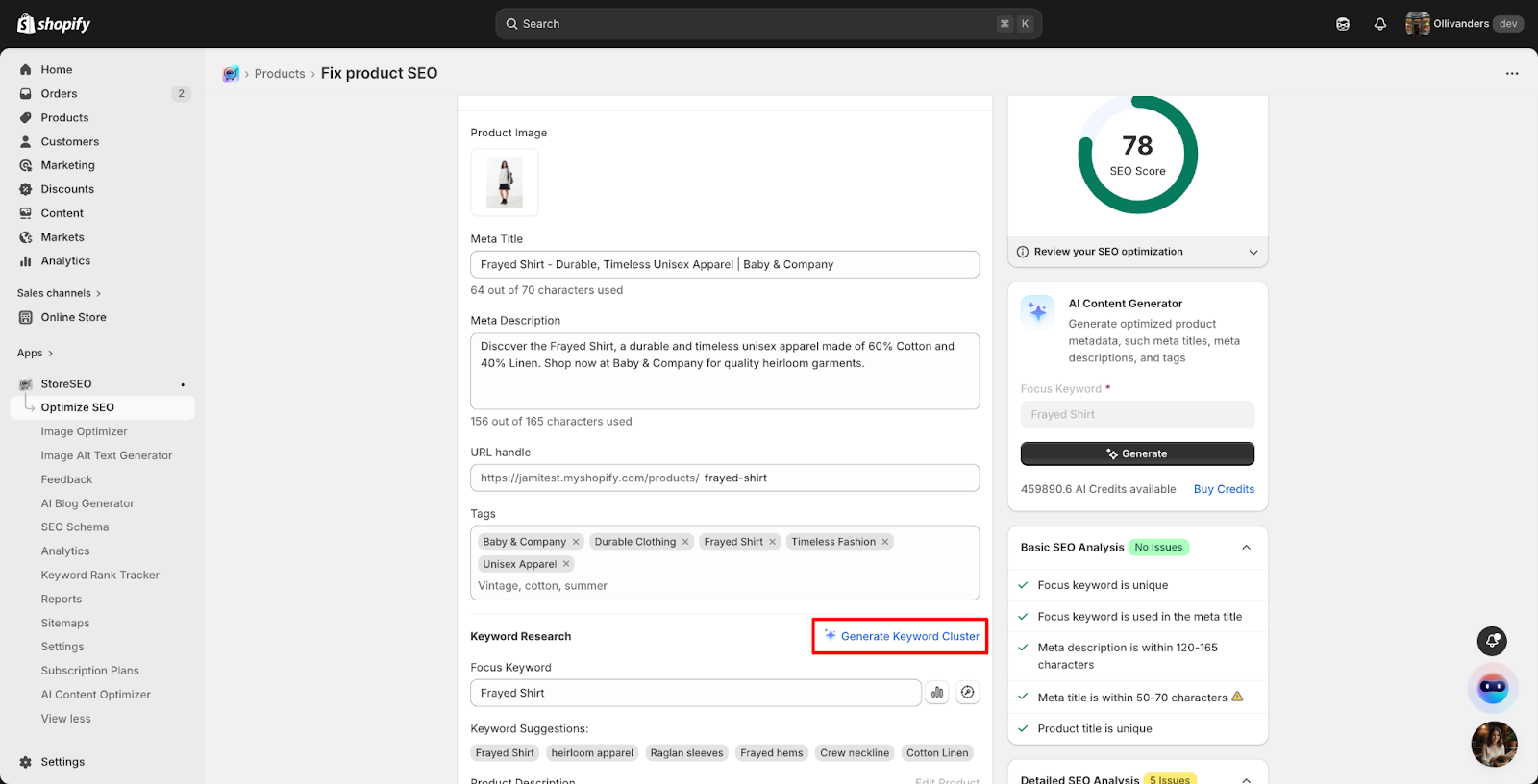
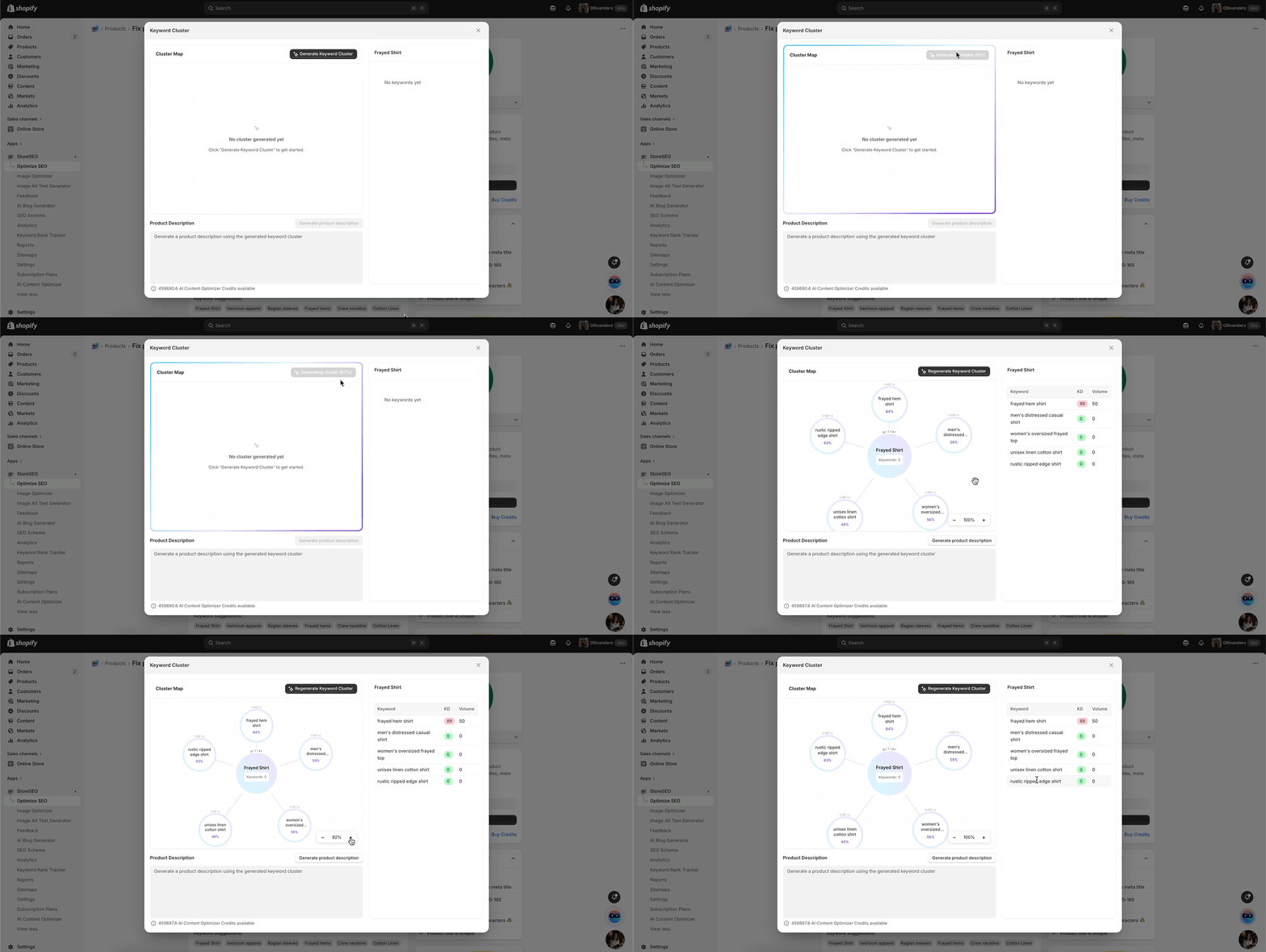
SklepSEO automatycznie przeanalizuje Twój produkt i stworzy zestaw odpowiednich słów kluczowych w oparciu o intencję wyszukiwania i trafność tematyczną.
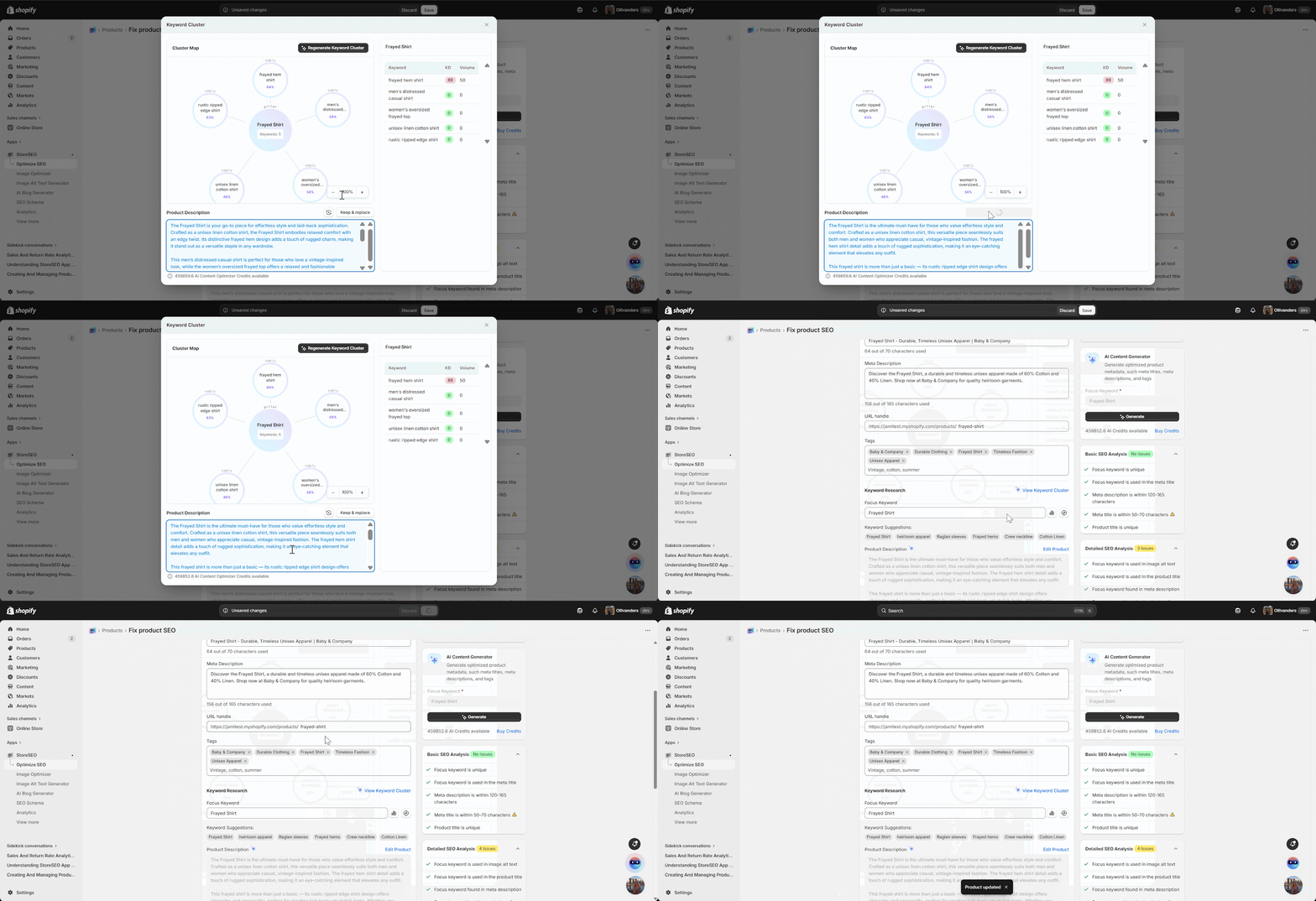
Po chwili pojawi się klaster słów kluczowych wraz z wizualną mapą klastrów. Zobaczysz również listę powiązanych słów kluczowych, które pomogą Ci ukształtować opis produktu przyjazny dla SEO.
Krok 3: Wygeneruj opis produktu #
Mając gotowy klaster słów kluczowych, czas utworzyć opis produktu. Kliknij przycisk „Generuj opis produktu”. System wykorzysta wybrany klaster słów kluczowych, aby stworzyć atrakcyjny, zoptymalizowany pod kątem SEO opis produktu, dopasowany do Twojego produktu.
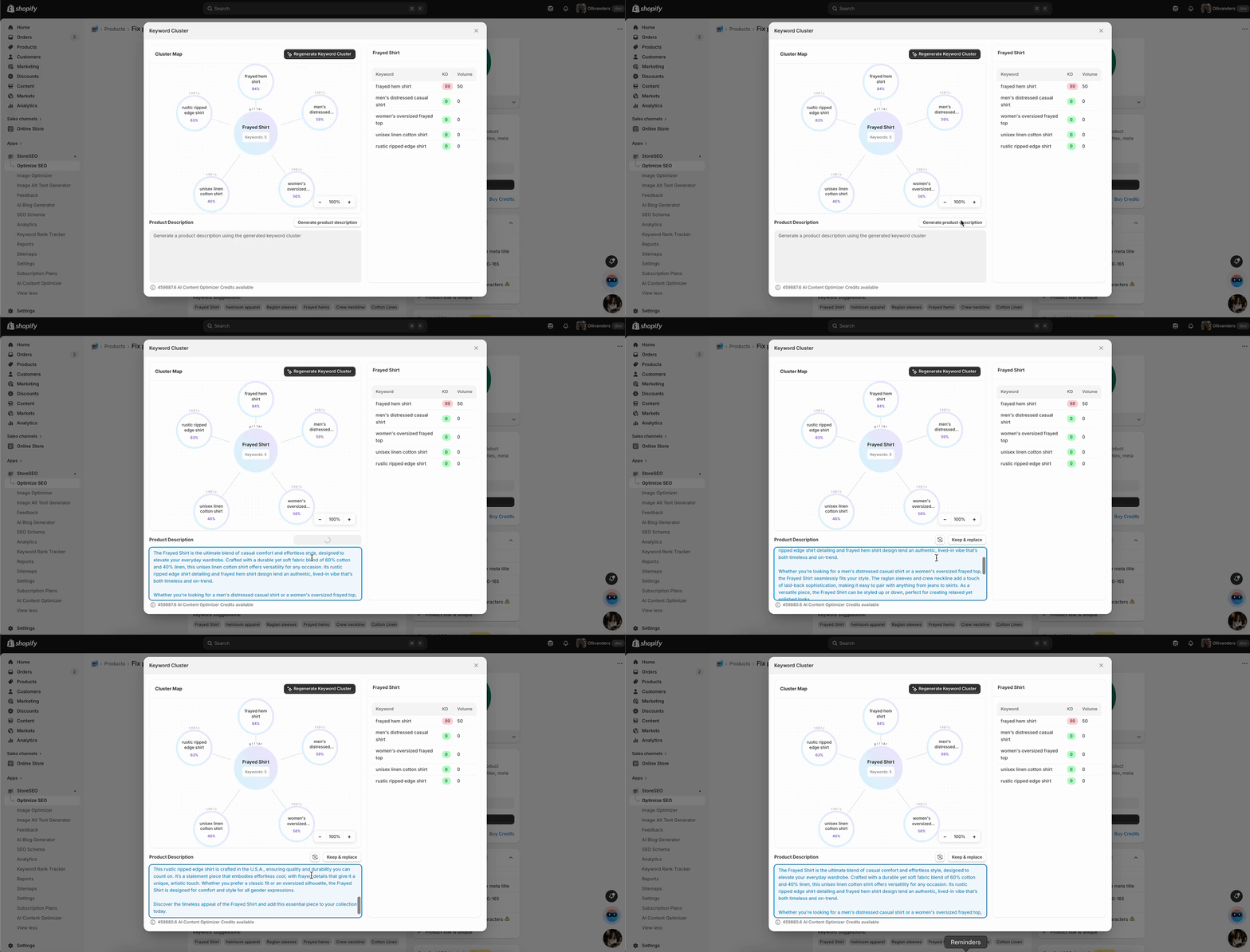
Jeśli chcesz inną wersję, po prostu kliknij ikonę „Regeneruj”. Każda zregenerowana wersja będzie nadal oparta na tym samym klastrze słów kluczowych, dzięki czemu każda wersja pozostanie istotna pod kątem SEO. Po znalezieniu preferowanej wersji kliknij „Zachowaj i zamień”, aby sfinalizować wybór. Nie zapomnij kliknąć „Zapisz”, aby zapisać wszystkie zmiany.
Krok 4: Edytuj produkt #
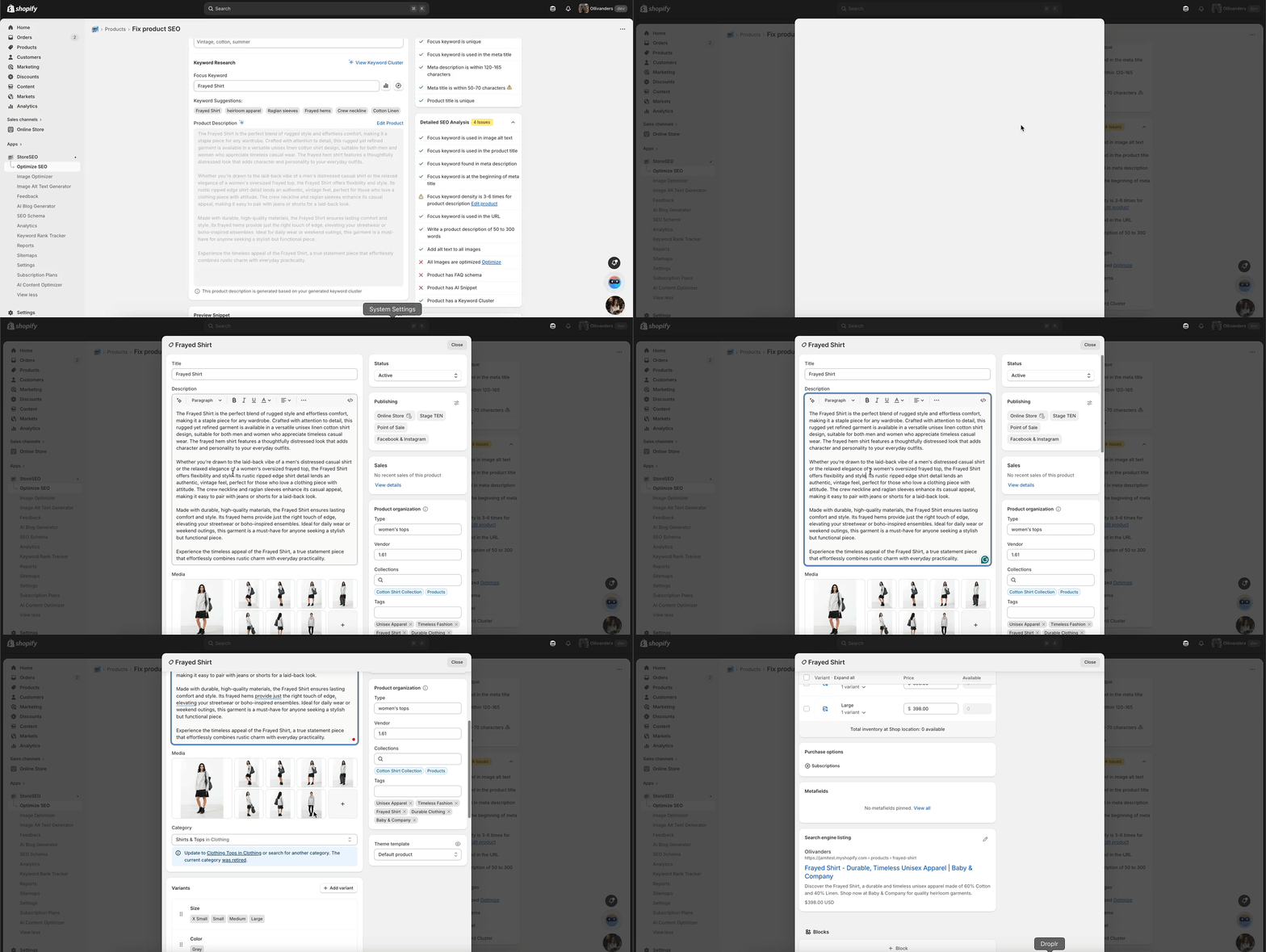
Jeśli chcesz doprecyzować opis lub dostosować inne szczegóły, kliknij przycisk „Edytuj produkt”. Pozwoli Ci to na wprowadzenie dodatkowych zmian w opisie produktu, metadanych lub innych atrybutach przed sfinalizowaniem aktualizacji.
Właśnie tak łatwo możesz skorzystać z funkcji Generatora Słów Kluczowych StoreSEO. Postępując zgodnie z tymi krokami, masz pewność, że Twoje produkty będą poparte dokładnym badaniem słów kluczowych i stworzone z myślą o optymalizacji SEO, co przełoży się na lepszą widoczność i konwersję. Jeśli potrzebujesz pomocy, skontaktuj się z nami. Nasz zespół wsparcia.