Shopify Tags vs Collections vs Filters: What to Index
 Written by M Asif Rahman
Shopify builds three different kinds of pages from one catalogue, and they are not equally safe to let Google crawl. Collections are the category pages you are meant to rank. Tag pages are real, indexable pages Shopify generates on its own. Filter and sort URLs are already blocked by Shopify’s default robots.txt.
TL;DR: here is what each of the three URL types is, who creates it, and what to do about it.
| Concept | URL Pattern | Created By | Action |
|---|---|---|---|
| Collection | /collections/shoes | You, in Shopify admin | Index it, it is your category page |
| Tag page | /collections/shoes/running | Shopify, automatically from your tags | Index only if the tag has its own search demand |
| Filter / sort | /collections/shoes?filter.v.option.color=Blue | The storefront filter or sort widget | Already blocked by Shopify’s default robots.txt |
What Is A Shopify Collection?
A collection is the page you build on purpose: Men’s Shoes, Summer Sale, New Arrivals. You create it in Shopify admin, give it a handle, and it lives at /collections/<handle>. This is the page meant to carry your category keyword, and it is the one page in this whole comparison that should always be open to Google. StoreSEO treats the collection page as a normal indexable page: title, meta description and schema all apply to it the same way they do to a product page, with no extra setting to flip.
What Is A Shopify Tag Page?
Every product tag you add creates a second kind of page you did not explicitly build. Add the tag “running” to a handful of products inside the Men’s Shoes collection, and Shopify automatically starts serving /collections/shoes/running, a real page listing just those products. Shopify’s own help documentation confirms this URL pattern directly, and nothing in the platform’s default setup stops it from being crawled and indexed like any other page. That is the part most merchants miss: a tag page is not a filter, and Shopify does not treat it as one.
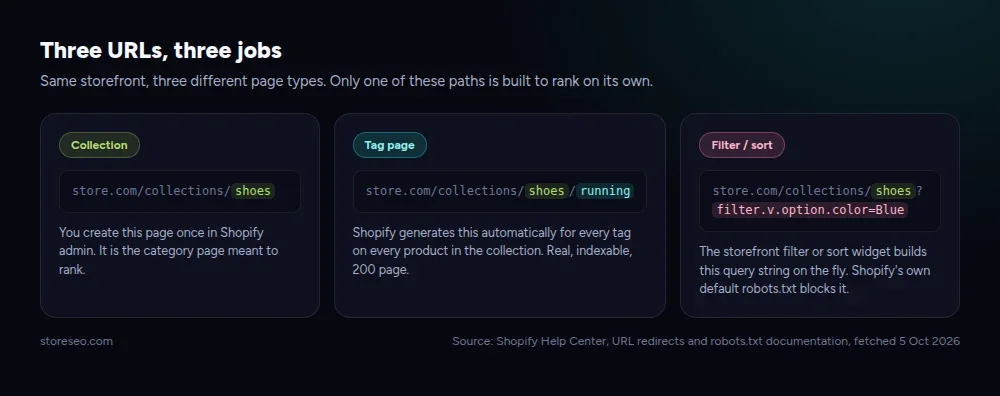 The collection path is yours to build. The tag path is generated for you. The filter path is a query string, not a page.
Because a tag page is a full page with its own URL, it can rank on its own, for its own keyword, the same way a collection can. The catch is that most stores add tags for internal merchandising, not for SEO, which means most tag pages carry no real search demand and exist only as thin duplicates of the parent collection.
What Is A Shopify Filter Or Sort URL?
The third type looks similar but behaves completely differently. When a shopper clicks a filter in the sidebar, such as a colour or a price range, or changes the sort order, Shopify’s storefront appends a query string to the collection URL instead of generating a new page: ?filter.v.option.color=Blue or ?sort_by=price-ascending. Shopify’s default robots.txt already disallows these patterns, specifically /collections/*+*, /collections/*sort_by* and filter query strings, because they duplicate content that already lives on the plain collection page.
 A public Shopify merchant’s unedited robots.txt, checked live, confirms filters are blocked and tag paths are not mentioned at all.
That live check matters because it is easy to assume Shopify blocks everything that looks like a parameter or a sub-path. It does not. The rule is narrow: query-string filters and sort orders are blocked, and plain tag paths are left alone, which is exactly why tags need a human decision and filters do not.
Which One Creates Duplicate Content?
Duplicate content risk comes from pages that say almost the same thing with no added value, not from having many URLs. A collection and its filter query strings are the clearest case, same products, same copy, different sort order, and Shopify already keeps those out of the index for you. Tag pages are the genuine grey area: a tag with real demand, like “running” under Men’s Shoes, earns its place because shoppers actually search for it. A tag added for warehouse sorting, like “batch-114” or a size code, creates a thin page with no audience and nothing unique to say, and that is a real duplicate-content risk Shopify will not catch on its own.
 Collections and tags with their own search demand earn indexing; thin tags and filter URLs do not.
The practical test is simple: if you would be comfortable turning a tag page into a landing page with its own intro paragraph and its own title tag, index it. If the tag only exists to help you sort inventory internally, it should carry a noindex or simply never be linked to from your navigation or sitemap, the same discipline our guide to Search Console’s indexing statuses recommends for anything Google reports as a near duplicate.
How Do You Control Each One In Shopify?
Collections need no special handling beyond ordinary on-page SEO, a unique title, a meta description, and internal links from your navigation and from relevant blog posts. Filters need nothing at all unless you have hand-edited robots.txt.liquid and accidentally removed Shopify’s default rules, which is worth a one-time check if your filter URLs show up in Search Console. Tags are the one area that benefits from a deliberate process rather than a default.
StoreSEO’s unlimited product tags feature is where that process happens in practice: you can add as many tags as a product genuinely needs without any plan limit forcing you to consolidate unrelated ones onto a single tag just to save a slot. That matters here because the thin, warehouse-style tags that create duplicate pages are usually a symptom of tag limits elsewhere, merchants cramming batch codes and real keywords into the same handful of tags. With no limit to work around, you can keep internal-only tags separate from the tags you actually want to turn into pages, and decide the indexing question tag by tag instead of by necessity.
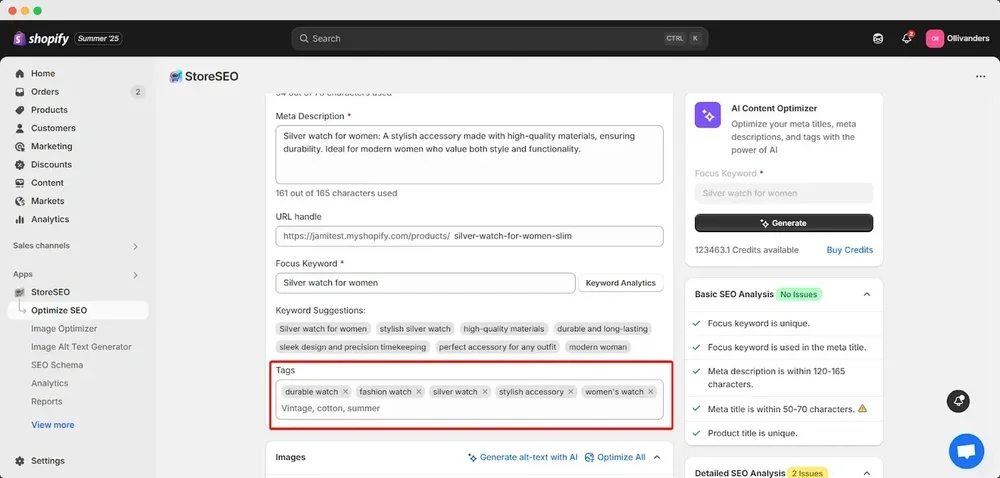 StoreSEO’s product screen, where tags are added directly next to the focus keyword and SEO score, captured 5 October 2026.
The same page in StoreSEO is also where the focus keyword and meta description for a collection or product get set, so collection-page SEO and tag decisions are made in one place rather than two separate workflows. For the broader collection-page checklist beyond indexing, our Shopify collection page SEO guide covers titles, descriptions and internal linking in full, and the StoreSEO documentation on adding keywords and tags walks through the exact screen above step by step. If your store generates its URL structure from a theme other than Shopify’s defaults, also confirm it with the same checks our site structure guide lays out, and if Google has already chosen a different canonical for any of these pages than the one you intended, our canonical troubleshooting guide covers that separately.
Frequently Asked Questions (FAQs)
1. Does Shopify automatically noindex my tag pages?
No. A tag page such as /collections/shoes/running returns a normal 200 status and carries no noindex tag by default. Shopify leaves the indexing decision to you, which is why thin tag pages can end up in Google’s index without anyone intending it.
2. Are filtered collection URLs the same thing as tag pages?
No. A tag page has its own clean path and its own canonical. A filtered URL adds a query string to the plain collection page and is already excluded by Shopify’s default robots.txt rules for sort and filter parameters, so it needs no extra action from you.
3. Should I noindex every tag page to be safe?
Not necessarily. A tag with genuine search volume and enough unique products behind it can rank on its own, the same way a small collection can. Blanket noindexing every tag page can throw away pages that were quietly earning organic traffic.
4. How many tags does StoreSEO let me add per product?
StoreSEO’s unlimited product tags feature does not cap the number of tags on a product. That means you can separate internal, merchandising-only tags from the ones you intend to let rank, without running out of room.
5. What should I check first if a tag page is ranking for the wrong thing?
Start with its title and meta description. If a tag page was never meant to be a landing page, it likely never had either one written for it, so Shopify falls back to a generic title that confuses readers and search engines alike.
Keep The Indexing Decision Simple
Shopify’s own platform already does half of this job by blocking filter and sort URLs before you ever have to think about them, which leaves collections and tags as the two decisions actually worth your time. Treat every collection as a page worth writing for, audit your tags for genuine search demand a few times a year, and the indexing question answers itself page by page. try StoreSEO on the Shopify App Store
Keep reading
Why Is Only Part of Your Shopify Catalog Indexed?
Partial catalog indexing on Shopify almost always traces to one of four causes: new pages, a deliberate block, duplicate URLs, or crawl budget.
Read article
Noindex vs Nofollow vs Disallow: Shopify's 3 Blockers
Noindex removes a page from Google's results, nofollow stops credit passing through one link, and robots.txt disallow only blocks crawling, never indexing.
Read article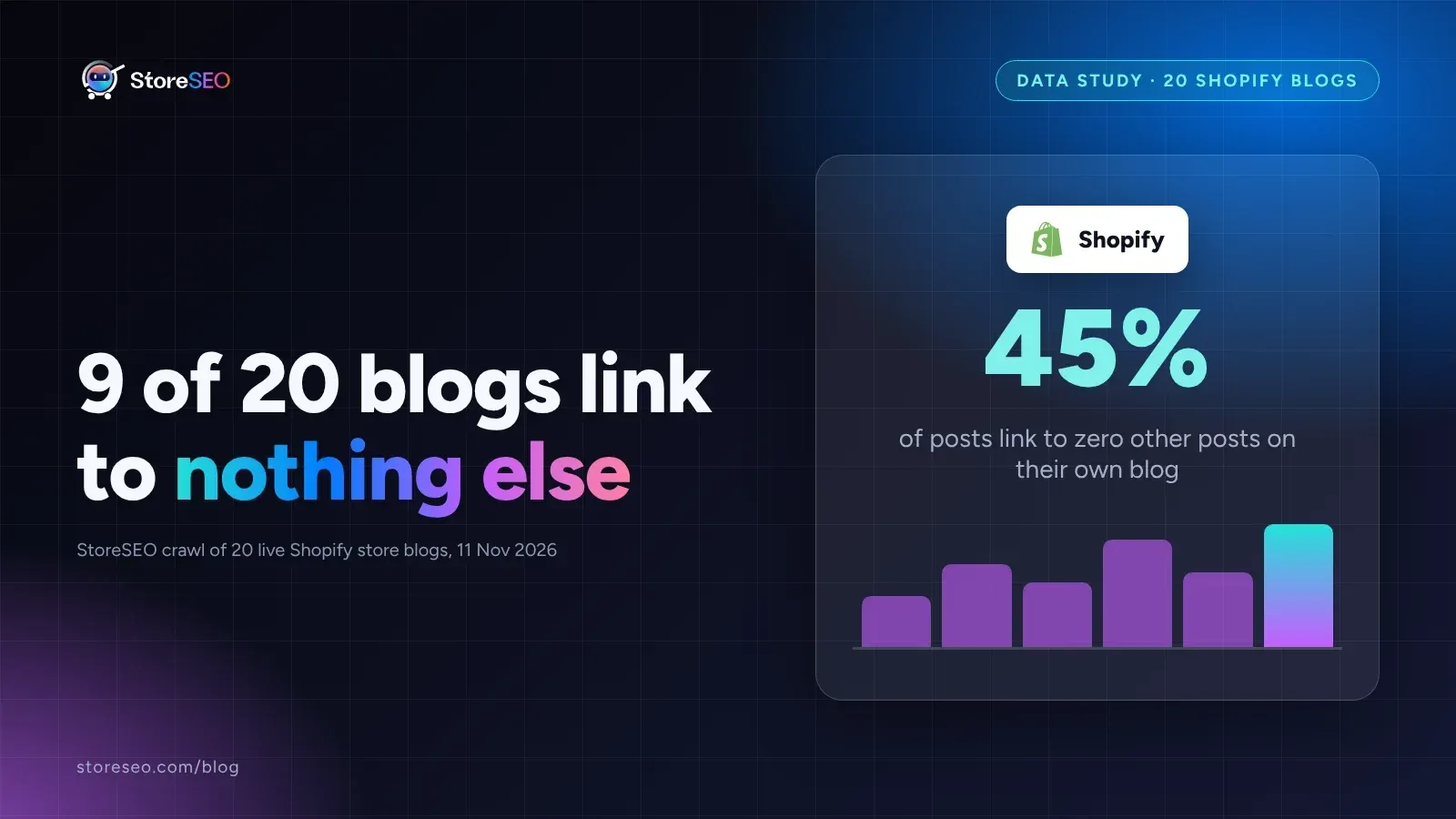
We Crawled 20 Shopify Blogs for Orphaned Posts
We crawled 20 live, public Shopify store blogs and found that 9 of them, fully 45 percent, link to zero other posts anywhere on their own blog.
Read article