
StoreSEOでShopify商品にAIスニペットを生成する方法

2分で読む

With our AI-powered StoreSEO app, you can now generate AI snippets for the products of your store. The AI Snippet form aims to provide a “concise identity” for your product. Instead of a long, rambling description, it breaks down the product into specific attributes that AI models prefer for quick extraction.

How to Generate AI Snippets for Shopify Products? #

When you generate AI Snippets for your product with ストアSEO, it helps you weave keywords naturally into your content to improve your search engine rankings. Follow these simple steps onward:

ステップ1:StoreSEO製品リストへ移動  #

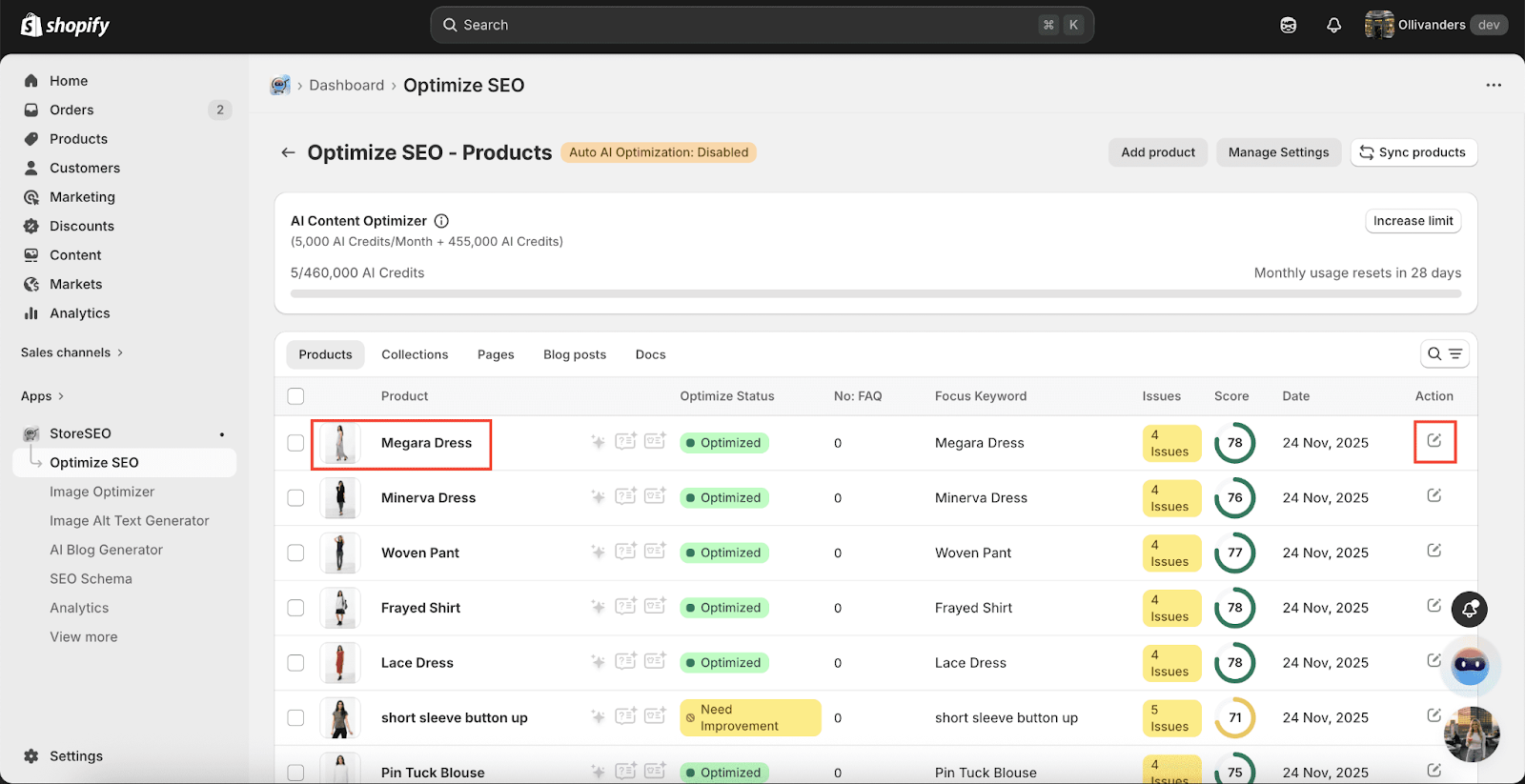
に行く 「アプリ」 ダッシュボードからオプションを選択し、「ストアSEO' アプリ。「SEOを最適化する tab from the side panel and choose ‘製品,’ where all your Shopify products are listed with details.

Generate AI Snippet

Step 2: Generate AI Snippet #

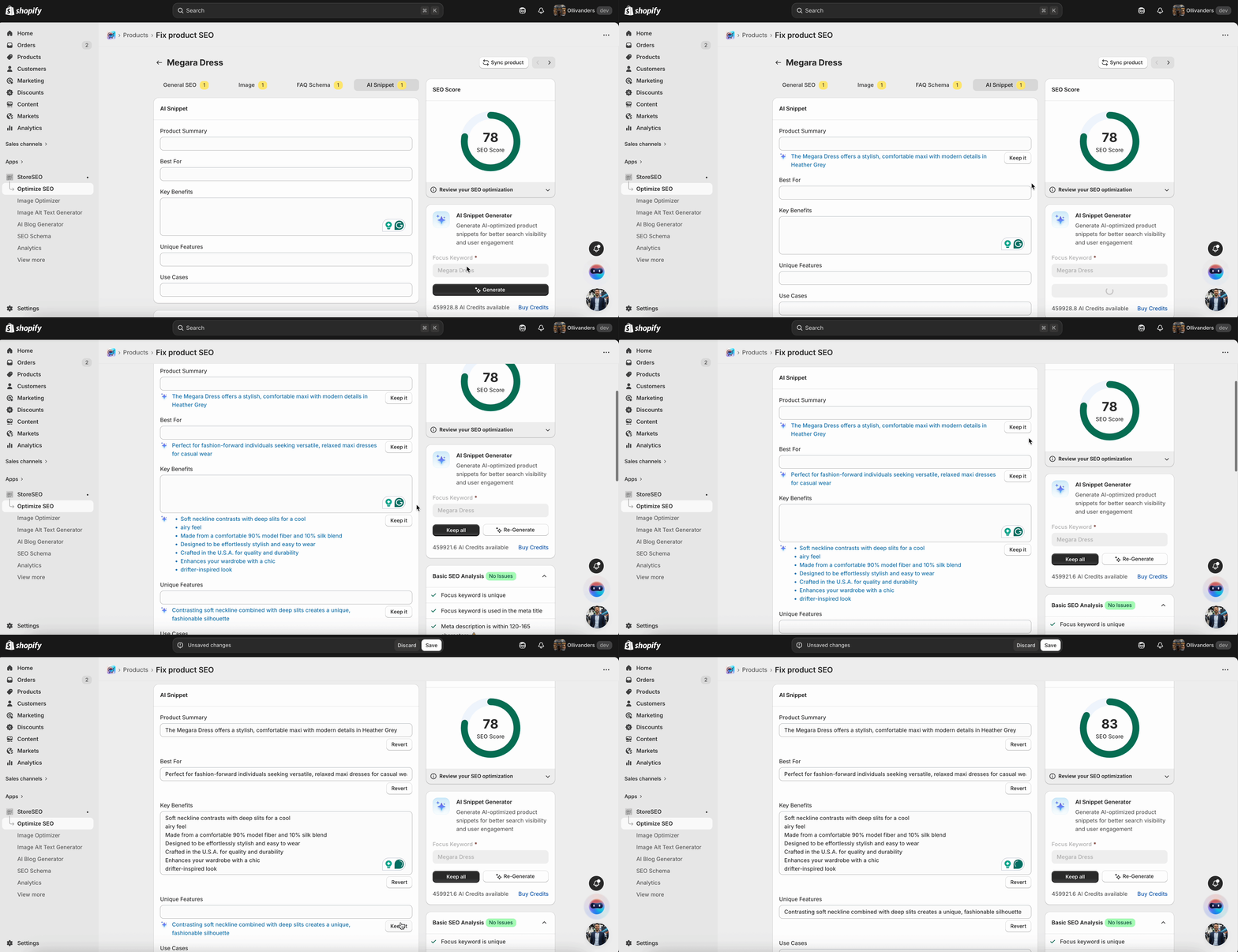
Here, you can simply generate a full AI snippet centered on your focus keyword. Simply click on the “generate” button as shown below.

Generate AI Snippet

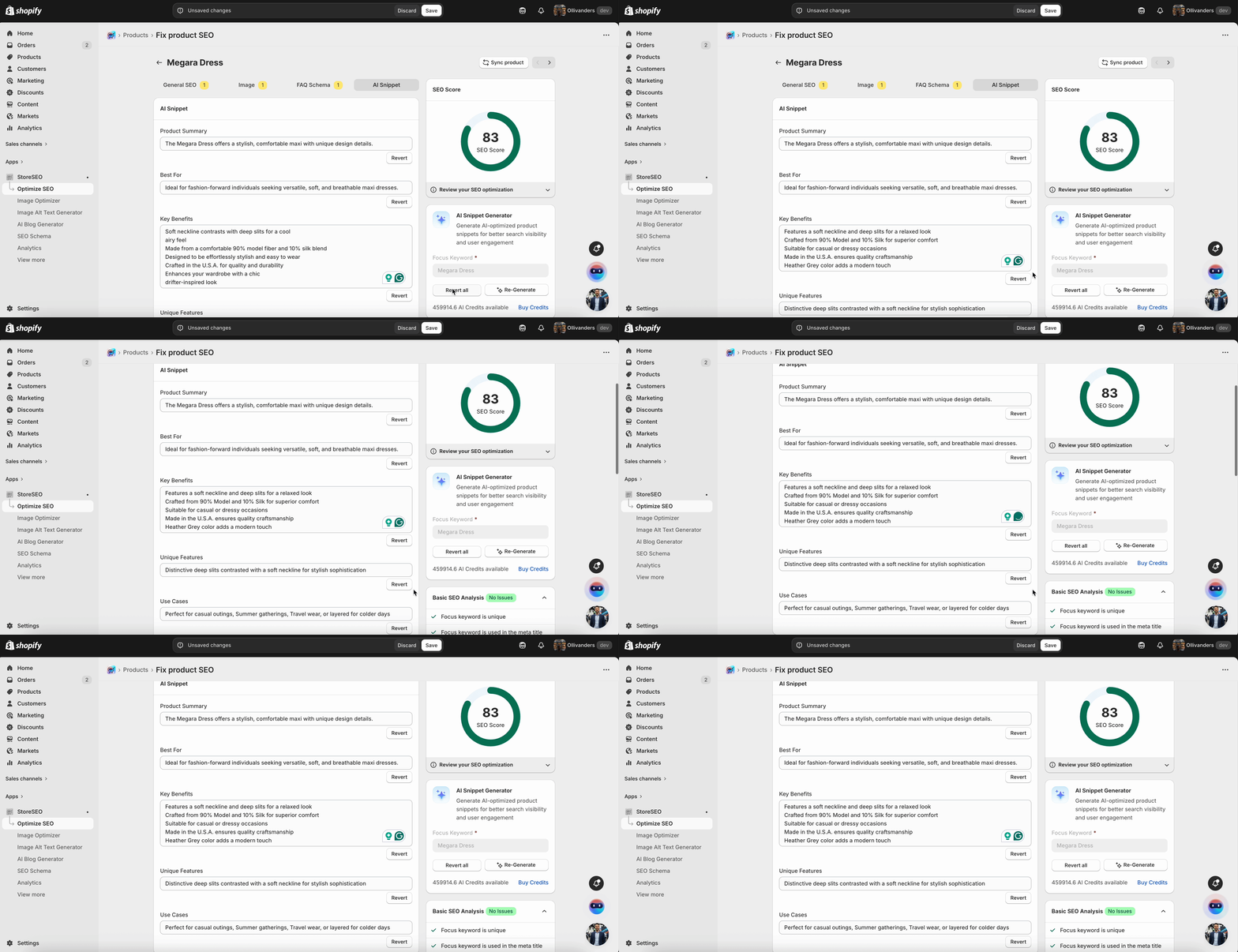
The content for “製品 Summary,” “Best のために,” “Key Benefits,” “Unique 特徴,” and “使用 Cases” will be generated automatically. Click on the “保つ It” button under the criteria.

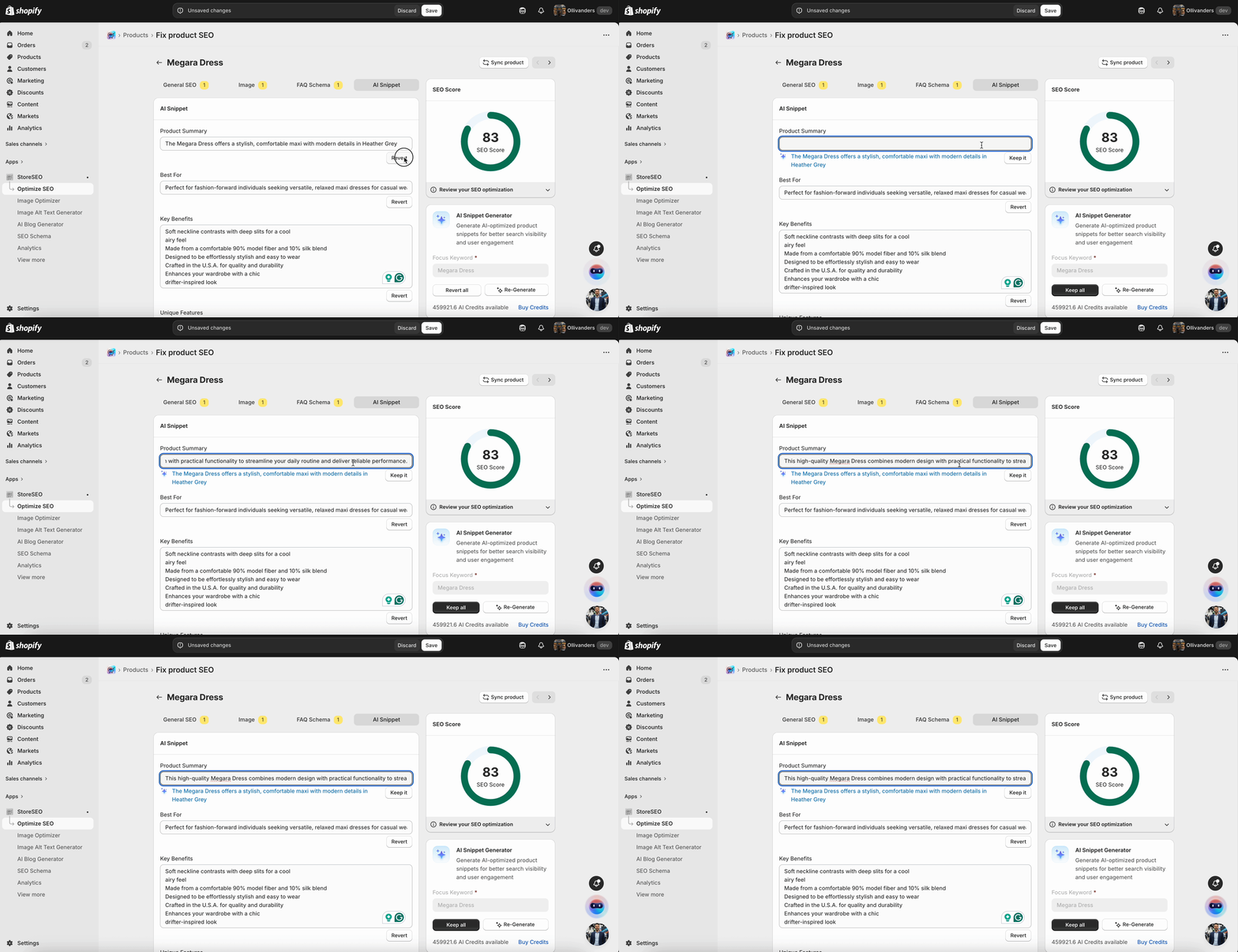
If you want to make changes to the generated content, click on the “元に戻す” button and add your preferred content as shown below. 

Generate AI Snippet

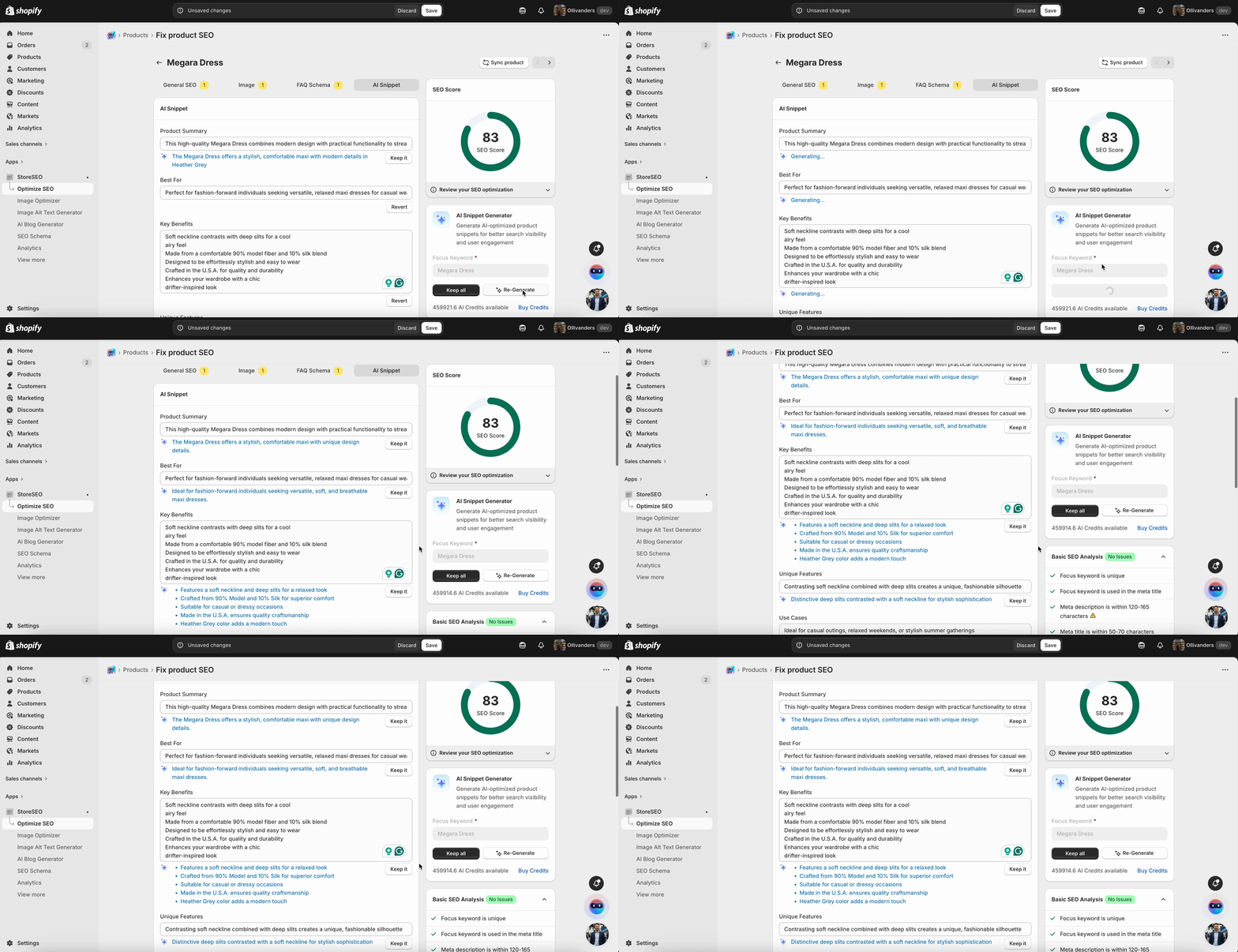
Alternatively, you can click on the “再生成” button to get another version of AI-generated content for the product snippets.

Generate AI Snippet
How To Generate AI Snippets To Shopify Products With StoreSEO 7

Step 3: Keep All Generated Content & Save Progress #

If you are satisfied with all the generated content, you can click on theKeep All” button to keep all the generated content for Product Snippets. 

Generate AI Snippet

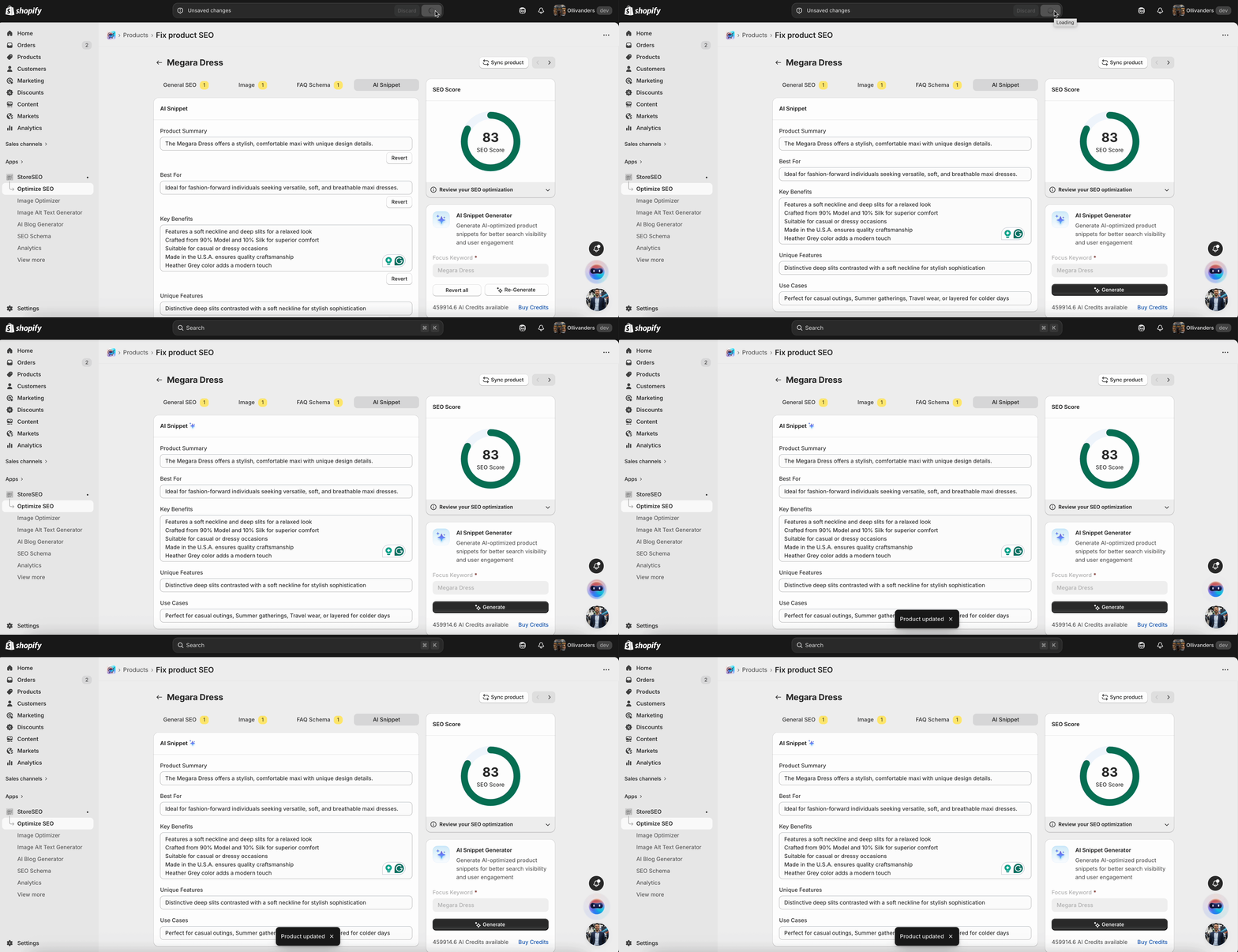
Once you’re done filling up all the required fields with your preferred content, make sure you click on the '保存' button to keep all the information.

Generate AI Snippet

This is how easily you can Generate AI Snippet with StoreSEO for your Shopify製品

サポートが必要ですか?お気軽にお問い合わせください 専任サポートチーム あらゆる種類のクエリに対応します。

Updated on 2月 25, 2026

役に立ちましたか?

あなたの気持ちは?