
如何设置您的 StoreSEO 关键词排名跟踪器

阅读需 1 分钟

关键词排名追踪器 is a powerful new StoreSEO feature that allows you to monitor exactly where your Shopify store stands in search engine results. Instead of guessing your progress, you can track the real-time performance of your most valuable keywords and see how your optimization efforts are paying off.

This documentation walks you through the simple steps to set up tracking for your target keywords, interpret your ranking reports, and use data-driven insights to climb higher in search results.

确保您已 安装了 StoreSEO 应用程序 在你的 Shopify 店铺. Then, follow these step-by-step guidelines to start using the keyword rank tracker feature for your Shopify store using StoreSEO.

Step 1: Access the Keyword Rank Tracker #

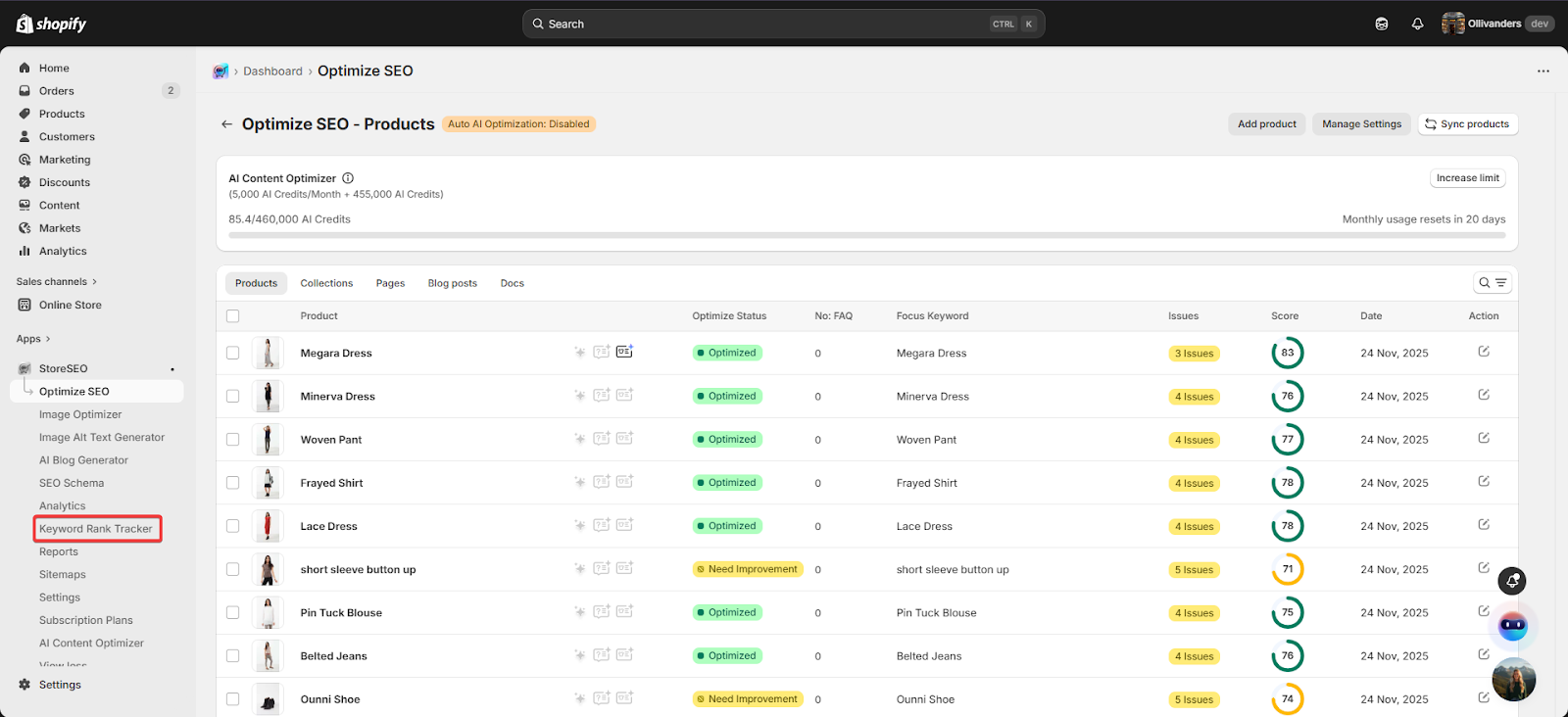
From your Shopify admin dashboard, open the 商店SEO app. Locate and select 关键词排名追踪器 from the features panel on the left sidebar.

keyword rank tracker

Step 2: Choose Your Tracking Action #

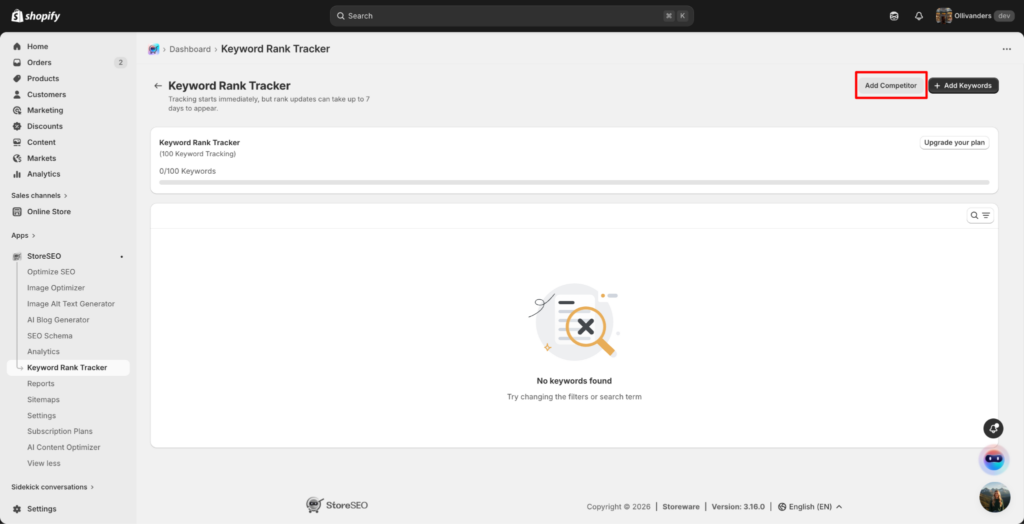
The dashboard provides two main configuration options: Add Competitors添加关键字. Start by clicking the Add Competitors button to establish a baseline for keyword ranking comparison.

How to Set Up Your StoreSEO Keyword Rank Tracker

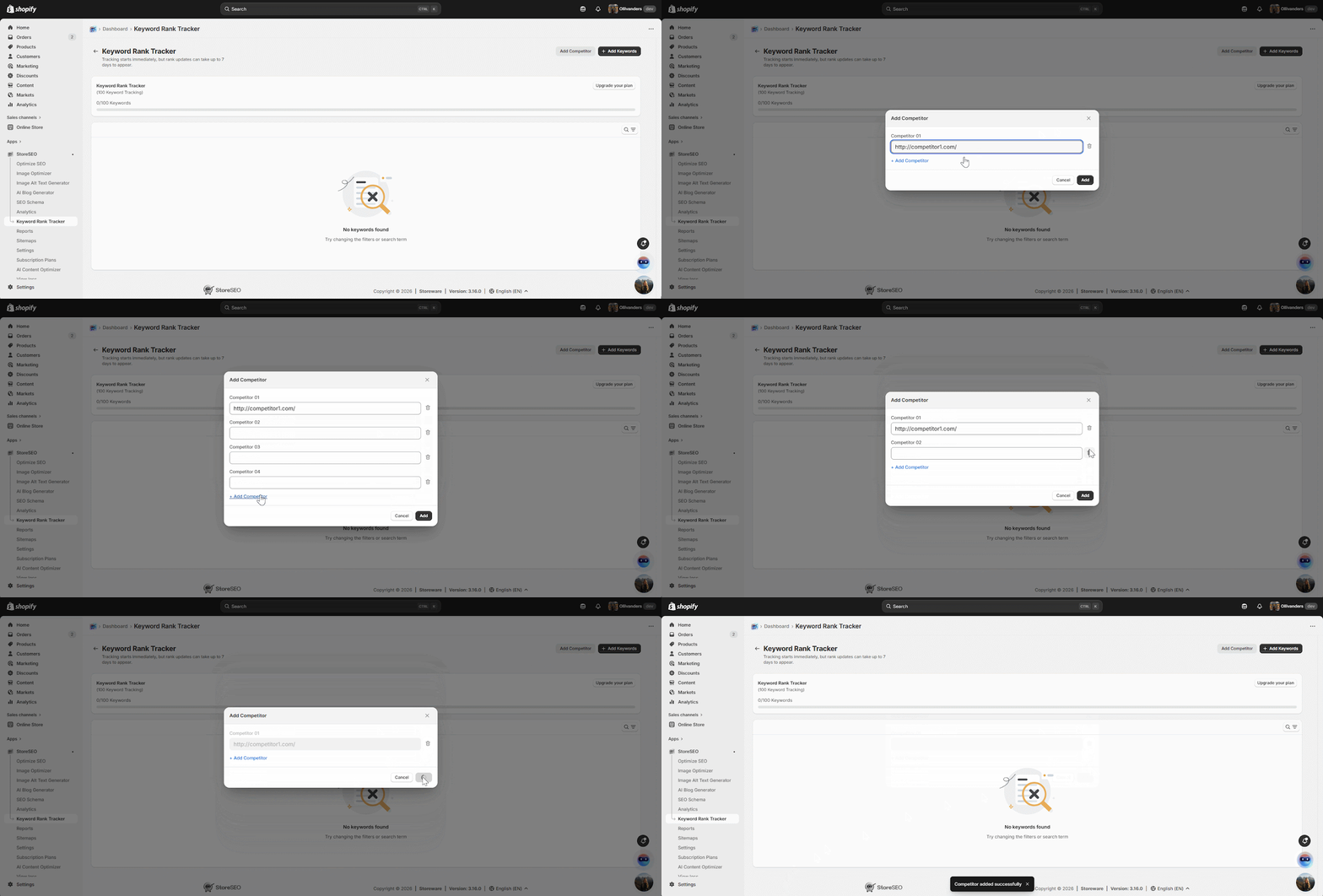
Step 3: Configure Your Competitors #

Enter the valid URLs of up to five competitors within your niche into the provided fields. Use this section to delete or adjust your list as your keyword strategy evolves. Click the 节省 button once your list is finalized to lock in these comparisons.

StoreSEO Keyword Rank Tracker

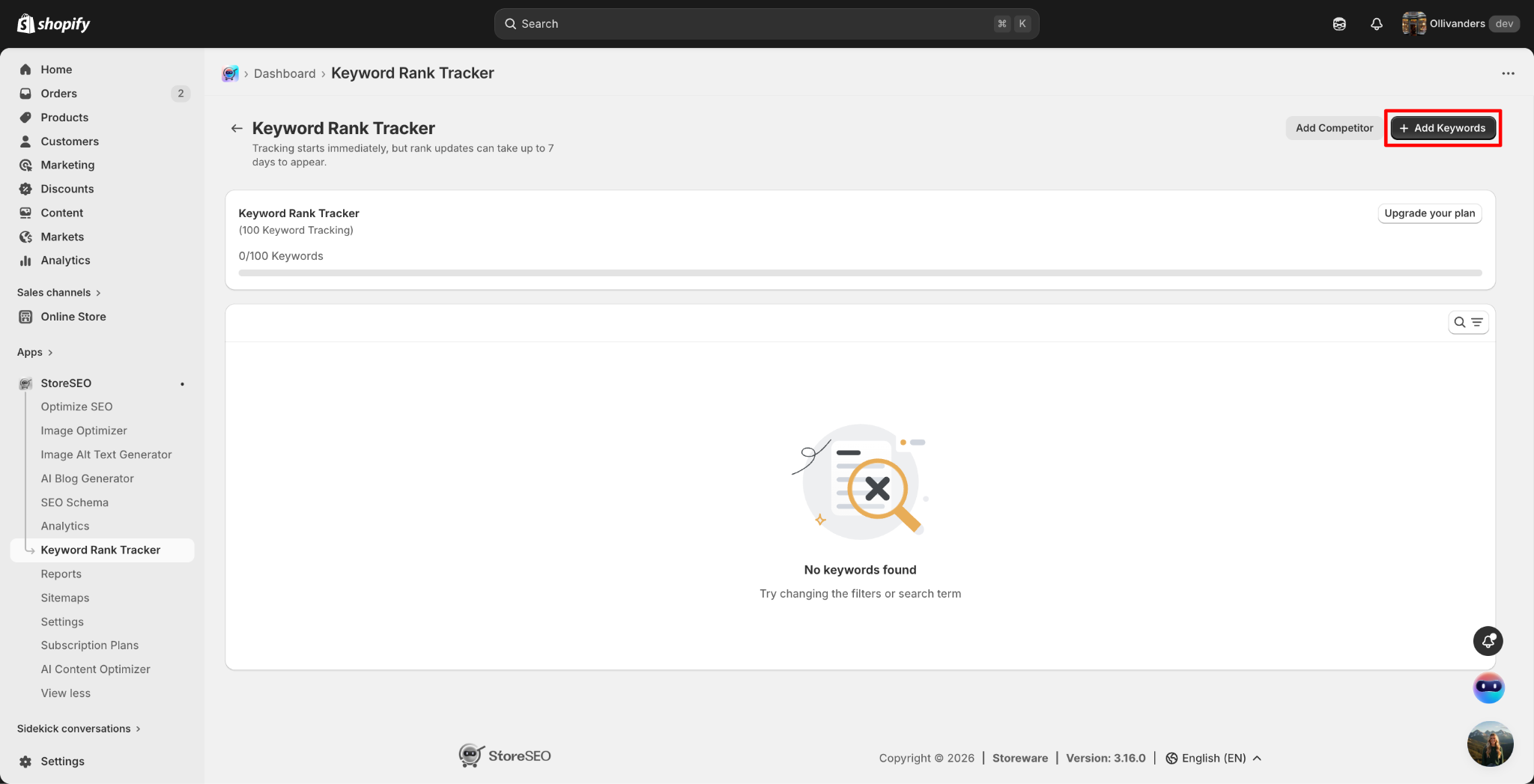
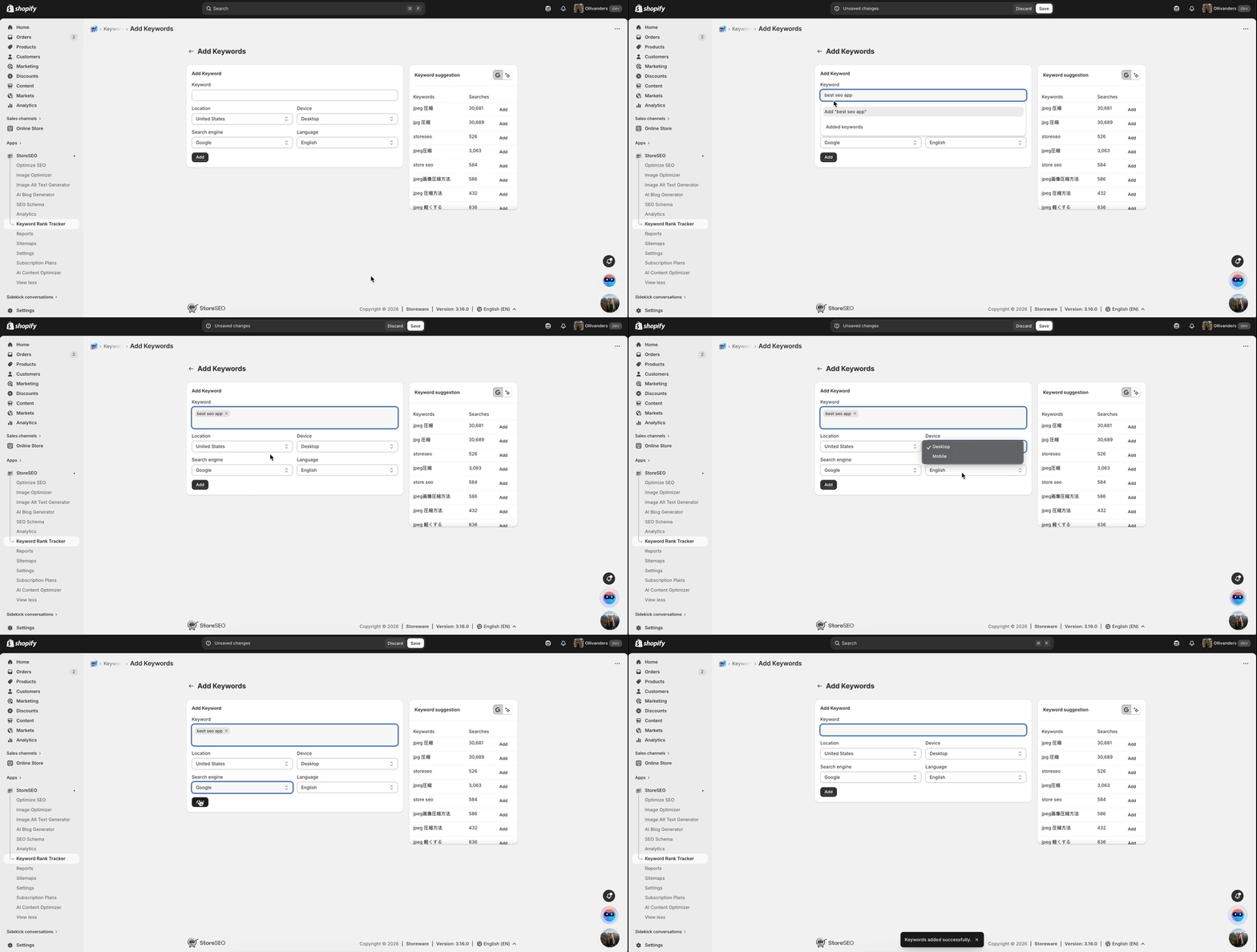
Step 4: Add and Configure Keywords #

Click the 添加关键字 button to input the specific search terms you wish to monitor.

StoreSEO Keyword Rank Tracker

Use the dropdown menus to select the specific location, device type, search engine, and language that align with your target audience. Click the 添加 button to move these terms into your tracking list.

StoreSEO Keyword Rank Tracker

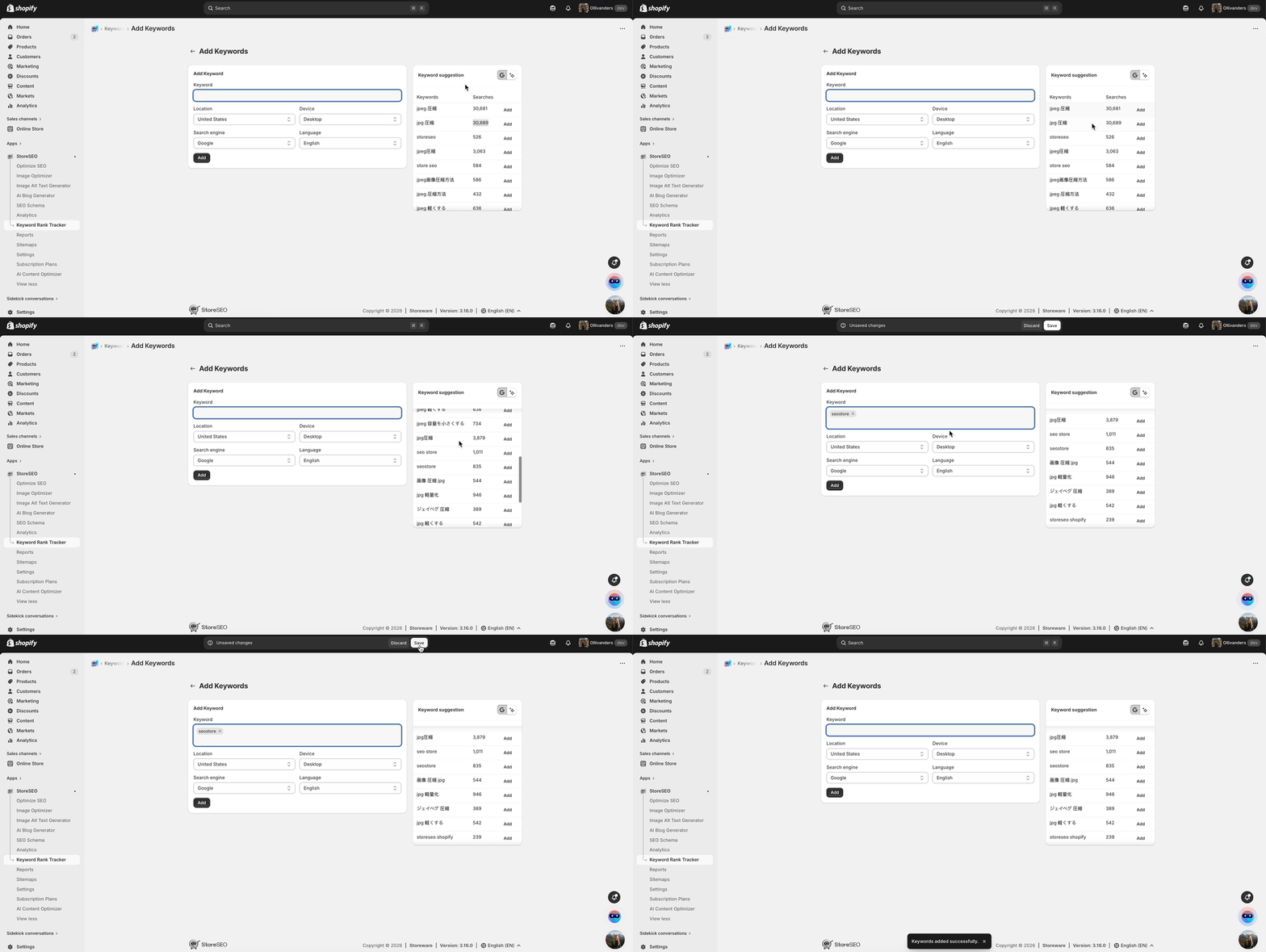
Step 5: Utilize Keyword Suggestions #

Look to the keyword suggestion box on the right side of the screen to discover relevant terms based on your niche. Click on the Add button.

StoreSEO Keyword Rank Tracker

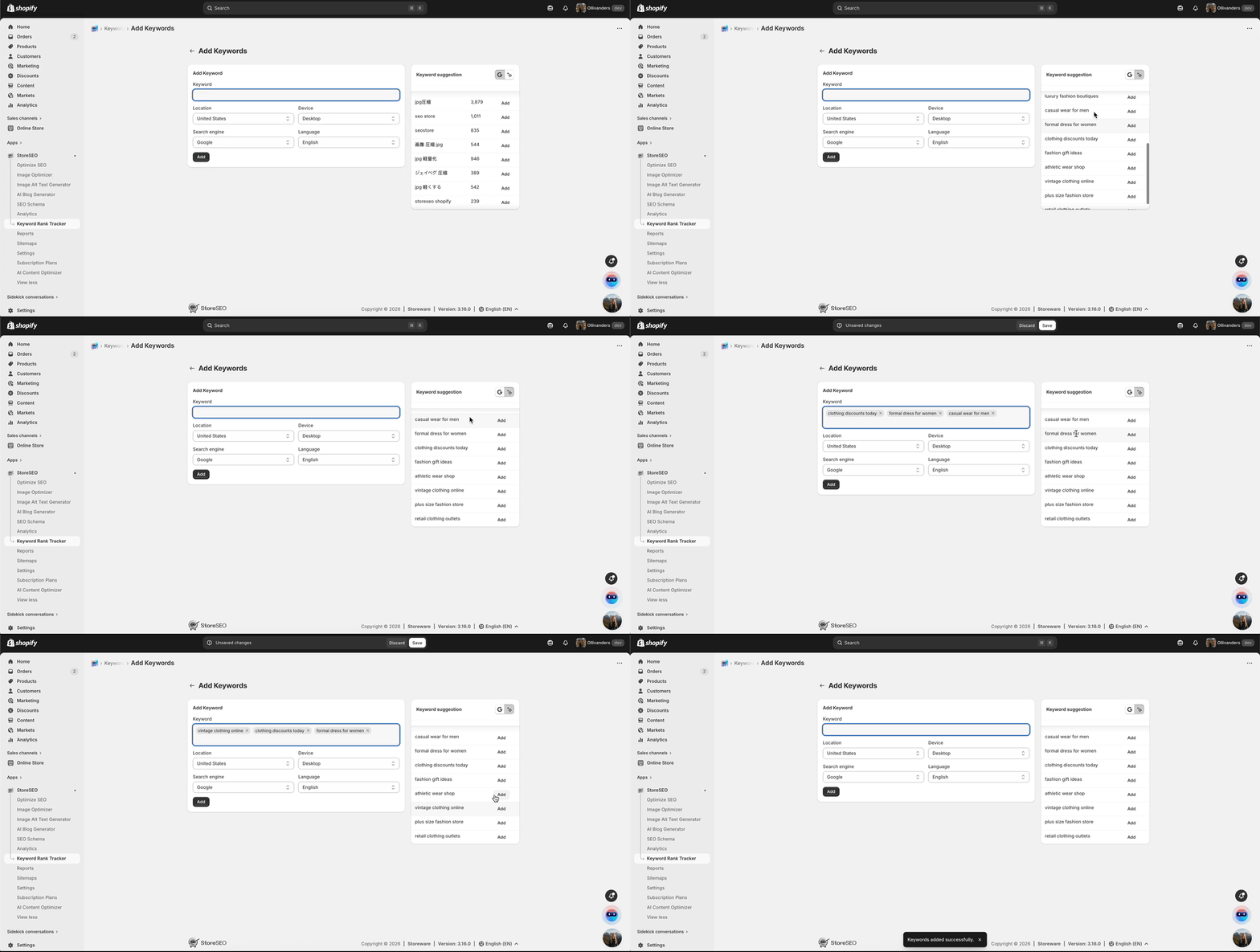
Review the AI-powered suggestions, which highlight high-performing terms already driving traffic in your industry. Click the 添加 button next to any suggested keyword to include it in your list, then click 节省 to confirm your selection.

StoreSEO Keyword Rank Tracker

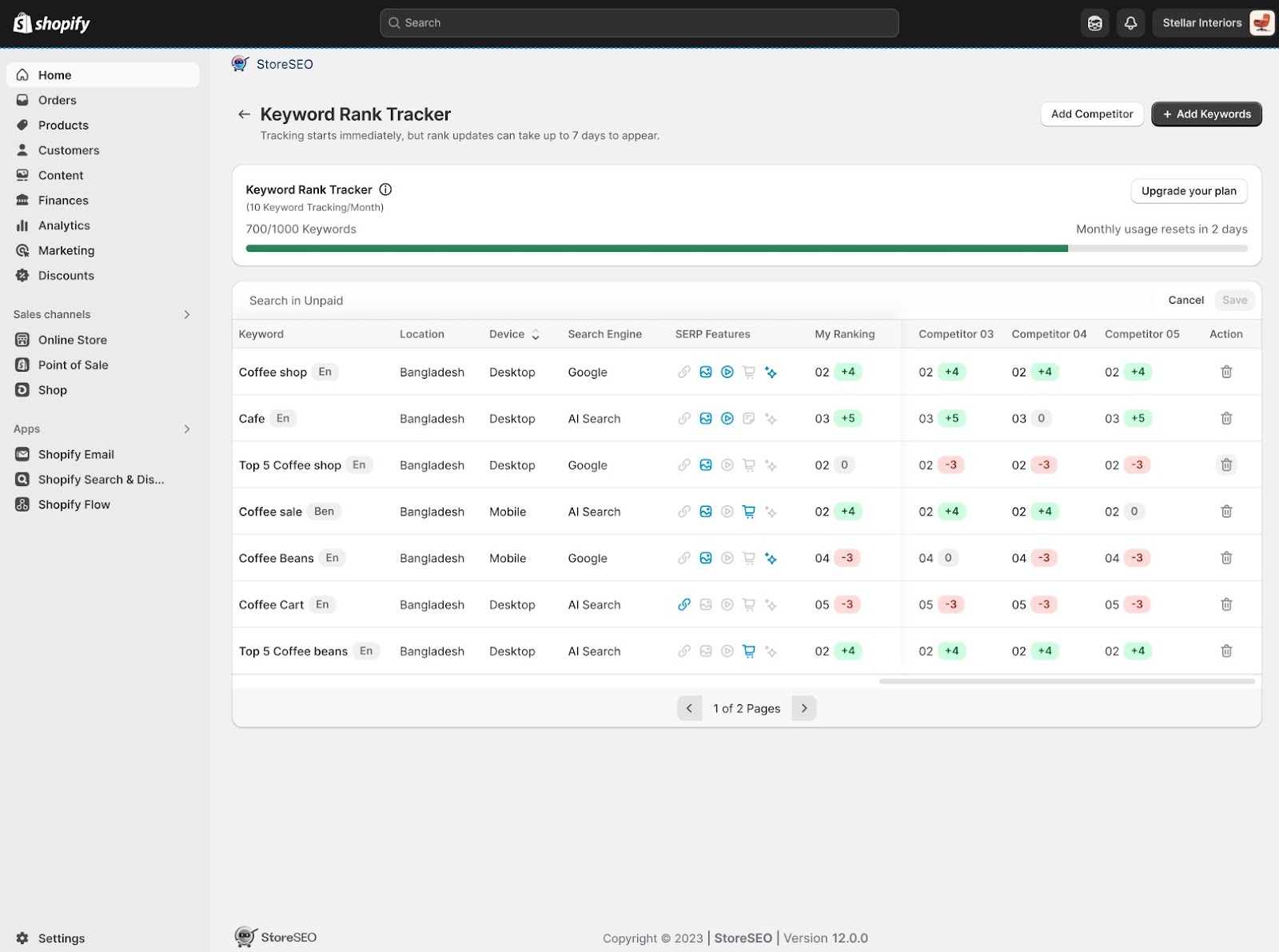
Step 6: Analyze Performance Data #

Return to the main dashboard to review the performance of your added keywords. Examine the status of each term, paying close attention to SERP 功能 such as image rankings, featured snippets, and AI overviews. Compare your current ranking against the competitors you added earlier to identify where you are winning and where you need to improve.

StoreSEO Keyword Rank Tracker

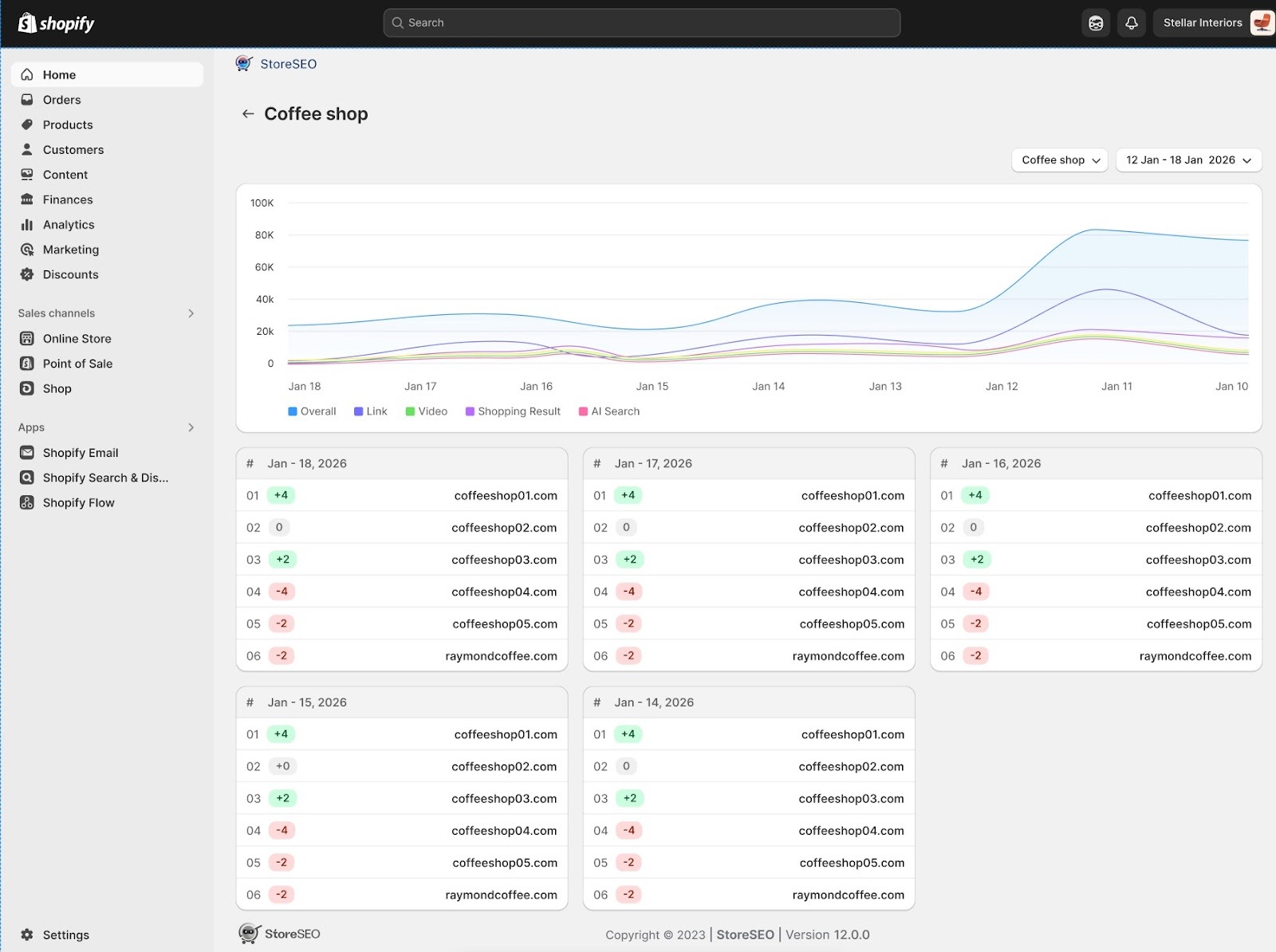
Step 7: Analyze Detailed Keyword Analytics #

For individual keyword here’s the performance graph and detailed daily ranking cards. By tracking visibility across five critical search verticals: Overall, Links, Video, Shopping Results, and AI Search, the page provides you with a clear understanding of exactly where their traffic is originating and how they stack up against specific competitors like

StoreSEO Keyword Rank Tracker

This is how easily you can utilize the keyword rank tracker feature for your Shopify store using StoreSEO. If you need any assistance, feel free to contact 我们的支持团队.

Updated on 3 月 9, 2026

该内容对您有帮助吗?

你的感受是什么