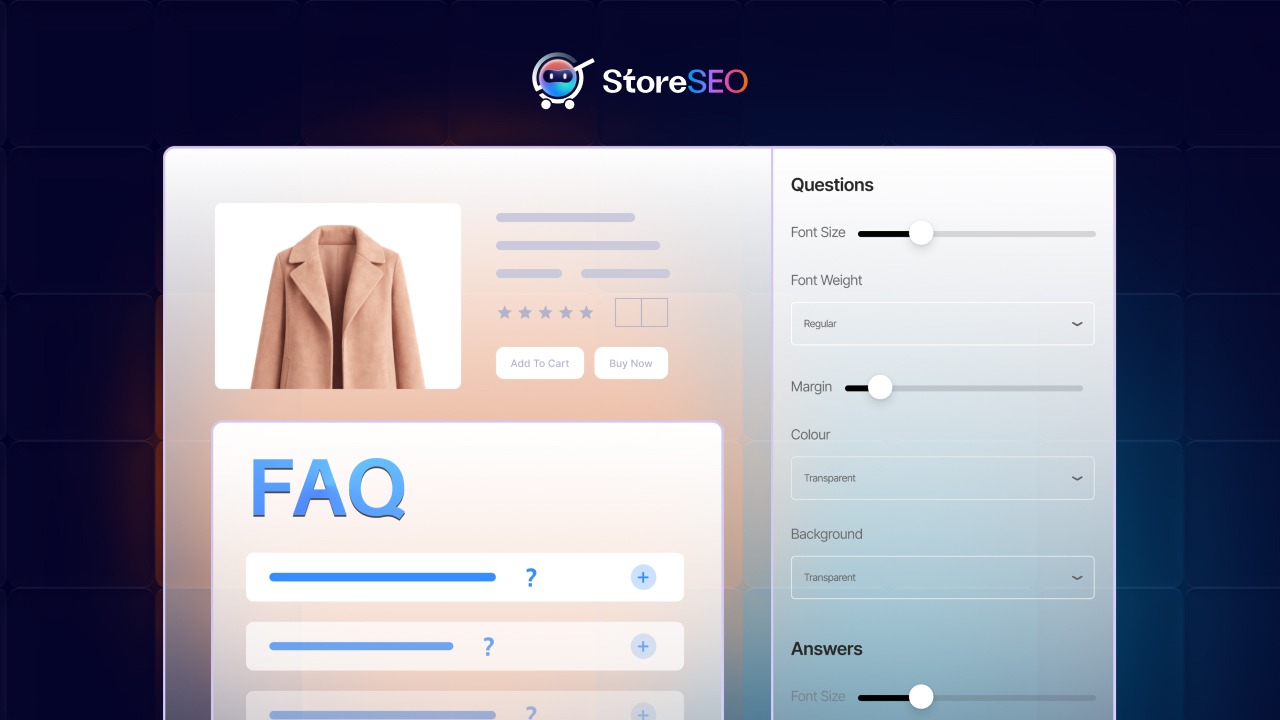

Here is a question we hear from Shopify merchants almost every week: “We added FAQs to our products in our SEO app, so why are they not showing up on our actual store pages?”

This is one of those gaps that quietly costs stores both conversions and search visibility. Having well-crafted FAQ content sitting inside your app but hidden from shoppers and search engines is the equivalent of writing a great product copy and then locking it in a drawer.
This guide solves that problem completely. We are going to walk you through exactly how to show FAQs on your Shopify storefront using 商店SEO, explain why this matters far more than most merchants realize, and show you how to turn a simple FAQ block into a powerful conversion and SEO asset that works across Google, voice search, and AI platforms like ChatGPT, Perplexity, and Gemini.
Why Displaying FAQs on Your Shopify Product Pages Matters More Than You Think
Before we get into the step-by-step process, let us talk strategy for a moment. Because understanding the “why” behind FAQ display is what separates merchants who get occasional traffic bumps from those who build durable, compounding SEO gains.
FAQs Are a Conversion Engine, Not Just a Support Tool
Shoppers who land on a product page have questions. What are the dimensions? Does this work with X? What is the return policy for this item? When those questions go unanswered, they bounce. When they are answered on the page, conversions go up.
Studies in eCommerce UX consistently show that reducing purchase anxiety is one of the highest-ROI things you can do on a product page. FAQs are the most direct way to do that without cluttering your product description or making your page feel like a support ticket.
FAQs Fuel Featured Snippets and AI Answer Boxes
Here is the SEO angle that most guides skip: FAQ content is one of the primary sources that Google and AI search platforms pull from when generating direct answers to user queries.
When a user searches “does [your product] work with iPhone?” or “how long does [your product] last?”, Google’s algorithm looks for clearly structured Q&A content to surface as a featured snippet or People Also Ask result. If you have the FAQ schema properly implemented on your Shopify store, you are telling search engines: “This page has the exact answer to that question. Use it.”
The same logic applies to AI platforms. ChatGPT, Perplexity, and Gemini increasingly use structured content from eCommerce pages when answering product-related queries. The more structured and visible your FAQ content is, the higher the chance your brand gets cited in those AI-generated answers.
StoreSEO洞察: We built our FAQ feature specifically to serve both purposes: helping shoppers and signaling to search engines. When you combine storefront display with FAQ schema markup, you get the full double benefit of improved UX and stronger search signals.
FAQ Schema Is a Critical Part of Your Structured Data Strategy
Structured data is how search engines understand your content beyond plain text. The FAQ schema (using FAQPage markup in JSON-LD) tells Google, Bing, and AI crawlers the exact relationship between a question and its answer on your page. This is especially powerful when combined with the Product schema, which we will reference more in this guide.

The critical thing to understand is that a schema without visible content is less effective. Google’s quality guidelines favor pages where structured data reflects what users can actually see and interact with. Displaying your FAQs on the storefront is not just a UX decision. It validates and reinforces your schema markup, giving you better chances at rich results.
Before You Begin: What You Need in Place
To follow this guide, you need three things ready:
- StoreSEO is installed on your Shopify store. If you have not installed it yet, head over to the StoreSEO setup guide to get started.
- At least one product with FAQs already created inside StoreSEO. The storefront block displays FAQs saved under the FAQ Schema tab for each product. If you have not created any yet, visit our guide on how to add FAQ schema to your Shopify products 第一的。
- Access to your Shopify Theme Editor. You will need Online Store access in your Shopify admin. Any theme that supports app blocks (Online Store 2.0 themes and above) will work.
Quick Note: If you are not sure whether your theme supports app blocks, check if it was built for Shopify’s Online Store 2.0. Themes like Dawn, Refresh, Sense, Crave, and most modern third-party themes are compatible. If you are on a legacy theme, reach out to 我们的支持团队 for guidance.
How to Show FAQs on Your Storefront Using StoreSEO: Step-by-Step
This is the core of what you came here for. We have laid out every step with enough detail that you will not hit any surprises along the way.
Step 1: Activate the Product FAQs Block from the Dashboard
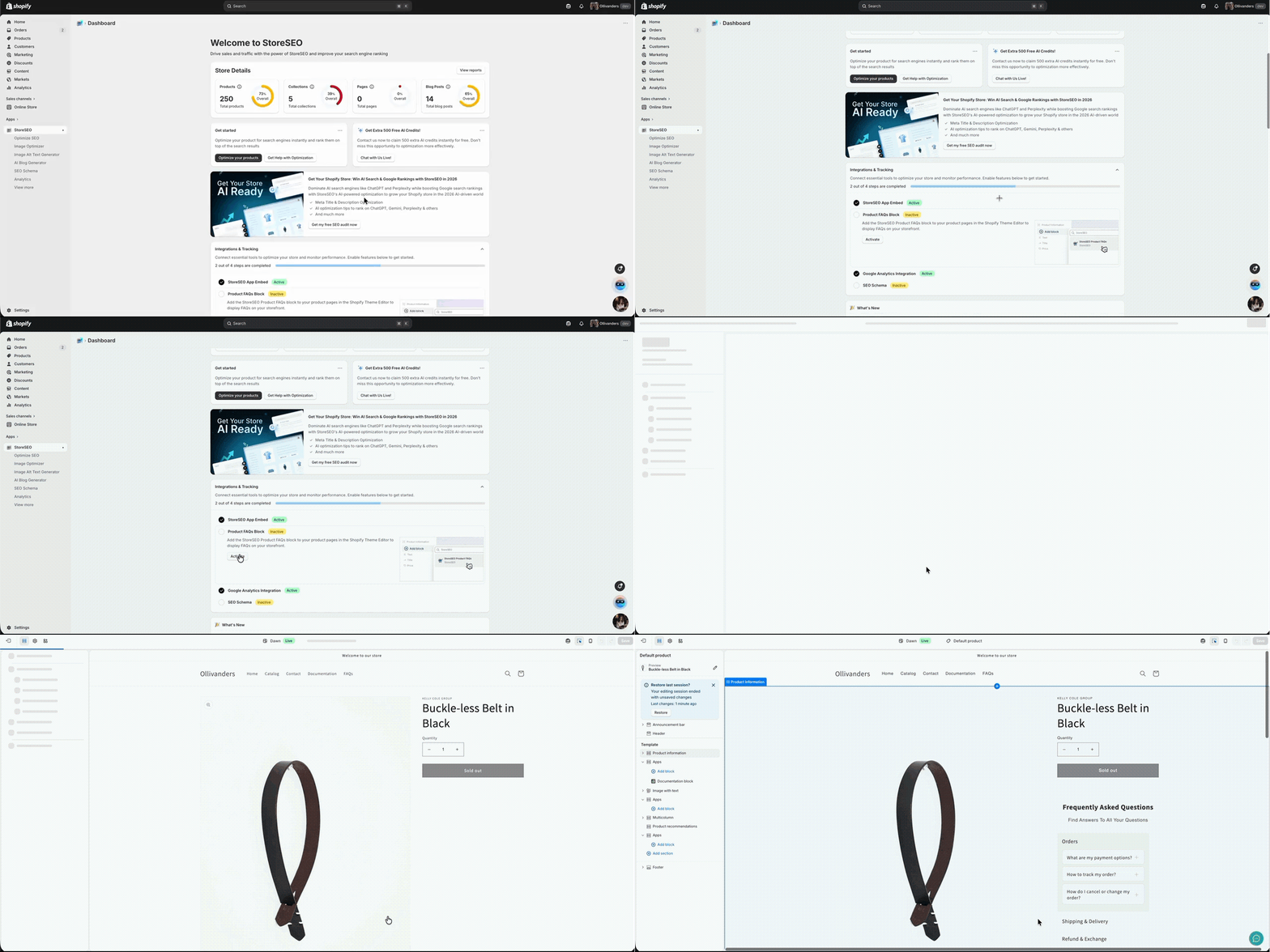
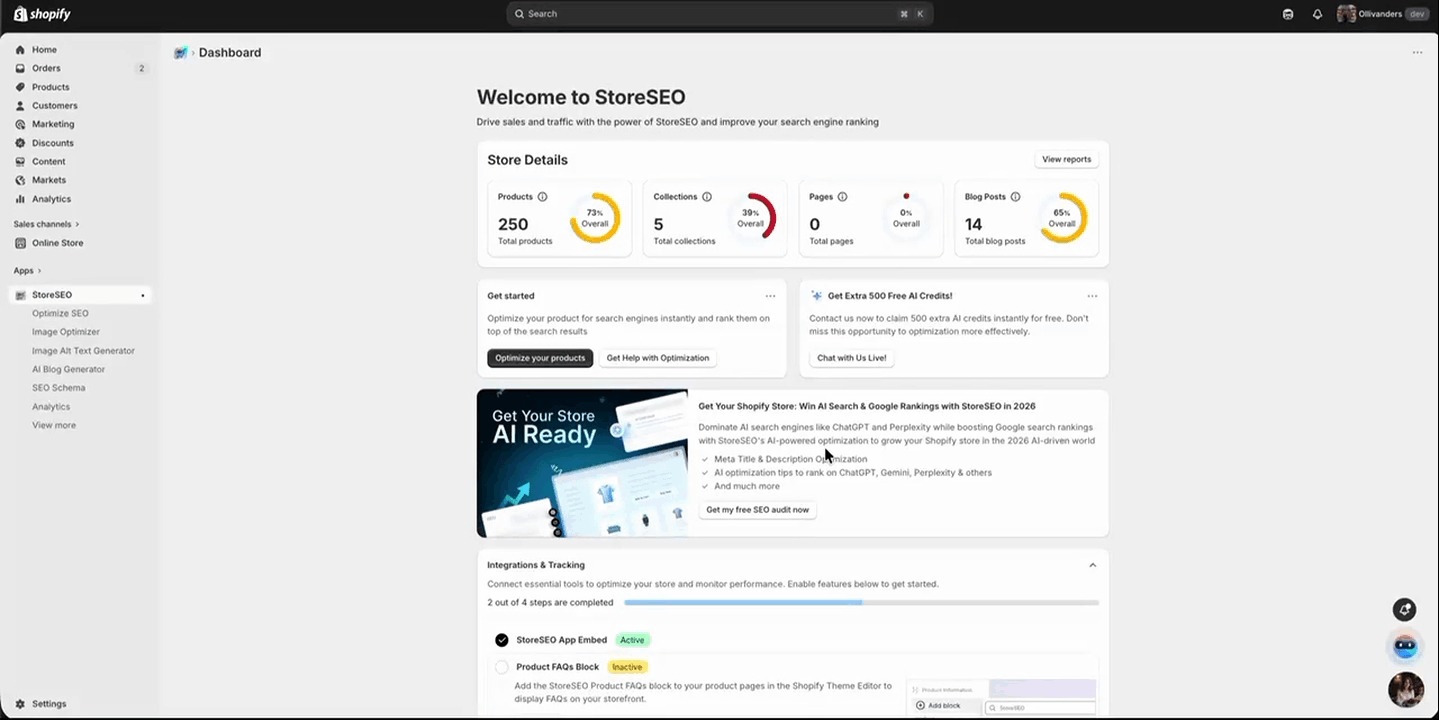
首先,打开 StoreSEO 应用程序 从您的 Shopify 管理后台进入。进入后,导航至 仪表板 向下滚动到 集成与跟踪 本节。在这里你会找到一张标有“ 产品常见问题解答模块.
点击 激活 点击此卡片上的按钮。此操作会将 StoreSEO FAQ 模块注册到您的 Shopify 主题中,以便您可以将其添加到任何产品页面模板。完成此步骤之前,您将无法在商店中看到常见问题解答。.
步骤 2:打开 Shopify 主题编辑器并找到您的产品页面
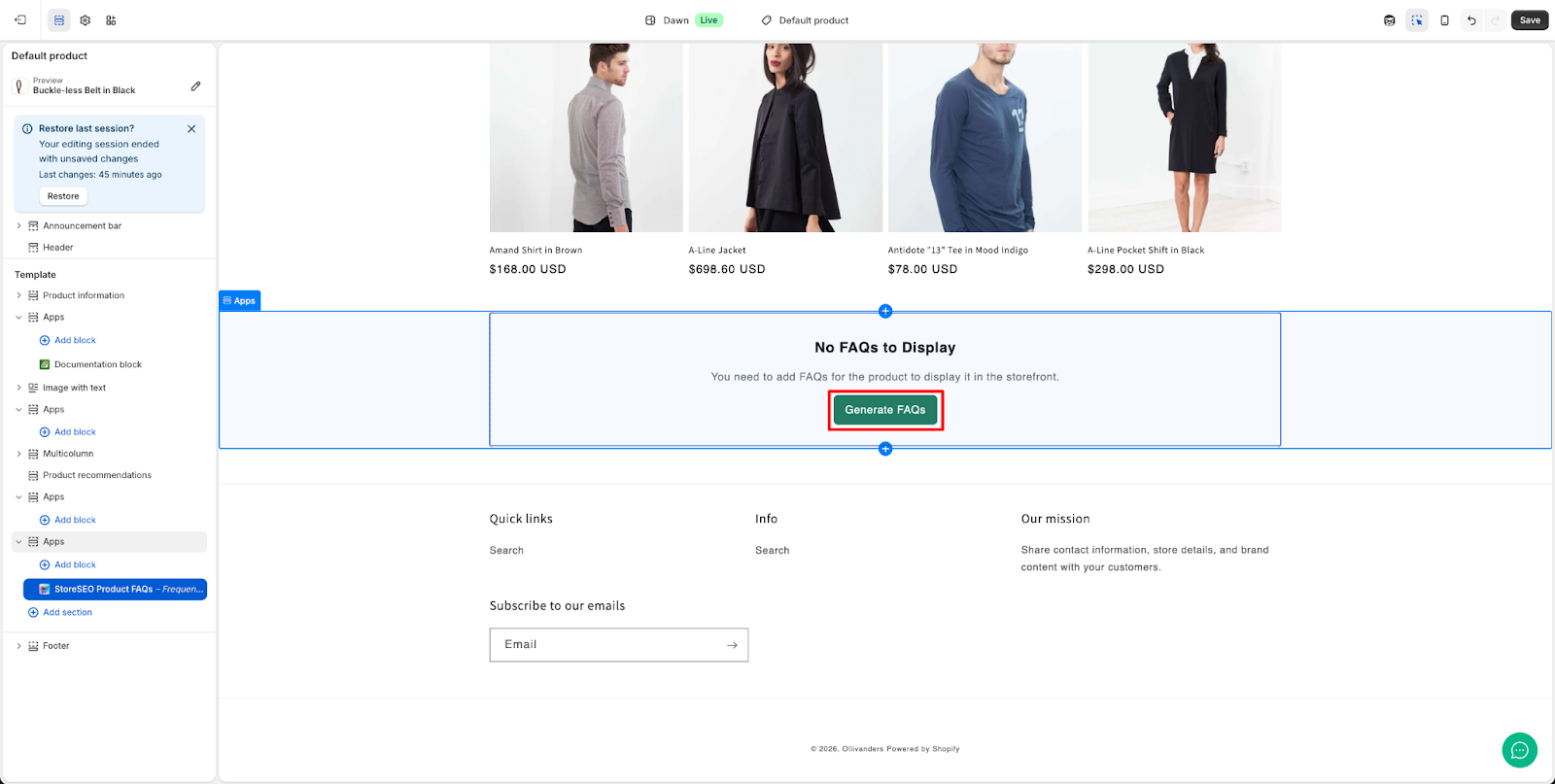
激活模块后,在主题编辑器中,使用顶部的页面选择器导航到 产品页面. 在此阶段,如果尚未添加常见问题解答模块,您将在产品页面预览中看到一条消息,内容如下: “No FAQs to Display”, “You need to add FAQs for this product to display in the storefront.” This is expected and confirms that the block needs to be added to the template. Click on the “生成常见问题解答“ 按钮。

要继续,请点击‘好的’在弹出通知中点击“”。这是必要的,因为链接将在单独的窗口中打开,需要授予权限才能继续进行。.
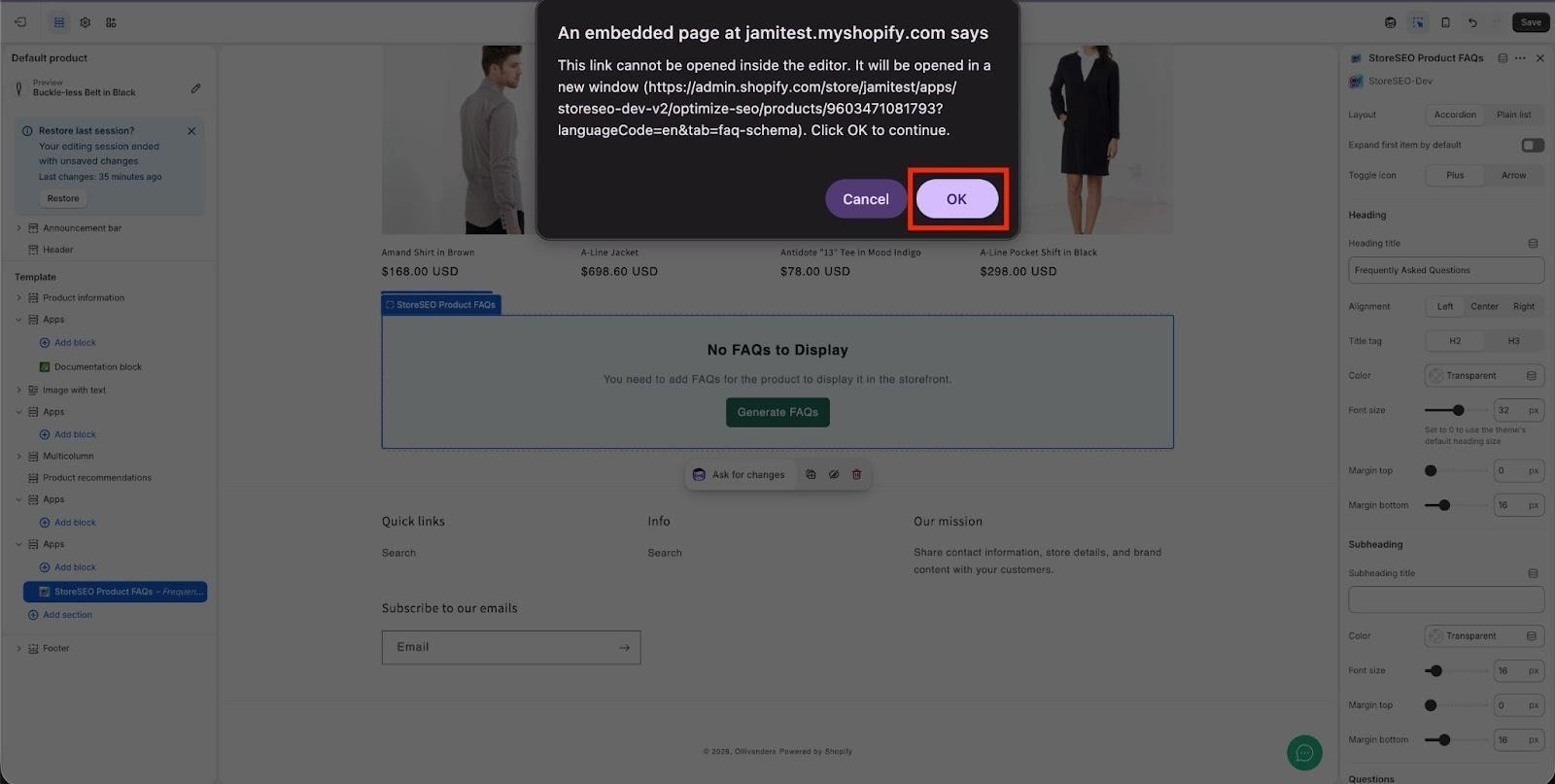
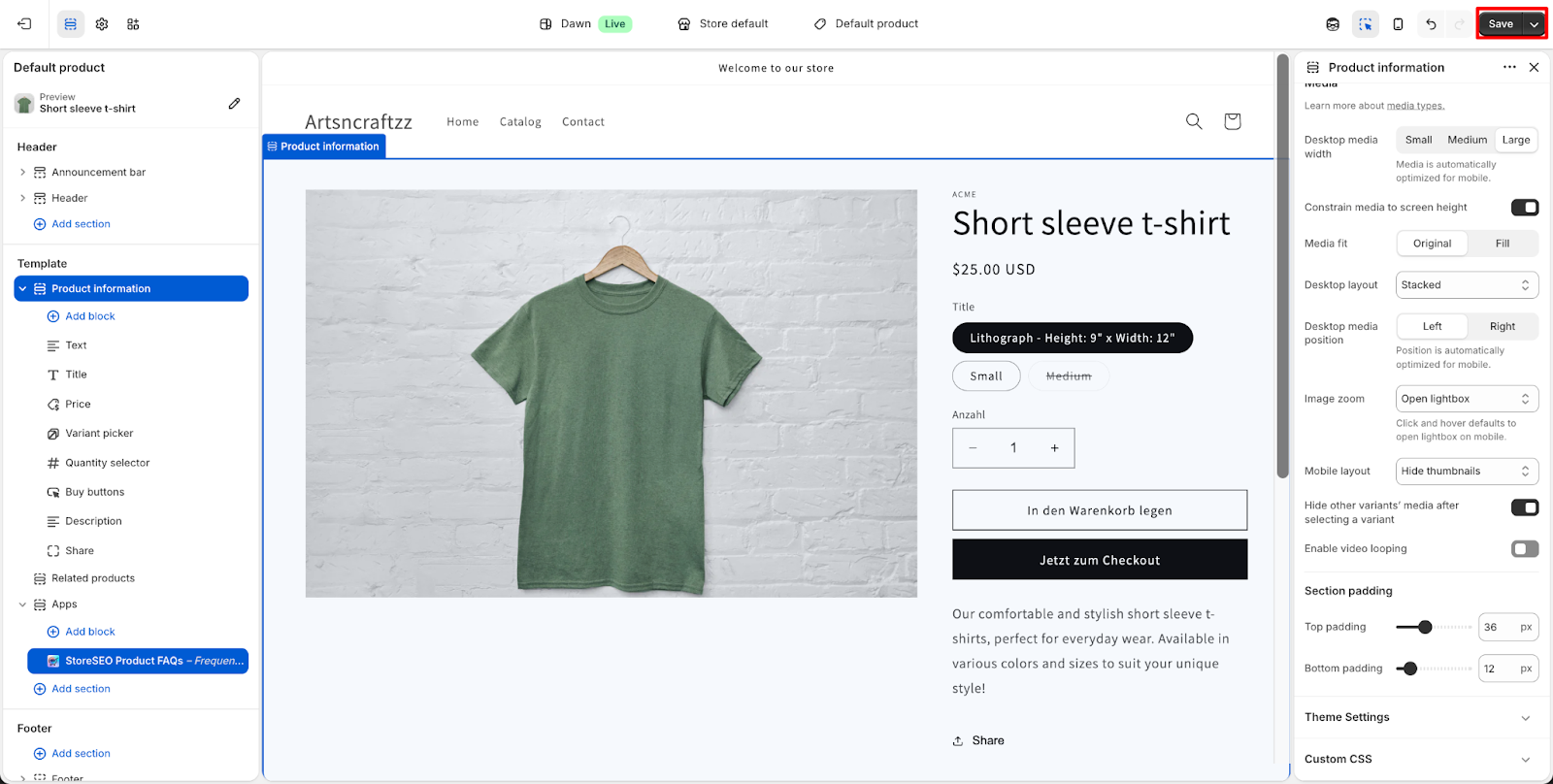
笔记: Be sure to click the “节省” button to ensure your changes are updated on the page.

步骤 3:将 StoreSEO 产品常见问题解答模块添加到您的产品页面
在主题编辑器的左侧面板中,向下滚动到 应用程序 section, which is located near the bottom of the template sections list. Click “添加块” and from the list of available blocks, select “StoreSEO产品常见问题解答“.

第四步:确认您的常见问题解答已显示在店铺首页
一旦 StoreSEO产品常见问题解答 该模块已成功添加到您的产品页面模板,您将看到 常见问题 该部分会显示在主题编辑器的实时预览中,并以蓝色边框突出显示。.
For more effective use of this feature, explore this detailed documentation for deeper information.
Maximizing the SEO and AEO Value of Your Storefront FAQs
Getting FAQs to display on your storefront is the foundation. Getting them to actively drive traffic, improve rankings, and show up in AI-generated answers requires a bit more strategic thinking. Here is how we approach it.
Write FAQs That Match Real Search Queries
The most common mistake merchants make when writing product FAQs is answering support questions instead of search questions. Support questions start with problems. Search questions start with curiosity.
Instead of writing “How do I return this if it is defective?”, consider questions like “Is [product name] compatible with [common use case]?” 或者 “What sizes does [product] come in?” or “Is [product] safe for [specific audience]?” These are the questions people type into Google before buying, which means they are also the questions your FAQ content needs to answer.
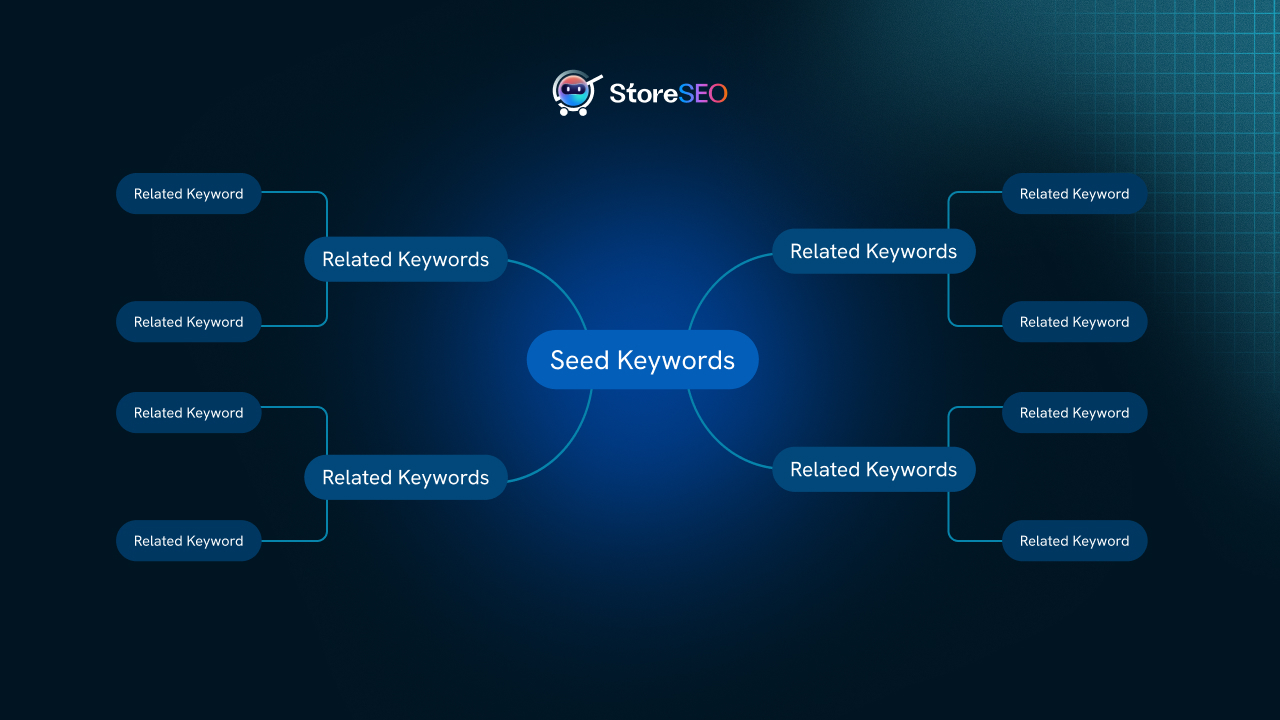
One of the best tools for this is the StoreSEO关键词集群生成器, which helps you identify the actual search queries people use around your products. Use those clusters to inform the questions you build into your FAQs.

Keep Answers Concise and Directly Structured
For both featured snippet eligibility and AI answer extraction, answer structure matters. Google and AI platforms prefer answers that:
- Start with a direct response to the question in the first sentence
- Stay under 50 words for most answers (though some questions warrant longer explanations)
- Avoid marketing language in favor of a factual, informational tone
- Use natural language that mirrors how people speak, especially for voice search
Voice assistants like Siri and Alexa frequently pull answers from the FAQ schema when responding to product-related voice queries. Short, direct answers that sound natural when read aloud are the format these systems prefer.
Combine FAQ Schema with Product Schema for Maximum Impact
This is a strategy we have written about in depth in our post on powering up FAQ schema with Product schema for AI search rankings. The short version is this: FAQ schema alone signals that your page has Q&A content. Product schema signals that your page is selling a specific item with specific attributes like price, availability, and reviews. When both are present and properly implemented, you give search engines a complete picture of your page that strengthens its eligibility for rich results and AI citations.
StoreSEO handles both. You can configure and enable SEO schema markups in Shopify, including Product, FAQ, and other structured data types, directly from the app without touching any code.
Use AI Snippets to Support Your FAQ Strategy
StoreSEO的 AI Snippets Generator is another layer of the same strategy. AI snippets are optimized meta descriptions and content fragments specifically designed to get picked up by AI search platforms. When you combine strong FAQ content on the storefront with AI-optimized snippets, you are creating multiple structured entry points for AI systems to understand and cite your product pages.
Learn more about how to generate AI snippets for your Shopify products with StoreSEO.
Consider LLMs.txt for Broader AI Discoverability
One of the newer signals that AI search platforms use to understand eCommerce content is the LLMs.txt file. This is a lightweight file that tells AI language models what your site is about, what products you sell, and how content is structured. StoreSEO can generate LLMs.txt for your Shopify store automatically, complementing your FAQ and schema strategy for platforms like Claude, ChatGPT, and Perplexity.
How Visible FAQs Contribute to Your E-E-A-T Signals
Google’s quality framework, E-E-A-T (Experience, Expertise, Authoritativeness, and Trustworthiness), is more relevant than ever in 2026, especially as AI-generated content floods the web. One of the clearest ways to demonstrate these signals on a product page is through transparent, accurate, and helpful FAQ content.
When a merchant takes the time to answer real buyer questions with accurate product information, that signals experience and expertise. When those answers are consistent with what the product schema says about the item, that signals trustworthiness. And when that content is visible on the page, not just buried in schema markup, it creates genuine user value.
This is why the combination of storefront-visible FAQs plus properly implemented schema is more powerful than either alone. It satisfies both algorithmic signals and real human judgment.
StoreSEO Perspective: As AI search becomes the new normal, the stores that win are the ones that treat their product pages as genuine information resources, not just conversion pages. FAQs are one of the easiest and most scalable ways to shift in that direction. That is why we built robust FAQ functionality directly into StoreSEO’s core feature set.
FAQs and the Agentic Discovery Score: What Shopify Merchants Need to Know in 2026
In 2026, a new layer of search optimization has emerged that forward-thinking Shopify merchants are just beginning to pay attention to: agentic discovery. AI agents, whether embedded in browsers, assistants, or standalone tools, are increasingly being used to research and recommend products on behalf of users. The question is no longer just “can Google find my product?” It is “can an AI agent understand, evaluate, and recommend my product?”
StoreSEO has built an Agentic Discovery Score feature that helps Shopify merchants measure and optimize how well their store content is understood by AI agents. Structured FAQ content, when properly displayed and marked up, directly contributes to this score.

Think of it this way: an AI agent tasked with recommending a product will look for pages that clearly answer common user questions, have structured data confirming product details, and demonstrate trustworthiness through consistent, transparent content. Your FAQ section on the storefront, combined with schema markup, does all of this.
Start Showing FAQs on Your Shopify Storefront Today
Displaying FAQs on your product pages is one of the highest-impact, lowest-effort improvements a Shopify merchant can make. It reduces purchase hesitation, strengthens your schema signals, improves your eligibility for featured snippets and AI-generated answers, and contributes to the kind of E-E-A-T signals that Google rewards with sustained organic visibility.
StoreSEO makes the entire workflow seamless. You create the FAQs inside the app, activate the block, add it to your theme, and the rest is handled automatically. No coding, no external plugins, no workarounds.
If you want to go even further, explore how StoreSEO can help you with AI内容优化, keyword rank tracking, 和 full schema markup configuration to build a complete Shopify SEO foundation that competes in both traditional and AI-powered search.
Need hands-on help? Our team is always here. Reach out to StoreSEO support 或者 schedule a free SEO consultation call and we will walk through your store’s FAQ strategy together.
Frequently Asked Questions About Showing FAQs on Shopify Storefronts
What is the difference between FAQ schema and displaying FAQs on the storefront?
FAQ schema is structured data (JSON-LD code) added to your page that tells search engines a page contains question-and-answer content. Displaying FAQs on the storefront means the questions and answers are visibly rendered on the product page for shoppers to read. Both are important: schema communicates with search engines and AI crawlers, while visible FAQs serve real visitors. StoreSEO enables both simultaneously, which is the recommended approach for maximum SEO and conversion benefit.
Will displaying FAQs on the storefront slow down my Shopify store?
No. The StoreSEO Product FAQs block is a lightweight app block that loads asynchronously and does not add significant page weight. In the accordion format, collapsed FAQ items load quickly without rendering all content upfront. For merchants focused on Core Web Vitals and page speed, we recommend the accordion layout as the default choice.
Can I show different FAQs for different products?
Yes, and you should. The StoreSEO FAQ block is template-based, meaning it sits in your product page template and appears on all products using that template. However, the content it displays is pulled from the individual FAQ content you create for each product inside StoreSEO. Each product shows only its own FAQs, making product-specific Q&A content fully supported.
Do FAQs on the storefront help with Google ranking?
FAQ content on your product page, especially when paired with FAQ schema markup, can improve your eligibility for featured snippets, People Also Ask boxes, and rich results. It also adds keyword-relevant content to your page naturally, which can support rankings for long-tail question-based queries related to your products. Combined with Google Search Console data available through StoreSEO, you can target the specific questions your audience is searching for.
What happens if I uninstall StoreSEO after adding the FAQ block?
If you uninstall StoreSEO, the app block will no longer display in your theme since it relies on the app being active. We recommend checking our documentation on what happens if you uninstall StoreSEO before making that decision so you understand how to preserve your SEO data.
Can I use this FAQ feature on collection pages or blog posts?
The Product FAQs block is specifically designed for product pages. For FAQ content on collection pages, blog posts, or other page types, StoreSEO offers separate optimization tools. You can explore how to optimize Shopify collection pages with StoreSEO 和 how to configure SEO for blog posts and pages for those use cases.