
Eis uma pergunta que ouvimos de lojistas da Shopify quase todas as semanas: “Adicionamos perguntas frequentes aos nossos produtos em nosso aplicativo de SEO, então por que elas não estão aparecendo nas páginas da nossa loja?”
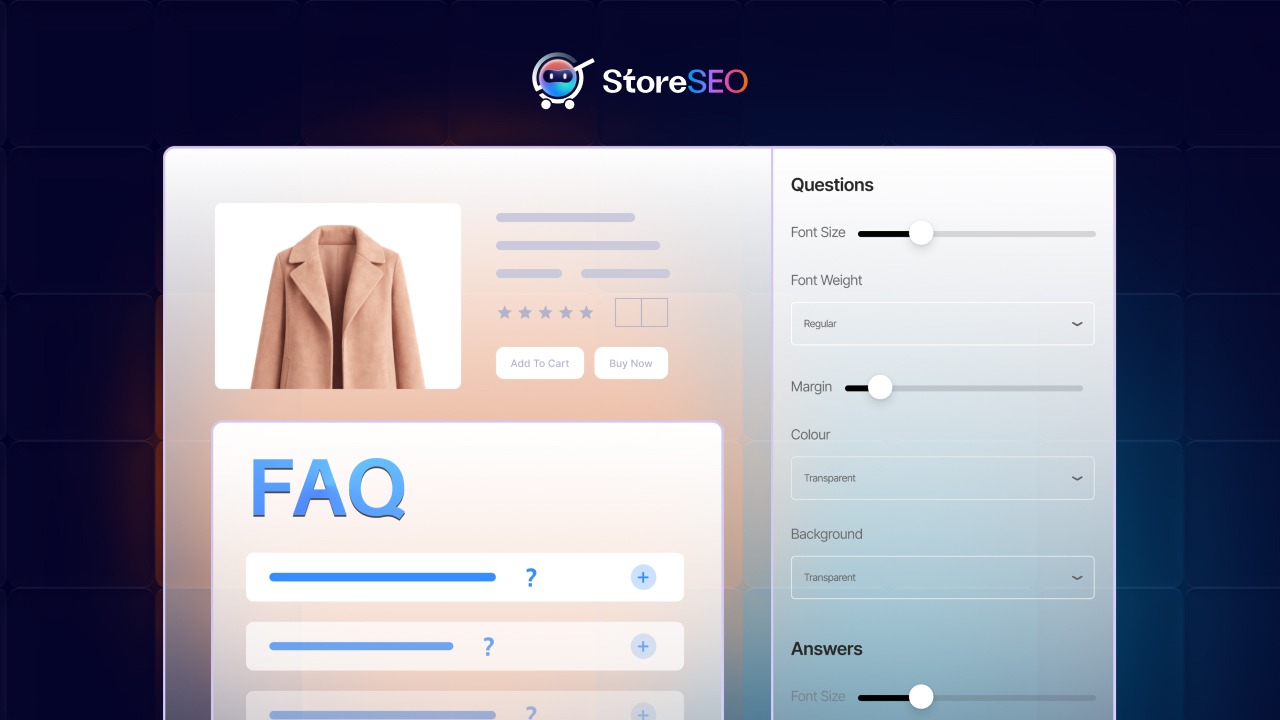
Essa é uma daquelas lacunas que silenciosamente custa às lojas tanto conversões quanto visibilidade nos mecanismos de busca. Ter um conteúdo de perguntas frequentes bem elaborado dentro do seu aplicativo, mas oculto dos compradores e dos mecanismos de busca, é o equivalente a escrever uma ótima descrição de produto e depois trancá-la em uma gaveta.
Este guia resolve esse problema completamente. Vamos mostrar exatamente como exibir as perguntas frequentes (FAQs) na sua loja Shopify usando... SEO da loja, Explicaremos por que isso é muito mais importante do que a maioria dos comerciantes imagina e mostraremos como transformar um simples bloco de perguntas frequentes em um poderoso recurso de conversão e SEO que funciona no Google, em pesquisas por voz e em plataformas de IA como ChatGPT, Perplexity e Gemini.
Por que exibir as perguntas frequentes nas páginas de produtos da sua Shopify é mais importante do que você imagina
Antes de abordarmos o processo passo a passo, vamos falar um pouco sobre estratégia. Afinal, entender o "porquê" por trás da exibição de perguntas frequentes é o que diferencia os lojistas que obtêm picos ocasionais de tráfego daqueles que constroem ganhos de SEO duradouros e crescentes.
As FAQs são um mecanismo de conversão, não apenas uma ferramenta de suporte.
Os compradores que acessam a página de um produto têm dúvidas. Quais são as dimensões? É compatível com X? Qual é a política de devolução deste item? Quando essas perguntas ficam sem resposta, eles abandonam o site. Quando as respostas são dadas na própria página, as conversões aumentam.
Estudos em UX de e-commerce mostram consistentemente que reduzir a ansiedade de compra é uma das ações com maior retorno sobre o investimento (ROI) que você pode realizar em uma página de produto. As FAQs são a maneira mais direta de fazer isso, sem sobrecarregar a descrição do produto ou transformar sua página em um sistema de suporte.
Perguntas frequentes, trechos em destaque e caixas de resposta com IA
Eis o aspecto de SEO que a maioria dos guias ignora: o conteúdo das FAQs é uma das principais fontes que o Google e as plataformas de busca com IA utilizam para gerar respostas diretas às dúvidas dos usuários.
Quando um usuário pesquisa “[seu produto] funciona com iPhone?” ou “quanto tempo dura [seu produto]?”, o algoritmo do Google busca conteúdo de perguntas e respostas claramente estruturado para exibir como um snippet em destaque ou resultado da seção “As pessoas também perguntam”. Se você tiver o Implemente corretamente o esquema de perguntas frequentes (FAQ) na sua loja Shopify., Ao fazer isso, você está dizendo aos mecanismos de busca: “Esta página tem a resposta exata para essa pergunta. Use-a.”
A mesma lógica se aplica às plataformas de IA. ChatGPT, Perplexity e Gemini utilizam cada vez mais conteúdo estruturado de páginas de e-commerce para responder a perguntas sobre produtos. Quanto mais estruturado e visível for o conteúdo das suas perguntas frequentes, maior a probabilidade de sua marca ser citada nessas respostas geradas por IA.
Análise de SEO para lojas: Criamos nossa seção de perguntas frequentes especificamente para atender a dois propósitos: ajudar os compradores e sinalizar para os mecanismos de busca. Ao combinar a exibição na vitrine com Marcação de esquema de perguntas frequentes, Assim, você obtém o benefício duplo completo de uma experiência do usuário aprimorada e sinais de pesquisa mais fortes.
O esquema de perguntas frequentes (FAQ) é uma parte essencial da sua estratégia de dados estruturados.
Os dados estruturados são a forma como os mecanismos de busca entendem seu conteúdo além do texto simples. O esquema de perguntas frequentes (usando a marcação FAQPage em JSON-LD) informa ao Google, Bing e aos rastreadores de IA a relação exata entre uma pergunta e sua resposta na sua página. Isso é especialmente útil quando combinado com o esquema do produto, à qual faremos mais referências neste guia.
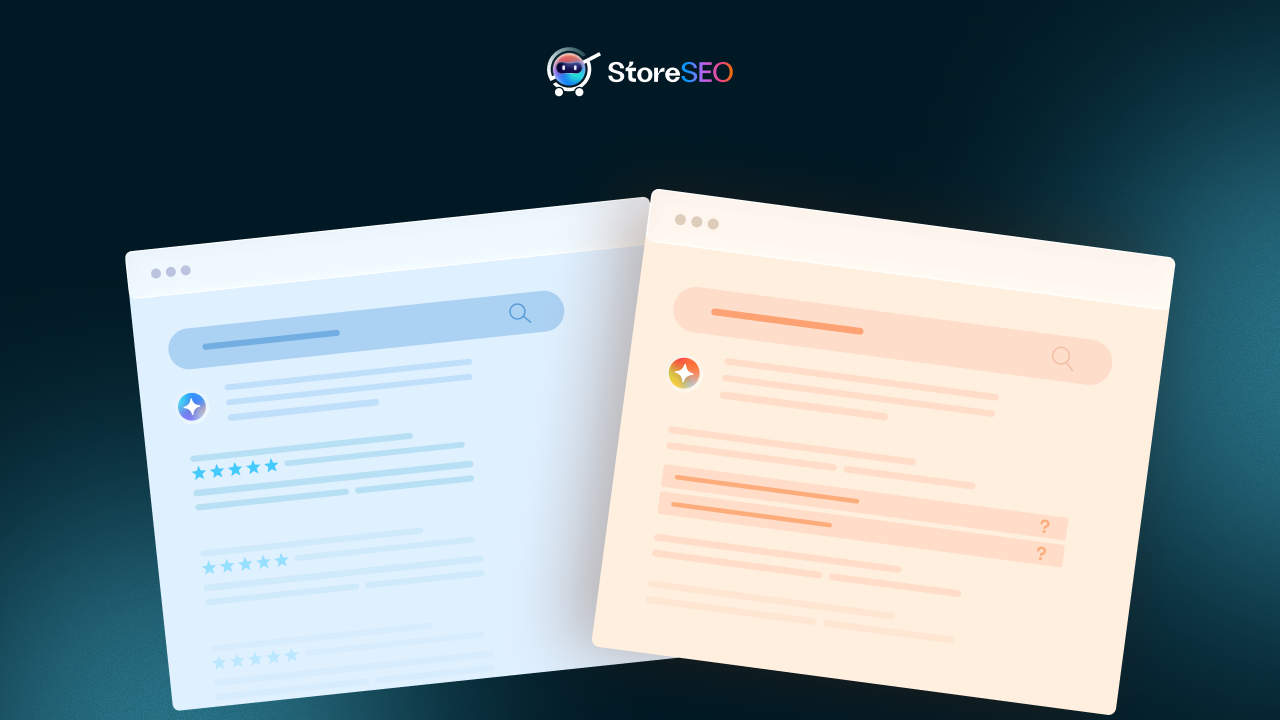
O ponto crucial a entender é que um esquema sem conteúdo visível é menos eficaz. As diretrizes de qualidade do Google priorizam páginas onde os dados estruturados refletem o que os usuários podem realmente ver e com o que podem interagir. Exibir suas perguntas frequentes na página inicial não é apenas uma decisão de UX. Isso valida e reforça sua marcação de esquema, aumentando suas chances de obter resultados relevantes.
Antes de começar: O que você precisa ter à mão
Para seguir este guia, você precisa ter três coisas em mãos:
- O StoreSEO está instalado na sua loja Shopify. Se você ainda não o instalou, acesse guia de configuração do StoreSEO Para começar.
- Pelo menos um produto com FAQs já criadas dentro do StoreSEO. O bloco da loja exibe as perguntas frequentes (FAQs) salvas na aba "Esquema de FAQ" para cada produto. Se você ainda não criou nenhuma, consulte nosso guia sobre como fazer isso. Como adicionar um esquema de perguntas frequentes (FAQ) aos seus produtos Shopify primeiro.
- Acesso ao seu Editor de Temas da Shopify. Você precisará de acesso à Loja Virtual no painel de administração do Shopify. Qualquer tema que suporte blocos de aplicativos (temas da Loja Virtual 2.0 e superiores) funcionará.
Nota rápida: Se você não tem certeza se o seu tema é compatível com blocos de aplicativos, verifique se ele foi desenvolvido para a Loja Online 2.0 da Shopify. Temas como Dawn, Refresh, Sense, Crave e a maioria dos temas modernos de terceiros são compatíveis. Se você estiver usando um tema antigo, entre em contato com o suporte. nossa equipe de suporte para orientação.
Como exibir as perguntas frequentes (FAQs) na sua loja virtual usando o StoreSEO: passo a passo
Este é o principal motivo da sua visita. Descrevemos cada etapa com detalhes suficientes para que você não tenha surpresas pelo caminho.
Passo 1: Ative o bloco de perguntas frequentes sobre o produto no painel de controle.
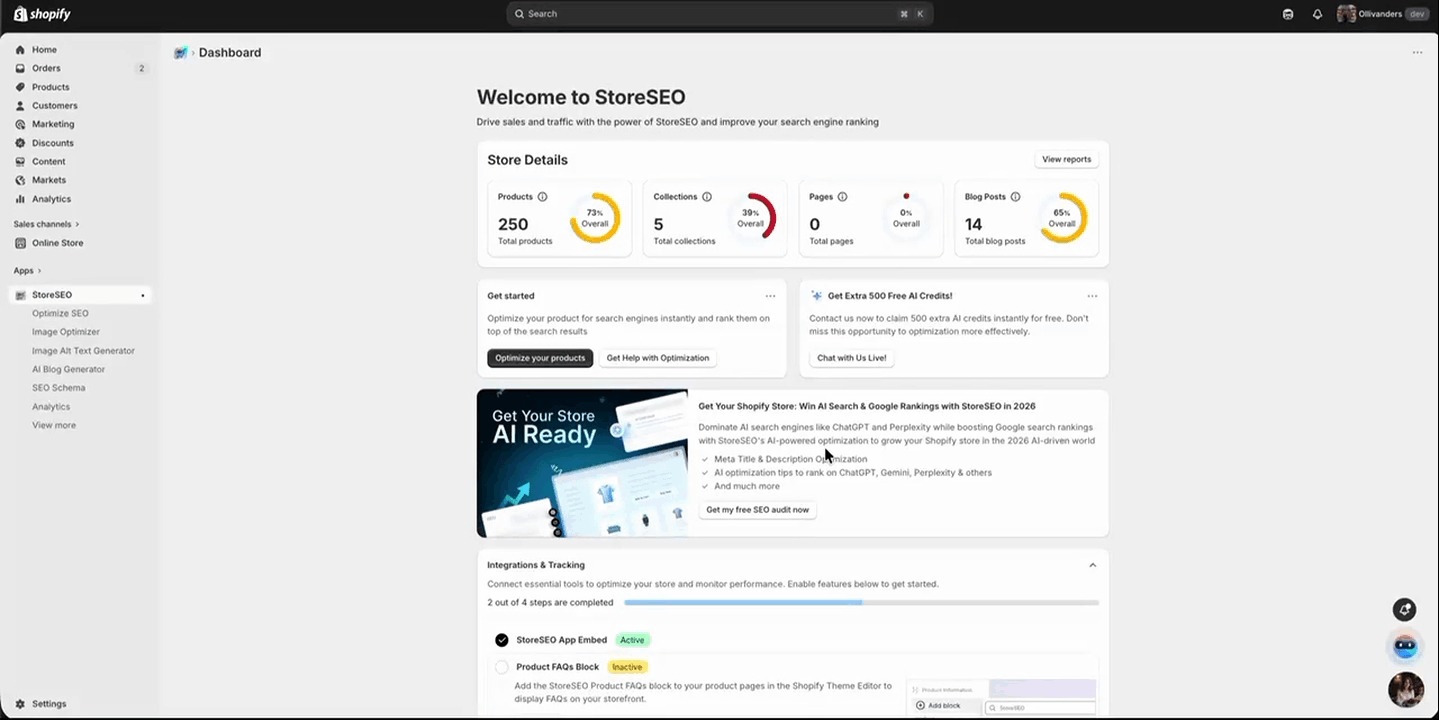
Para começar, abra o Aplicativo StoreSEO A partir do seu painel de administração do Shopify. Uma vez lá dentro, navegue até... Painel e role para baixo até o Integrações e Rastreamento seção. Aqui você encontrará um cartão com a etiqueta Bloco de Perguntas Frequentes sobre o Produto.
Clique no Ativar Este botão está presente neste cartão. Essa ação registra o bloco de perguntas frequentes (FAQ) do StoreSEO no seu tema do Shopify, permitindo que você o adicione a qualquer modelo de página de produto. Você não verá as perguntas frequentes na sua loja até que esta etapa seja concluída.
Passo 2: Abra o Editor de Temas do Shopify e localize a página do seu produto.
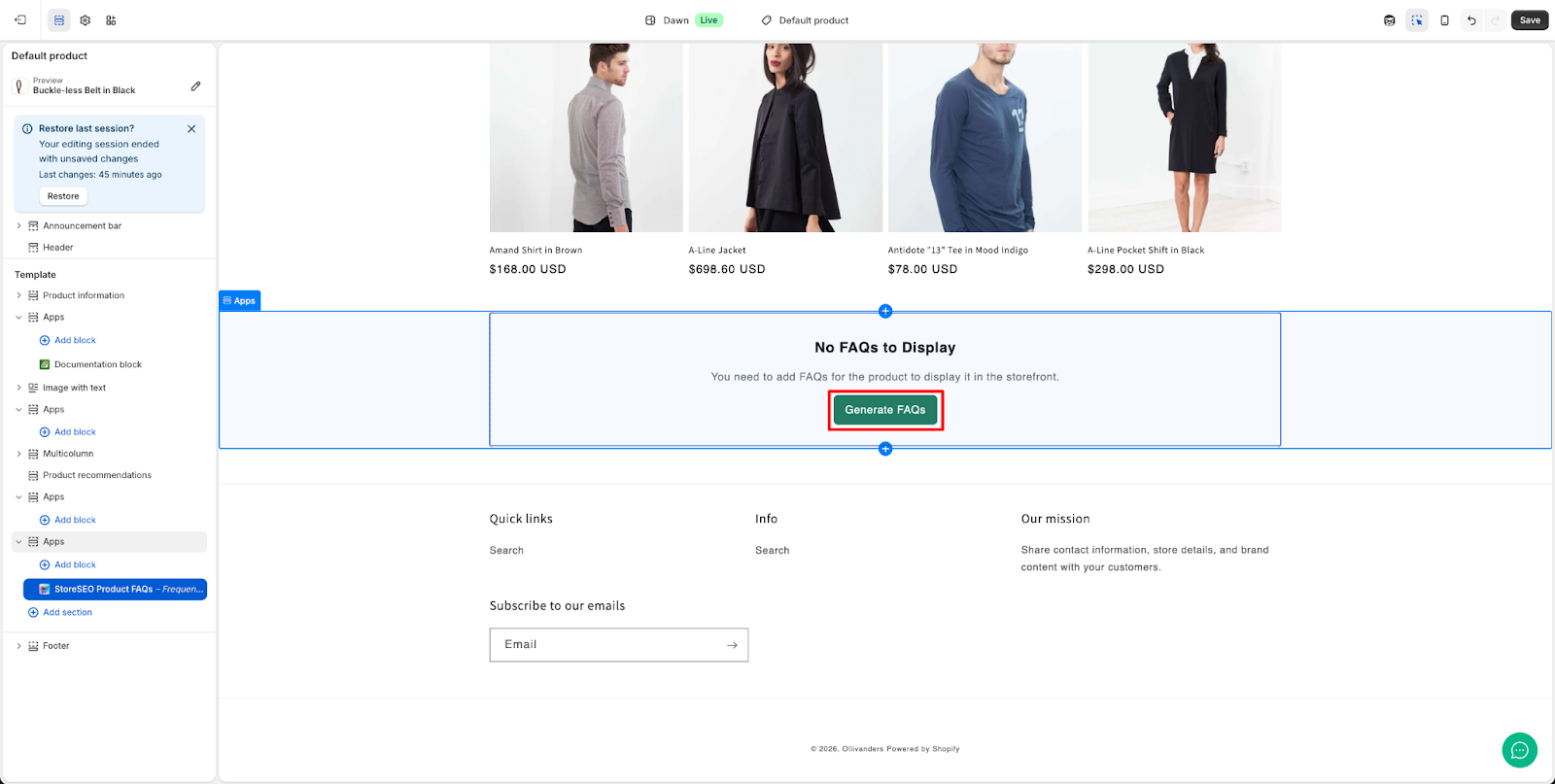
Após ativar o bloco, dentro do Editor de Temas, use o seletor de páginas na parte superior para navegar até uma página. página do produto. Nesta fase, se ainda não tiver sido adicionado um bloco de perguntas frequentes (FAQ), você verá uma mensagem na pré-visualização da página do produto com o seguinte texto: “Nenhuma FAQ para exibir”, “Você precisa adicionar FAQs para este produto para que ele seja exibido na loja virtual.” Isso é esperado e confirma que o bloco precisa ser adicionado ao modelo. Clique em “Gerar perguntas frequentes”" botão.
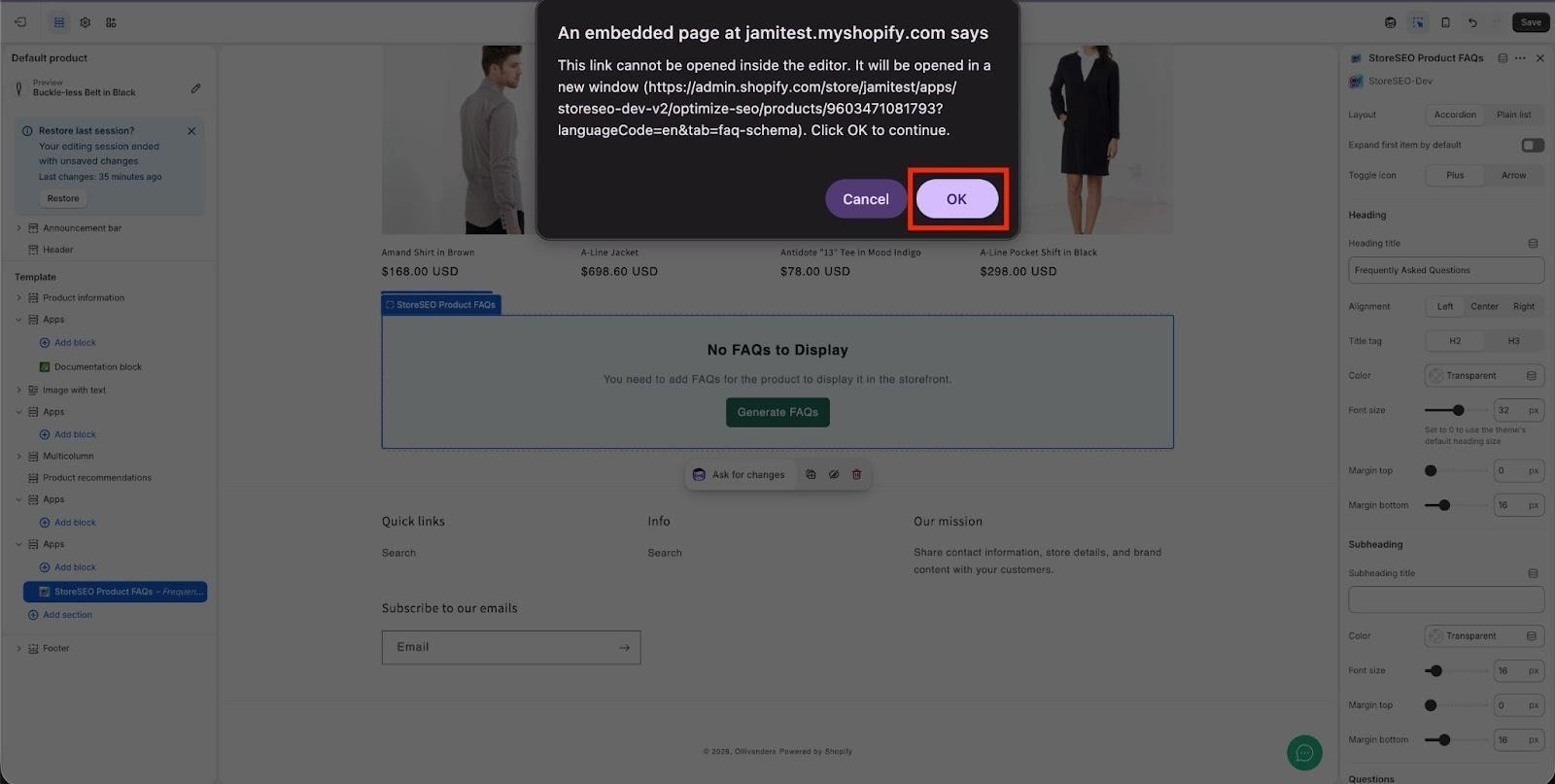
Para continuar, clique em '‘OK’na notificação pop-up. Isso é necessário porque o link será aberto em uma janela separada e conceder permissão é preciso para que o processo prossiga.
ObservaçãoCertifique-se de clicar em “Salvar”Clique no botão para garantir que suas alterações sejam atualizadas na página.
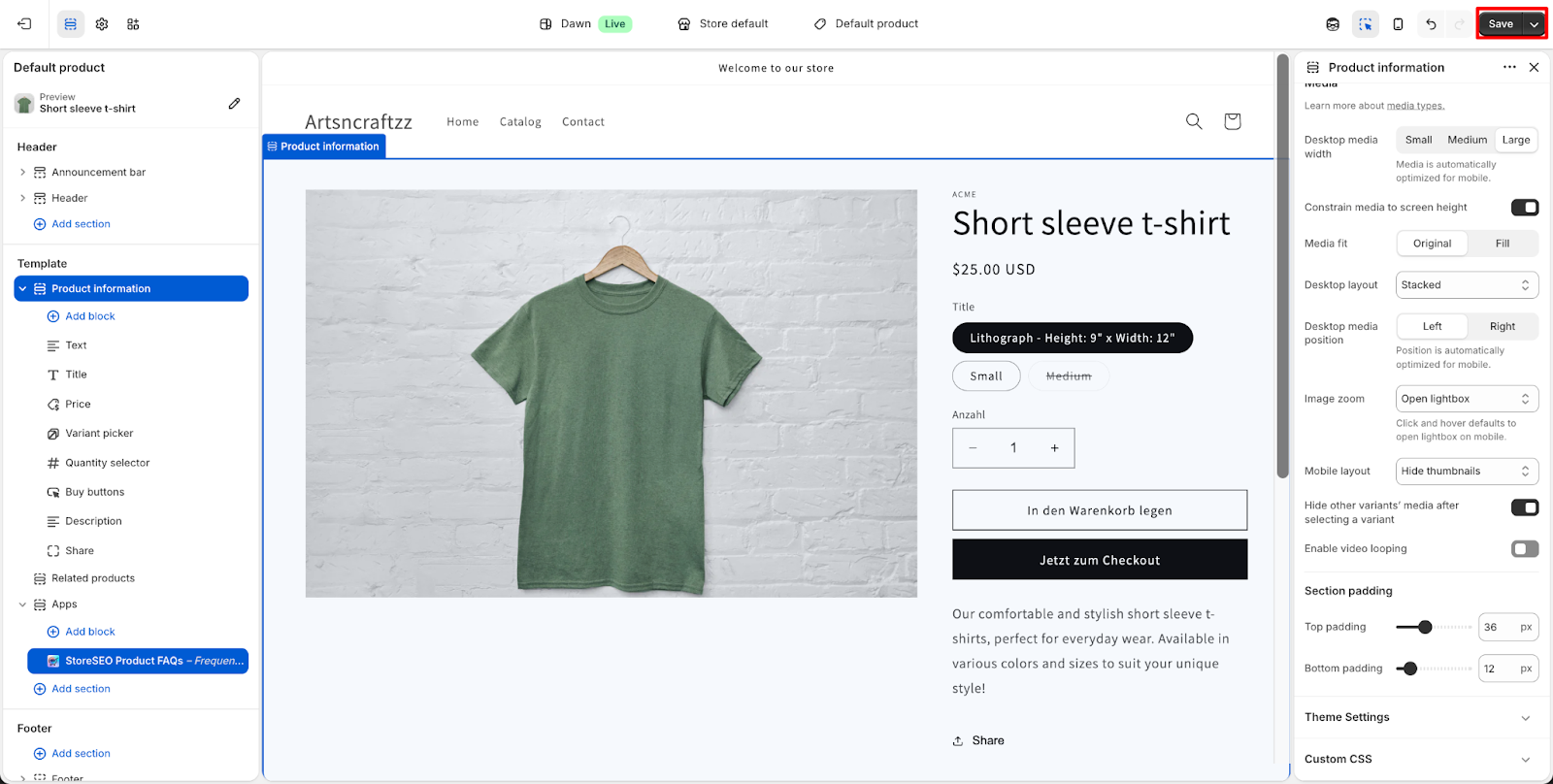
Passo 3: Adicione o bloco de perguntas frequentes do produto StoreSEO à sua página de produto.
No painel esquerdo do Editor de Temas, role para baixo até... Aplicativos seção, que está localizada perto da parte inferior da lista de seções do modelo. Clique em “Adicionar bloco”e na lista de blocos disponíveis, selecione “Perguntas frequentes sobre os produtos StoreSEO“.
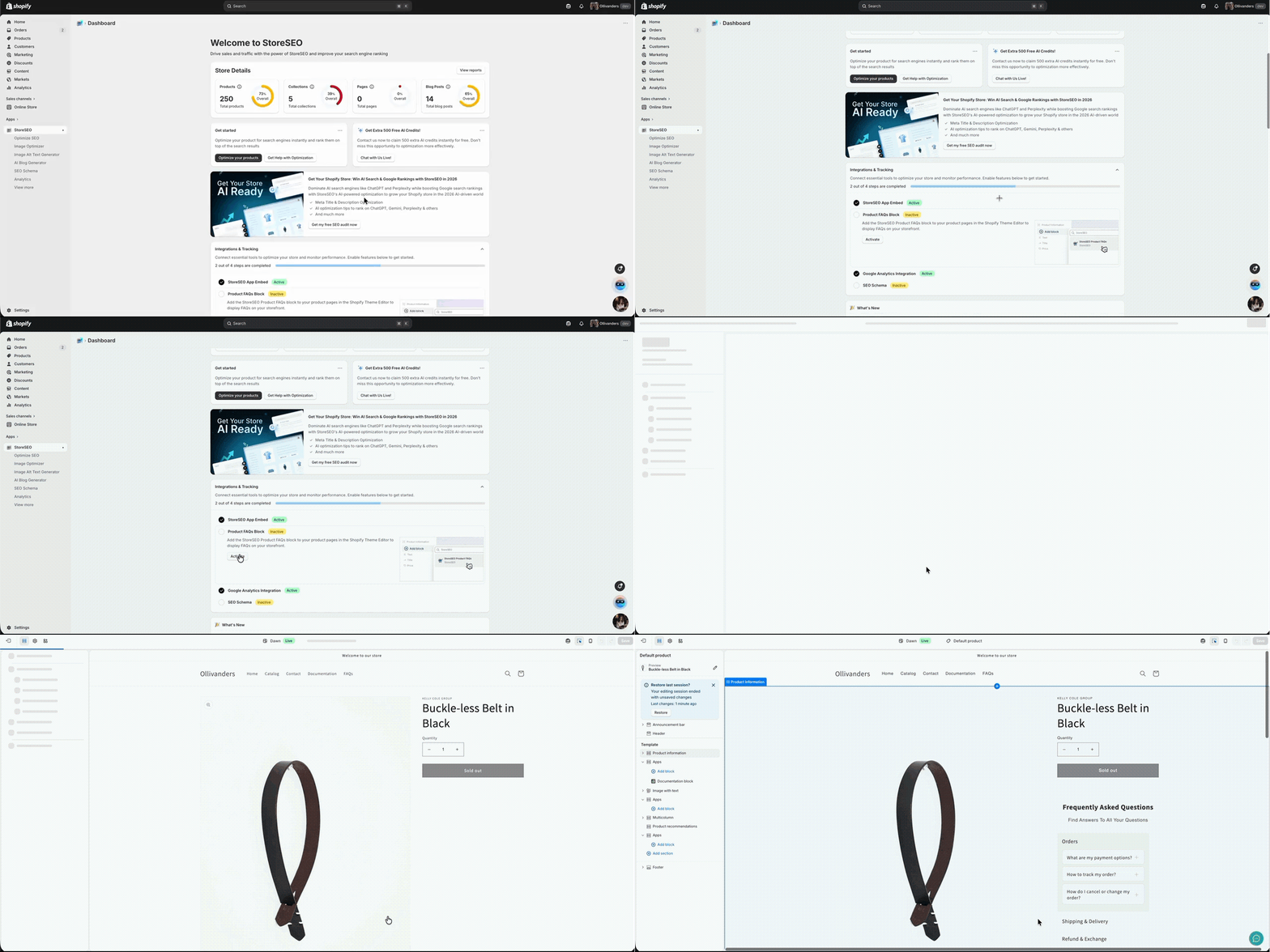
Passo 4: Verifique se as suas FAQs estão sendo exibidas na loja virtual.
Assim que o Perguntas frequentes sobre os produtos StoreSEO O bloco foi adicionado com sucesso ao modelo da sua página de produto. Você verá o Perguntas frequentes A seção aparece na pré-visualização ao vivo do Editor de Temas, destacada com uma borda azul.
Para uma utilização mais eficaz desta funcionalidade, Explore esta documentação detalhada. Para obter informações mais detalhadas.
Maximizando o valor de SEO e AEO da sua loja virtual - Perguntas frequentes
Exibir as perguntas frequentes (FAQs) na sua loja virtual é o básico. Fazer com que elas direcionem tráfego ativamente, melhorem o posicionamento nos resultados de busca e apareçam nas respostas geradas por inteligência artificial exige um pouco mais de planejamento estratégico. Veja como abordamos isso.
Escreva perguntas frequentes que correspondam a consultas de pesquisa reais.
O erro mais comum que os lojistas cometem ao escrever FAQs de produtos é responder a perguntas de suporte em vez de perguntas de pesquisa. Perguntas de suporte começam com problemas. Perguntas de pesquisa começam com curiosidade.
Em vez de escrever “Como faço para devolver este produto se ele estiver com defeito?, Considere perguntas como “O [nome do produto] é compatível com [caso de uso comum]?” ou “Quais são os tamanhos disponíveis para [produto]?” ou “[produto] é seguro para [público específico]?” Essas são as perguntas que as pessoas digitam no Google antes de comprar, o que significa que também são as perguntas que seu conteúdo de perguntas frequentes precisa responder.
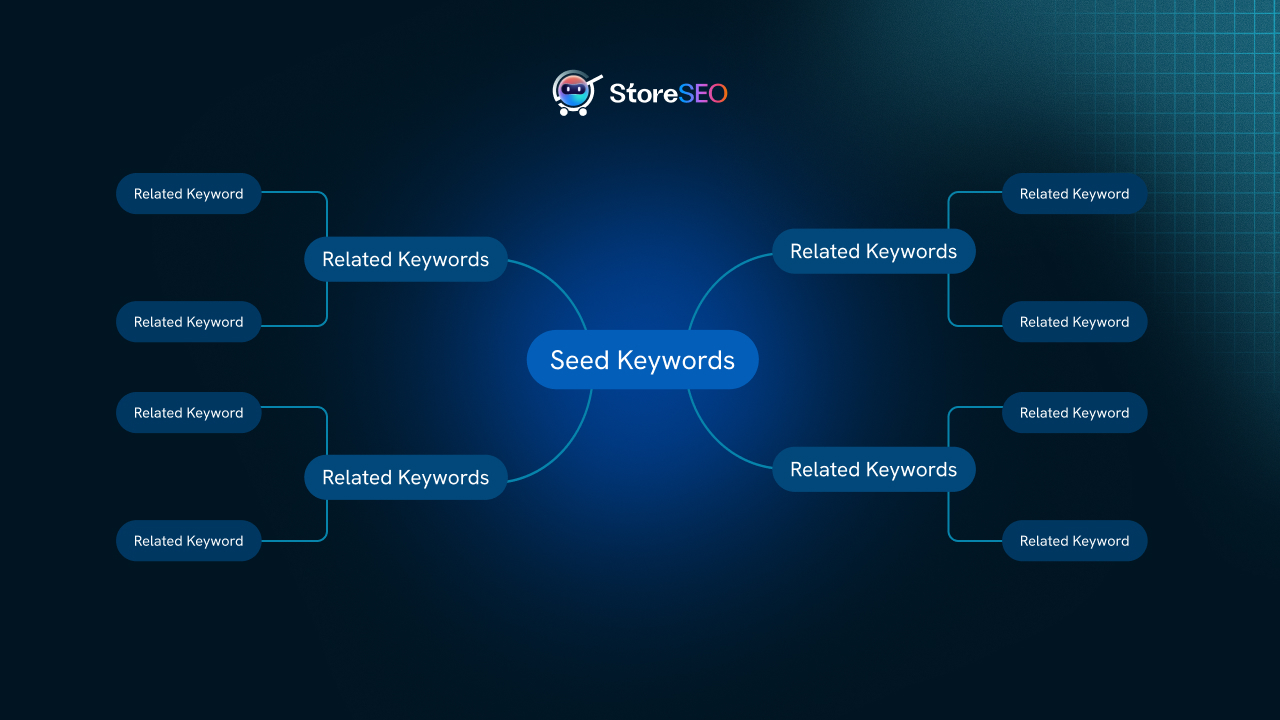
Uma das melhores ferramentas para isso é a Gerador de Clusters de Palavras-chave StoreSEO, Isso ajuda a identificar as consultas de pesquisa reais que as pessoas usam em relação aos seus produtos. Use esses agrupamentos para orientar as perguntas que você inclui em suas FAQs.
Mantenha as respostas concisas e estruturadas de forma direta.
Tanto para a elegibilidade ao snippet em destaque quanto para a extração de respostas por IA, a estrutura da resposta é importante. O Google e as plataformas de IA preferem respostas que:
- Comece com uma resposta direta à pergunta da primeira frase.
- Na maioria dos casos, as respostas devem ter menos de 50 palavras (embora algumas perguntas exijam explicações mais longas).
- Evite linguagem de marketing e opte por um tom factual e informativo.
- Use linguagem natural que imite a forma como as pessoas falam, especialmente para buscas por voz.
Assistentes de voz como Siri e Alexa frequentemente recorrem a perguntas frequentes (FAQ) para responder a consultas de voz relacionadas a produtos. Respostas curtas e diretas, que soam naturais quando lidas em voz alta, são o formato preferido por esses sistemas.
Combine o esquema de perguntas frequentes com o esquema de produto para obter o máximo impacto.
Essa é uma estratégia que abordamos detalhadamente em nossa postagem sobre Potencializando o esquema de perguntas frequentes com o esquema de produto para otimizar o ranqueamento de buscas por IA.. Resumindo: o esquema de FAQ, por si só, indica que sua página contém perguntas e respostas. O esquema de produto indica que sua página vende um item específico com atributos específicos, como preço, disponibilidade e avaliações. Quando ambos estão presentes e implementados corretamente, você fornece aos mecanismos de busca uma visão completa da sua página, o que aumenta sua elegibilidade para resultados avançados e citações por IA.
O StoreSEO cuida de ambos. Você pode Configure e habilite as marcações de esquema SEO no Shopify., incluindo Produto, FAQ e outros tipos de dados estruturados, diretamente do aplicativo, sem precisar mexer em nenhum código.
Use trechos de IA para dar suporte à sua estratégia de perguntas frequentes.
StoreSEO's Gerador de trechos de IA é mais uma camada da mesma estratégia. Os snippets de IA são meta descrições e fragmentos de conteúdo otimizados, especificamente projetados para serem indexados por plataformas de busca com IA. Ao combinar um conteúdo de perguntas frequentes (FAQ) robusto na loja virtual com snippets otimizados para IA, você cria múltiplos pontos de entrada estruturados para que os sistemas de IA compreendam e citem suas páginas de produtos.
Saiba mais sobre Como gerar snippets de IA para seus produtos Shopify com o StoreSEO.
Considere o arquivo LLMs.txt para uma descoberta mais ampla de IA.
Um dos sinais mais recentes que as plataformas de busca com IA usam para entender o conteúdo do comércio eletrônico é o Arquivo LLMs.txt. Este é um arquivo leve que informa aos modelos de linguagem de IA sobre o que é o seu site, quais produtos você vende e como o conteúdo está estruturado. O StoreSEO pode Gere o arquivo LLMs.txt para sua loja Shopify. automaticamente, complementando sua estratégia de FAQ e esquema para plataformas como Claude, ChatGPT e Perplexity.
Como as FAQs visíveis contribuem para seus sinais EEAT
A estrutura de qualidade do Google, EEAT (Experiência, Especialização, Autoridade e Confiabilidade), é mais relevante do que nunca em 2026, especialmente com a crescente presença de conteúdo gerado por IA na web. Uma das maneiras mais claras de demonstrar esses indicadores em uma página de produto é por meio de conteúdo de perguntas frequentes (FAQ) transparente, preciso e útil.
Quando um comerciante dedica tempo para responder a perguntas reais de compradores com informações precisas sobre o produto, isso demonstra experiência e conhecimento. Quando essas respostas são consistentes com o que o esquema do produto indica sobre o item, isso demonstra confiabilidade. E quando esse conteúdo está visível na página, e não apenas oculto na marcação do esquema, ele cria valor genuíno para o usuário.
Por isso, a combinação de FAQs visíveis na loja virtual com um esquema implementado corretamente é mais eficaz do que qualquer uma delas isoladamente. Ela satisfaz tanto os sinais algorítmicos quanto o julgamento humano.
Perspectiva de SEO para lojas: À medida que a busca por IA se torna o novo padrão, as lojas que se destacam são aquelas que tratam suas páginas de produtos como verdadeiras fontes de informação, e não apenas como páginas de conversão. As FAQs são uma das maneiras mais fáceis e escaláveis de fazer essa transição. É por isso que incorporamos uma funcionalidade robusta de FAQ diretamente no produto. Conjunto de funcionalidades principais do StoreSEO.
Perguntas frequentes e a pontuação de descoberta da Agentic: o que os lojistas da Shopify precisam saber em 2026
Em 2026, uma nova camada de otimização de busca surgiu e que os lojistas visionários da Shopify estão apenas começando a perceber: a descoberta por agentes. Agentes de IA, sejam eles incorporados em navegadores, assistentes ou ferramentas independentes, estão sendo cada vez mais usados para pesquisar e recomendar produtos em nome dos usuários. A questão não é mais apenas "o Google consegue encontrar meu produto?", mas sim "um agente de IA consegue entender, avaliar e recomendar meu produto?".“
A StoreSEO construiu um Recurso de Pontuação de Descoberta Agentica Isso ajuda os lojistas da Shopify a medir e otimizar a compreensão do conteúdo de suas lojas pelos agentes de IA. O conteúdo estruturado das perguntas frequentes (FAQ), quando exibido e marcado corretamente, contribui diretamente para essa pontuação.
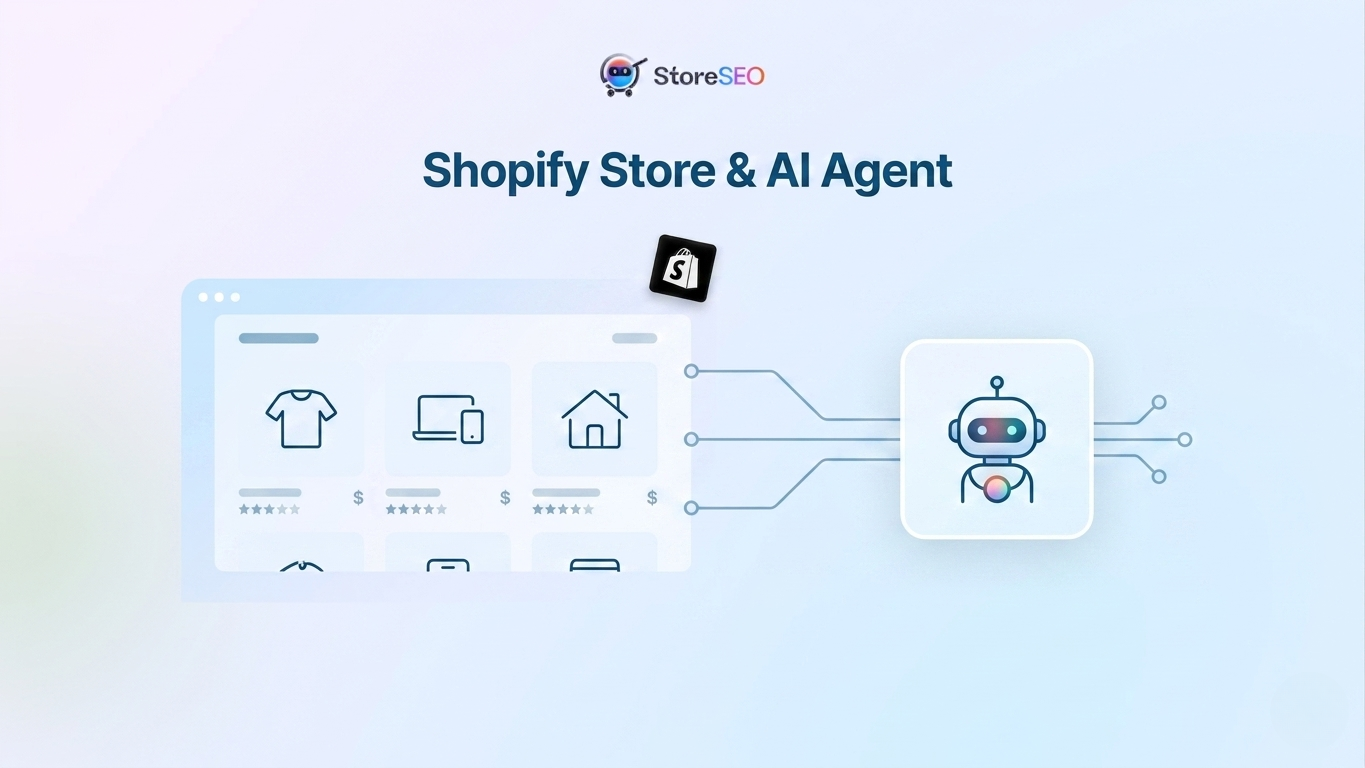
Pense da seguinte forma: um agente de IA encarregado de recomendar um produto procurará páginas que respondam claramente às perguntas mais frequentes dos usuários, que contenham dados estruturados confirmando os detalhes do produto e que demonstrem confiabilidade por meio de conteúdo consistente e transparente. Sua seção de perguntas frequentes na loja virtual, combinada com a marcação de esquema, faz tudo isso.
Comece a exibir as perguntas frequentes na sua loja Shopify hoje mesmo!
Exibir as FAQs nas páginas de seus produtos é uma das melhorias de maior impacto e menor esforço que um lojista da Shopify pode implementar. Isso reduz a hesitação na compra, fortalece seus sinais de esquema, melhora sua elegibilidade para snippets em destaque e respostas geradas por IA e contribui para o tipo de sinal EEAT que o Google recompensa com visibilidade orgânica sustentada.
O StoreSEO simplifica todo o fluxo de trabalho. Você cria as perguntas frequentes dentro do aplicativo, ativa o bloco, adiciona-o ao seu tema e o resto é feito automaticamente. Sem programação, sem plugins externos, sem gambiarras.
Se você quiser ir ainda mais longe, explore como a StoreSEO pode te ajudar com otimização de conteúdo por IA, rastreamento de classificação de palavras-chave, e configuração completa de marcação de esquema Construir uma base completa de SEO para Shopify que seja competitiva tanto em buscas tradicionais quanto em buscas com inteligência artificial.
Precisa de ajuda presencial? Nossa equipe está sempre à disposição. Entre em contato com o suporte da StoreSEO. ou Agende uma consulta gratuita sobre SEO por telefone. E vamos analisar juntos a estratégia de perguntas frequentes (FAQ) da sua loja.
Perguntas frequentes sobre como exibir FAQs em lojas Shopify
Qual a diferença entre o esquema de FAQ e a exibição de FAQs na loja virtual?
O esquema de FAQ consiste em dados estruturados (código JSON-LD) adicionados à sua página que informam aos mecanismos de busca que a página contém perguntas e respostas. Exibir as FAQs na loja virtual significa que as perguntas e respostas são exibidas visivelmente na página do produto para que os compradores possam lê-las. Ambos são importantes: o esquema se comunica com os mecanismos de busca e rastreadores de IA, enquanto as FAQs visíveis atendem aos visitantes reais. O StoreSEO permite ambos simultaneamente, que é a abordagem recomendada para obter o máximo benefício em SEO e conversão.
Exibir as perguntas frequentes (FAQs) na página inicial da loja vai deixar minha loja Shopify mais lenta?
Não. O bloco de Perguntas Frequentes sobre Produtos do StoreSEO é um bloco de aplicativo leve que carrega de forma assíncrona e não adiciona peso significativo à página. No formato de acordeão, os itens de perguntas frequentes recolhidos carregam rapidamente sem renderizar todo o conteúdo antecipadamente. Para lojistas focados em Core Web Vitals e velocidade da página, recomendamos o layout de acordeão como opção padrão.
Posso exibir FAQs diferentes para produtos diferentes?
Sim, e você deveria. O bloco de perguntas frequentes (FAQ) do StoreSEO é baseado em um modelo, o que significa que ele fica inserido no modelo da página do seu produto e aparece em todos os produtos que usam esse modelo. No entanto, o conteúdo exibido é extraído do conteúdo individual de perguntas frequentes que você cria para cada produto dentro do StoreSEO. Cada produto exibe apenas suas próprias perguntas frequentes, tornando o conteúdo de perguntas e respostas específico para cada produto totalmente compatível.
As perguntas frequentes (FAQs) na loja virtual ajudam no posicionamento no Google?
O conteúdo de perguntas frequentes (FAQ) na página do seu produto, especialmente quando combinado com a marcação de esquema de FAQ, pode melhorar sua elegibilidade para snippets em destaque, caixas "As pessoas também perguntam" e resultados avançados. Além disso, adiciona conteúdo relevante para palavras-chave à sua página de forma natural, o que pode impulsionar o ranqueamento para consultas de cauda longa relacionadas aos seus produtos. Combinado com os dados do Google Search Console disponíveis por meio do StoreSEO, você pode segmentar as perguntas específicas que seu público está pesquisando.
O que acontece se eu desinstalar o StoreSEO depois de adicionar o bloco de perguntas frequentes?
Se você desinstalar o StoreSEO, o bloco de aplicativos não será mais exibido no seu tema, pois depende da atividade do aplicativo. Recomendamos consultar nossa documentação sobre o assunto. O que acontece se você desinstalar o StoreSEO? Antes de tomar essa decisão, certifique-se de entender como preservar seus dados de SEO.
Posso usar este recurso de perguntas frequentes em páginas de coleção ou postagens de blog?
O bloco de Perguntas Frequentes sobre Produtos foi desenvolvido especificamente para páginas de produtos. Para conteúdo de perguntas frequentes em páginas de coleções, posts de blog ou outros tipos de página, o StoreSEO oferece ferramentas de otimização separadas. Você pode explorar Como otimizar páginas de coleção do Shopify com StoreSEO e Como configurar o SEO para posts e páginas de blog para esses casos de uso.