
The StoreSEO MCP (Model Context Protocol) Server can be easily connected to any AI platform (e.g., Claude) that supports custom MCP servers. This new feature lets you connect your Shopify store directly to your favorite AI assistants. Instead of managing SEO tasks manually in your admin panel, you can provide simple prompts and let AI agents handle optimizations on your behalf.
This document covers everything on how you can connect StoreSEO MCP to your AI assistant. Once configured, you will be able to optimize product listings, generate alt text, fix meta descriptions, and more, all from your favorite AI tool.
Guide to Connect StoreSEO MCP Server to Your AI Assistant #
Follow the step-by-step guide to connect StoreSEO MCP with Claude or other AI assistants and optimize your store with simple prompts directly from your favorite AI platforms.
Step 1: Go To Claude Settings & Add Connectors #
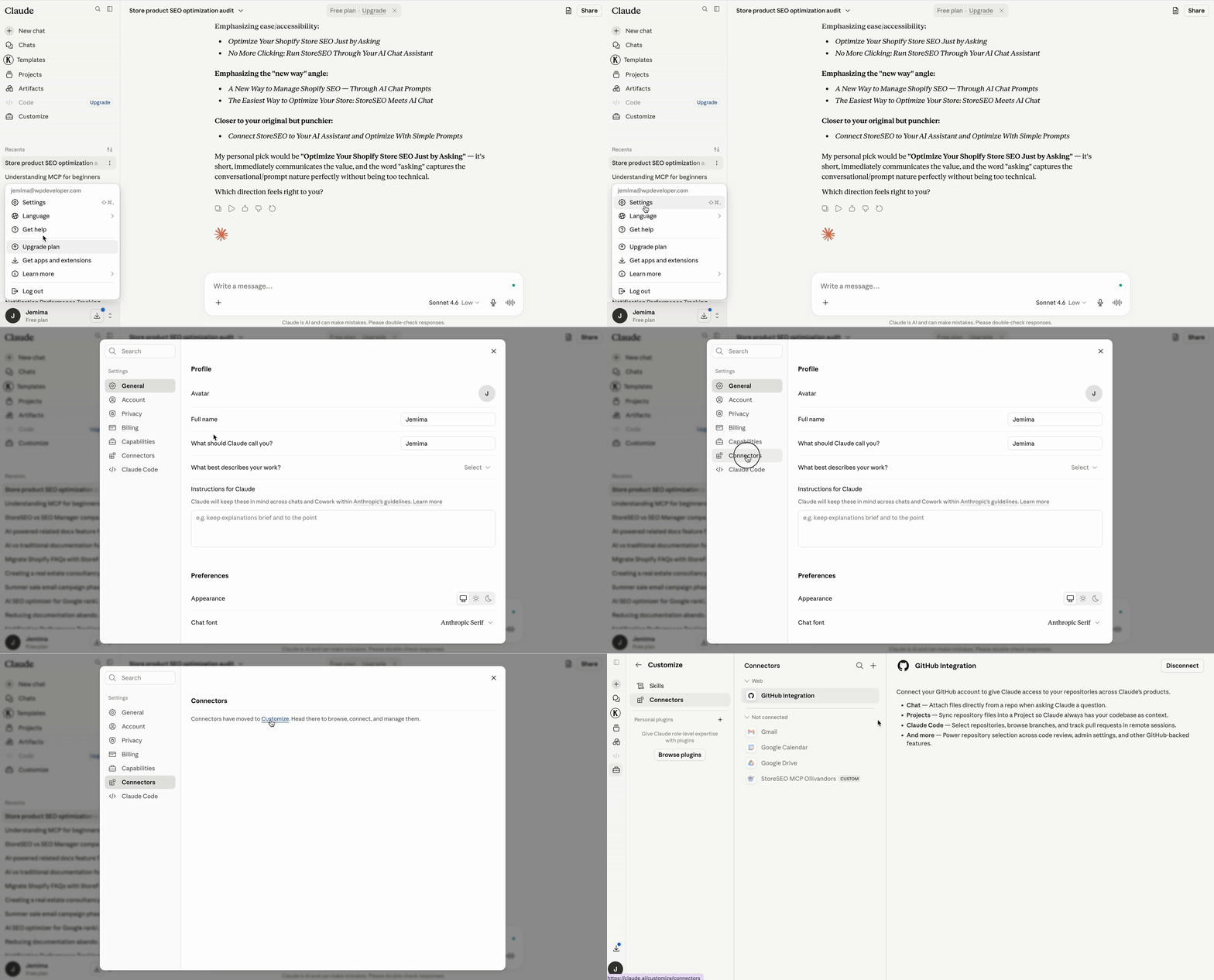
First, log in to your Claude account and go to the Settings tab. Here, we will show how to connect Claude with StoreSEO. For that, go to 'सेटिंग्स' → ‘Connector’ और क्लिक करें the ‘Customize’ बटन।
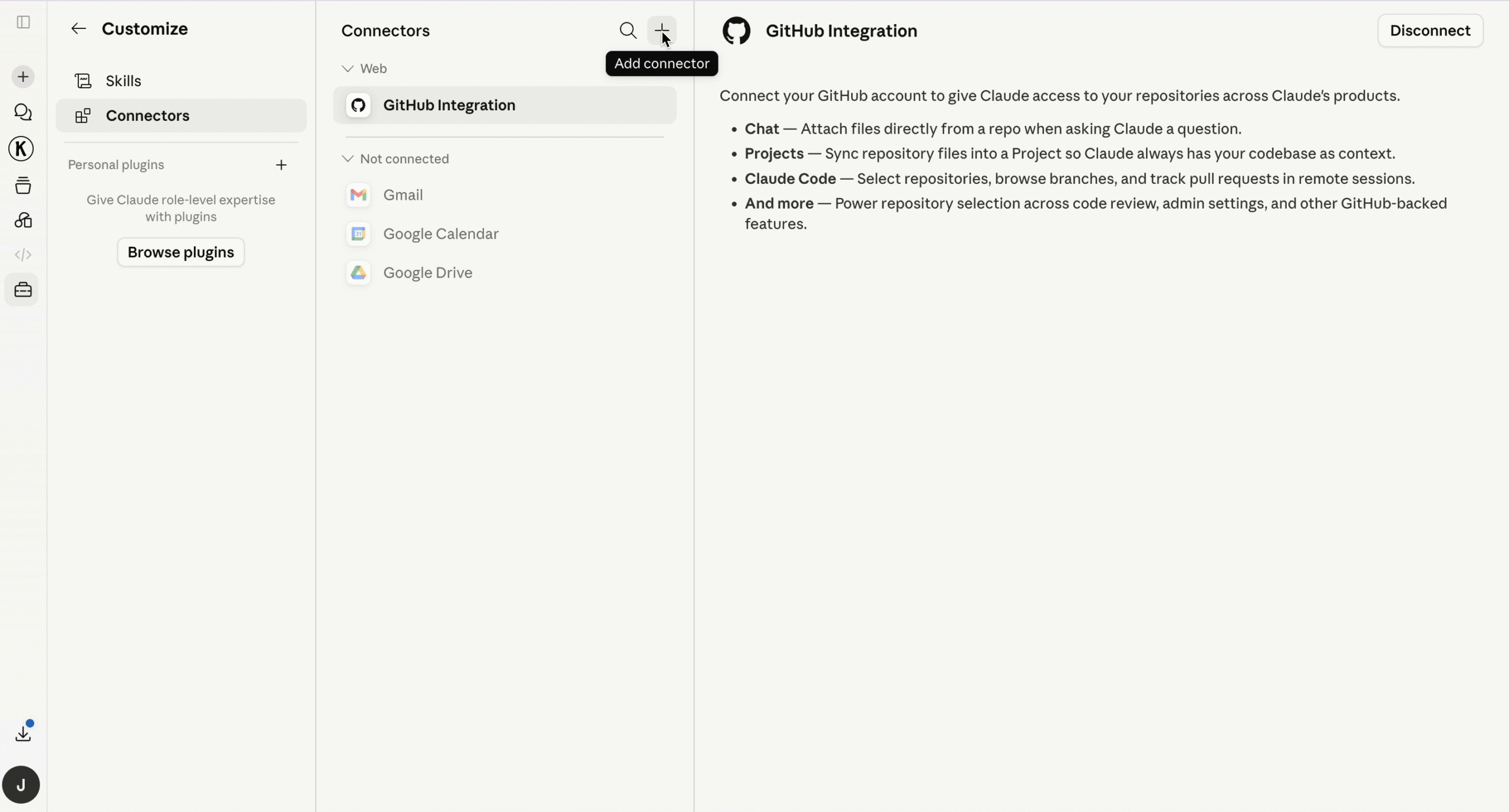
You will see the list of connectors. Now, to connect the StoreSEO MCP Server, click on the ‘+’ icon, and then proceed by clicking on the ‘Add Custom Connector’ बटन।
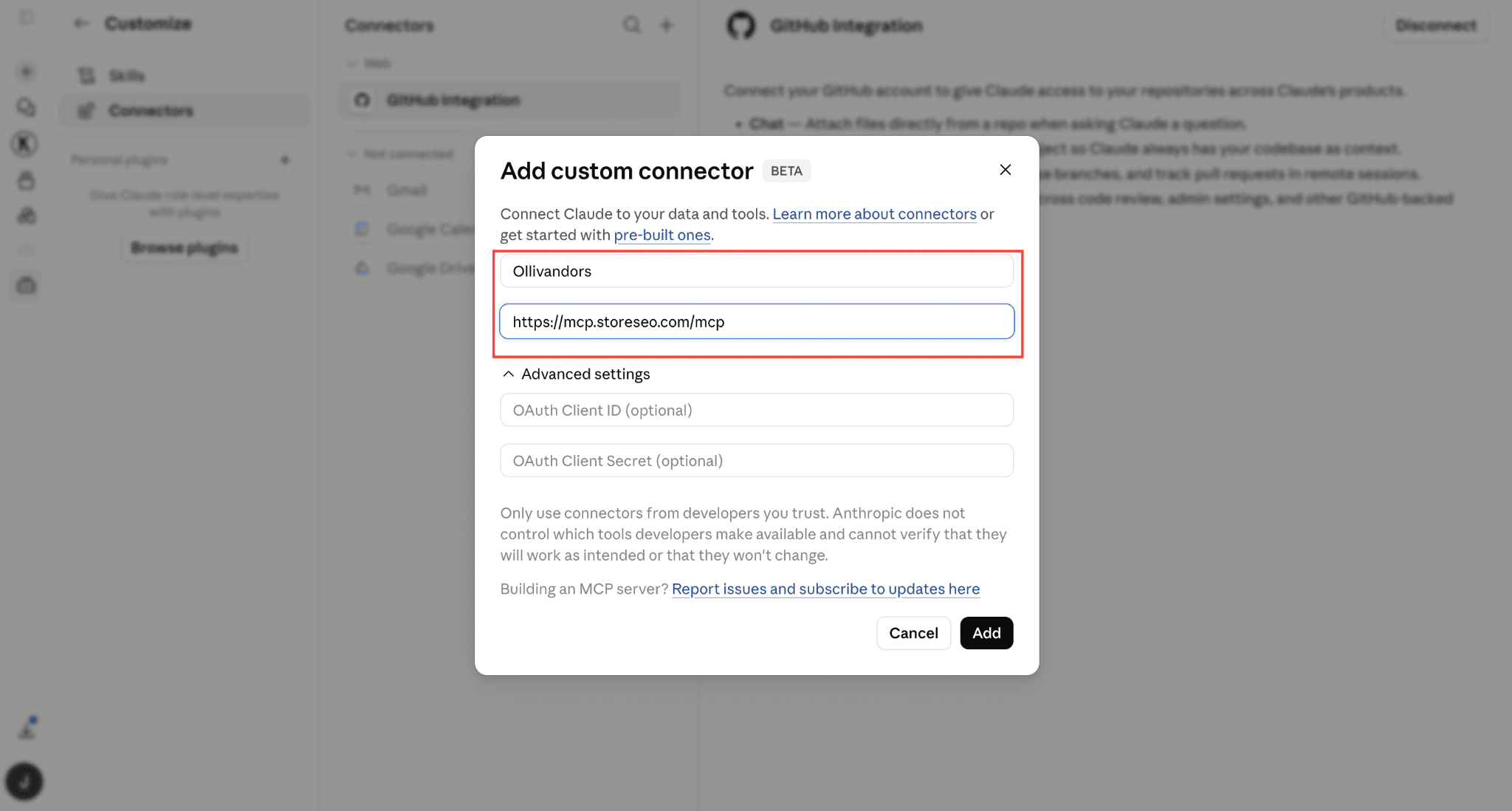
Here, a pop-up window will appear. Give the custom connector an appropriate name. Now, you need to place the StoreSEO MCP Server URL ( https://mcp.storeseo.com/mcp ) to connect it to your preferred AI tool. So, place the remote MCP server URL. पर क्लिक करें ‘Add’ आगे बढ़ने के लिए बटन दबाएँ।
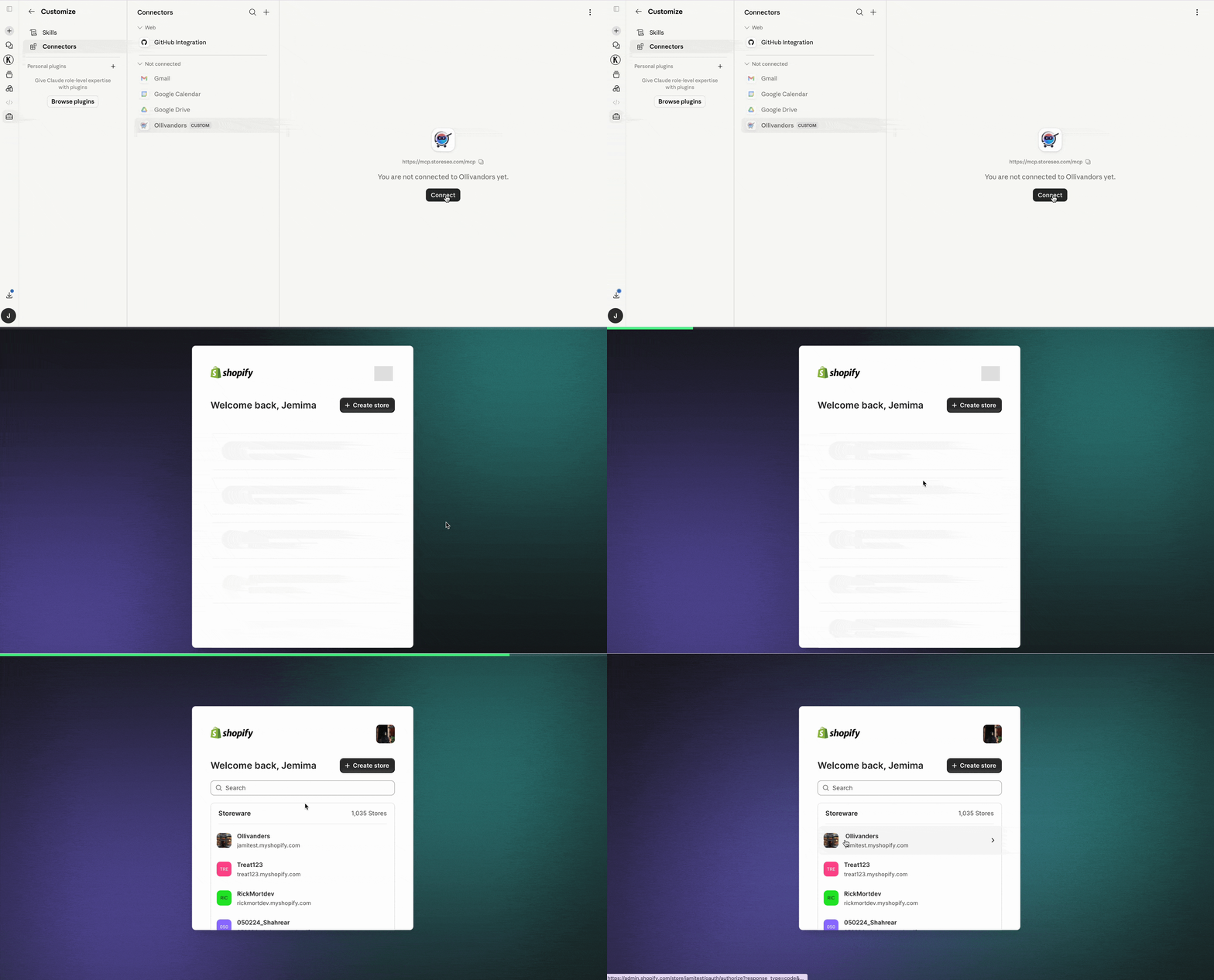
After that, you will be asked to connect your store that you want to optimize with simple prompts. Click on ‘'जोड़ना'’ and choose the store you want to connect.
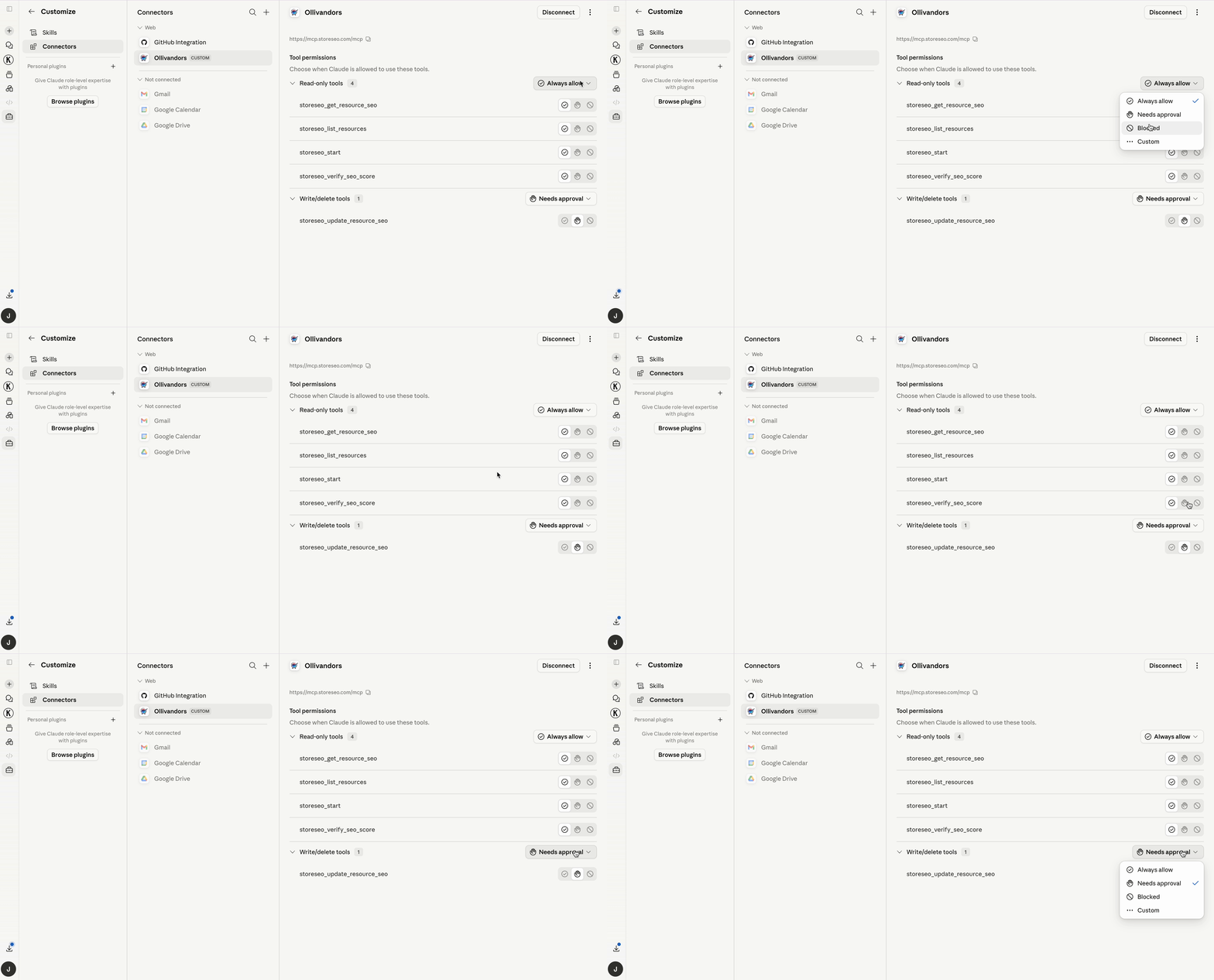
After you choose the store, you will see this pop-up where you can control when and what Claude is allowed to do.
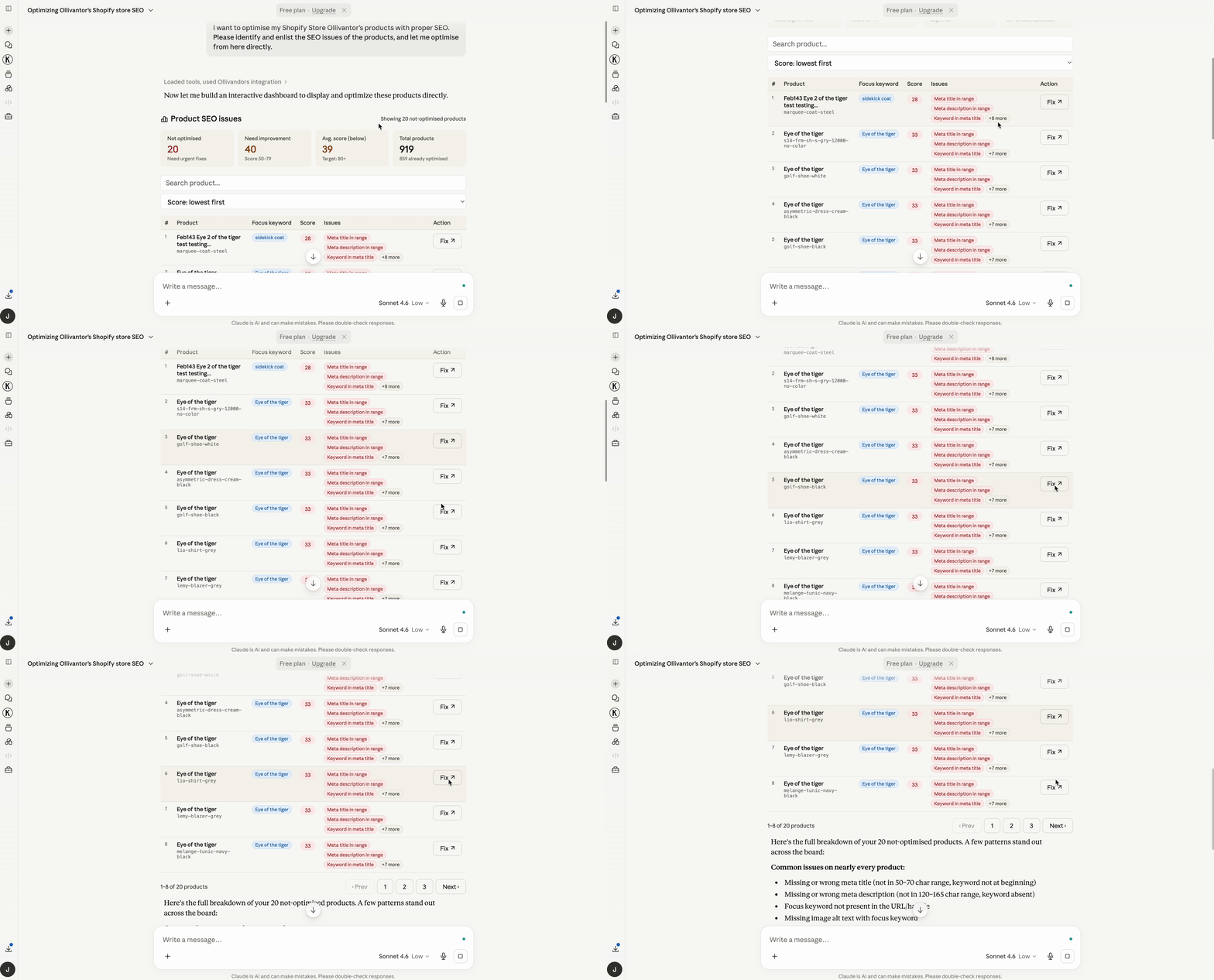
You can now go back to the conversation and type simple prompts to perform SEO tasks across your store. The AI will connect to your store and identify the relevant products or content. You can carry out the optimizations automatically from the prompt interface as well.
This is how easily you can connect StoreSEO with Claude AI assistant and optimize with simple prompts. Need assistance? Reach out to the स्टोरएसईओ सहायता टीम for any questions.