
Shopify SEO Optimization: Connect StoreSEO MCP Server with AI Assistants & Optimize Your Shopify Store
Managing SEO on a large Shopify store is a time-consuming process. Writing meta titles, crafting descriptions, adding image alt text, building FAQ schemas- each task is small on its own, but across hundreds or thousands of products, the workload adds up fast. Most merchants either skip it entirely or rely on bulk automation tools that produce generic, low-quality output.
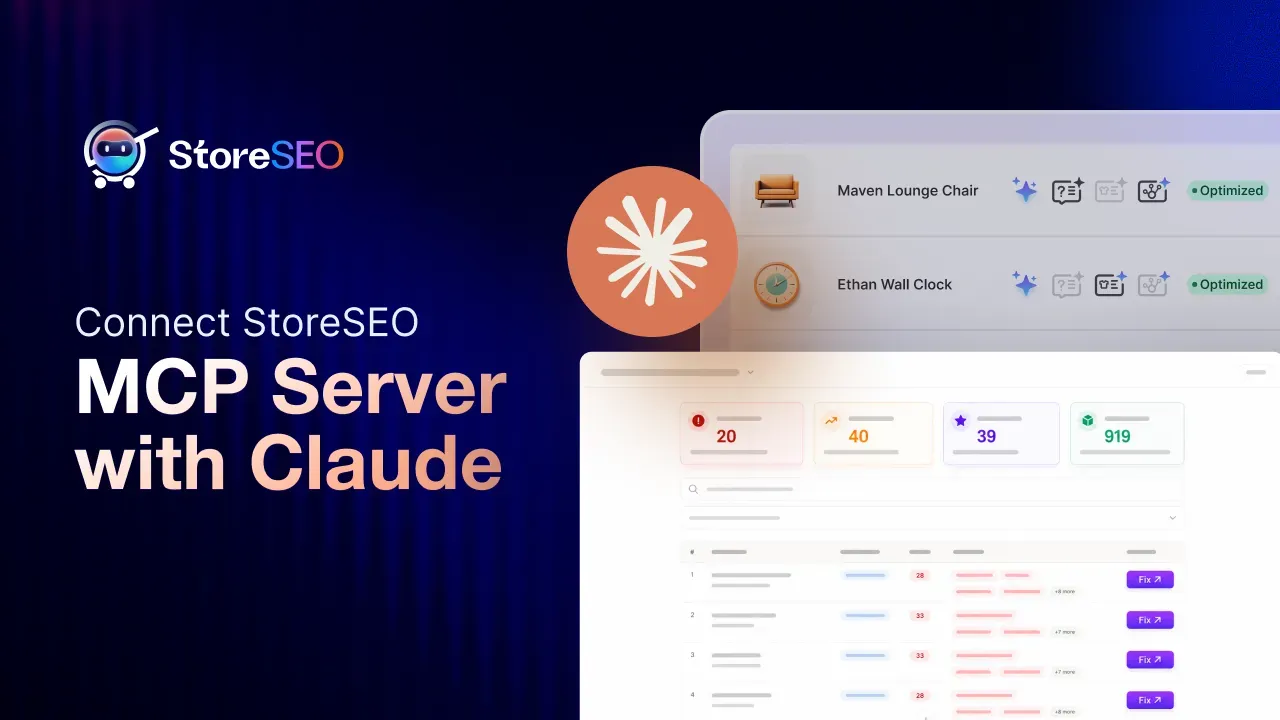
StoreSEO changes this with its MCP Server functionality. By connecting your Shopify store directly to an AI assistant like Claude, you can handle SEO optimization through plain-language prompts, no admin panel navigation, no repetitive copy-pasting, and no technical expertise required. You describe what you want, and the AI handles the work on your behalf.
This guide explains what the StoreSEO MCP Server is, why it matters for Shopify SEO optimization, and walks you through the key SEO tasks you can complete using it with an AI assistant.
TL;DR
| Topic | Key Takeaway |
| What is StoreSEO MCP? | A server that connects your Shopify store to AI assistants via the Model Context Protocol |
| Which AI assistants are supported? | Claude, ChatGPT, and any platform that supports custom MCP servers |
| What SEO tasks can you do? | Optimize meta titles, meta descriptions, image alt text, FAQs, AI snippets, URL handles |
| Do you need coding skills? | No — everything works through natural language prompts |
| Why does this matter for SEO? | AI can read, analyze, and apply changes across your full product catalog at scale |
| What is the benefit over manual SEO? | Faster, more consistent, and capable of handling large catalogs in a single session |
What Is the Model Context Protocol (MCP)?
Before getting into how to optimize your Shopify store with StoreSEO MCP server, it helps to understand the technology behind it.
The Model Context Protocol, or MCP, is an open standard developed by Anthropic in late 2024. It defines a consistent way for AI assistants to connect to external tools and data sources. Think of it as a universal adapter: instead of building a separate integration for every AI platform, a service exposes one MCP server, and any MCP-compatible AI platforms- Claude, ChatGPT, Cursor, or others- can connect to it immediately.
MCP servers expose three types of capabilities to AI clients: tools (actions the AI can take), resources (data the AI can read), and prompts (templates the AI can use). When an AI assistant connects to an MCP server, it asks what the server can do and then uses those capabilities in response to user prompts.
For Shopify merchants, this architecture is significant. Rather than interacting with a dashboard, you interact with your AI assistant in plain language, and the assistant calls the right tools behind the scenes to execute your request against live store data.
What Is the StoreSEO MCP Server?
StoreSEO is a Shopify SEO app built by Storeware that covers product SEO, image optimization, meta tag management, keyword tracking, FAQ schemas, AI snippets, and more. Its MCP Server feature extends that functionality into your AI assistant environment.
Once you connect StoreSEO’s MCP Server to a compatible AI platform, you gain the ability to manage your store’s SEO directly through conversation. Instead of opening the StoreSEO dashboard, navigating to a product, and manually editing each SEO field, you can ask your AI assistant to handle the task, and it will read your store data, propose optimized content, verify the projected SEO score, and apply the changes, all within the same chat session.
The feature supports all major AI platforms that accept custom MCP server configurations. This includes Claude (via Claude Desktop or Claude.ai), ChatGPT, Cursor, and other tools in the growing MCP ecosystem.
What Can You Do With StoreSEO MCP?
Unlike generic AI tools that only generate suggestions, StoreSEO connects AI directly with your Shopify SEO data, including SEO scores, optimization rules, and store-specific recommendations. The StoreSEO MCP Server gives AI assistants direct read and write access to your store’s SEO data. Here is what you can accomplish through simple prompts:
- Audit products by SEO score: Ask for a list of all unoptimized products, sorted by lowest score, with their issues broken down
- Optimize meta titles and meta descriptions: Have the AI generate keyword-focused titles and descriptions within the correct character ranges
- Fix image alt text: Bulk-generate descriptive, keyword-rich alt text for all product images
- Update URL handles: Replace meaningless auto-generated handles with clean, keyword-relevant slugs
- Add FAQ schema: Generate relevant FAQ content per product and apply it to boost structured data signals
- Add AI snippets: Create product summaries, use cases, key benefits, and best-for fields that help your products appear in AI-powered search results
- Verify changes before applying: The AI can project the new SEO score before writing any changes to your store, so you know the result in advance
Why Shopify SEO Optimization Still Matters in 2026
Some merchants wonder whether traditional SEO is worth the effort now that AI search and agentic commerce are growing. The short answer is: yes, and it matters even more than before.
AI search engines, including Google AI Overview, ChatGPT shopping, and Perplexity, pull product data directly from store listings when forming recommendations. They look at meta titles, product descriptions, image alt text, structured data, and FAQ content to decide which products to surface. A store with poor SEO metadata is not just harder to find on Google; it is also less likely to be recommended by AI assistants to shoppers.
Shopify reported that AI traffic on its platform grew 7x between January and Q3 2025, with AI-attributed orders rising 11x over the same period. Clean, well-structured product data is now the foundation for both traditional organic rankings and AI-driven discovery.
StoreSEO helps you maintain that foundation across every product in your catalog.
Key SEO Tasks You Can Complete With StoreSEO MCP
This section covers the main Shopify SEO optimization tasks and how AI assistants handle them through the StoreSEO MCP connection.
Auditing Your Product SEO Health
The first step in any optimization workflow is knowing which products need attention. With StoreSEO MCP connected to your AI assistant, you can request a full audit in seconds.
A simple prompt like “show me all unoptimized products sorted by lowest SEO score” will return a structured list of products, their current scores, focus keywords, and a breakdown of specific issues per product. This gives you a clear starting point without manual dashboard review.
Common issues the audit surfaces include missing or out-of-range meta titles, absent meta descriptions, focus keywords missing from key fields, unoptimized URL handles, missing image alt text, no FAQ schema, and no AI snippet.
SEO Audit Prompt
Find all products with SEO scores below 70.
Show me:
– Product name
– SEO issues
– Missing fields
– Recommended improvements
Optimizing Meta Titles
A meta title is the headline Google and other search engines display for your product page in results. It is one of the strongest on-page SEO signals. StoreSEO recommends meta titles between 50 and 70 characters, with the focus keyword placed at or near the beginning.
When you ask your AI assistant to optimize a product’s meta title, it reads the current title, the product description, the assigned focus keyword, and the existing score. It then generates a new title that places the keyword first, stays within the character limit, and reads naturally. The AI can also verify the projected score improvement before applying the change.
For example, a product with a placeholder meta title like “bottle” can be replaced with a proper title like “Eye of the Tiger Grey Italian Cotton Shirt by Frank and Eileen”, moving the score from 33 to 86 in a single optimization pass.
Meta Optimization Prompt
- Optimize the SEO title and meta description for my lowest-performing products.
- Prioritize products with high search potential.”
Writing Meta Descriptions
Meta descriptions do not directly determine rankings, but they strongly influence click-through rates from search results. A good meta description is between 120 and 165 characters, includes the focus keyword naturally, and gives a shopper a reason to click.
StoreSEO MCP allows your AI assistant to read the product details and write a well-structured meta description on the spot. The AI accounts for the keyword, the character limit, and the product’s key selling points. It also flags if the current description is too short, too long, or missing the keyword entirely.
Fixing URL Handles
Shopify auto-generates URL handles when you create a product. These are often based on the original product title or internal reference codes, resulting in handles like s14-frm-sh-s-gry-12000-no-color, which carry no SEO value and confuse both search engines and shoppers.
Through StoreSEO MCP, your AI assistant can propose and apply clean, keyword-rich handles. A handle like eye-of-the-tiger-grey-shirt is more descriptive, includes the focus keyword, and aligns with how shoppers actually search. The AI verifies the change does not break existing links before applying it.
Generating Image Alt Text
Image alt text serves two purposes: it tells search engines what an image shows (contributing to image search rankings and overall page relevance), and it improves accessibility for shoppers using screen readers.
Many Shopify stores leave alt text blank or use generic filenames as alt attributes. StoreSEO MCP lets your AI assistant read all product images and generate descriptive, keyword-relevant alt text for each one in a single pass. Rather than “pot” or an empty field, each image gets a specific description like “Eye of the Tiger navy black melange tunic by Avant Toi — front view.”
Image Alt Text Prompt
- Find product images with no alt-text
- Generate SEO-friendly alt text for all
Adding FAQ Schema
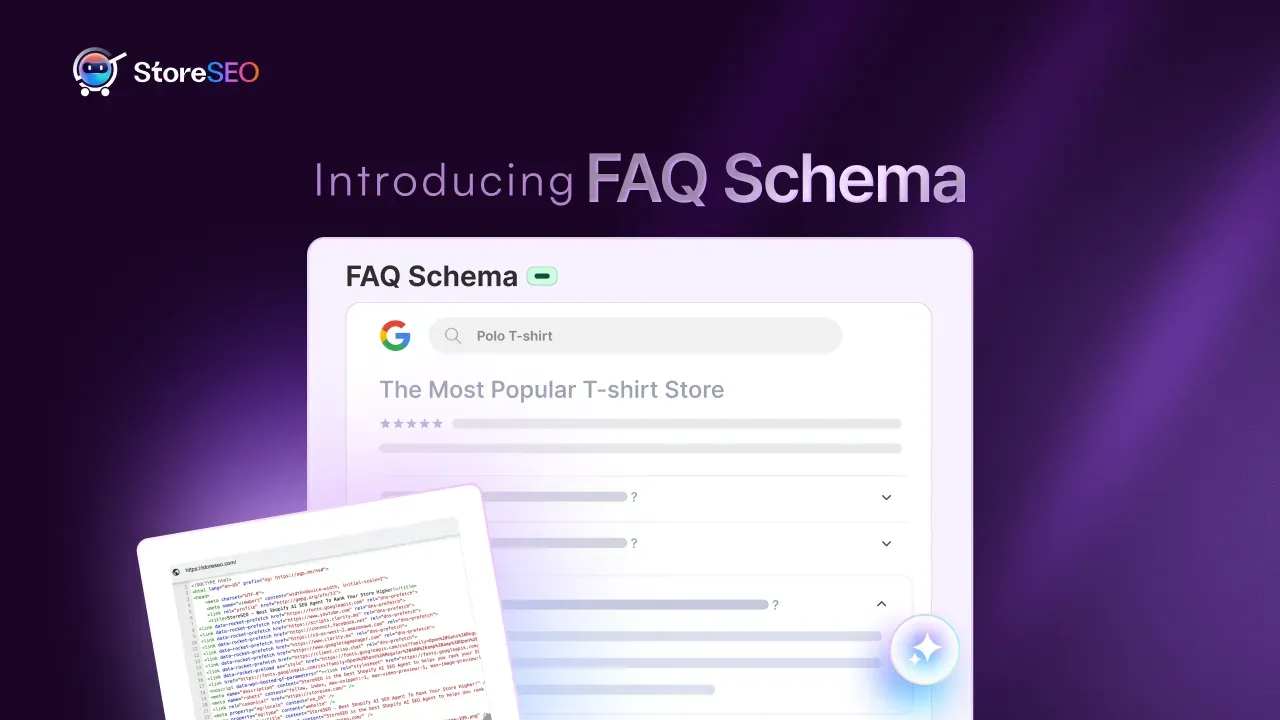
FAQ schema is structured data that tells search engines your page includes a frequently asked questions section. Google can display these questions and answers directly in search results as rich snippets, increasing your listing’s visibility and the amount of space it occupies on the page.
When you ask your AI assistant to add FAQ schema to a product, it generates three to five relevant questions and answers based on the product details, covering material, origin, sizing, care instructions, and any other notable attributes. These are then applied to the product’s SEO data through StoreSEO.
Good FAQ content also feeds directly into AI search engines, which often pull structured Q and A data when forming recommendations in conversational interfaces.
Building AI Snippets
AI snippets are a StoreSEO feature designed specifically for the new generation of AI-powered search. They consist of structured fields that describe your product in terms AI assistants can easily parse and use: a product summary, key benefits, unique features, best-for use cases, and ideal customer profiles.
As AI shopping agents become more common, with platforms like ChatGPT, Google AI Mode, and Microsoft Copilot now recommending products directly in conversation, having clean, structured AI snippet data makes your products more legible to those agents and more likely to be surfaced in results.
Your AI assistant can generate all AI snippet fields for each product based on its description and attributes, then apply them in one prompt.
Guide to Shopify SEO Optimization Using StoreSEO MCP Server with AI Assistant
The StoreSEO MCP Server connects your Shopify store directly to any AI platform that supports custom MCP servers, including Claude and other popular AI assistants. Once the connection is in place, you can handle SEO tasks through simple prompts rather than navigating your admin panel manually. From generating image alt text and fixing meta descriptions to fully optimising product listings, your AI assistant takes care of it all on your behalf.
This guide walks you through everything you need to configure the StoreSEO MCP Server with your AI tool of choice, so you can start managing your store’s SEO through conversation.
Follow the guide to connect StoreSEO MCP with Claude or other AI assistants and optimize your store with simple prompts directly from your favorite AI platforms.
Step 1: Add Connectors From ‘Claude Settings’
First, log in to your Claude account and go to the Settings tab. Here, we will show how to connect Claude with StoreSEO. For that, go to ‘Settings’ → ‘Connector’ and click on the ‘Customize’ button.
Step 2: Connect StoreSEO MCP Server
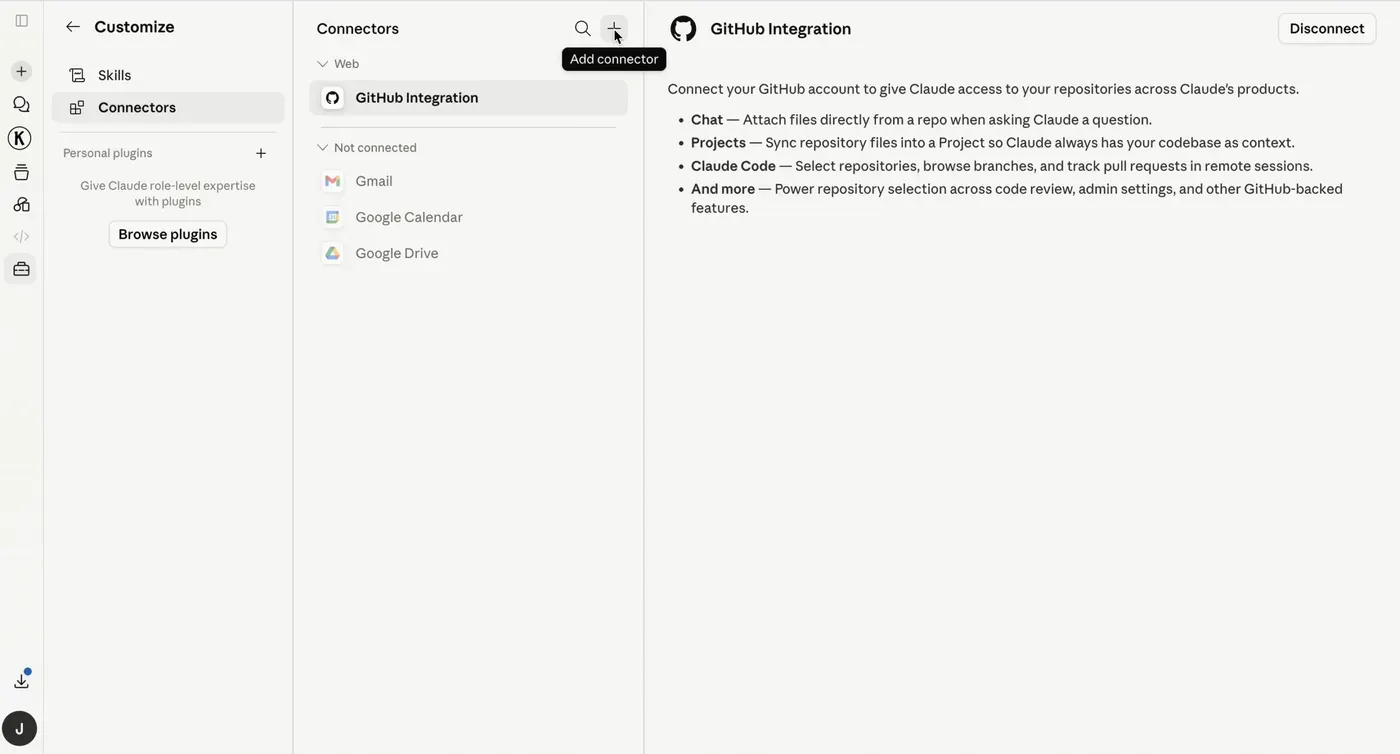
You will see the list of connectors. Now, to connect the StoreSEO MCP Server, click on the ‘+’ icon and then proceed by clicking on the ‘Add Custom Connector’ button.
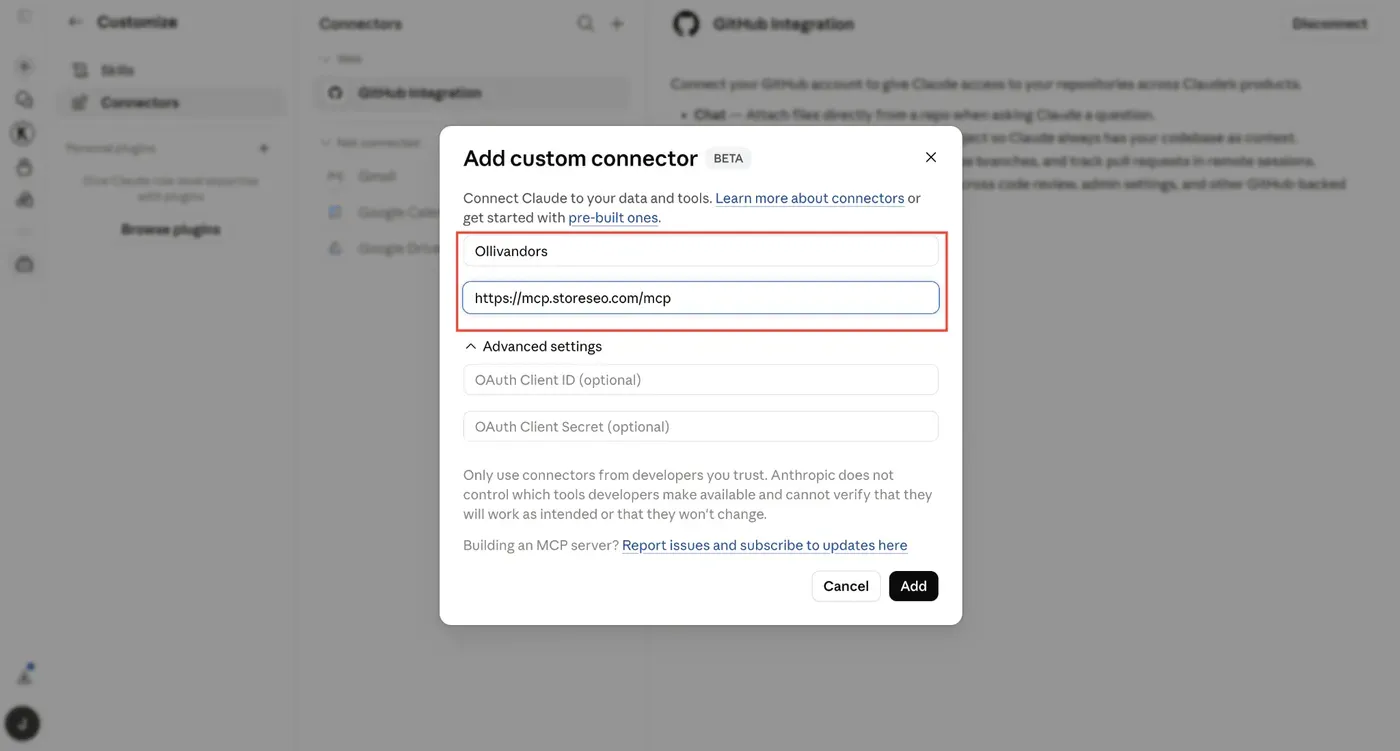
Here, a pop-up window will appear. Give the custom connector an appropriate name. Now, you need to place the StoreSEO MCP Server URL ( https://mcp.storeseo.com/mcp ) to connect it to your preferred AI tool. So, place the remote MCP server URL. Click on the ‘Add’ button to proceed.
After that, you will be asked to connect your store that you want to optimize with simple prompts. Click on ‘Connect’ and choose the store you want to connect.
After you choose the store, you will see this pop-up where you can control when and what Claude is allowed to do.
Step 3: Optimize Your Shopify Store with Simple Prompts
You can now go back to the conversation and type simple prompts to perform SEO tasks across your store. The AI will connect to your store and identify the relevant products or content. You can carry out the optimizations automatically from the prompt interface as well.
This is how easily you can connect StoreSEO with the Claude AI assistant and optimize with simple prompts. If you need any assistance setting up, you can reach out to the StoreSEO support team anytime.
What Makes Prompt-Based SEO Different from Manual Optimization
Traditional Shopify SEO requires you to open each product one by one, navigate to the SEO fields, write or paste content, save, and move to the next. With a catalog of hundreds of products, this takes days.
StoreSEO MCP changes the workflow in three meaningful ways.
First, the AI reads your data before making changes. Rather than applying generic templates, it works from the actual product title, description, vendor, product type, and tags. The output is specific to each product, not a one-size-fits-all fill.
Second, the AI can verify projected scores before applying changes. You see the expected improvement before anything is written to your store, which means you can catch and adjust issues before they go live.
Third, the workflow is conversational. You can optimize one product, then immediately ask for the next lowest-scoring item, review the proposed changes, request adjustments, and confirm, all within a single session. There is no context-switching between tools.
What StoreSEO MCP Cannot Do (And What Requires Manual Action)
It is worth being clear about the boundaries of what MCP-based AI optimization covers and where manual work is still required.
- Keyword density in product descriptions: StoreSEO can flag when a focus keyword appears too few times in a product’s body description, but it cannot rewrite the body description through MCP. That edit must be made directly in Shopify admin. Aim to include the focus keyword three to six times naturally within the description text.
- Image file size optimization: AI snippets and alt text can be applied through MCP, but image compression requires the StoreSEO image optimizer tool separately. Uncompressed images affect page load speed, which is a ranking factor.
- Product title updates: The Shopify product title (the storefront-facing name) is separate from the SEO meta title. StoreSEO MCP can update the SEO meta title, but the actual product title shown to shoppers must be edited in Shopify admin.
- Test or placeholder products: If a product has gibberish, test data, or placeholder content in its description or title, optimizing its SEO fields will not produce genuine search value. These products should be cleaned up in Shopify admin first, or removed if they are development leftovers.
Practical Tips for Running Effective SEO Optimization Using StoreSEO MCP?
So, how can you get the most out of using your preferred AI Assistants with the StoreSEO MCP server? Below are some practical tips.
- Start with your lowest-scoring products. Sort by score ascending to find the products most in need of attention. These will also show the largest score improvements, which gives you a quick read on whether the workflow is producing good results.
- Confirm focus keywords before optimizing. If the focus keyword assigned to a product does not match what shoppers are actually searching for, the optimization will target the wrong term. Review keyword relevance before running the AI through a batch.
- Verify before applying. Most AI assistants using StoreSEO MCP can project the new score before writing changes. Use this step, especially for important or high-traffic products, to confirm the optimization is heading in the right direction.
- Batch by product type or collection. Optimizing products from the same collection in a single session helps the AI pick up on consistent terminology, vendor names, and feature language, making the outputs more consistent across the group.
- Revisit products after updating descriptions. Once you update a product description in Shopify admin to improve keyword density, run the SEO check again in StoreSEO to confirm the score reflects the full set of changes.
The Smarter Way to Optimize Shopify SEO Is Already in Your AI Assistant
SEO on a large Shopify store does not have to mean hours of manual editing across individual product pages. The StoreSEO MCP Server makes it possible to run a complete SEO workflow, from auditing issues to applying optimized content, through an AI assistant, using plain-language prompts.
The combination of AI-generated content and StoreSEO’s scoring and verification system means you can work through your catalog methodically, knowing the output meets SEO best practices before it ever goes live. And as AI-powered product discovery continues to grow across ChatGPT, Google AI Mode, and other platforms, having structured, well-optimized product data is no longer just a Google SEO concern; it is how your products get found and recommended in the new search landscape.
If you want to see what this looks like in practice, install StoreSEO from the Shopify App Store, configure the MCP Server in your preferred AI assistant, and run an audit on your lowest-scoring products. The results of your first session will make the value immediately clear. Let us know your thoughts and if you found this blog helpful, subscribe to our blogs more tips, guides, and insights on Shopify SEO, please subscribe to our blogs for more.
Frequently Asked Questions
What is the StoreSEO MCP Server?
The StoreSEO MCP Server is a feature that connects your Shopify store to AI assistants using the Model Context Protocol, an open standard developed by Anthropic. Once connected, you can manage SEO tasks — including meta titles, meta descriptions, image alt text, FAQ schemas, and AI snippets — through plain-language prompts in your AI assistant, without opening the StoreSEO dashboard.
Which AI platforms are compatible with StoreSEO MCP?
StoreSEO MCP works with any AI platform that supports custom MCP server configurations. This includes Claude (via Claude Desktop and Claude.ai), ChatGPT with MCP support, Cursor, and other tools in the MCP ecosystem. The feature is platform-agnostic by design, so as MCP adoption grows, more tools will support it automatically.
Do I need coding skills to use StoreSEO MCP?
No. The entire workflow runs through natural language prompts. You ask your AI assistant to perform an SEO task; the assistant calls the appropriate StoreSEO tools behind the scenes, and the results are applied to your store. No API calls, no JSON, no manual configuration is required during use.
Will AI-generated meta content hurt my SEO if it is not reviewed?
Quality review is always recommended. AI-generated content is based on your product data, so accuracy depends on the quality of that underlying data. If product descriptions, titles, or vendor information contain errors or test data, the AI output will reflect those issues. Reviewing proposed changes before applying them or using the score verification step reduces the risk of low-quality content reaching your live store.
Is it safe to connect StoreSEO MCP to my AI assistant? Will it expose my store data?
The StoreSEO MCP Server is designed with access control in mind. It only exposes the SEO-related data and actions that you authorize through the connection — it does not grant the AI assistant unrestricted access to your full Shopify admin, customer data, or order information. As with any third-party integration, it is good practice to connect only through official setup instructions, use a trusted AI platform, and review what permissions the MCP connection requests before confirming.

Written by
Jemima