How to Set up Your Store for AI Brand Visibility And Get AI Insights Using StoreSEO?
AI answer engines like ChatGPT, Gemini, Perplexity, and Claude are becoming a primary research channel for shoppers. Traditional rank trackers cannot tell you whether your brand is being mentioned or recommended inside AI-generated answers.
Using StoreSEO’s latest ‘AI Insights’ feature, you can set up your store for AI Brand Visibility that allows you to configure your brand to track how ChatGPT, Claude, Gemini, and Perplexity see you. Follow the step-by-step guide below.
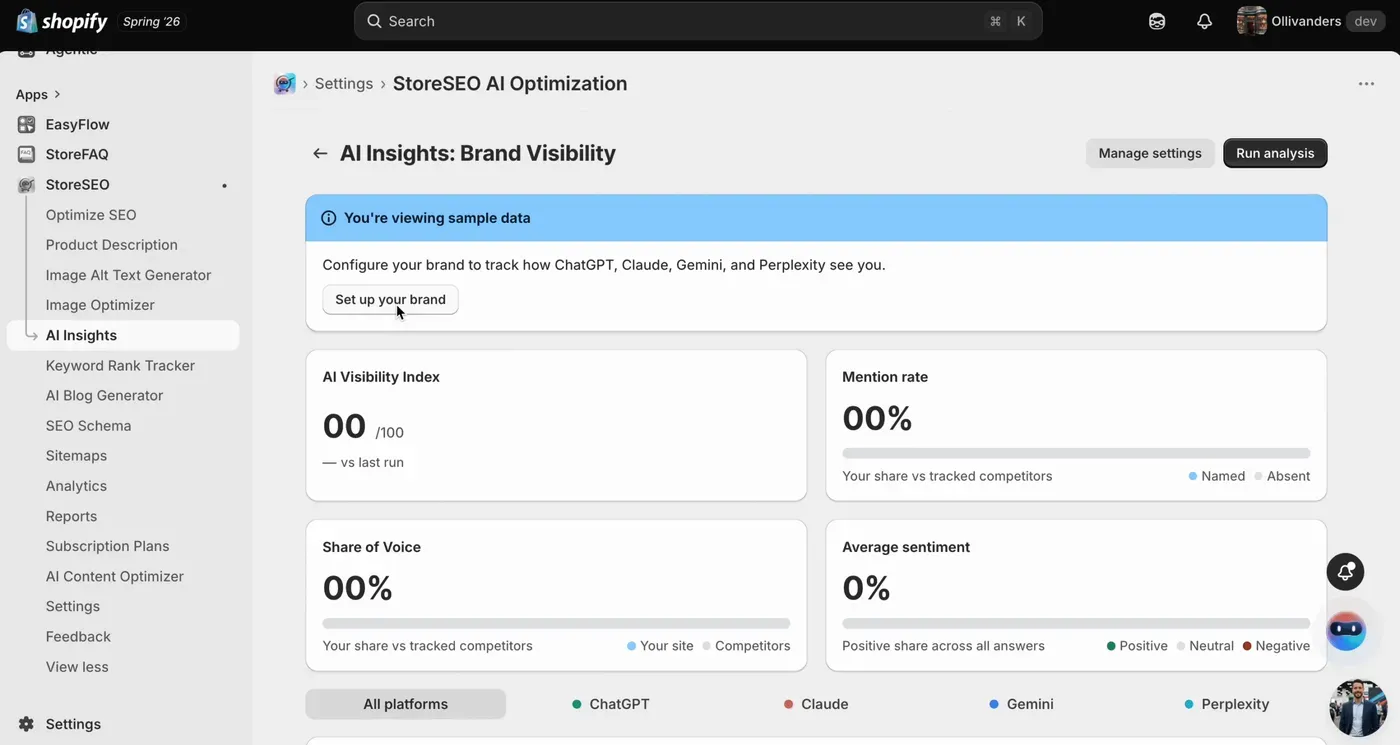
What AI Brand Visibility Measures
Once configured, you can track four key metrics:
- AI Visibility Index: A composite score from 0–100 showing your overall AI search health
- Mention Rate: How often your brand appears in AI-generated answers
- Share of Voice (SoV): How your brand visibility compares against your top competitors on a leaderboard
- Sentiment: Whether AI platforms mention your brand in a positive, neutral, or negative context
How to Set Up Your Store for AI Brand Visibility Using StoreSEO
Follow the step-by-step guide to learn how to set up your store for AI Brand Visibility with StoreSEO and make your store appear in AI search answers.
Step 1: Set Up Your Brand
From the dashboard, go to ‘AI Insights’. Here you can configure your brand to track how ChatGPT, Claude, Gemini, and Perplexity see you. First, click on ‘Set Up Your Brand’ and start the setup wizard.
Here you need to add your brand name, store domain, and location, etc. Confirm the details, add a brief brand description if needed, and click Continue.
Step 2: Add Your Competitors
Enter up to 5 competitors manually, or import them directly from your Keyword Rank Tracker.
If you skip this step, StoreSEO will automatically detect the top brands appearing in AI answers and populate a discovered competitor set for your dashboard.
Step 3: Generate Your AI Queries & Review
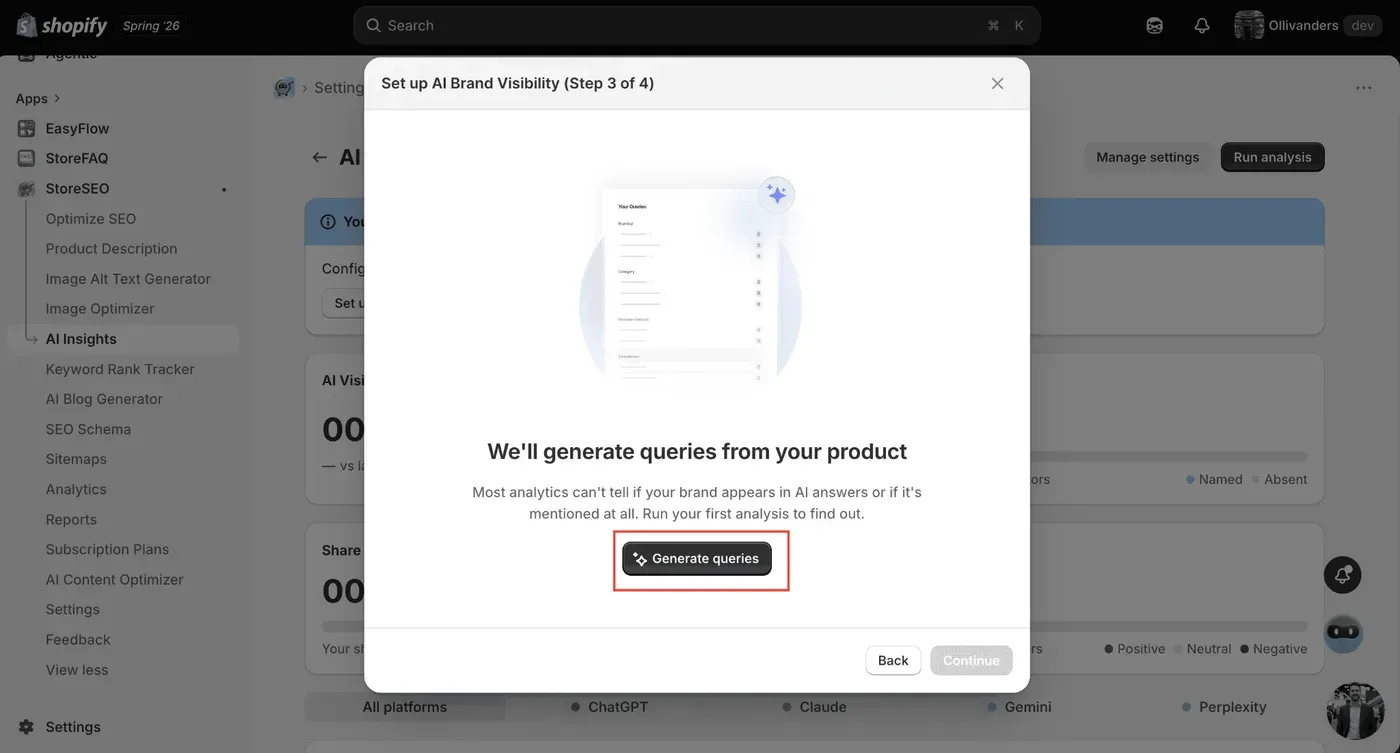
Now, in the next step, a popup will appear asking you to generate the AI queries for those you want to appear in the AI answers. Simply click on ‘Generate Queries’ to proceed.
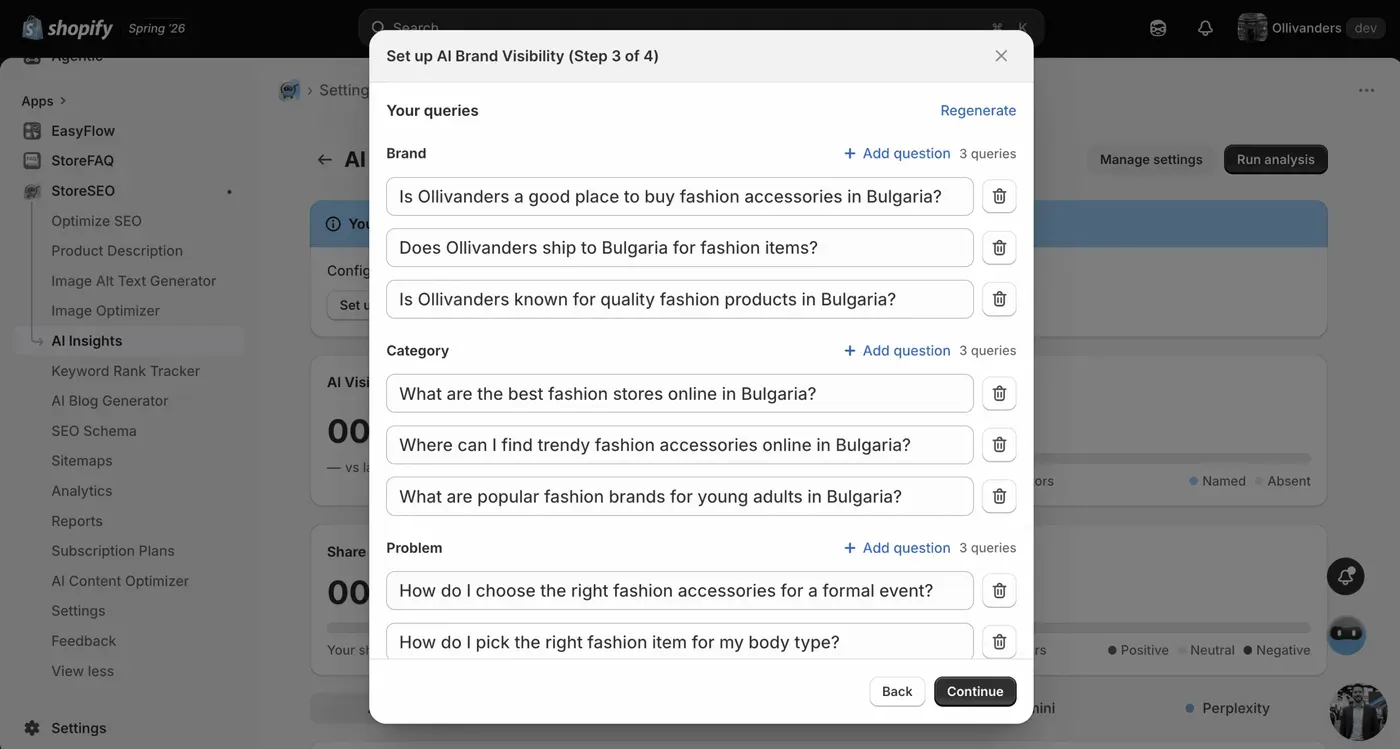
StoreSEO automatically generates up to 12 targeted queries based on your store data. These are grouped into four categories:
- Branded queries
- Category queries
- Problem-solving queries
- Comparison queries
You can review, edit, or regenerate any of these queries before running the analysis. When you are satisfied with the query set, click Continue.
Step 4: Select Platforms and Run the Analysis
Select the AI platforms you want to query. StoreSEO supports ChatGPT, Gemini, Perplexity, and Claude. You will see a live estimate of the AI credits required before you proceed. When ready, click Run Analysis. StoreSEO will query each selected platform and collect the results automatically.
If your score needs improvement, use the Remediation Panel on the dashboard to jump directly into StoreSEO’s optimization tools, including LLMs.txt generation, AI Snippets, and schema markup. StoreSEO will run the analysis automatically in the background and send you an email when your latest results are ready.
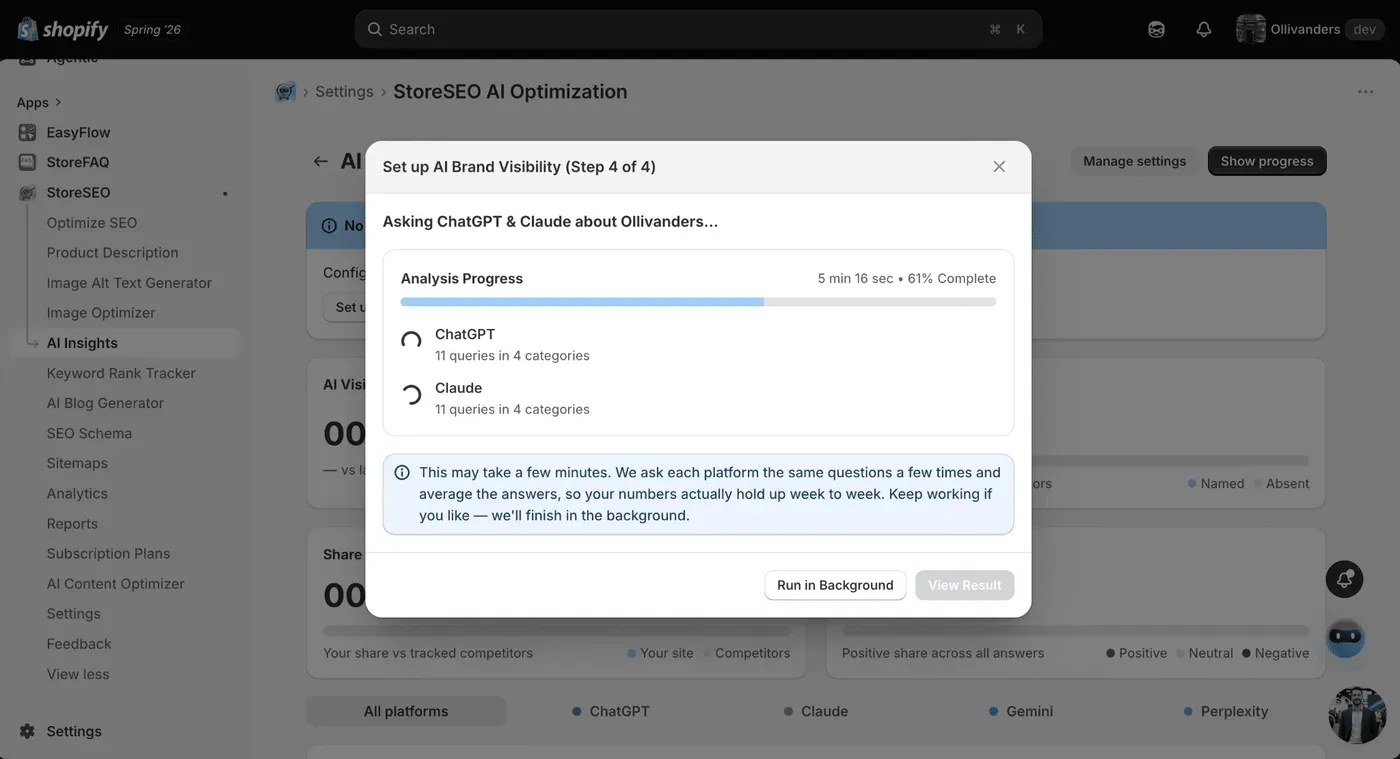
Once the analysis is complete, your dashboard displays:
- AI Visibility Index: Your overall score across all platforms
- Competitor Leaderboard: Your Share of Voice compared to the competitors you added
- Trend Charts: Your score over time across multiple runs
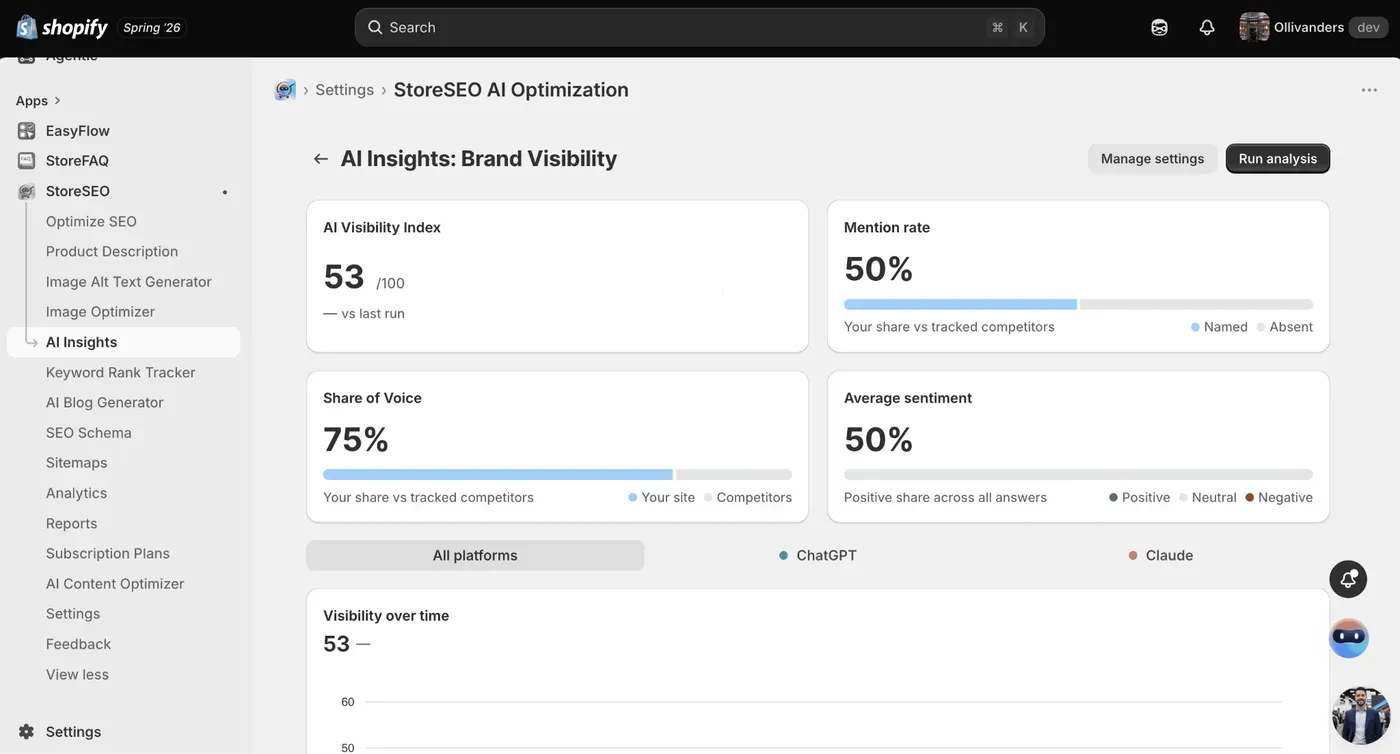
This is how you can set up and use AI Brand Visibility in StoreSEO to monitor and improve how your Shopify brand appears across AI search platforms.
Need assistance? Reach out to the StoreSEO support team for any questions.
Still need help?
Our support team is happy to assist you.