
How to Easily Add FAQ Schema to Your Shopify Products with StoreSEO
With StoreSEO, you can easily win FAQ snippets in LLM-powered AI search engines like ChatGPT, Perplexity, Grok, and others, as well as organic Google search results!
This detailed documentation will walk you through activating and adding the FAQ schema using StoreSEO manually or with AI help in just a few simple steps. Perfect for making your product pages more informative and clickable. Let’s get started!
Make sure you have installed the StoreSEO app on your Shopify store. Then, follow these step-by-step guidelines to find out organic search insight for your Shopify store using StoreSEO.
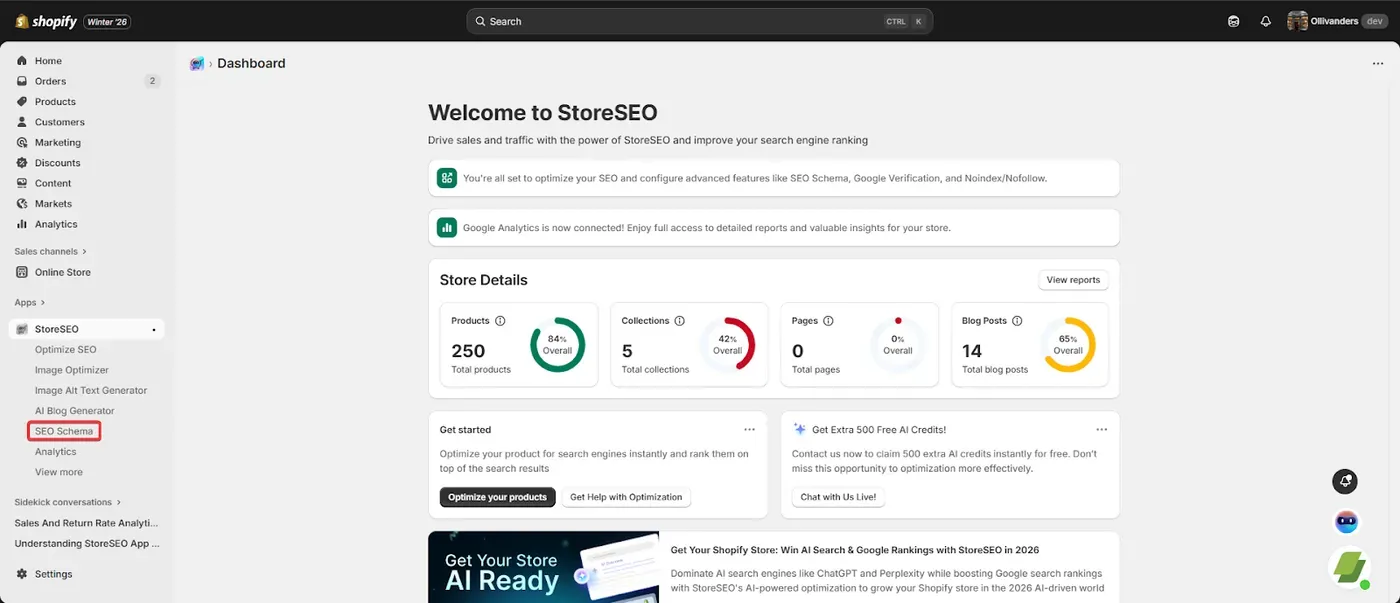
Step 1: Go to SEO Schema
From your StoreSEO dashboard, select the SEO schema option. Here you will find a list of essential schemas for your Shopify store to use and enhance the search visibility.
Step 2: Turn on the FAQ Schema
From this list of available SEO Schemas, pick the FAQ Schema, and click on the Turn on button to activate the schema for your store.
Step 3: Add Schema
Next, click on ‘Optimize SEO ‘ and choose the product you want to add FAQs to. This will help those FAQs show up right in the search results.
Step 4: Write FAQ Questions And Answers
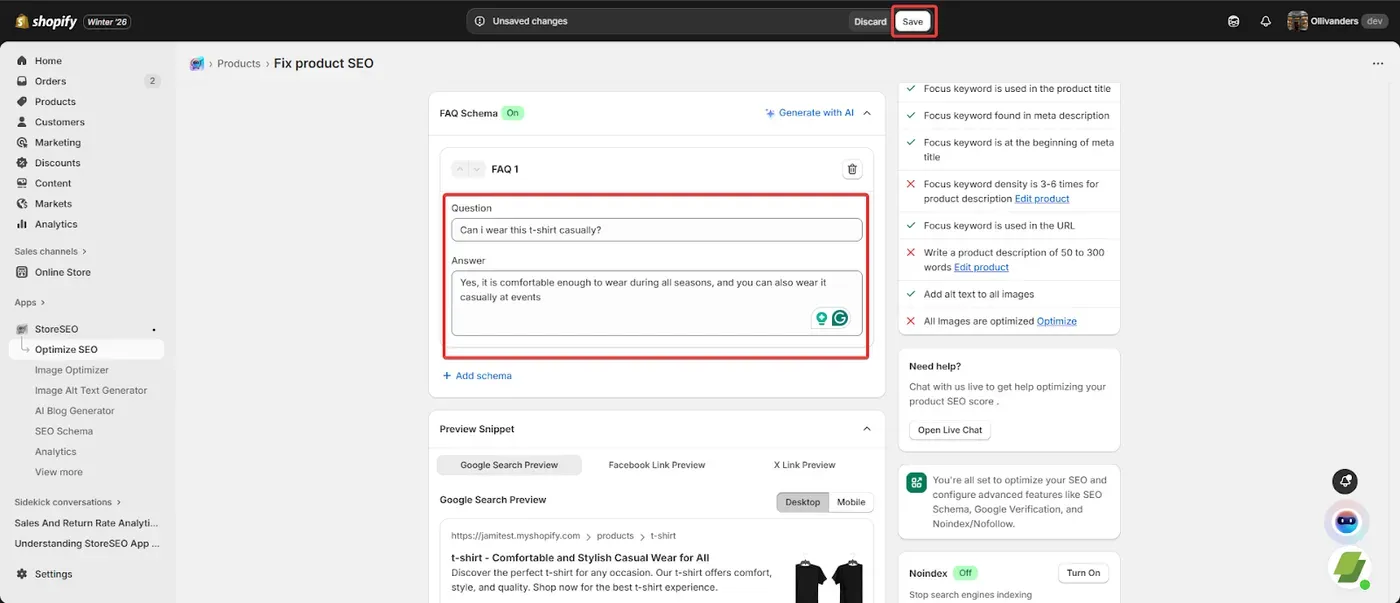
Once you are on the product page, scroll down to the FAQ schema section and click ‘Add Schema.’
Here, you can type in your questions and answers, and make them relevant to the product, of course! When you’re happy with them, just hit ‘Save.‘
Step 6: Generate with AI
You can also use our AI feature to generate FAQ questions and answers for your product. Click on the ‘ Generate with AI‘ option and provide how many FAQ you want to generate, and select the ‘Generate FAQs with AI’ button.
Step 7: Review the Response
After the AI generates the FAQs, take a look. If you like one (or all), click the ‘Keep‘ button to add it. If you want to adjust the response to your preference, just click again to edit or tweak the questions and answers until they’re perfect for your product.
This is how easily you can use the FAQ Schema feature for your Shopify store using StoreSEO. To bring your FAQs on storefront and further customization follow this documentaion. If you need any assistance, feel free to contact our support team.
Still need help?
Our support team is happy to assist you.