

Generator Opisów Produktów oparty na sztucznej inteligencji (AI) StoreSEO to potężna funkcja, która pomaga właścicielom sklepów Shopify automatycznie generować wysokiej jakości, zoptymalizowane opisy produktów. Zamiast pisać opisy ręcznie, możesz użyć sztucznej inteligencji StoreSEO, aby w kilka sekund stworzyć atrakcyjne, ustrukturyzowane treści dla swoich produktów, oszczędzając czas i poprawiając widoczność sklepu w wyszukiwarkach.
Krok po kroku, jak pisać opisy produktów za pomocą generatora opisów StoreSEO AI #
Krok 1: Przejdź do opcji Optymalizacja SEO #
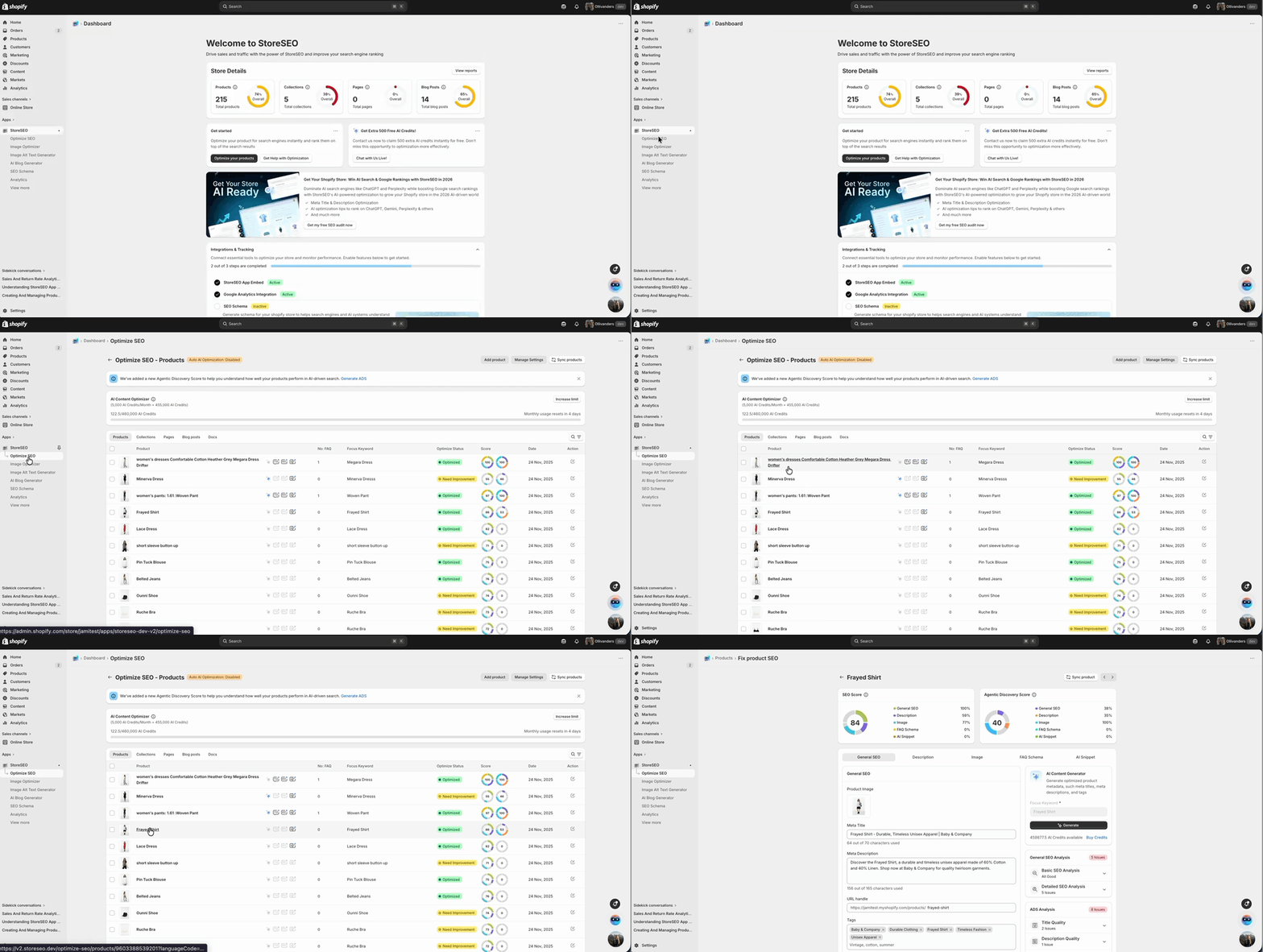
Na pasku bocznym StoreSEO kliknij „Optymalizuj SEO”. Wybierz kartę „Produkty”, aby wyświetlić pełną listę produktów. Każdy produkt wyświetla swój Skupienie się na słowie kluczowym, Status optymalizacji (zoptymalizowany lub wymaga poprawy), Wynik SEO, i datę ostatniej aktualizacji.
Znajdź produkt, dla którego chcesz wygenerować opis, i kliknij przycisk „Napraw” obok niego. Otworzy się strona SEO danego produktu.
Krok 2: Przejdź do zakładki Opis #
Na stronie SEO produktu u góry zobaczysz kilka zakładek: Ogólne SEO, Opis, Obraz, Schemat H2C i Fragment kodu AI. Kliknij zakładkę Opis, aby uzyskać dostęp do edytora opisu produktu i panelu Generatora opisu AI.
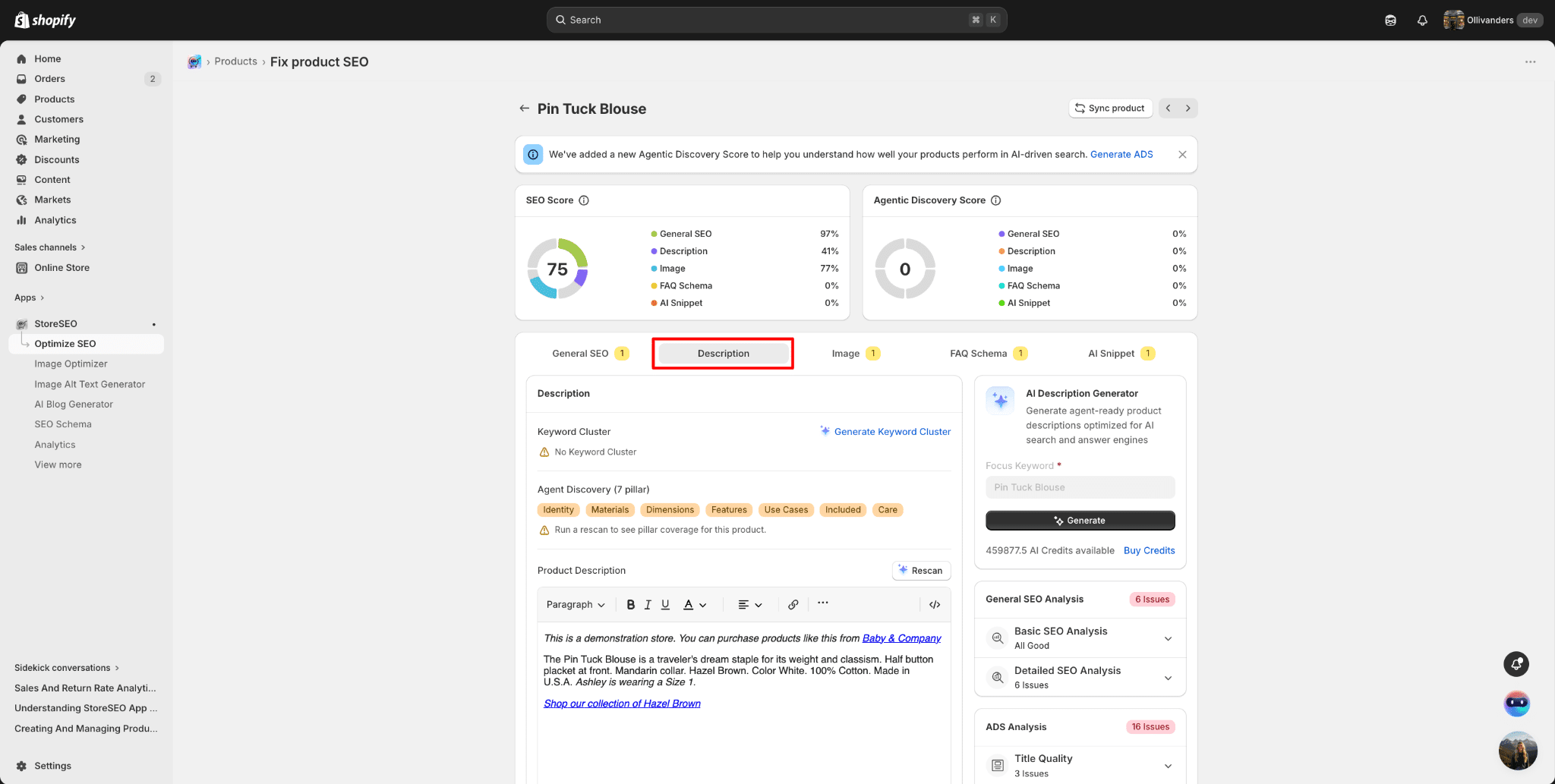
Strona podzielona jest na dwie główne sekcje:
- Lewy panel: Edytor opisu produktu, w którym można bezpośrednio przeglądać i edytować treść opisu.
- Prawy panel: Generator opisów AI z konfigurowalnymi filtrami i opcjami generowania.
Krok 3: Wygeneruj klaster słów kluczowych #
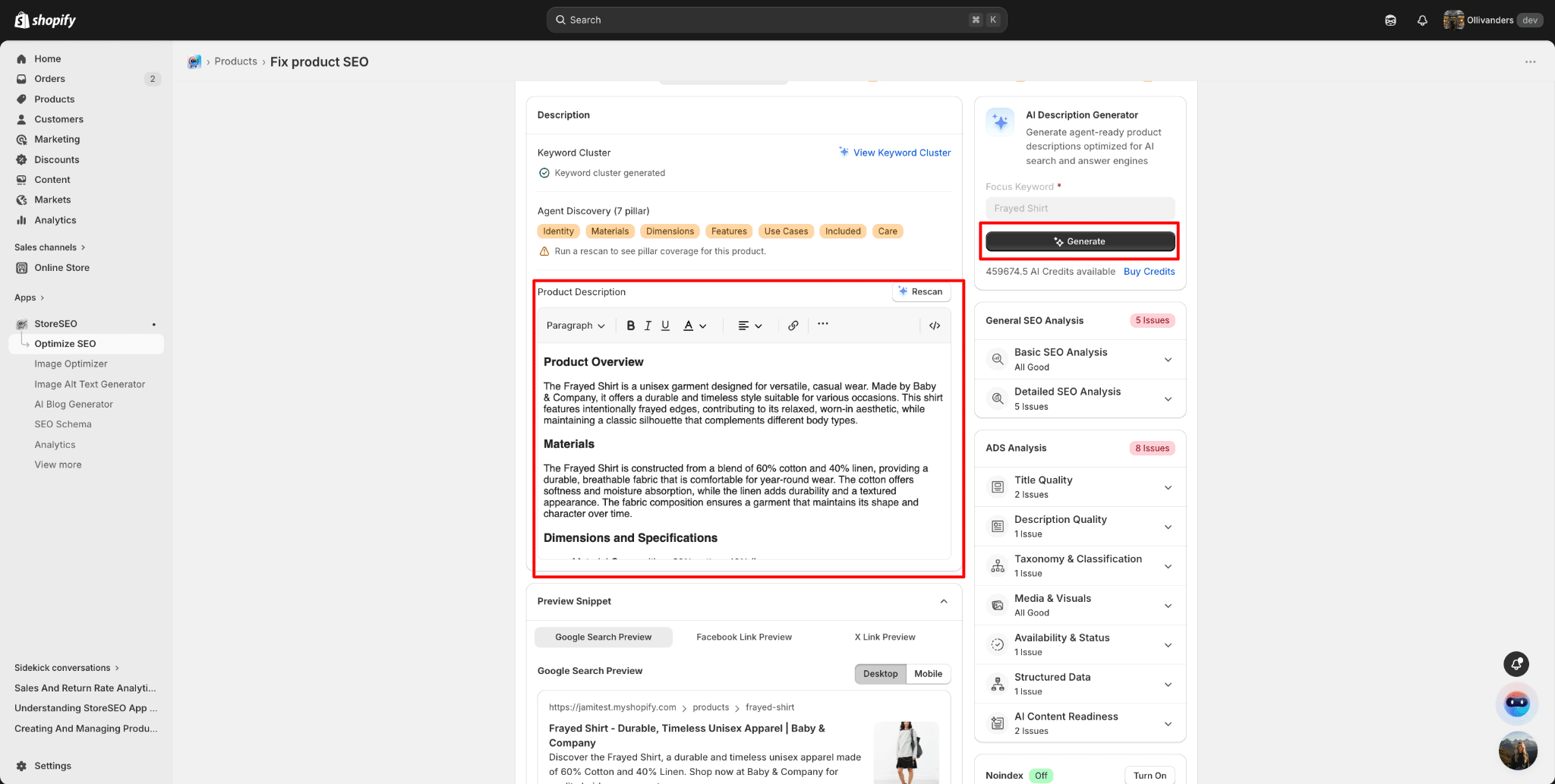
Przed wygenerowaniem opisu zaleca się zdefiniowanie klastra słów kluczowych dla produktu. Kliknij „Wyświetl klaster słów kluczowych” obok pola „Klaster słów kluczowych”. Otworzy się panel „Klaster słów kluczowych”, który pozwoli Ci znaleźć semantycznie powiązane słowa kluczowe, które należy uwzględnić w opisie, aby zwiększyć autorytet tematyczny.
Funkcja klastrowania słów kluczowych porządkuje słowa kluczowe w klastry, dzięki czemu sztuczna inteligencja może naturalnie wplatać terminy przyjazne dla SEO. Jeśli klaster nie został jeszcze wygenerowany, kliknij “”Wygeneruj klaster słów kluczowych” przycisk, aby rozpocząć.
Krok 4: Wygeneruj opis produktu #
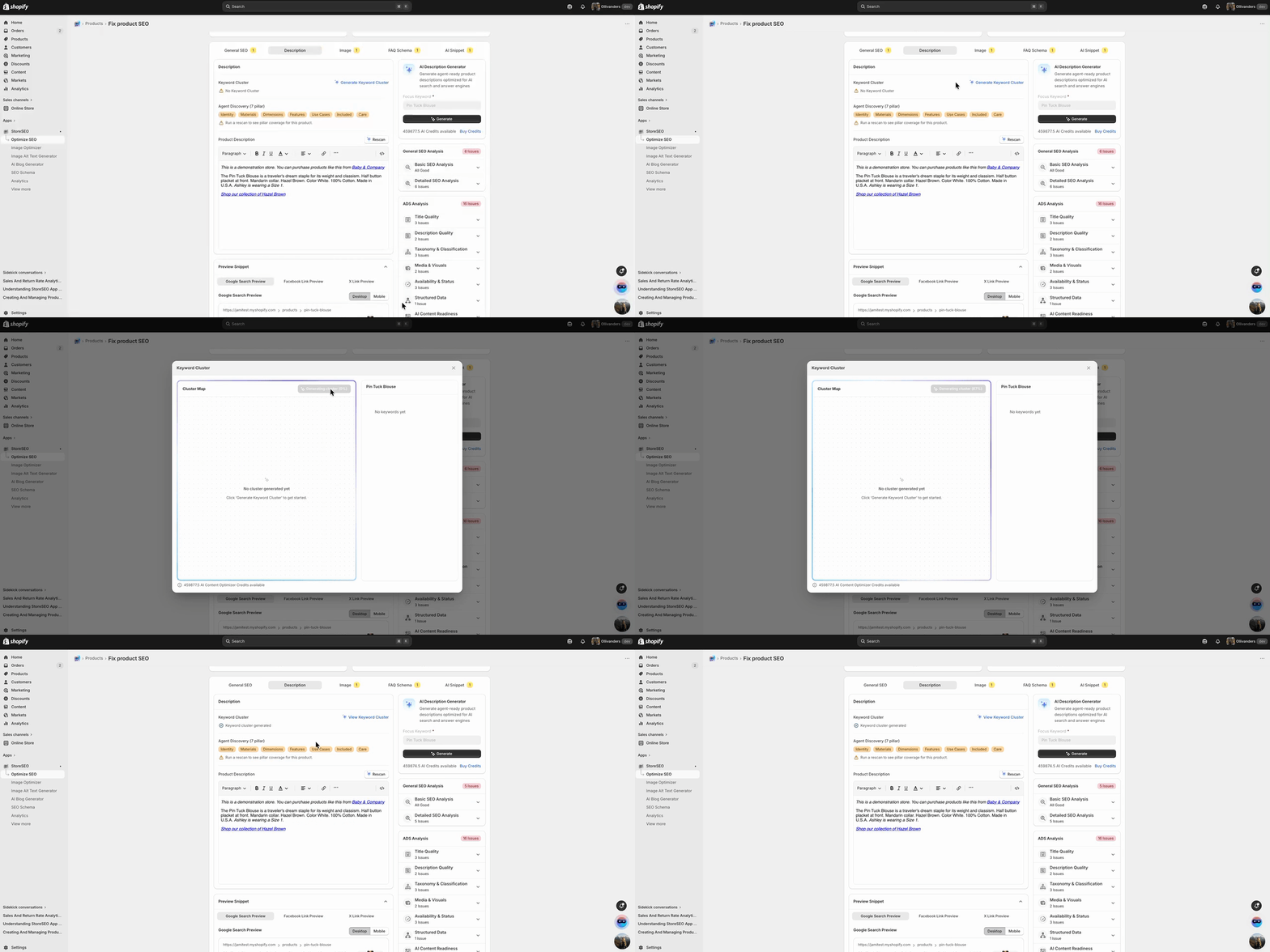
Kliknij przycisk Generuj w panelu Generatora Opisów AI. StoreSEO użyje swojej sztucznej inteligencji do utworzenia ustrukturyzowanego opisu produktu na podstawie nazwy produktu, klastra słów kluczowych oraz podanych przez Ciebie danych wejściowych Agent Discovery (7 filarów). Proces generowania trwa zazwyczaj kilka sekund.
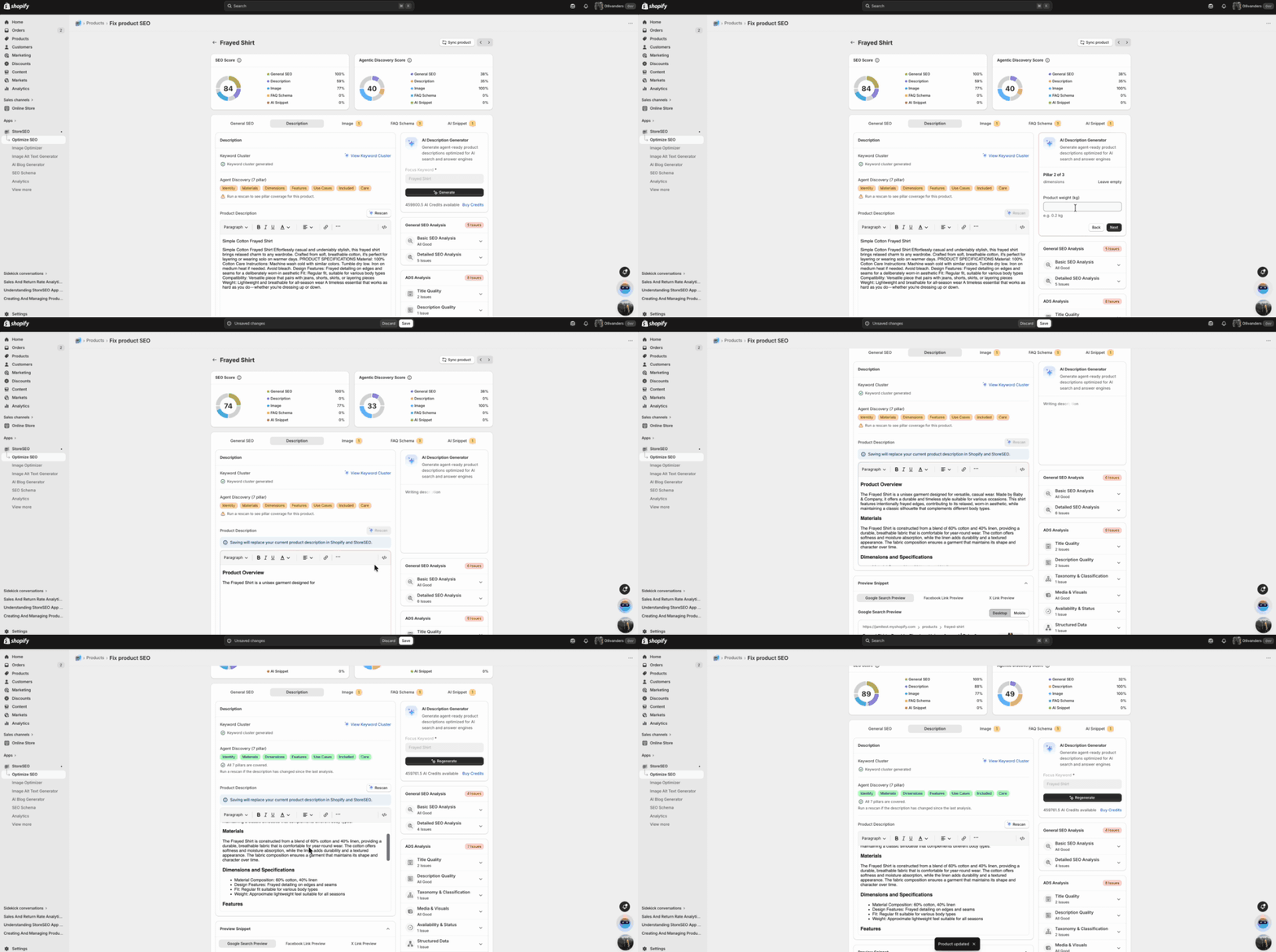
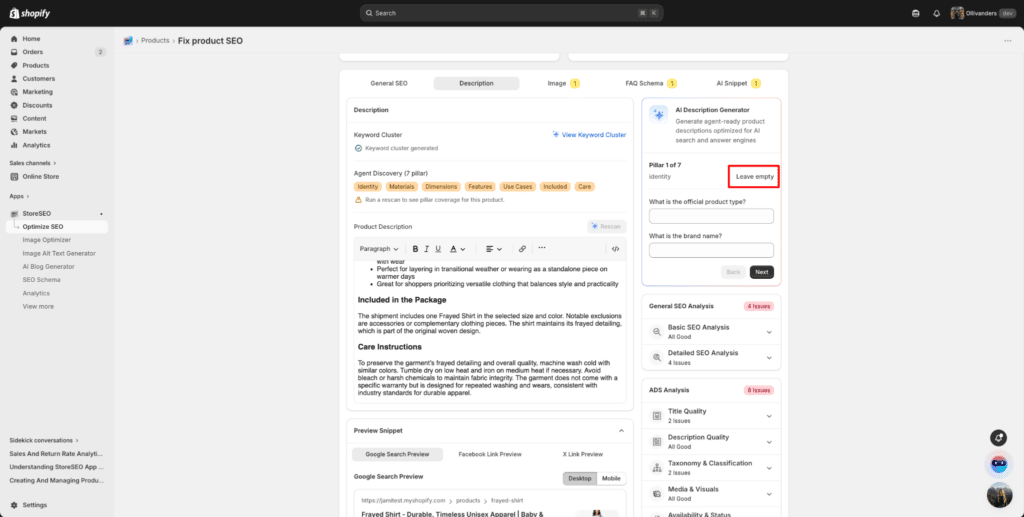
Możesz wybrać “Pozostaw puste”jeśli chcesz pominąć informacje o swoim produkcie, które nie są wymagane.
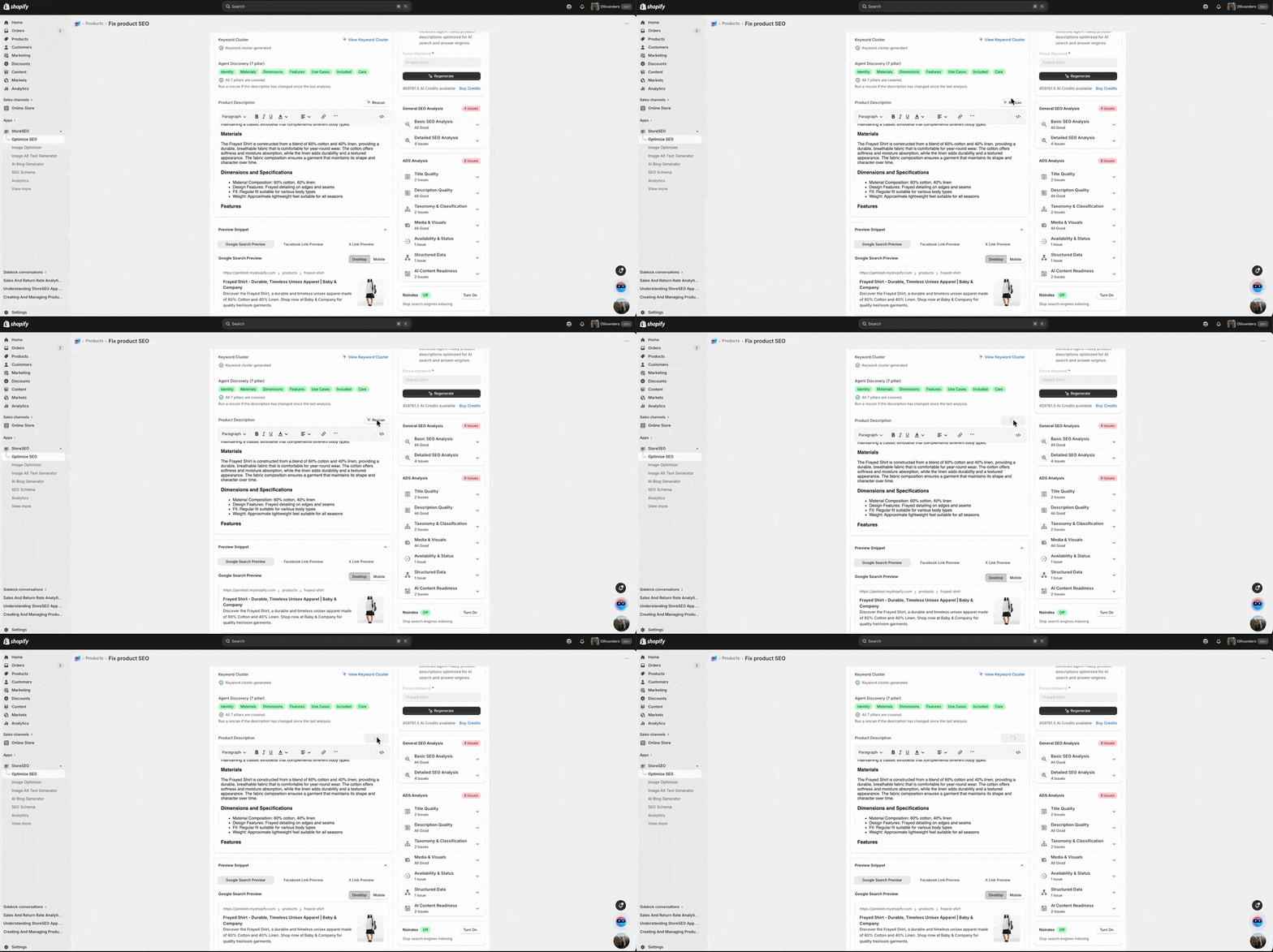
Krok 5: Przejrzyj i ponownie zeskanuj wygenerowany opis #
Jeśli jednak chcesz ponownie zeskanować i wygenerować opis produktu, po prostu kliknij przycisk „Skanuj ponownie”. Spowoduje to przywrócenie kryteriów filaru wykrywania agentów i rozpoczęcie ponownego skanowania od nowa.
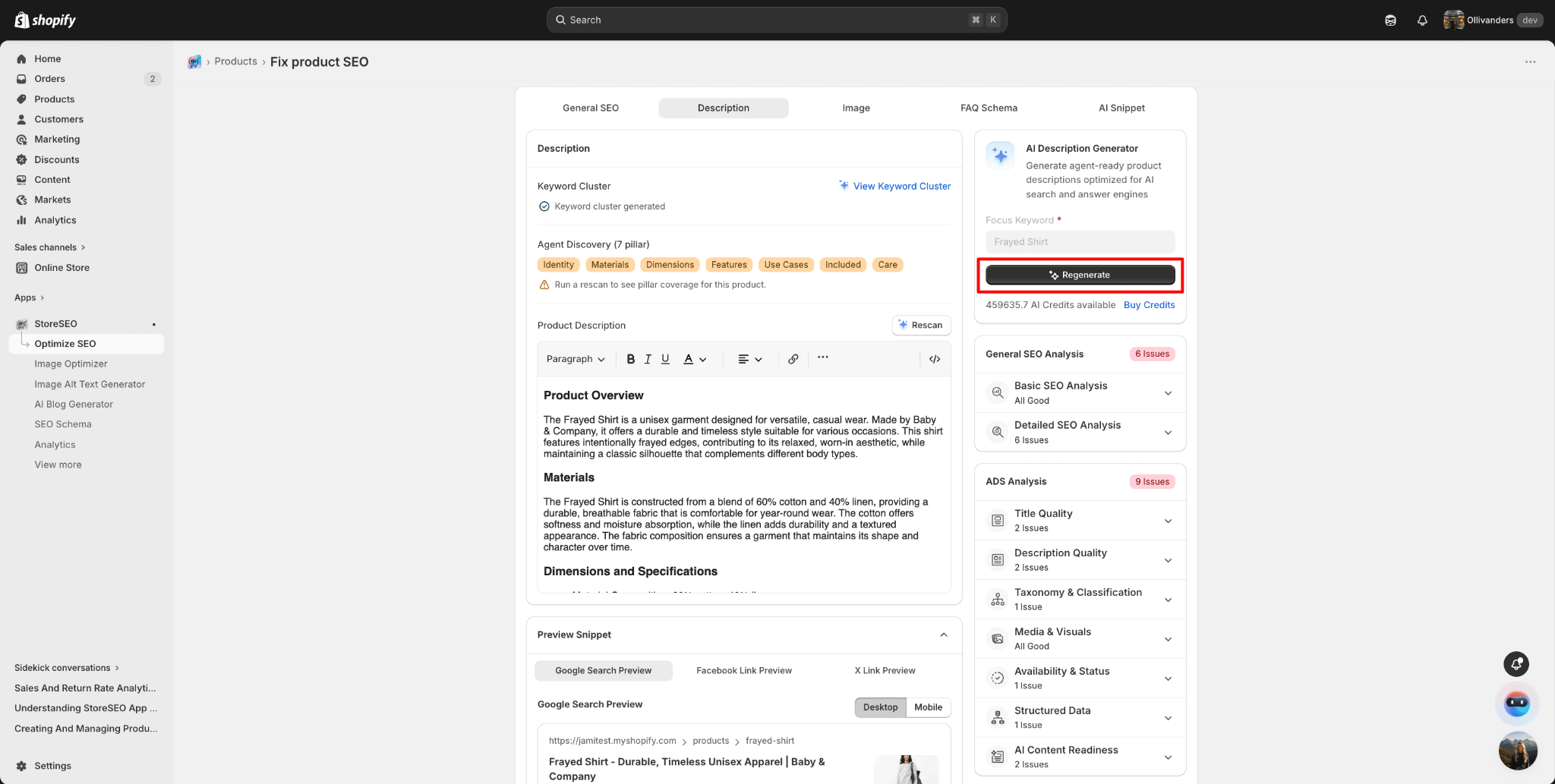
Następnie kliknij przycisk Regeneruj, aby wprowadzić odpowiednie dane wejściowe i uzyskać odnowiony opis produktu.
Oto jak łatwo możesz generować opisy produktów AI dla swojego sklepu Shopify za pomocą StoreSEO. Produkty Shopify.
Potrzebujesz pomocy? Skontaktuj się z nami dedykowany zespół wsparcia dla wszelkiego rodzaju zapytań.