
Shopify SEO for Small Catalogs (Under 50 Products)
 Written by M Asif Rahman
With under 50 products, you do not have a crawl-budget problem or a duplicate-URL problem. You have a depth problem: every one of your few pages has to carry more proof, more specific content and more internal links than a big store ever needs per page, because there are not enough pages to spread the authority across.
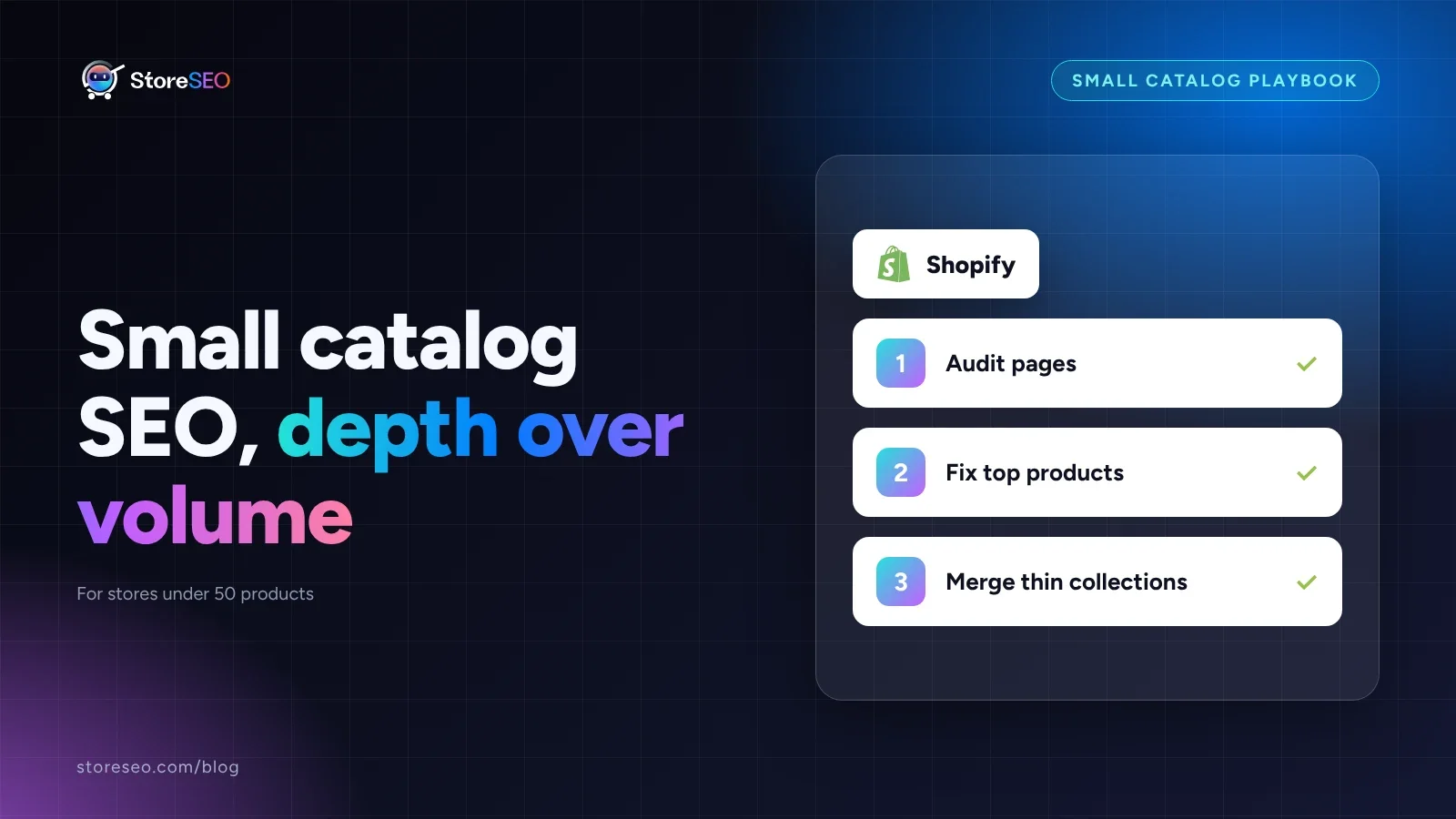
Here is the TL;DR: what to do, what to skip, and why, if your store is running under 50 products.
| Area | Do this | Skip this | Why |
|---|---|---|---|
| Product copy | Write a unique 300+ word description per product | Templated manufacturer copy on every page | With so few pages, one thin page drags the whole site’s average down |
| Collections | Keep every collection at 6 or more products, or merge it | A separate collection for every tag combination | A 32-product store can end up with more thin collection pages than it has products |
| Product tags | A short, consistent tag set used for on-site filtering | Treating tags as an SEO lever | Shopify’s own documentation says tags are not read by search engines |
| Sitemap | Submit it once, then stop checking it weekly | Repeated resubmission as a ranking fix | Google says a small, well-linked site may not need a sitemap at all |
| Bulk tooling | Hand-tune each page’s title, meta description and schema | “Bulk SEO” workflows built for 10,000-SKU catalogs | You have time to get every page right individually |
| Internal links | Link every product from at least one blog post or collection | Relying on the homepage alone to pass authority | With few pages, every link you skip is a larger share of total authority lost |
What’s Different About SEO For A Small Catalog?
A store with 10,000 or more products fights crawl budget: Google cannot afford to crawl every tag and filter combination, so our large-catalog playbook leads with triage, bulk fixes and redirecting dead variants. None of that applies under 50 products. Google can crawl your entire site in one pass, so the limiting factor flips from how much Google can see to how good is what it sees.
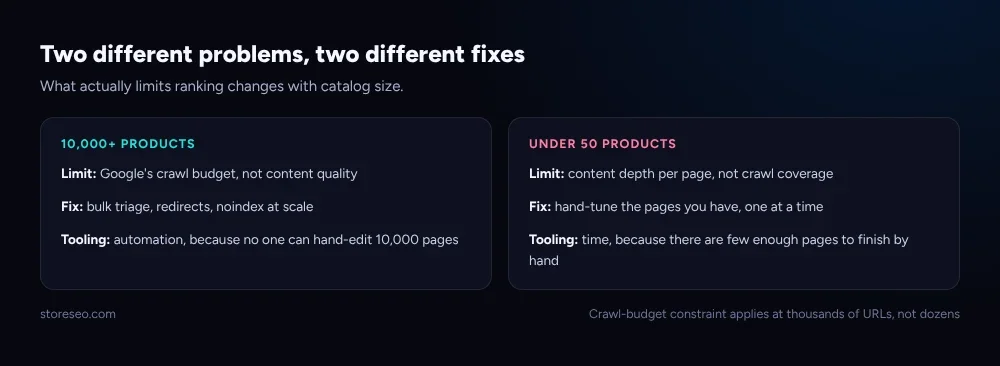 Crawl budget is a thousands-of-URLs problem; a small catalog’s constraint is content depth, not coverage.
StoreSEO’s own SEO analysis and keyword tools work the same at either end of that scale, but what you point them at should not be. A large catalog needs bulk automation because nobody has time to hand-edit 10,000 pages. A 32-product catalog has the opposite problem: you have the time, so an automated “fix everything” pass is worth less than fixing the dozen pages that actually matter, one at a time.
Which Pages Matter Most When You Have Fewer Of Them?
The mistake small stores make is building a collection for every attribute combination, the way a 10,000-SKU store has to. Shopify’s own public Dawn demo theme store is a useful real example: it runs 32 products across 14 collections, which is already more collections than the “one collection per six or more products” rule in the table above would allow.
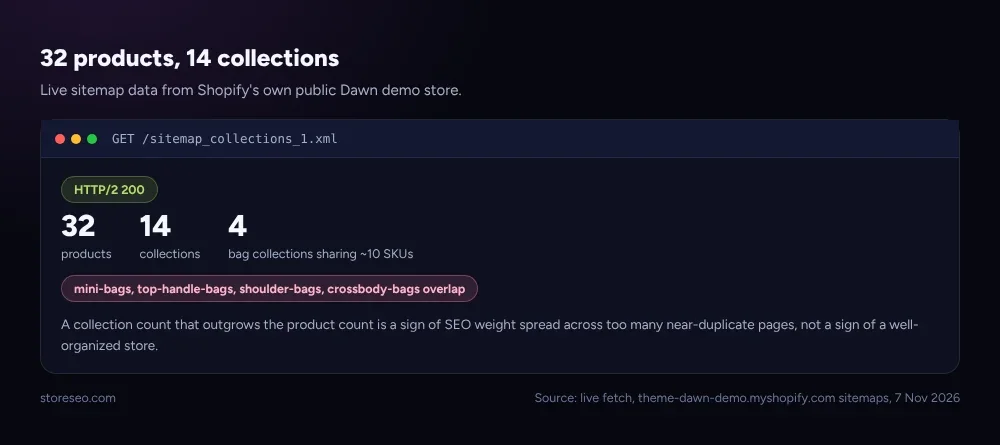 Fetched live from the Dawn demo store’s own sitemap files, 7 Nov 2026.
Several of those 14 collections (mini-bags, top-handle-bags, shoulder-bags, crossbody-bags) are slices of the same 10 or so bag products, each competing with the others for the same handful of queries. On a small catalog, your product pages and two or three well-chosen collections should carry almost all of the SEO weight; see our product page SEO guide for what a strong individual page needs. A fourth or fifth near-duplicate collection does not add reach, it splits the little authority you have across more URLs than your catalog can support.
How Do You Compete With Big Stores On A Small Catalog?
Not with volume. Shopify’s own guidance says plainly that tags “aren’t used by search engines,” so do not spend time building an elaborate tag taxonomy hoping it will rank. StoreSEO’s Unlimited product tags feature exists for the job tags are actually good at, consistent on-site filtering and collection logic, not for SEO, and you can read the full setup guide for how to use it that way.
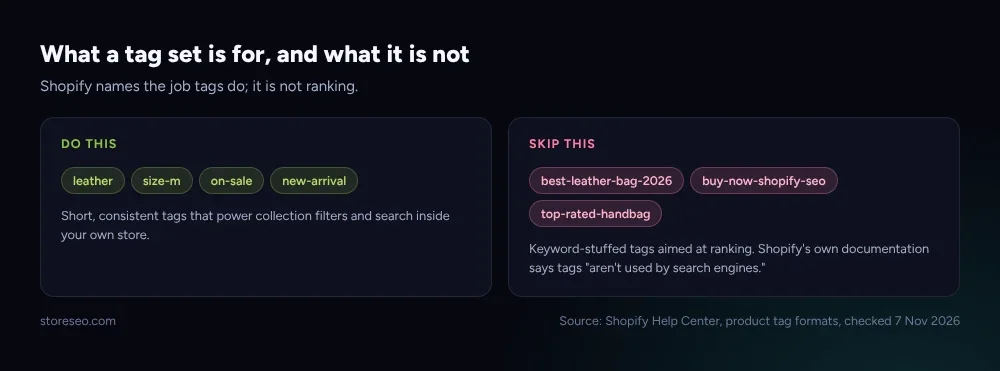 What a tag set should do on a small catalog, and what it should not be asked to do.
What actually competes with a big store’s volume is specificity: a 300 to 500 word product description that answers the three questions a buyer actually has, a meta title that names the exact variant rather than the category, and an SEO score you can check page by page in StoreSEO rather than guess at. Our guide for new store owners covers the same early-stage ground if you are starting a catalog from zero rather than tidying up an existing small one.
What Does A 30-Day Plan Look Like For A Small Catalog?
| Week | Focus | What you ship |
|---|---|---|
| 1 | Audit | List every product and collection page; flag any collection under 6 products |
| 2 | Product pages | Rewrite descriptions and titles for your 10 highest-traffic products first |
| 3 | Collections | Merge or hide the thin collections the audit found; fix internal links into the survivors |
| 4 | Tags and tidy-up | Normalize the tag set per Shopify’s guidelines above, then re-check every page’s SEO score |
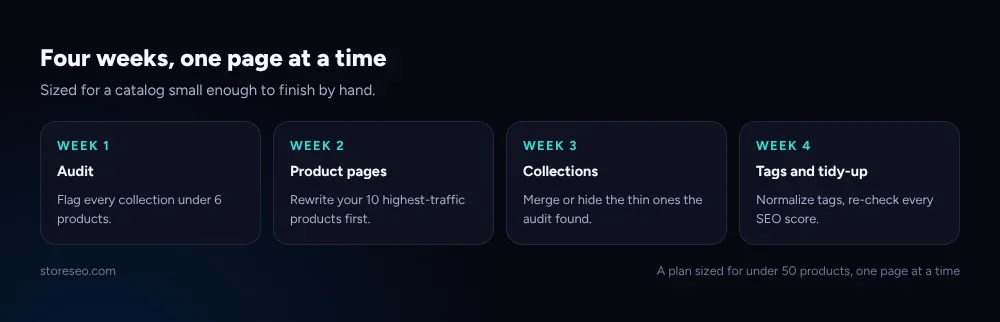 A 30-day sequence sized for a catalog you can realistically finish by hand in a month.
Thirty days is enough because the catalog is small enough to finish: a 32-product store like the Dawn demo example above could run this entire plan by hand in a long weekend per week. That is the actual advantage of a small catalog, not a disadvantage to work around.
Frequently Asked Questions (FAQs)
1. Do I need a sitemap with fewer than 50 products?
Probably not for crawling. Google’s own documentation on sitemaps says a small, well-linked site may not need one, since a sitemap aids discovery rather than ranking. Submit one anyway through Shopify and StoreSEO since it costs nothing, but do not treat resubmitting it as a fix for a ranking problem.
2. Should I use product tags to try to rank better?
No. Shopify’s own tag documentation states tags are not read by search engines, and that you should add keywords through your product copy instead. Use tags for what they are built for, consistent on-site filtering and collection rules, and keep the set short and simple.
3. How much content does each product page actually need?
Enough to answer the three questions a buyer has before they add to cart: what it is for, how it differs from the similar product next to it, and why it is worth the price. On a small catalog that is usually 300 to 500 words of specific copy, not filler.
4. Is bulk SEO automation worth it on a small catalog?
Generally not as the first move. Bulk tools exist to save time across thousands of pages; with under 50 products, hand-tuning each page’s title, meta description and schema through StoreSEO’s SEO analysis takes less time than it would take to configure and review a bulk rule safely.
5. How many collections should a store with around 32 products have?
Fewer than you think. If a collection holds under 6 products, or three collections are really slices of the same 10 products, merge them. The Dawn demo store above shows what happens when collections multiply faster than products: more thin pages competing for the same queries.
6. Should I worry about Google’s crawl budget with a small catalog?
No. Crawl budget becomes a real constraint at thousands of URLs, which is why it is the lead concern in our large-catalog playbook. A sub-50-product site is small enough that Google can crawl the whole thing in a single pass; your constraint is content quality, not crawl coverage.
Small catalogs win by depth, not by borrowing tactics built for stores twenty times their size. Fix the dozen pages that matter, keep the tag set honest, and try StoreSEO on the Shopify App Store.
Keep reading
Shopify "Soft 404" Warning in Search Console: The Fix
A soft 404 in Search Console means a Shopify page answered 200 but reads like an error, almost always an empty or filtered-out collection page.
Read article
Shopify SEO Checklist for Launch Day: The Last 48 Hours
A Shopify store's SEO gets set in the 48 hours before launch: titles, sitemap submission, and the password screen all need fixing before the first crawl.
Read article
Do Shopify Stores Need Breadcrumbs for SEO?
Shopify's Dawn theme ships no breadcrumb trail or schema, so you need StoreSEO's one click Breadcrumb Schema to help Google read your site structure.
Read article