
12 Shopify Homepage Title & Meta Description Examples

A strong Shopify homepage title puts your main product keyword first, adds one reason to click, and ends with your brand, in 60 characters or fewer. The meta description adds proof and an offer in about 150 characters. Brooklinen does both: “Luxury Bedding, Sheets & Comforters Online | Brooklinen” is 55 characters, and its description ends on the best night’s sleep.
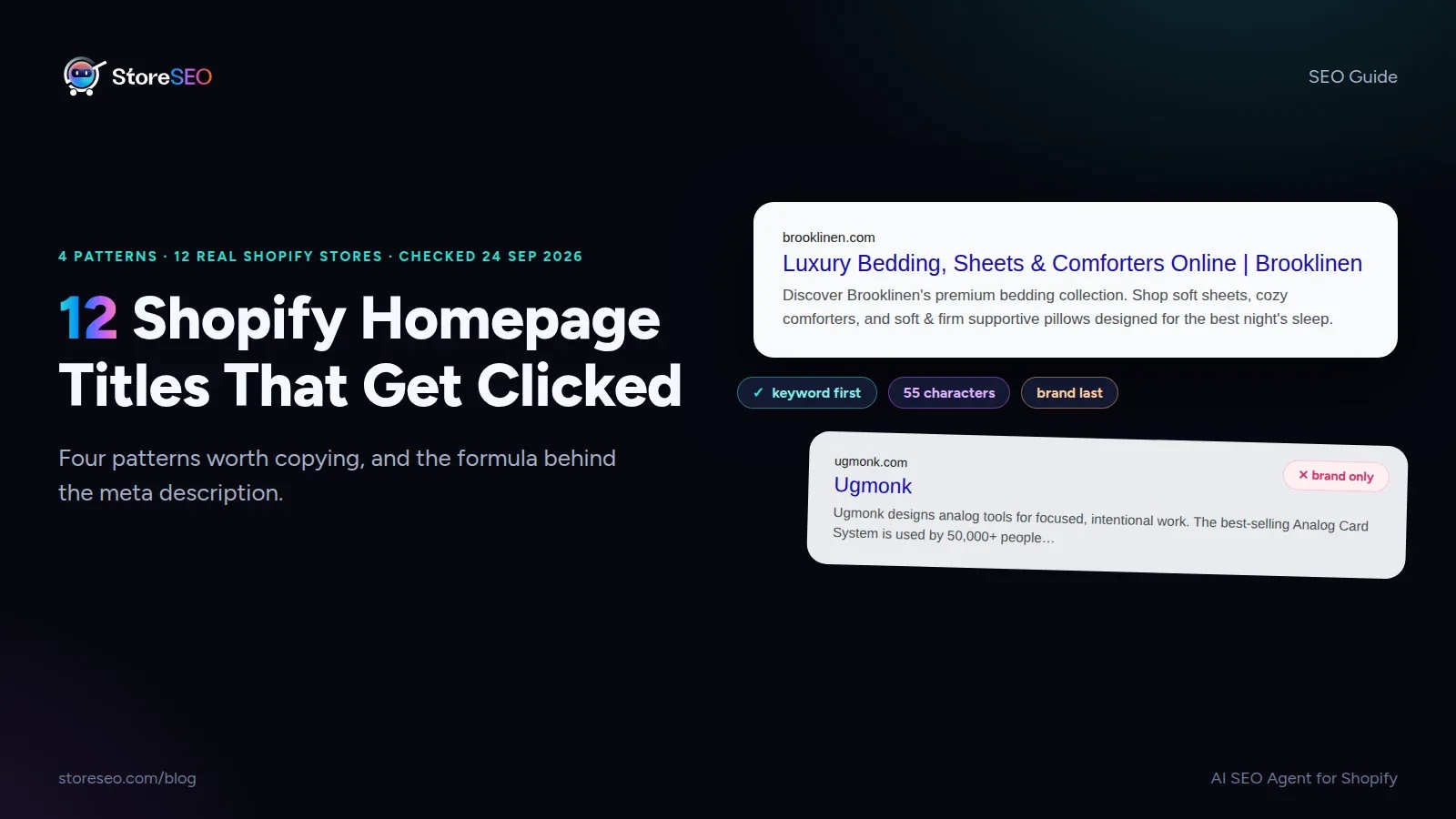
TL;DR: four patterns, each shown by three live Shopify stores below.
| Pattern | Do this | Real example | Copy it from |
|---|---|---|---|
| Keyword first, brand last | Open with what you sell; name the brand once, at the end | ”Non Alcoholic Beer | Athletic Brewing Co.” | Brooklinen, Athletic Brewing, Blueland |
| One reason to click | Put one proof point or offer in the title | ”| 95K+ 5-Star Reviews” | MVMT, Missoma, Burrow |
| Say who it is for | Name the shopper or the device they own | ”for Baby & Kids” | Fashion Nova, Primary, Nomad |
| A description that sells | Add proof, origin and an offer in about 150 characters | ”loved by 800,000+ pups” | Pupford, The Sill, East Fork |
We checked the homepage title and meta description of 60 live Shopify stores across 12 niches on 24 September 2026. The 12 below are the ones worth copying. The other 48 taught us the mistakes, which are counted at the end.
What Do the Best Shopify Homepage Titles Have in Common?
Your homepage is usually the page that ranks for your broadest terms, like “washable rugs” or “prebiotic soda”. So its title has to do the job a category page would do on a bigger site, while still carrying your name. The best titles we found do that in one of four ways.
Pattern 1: Keyword First, Brand Last
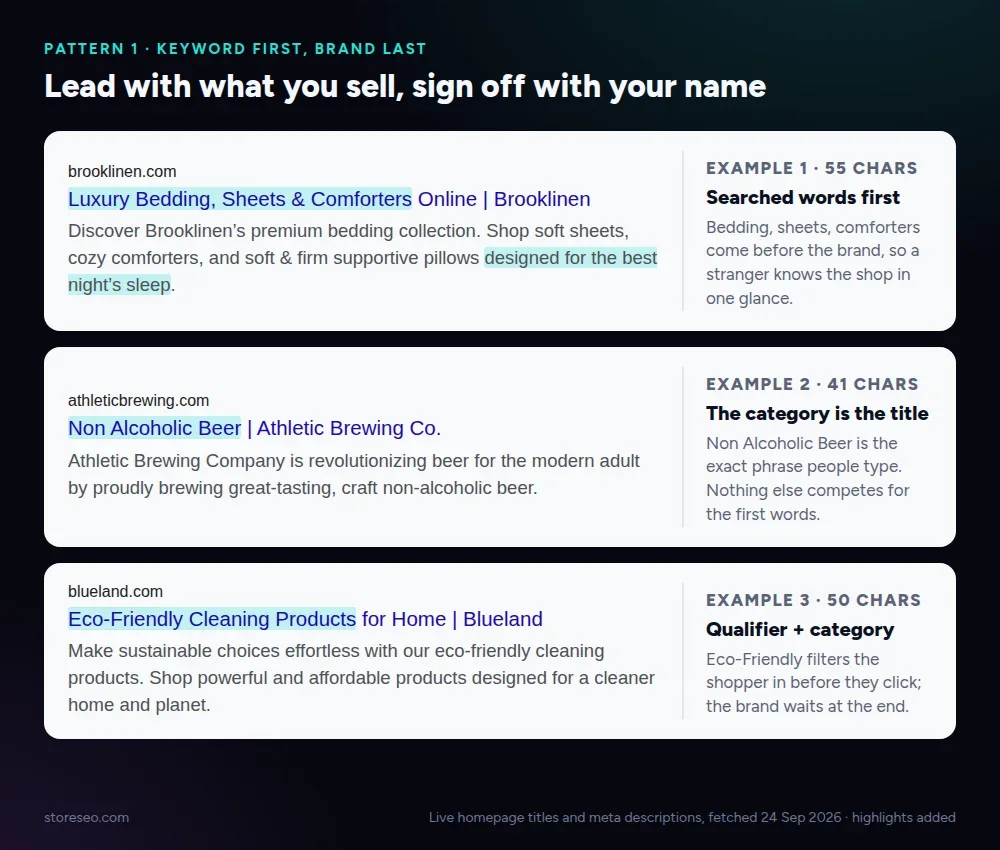 Examples 1 to 3: the product comes first, the brand last.
Searchers scan the first few words of a result, and Google keeps those words even when it cuts the rest. Brooklinen opens with three things people type: bedding, sheets and comforters. Athletic Brewing’s title is almost nothing but the category, “Non Alcoholic Beer”. Blueland adds one qualifier, “Eco-Friendly”, that filters in the right shopper before the click.
All three mention the brand once, after a pipe. That is the move most stores miss: 4 of our 60 repeated their brand name, which costs space and reads as clutter.
Pattern 2: One Reason to Click, Inside the Title
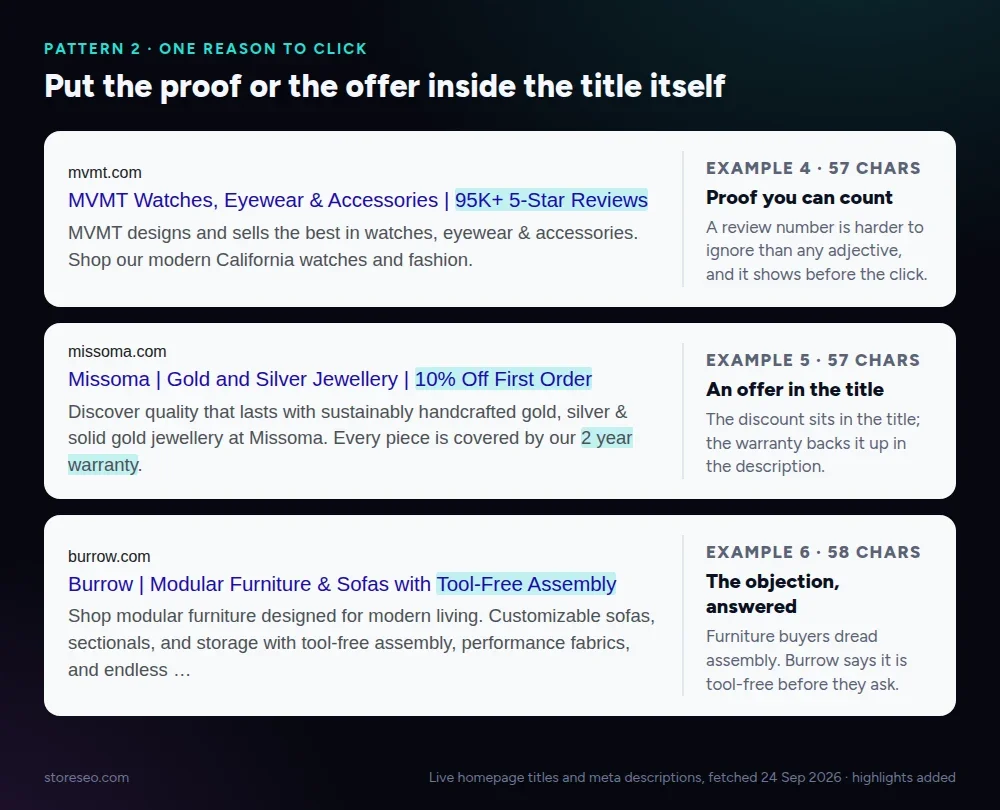 Examples 4 to 6: proof, an offer, or the objection answered.
When five stores sell the same thing, the title that wins the click gives one concrete reason. MVMT uses proof: “95K+ 5-Star Reviews”. Missoma uses an offer: “10% Off First Order”, backed by a two-year warranty in the description. Burrow answers the question every furniture buyer has, with “Tool-Free Assembly”.
One detail beats three adjectives. “Premium, luxury, high-quality” tells a shopper nothing; a number or an offer tells them why to pick you.
Pattern 3: Say Who It Is For
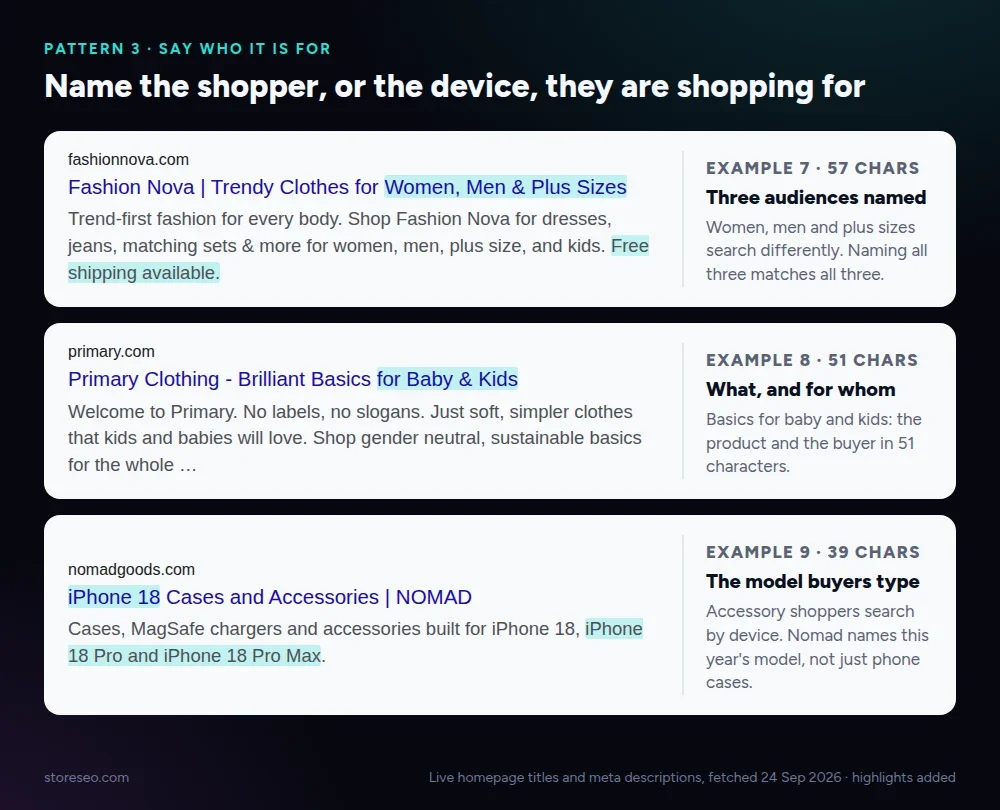 Examples 7 to 9: the shopper, or the device, is in the title.
If different groups search differently, name them. Fashion Nova lists “Women, Men & Plus Sizes”, three audiences with three different searches. Primary says “Brilliant Basics for Baby & Kids” in 51 characters. Nomad goes further and names the phone: “iPhone 18 Cases and Accessories”, which is exactly what an accessory buyer types this month.
If you use this pattern, keep the title up to date. A device name from two years ago tells shoppers the store is not paying attention.
Pattern 4: A Description That Sells
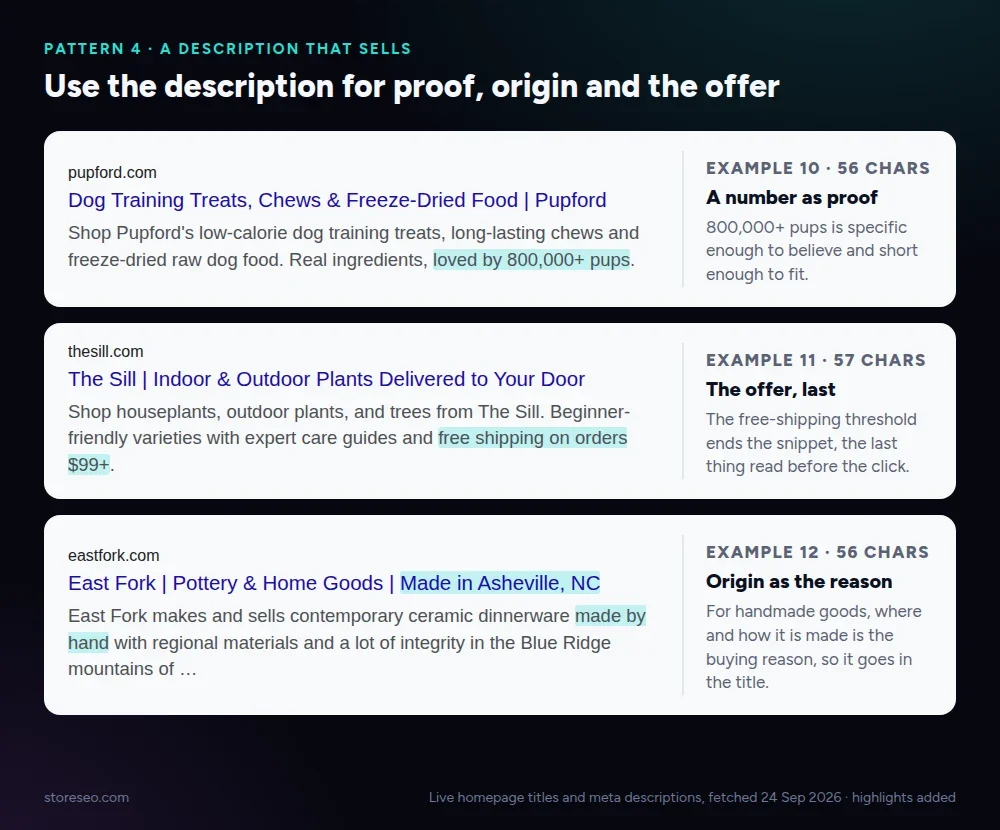 Examples 10 to 12: proof, an offer and origin, in the description.
The title earns attention; the description closes the click. Pupford ends on a number, “loved by 800,000+ pups”. The Sill ends on its offer, “free shipping on orders $99+”, the last thing a shopper reads. East Fork makes origin the reason: its pottery is made by hand in Asheville, and it says so in both lines.
A word of caution from the same example: East Fork’s description runs to 175 characters, so Google cuts it before the end. The next section shows how to fit all of it.
How Do You Write a Homepage Meta Description That Gets Shown?
Google says it “primarily uses the content on the page” to build a snippet and uses your meta description “when it describes the page better”, according to its snippet documentation. A vague description gets replaced; a specific one gets shown.
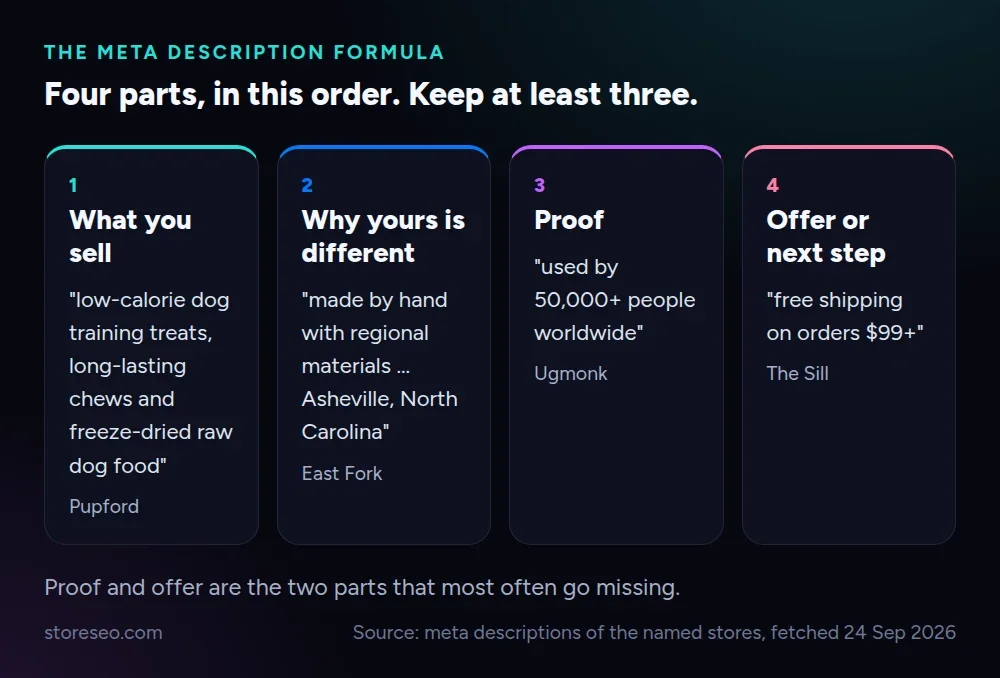 Four parts, each taken from a live store.
The strongest descriptions follow the same order:
- What you sell, in the words a shopper types.
- Why yours is different: material, origin or method.
- Proof: a number that is hard to fake.
- An offer or next step: free shipping, a trial or a threshold.
Pick three of the four if space is tight. Proof and the offer are the two that most often go missing.
How Long Should a Homepage Title and Meta Description Be?
Google sets no character limit for either one. Its title link guidance says titles are “truncated in Google Search results as needed, typically to fit the device width”, and the same is true of descriptions. The real limit is pixels, so wide letters like W and M run out of room sooner than i or l.
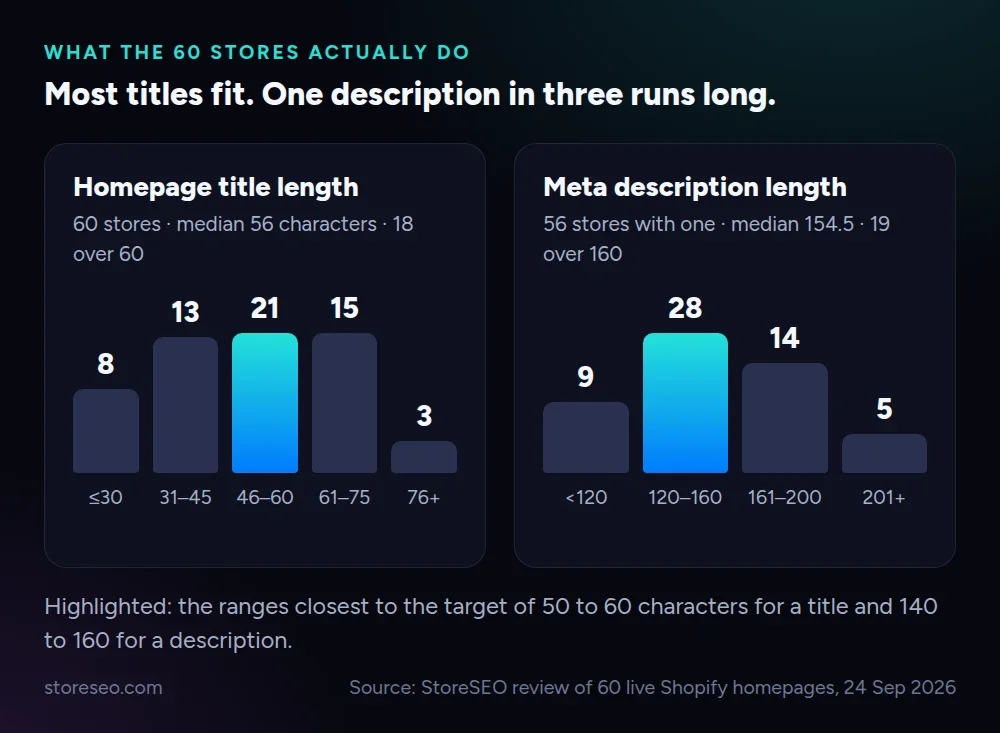 Length distributions for the 60 homepages we checked on 24 September 2026.
Working numbers that hold up in practice:
- Homepage title: 50 to 60 characters. The median across our 60 stores was 56, but 18 of them ran past 60 and risk a cut.
- Meta description: 140 to 160 characters. The median was 154.5, and 19 of the 56 stores that had one ran past 160.
- Brand: once, at the end. Every repeat is space taken from the keyword.
If you are over, cut adjectives before keywords. Want to see the pixel cut before you publish? Our guide to the Shopify search engine listing preview shows where to check it, and the meta description guide for Shopify stores covers product and collection pages too.
Which Homepage Title Template Fits Your Store?
These templates come from the 12 examples above. Swap the brackets for your own words, then count the characters.
Most stores     [Product 1], [Product 2] & [Product 3] | [Brand]
Food and drink  [Category Keyword] | [Brand]
Apparel         [Product Type] for [Audience] | [Brand]
Electronics     [Product Type] for [Device Model] | [Brand]
Jewellery       [Material] [Jewellery Type] | [Offer or Proof] | [Brand]
Handmade        [Brand] | [Product] | Made in [Place]

Description     [What you sell]. [Why it is different]. [Proof]. [Offer].
Before you save, read the title out loud as if it were a search result. If it would not tell a stranger what you sell, move the product words forward.
How Do You Edit the Homepage Title and Meta Description in Shopify?
Shopify keeps these two fields away from the Pages list, so they are easy to miss. The native way works on every plan.
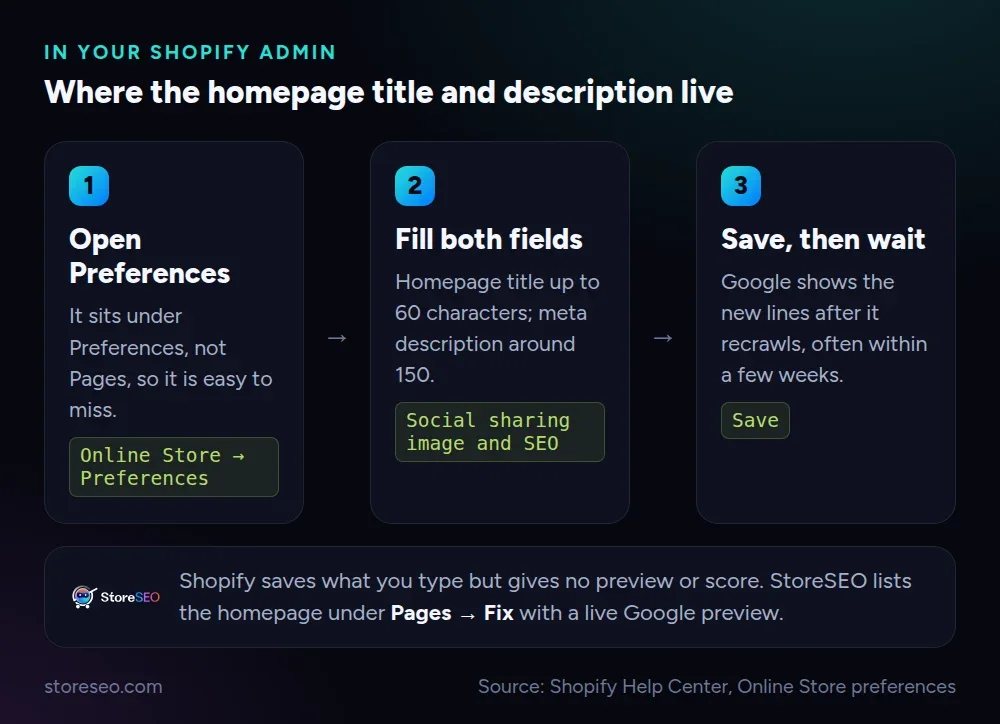 The native path, from Shopify’s own help center.
According to Shopify’s help center, the steps are:
- From your Shopify admin, go to Online Store → Preferences.
- In the Social sharing image and SEO section, enter your homepage title and meta description.
- Click Save.
The limitation is feedback. Shopify saves whatever you type, but it will not tell you whether the title is missing its keyword or where Google will cut it.
The StoreSEO Way, With a Live Preview and Score
StoreSEO lists your homepage as a page you can optimize. Our homepage optimization guide walks through it: open StoreSEO, go to Pages, click Sync pages, then click Fix next to Home page. You see every issue with an overall SEO score, and the score updates as you edit.
- SERP Preview Snippets show how your listing will look on Google before you publish, so you can adjust the title and description until nothing gets cut. The meta description docs show the same editor for products.
- AI Content Optimizer drafts a meta title and description from your focus keyword and checks the result against the SEO score. You can keep it, regenerate it or revert it. The AI Content Optimizer docs cover credits and each step.
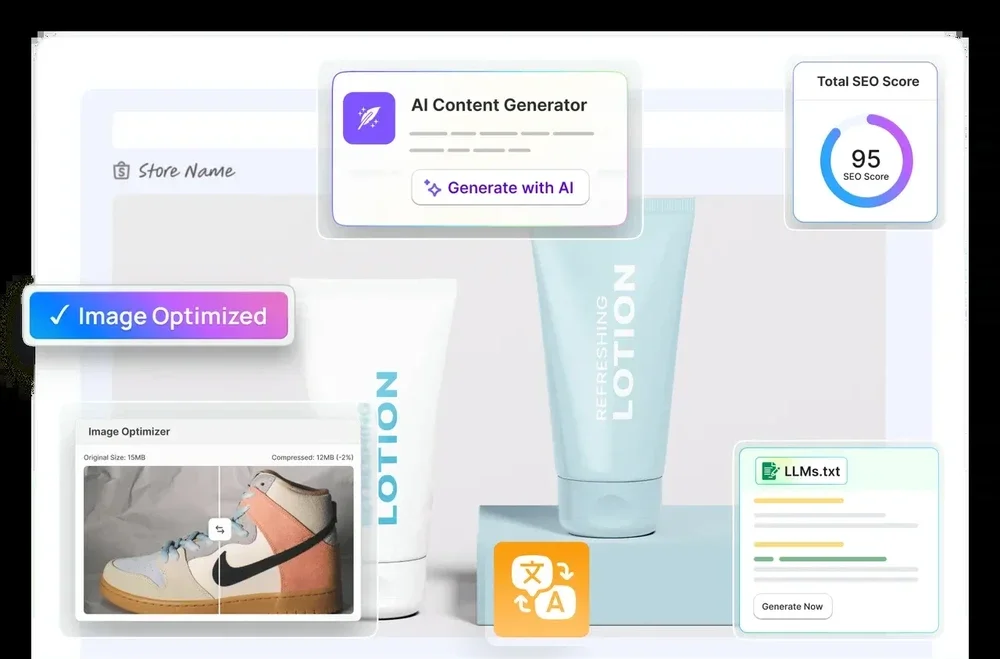 StoreSEO’s AI content generator and SEO score, used for the homepage title and description.
Changed your description and still see the old one in Google? That is normal for a few weeks while Google recrawls. The doc on why a meta description is not showing in Google explains the wait. For inner pages, see our tips on page titles in Shopify.
What Are the Most Common Homepage Title Mistakes?
We counted the problems across all 60 homepages. These are well-known, well-funded brands, and the same mistakes still show up often.
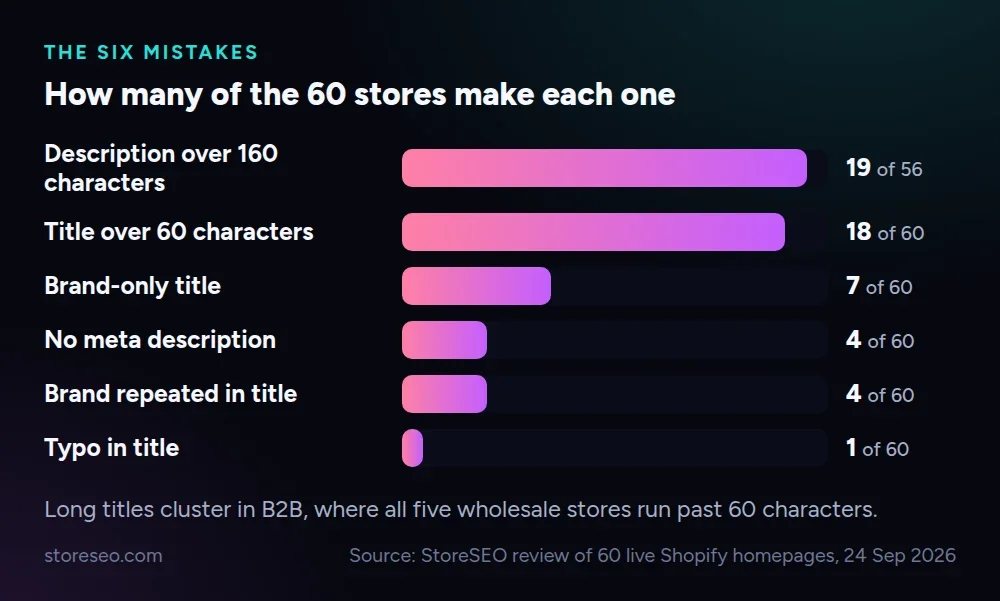 How often each mistake appears in the 60 stores.
- A description over 160 characters (19 of 56). Put the offer in the first 150 characters so the cut takes nothing that matters.
- A title over 60 characters (18). Cut taglines and repeated brand names first; Parachute’s runs to 85.
- A brand-only title (7). Glossier, Ugmonk and Ritual use just their name. That works only if people already search for you; everyone else should add the product keyword.
- No meta description (4). Google then picks text from the page, which is rarely your best line.
- The brand repeated (4). Keep one mention, at the end.
If your homepage has any of these, fix the title first. It is the one line every searcher reads.
Frequently Asked Questions (FAQs)
Still have questions? Here are the ones merchants ask us most.
1. What is a good example of a website description?
A good website description says what you sell, why yours is different and what the shopper gets, in about 150 characters. Pupford’s is a clean example: three product types, real ingredients and 800,000+ pups as proof, in 139 characters.
2. Should my brand name go first or last in the homepage title?
Put it last unless people already search for you by name. Most of the 12 examples lead with the product keyword because that is what new shoppers type. Famous brands can lead with the name and still do well.
3. Does the homepage meta description affect rankings?
Google does not use the meta description as a ranking factor, but it affects whether people click. Its snippet documentation says the description is used when it describes the page better than other text. A clear, specific description earns more clicks from the same ranking.
4. Why does Google show a different title or description than the one I wrote?
Google may rewrite titles and snippets when it thinks other text on the page matches the search better. Vague, stuffed or very long titles are rewritten more often. Changes can also take a few weeks to show after Google recrawls your homepage.
5. Can I use the same title on my homepage and my other pages?
No. Google’s title guidance warns against repeated or boilerplate titles, because several results from your store would look the same. Give each page its own title, and keep the broadest keyword for the homepage.
6. Can StoreSEO write my homepage title and meta description for me?
Yes. StoreSEO’s AI Content Optimizer drafts both from your focus keyword and scores them, and SERP Preview Snippets shows how they will look on Google before you save. You can edit the draft or regenerate it until it fits.
Your Next Step: Rewrite One Line Today
Open your homepage title, pick the pattern above that fits your store, and move your product keyword to the front. Then check that your description names a proof point and an offer. When you want a live preview and a score while you edit, try StoreSEO on the Shopify App Store.
Keep reading
Crawl, Understand, Recommend: A Shopify SEO Model
Most Shopify stores pass the crawl layer, fail the understand layer, and never reach the recommend layer where AI engines cite pages by name.
Read article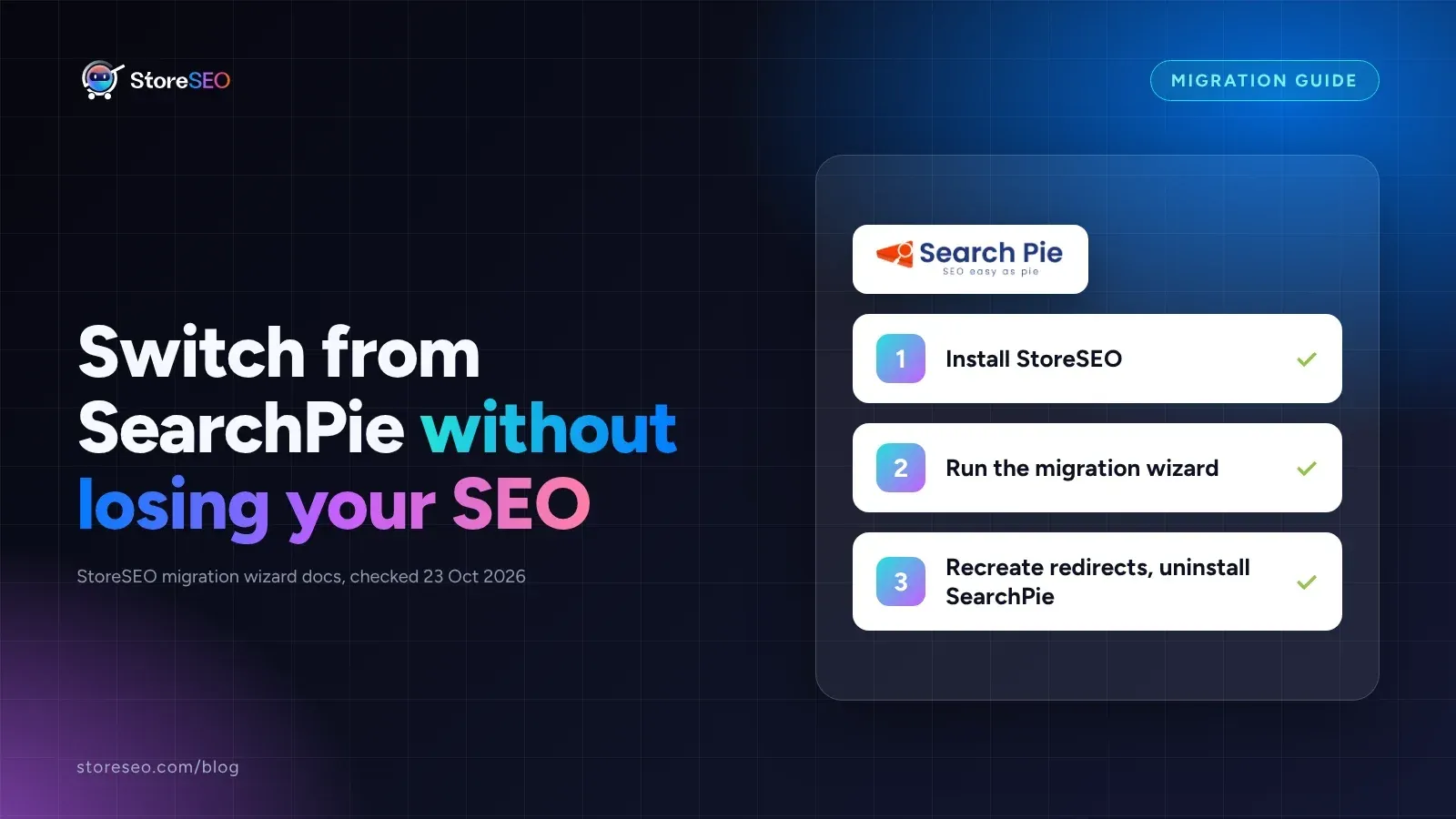
Migrate From SearchPie to StoreSEO (Step by Step)
Switching from SearchPie to StoreSEO takes about ten minutes with the built-in wizard, and your meta titles and schema carry over automatically.
Read article
Shopify SEO Teardown #1: Allbirds
We audited Allbirds.com's live pages and found a 27 mobile Lighthouse score, zero homepage schema, three h1 tags, and a typo in the title tag.
Read article