
Noindex vs Nofollow vs Disallow: Shopify's 3 Blockers
 Written by M Asif Rahman
Three different tools claim to stop a crawler from showing a Shopify page, and merchants often reach for the wrong one. Noindex removes a page from Google’s results outright. Nofollow only withholds credit from one link. Disallow in robots.txt blocks crawling, not indexing, so a disallowed page can still appear with no snippet.
TL;DR: here is what each blocker actually does, whether the page can still show up, and where you set it.
| Blocker | What it stops | Still show up in results? | What to do |
|---|---|---|---|
| Noindex | The page appearing in results at all | ✗ (once the crawler sees the tag) | You want this exact page gone from Google for good |
| Nofollow | Credit passing through one outbound link | n/a (it is link-level, not page-level) | You just don’t want to vouch for where one link points |
| Disallow | A crawler fetching the page | ✓ possible, with no snippet, if linked elsewhere | You’re only managing crawl budget, not trying to deindex |
What Does Noindex Actually Do?
Noindex is a rule, set as a <meta> tag or an HTTP response header, that tells a crawler to drop a page from search results entirely, no matter who links to it. Google’s own documentation on blocking indexing with noindex is explicit about what it actually removes and what it needs to work: once Googlebot crawls the page and reads the tag, Google drops the page from Search results, regardless of other sites linking to it. The standard form is short enough to paste into a theme file:
<meta name="robots" content="noindex">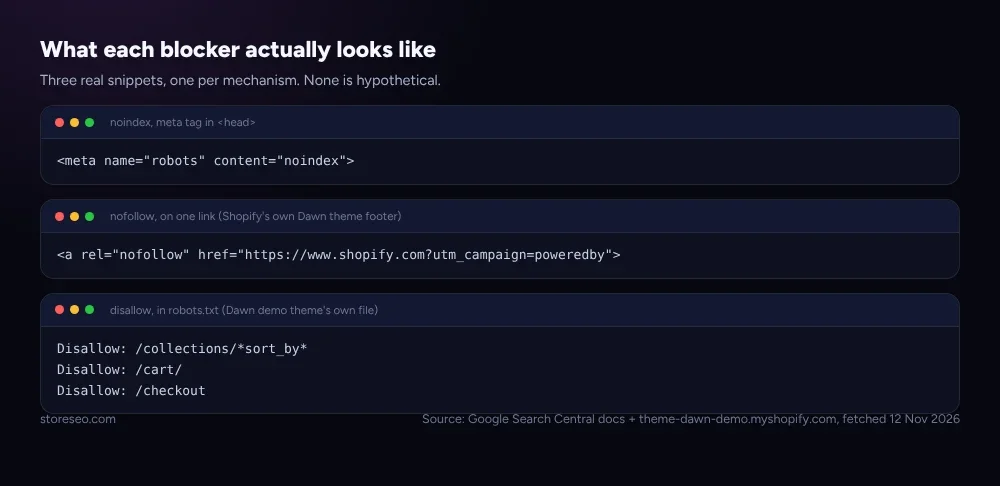 Three real snippets, one per mechanism. None of them is hypothetical: the nofollow and disallow lines are pulled straight from Shopify’s own Dawn demo theme.
The one condition that catches merchants out: noindex only works if the crawler can actually reach the page. Block the same URL in robots.txt and the crawler never sees the tag at all, so the noindex rule does nothing. That interaction is the subject of its own section below, because it is the single most common way this signal fails silently on a Shopify store.
What Does Nofollow Actually Do?
Nofollow is not a page-level rule at all. It is an attribute set on one link, rel="nofollow", that tells Google you would rather it not associate your site with, or crawl, the page that link points to. Google’s own guidance on qualifying outbound links is direct about the scope: nofollow is for links “where other values don’t apply, and you’d rather Google not associate your site with, or crawl the linked page from, your site,” and for links within your own site, it recommends the robots.txt disallow rule instead. It does not remove the destination page from Google’s index; if that page is linked from anywhere else without nofollow, Google can still crawl and index it normally.
Shopify’s own Dawn theme already uses nofollow in exactly the way Google intends it, on one outbound footer link, not an internal one:
<a rel="nofollow" href="https://www.shopify.com?utm_campaign=poweredby">That is the “Powered by Shopify” link every unmodified Dawn store carries: an outbound link to Shopify’s own marketing site, nofollowed so the store does not pass link credit to it. A second, page-level form exists too: <meta name="robots" content="nofollow"> stops a crawler from following any link on that page, which is a different and much blunter tool than tagging one link.
What Does Disallow in Robots.txt Actually Do?
Disallow is a line in robots.txt that tells a crawler which URLs it should not fetch. Google’s own introduction to robots.txt states this plainly, and the wording is worth quoting exactly because it contradicts what most merchants assume it does: a robots.txt file “is used mainly to avoid overloading your site with requests; it is not a mechanism for keeping a web page out of Google.” To keep a page out of Google entirely, the same guide says to use noindex, not robots.txt.
Shopify’s default robots.txt leans on disallow for exactly the job it is good at: stopping crawlers from wasting budget on URLs that are not worth indexing in the first place. The Dawn demo theme’s own live file disallows cart, checkout and account paths, plus filter and sort-order crawl traps that would otherwise multiply one collection into hundreds of near-duplicate URLs:
Disallow: /collections/*sort_by*
Disallow: /cart/
Disallow: /checkout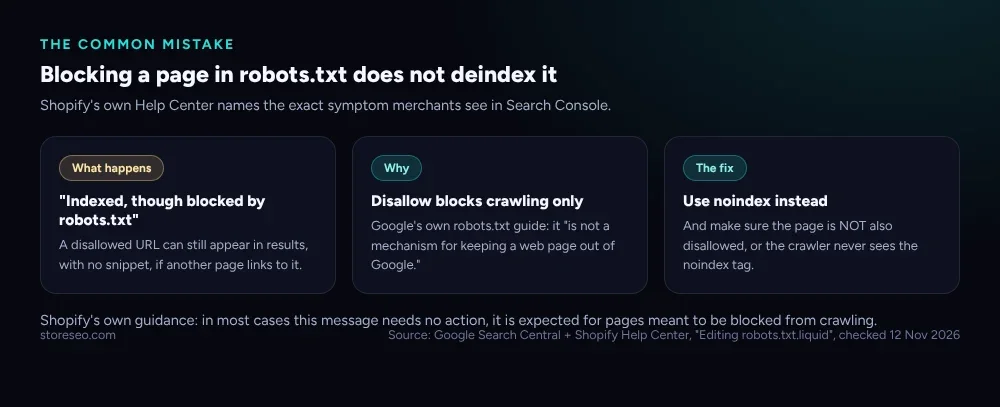 Shopify’s own documentation calls this expected behavior, not a bug: the page is doing exactly what disallow is for, and nothing more.
Can a Disallowed Page Still Show Up in Google?
Yes, and this is the gap that causes the most confusion. A crawler that is told not to fetch a URL never reads anything on that page, including a noindex tag placed there. If another page anywhere on the web links to that disallowed URL, Google can still list it in results, usually with no title or description pulled from the page itself, since it was never crawled. Shopify’s own Help Center names this exact behavior: in Search Console, a blocked URL can display as “Indexed, though blocked by robots.txt,” and the guidance for most stores is that no action is needed, since it is expected for a page that is meant to be blocked from crawling but was discovered through another link.
Google’s own noindex documentation states the fix for the opposite problem just as plainly: “for the noindex rule to be effective, the page or resource must not be blocked by a robots.txt file.” A page carrying both a noindex tag and a robots.txt disallow is the classic trap: the disallow wins, the crawler never reaches the page, and the noindex tag sits there unread. If the goal is to remove a page from results for good, noindex has to be reachable, not blocked.
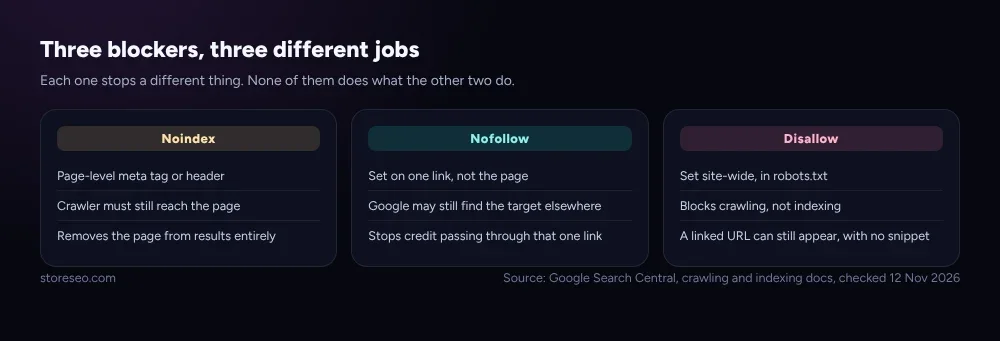 None of the three does what either of the other two does. Picking the wrong one is usually what causes “it’s still showing up” confusion.
How Do You Control All Three on Shopify?
Disallow lives in robots.txt, and on Shopify that means a robots.txt.liquid file in the theme’s templates folder. Shopify’s own documentation calls this an unsupported customization: incorrect edits “can result in loss of all traffic,” so it is a change for a developer or a Shopify Partner, not a quick toggle. Most stores never need to touch it, since the default file already disallows the account, checkout and filter-trap patterns shown above. This is the same mix-up StoreSEO sees often: a merchant disallows a page in robots.txt expecting it to disappear from Google, when noindex was the tool the job actually needed.
Noindex has no settings-page toggle in Shopify either, which is where StoreSEO’s own guidance comes in: since robots.txt on Shopify is theme-native and mostly hands-off, StoreSEO’s diagnostics focus on the symptom merchants actually search for, a page not showing up in Google at all, and walk through which of the three blockers is actually responsible before anyone edits a file, documented in store-not-appearing-in-google-search-results. For the three blockers covered here, the question to ask before touching any of them is simple: do you want the page gone from results (noindex), do you want to stop vouching for one link’s destination (nofollow), or are you only managing how much of your crawl budget Google spends on it (disallow)? Picking the wrong one is how a merchant ends up disallowing a page they actually wanted deindexed, and then wondering why it is still showing up.
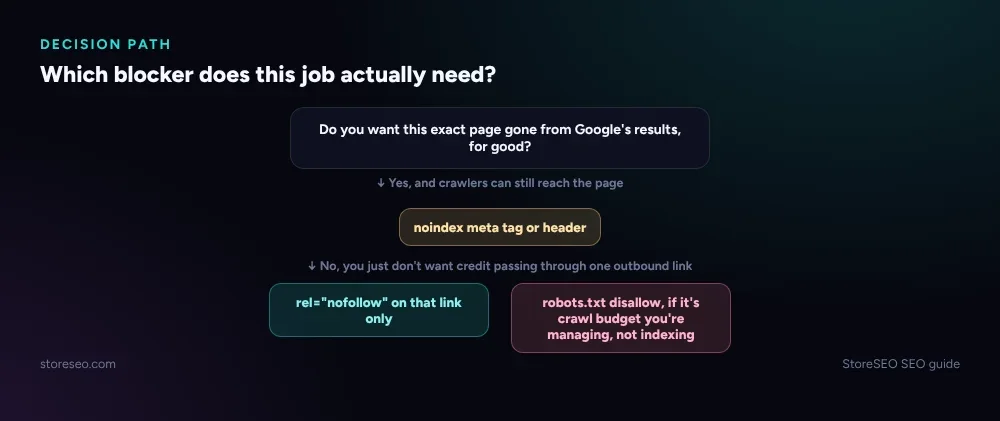 Start from the outcome you want, not the tool that sounds closest to the problem.
This confusion is common enough to earn its own spot in Common Shopify SEO Problems, Ranked by Impact, the fuller list of what actually costs Shopify stores rankings. It sits alongside the platform’s other duplicate-content and indexing signals. Canonical vs Redirect vs Noindex on Shopify covers the three tools for telling Google which of two live URLs should rank, a different and commonly confused trio from the three blockers here. Should You Noindex It? A Shopify Decision Tree goes deeper on when noindex specifically is the right call. And the same robots.txt file that disallows crawl traps for Googlebot also names AI crawlers individually, covered in Shopify robots.txt Guide: Rules for Google & AI Bots, which matters because an AI crawler reads a disallow rule the same way Googlebot does: it skips the page, and never gets the chance to see a noindex tag on it either. A free scan from AIScan’s agent-readiness checker shows which of a store’s pages an AI crawler can actually reach today, the same blocked-or-not question this post walks through for Google.
Frequently Asked Questions (FAQs)
1. Does noindex stop Google from crawling a page?
No. Noindex only stops a page from appearing in search results once Google has crawled it and read the tag. The page is still fetched normally unless something else, like a robots.txt disallow, blocks the crawl itself.
2. Can robots.txt remove a page that is already in Google’s index?
No. Disallowing a URL in robots.txt stops future crawling of that URL, but it does not remove an already-indexed page. If the page needs to come out of results, add a noindex tag and make sure the URL is not also disallowed, since the crawler has to reach the page to see the tag.
3. Why does Search Console show “Indexed, though blocked by robots.txt”?
This means Google found the URL through a link somewhere, without crawling it directly, because robots.txt told it not to. Shopify’s own guidance is that this is expected behavior for pages meant to be blocked from crawling, and in most cases no action is needed.
4. Does rel=“nofollow” stop Google from ever visiting the linked page?
Not on its own. Nofollow is a signal attached to one link telling Google not to pass credit through it or crawl from it; if the destination page is linked from anywhere else without nofollow, Google can still find, crawl and index it normally.
5. Should a Shopify merchant edit robots.txt.liquid themselves?
Shopify’s own Help Center calls this an unsupported customization and warns that incorrect edits can cost all of a store’s organic traffic. Most stores never need to touch the default file; changes are better left to a developer or Shopify Partner.
6. What is the single biggest noindex mistake on Shopify?
Disallowing the same page in robots.txt that also carries a noindex tag. The crawler is blocked from reaching the page at all, so it never reads the noindex rule, and the page can keep appearing in results through other links, the opposite of what the merchant intended.
Getting these three right once, on the pages that actually need them, is a small fix with an outsized effect on which pages Google is allowed to show. try StoreSEO on the Shopify App Store
Keep reading
Why Is Only Part of Your Shopify Catalog Indexed?
Partial catalog indexing on Shopify almost always traces to one of four causes: new pages, a deliberate block, duplicate URLs, or crawl budget.
Read article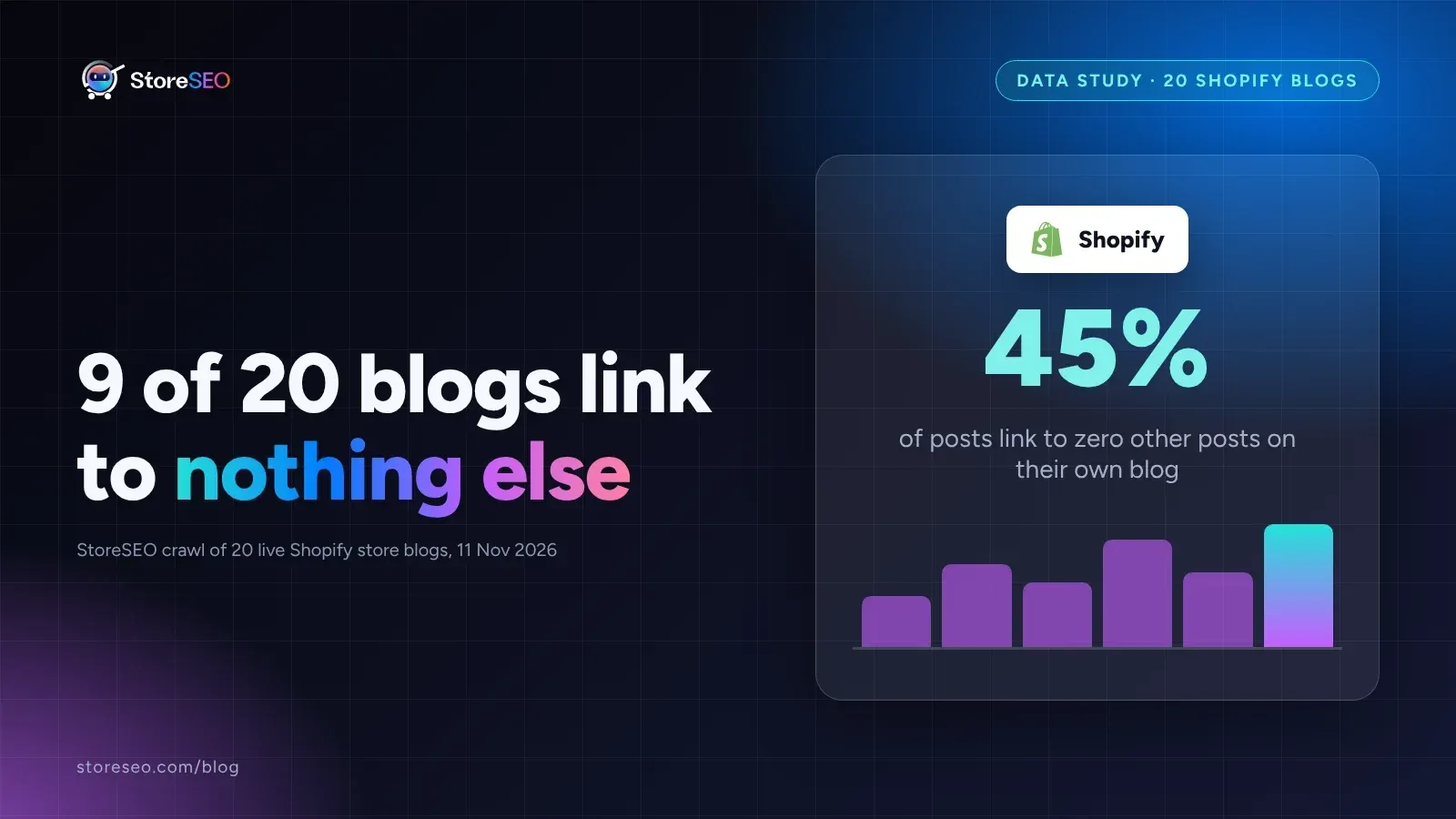
We Crawled 20 Shopify Blogs for Orphaned Posts
We crawled 20 live, public Shopify store blogs and found that 9 of them, fully 45 percent, link to zero other posts anywhere on their own blog.
Read article
Shopify Collection Filters: Index or Noindex?
Shopify canonicalizes most filtered collection URLs by default, so the real decision is only for a few edge cases, not every filter combination you have.
Read article