
Should You Noindex It? A Shopify Decision Tree

Noindex is a meta tag that tells Google “load this page, just do not list it in search results.” It is not the same as robots.txt disallow, which blocks the crawl entirely. Most Shopify stores need noindex on a handful of page types and nowhere else; the table below says which.
TL;DR: the verdict for every common Shopify page type, in one table.
| Page type | Verdict | Why |
|---|---|---|
| Product pages | Index | Unique copy, the page that converts |
| Collection pages you have written | Index | A real landing page with its own intent |
/collections/all | Noindex | Every product with no unique copy; thin and duplicate-prone |
Filter and sort URLs (?filter.*, ?sort_by=) | Noindex | Near-duplicates of the parent collection, multiplied by every combination |
/search results | Noindex | Google’s own guidance treats internal search results as low value for its index |
| Blog posts | Index | Unique, and the asset this programme is built on |
| Static pages (About, Contact, FAQ) | Index | Unique copy worth ranking |
| Policy pages (privacy, refund, shipping) | Noindex, usually | Boilerplate text shared across thousands of stores, little ranking upside |
| Cart, checkout, account, orders | Noindex (already blocked) | Private and transactional; Shopify’s own default theme already disallows crawling here |
Paginated collection pages (?page=2 and on) | Depends | Noindex or canonicalize to page 1 only if the products repeat; index if each page is genuinely distinct |
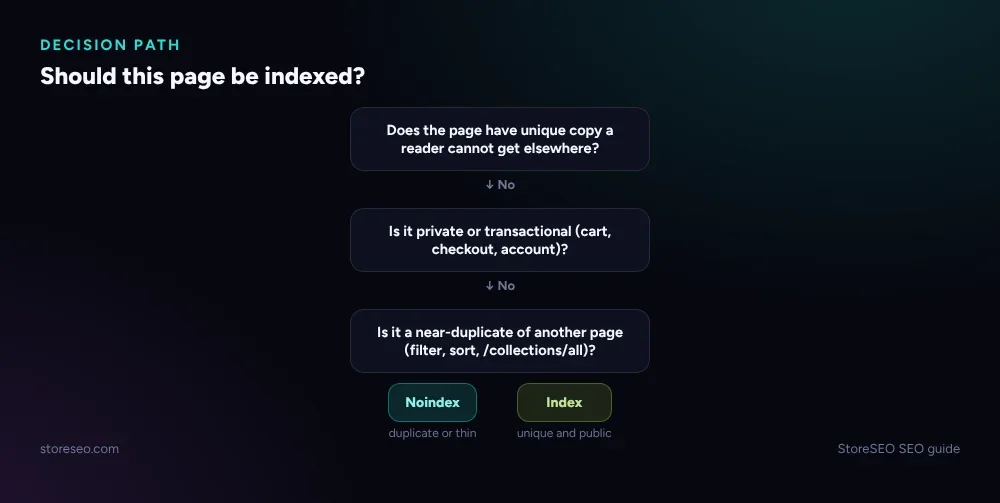 The same table above, as a three-question decision path.
What Is the Difference Between Noindex and Robots.txt Disallow?
They solve different problems. A noindex meta tag still lets Google crawl the page; it just leaves it out of search results. robots.txt disallow stops the crawl before it starts, so Google never even reads the page.
That difference matters for pages with a lot of internal links pointing at them, like filter URLs. Disallow them in robots.txt and Google stops wasting crawl budget on them entirely. Noindex them instead and Google still visits, sees the tag, and skips listing them, which is slower but safer for a page you might want indexed later.
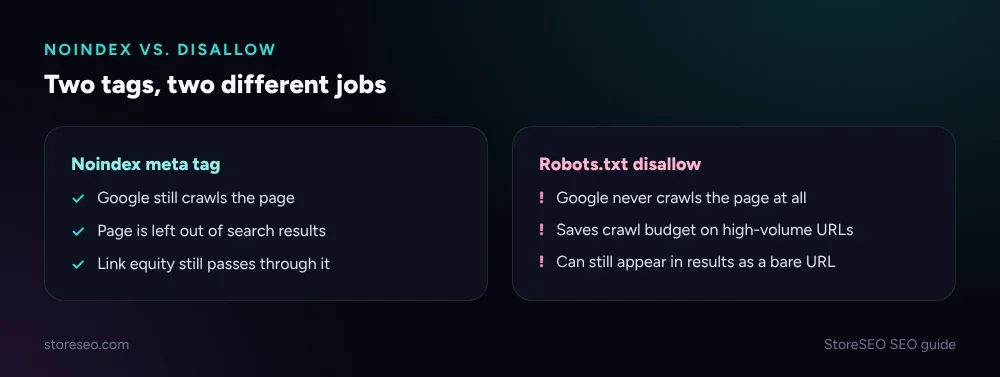 Noindex vs. robots.txt disallow: what each one actually blocks.
Which Shopify Pages Come Noindexed or Blocked by Default?
Shopify’s own theme already handles some of this without a merchant touching anything. A live fetch of the Dawn demo theme’s robots.txt (26 Sep 2026, inside the 30-day re-verify window) shows one User-agent: * group that disallows the admin, cart, checkout, orders and account paths, plus filter and sort crawl-trap patterns, and a separate adsbot-google group. Nothing in that file touches product, collection or blog URLs, which is why the decision for those pages is still yours to make.
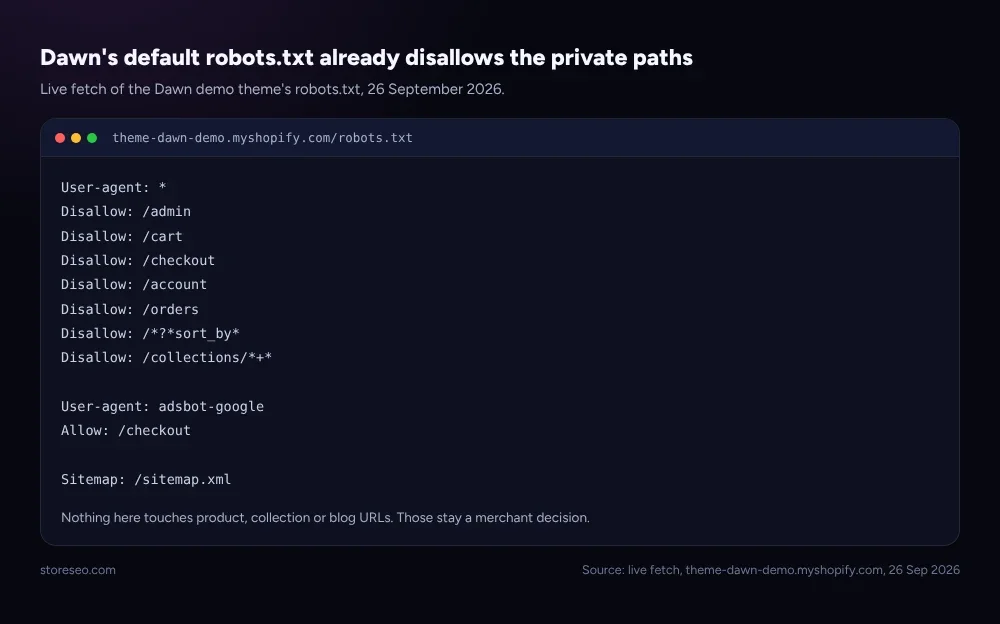 Source: live fetch, theme-dawn-demo.myshopify.com/robots.txt, 26 Sep 2026.
How Do You Add a Noindex Tag on a Shopify Page?
Two routes, depending on how many pages you are changing.
- One page, by hand. Edit
theme.liquidunder Online Store → Themes → Edit code, and add<meta name="robots" content="noindex">inside the<head>for that template only, wrapped in a Liquid condition so it does not apply store-wide. - Any number of pages, with StoreSEO. Open Optimize SEO, pick the page, open Fix Issues, and turn on Noindex from the panel. The app writes the tag for you, which is the safer route once you are touching more than one or two pages, since a mistyped Liquid condition in
theme.liquidcan noindex the whole store by accident.
Which pages actually need the tag, and which your sitemap should simply leave out instead, is also a sitemap decision: StoreSEO’s own XML sitemap control lets you exclude a page from the sitemap without touching its template at all, which is the lighter option when a page just should not be submitted for crawling rather than actively hidden.
How Do You Check If a Page Is Already Noindexed?
View the page’s source and look for <meta name="robots" content="noindex"> in the <head>. If it is not there, check robots.txt next: a path listed under Disallow: is blocked from crawling, which has the same practical effect but for a different reason. Google Search Console’s Page Indexing report also lists “Excluded by noindex tag” directly, but only for a page Google has crawled at least once.
What Should You Noindex First on a New Shopify Store?
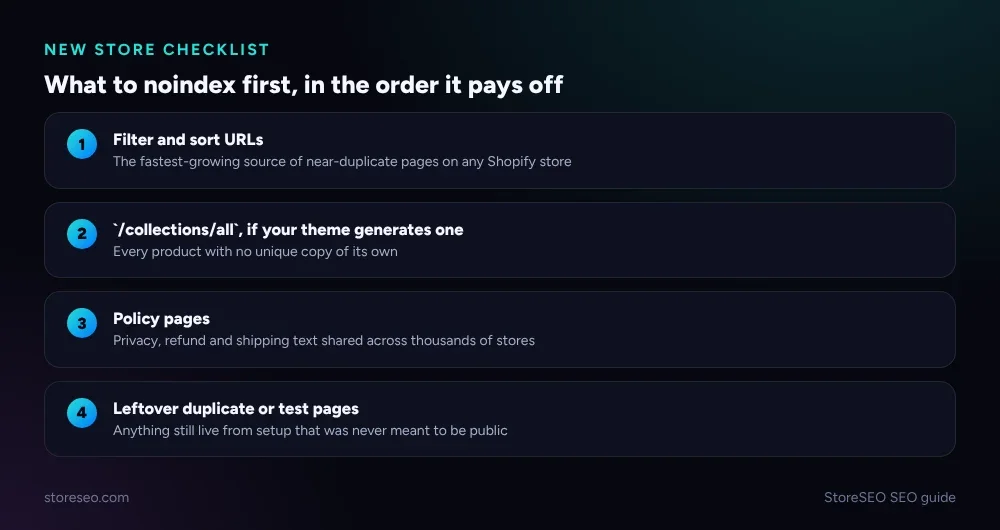 What to noindex first on a new Shopify store, in the order it pays off.
If you are setting this up for the first time, the four items in the graphic above cover nearly every store: filter and sort URLs, /collections/all if your theme generates one, policy pages, and any duplicate or test page still live from setup. Everything else on a typical store, product pages, written collections, blog posts, and static pages, should stay indexed by default.
A related question worth asking at the same time is which tags and filters are creating those duplicate URLs in the first place; Shopify Tags vs Collections vs Filters: What to Index covers that side of the decision. If a canonical mix-up is also in play, “Google Chose Different Canonical”: Shopify Fix is the companion page for that specific symptom. And if noindex alone has not resolved a wider pattern of problems, the ranked list in Common Shopify SEO Problems, Ranked by Impact is the next place to look.
This is also one of the symptoms a crawlability checker like AIScan, Asif’s own agent-readiness scanner, flags directly: a page that is accidentally noindexed is invisible to both Google and AI crawlers, and the tool reports it as a fail rather than leaving a merchant to find it by hand.
Frequently Asked Questions (FAQs)
1. Does noindex hurt my SEO?
Not on the pages this table marks noindex. Those pages were never going to earn rankings, so removing them from the index just saves Google’s attention for the pages that can.
2. Can I noindex and still link internally to the page?
Yes. Noindex only controls search listing. A noindex page can still be linked from your navigation and still pass link equity through the rest of your site, which robots.txt disallow would block instead.
3. Will noindex remove a page that is already ranking?
Eventually, not instantly. Google has to recrawl the page, see the tag, and then drop it from the index, a process that can take days to weeks depending on how often that page is crawled. If the page currently gets real clicks, confirm you actually want it gone before adding the tag.
4. Does StoreSEO noindex pages automatically?
No, and it is built that way on purpose. StoreSEO flags candidates, thin or duplicate pages, inside its SEO Analysis, but the decision to noindex a specific page is always a merchant action taken from the Fix Issues panel. An automatic noindex could silently hide a page that was actually earning traffic.
5. Should I noindex out-of-stock products?
Usually not with noindex specifically. A 301 redirect or a clear “back in stock” message keeps the page’s existing link equity intact, while noindex just hides a page that might still be worth keeping live for returning customers and search engines alike.
If you found this useful, subscribe to the blog
Keep reading
Shopify FAQ Answer Template: 6 Fill-In Formats
Six copy-paste FAQ answer templates for shipping, returns, sizing, warranty, subscriptions, and general support, ready to fill in and publish today.
Read article
Does Changing Your Shopify Theme Hurt SEO?
Switching your Shopify theme keeps your URLs and settings intact, but it can quietly change the schema markup and headings your pages output.
Read article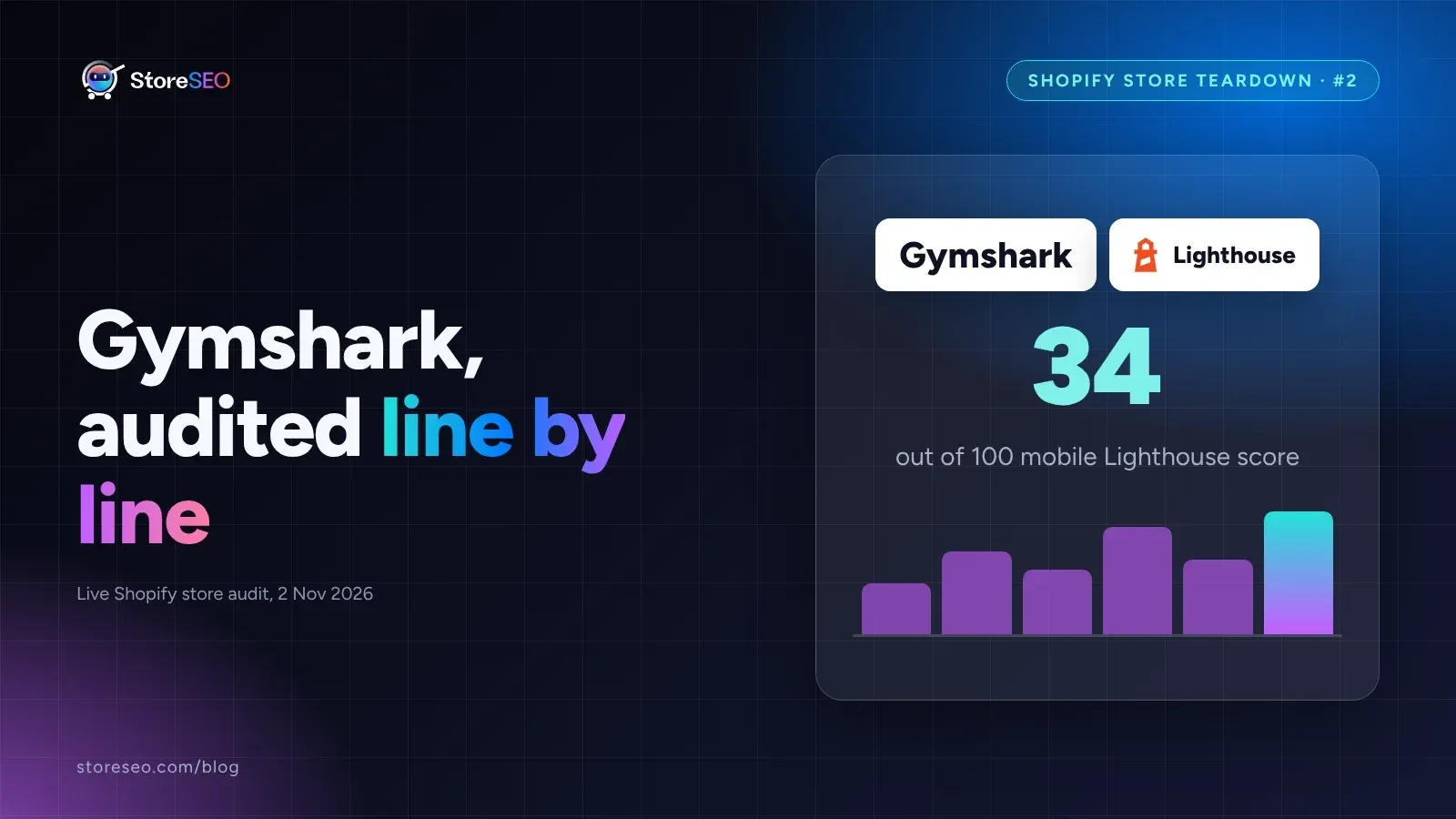
Shopify SEO Teardown #2: Gymshark
We audited Gymshark's live Shopify pages and found a 34-out-of-100 mobile Lighthouse score, a separate URL per color variant, and zero review schema.
Read article