Does Shopify Markets Replace Hreflang?
 Written by M Asif Rahman
Mostly, yes, once you set it up correctly. Shopify Markets auto-generates hreflang tags, canonical URLs and sitemap entries for every market, but only for a market you give its own domain, subdomain or subfolder plus a language. Skip that step and Markets adds no hreflang tags at all.
TL;DR
| Question | Verdict |
|---|---|
| Does turning on Markets alone add hreflang tags? | No. Only once a market has its own domain, subdomain or subfolder and a language assigned. |
| Do you still need a separate hreflang app? | No, if your markets are set up that way. Markets generates the tags, canonical URLs and sitemap entries itself. |
| What if your theme or another app already adds hreflang tags? | Turn Shopify’s automatic ones off, or the store ships duplicate tags. |
Does Shopify Markets Generate Hreflang Tags Automatically?
Yes, but the automation is conditional, not universal. Shopify’s own Markets documentation states that hreflang tags “are generated automatically based on your market and language configuration,” and that they update on their own whenever you add, remove or change a market’s domain and language settings. StoreSEO is an AI SEO Agent for Shopify, and even StoreSEO cannot add a hreflang tag Markets has no reason to generate: the tag only exists once the underlying market configuration calls for it.
That configuration has one hard requirement, covered next, and it is the part merchants skip most often.
Which Markets Setups Get No Hreflang Tags At All?
A market has to have a distinct URL before Shopify will tag it. Per Shopify’s documentation, “hreflang tags are generated only for markets that have a distinct domain, subdomain, or subfolder. If all your markets use the same URL with no language or region distinction, then there aren’t any alternate versions to reference.” In plain terms: creating a market in the admin, without also giving it its own /fr/-style subfolder, a subdomain, or a country domain and a language, produces zero hreflang tags, because there is no second URL to point to.
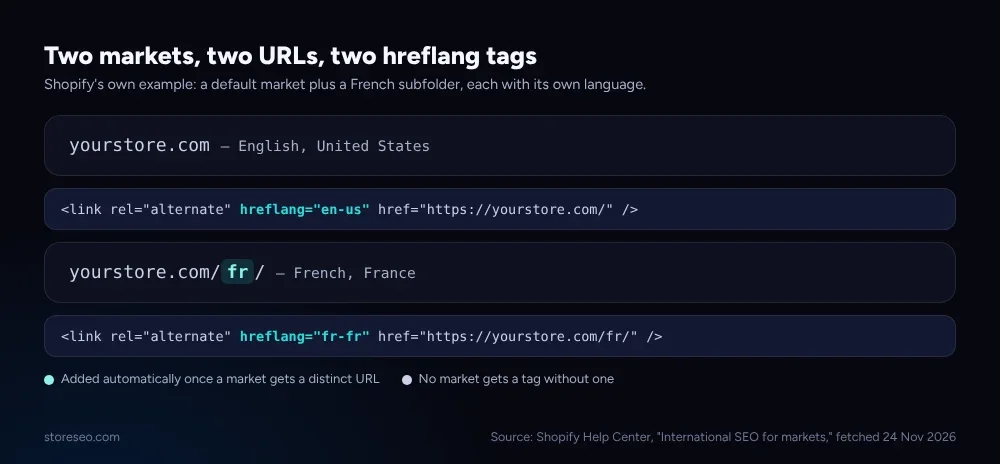 Shopify adds the language segment and the matching hreflang tag automatically once a market has a distinct URL; everything else in the URL stays the same page. Source: Shopify Help Center, “International SEO for markets,” fetched 24 Nov 2026.
This is the step that actually does the work people credit to “turning on Markets”: choosing subfolders, subdomains or top-level domains for each market in Markets > Add market > Domains and languages, not the market’s existence on its own.
What Does Each Automatic Hreflang Tag Actually Contain?
Once a market has a distinct URL, Shopify writes three kinds of tag for it, per the same documentation: a region-specific tag such as en-us or fr-fr, a language-only tag such as en or fr for every language published in that market, and one x-default tag that points to the market containing the store’s backup region, “so search engines know which URL to display when no other hreflang tag matches the customer’s language or region.” For a product sold in only some markets, region-specific tags are skipped for the markets that exclude it, and the fallback tags point to the backup-region market instead.
A correctly generated set looks the same whether Shopify writes it or a developer hand-codes it. This blog’s own docs pages, built on Astro rather than Shopify, carry the identical three-tag shape for the one page translated so far:
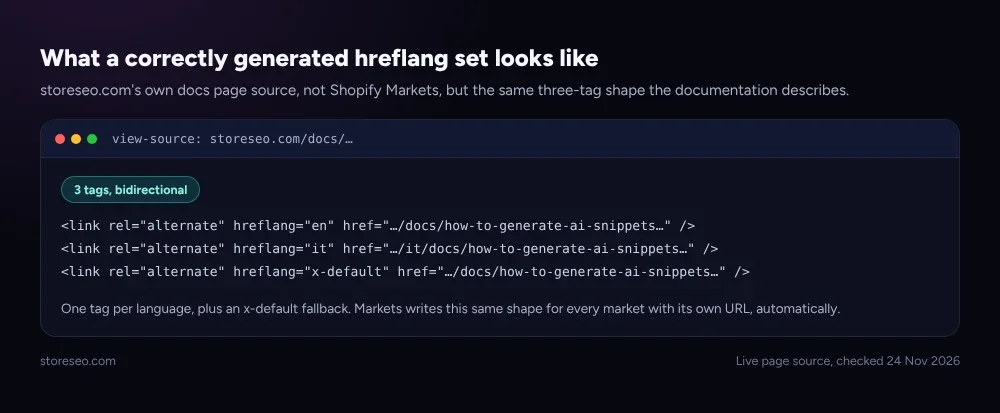 storeseo.com’s own docs page source, checked 24 Nov 2026: one
en tag, one x-default tag, each a fully-qualified URL. Markets writes the same shape, one tag per market, automatically.
Google’s own guidance on localized pages is strict about bidirectional linking: “if two pages don’t both point to each other, the tags will be ignored.” Markets handles that pairing for you across every market it manages, which is the part a manually maintained hreflang set most often gets wrong as a site grows past two or three languages.
When Should You Turn Off Automatic Hreflang And Manage It Yourself?
Only when something else on the store already adds hreflang tags. Shopify’s documentation is direct about the risk: a theme or app that writes its own tags, left running alongside Shopify’s automatic ones, produces duplicates on every page, which search engines are documented to ignore or misread rather than quietly deduplicate. The fix is in Online Store > Preferences, under Social sharing image and SEO, where Automatic hreflang tags is a single toggle, on by default for every store. Turn it off only after removing the competing tags from the theme, and turn it back on the same way if you remove that app or theme customization later.
For most stores running a standard theme with no dedicated hreflang code, the automatic tags are the whole implementation, and there is nothing further to add.
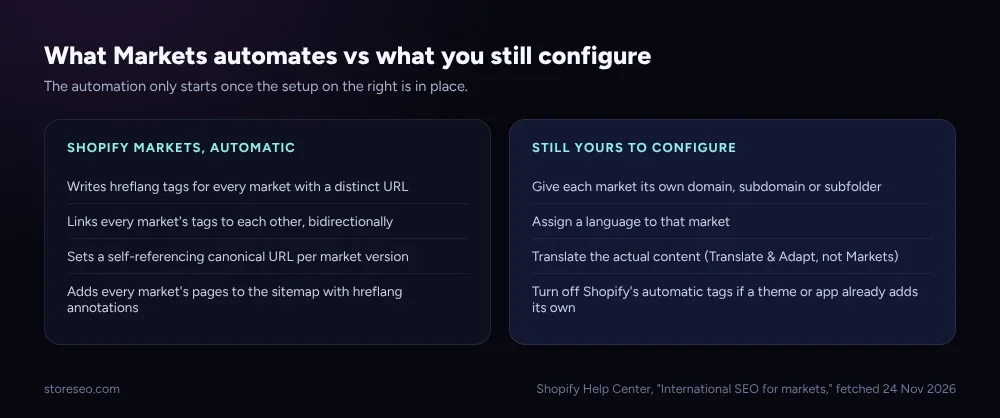 What Shopify Markets automates once a market has a distinct URL, against what a merchant still has to configure by hand. Source: Shopify Help Center, fetched 24 Nov 2026.
Where StoreSEO fits in this picture is downstream of the tag itself: once a language is published and tagged, its Multilingual SEO tools let you see and fix the SEO score, meta title and meta description for each translated version individually, which Markets’ own hreflang generation does not cover. Details are in StoreSEO’s multilingual support docs.
So, Does Shopify Markets Replace Hreflang?
It replaces the work of hreflang, not the decision to set it up right. Configure each market with its own domain, subdomain or subfolder and a language, and Shopify writes, maintains and bidirectionally links every hreflang tag the store needs, with no app and no code. Leave a market sharing a URL with another, and “Markets is on” means nothing for hreflang: there is no alternate version to tag yet.
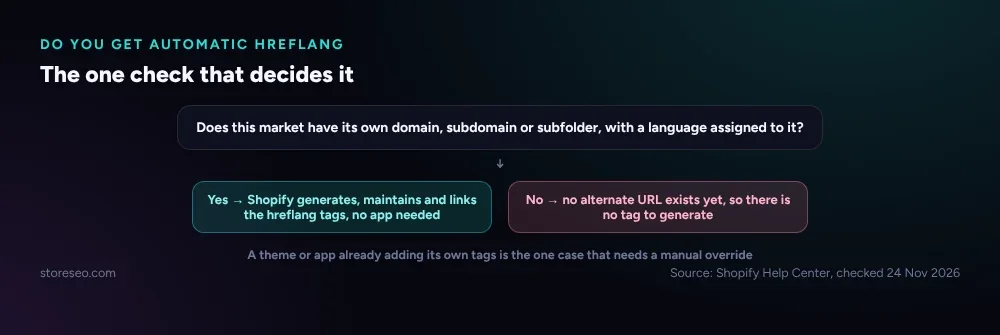 Every case comes down to this one question. Source: Shopify Help Center, checked 24 Nov 2026.
Our own hreflang setup guide for Shopify and the Markets SEO settings reference walk through the admin screens this verdict depends on, and enabling multilingual SEO covers the StoreSEO side once the tags exist.
Frequently Asked Questions (FAQs)
1. Do I need to install an app to get hreflang tags on Shopify?
No, not if you use Markets with a distinct domain, subdomain or subfolder per market. Shopify generates, maintains and bidirectionally links the tags itself. An app becomes relevant only if you want hreflang behaviour Markets does not offer, such as per-URL overrides outside the market structure.
2. Will Shopify Markets translate my store for me as part of this?
No. Markets controls currency, catalogs, domains and languages, but translating the actual words on the page is a separate step, done with an app such as Translate & Adapt. Hreflang tags can exist correctly while the content behind them is still untranslated, which search engines treat as a different problem from the tagging itself.
3. What happens if I create a market but don’t give it its own URL?
Nothing changes in your page source. Shopify only generates hreflang tags, a separate canonical URL and sitemap entries for markets with a distinct domain, subdomain or subfolder. A market with no distinct URL has no alternate version to reference, so there is nothing for a tag to point to.
4. Does Google use hreflang to detect what language a page is written in?
No. Google’s own documentation says it uses algorithms to determine a page’s language, not the hreflang tag or the HTML lang attribute. Hreflang instead tells Google which localized version to serve to a given searcher once it already knows the pages are related.
5. Can I use Shopify’s automatic hreflang and a theme’s own hreflang code at the same time?
Not safely. Running both produces duplicate tags for the same page, and Shopify’s own documentation warns this can hurt SEO. Pick one source, either the automatic setting in Online Store > Preferences or a custom implementation in the theme, and turn the other off.
6. Does this apply the same way to subdomains and country domains, not just subfolders?
Yes. Shopify’s hreflang automation triggers on any distinct URL for a market, whether that is a subfolder such as /fr/, a subdomain such as fr.yourstore.com, or a full country domain such as yourstore.fr. The URL structure changes domain authority and setup effort, not whether the tags get generated.
Set up the market URLs correctly and Shopify’s own automation is the hreflang implementation, nothing more to add. try StoreSEO on the Shopify App Store
Keep reading
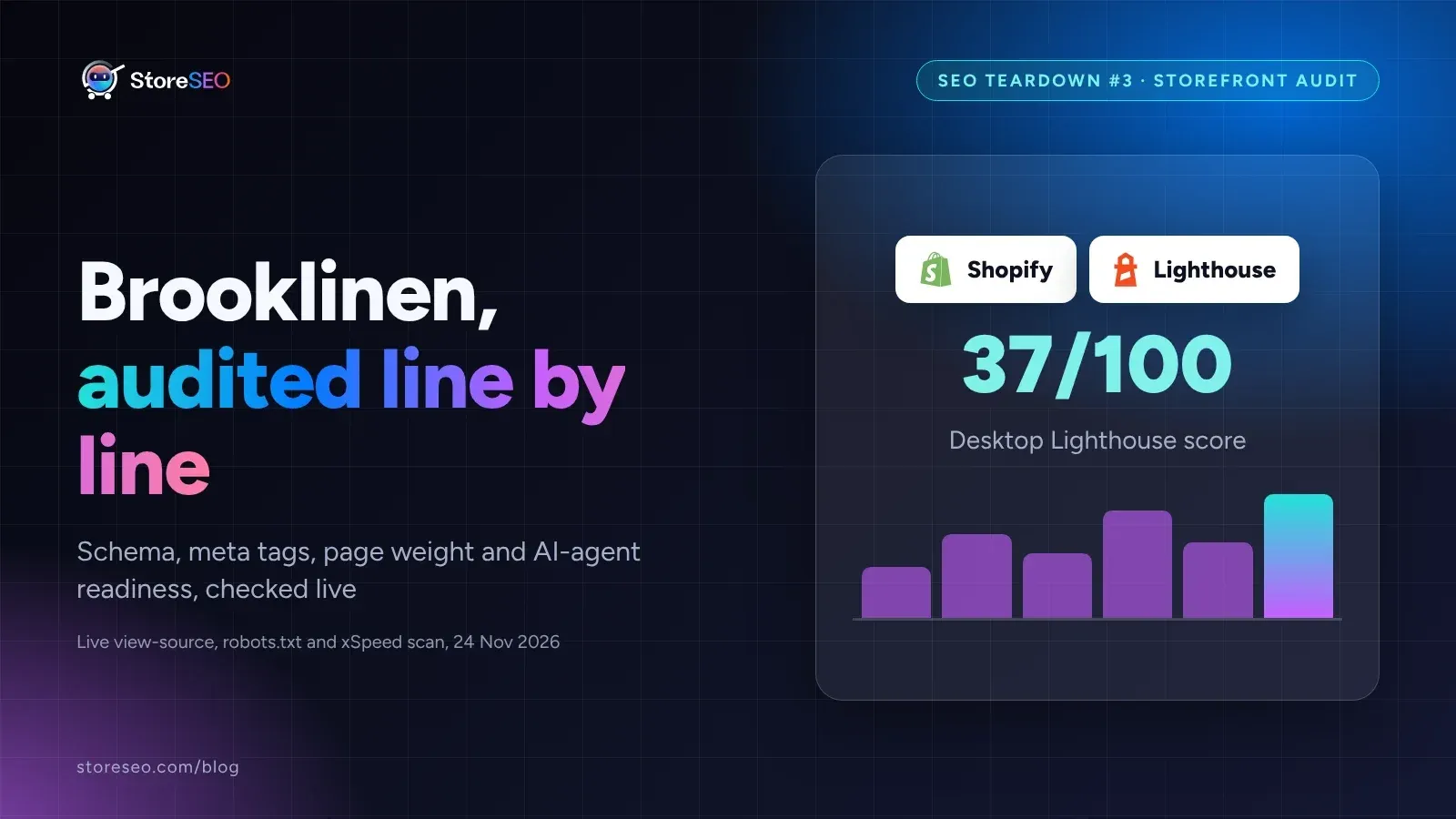
Shopify SEO Teardown #3: Brooklinen
We audited Brooklinen's live Shopify pages and found a 37-out-of-100 Lighthouse score, two conflicting schema blocks, and a 427-character meta description.
Read article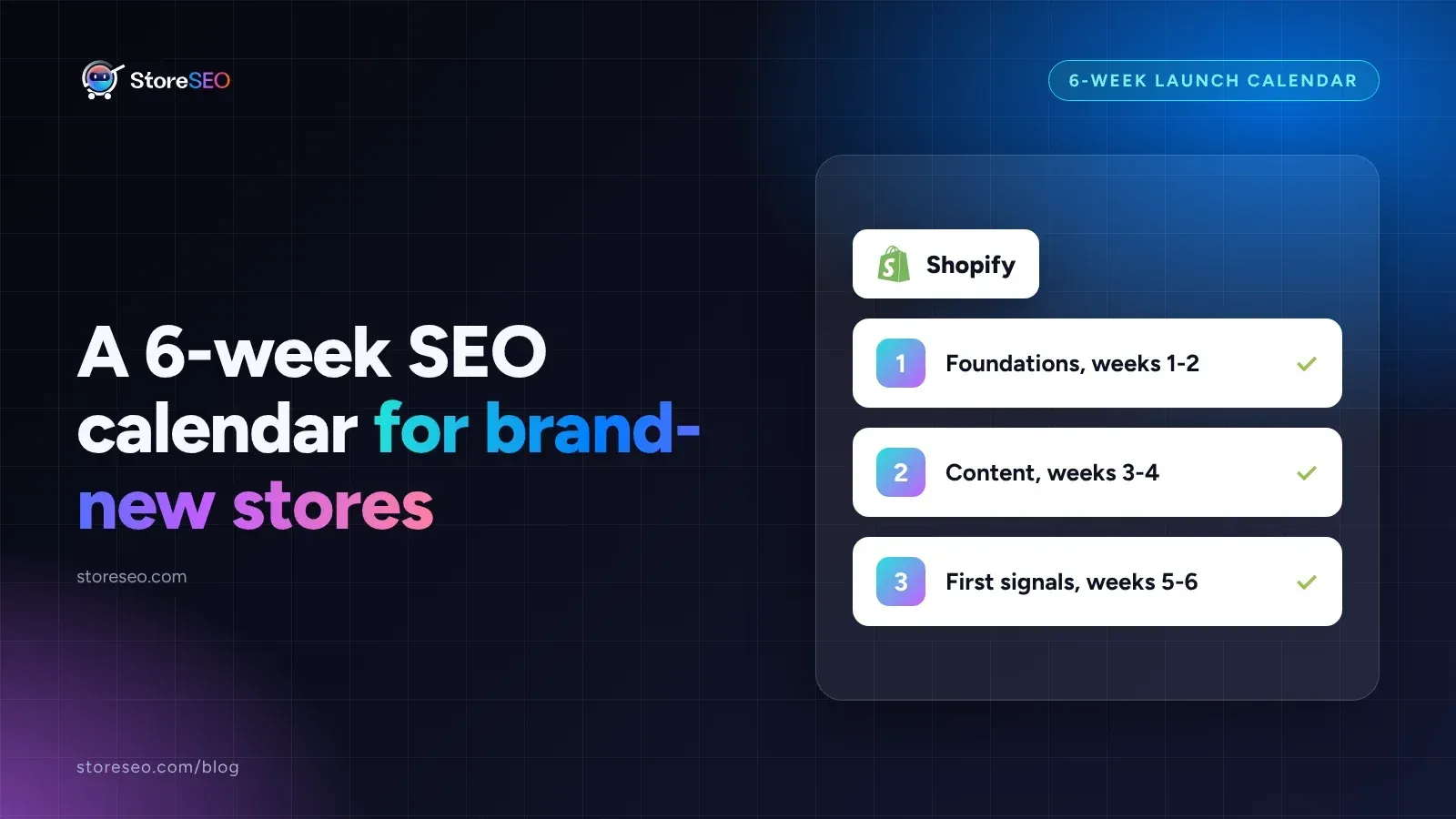
A 6-Week Shopify SEO Calendar for New Stores
A brand-new Shopify store has six weeks of real SEO work before results show: sitemap and titles first, content and images next, reviews and recheck last.
Read article
Shopify SEO for B2B Wholesale Stores
A Shopify B2B store stays indexable when catalogs gate the price, not when a password gates the whole site, and that line decides your SEO outcome.
Read article