
Shopify SEO for B2B Wholesale Stores
 Written by M Asif Rahman
Most Shopify stores that sell B2B lose nothing in Google by adding wholesale pricing, because Shopify gates that pricing behind company sign-in, not behind the product page itself. A crawler sees the same public product and collection pages a D2C shopper sees. The one setup that blocks search entirely is a password-protected, B2B-only storefront.
TL;DR: three common B2B setups, and what each one does to your SEO.
| Setup | What Google sees | What to do first |
|---|---|---|
| Blended store (B2B plus D2C, no password) | Public product and collection pages, default D2C price | Gate wholesale price with catalogs and company locations, never a sitewide password |
| Dedicated B2B-only store, not password protected | The same pages, usually with no visible price at all | Use Shopify’s Trade or Horizon theme and keep every page open to crawling |
| Dedicated B2B-only store, password protected | Nothing. Every URL returns the same password wall | Accept zero organic SEO on this domain, or publish one public landing page outside the lock |
What’s Different About SEO For A B2B Wholesale Store?
A consumer Shopify store has one audience and one price list. A B2B store usually has two: the public, signed-out visitor and the signed-in company location with its own negotiated price. Shopify builds that split with companies and catalogs, not with a lock on the storefront. A company location gets its own pricing, payment terms and product list once a buyer from that company signs in; everyone else, including Googlebot, is simply treated as a D2C visitor.
That distinction is the whole SEO question for this segment. Neither the small-catalog playbook nor the large-catalog playbook this blog already covers addresses it, because both assume every visitor, human or crawler, sees the same catalog. A B2B store does not, and the fix depends on which of two setups a merchant has chosen.
Which Pages Can Search Engines Actually See?
Shopify’s own documentation is specific about where the line sits: B2B customers must sign in “before they can access B2B-specific information, such as products and pricing, or place B2B orders,” a requirement Shopify says exists so that “only authorized customers can access your wholesale offerings” (Shopify Help Center, Sign-in and customer accounts in B2B, fetched 13 Nov 2026). Read carefully, that sentence is about access to B2B-specific terms, not about hiding the page from the public internet.
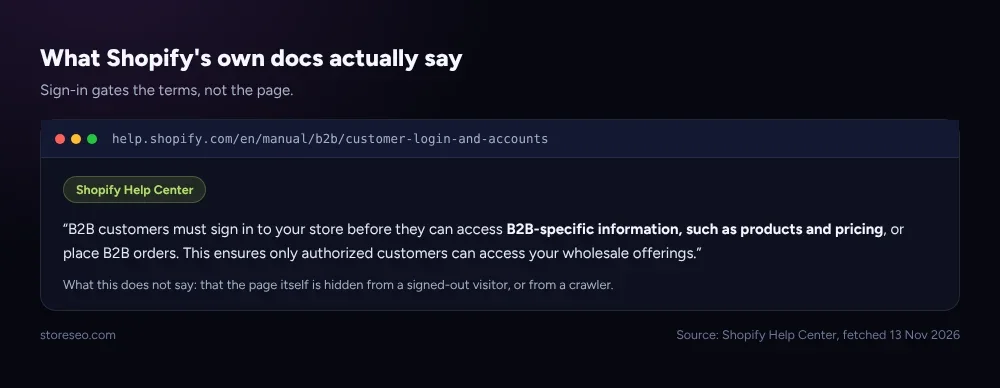 Sign-in gates the terms of the sale, not the page that describes it.
On a blended store, the product page itself still renders for anyone signed out, Googlebot included, showing the regular D2C price unless a merchant has gone further and removed D2C selling entirely. Up one level, the fundamentals that decide whether any of this matters are the same ones covered in Shopify Product Page SEO: Tips And Best Practices: a B2B store’s public product pages still live or die on title, meta description, schema and content depth, exactly like any other store’s.
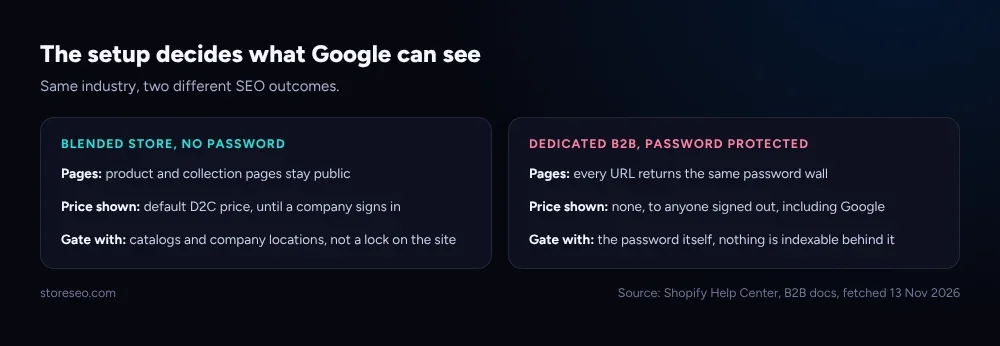 The setup, not the industry, decides whether Google can index anything at all.
That is good news for most wholesale sellers, because it means the ordinary SEO work, titles, meta descriptions, product schema, internal links, still applies to the pages a crawler can reach. StoreSEO’s SEO Analysis and score feature runs the same checks on a B2B store’s public pages that it runs on any Shopify catalog, scoring titles, meta descriptions and structured data per page and listing exactly what to fix, documented at optimize-seo-for-shopify-products. Nothing about selling wholesale changes what that score measures; it only changes which price shows next to the result.
Should You Password-Protect A B2B-Only Store?
Here is where the real SEO risk sits. Shopify’s own guidance for a dedicated B2B store says plainly: “you might want to gate your store to limit access to only logged-in B2B customers,” and names Shopify’s own Trade theme, built for exactly that case, as one option, alongside third-party apps that can “lock parts or all of your store” (Shopify Help Center, Online store customization in B2B, fetched 13 Nov 2026). A full password lock is a legitimate choice for a store that only ever sells to approved accounts. It is also a choice with a cost most merchants do not weigh before making it: a crawler cannot pass a password prompt any more than a stranger can, so every URL behind that wall answers with the same password page, and nothing on the domain can rank, get cited by an AI answer engine, or earn a single organic click.
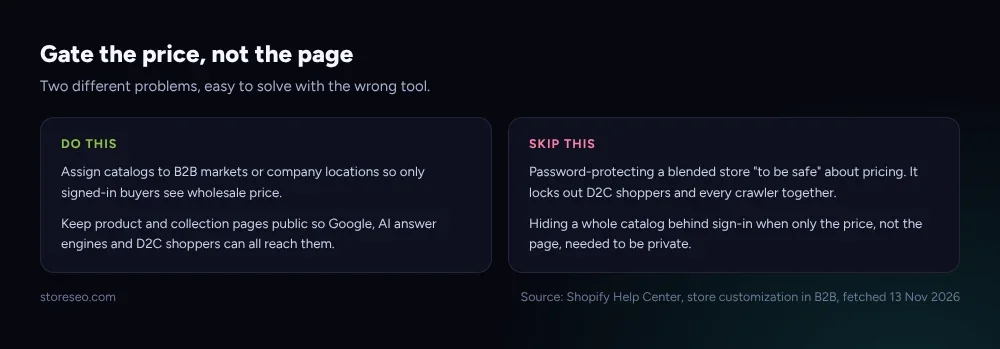 A password answers a different question than the one most merchants are actually trying to solve.
The decision that actually matters is whether the store sells to the public at all. A blended store that locks everything behind a password to “protect” wholesale pricing has solved a pricing problem with a visibility hammer, and loses its D2C search traffic as a side effect it probably did not intend. A true wholesale-only operation that never wants organic discovery has a legitimate reason to accept that trade. Between those two, the middle path is a public landing page, outside the password, that explains the business and invites a company account request, so the domain keeps at least one indexable door while the catalog behind it stays private; Shopify’s own account-request flow through Shopify Forms is built for exactly that entry point.
What’s Your 30-Day Plan For B2B Wholesale SEO?
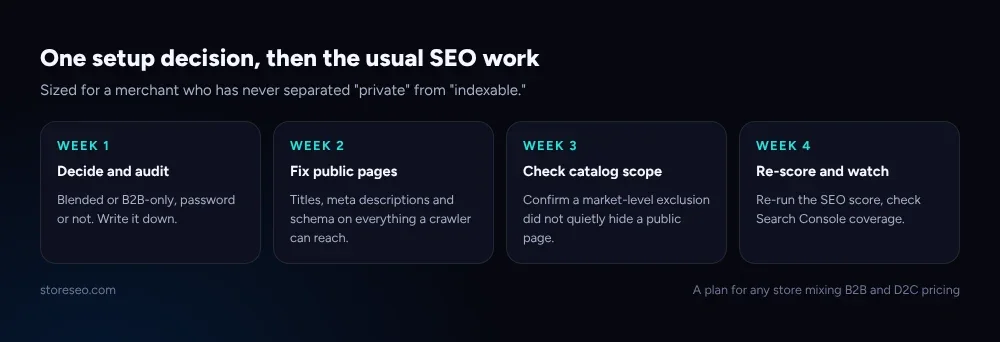 Sized for a merchant who has never separated “what’s private” from “what’s indexable” before.
Week 1. Decide, in writing, whether the store is blended or B2B-only, and whether it is password-protected today. This single fact determines everything that follows, and it is often undocumented even inside the team running the store.
Week 2. For a blended or unlocked B2B store, treat every public product and collection page exactly like a D2C catalog: fix titles, meta descriptions and missing structured data with StoreSEO’s SEO Analysis and score feature, since those pages are the ones a shopper, a crawler and an AI answer engine will all actually read.
Week 3. Confirm that a catalog assignment has not accidentally changed a page’s visibility for everyone, not just for the company location it targets. Catalogs control price and product selection per market or location; they are not meant to touch whether a page is public, but a market-level product exclusion applied too broadly can quietly remove a page from the default catalog a signed-out visitor and a crawler both see.
Week 4. Re-run the SEO score across the public catalog, check Search Console for the usual coverage issues on those same pages, and revisit the Week 1 decision if the business has changed: a store that added its first D2C customers needs its visibility plan rebuilt, not inherited from when it only sold wholesale.
Two of this blog’s other segment playbooks solve a related but different problem: Shopify SEO for Stores With 10,000+ Products is about crawl budget at scale, and Shopify SEO for Small Catalogs (Under 50 Products) is about depth per page. A B2B store can be either size, and once its visibility question is answered, the same catalog-size playbook applies underneath it. If the business is still deciding whether it needs a dedicated SEO app at all for its public catalog, Do You Need an SEO App on Shopify? Native vs App answers that separately.
Frequently Asked Questions (FAQs)
1. Does adding B2B wholesale pricing hurt my existing Shopify SEO?
No, not on its own. Shopify shows wholesale pricing only to a signed-in company location; a signed-out visitor, including Google’s crawler, still sees the regular D2C price and the same public page. Adding B2B pricing changes nothing about a page’s visibility by itself.
2. Will Google index my wholesale prices?
No, and it should not try to. B2B pricing exists only behind company sign-in, so it was never a public page Google could crawl in the first place. Google indexes the public product page and its default price, not the negotiated wholesale terms.
3. Is Shopify’s Trade theme better for SEO than password-protecting my store?
Trade is built for a dedicated B2B store that still wants its pages public, so it keeps the SEO option open. A sitewide password closes that option entirely, whatever theme sits behind it, because the password wall is what a crawler hits first, before any theme or page renders.
4. I only want serious buyers to see my prices. Do I have to hide the whole site?
No. Shopify’s own catalog and company-location system is built to gate price and product selection without touching page visibility. A full password lock solves a different problem, blocking visibility to everyone, not a pricing one.
5. Can I let search engines index some pages and password-protect the rest?
Yes, within limits. A public landing page kept outside the password still gets crawled and indexed normally. Everything behind the password answers the same password response to every visitor, human or bot, so nothing deeper in a locked section can ever be indexed.
6. Does a B2B store need different structured data than a D2C store?
Not for the pages a crawler can reach. The same Product and Organization schema rules apply to a public product or collection page whether or not that store also serves wholesale buyers behind sign-in; the schema describes the public page, not the private pricing layer behind it.
Whether a wholesale storefront shows up in search comes down to one setup decision made early, gate the price with catalogs or gate the whole site with a password, and getting it right lets every other piece of Shopify SEO work the same way it would on any other store. try StoreSEO on the Shopify App Store
Keep reading
Why Is Only Part of Your Shopify Catalog Indexed?
Partial catalog indexing on Shopify almost always traces to one of four causes: new pages, a deliberate block, duplicate URLs, or crawl budget.
Read article
Noindex vs Nofollow vs Disallow: Shopify's 3 Blockers
Noindex removes a page from Google's results, nofollow stops credit passing through one link, and robots.txt disallow only blocks crawling, never indexing.
Read article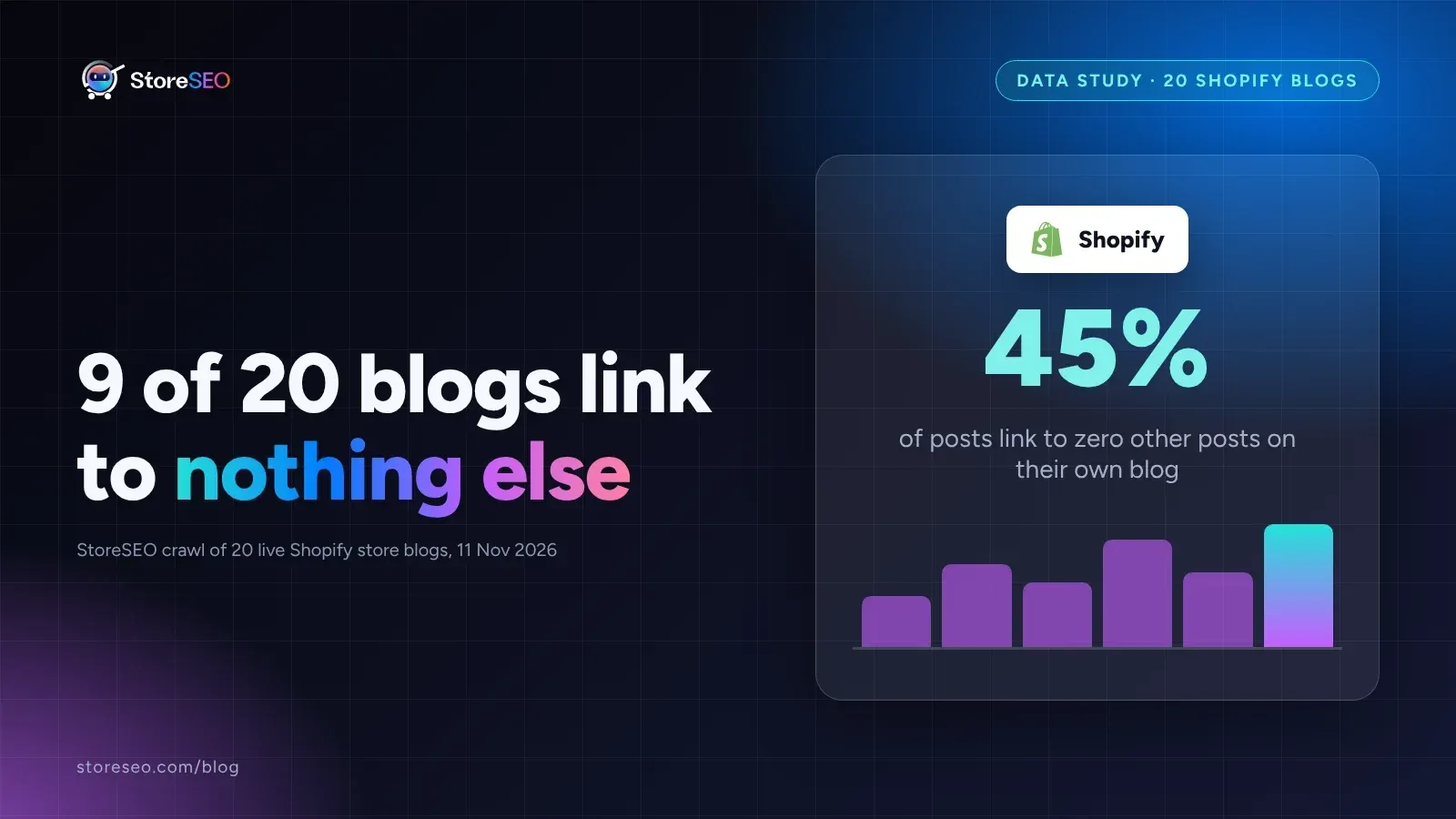
We Crawled 20 Shopify Blogs for Orphaned Posts
We crawled 20 live, public Shopify store blogs and found that 9 of them, fully 45 percent, link to zero other posts anywhere on their own blog.
Read article