
Shopify Collection Filters: Index or Noindex?
 Written by M Asif Rahman
Shopify already canonicalizes most filtered collection URLs to the clean collection page by default, so most filter combinations need no action at all. The real decision tree is only for a few edge cases: a single filter with its own search demand, a combination that returns zero products, or a theme customized away from Shopify’s default.
TL;DR: the tree, as an outcome table.
| Filter URL pattern | Index it? | What to do |
|---|---|---|
| Any ordinary filter or sort combination | No | Leave it; Shopify’s default canonical tag already points it at the clean collection page |
| One filter with real standalone search demand | Yes | Build a dedicated page; worth its own URL and content, not a parameter |
| A combination that returns zero products | No | Block or confirm it stays canonicalized, so a thin page is not crawled as its own entity |
| Three or more filters stacked at once | No | Leave canonicalized, never a dedicated page; combinatorial URLs waste crawl budget for no search demand |
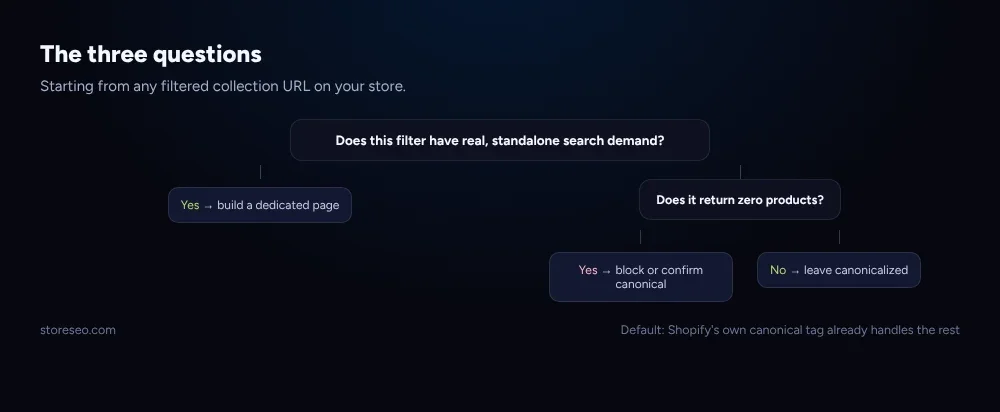 The three questions that decide what to do with a filtered Shopify collection URL.
We checked Shopify’s own Dawn demo theme live on 7 November 2026: requesting /collections/all with a filter parameter and, separately, with a sort parameter, both returned the same <link rel="canonical" href="https://theme-dawn-demo.myshopify.com/collections/all"> tag, and neither response carried a noindex meta tag. Shopify’s default behavior is to canonicalize, not to block.
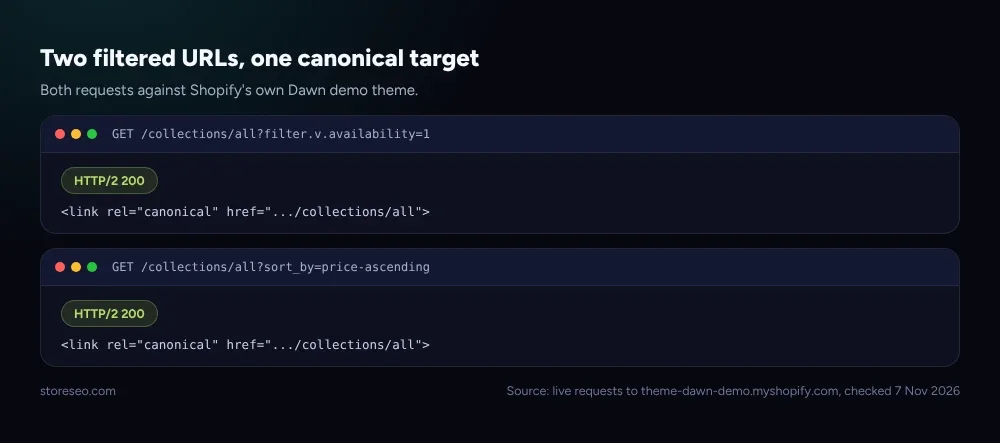 Source: live requests to theme-dawn-demo.myshopify.com with a filter parameter and a sort parameter, checked 7 Nov 2026.
Does a Single Filter Deserve Its Own Indexable Page?
Sometimes, yes. If one specific filter value gets real, standalone search volume, “mens running shoes under 50” is a different search intent from “running shoes”, and a canonical tag that folds it back into the general collection means that intent never gets its own ranking page. How StoreSEO boosts Shopify collection page SEO covers collection pages more broadly, and our collection page examples post shows what a well-built dedicated collection page looks like once you decide one is worth building.
The test is demand, not preference. A filter combination you personally find useful to browse is not automatically worth a dedicated page; one with its own keyword volume and its own distinct intent is. Building a real collection for it, with its own title, description and content, is the correct fix, not trying to force a filtered URL to rank on its own.
What Happens With Multi-Facet Filter Combinations?
This is where Shopify’s default canonical behavior earns its keep. Stack three or four filters together, color plus size plus price plus availability, and the number of possible URL combinations multiplies fast, almost all of them with little to no search demand and near-identical content to each other. Trying to index each one individually would spread the same product listings across dozens of near-duplicate URLs competing with each other.
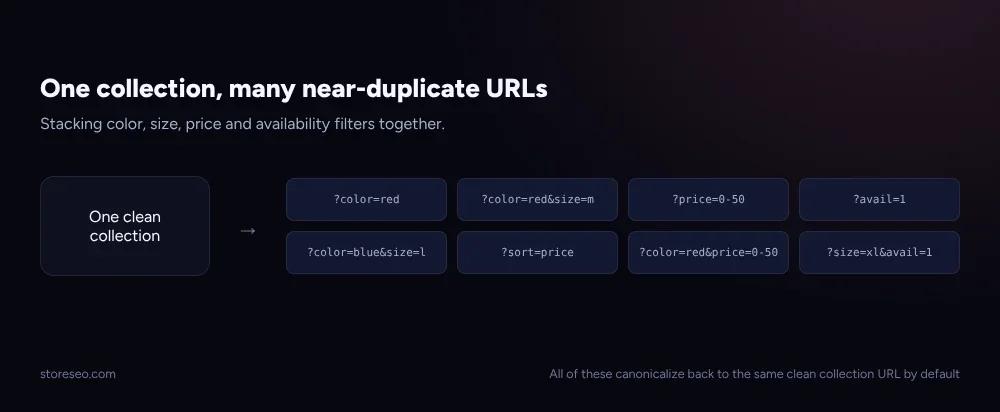 What happens once a shopper stacks more than one or two filters on a Shopify collection.
Leave these canonicalized. There is no scenario where hand-building a page for every three-filter combination is worth the effort; the clean collection page, with good filter UX for the shopper, already serves the search intent that matters.
Should You Noindex or Block a Zero-Result Filter?
A filter combination that returns no products is a different problem from one that returns a smaller, valid subset. If a shopper can construct a URL that matches nothing, that page still answers 200 by default on Shopify, the same soft-404 pattern our soft 404 fix guide covers for other causes. Since the default canonical tag already points it back at the clean collection, this is usually low-risk, but a store with a very large number of filter options can still generate enough zero-result URLs to be worth blocking at the pattern level in robots.txt.
How Do You Apply This on Shopify?
Check your own theme’s behavior first rather than assuming Shopify’s Dawn default applies: the canonical tag on a collection page comes from Shopify’s own canonical_url Liquid object, and a heavily customized theme can override how, or whether, that object gets rendered into the page head. StoreSEO’s XML sitemap control decides which collection and product URLs are submitted for crawling in the first place, which is the lever that matters most here, since a filtered URL that was never in your sitemap and carries a correct canonical tag needs nothing further from you.
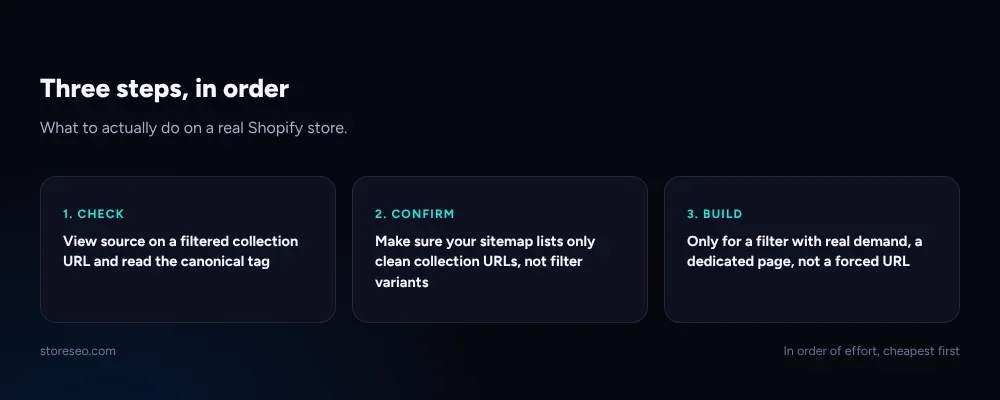 What to actually do, in order, on a real Shopify store.
For the small number of filters worth a dedicated page, build a real collection with its own content rather than trying to rank the filtered URL directly; our tags vs collections vs filters guide covers that decision for the broader catalog-structure question this one sits inside. Checking whether AI crawlers and Google can reach your filtered pages the way they are configured today is a quick first step; AIScan’s free agent-readiness checker scores exactly this, separately from StoreSEO.
Frequently Asked Questions (FAQs)
1. Do I need to manually noindex every Shopify filter URL?
No. Shopify’s default theme behavior already canonicalizes filtered collection URLs to the clean collection page, so most of them need no manual noindex tag at all. Check your own theme’s canonical tag before adding one.
2. Will filter URLs hurt my store’s SEO if I do nothing?
Usually not, because the canonical tag already tells Google which URL to treat as the real page. The main risk is a heavily customized theme that has lost this default behavior, or an unusually large number of zero-result combinations.
3. Should every popular filter get its own collection page?
Only the ones with real, standalone search demand and a distinct intent. A filter that is merely convenient for browsing does not need a dedicated page; one that people actually search for by name does.
4. Does blocking a filter pattern in robots.txt also remove it from the index?
No, blocking in robots.txt stops crawling, not indexing, since a URL can still appear in results if it is linked elsewhere. If a page is already indexed and you want it removed, a noindex tag is the correct tool, not a robots.txt block.
5. How do I check what my own theme does with filter URLs?
Open a filtered collection URL directly and view its page source, or use your browser’s developer tools, and look for the <link rel="canonical"> tag in the head. Compare it against the clean, unfiltered collection URL the same way this post checked Shopify’s own Dawn demo theme.
6. Does this apply to sort parameters too, not just filters?
Yes. Sort parameters (price ascending, newest first, and similar) create the same kind of URL variant as a filter, and Shopify’s default theme canonicalizes them back to the clean collection page the same way.
Most Shopify stores need to do nothing about their filter URLs beyond confirming the default canonical behavior is intact; the decision tree only matters for the filter with real demand, the pattern that returns nothing, and the theme that has quietly overridden the default. try StoreSEO on the Shopify App Store
Keep reading
Shopify SEO for Small Catalogs (Under 50 Products)
With under 50 products, each page carries far more SEO weight than it would in a 10,000-SKU catalog, so depth wins over bulk automation and tag sprawl.
Read article
Shopify "Soft 404" Warning in Search Console: The Fix
A soft 404 in Search Console means a Shopify page answered 200 but reads like an error, almost always an empty or filtered-out collection page.
Read article
Shopify SEO Checklist for Launch Day: The Last 48 Hours
A Shopify store's SEO gets set in the 48 hours before launch: titles, sitemap submission, and the password screen all need fixing before the first crawl.
Read article