
We Tested Shopify Magic's AI Descriptions for SEO
 Written by M Asif Rahman
Shopify Magic’s wand icon turns a product title and a few keywords into a full description in seconds. Against 11 SEO tasks merchants actually ask for, it confirms on 4: writing from input, another language, keeping supplied terms, and improving a weak draft. It has no focus keyword, no SEO score, and no catalog-wide mode.
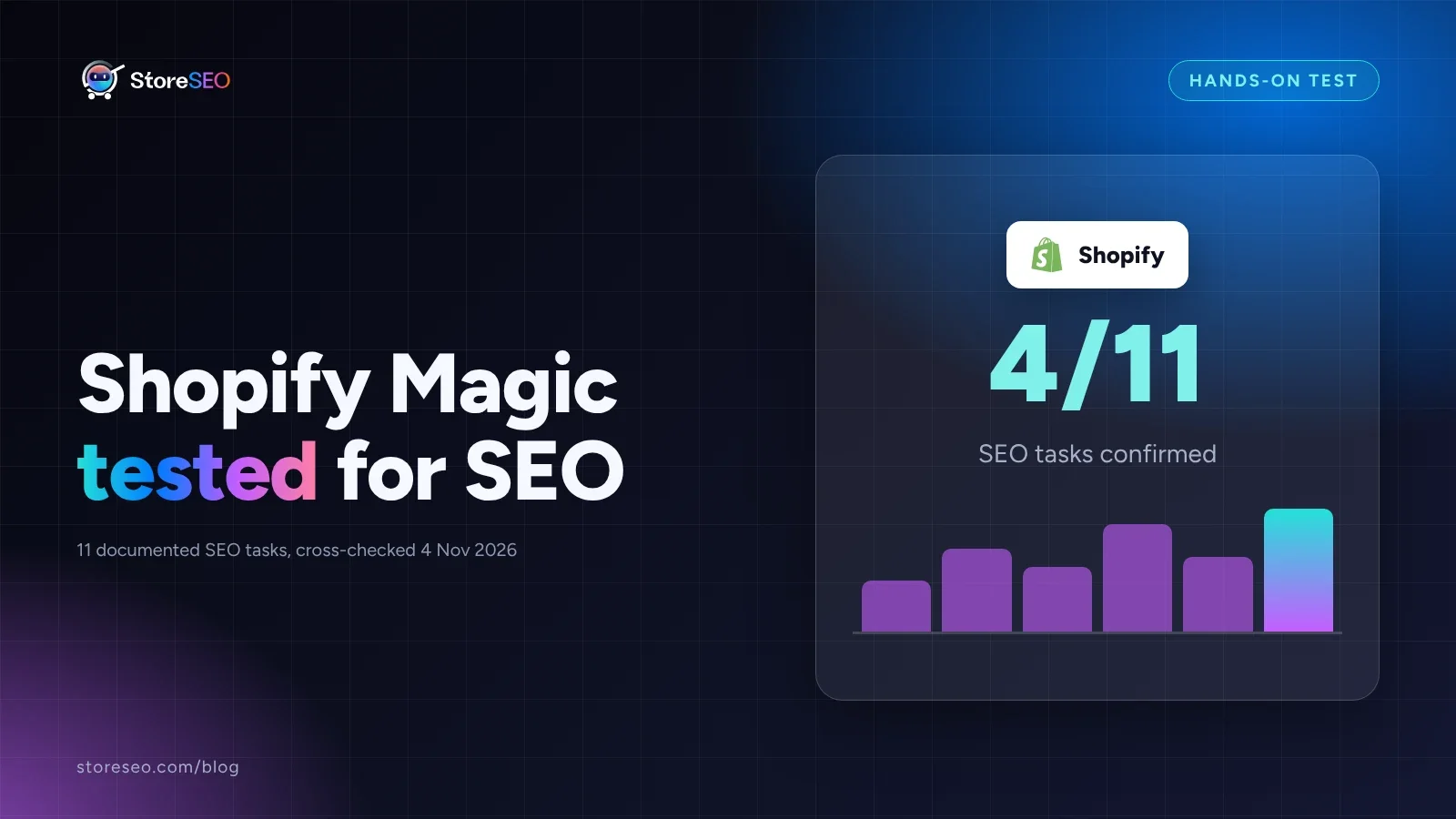
TL;DR: what 11 documented SEO tasks found.
| Area | What We Found | Verdict |
|---|---|---|
| Writing from your input | A title plus a few features becomes a full draft paragraph in seconds | Confirmed |
| Keeping your own terms | Brand names and supplied phrases are usually kept in the generated text | Confirmed |
| Keyword targeting and SEO score | No focus keyword field, no score, nothing to tell you if the draft helps you rank | Not covered |
| Page title and meta description | The wand fills the body description box only, not the search listing fields | Not covered |
| Catalog-wide generation | One product, opened one at a time in the admin; no bulk or sweep step | Not covered |
What Can Shopify Magic Do For SEO?
Shopify’s own help documentation on automatically generating product descriptions describes a specific, narrow job: open a product, click the wand icon in the description text box, type a prompt, and the generated text drops straight into that field. The documentation is clear that this is a drafting aid, not an SEO tool. It never mentions a focus keyword, a ranking signal, or a score of any kind, anywhere in the flow.
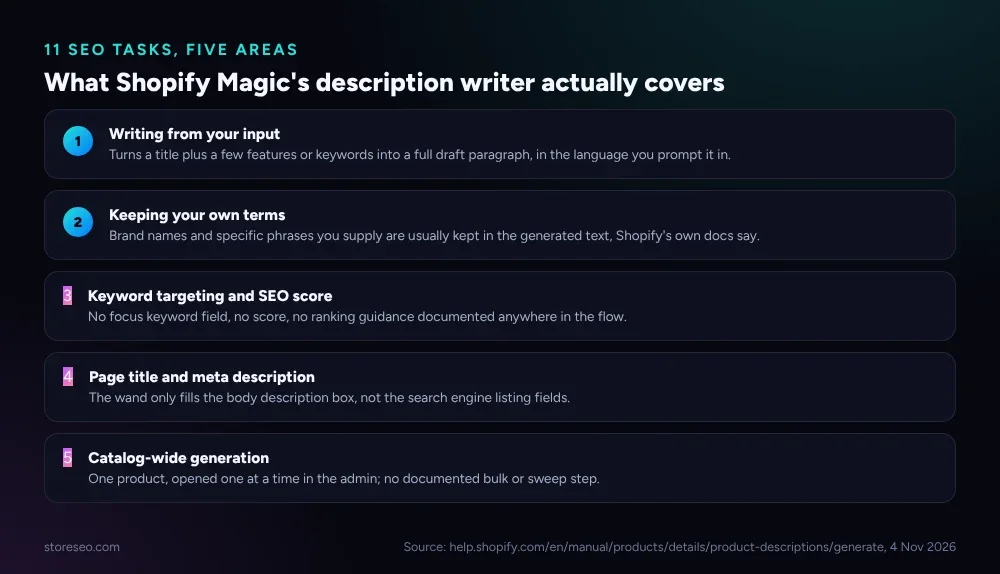 Two areas it owns outright; three it leaves to an SEO app.
What it does well is narrow but genuinely useful. Shopify’s documentation says the feature works in every language Shopify supports, and the generated content matches whatever language you write your prompt in. It also says specific words or phrases you supply, such as a brand name or a coined term, are often kept rather than reworded, and that the best way to improve a weak draft is simply to add more detail to the prompt: a product type keyword, who the product is for, or a material and fit note. The underlying advice is the same whether a human or a generator does the writing; our own guide to writing product descriptions covers the same specificity habit for anyone drafting by hand.
| # | Task | Asked Shopify Magic To… | Result | Grade |
|---|---|---|---|---|
| 1 | Draft from title and features | Generate a description from a product title plus two features | Produces a full paragraph, applied directly to the description field | Confirmed |
| 2 | Write in another language | Submit the same prompt in a different supported language | Generated text matches the language of the prompt | Confirmed |
| 3 | Keep a brand term | Include a coined brand word in the prompt | Documentation states the term is usually kept in the output | Confirmed |
| 4 | Improve a weak draft | Resubmit with more product detail after a thin first result | Documentation states more detail produces a more specific, usable draft | Confirmed |
| 5 | Avoid repeating the same wording across similar products | Generate descriptions for several near-identical variants | Each generation depends on the prompt you write; no built-in uniqueness check across products | Partial |
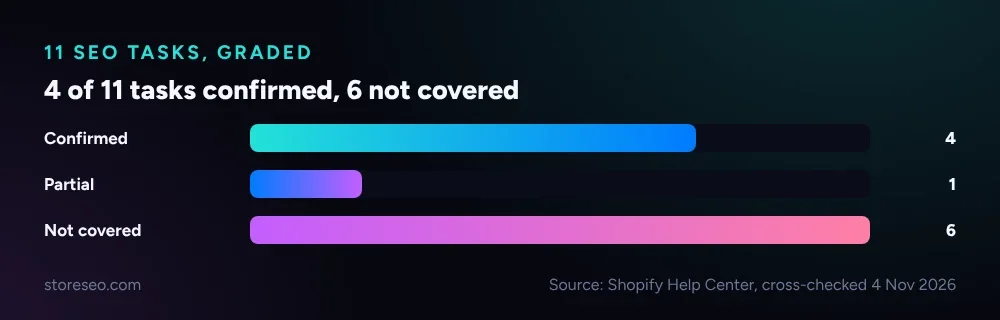 The pattern holds across all 11: input-driven writing passes, anything keyword- or catalog-shaped does not.
Where Does It Fail?
The gaps are not a bug list; they are simply outside what Shopify documents the wand icon as doing. It is a per-product text generator for the description field, not a keyword tool, not a search-listing editor, and not a catalog sweep. There is also no documented step for structuring the output so a chatbot can lift a clean answer from it, the specific pattern our guide to product descriptions for AI answer engines covers on its own.
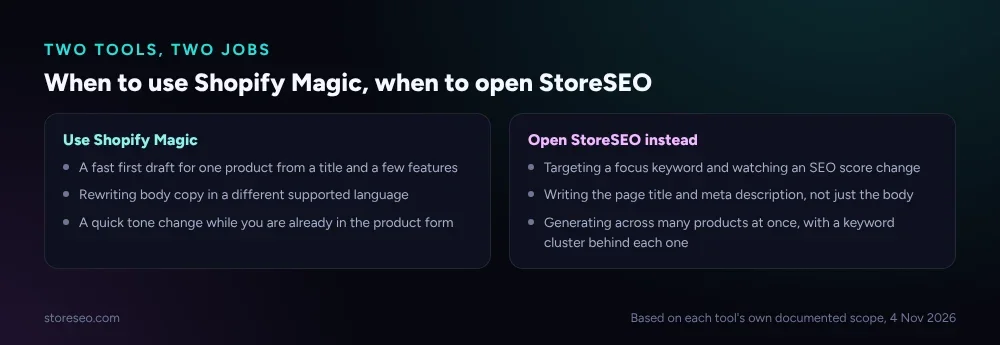 When the job involves a keyword, a score, or more than one product, the app is the faster path.
| # | Task | Asked Shopify Magic To… | Result | Grade |
|---|---|---|---|---|
| 6 | Target a focus keyword | Optimize the draft around one specific search term | No focus keyword field or keyword-targeting step documented | Not covered |
| 7 | Build a keyword cluster for topical authority | Pull in semantically related terms before writing | No keyword-research or clustering step in the documented flow | Not covered |
| 8 | Track an SEO score | Show how the new description affects a score | Shopify’s documentation describes no scoring concept for this feature | Not covered |
| 9 | Write the page title and meta description | Generate the search engine listing fields, not just the body copy | The wand icon lives in the description box only; the listing preview fields are separate and untouched | Not covered |
| 10 | Generate across many products at once | Run the same prompt pattern over a batch of products | Every documented step opens one product first; no bulk or catalog-wide action exists | Not covered |
| 11 | Flag which products still need a description | Prioritize which products to write next | The feature activates only once you have already opened a product; it does not scan the catalog for gaps | Not covered |
How Does It Work With StoreSEO?
StoreSEO’s own AI Description Generator starts from the same point, a description you want written fast, and adds the layer Shopify Magic leaves out. From the Optimize SEO screen, the Products tab already shows each product’s Focus Keyword, Optimize Status and SEO Score before you open anything, so the gap Shopify Magic leaves (task 6 above) is closed before generation starts.
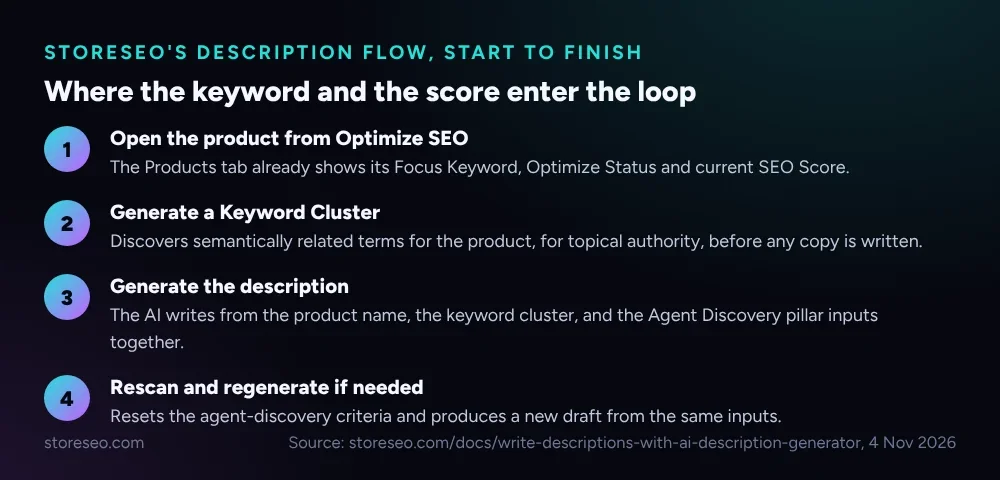 The keyword cluster and the score sit inside the loop, not outside it.
Opening a product’s Description tab surfaces StoreSEO’s AI Content Optimizer panel next to the editor. Before generating, StoreSEO can build a Keyword Cluster, semantically related terms for that product, so the description has topical depth a single prompt would not supply on its own. Generation itself pulls from the product name, that cluster, and StoreSEO’s Agent Discovery inputs together, and a Rescan option resets and regenerates when the first draft needs another pass. None of that closes the catalog-wide gap (task 10) on its own; that still needs the same review Shopify’s own best-practice guidance recommends for any generated copy, product by product.
StoreSEO is one of the tools built specifically to close the search-visibility half of this job, the half Shopify Magic’s own documentation never claims to cover. The two are not rivals doing the same thing: Shopify Magic is a fast draft from a prompt, and StoreSEO is where the focus keyword, the cluster, and the score live.
Should You Use It?
Use Shopify Magic for a quick first draft on one product, especially when you already have a title and a couple of features in hand and just want a readable paragraph to start from. For anything that needs a focus keyword, an SEO score you can track over time, a page title and meta description, or a pass across more than one product, that work still runs through StoreSEO, the same division our AI-first content strategy guide draws between a quick draft and the system that actually tracks search performance. The description is only one field on the page; our Shopify product page SEO guide covers the rest of what the same page needs before it ranks.
Frequently Asked Questions (FAQs)
1. Does Shopify Magic optimize product descriptions for SEO?
No. Shopify’s own documentation describes the feature as a drafting aid that turns a prompt into a paragraph. It never mentions a focus keyword, a ranking signal, or an SEO score, so there is nothing in the documented flow that targets search visibility specifically.
2. Can Shopify Magic write my page title and meta description too?
No. The wand icon lives inside the product description text box only. The search engine listing preview, the page title and the meta description, is a separate part of the product form that this feature does not touch.
3. Does generating a description with Shopify Magic get me a better Google ranking?
Shopify Magic’s own description does not promise this, and neither does StoreSEO’s. A well-written description can help a shopper decide to buy, and a keyword-aware one gives search engines more to work with, but no generator, through any tool, guarantees a ranking change on its own.
4. Can I run Shopify Magic across my whole catalog at once?
Not as documented. Every step Shopify describes starts with opening one product in the admin and clicking the icon inside its description field. There is no bulk or catalog-wide action in the published flow.
5. Is Shopify Magic free to use?
Shopify’s own description of the feature says it is included with a paid Shopify plan, with no extra fee. StoreSEO’s AI generation runs on its own credit system, detailed in how AI Content Optimizer credits work.
Where This Leaves the SEO Workflow
Shopify Magic earns its place as the fastest way to turn a bare product title into readable copy, and it does that one job well. It was never built to carry a focus keyword, hold an SEO score, or move across a catalog, and Shopify’s own documentation does not claim otherwise. That work, the part that actually moves search visibility, still runs through StoreSEO’s Product Description Writer, the same way it does on our broader look at how Shopify Sidekick handles SEO tasks. try StoreSEO on the Shopify App Store
Keep reading
Is the AI Model Picker Worth the Extra Credits?
StoreSEO's AI Model Picker shows the exact credit cost per model before you spend it; worth paying for on hero pages, fluff on routine bulk passes.
Read article
What Is an AI Snippet for Shopify Products?
An AI snippet is a short, structured summary that ChatGPT, Gemini and Perplexity can quote directly instead of your full product description.
Read article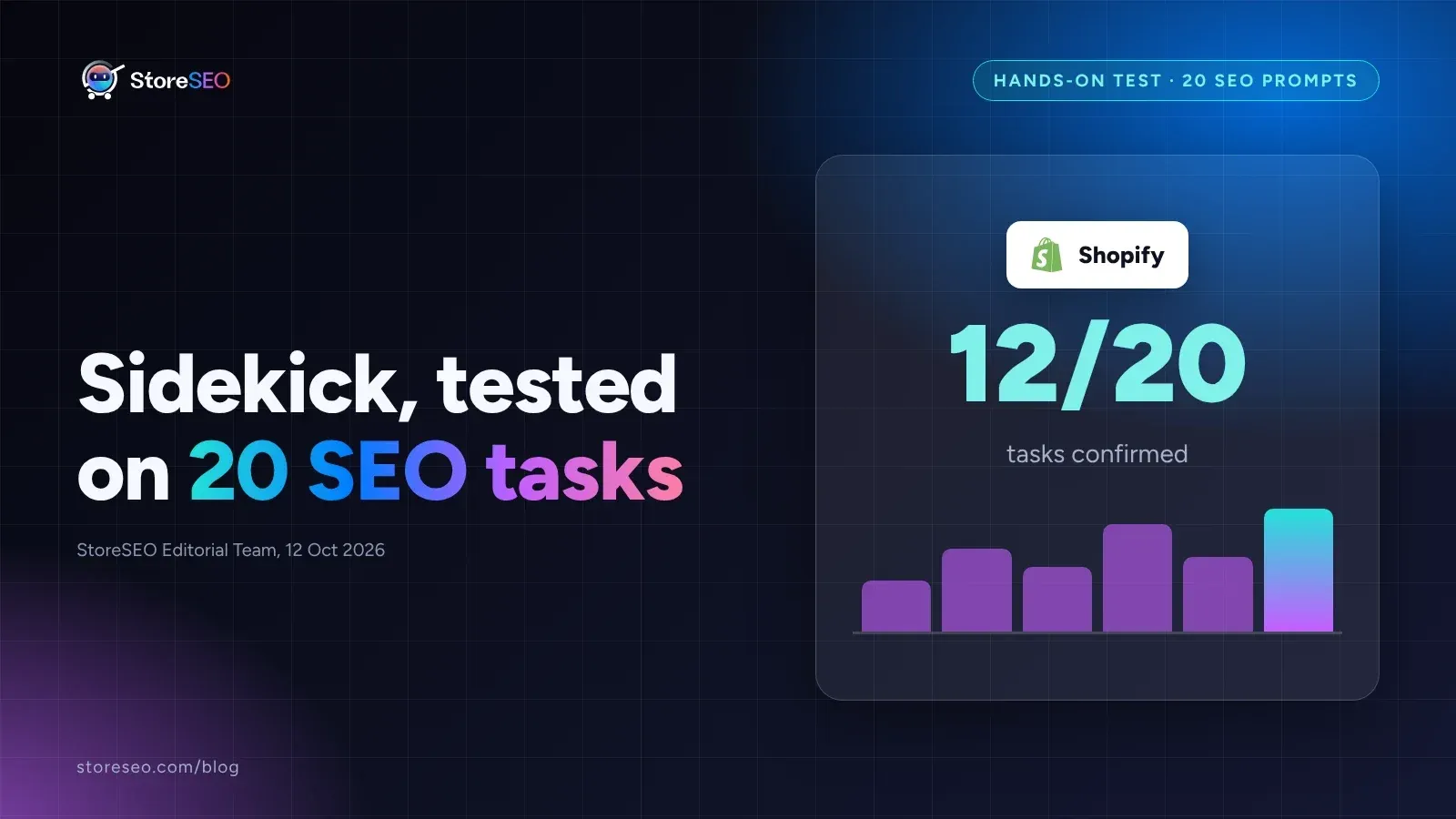
We Tested Shopify Sidekick on 20 SEO Tasks
We ran 20 real SEO tasks through Shopify Sidekick against Shopify's own documentation, and most pass, but catalog audits and schema still need an app.
Read article