
Is the AI Model Picker Worth the Extra Credits?
 Written by M Asif Rahman
Yes, but only on the pages that earn their keep. StoreSEO’s AI Model Picker lets you spend extra credits on a stronger model for a hero product page or a new launch, and shows the exact credit cost before you confirm. For a routine bulk pass across hundreds of listings, the default model is the right call, not a downgrade.
TL;DR: StoreSEO is our product, so here is the honest split before the pitch.
| Question | Short answer |
|---|---|
| Worth the extra credits? | Yes, for hero product pages, new launches and anything customer-facing |
| Fluff for most tasks? | Yes, for a routine bulk pass where the default model already clears the bar |
| What actually decides it? | The page’s traffic and stakes, not which model name sounds stronger |
| What do credits cost? | StoreSEO prices every AI credit at a flat $0.002, whichever bundle you buy |
| Where StoreSEO is weak here | No public table of credits per model name; the picker shows the number in-app, not on the blog |
How Does the AI Model Picker Actually Work?
Inside StoreSEO’s AI Content Optimizer, every generation task now opens a model choice first: pick Anthropic Claude or OpenAI’s current model for that one task, and the admin shows the credit cost for that specific choice before anything is spent. Nothing runs until you confirm the number. That single design choice is why this feature is worth a verdict at all: a pricing toggle that hides its cost is a trap, but one that shows the number up front is just a dial, and a dial is worth using correctly rather than ignoring.
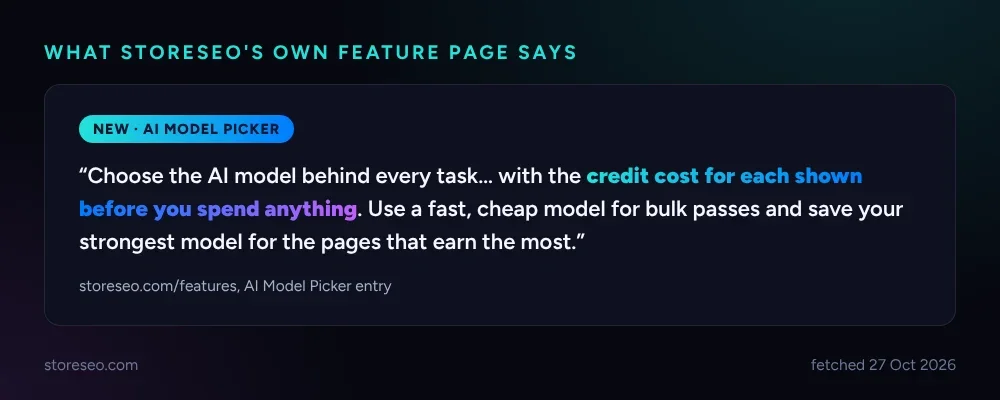 StoreSEO’s own feature page frames the trade-off the same way this post does: cheap for bulk, strongest for the pages that earn the most.
What Do the Credits Actually Cost?
StoreSEO sells AI credits in three bundles, and the math behind them is flat: 5,000 credits for $10, 25,000 for $50, 50,000 for $100 (StoreSEO’s own credit docs, fetched 27 Oct 2026). Divide any of the three and the price per credit is identical, $0.002. That matters for this verdict because it means buying more credits is never the lever; the only thing that changes your spend is how many credits one task consumes, and that is exactly the number the AI Model Picker surfaces before you commit.
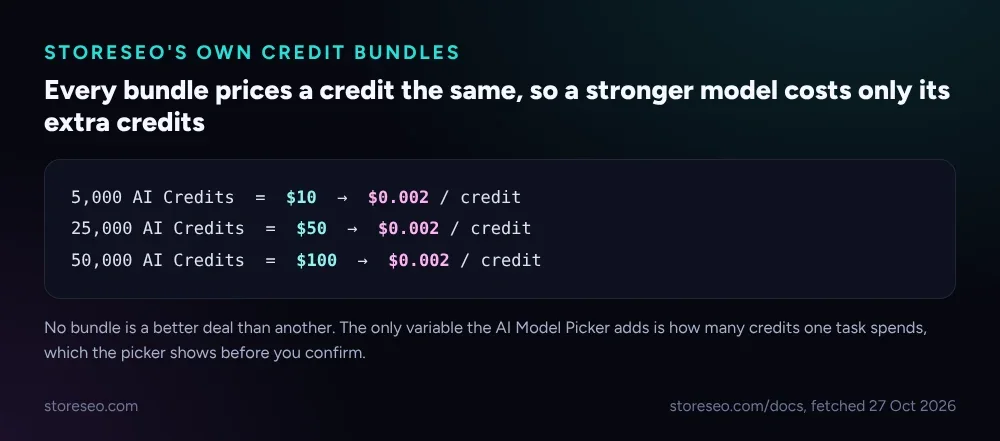 No bundle undercuts another. The AI Model Picker is the only place the real variable, credits per task, shows up.
Why Do Claude and GPT Price Their Own Tiers the Same Way?
The logic behind picking a stronger model for one page is not a StoreSEO invention; it is how Anthropic and OpenAI price their own lineups. Anthropic’s current model page lists Claude Haiku 5.5 from $0.10 per million input tokens up to Claude Fable 5.1 at $10, a hundred-fold spread between its fastest tier and its reasoning-heavy flagship (Anthropic’s own model lineup, fetched 27 Oct 2026). OpenAI’s current flagship line shows the identical shape: GPT-6 Luna starts at $0.10 per million input tokens, GPT-6 Astra tops out at $10 (OpenAI’s own models page, fetched 27 Oct 2026). Both providers are telling you the same thing in their own pricing: most tasks do not need the top tier, and the few that do are worth paying for specifically.
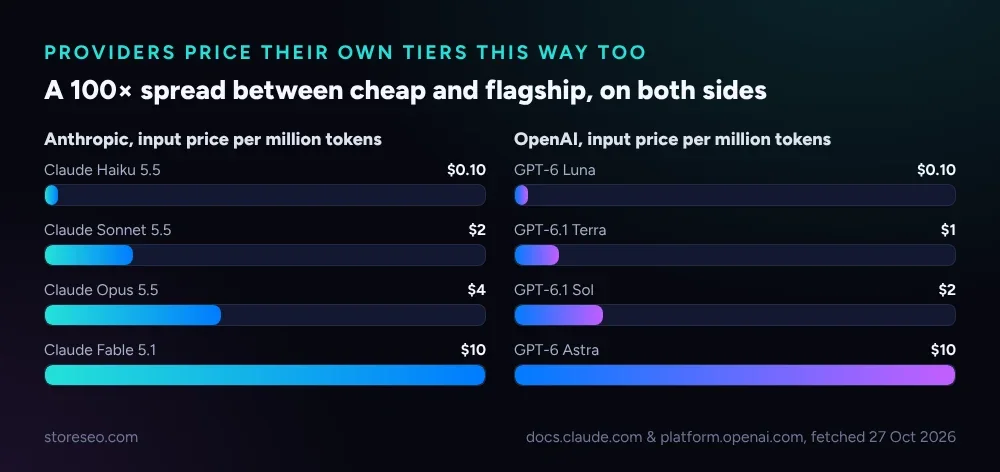 Both providers price a hundred-fold gap between their cheapest and strongest model. StoreSEO’s picker just lets you spend that gap deliberately instead of defaulting to one tier for everything.
Which Tasks Are Worth Paying the Premium Model For?
| Task | Why the stronger model earns its cost | Recommendation |
|---|---|---|
| Your top 10 to 20 hero products by traffic | The page a shopper and an AI answer engine actually read; a sharper meta description and a cleaner AI snippet pay back many times its credit cost | Pay for it |
| A new product launch | No existing ranking signal to fall back on, so the first version matters more than a later tweak | Pay for it |
| A category you are actively running Shopping or search ads against | A weak meta description under a paid click wastes ad spend, not just an organic shot | Pay for it |
| One-off FAQ schema on a product with real buyer questions | A short, precise answer is what an AI snippet gets quoted from; vague phrasing from a cheap pass rarely gets cited | Pay for it |
Which Tasks Are Fluff, Where the Default Model Is Enough?
| Task | Why the cheap model is enough | Recommendation |
|---|---|---|
| A bulk pass across hundreds of long-tail SKUs | Each page gets a small fraction of total traffic; consistency across the catalog matters more than a sharper sentence on any one listing | Default model |
| Routine alt text on product photos | The field exists mainly for accessibility and basic image search; a competent description clears the bar | Default model |
| Collection pages with thin, overlapping traffic | Spending premium credits on a page few shoppers reach is the definition of fluff | Default model |
| A first-draft meta title you plan to review by hand anyway | You are the final filter, so the model only needs to get you most of the way there | Default model |
How Do You Decide, Task by Task?
The two tables above cover the common cases, but a real catalog has edge cases that do not sort neatly into either list. Run those through three questions instead of guessing.
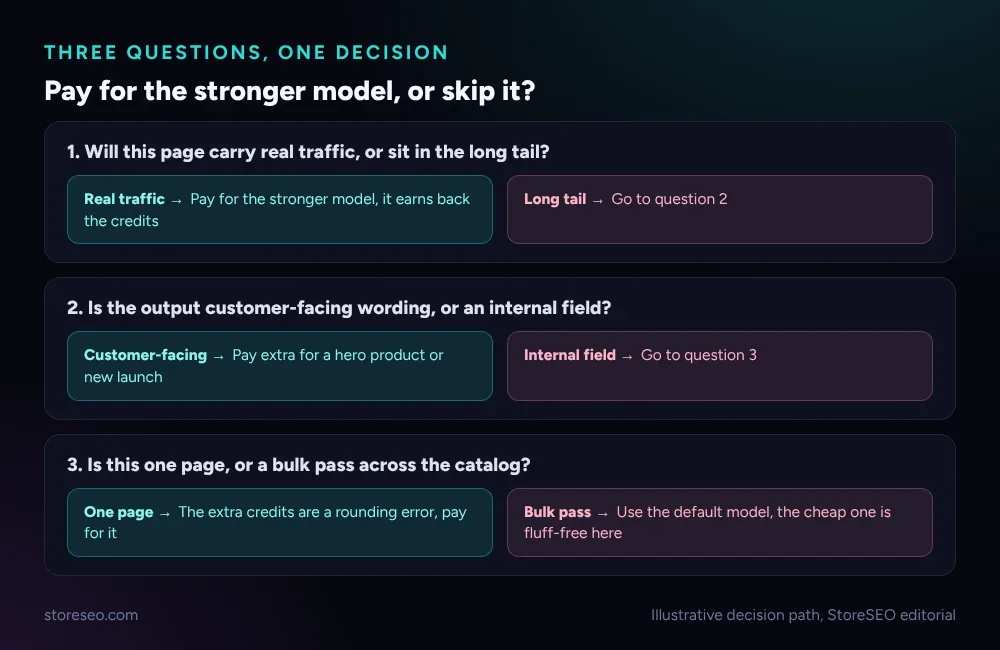 Traffic, audience and scope, in that order, settle most cases the two tables above do not.
Which StoreSEO AI Features Are Must-Have vs Nice-to-Have?
StoreSEO is our product, so the honest answer matters more than the sales pitch. The AI Content Optimizer itself, the part that actually rewrites a meta title, description and tags, is the must-have: it is the feature that gets a weak listing to a passable one, and most stores need it on day one. The AI Model Picker sitting on top of it is a nice-to-have, not a must-have: a store that never touches it and always runs the default model still gets a working result on every page, it just will not shave the extra percentage points off its strongest pages that a deliberate model choice can. If your catalog is under a few hundred products and you review drafts by hand anyway, skip the picker entirely and keep the default; the credits saved are real, and the quality loss on a page you are already editing is not.
Disclosure, since the comparison above favors our own feature: StoreSEO is our product, the criteria for “worth it” were set before looking at which answer flattered us, and the fluff list names four real task types where we recommend against spending more with us. The StoreSEO AI Toolkit is the pillar this feature sits under, alongside the MCP server recipes for running these same jobs by prompt and the Shopify Sidekick test for the free alternative inside Shopify’s own admin. If you are comparing StoreSEO against another Shopify SEO app before deciding whether any of this is worth paying for at all, our head-to-head against TinySEO is the honest version of that comparison too.
Frequently Asked Questions (FAQs)
1. Does the AI Model Picker change my StoreSEO plan or subscription price?
No. The picker spends from the same AI credit balance your plan already includes or that you top up separately; it does not add a new subscription tier. The only thing it changes is which model a given task uses and how many credits that task spends.
2. Can I set a default model so I never have to choose?
The picker shows the cost at the point of each task rather than forcing a single store-wide setting, so a cheap default for bulk work and a stronger choice for a specific page can both happen in the same session. Check StoreSEO’s in-app AI Content Optimizer screen for the current default behavior on your plan, since this is exactly the kind of detail that changes faster than a blog post should promise.
3. Will the stronger model always write a better meta description?
Not always, and not by a wide margin on routine copy. The gap shows up most on pages where phrasing nuance actually matters, like a hero product’s AI snippet or a launch page with no existing signal. On a routine product description, a competent cheap-tier result and a premium one often read almost the same.
4. Does picking a stronger model help my Google ranking directly?
No single model choice moves a Google ranking by itself. What it can improve is the quality of the on-page text an AI answer engine or a shopper reads, which is a factor in whether that page earns clicks and citations over time, not a direct ranking lever.
5. Is it safe to run a bulk pass with the stronger model on my whole catalog?
It is safe in the sense that StoreSEO’s own field limits still apply either way, so nothing the stronger model writes can bypass a character cap or a required field. But it is the fluff case from the table above: paying premium credits for pages that get little traffic is spending more for a result few people will ever read. Save the premium pass for the hero products and launches the earlier table names, and run the rest on the default model.
6. How do I know how many credits a specific task will cost before I run it?
The AI Model Picker shows the credit cost for the model you selected before anything is generated, inside StoreSEO’s AI Content Optimizer screen. If a number looks off or missing, that is worth a support ticket rather than a guess.
StoreSEO names the picker as a nice-to-have on purpose: start every new store on the default model, and reach for the stronger one only on the pages this post’s tables say earn it, try StoreSEO on the Shopify App Store.
Keep reading
What Is an AI Snippet for Shopify Products?
An AI snippet is a short, structured summary that ChatGPT, Gemini and Perplexity can quote directly instead of your full product description.
Read article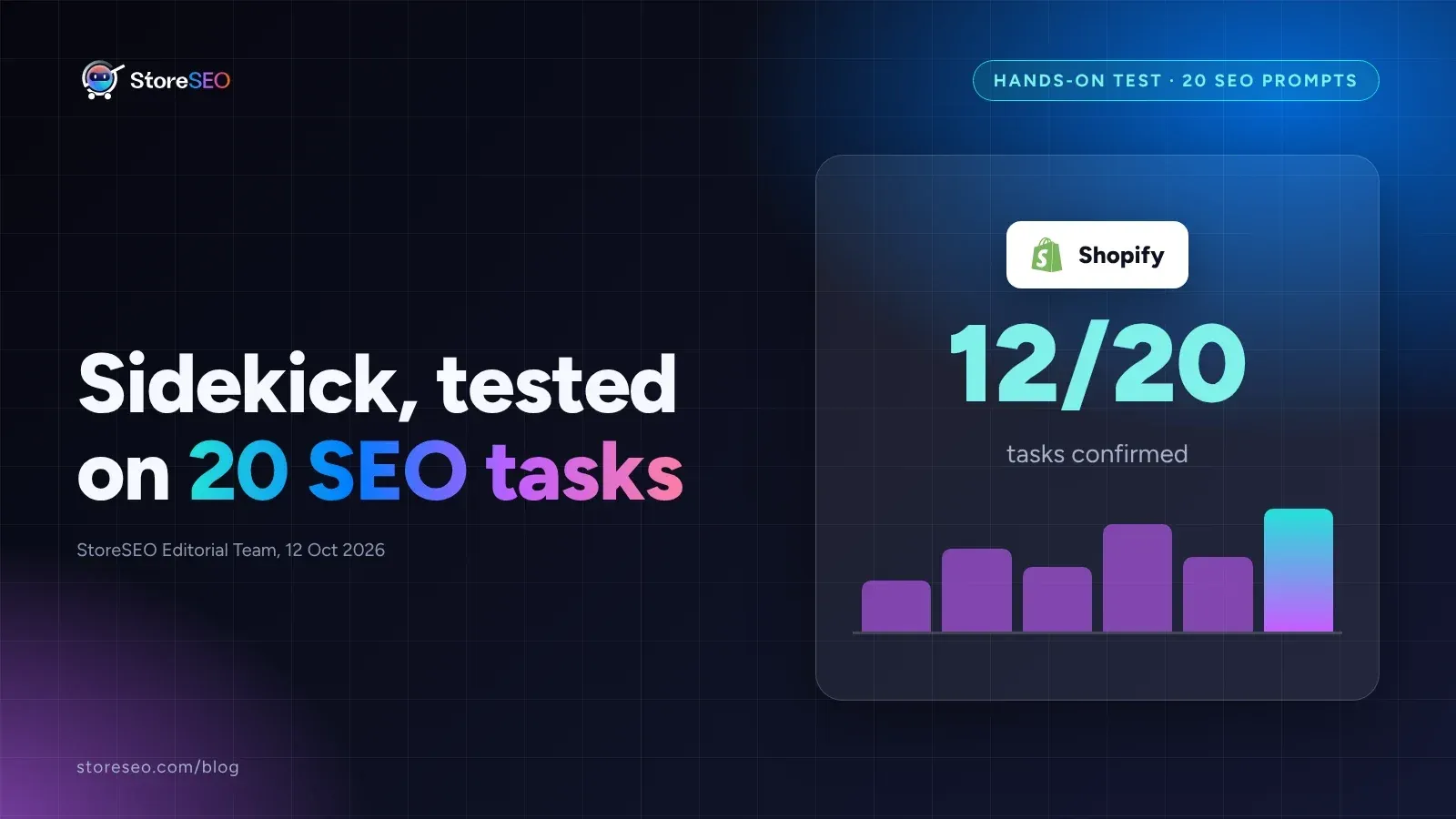
We Tested Shopify Sidekick on 20 SEO Tasks
We ran 20 real SEO tasks through Shopify Sidekick against Shopify's own documentation, and most pass, but catalog audits and schema still need an app.
Read article
8 SEO Jobs to Hand ChatGPT via StoreSEO MCP
StoreSEO's MCP server lets Claude or ChatGPT fix meta descriptions, alt text, FAQ schema and AI snippets across your Shopify catalog from one typed prompt.
Read article