
What Is an AI Snippet for Shopify Products?
 Written by M Asif Rahman
An AI snippet is a structured summary of one product: Product Summary, Best For, Key Benefits, Unique Features and Use Cases, each a short, named field instead of a paragraph. StoreSEO generates a first draft from your focus keyword, and you keep, edit or regenerate each field before saving it.
TL;DR
| What merchants ask | Recommendation |
|---|---|
| What is it? | A structured summary built from five fixed fields, not a paragraph |
| Who writes it? | StoreSEO’s AI Snippet Generator, from the product and its focus keyword |
| Do you need one? | Yes, if AI referral traffic or a large, similar-SKU catalog applies to your store |
| Setup time | About two minutes per product: generate, review, save |
What’s Actually in an AI Snippet?
When you run the AI Snippet Generator in StoreSEO, it does not rewrite your product description. It fills five separate fields, each centred on the product’s focus keyword: Product Summary, Best For, Key Benefits, Unique Features and Use Cases. You can click Keep It on a field, Re-Generate it for another version, or overwrite it by hand before saving.
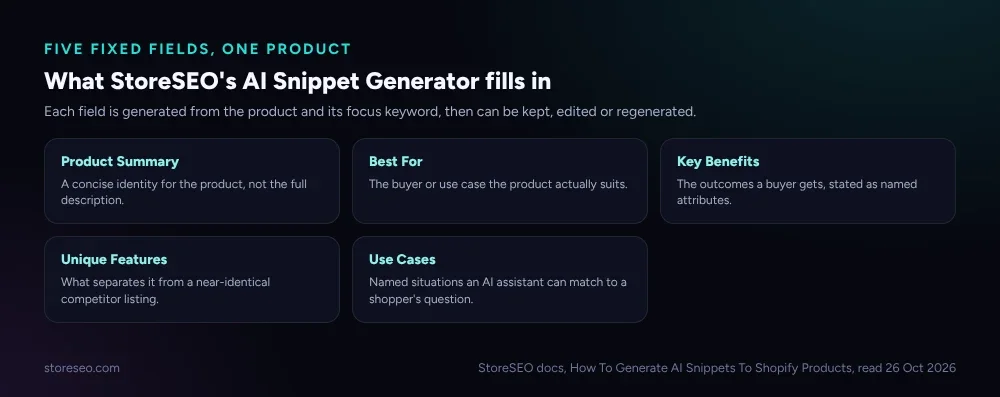 StoreSEO’s AI Snippet Generator fills five fixed fields per product, each editable before you save it.
That structure is the whole point. A normal product description is written for a person to read top to bottom. A snippet is written to be lifted, one field at a time, by something that is not reading the page so much as scanning it for a specific fact.
Why Does It Matter for AI Search?
ChatGPT’s search feature uses its own crawler, OAI-SearchBot, to fetch and index pages specifically for building search answers, separate from GPTBot’s training crawl, so a page can be read at answer time even if it opted out of training use (OpenAI’s own bot documentation). The same logic that makes schema.org’s Product type useful to search engines, naming a price, an availability status and a brand as fields instead of burying them in prose, is why an AI snippet helps a model that is trying to answer “what is this and who is it for” in one pass rather than parsing a paragraph for the answer.
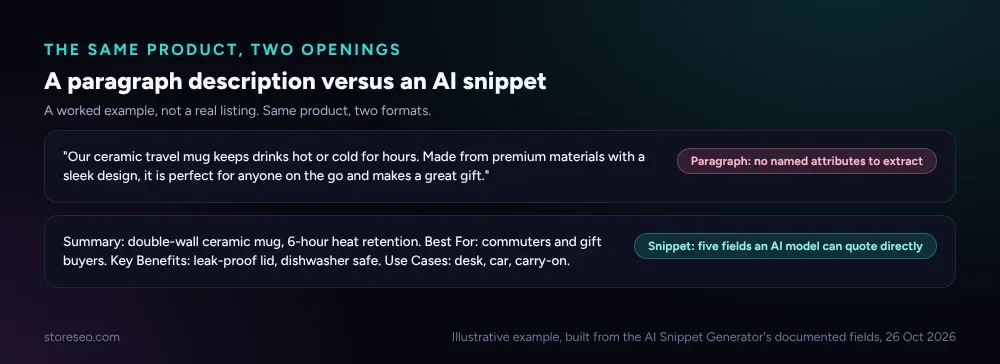 The paragraph forces a model to parse full sentences for a fact; the snippet hands it the fact already.
None of that matters if the page cannot be fetched and parsed in the first place. The free AIScan agent-readiness checker tests exactly that, whether AI crawlers and assistants can actually reach and read a given page, before you worry about what is written on it. It is a useful first check alongside how AI assistants decide which Shopify products to recommend in the first place.
Do You Need One?
Not every store needs to spend the two minutes per product this takes. Three signs say it is worth doing now rather than later.
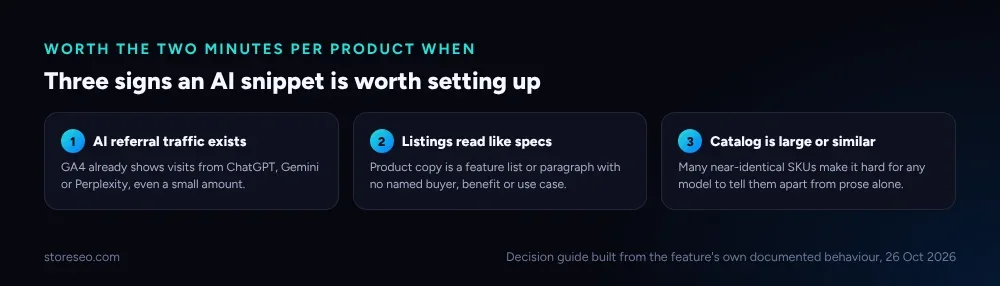 Any one of the three is reason enough to generate a snippet for the catalog’s best sellers first.
If none of the three applies yet, it is still worth mapping which of your pages match an AI shopper’s query patterns and tracking whether AI referral traffic is already showing up in GA4 before deciding it is not. A store with zero visible AI traffic today can still be one bad season away from needing it.
How Do You Generate One on Shopify?
The generator lives inside StoreSEO’s product SEO screen, next to the fields it already optimises for Google.
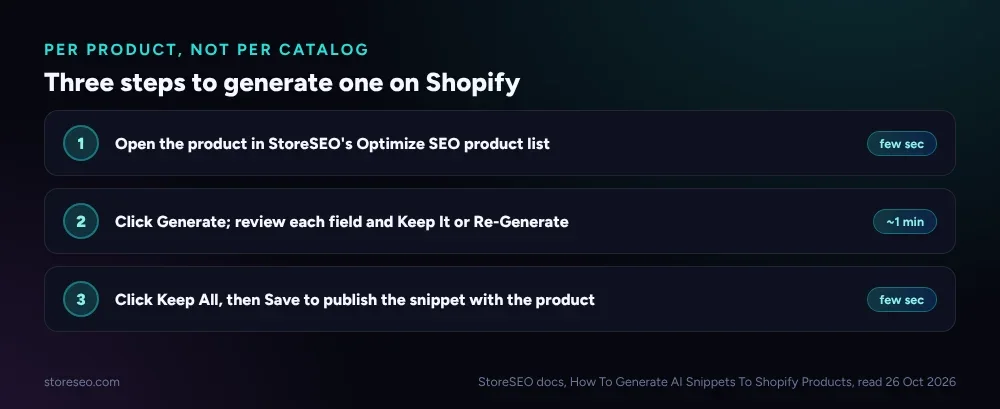 Generate once, review each field, then save: about two minutes per product.
Start with the products that already carry the most traffic or the thinnest descriptions, not the whole catalog at once. A well-written product description still matters for the person reading the page; the snippet is the separate, structured layer underneath it for the assistant trying to summarise the page for someone else. Full setup steps, including what each field looks like once generated, are in StoreSEO’s AI Snippet Generator docs.
Frequently Asked Questions (FAQs)
1. Does an AI snippet replace my product’s meta description?
No. The meta description is what shows under your title in a Google search result, and StoreSEO still generates that separately. The AI snippet is a different set of fields aimed at AI assistants summarising or recommending the product, not at the Google results page.
2. Will adding an AI snippet get my product featured in ChatGPT or Gemini answers?
No tool can promise that. An AI snippet gives a model a cleaner, faster fact to work with if it already has a reason to look at your page; it does not control whether that assistant chooses to mention your product at all.
3. Can I edit the AI-generated fields before they go live?
Yes. Each of the five fields has its own Keep It, Re-Generate and manual-edit options, and nothing publishes until you click Save. Generic or inaccurate output on any one field can be rewritten by hand without touching the other four.
4. Does every product in a large catalog need its own snippet?
Not immediately. Start with best sellers and the products most likely to turn up in an AI shopping query, then expand as time allows. A catalog of near-identical SKUs benefits the most, since prose alone makes those hardest for a model to tell apart.
5. Is an AI snippet the same thing as FAQ schema or product schema?
No. Product and FAQ schema are structured markup read by crawlers and search engines. An AI snippet is plain-language content, generated for the page itself, aimed at being quoted by an AI assistant rather than parsed as machine-readable data.
AI snippets are a small, specific fix: five fields, two minutes, aimed at a reader that scans rather than browses. Set them up on the products most likely to show up in an AI shopper’s question first, then expand from there, and try StoreSEO on the Shopify App Store.
Keep reading
Is the AI Model Picker Worth the Extra Credits?
StoreSEO's AI Model Picker shows the exact credit cost per model before you spend it; worth paying for on hero pages, fluff on routine bulk passes.
Read article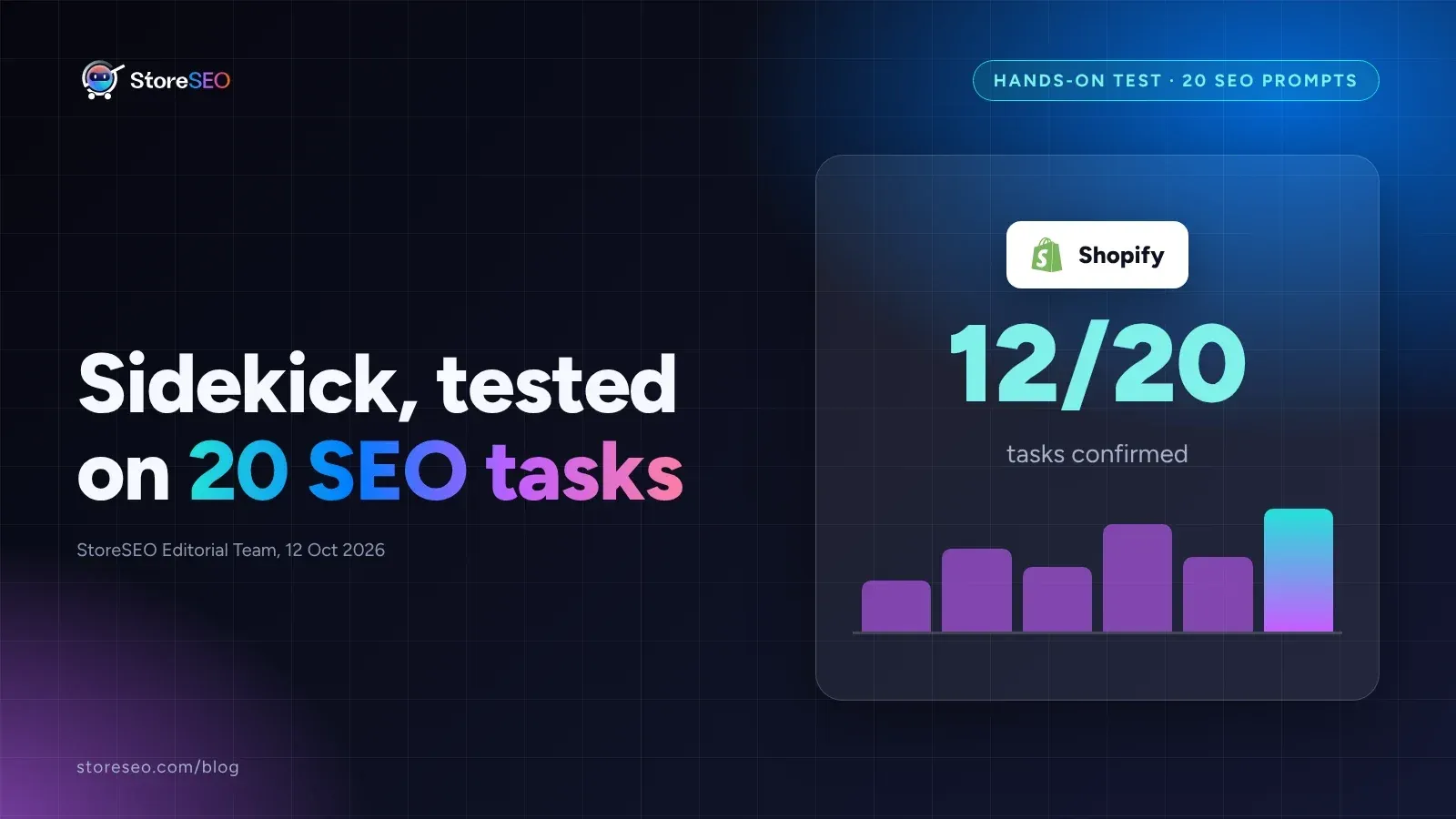
We Tested Shopify Sidekick on 20 SEO Tasks
We ran 20 real SEO tasks through Shopify Sidekick against Shopify's own documentation, and most pass, but catalog audits and schema still need an app.
Read article
8 SEO Jobs to Hand ChatGPT via StoreSEO MCP
StoreSEO's MCP server lets Claude or ChatGPT fix meta descriptions, alt text, FAQ schema and AI snippets across your Shopify catalog from one typed prompt.
Read article