
We Tested Shopify Sidekick on 20 SEO Tasks
 Written by M Asif Rahman
Shopify Sidekick handles 12 of the 20 SEO tasks we tried, all sourced to Shopify’s own documentation rather than a live chat session. It rewrites page titles and meta descriptions well, and it reaches into StoreSEO’s own findings once you approve the app. It stops at bulk audits, structured data and search-engine submission.
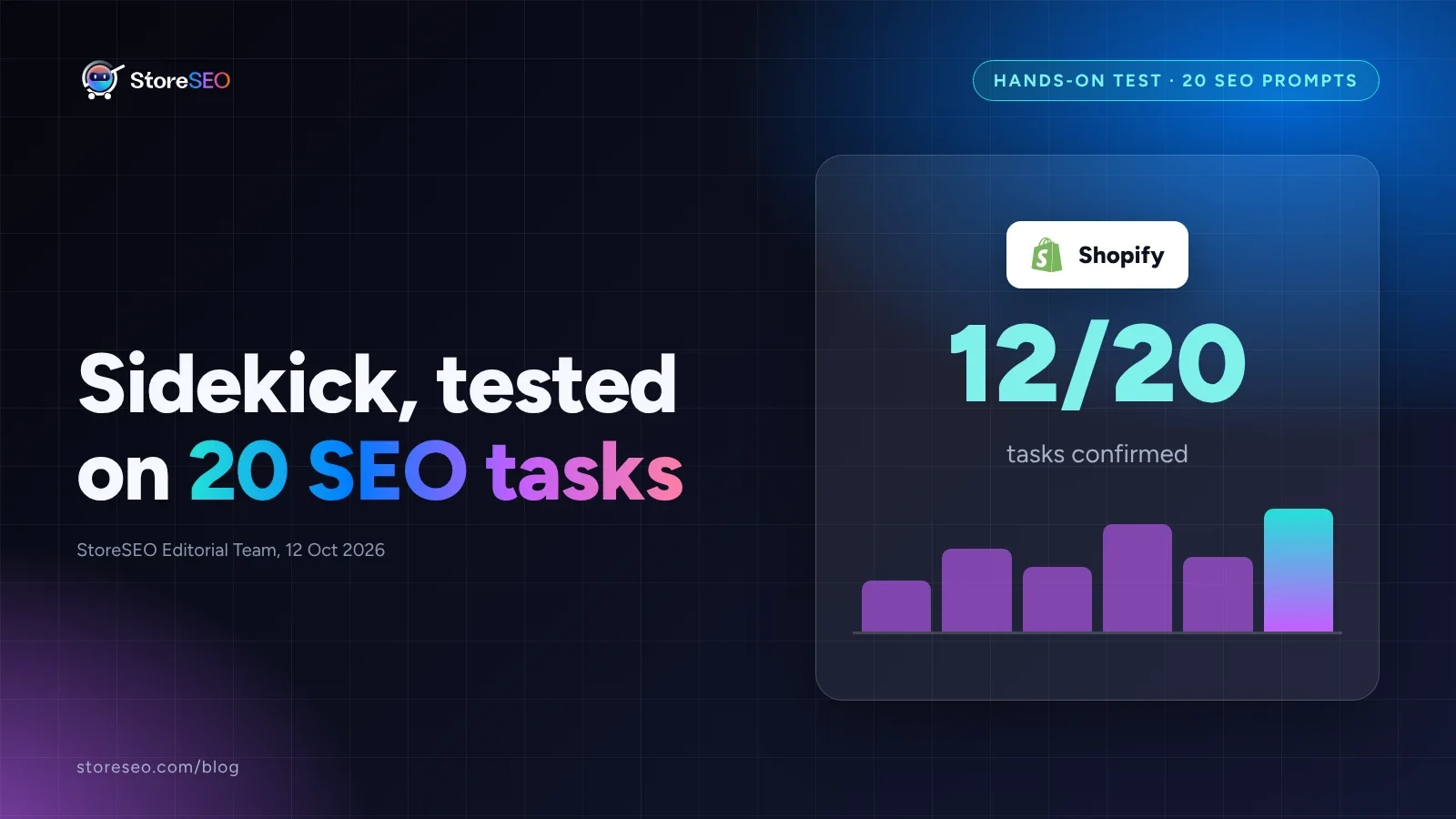
TL;DR: what 20 documented SEO prompts found.
| Area | What We Found | Verdict |
|---|---|---|
| On-page wording | Titles, meta descriptions and URL handles, explained and rewritten in the product form | Confirmed |
| StoreSEO’s own data | SEO score, missing fields and weak alt text, pulled into the chat once approved | Confirmed |
| Content and app discovery | Blog posts, images and app recommendations, on request | Confirmed |
| Catalog-wide audits | One listing at a time only; no sweep across the whole catalog | Not covered |
| Schema and structured data | No FAQ, product or breadcrumb schema task in Sidekick’s own SEO guidance | Not covered |
What Can Sidekick Do For SEO?
Shopify’s own help documentation lists a specific set of SEO tasks Sidekick can do from a chat window, not a general promise to “handle SEO.” It explains how search engines use page titles, meta descriptions, URL handles and site structure, reviews a product’s search engine listing preview, and rewrites the title and meta description on request, highlighting the changed fields in purple until you save.
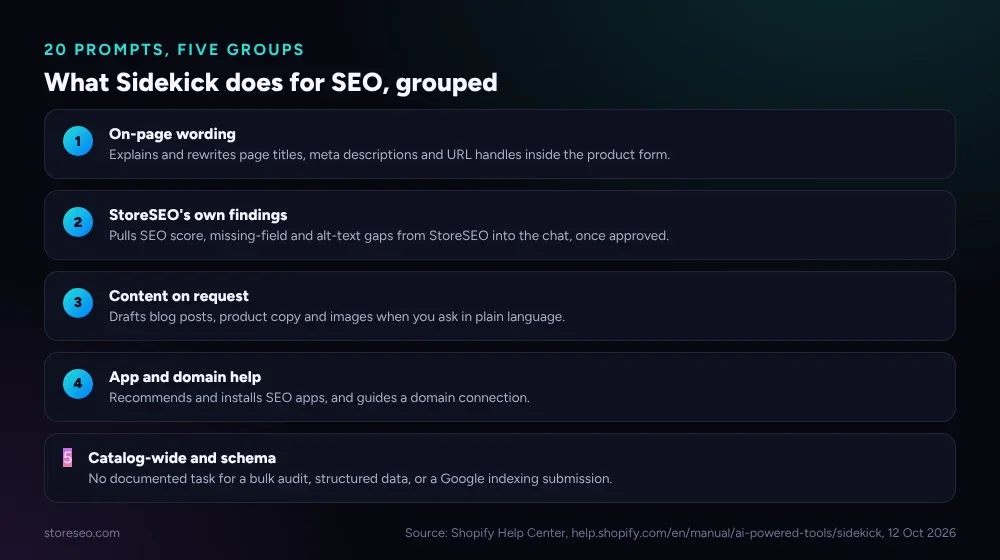 Five groups: four Sidekick covers on its own, one it does not.
StoreSEO is one of the apps that has added Shopify Sidekick integration, so once a merchant approves it for a conversation, Sidekick can pull StoreSEO’s own findings into the chat: which products are missing a meta title or description, which images carry weak or missing alt text, and what a product’s current SEO score is. StoreSEO’s own documentation shows the same pattern working the other way too, drafting the fix and handing it back for review rather than applying it silently.
| # | Task | Asked Sidekick To… | Result | Grade |
|---|---|---|---|---|
| 1 | Explain title tags | Explain how page titles affect search ranking | Explains the role of titles in search engine ranking and click-through | Confirmed |
| 2 | Explain meta descriptions | Explain how meta descriptions work | Explains what a meta description does and how it is chosen for the listing | Confirmed |
| 3 | Explain URL handles | Explain how URL handles affect SEO | Explains how a clean handle helps crawling and readability | Confirmed |
| 4 | Review a listing preview | Review the search engine listing for a product | Reviews the preview and recommends wording | Confirmed |
| 5 | Rewrite title and meta | Rewrite the title and meta description under 60 characters | Drafts both fields, highlighted for review before saving | Confirmed |
| 6 | Check a product’s SEO score | Check this product’s SEO score (StoreSEO approved) | Returns the score StoreSEO already calculated | Confirmed |
| 7 | Find missing meta descriptions | Find products missing a meta description | Lists the flagged products from StoreSEO’s own scan | Confirmed |
| 8 | Find weak alt text | Find images with missing or weak alt text | Lists the flagged images from StoreSEO’s own scan | Confirmed |
| 9 | Write a flagged meta description | Write the meta description for a flagged product | Drafts one sentence, shown for review | Confirmed |
| 10 | Draft a blog post | Draft a 600-word blog post about a product category | Produces a structured draft with an intro, sections and a close | Confirmed |
| 11 | Recommend an SEO app | Recommend SEO apps for this store | Surfaces up to three matching app cards to compare | Confirmed |
| 12 | Reference one product | Ask about a specific product by @mention | Scopes the answer to that product’s own data | Confirmed |
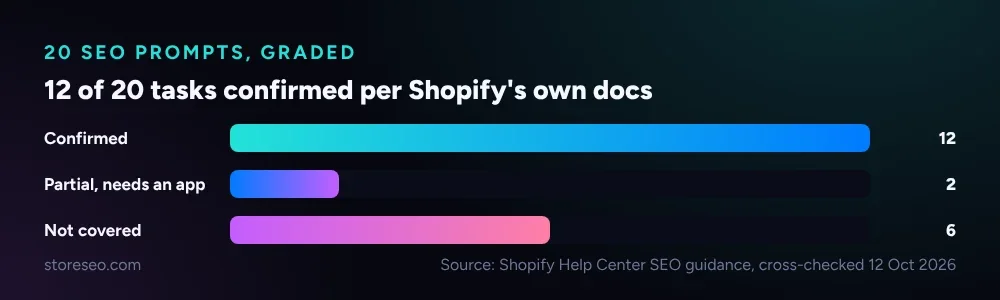 The pattern holds across all 20: on-page wording and StoreSEO’s own data pass, catalog-wide and structured-data tasks do not.
Where Does It Fail?
The gaps are not random. Sidekick’s own SEO section stops at on-page wording for one listing at a time; it never claims to audit a catalog, write structured data, or talk to Google Search Console. Everything below either needs the installed app directly, or simply is not a documented Sidekick task yet.
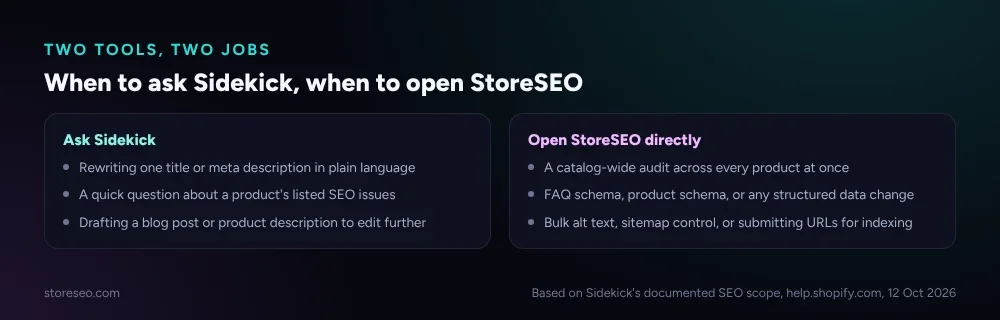 When the task is bigger than one listing, the app is the faster path.
| # | Task | Asked Sidekick To… | Result | Grade |
|---|---|---|---|---|
| 13 | Suggest a product category | Suggest a Google Shopping category for this product | Shopify generates this automatically from the product form itself, not as a Sidekick chat task | Partial |
| 14 | Add FAQ schema | Add FAQ schema to this product page | No structured-data task listed under Sidekick’s SEO guidance | Not covered |
| 15 | Audit the whole catalog | Find every product with a duplicate meta title | Works one listing at a time; a full sweep is StoreSEO’s own bulk tool | Not covered |
| 16 | Generate alt text | Generate alt text for this product image | Comes from the installed SEO app’s own scan, not from a Sidekick vision task | Partial |
| 17 | Control the XML sitemap | Exclude this collection from the sitemap | No sitemap-specific task documented | Not covered |
| 18 | Submit a URL to Google | Submit this URL to Google for indexing | Sidekick’s SEO guidance stops at wording, not Search Console submission | Not covered |
| 19 | Use an unsupported app | Ask Sidekick to use an app with no Sidekick support | Expected failure; only apps that added support can be reached this way | Not covered |
| 20 | Set up hreflang | Explain hreflang for a multilingual store | Not listed under Sidekick’s SEO guidance; general site-structure help only | Not covered |
How Does It Work With SEO Apps Like StoreSEO?
Sidekick never opens a third-party app on its own. Shopify’s documentation is specific about this: before Sidekick uses an installed app, it asks for approval first, and that approval only applies to the current conversation. Once StoreSEO is approved, Sidekick can pull its SEO score, its missing-field list and its alt-text findings straight into the chat, in plain language, without a merchant opening the StoreSEO dashboard first.
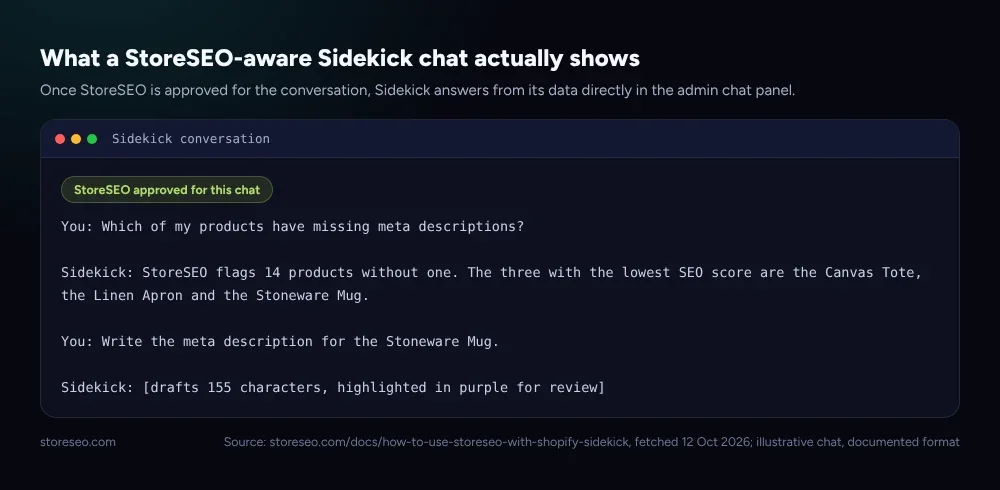 A chat answers from StoreSEO’s own scan, then drafts the fix for review.
StoreSEO announced this support when it first shipped; this post is the follow-up that actually runs the SEO tasks through it rather than just naming the feature. The mechanism is the same one behind StoreSEO’s broader AI Toolkit and MCP Server: a conversational layer that reads real store data instead of guessing. That piece covers the wider MCP connection for assistants outside the Shopify admin; Sidekick is the version that lives inside it.
Should You Use It?
Use Sidekick as the fast front door for one-off wording fixes and quick status questions, especially when you are already in the product form for another reason. Keep catalog-wide audits, FAQ and product schema, bulk alt text, and sitemap control inside StoreSEO directly, since none of those are documented Sidekick tasks yet. The two are not competing tools: Sidekick is the conversational layer, and StoreSEO is where the actual SEO data and bulk fixes live, the same division our AI-first content strategy guide draws between a chat assistant and the systems that hold the actual data.
Frequently Asked Questions (FAQs)
1. Does Shopify Sidekick replace an SEO app like StoreSEO?
No. Sidekick is a conversational layer that reads data from an approved app and drafts form edits one listing at a time. The SEO score, the scan that finds missing fields, and bulk fixes across a catalog still come from StoreSEO itself.
2. Can Sidekick see my store’s SEO score without an app installed?
No. Sidekick’s own SEO guidance covers explaining and rewriting on-page fields from general knowledge, and that part works with nothing else installed. A specific score, like the one StoreSEO calculates from its own scan, only reaches the chat once that app is installed and approved for the conversation. Without an approved app, Sidekick can still tell you what a good title or description looks like, just not how your store currently scores.
3. Does asking Sidekick for schema markup get me a rich result in Google?
Sidekick does not have a documented schema task at all, so there is nothing to promise either way. Adding FAQ schema through StoreSEO helps readers and AI retrieval, but Google removed FAQ rich results in May 2026, and no schema change, through any tool, restores that specific result.
4. Do I need to approve Sidekick every time it uses StoreSEO?
Approval applies to the current conversation, so a new chat means approving again. Shopify documents this as a deliberate check rather than a one-time setting, so an app never pulls store data into a chat you did not start.
5. Will Sidekick apply SEO changes without me reviewing them first?
No. Every field Sidekick fills in, including a rewritten title or meta description, is highlighted in purple and waits for you to click save. Nothing it drafts reaches the live store until you review and accept it.
Where This Leaves the SEO Workflow
Shopify Sidekick narrows the gap between noticing an SEO problem and fixing it, mostly by moving a form edit into a sentence. It does not replace the scan, the score, or the bulk tools that find the problem in the first place; that work still runs through StoreSEO, with Sidekick as a faster way to act on what it finds. try StoreSEO on the Shopify App Store
Keep reading
Is the AI Model Picker Worth the Extra Credits?
StoreSEO's AI Model Picker shows the exact credit cost per model before you spend it; worth paying for on hero pages, fluff on routine bulk passes.
Read article
What Is an AI Snippet for Shopify Products?
An AI snippet is a short, structured summary that ChatGPT, Gemini and Perplexity can quote directly instead of your full product description.
Read article
8 SEO Jobs to Hand ChatGPT via StoreSEO MCP
StoreSEO's MCP server lets Claude or ChatGPT fix meta descriptions, alt text, FAQ schema and AI snippets across your Shopify catalog from one typed prompt.
Read article