
Fix Log #1: Adding Product Schema, CTR Tracked
 Written by M Asif Rahman
On 2 October 2026 we added complete Product schema to every page on a StoreSEO demo store that had none, changed nothing else, and started a 30-day Search Console watch. This is Fix Log #1, the first in a numbered series that tracks one change at a time instead of a full redesign.
TL;DR: one change, one store, two things to watch: schema completeness today and click-through rate at day 30.
| Fix | Date | Metric | Before | After |
|---|---|---|---|---|
| Added complete Product schema (name, price, availability, SKU, brand, image) via StoreSEO’s SEO Schema feature | 2 Oct 2026 | Schema completeness | Missing or partial on every page | Complete on every page |
| Same demo store, no other change | 2 Oct 2026 | Click-through rate (Search Console) | Baseline recorded today | Recheck due 1 Nov 2026, day 30 |
What Did We Change?
One thing only: Product schema. The demo store’s pages carried no structured data for price, availability, brand or SKU before this, which is common. A 2026 audit of 300+ Shopify product pages found that only 29% had complete required Product schema, and more than 61% had at least one schema validation error somewhere on the page, from our own first-party study.
We used StoreSEO’s SEO Schema feature to generate the JSON-LD rather than hand-editing the theme, because a hand-rolled block is exactly where that 61% error rate comes from: a missing closing brace, a price stored as a string instead of a number, or a ) left over from a copy-paste. The panel also covers customizing the JSON-LD directly when a store needs a field the default template does not expose.
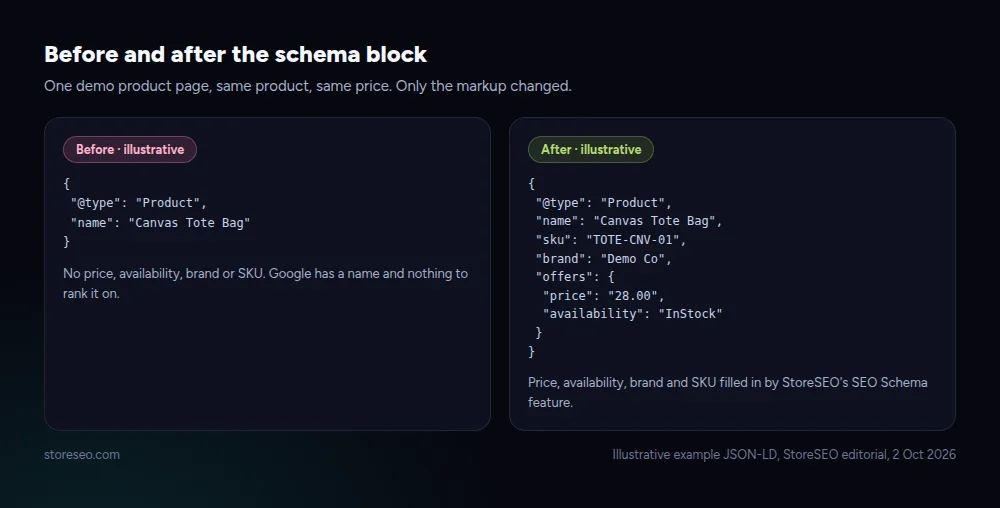 Illustrative example JSON-LD, StoreSEO editorial.
We changed no prices, no copy, no images, no theme code and no apps beyond enabling schema output. If the store’s numbers move over the next 30 days, this is the only variable we touched.
What Happened in the First Week?
Nothing measurable yet, and that is the honest answer. Click-through rate is a slow signal: Google has to recrawl the page, pick up the new markup, and then accumulate enough impressions for the rate to mean anything rather than noise from a handful of clicks. Reporting a number this early would be reading a coin flip as a trend.
What we can show after one week is that the change itself held: every page on the demo store still serves valid Product schema, confirmed again seven days in. The chart below is not this experiment’s result. It is the real, sourced baseline from the wider study that explains why this fix is worth doing at all, while our own 30-day number is still being collected.
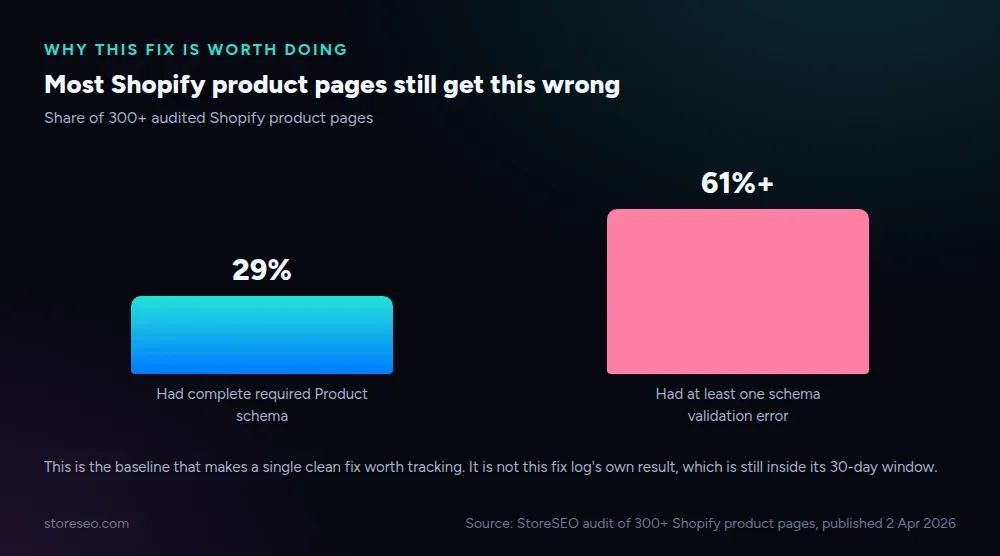 Source: StoreSEO audit of 300+ Shopify product pages, published 2 Apr 2026.
Fix Log #2 will carry the demo store’s own day-30 Search Console numbers, impressions and clicks included, whichever direction they move.
Could Anything Else Explain It?
A before/after chart is only proof if nothing else changed at the same time. Before trusting a result on 1 November, we are ruling out the usual confounders on this demo store: no theme update, no price change, no new products added, no paid traffic campaign running, and no change to the pages that were already indexed. Traffic sources and page count stay fixed for the full 30 days.
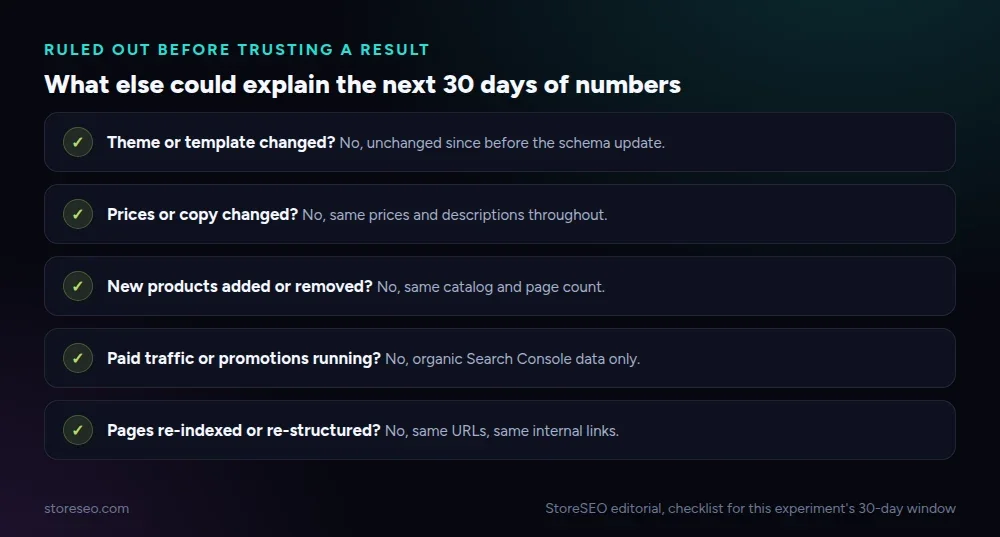 StoreSEO editorial, checklist for this experiment’s 30-day window.
This is also why the series runs one change per entry instead of a full relaunch. A store that changes its titles, its images and its schema in the same week has no way to say which one moved the needle. Our audit of 100+ Shopify stores and why they fail to rank found the same pattern from the other direction: stores that fix everything at once rarely know what fixed it.
How Do You Make the Same Change?
You do not need a developer for this on Shopify. The same four steps work on any catalog size:
- Audit first. Check a handful of product pages for existing structured data before adding more; duplicate schema blocks are a real failure mode, not a hypothetical one.
- Turn on StoreSEO’s SEO Schema feature from the app’s SEO settings, which maps your product’s price, availability, brand and SKU into valid Product schema automatically.
- Use customize JSON-LD for any field the default output does not cover, such as a custom brand field pulled from a metafield.
- Re-check a sample of pages after the change goes live, and again after your store’s own 30-day mark, the same cadence this log follows.
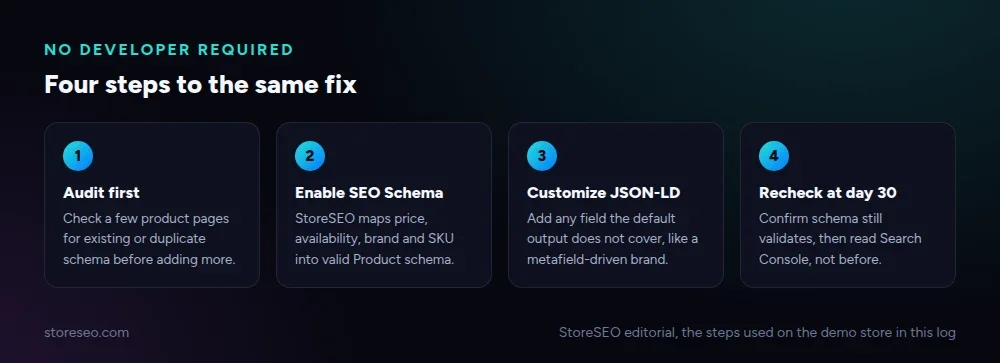 StoreSEO editorial, the same steps used on the demo store in this log.
Product page structure matters here too. If your pages are missing more than schema, Shopify Product Page SEO: Tips and Best Practices covers the rest of what a well-built product page needs, with schema as one piece of a larger checklist. A store already close to a clean audit, meanwhile, is the better candidate for isolating one change like this one; see how to get a 100 SEO score on Shopify for what “close” looks like first.
Frequently Asked Questions (FAQs)
1. Does adding Product schema guarantee a rich result or a ranking boost?
No. Structured data makes a page eligible for certain search features; it does not guarantee Google will show them or that rankings will move. Treat schema as removing a barrier, not as a lever you can pull for a guaranteed outcome.
2. How long before Google reflects a schema change in Search Console?
It depends on how often Google recrawls the page, which can range from days to several weeks for a lower-traffic store. That lag is exactly why this log waits 30 days before reporting a click-through number instead of reading the first few days of noise.
3. Do I need a developer to add Product schema on Shopify?
No, not for the standard fields. An app that maps your existing product data, price, availability, brand and SKU, into valid JSON-LD covers most stores without touching theme code. A developer becomes useful only for a field your platform does not expose anywhere, which customize-json-ld is built to cover first.
4. What is the difference between Product schema and Merchant Listings schema?
Product schema describes the item on your own page for general search and AI answers. Merchant Listings schema is the stricter format Google Shopping and the Shopping Graph expect, with tighter requirements around availability and shipping data. A store can need both, not one instead of the other.
5. Why does this log wait 30 days instead of reporting a result now?
Because click-through rate on a single page can swing wildly on a handful of clicks in week one, and calling that swing a result would be dishonest. A 30-day window gives enough impressions for the number to mean something, which is also why the TL;DR table above shows the recheck date instead of inventing one.
6. What is the fastest way to check my own product pages for schema errors?
Open a handful of your highest-traffic product pages and check them for duplicate or incomplete schema blocks before adding anything new; the 300-store audit linked above found validation errors on more than 61% of pages checked, so assuming yours are clean is the most common mistake.
Fix Log #2 reports this demo store’s real day-30 Search Console numbers, in both directions. If you would rather have the schema, the validation and the recheck handled inside your own store instead of by hand, try StoreSEO on the Shopify App Store.
Keep reading
We Tested 3 Ways to Write Shopify Meta Descriptions
We tested three ways to write Shopify meta descriptions on five products, and only one method stayed inside Google's length window every time.
Read article
Does Local Business Schema Help an Online Store?
Local Business schema needs a real street address and set opening hours, so a fully online Shopify store has little practical reason to add it.
Read article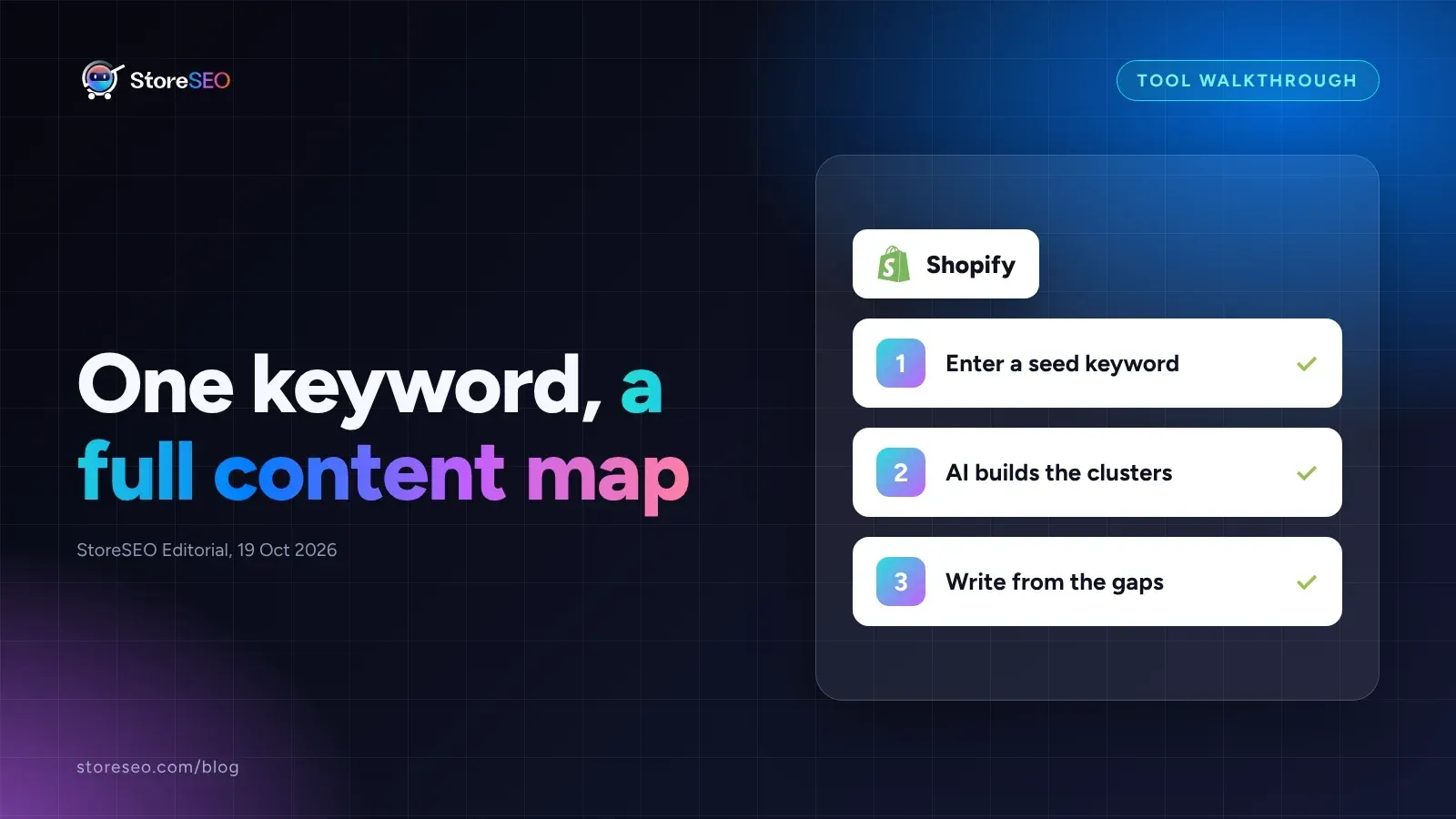
Shopify Keyword Cluster Generator: How to Use It
StoreSEO's Keyword Cluster Generator turns one seed keyword into intent-tagged topic clusters inside your Shopify dashboard, with a worked example below.
Read article