
What Happens If You Block GPTBot on Shopify?
 Written by M Asif Rahman
Blocking GPTBot in your Shopify robots.txt opts your store out of OpenAI’s training crawl, nothing more. It does not remove you from ChatGPT’s search answers, since OAI-SearchBot handles that separately, and it does not stop a shopper’s own ChatGPT-User fetch. Each bot needs its own rule.
TL;DR: what a Disallow: / rule does and does not do, by which OpenAI bot it names.
| Bot You Block | What You Opt Out Of | What Still Reaches You | What to Do Instead If You Want That Too |
|---|---|---|---|
| GPTBot | Future crawls for OpenAI’s model training | ChatGPT’s search feature (OAI-SearchBot), shopper-triggered fetches (ChatGPT-User) | Add a separate User-agent: OAI-SearchBot and User-agent: ChatGPT-User block |
| OAI-SearchBot | Appearing in ChatGPT’s search-answer citations | GPTBot’s training crawl, ChatGPT-User fetches | Add a separate GPTBot block if you also want out of training |
| ChatGPT-User | Nothing automatic; OpenAI’s own docs say it is not a crawler | GPTBot and OAI-SearchBot keep working as set | A robots.txt rule here may not even be honoured |
| All three named and disallowed | Training, search citations and user fetches, together | Nothing from OpenAI reaches a live page | Re-check with a live fetch test; a declared block is not always an enforced one |
What Happens in Week 1, Month 1 and Month 3 After You Block GPTBot?
Nothing changes on your storefront. Shopify serves the page exactly as before; only a bot checking robots.txt behaves differently, and only if that bot respects the file at all. In week 1, GPTBot simply stops showing up in your server logs for new crawls, while every other bot, human visitor and even OpenAI’s own OAI-SearchBot keeps requesting pages as normal.
By month 1, the effect is still only about the future. OpenAI’s documentation is explicit that disallowing GPTBot means a site’s content “should not be used in training generative AI foundation models” going forward; it says nothing about content the bot already crawled before you added the rule. There is no way to retroactively untrain a model from a Shopify merchant’s robots.txt file.
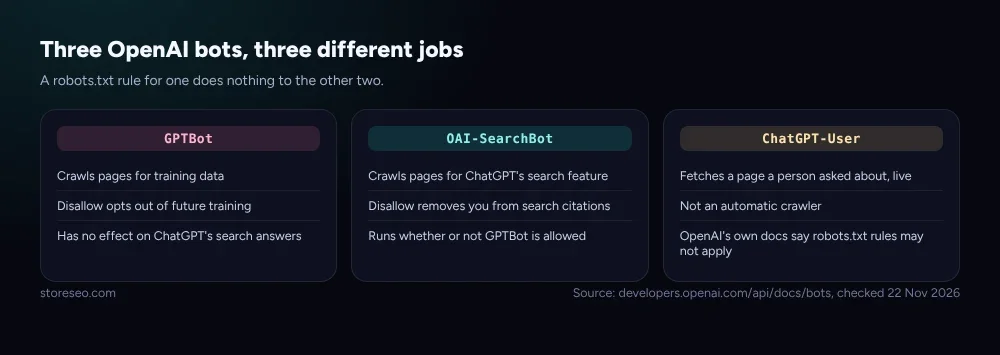 Each bot’s job, per OpenAI’s own crawler documentation, checked 22 Nov 2026.
By month 3, the pattern has simply held: GPTBot stays out, and if you never touched the other two tokens, ChatGPT’s search feature still cites your product pages exactly as it did before, because OAI-SearchBot is a separate, independently configured bot, not a subset of GPTBot. StoreSEO’s own live robots.txt shows what that looks like in practice: three distinct named groups, one Content-Signal line declaring the policy once for everything else, and nothing left to guesswork.
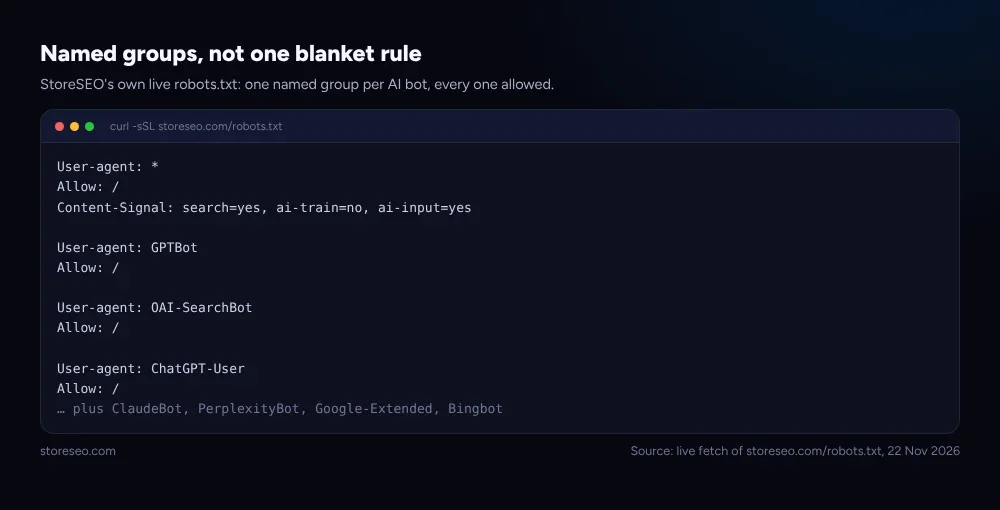 Live fetch of storeseo.com/robots.txt, 22 Nov 2026.
Does a robots.txt Block Actually Stop GPTBot?
Not reliably, and this is the part most guides skip. A Disallow line is a request a well-behaved crawler chooses to honour, not an access-control list your server enforces. AIScan’s own crawler census, which parsed 451 live robots.txt files for 14 named AI-bot tokens, then tested whether the block actually held, found that of 19 hosts whose file named and disallowed GPTBot, only 7 also rejected a live request carrying the GPTBot user agent string. Twelve declared a block that a direct fetch walked straight through. If GPTBot, OAI-SearchBot and ChatGPT-User are not yet familiar terms, our AI Search Glossary for Shopify Merchants defines each named AI bot in plain language.
Shopify stores barely use these rules at all today. StoreSEO’s own crawl of 148 live Shopify stores, part of our wider AI-crawler study, found zero that named GPTBot specifically; the one store blocking a named bot was stopping Amazonbot, not an AI-answer crawler. Most Shopify merchants have made no decision here at all, by default or otherwise.
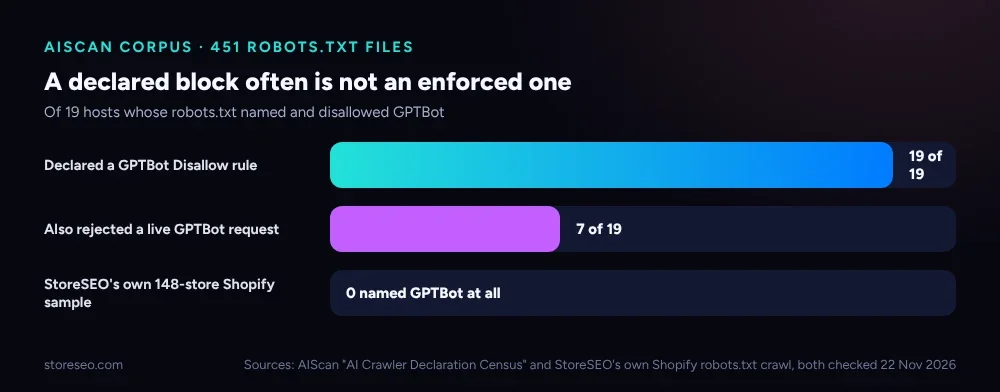 Sources: AIScan’s AI Crawler Declaration Census and StoreSEO’s own Shopify robots.txt crawl, both checked 22 Nov 2026.
If keeping GPTBot out matters enough that a declared-but-unenforced rule is not good enough, the fix sits one layer down: a server or edge-firewall rule that actually refuses the GPTBot user agent, checked against OpenAI’s own published IP ranges rather than the string alone, since a spoofed user agent on its own proves nothing.
Which Bots Should You Actually Block?
The right answer depends entirely on which of the two separate questions a merchant is actually asking, training or visibility, and most people asking about GPTBot really mean one or the other, not both.
| Goal | Block | Leave Open |
|---|---|---|
| Stay out of OpenAI’s model training only | GPTBot | OAI-SearchBot, ChatGPT-User |
| Stay out of ChatGPT’s search-answer citations | OAI-SearchBot | GPTBot, ChatGPT-User |
| Keep a narrow page or section out of both | Both, in the same named groups | Everything else |
| Maximize AI shopping and search visibility | Neither | All three, StoreSEO’s own default |
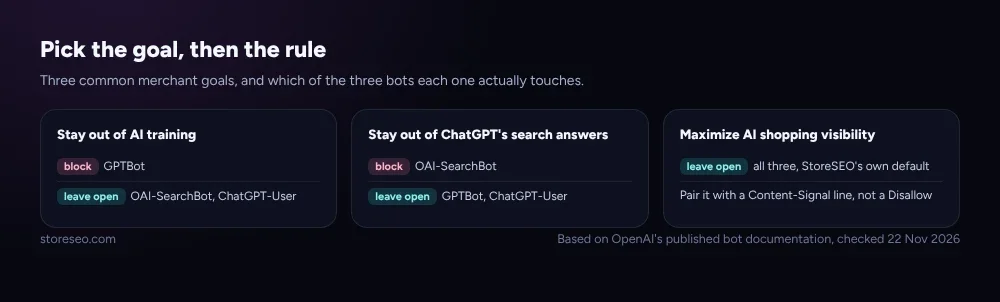 Based on OpenAI’s published bot documentation, checked 22 Nov 2026.
Most Shopify merchants are better served by the fourth row. A product page a shopper can no longer find through ChatGPT is a lost sale, not a privacy win, and how ChatGPT, Gemini and Perplexity actually recommend Shopify products depends on those bots being able to reach the page in the first place. Blocking GPTBot specifically, while leaving the other two open, is a reasonable middle position for a merchant uncomfortable with model training but who still wants to show up in AI answers and AI-driven shopping, and how often AI actually cites Shopify stores shows how much of that upside is still up for grabs.
How Do You Add Named AI-Bot Rules to a Shopify robots.txt?
Shopify’s own robots.txt.liquid template ships one generic User-agent: * group plus a dedicated group for Google’s adsbot, and Shopify’s theme documentation confirms that no other bot gets a named group by default, GPTBot included. The Dawn theme’s own live demo store bears this out: its robots.txt runs 122 lines without once naming GPTBot, OAI-SearchBot or ChatGPT-User, so on an unmodified store, none of them is blocked.
Adding a named group is a template edit, not an app setting. In the theme code editor, create templates/robots.txt.liquid if it does not already exist, keep the loop that outputs Shopify’s own default groups, then add your own block beneath it:
{% for group in robots.default_groups %}
{{- group.user_agent -}}
{% for rule in group.rules %}
{{- rule -}}
{% endfor %}
{%- if group.sitemap != blank -%}
{{ group.sitemap }}
{%- endif -%}
{% endfor %}
User-agent: GPTBot
Disallow: /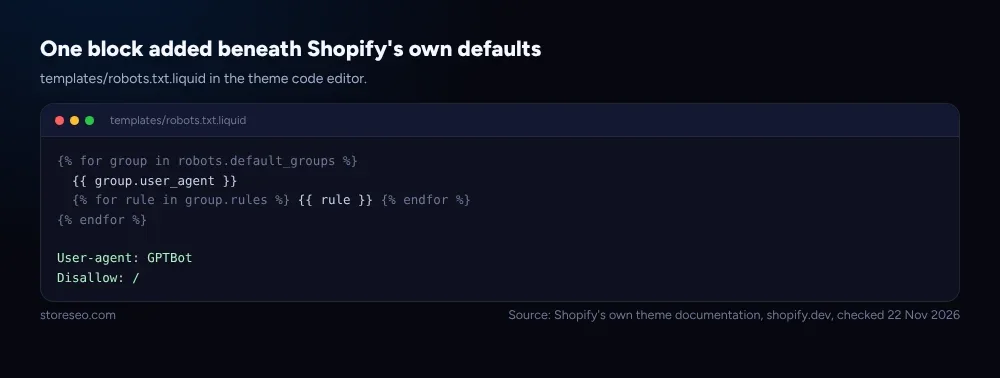 Source: Shopify’s own theme documentation, shopify.dev, checked 22 Nov 2026.
Shopify’s own documentation shows exactly this pattern for blocking a named crawler that has no built-in group. Repeat the User-agent and Disallow pair once per bot you want blocked, and leave a bot out entirely if you want it to fall through to the generic * group instead, which StoreSEO sets to Allow: / by default.
A blocked bot never shows up as a reason a product page scores poorly in StoreSEO, because by the time a page reaches the app’s Agentic Discovery Score panel, the question has already moved on from “can a bot reach this page” to “is this page worth citing once it does.” The Agentic Discovery Score checks title length and brand attribution, description quality, taxonomy, media, availability, structured data and AI-content readiness on every product, which only matters for the bots your robots.txt actually lets through. Get the access decision right first; StoreSEO takes it from there.
Frequently Asked Questions (FAQs)
1. Does blocking GPTBot remove my Shopify store from ChatGPT?
No. GPTBot only affects whether your content is used to train OpenAI’s models going forward. ChatGPT’s search feature uses a separate bot, OAI-SearchBot, and a shopper asking ChatGPT about your store directly triggers a third, ChatGPT-User. Blocking GPTBot alone leaves both of those untouched.
2. Can I block GPTBot but still show up in ChatGPT search results?
Yes, and this is the common case. Add a User-agent: GPTBot / Disallow: / group while leaving OAI-SearchBot out of your robots.txt entirely, or explicitly allowed. The two bots are configured independently, per OpenAI’s own documentation.
3. If my robots.txt blocks GPTBot, is OpenAI guaranteed to honour it?
Not guaranteed. AIScan’s census of 451 robots.txt files found only 7 of 19 hosts that declared a GPTBot block also rejected a live request carrying the GPTBot user agent on a direct fetch test. A declared rule is a request a well-behaved crawler chooses to follow, not an access-control mechanism your server enforces on its own.
4. Does Shopify’s default theme block GPTBot automatically?
No. The Dawn theme’s default robots.txt has no named group for GPTBot, OAI-SearchBot or ChatGPT-User; all three fall under the generic User-agent: * group, which allows crawling. A merchant who wants any of them blocked has to add a named rule themselves.
5. Does ChatGPT-User respect a robots.txt Disallow rule?
Not reliably. OpenAI’s own documentation describes ChatGPT-User as action triggered by a specific user request rather than an automatic crawl, and says explicitly that “robots.txt rules may not apply” to it. Treat it as a fetch you generally cannot block through robots.txt alone.
6. Should every Shopify store block GPTBot?
Not by default. It only serves a merchant uncomfortable with their content training OpenAI’s models; search visibility and AI shopping recommendations depend on OAI-SearchBot and ChatGPT-User staying reachable instead, not on GPTBot.
Getting this right is a one-time robots.txt edit, not an ongoing task, but it is easy to set once and never confirm it actually behaves the way the file says. If you would rather have your product pages optimized for the AI bots you do let through instead of guessing at the ones you tried to block, try StoreSEO on the Shopify App Store.
Keep reading
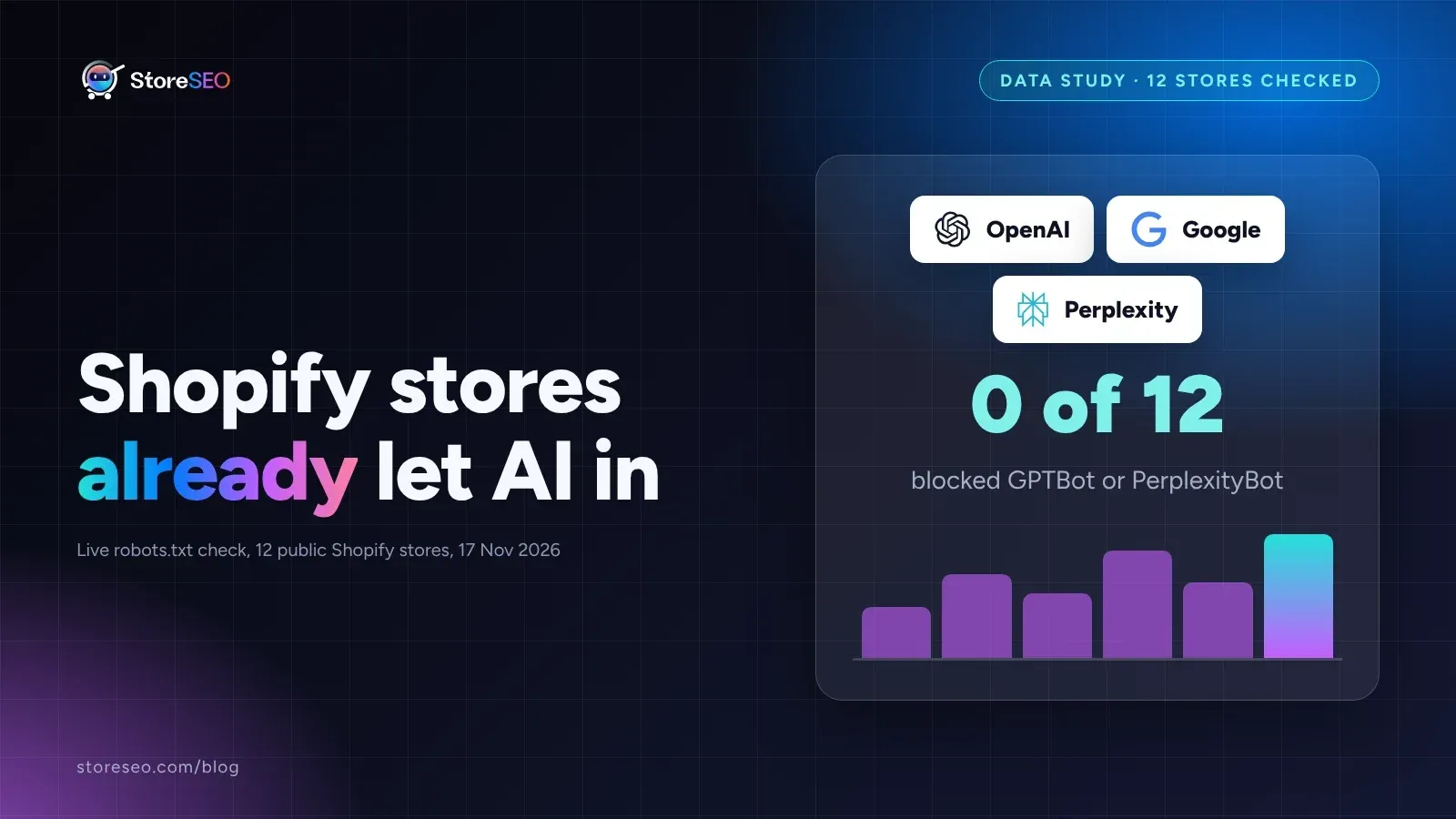
How Often Does AI Actually Cite Shopify Stores?
None of the 12 public Shopify stores we checked block GPTBot or PerplexityBot, so the real bottleneck to being cited by AI usually is not robots.txt.
Read article
AI Search Glossary for Shopify Merchants
This glossary defines 20 AI search terms Shopify merchants now hit, from AI Overview to zero-click, each checked against the source that coined it.
Read article
Does Posting on Reddit Help Shopify SEO? The Evidence
Reddit will not rank your product pages, but Google surfaces more Reddit threads and AI engines cite Reddit when they answer shopping questions.
Read article