
Does Local Business Schema Help an Online Store?
 Written by M Asif Rahman
Mostly no. Local Business structured data is built around a real street address, set opening hours and a map pin, the ingredients behind Google’s knowledge panels and map carousels. A fully online Shopify store usually has none of those, so adding the schema sends Google data it cannot use for its intended purpose, or worse, a misleading physical-location claim.
TL;DR: match your store to one row, then use the schema (or the alternative) it points to.
| Your store | Verdict | Use instead |
|---|---|---|
| A real street address customers can visit, or a staffed office | ✓ | n/a |
| Local delivery or service in named cities, no public storefront | ✓ (as a service area business, address hidden) | n/a |
| Ships nationwide or worldwide from a private warehouse | ✗ | Organization schema |
| Fully online, no physical presence of any kind | ✗ | Organization and Product schema |
What Does Local Business Schema Actually Require?
Google’s own Local Business structured data documentation (checked 21 Oct 2026) lists exactly two required properties: name, the name of the business, and address, described in Google’s own words as “the physical location of the business.” Everything beyond those two is optional, and every single recommended property reinforces the same assumption: geo (latitude and longitude), openingHoursSpecification (the days and hours a location is open), menu for food establishments, and department for a store-within-a-store. Nothing in the schema has a slot for “ships everywhere” or “support hours by email.” It is a format for describing one place.
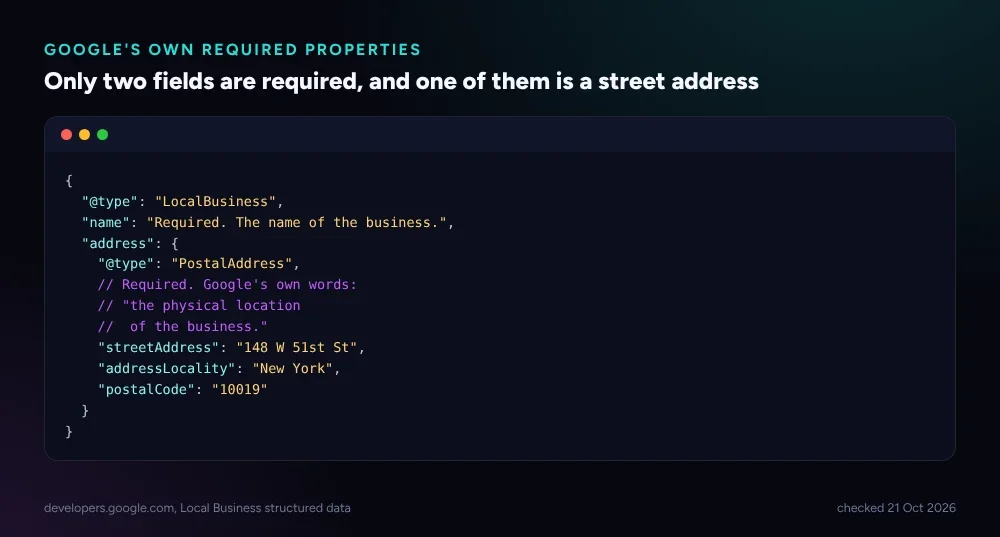 Source: developers.google.com, Local Business structured data reference, checked 21 Oct 2026.
That single required field, a PostalAddress with a real street, city and postal code, is the entire test this post keeps coming back to. If a Shopify store cannot put a true answer in that field, every other benefit the schema promises is theoretical.
Where Does It Genuinely Help a Shopify Store?
Google is specific about what the schema is for. Its own documentation says that when shoppers search for a business, “Search results may display a prominent Google knowledge panel with details about a business that matched the query,” and that a search for a type of business, its own example is “best NYC restaurants,” can surface “a carousel of businesses related to the query.” Both outcomes depend on Google already associating a physical place with the query, through Google Business Profile and the address in the schema matching it.
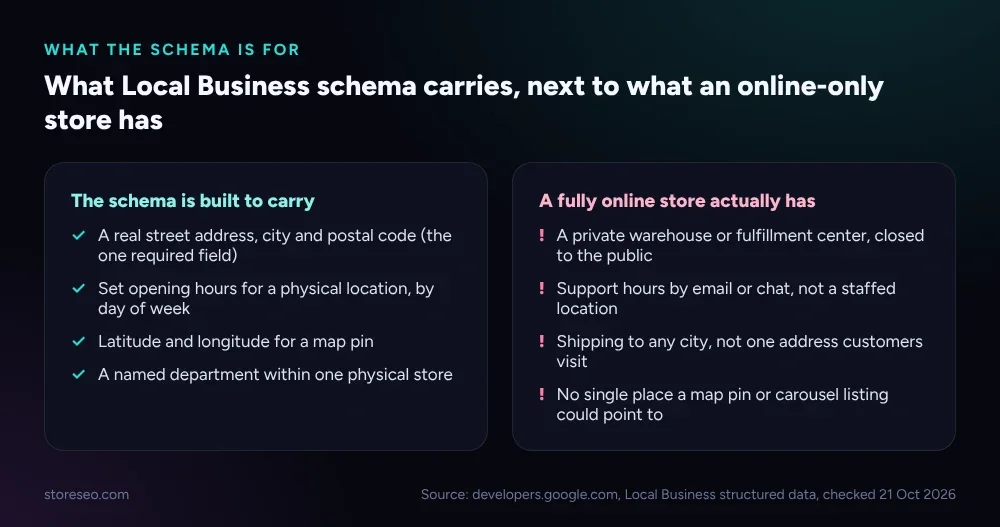 What the schema is designed to carry, compared with what a store with no physical location can honestly fill in.
This genuinely helps three kinds of Shopify merchant: a boutique or showroom that also sells online, a brand with a studio or fitting room customers can book, and a retailer with pickup counters at named locations. StoreSEO’s own documentation for the feature is blunt about the payoff it targets, describing the result as “potentially increasing foot traffic and online engagement,” foot traffic being the tell. If nobody can walk into your business, that half of the benefit does not exist for you, whatever the online-engagement half is worth. A store with no address at all should reach for Organization schema instead, which carries brand name, logo and social profiles without claiming a place in the world.
What Happens If You Add It Without a Real Address?
Merchants without a storefront tend to try one of three workarounds: a home address nobody can visit, a warehouse or fulfillment center that is not open to the public, or leaving the address fields blank and shipping the block anyway. None of them produce the intended result. A blank or malformed required property keeps the block out of rich-result eligibility entirely, the same rule Google applies across every structured data type in its general policies. A real but non-public address is worse: it can get matched against a Google Business Profile for a location that cannot actually serve a walk-in customer, which is precisely the mismatch Google’s local search systems are built to catch, and penalize trust in rather than reward.
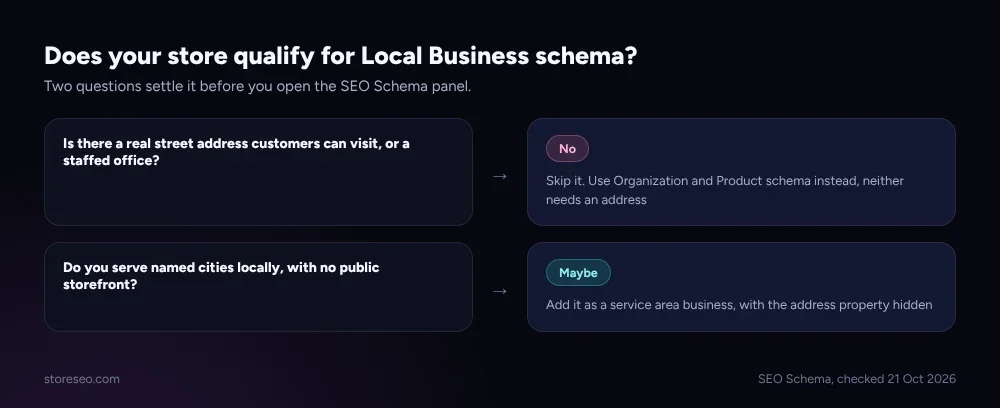 Two questions settle it before you touch the settings panel.
The honest fallback, when a store has no real address, is not to fake one. It is to drop the schema type entirely and let Organization and Product schema carry the brand and catalog information Google can actually use.
What Should a Fully Online Store Use Instead?
StoreSEO’s own SEO Schema panel ships several schema types that need no address at all, and a fully online store gets more out of all of them than it ever would from Local Business. Organization schema carries the brand name, logo and social profiles that identify the business itself, independent of any location. Product schema and its Product Merchant variant carry price, availability and shipping details, which StoreSEO’s own documentation says makes a page “eligible for merchant listings on Google Search, displaying detailed product information… in various formats such as the shopping knowledge panel and product snippets,” the online equivalent of the local knowledge panel. Breadcrumb schema carries site structure, and Article or Blog schema covers the content side. None of the four asks a merchant to invent a place that does not exist.
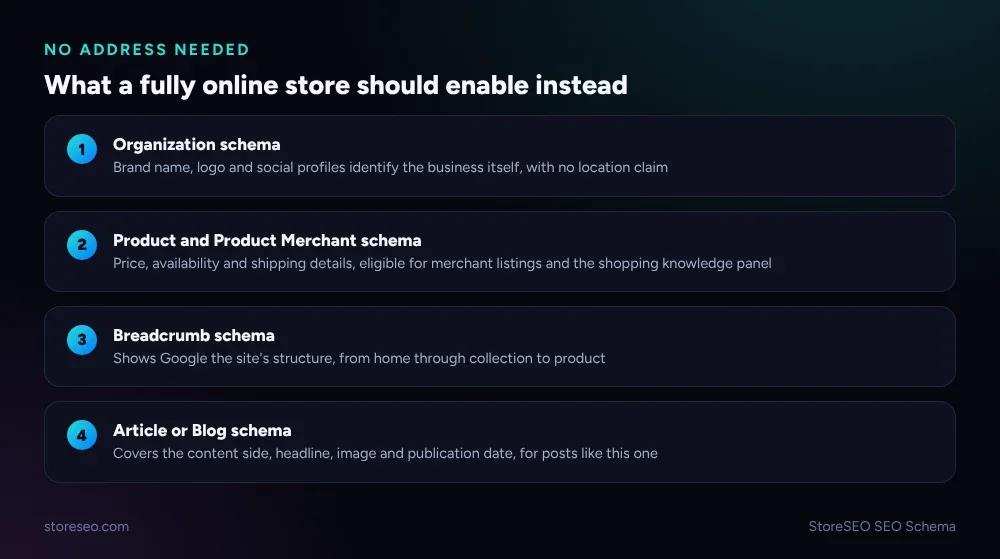 Four schema types StoreSEO’s SEO Schema panel ships that need no physical address.
Our audit of 300+ Shopify product pages found that most stores already ship Product schema by default through their theme, and the gap is almost always on the recommended properties, not the required ones, the same shape of problem this post is really about: filling in a field honestly beats filling it in at all.
How Do You Add Local Business Schema in StoreSEO, If You Qualify?
For the minority of Shopify merchants who do have a real, visitable location, StoreSEO’s Local Business Schema feature turns this on from one panel rather than a theme code edit. Open the StoreSEO app, select SEO Schema from the left navigation, choose Local Business Schema, and click Turn on. From there you fill in the business’s real information: a logo, a true street address, actual working hours, and anything else the panel asks for, then save. There is no visible change on the storefront itself; the block is sent to Google in the background, the same mechanism behind every schema type StoreSEO ships.
Keep the expectation calibrated even then: the schema is an eligibility switch for knowledge panels and carousels, not a ranking signal by itself, the same distinction that applies to every structured data type Google documents. It is worth doing precisely because it is free once you qualify, not because it will outrank a store with better content. This question is one small piece of a much larger list; our full Shopify SEO checklist covers the rest of what actually moves rankings.
Shopify’s Dawn theme, which ships Product and Organization schema by default, is a useful comparison: its own schema output assumes no physical location either, which is one more sign that this gap is normal rather than a mistake on your store’s part. If you want the fuller picture of what counts as valid markup versus what merely looks like it, our explainer on JSON-LD versus microdata covers the format question this post deliberately sets aside.
Frequently Asked Questions (FAQs)
1. Does Local Business schema improve my Google ranking directly?
No. Like every structured data type, it changes eligibility for a specific search appearance, a knowledge panel or a business carousel, not your position in organic results. A store that qualifies and adds it correctly becomes eligible for that appearance; it does not move up the results for unrelated reasons.
2. Can I use my warehouse or fulfillment center’s address?
Only if customers can actually visit it. Google’s own documentation defines the required address as the physical location of the business, and a warehouse that is not open to the public does not meet that bar, even though the address itself is real.
3. What if my store has no address at all, not even a home office?
Skip Local Business schema entirely. Use Organization schema for your brand identity and Product schema for your catalog instead; neither one requires a physical address, and both are already part of StoreSEO’s SEO Schema feature.
4. Is Local Business schema the same thing as a Google Business Profile?
No, but they work together. The schema is markup on your own website; the Business Profile is a separate listing you manage directly with Google. A mismatched or fabricated address in either one can confuse the other.
5. Should a dropshipping store ever use Local Business schema?
Almost never. A dropshipping business typically has no public-facing address, storefront or set hours anywhere in its supply chain. That missing physical presence is exactly the situation this schema type was not built for, so Organization and Product schema are the better fit.
6. Does adding the wrong schema type hurt my SEO?
An invalid or mismatched block will not earn a manual penalty on its own, but it wastes the chance at a rich result and, in the address case specifically, risks a confusing match against your Google Business Profile. The safer move is choosing the schema type that fits your store rather than adding every type available.
Most Shopify stores selling only online will get more from Organization and Product schema than they ever would from a Local Business block built around an address they do not have, and StoreSEO’s SEO Schema panel makes either choice a one-click setting rather than a theme edit. try StoreSEO on the Shopify App Store
Keep reading
Shopify Keyword Cluster Generator: How to Use It
StoreSEO's Keyword Cluster Generator turns one seed keyword into intent-tagged topic clusters inside your Shopify dashboard, with a worked example below.
Read article
Shopify SEO App Feature Matrix: 11 Apps, 29 Features
We checked 11 Shopify SEO apps against 29 features on their own Shopify App Store listings, from FAQ schema to AI credits to image compression caps.
Read article
Shopify Markets SEO Settings: Every Option Explained
Shopify Markets writes hreflang tags, canonical URLs and sitemaps on its own, but the URL structure you pick for each market still decides its SEO.
Read article