
Shopify Dawn Theme SEO Audit: What It Leaves Out
 Written by M Asif Rahman
Dawn, Shopify’s own default theme, writes Product and Organization schema on every store without you touching a setting. It does not write breadcrumbs, it leaves image alt text blank unless you fill it in yourself, and it has no field for review stars. Here is what a live view-source actually shows.
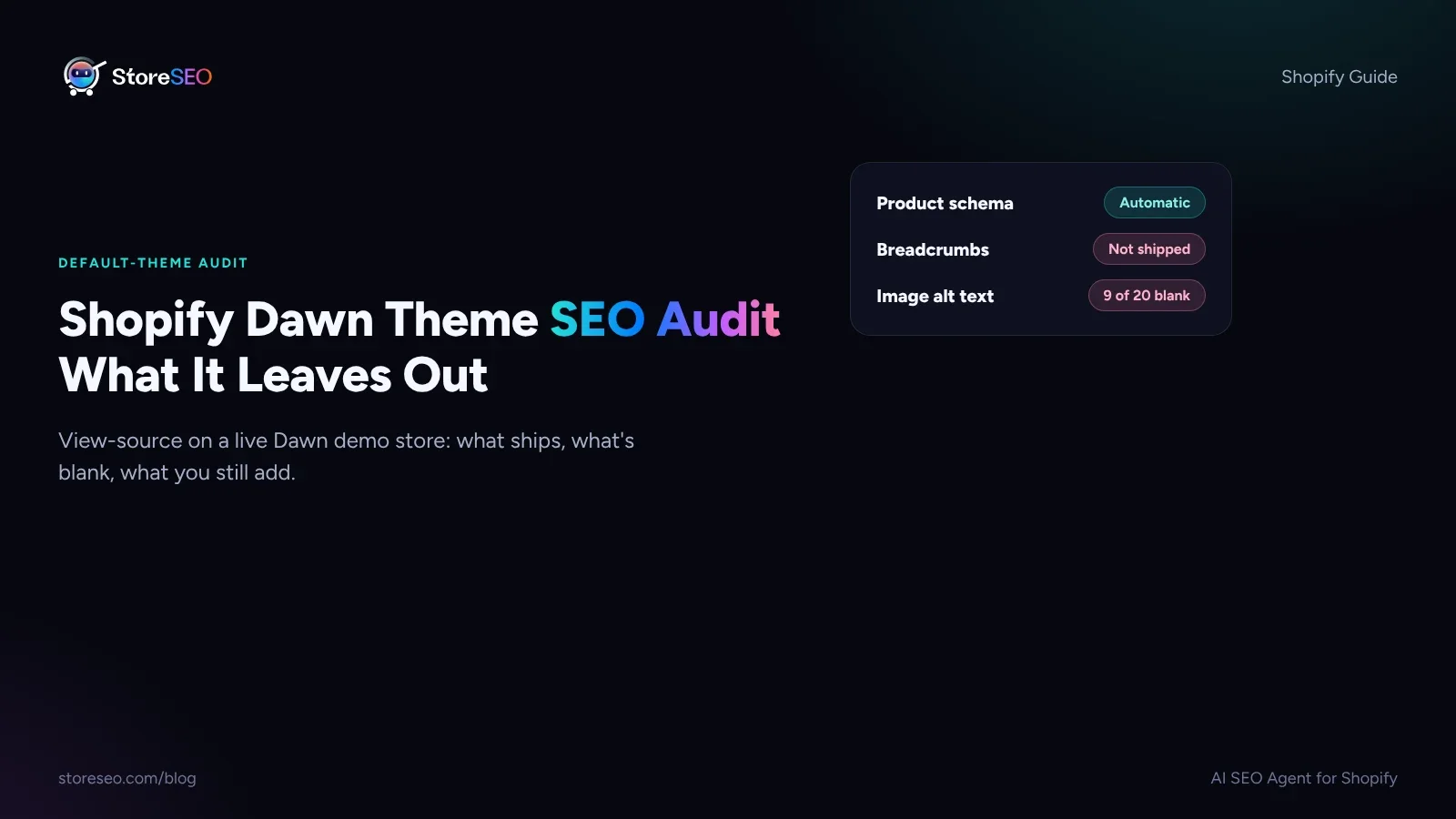
TL;DR: what Dawn ships, and what you still owe it
| Check | Dawn outputs | Missing? | Fix |
|---|---|---|---|
| Product schema (JSON-LD) | Organization + Product/ProductGroup, with offers, SKU and GTIN | ✗ | none needed, it is automatic |
| BreadcrumbList schema | not present, on home, collection or product | ✓ | add it with an SEO app or a theme edit |
| Breadcrumb trail (visible nav) | not rendered anywhere in the template | ✓ | add a breadcrumb block or snippet |
| Image alt text | blank per image until a merchant sets it | ✓ | fill in alt text on every product image |
| AggregateRating / Review schema | no field in the Product object | ✓ | add it through your reviews app |
| Meta description | the raw product description, uncut | ✓ | write one sized for search |
| Heading structure (H1) | exactly one H1 per page, set from the title | ✗ | none needed |
StoreSEO’s SEO Schema feature covers the four rows marked missing in one pass, because Dawn was never built to fill them on its own.
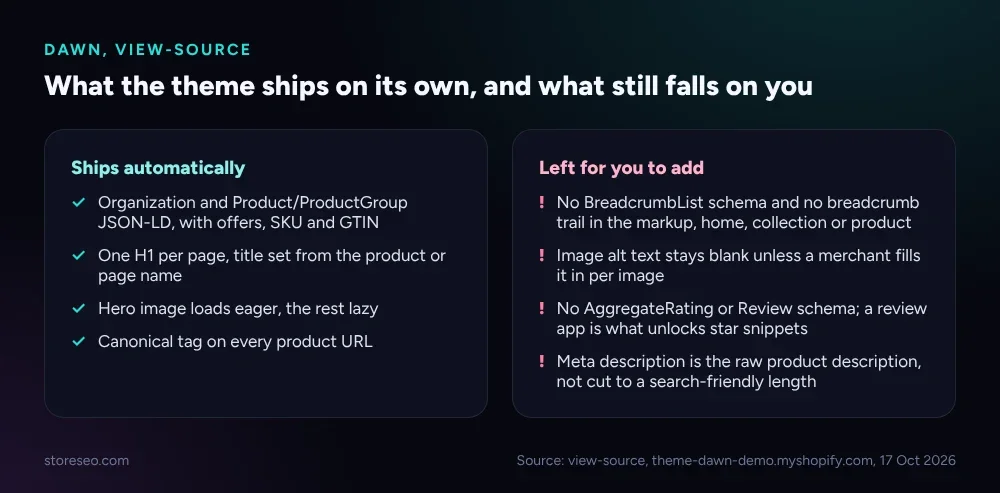 What Dawn’s template ships automatically, next to what a merchant still has to add by hand.
What Schema Does Dawn Output?
Pull up view-source on any Dawn-powered product page and two JSON-LD blocks are already there. The first is a sitewide Organization object: store name, logo and social links. The second is the real one, a Product, wrapped as a ProductGroup when the product has variants, carrying brand, sku, gtin and an offers object with price and availability for every variant.
That is enough for Google’s own structured data guidelines for the basic Product result, which call for price, availability and a product identifier. What is not in that object, on a plain Dawn install with no reviews app connected, is aggregateRating or Review. Star ratings in search results come from one of those two fields, and Dawn’s own markup has neither.
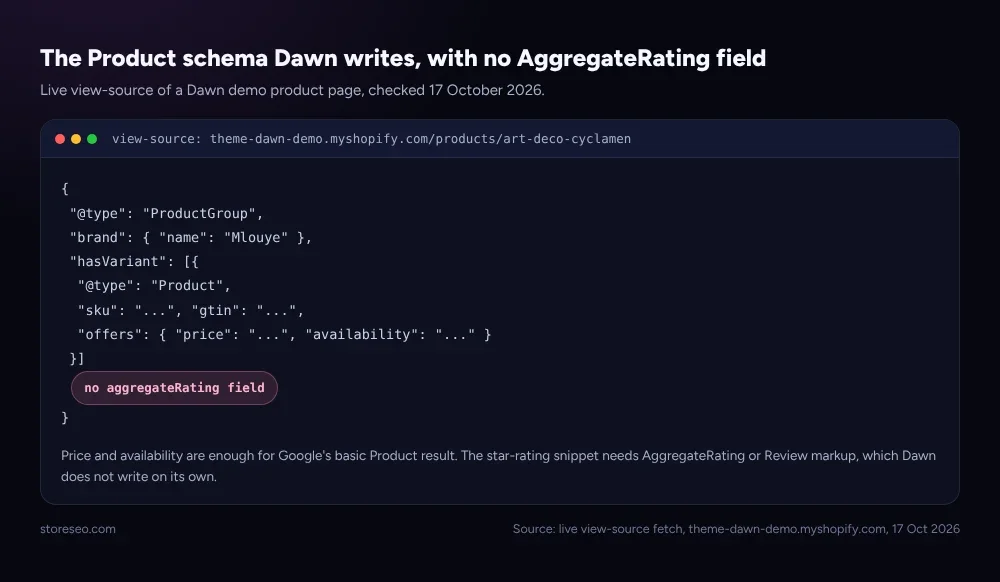 Live view-source of a Dawn demo product, checked 17 October 2026: offers, SKU and GTIN are there, AggregateRating is not.
The same gap shows up one level up. Neither the home page, the collection page nor the product page writes a BreadcrumbList, the schema Google uses to render the path shown under a result. Dawn’s own theme architecture documentation describes the template files that build each page, and none of them renders a breadcrumb component by default. There is also no breadcrumb navigation in the rendered HTML itself, so this is not only a schema gap. A shopper landing on a product page from a search result has no visible trail back to the collection either.
Our own product-page schema audit found the same pattern at scale: 29% of 300 product pages carried complete schema, and most of the gaps were exactly these two, review markup and breadcrumbs, not the Product object itself. StoreSEO’s SEO Schema feature, covered in the schema markup docs, adds BreadcrumbList and lets you extend the Product object without touching theme code.
How Are Headings and Alt Text Handled?
Heading structure is the one row that passes clean. Every Dawn page carries exactly one <h1>, and it is set from the product or page title, never from a snippet of body text. Below that, the theme uses H2s freely for its own accordion sections (shipping, returns, size guides), so a merchant’s content can sit inside a sensible outline without extra work.
Alt text is a different story, and it is not really Dawn’s fault. The theme’s image tag reads whatever alt text is attached to that image in the Shopify admin; it writes nothing on its own. On one live Dawn demo product page, checked 17 October 2026, 11 of 20 image tags carried alt text and 9 shipped with alt="", a blank string Shopify’s own asset pipeline stamps on every image by default.
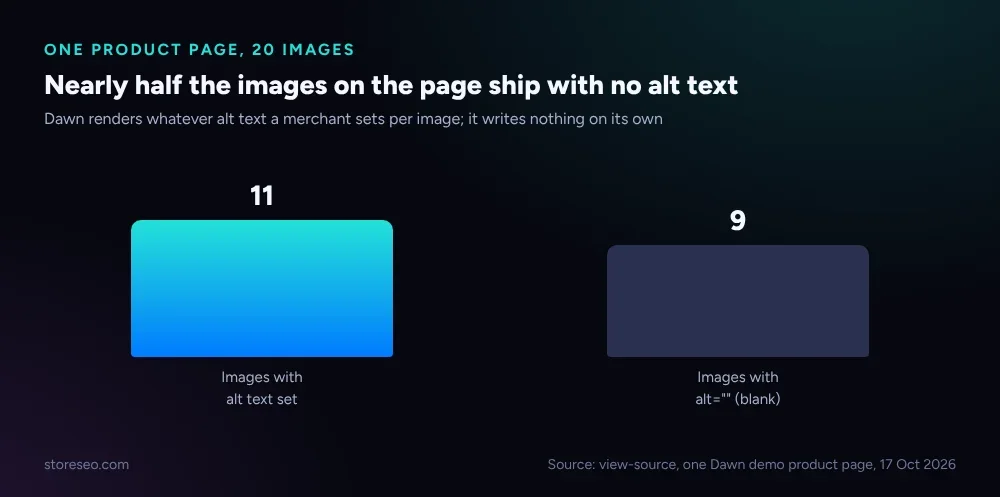 One Dawn demo product page, view-source checked 17 October 2026: alt text is the theme’s job to render, not to write.
That is the practical lesson: a theme audit of Dawn, or any Shopify theme, has to separate what the template renders from what the catalog data holds. Dawn will faithfully print an empty string forever if nobody fills it in, on every one of a store’s product, collection and lifestyle images.
How Fast Is It?
Dawn’s defaults lean toward speed rather than against it. A live request to a Dawn demo product page on 17 October 2026 returned in under 0.7 seconds end to end, with the page’s own hero image set to load eager and every other image on the page set to lazy, so the browser is not asked to fetch 20 images before the fold is usable. Canonical tags are present on every product URL, which keeps variant query parameters from splitting a page’s ranking signal.
None of that is a schema or structured-data story, but it matters for the same reason breadcrumbs and alt text do: it is a decision Shopify’s template already made correctly, so a theme audit should say where the defaults hold, not just where they fail. Our robots.txt guide and tags vs collections vs filters guide cover two more defaults in the same spirit, crawl rules and URL structure, that Dawn gets mostly right out of the box.
What Should You Add?
Four fixes, in the order they pay off, cover everything this audit found.
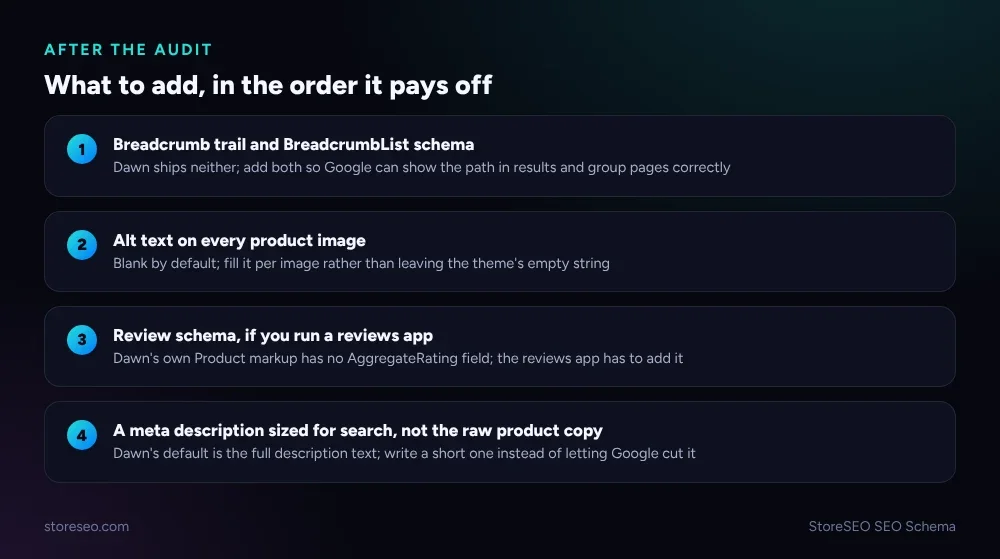 The four gaps from this audit, ranked by how much they cost you left unfixed.
Breadcrumbs come first because they affect both schema and the page itself; a visible trail helps shoppers and BreadcrumbList is a documented signal for how Google groups and displays your pages. Alt text is second, and it is the one row that is pure data entry, not a code or app fix, since Dawn already renders whatever is set. Review schema is third, worth adding only once a reviews app is actually collecting ratings; adding aggregateRating with no real reviews behind it risks a markup you cannot stand behind. A sized meta description is fourth, replacing the raw product description Dawn outputs by default with one written for the way Google and AI assistants excerpt a result.
StoreSEO’s SEO Schema feature, documented at local SEO and schema markups, handles the breadcrumb and review-schema rows without a theme edit, and its on-page checks flag which products are still missing alt text. It is built around exactly the gap this audit measured: Dawn gives you a correct Product object and stops there. For the indexing side of the same question, start at our indexing guide.
Frequently Asked Questions (FAQs)
1. Does Dawn automatically add Product schema to my store?
Yes. Every Dawn-powered product page ships an Organization object plus a Product or ProductGroup object with brand, SKU, GTIN and offers, with no setup required. That is enough for Google’s basic Product result; it is not enough for star ratings, which need separate review markup.
2. Why doesn’t my store show star ratings in search results?
Star ratings come from aggregateRating or Review schema, and Dawn’s own Product object does not include either field. You need a reviews app that writes that markup, or a schema tool that adds it from your own ratings data. Without real reviews behind it, do not add the field at all.
3. Do I need to add breadcrumbs myself on a Dawn-based store?
Yes, on both counts. Dawn renders no breadcrumb navigation in the page itself and writes no BreadcrumbList schema on the home, collection or product templates. An SEO app or a theme edit is the only way to add either one.
4. Will filling in alt text actually help my SEO?
It helps image search visibility and accessibility, and it gives AI shopping assistants a text description of a product photo they otherwise cannot read. It will not move a page’s ranking on its own, since alt text is one input among many, but a page with real alt text on every product image is simply more complete than one with blank strings.
5. Does switching themes fix these gaps automatically?
Not reliably. Every Shopify theme makes its own choices about schema, breadcrumbs and heading structure, so a different theme could close one gap and open another. The fixes in this audit, an SEO app, filled-in alt text and a real reviews integration, work the same way regardless of which theme a store runs.
6. How do I check what schema my own theme outputs?
View-source on a live product page and search for application/ld+json, where each script block is one schema object, and StoreSEO’s SEO Schema check reads the same markup automatically and lists what is present and what is missing.
Dawn gets the hard part right: a shopper’s browser gets a fast page, and a crawler gets a real Product object with price and availability baked in. The rest, breadcrumbs, alt text, review markup and a meta description sized for search, is deliberately left to the merchant, because none of it can be guessed from catalog data alone, and running this same audit on your own store, template by template, is the fastest way to see which of these four gaps you are actually carrying. try StoreSEO on the Shopify App Store
Keep reading
How Google Crawls a Shopify Store (One Diagram)
Googlebot finds a Shopify page through your sitemap or an internal link, fetches and renders it, then decides whether to keep it in the index at all.
Read article
Shopify SEO Brief Template for Your Theme Developer
A one-page brief gives your theme developer the SEO fields to leave alone, the checks that must pass, and exactly who signs off before launch day.
Read article
Shopify SEO: The Complete Guide
Shopify SEO means six things done right: technical setup, product pages, structured data, content, fixes and AI visibility, each with a next step.
Read article