
Out-of-Stock Shopify Products: Keep or Redirect?
 Written by M Asif Rahman
Deleting an out-of-stock Shopify product page is almost always the wrong move. If the item will restock, mark it unavailable and keep the page live; if it is gone for good, set a permanent redirect to the closest live alternative. Only a 404 throws away the ranking signal the page already earned.
TL;DR: what happens to a sold-out product page under each scenario, and what to do about it.
| Scenario | What Google Does | What AI Answers Do | What to Do |
|---|---|---|---|
| Restock likely within weeks | Keeps crawling and holds the page’s position | May still surface it as temporarily unavailable | Mark unavailable, keep the page live |
| Discontinued, no replacement | Treats a lasting 404 as a signal to drop the URL | Stops recommending it within days | Set a 301 redirect to the closest collection |
| Discontinued, a close replacement exists | Reads a 301 as a strong signal to re-rank the new URL | Recommends the replacement product instead | Redirect straight to the replacement, not the collection |
| Seasonal, returns every year | Keeps the URL’s ranking history if it never 404s | Cites it again once back in stock | Keep the page live all year, never delete it |
What Happens in Week 1, Month 1 and Month 3 After a Product Sells Out?
Nothing changes right away. In week 1, a product marked out of stock keeps its exact URL, its accumulated backlinks and its position in Google’s index. Shopify does not remove or redirect anything automatically the moment inventory hits zero, so the page’s SEO value is untouched at first.
By month 1, the outcome depends entirely on what you did in week 1. A page left alone and simply marked “sold out” keeps ranking almost as well as when it was in stock, because Google’s crawlers still see a normal 200 response and real content on it. This is also when Search Console starts flagging trouble if the page instead returns an empty state or an error message: Google’s own crawling documentation calls this a soft 404, a page that “suggests an error for Google Search, an empty page, or an error message” even when the server technically answers 200. A sold-out page that still shows its title, description, reviews and images is not a soft 404; a sold-out page reduced to a blank “not found” template is.
By month 3, the pattern has locked in. A page kept live through the quarter has usually held its rankings on the Shopify Product Page SEO: Tips and Best Practices fundamentals it already had, sometimes absorbing a small conversion dip as shoppers bounce off a page with nothing to buy. A page that was deleted or left to 404 has, by this point, dropped out of the index entirely and lost every ranking signal it built. There is no shortcut back from that: relisting the same product later at a new URL starts from zero, because Google treats it as a page it has never seen.
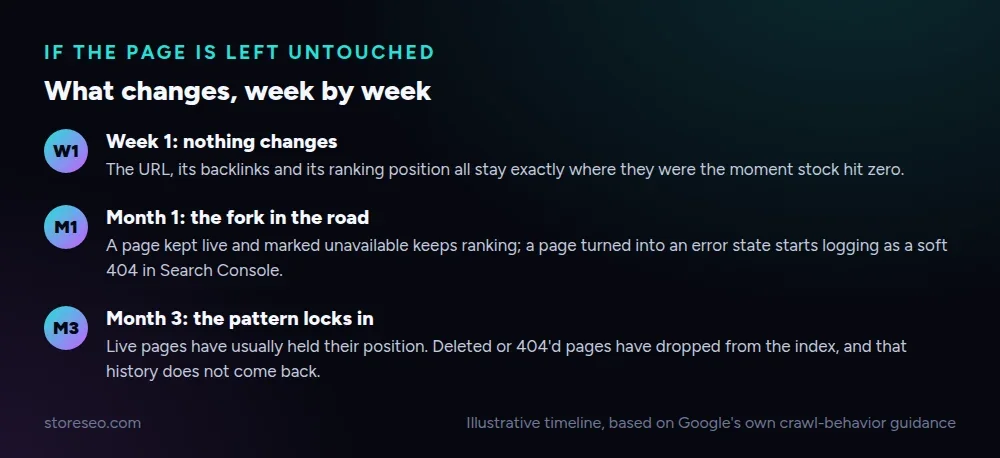 Illustrative timeline, based on Google’s own crawl-behavior guidance.
Which Option Keeps Rankings: Keep, Redirect or Let It 404?
Four real options exist once a product is out of stock, and only one of them consistently throws ranking signal away.
| Option | What Happens to Rankings | Best When | Risk if You Get It Wrong |
|---|---|---|---|
| Keep live, mark “Out of Stock” | Rankings mostly hold | Restock is likely within weeks | Shoppers bounce off a page with nothing to buy |
| 301 redirect to a similar product | Most ranking signal transfers to the new URL | The item is gone for good and a close match exists | Redirecting to an unrelated page confuses crawlers and shoppers alike |
| 301 redirect to the parent collection | Some ranking signal transfers, spread across the collection | No single replacement product exists | A generic target dilutes the specific keyword match the old page had |
| Noindex, keep the URL live | Removed from Google’s index, page itself stays reachable | Nothing to redirect to, but the URL must stay live (an order history link, for example) | Easy to forget to reverse once the product comes back |
| Delete it or let it 404 | All ranking signal is lost | Almost never the right call | Years of backlinks and index history disappear with the page |
A 301 redirect works because it tells both Google and AI crawlers exactly where the authority should move, and both treat a permanent redirect as a strong signal to transfer it. A 404 tells them the opposite: the URL is simply gone, and a well-behaved crawler drops it from the index within weeks, whatever backlinks or citations it had built up. How to Create and Manage Shopify Redirections covers the manual mechanics in Shopify’s admin if you would rather set one up by hand than automate it.
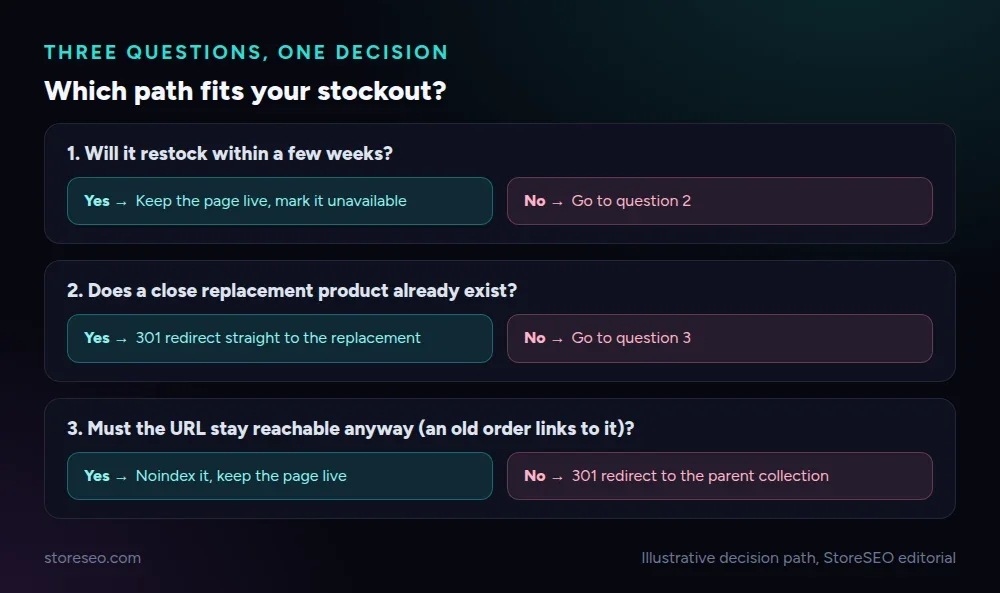 Illustrative decision path, StoreSEO editorial.
Noindex earns its place on this table for a narrower case: a page that must keep existing, for example because a past order links to it, but should not compete in search anymore. What Is Shopify Noindex and When to Use It? walks through exactly when that tag helps and when it quietly hides a page you actually wanted ranking.
How Do You Set Up Automatic Redirects and Keep Selling Through a Stockout?
Shopify gives you two automatic levers before you touch a redirect at all, and picking the right one depends on how confident you are that the item is coming back.
Inventory tracking has a “Continue selling when out of stock” checkbox on every variant. Turning it on keeps the product page fully live and purchasable as a backorder instead of forcing a visible sold-out state the moment the count hits zero, which is the simplest way to sidestep the whole redirect question for a fast-moving SKU that restocks within days.
For everything else, StoreSEO’s Redirect on out of stock feature automates the second lever. Once enabled on a StoreSEO PRO plan, it lets you set one destination URL in the app’s General settings, and the redirect fires automatically the moment a product’s inventory reaches zero, rather than requiring you to remember to build a manual redirect entry every time a SKU sells through.
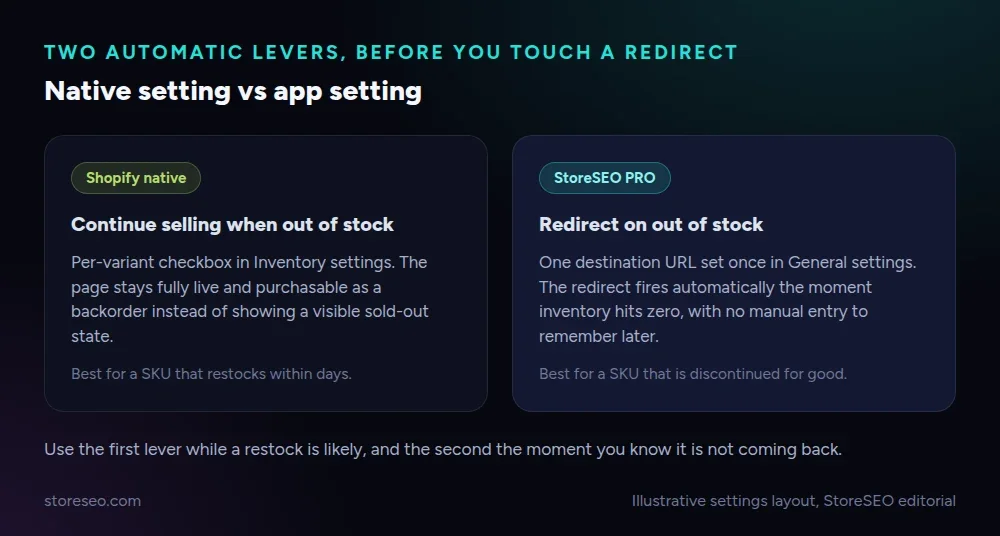 Illustrative settings layout, StoreSEO editorial.
If an entire product line is being discontinued rather than a single SKU, treat it as a small migration project instead of a one-off redirect: Shopify SEO Migration: The Ultimate Guide and Checklist covers building a redirect map at that larger scale, so nothing gets missed between the old catalog and the new one.
Does an Out-of-Stock Listing Hurt Your Google Shopping and AI Shopping Results?
Yes, and through two separate signals that both need to stay current. Google Merchant Center and the Shopping Graph read a feed’s availability field independently of your storefront page, so an item still marked “in stock” in your product feed after it actually sells out gets suppressed, or flagged for a policy mismatch, rather than simply dropping quietly.
Category mapping matters just as much once a listing is back in front of shoppers. A product filed under a mis-set or missing Google Product Category mapping is far more likely to disappear from a relevant Shopping tab query even while it is genuinely in stock, because Google’s own systems, not your store’s navigation, decide which category queries the item is eligible to match. StoreSEO’s JSON-LD settings, the same panel used to Customize JSON-LD for your store, are where this category signal gets corrected alongside your product schema.
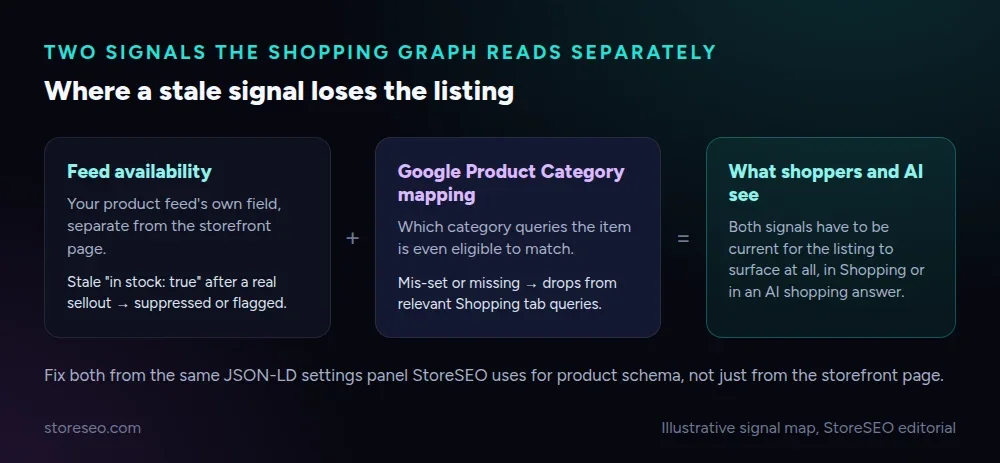 Illustrative signal map, StoreSEO editorial.
AI shopping surfaces behave the same way. ChatGPT, Gemini and Perplexity read structured availability and category data before they will recommend a product, so a stale “in stock” value in your schema after a real stockout is exactly the kind of inconsistency that keeps an AI answer from citing your store at all, even for a product you do still sell in a different variant.
Frequently Asked Questions (FAQs)
1. Does marking a product out of stock hurt Shopify SEO?
Not by itself. Marking a product unavailable while keeping the page live and returning a normal 200 response preserves its URL, backlinks and ranking position. The damage comes from what you do next, not from the stockout itself.
2. Should I delete a discontinued Shopify product or redirect it?
Redirect it in almost every case rather than deleting it. A 301 to a close replacement or the parent collection carries most of the page’s accumulated ranking signal forward, while deleting the page or letting it 404 loses that signal completely and cannot be recovered later at a new URL.
3. What happens if I let an out-of-stock product page return a 404?
Google treats a 404 as confirmation the URL no longer exists and drops it from the index within weeks, taking its backlinks and ranking history with it. Relisting the same product later at a different URL starts from zero rather than picking up where the old page left off.
4. Does the Continue Selling When Out of Stock setting affect SEO?
It helps rather than hurts, because it keeps the page fully live and purchasable as a backorder instead of forcing a visible sold-out state. It works best for a SKU you are confident will restock soon, not for a product you know is discontinued.
5. How do I keep AI shopping answers from recommending an item I no longer sell?
Update your product feed’s availability field and your page’s schema the moment the item sells out, since ChatGPT, Gemini and Perplexity read that structured data rather than guessing from the page’s copy. A stale “in stock” value is the most common reason an AI answer keeps recommending something you cannot fulfil.
6. What is a soft 404, and can an out-of-stock page trigger one?
A soft 404 is a page that answers with a normal 200 status but looks like an error, an empty page or a not-found message to Google. An out-of-stock product page only risks this if it strips out the product’s title, description and images instead of simply marking it unavailable.
Handling a stockout well is one small habit repeated across a catalog, not a one-time fix, and it is easy to lose track of once inventory changes every day. If you would rather have the redirect and the schema update fire automatically the moment a product sells out, try StoreSEO on the Shopify App Store.
Keep reading
What Happens When You Skip Google Product Category?
Skipping Google Product Category rarely blocks a sale, but in apparel, phones, software and alcohol it can quietly get a listing disapproved.
Read article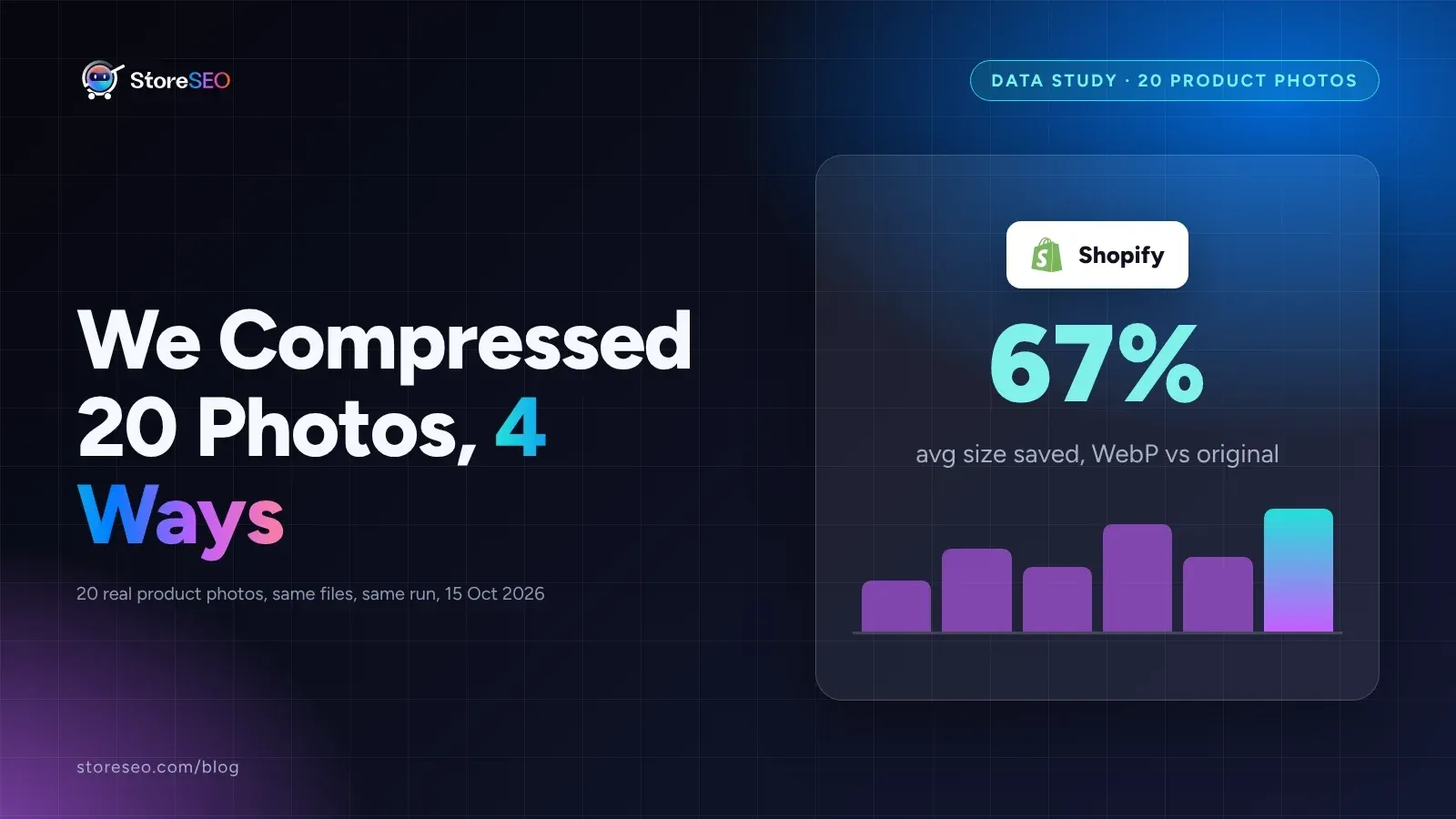
We Compressed 20 Shopify Product Photos 4 Ways
We compressed 20 real Shopify product photos 4 ways and found WebP cuts average file size by 67 percent, the biggest saving of the four we tested.
Read article
Shopify Product Description Template (6 Formats)
A Shopify product description template is a fill-in-the-blank structure for one niche that keeps every listing consistent, specific and fast to write.
Read article