
5 ChatGPT Prompts for Thin Collection Descriptions
 Written by M Asif Rahman
Most Shopify collection descriptions fail in one of five ways: copied onto every category, missing entirely, borrowed from the store’s homepage, a spec dump with no sentence, or stuffed with keywords nobody would say out loud. Each pattern has one prompt that fixes it, demonstrated below on real, live collection pages, not invented examples.
TL;DR: five jobs, five prompts, each matched to the pattern it fixes.
| Job | Prompt (short) | What to fix it does |
|---|---|---|
| Fix a duplicated description | “Here are the products in [collection]. Write a description specific to this category, not the store’s general tagline.” | Fix: makes each collection name something only true of itself |
| Write one from nothing | “List 5 to 8 products from [collection] with their key attributes, then write a 2 to 3 sentence description from those attributes alone.” | Fix: replaces a blank field without inventing a claim |
| Replace a reused tagline | “Here is the store’s brand tagline: [X]. Write a collection description for [category] that does not reuse it.” | Fix: stops the homepage voice leaking onto category pages |
| Turn specs into a sentence | “Here are the specs: [list]. Write one sentence a buyer would actually read, not a repeated spec list.” | Fix: answers a buying question instead of reordering bullets |
| De-stuff keyword copy | “Here is the current description: [X]. Rewrite it for a person reading on a phone, keeping the meaning, cutting repeated keywords.” | Fix: makes the sentence sound like it is for a shopper, not a crawler |
Why Do Shopify Collection Descriptions Go Thin?
A collection page’s description field is easy to skip at launch and easy to copy at scale. Google’s own guidance on creating helpful content asks whether a reader would “leave feeling like they’ve had a satisfying experience” and whether the page provides “substantial value when compared to other pages in search results.” A description repeated word for word across five categories answers neither question: it is the same page, five times, to both a search engine and a shopper’s eye. This is one piece of a wider AI-first content strategy for Shopify stores, and StoreSEO’s own research cache for this programme turned up all five patterns below on live public Shopify stores, fetched 16 November 2026.
How Do You Fix a Description Copied Across Every Collection?
The clearest version of this problem: one Shopify store runs the exact same meta description on five different men’s categories, shorts, shirts, swim, pants and sweatshirts.
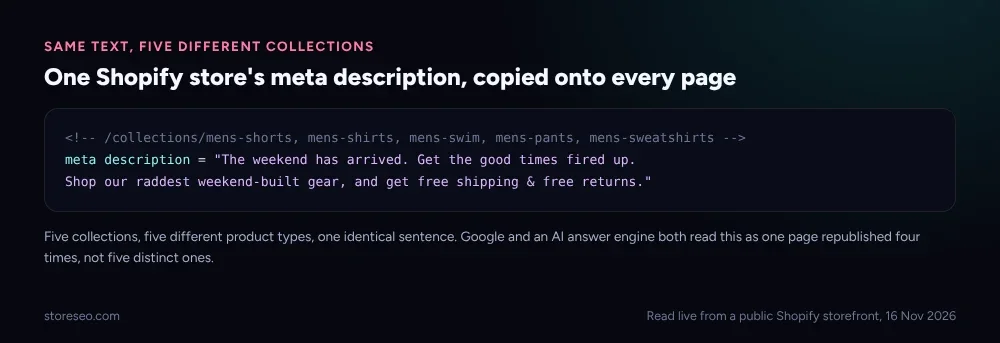 Read live from a public Shopify storefront, 16 November 2026.
The prompt: “Here are the products in [collection name]. Write a description specific to this category, not the store’s general tagline.” Paste in five to eight product titles from the actual collection. Run it once per category, not once for the whole site; the whole point is that each output has to be different.
"Men's shorts built for the weekend: board shorts, chino shorts, and swim
trunks in quick-dry fabric, sized 28 to 40. Free shipping and free returns
on every pair."
What to check: does the output name anything only true of this collection, a fabric, a size range, a use case, or does it still read like a sentence you could paste onto any other page on the site? If a second run on a different collection could pass for the first one, the prompt has not done its job yet; add two more product specifics and run it again.
What Do You Write When There Is No Description At All?
A description that was never written is a different job from one that needs fixing: there is nothing to edit, so the prompt has to build from the catalog instead.
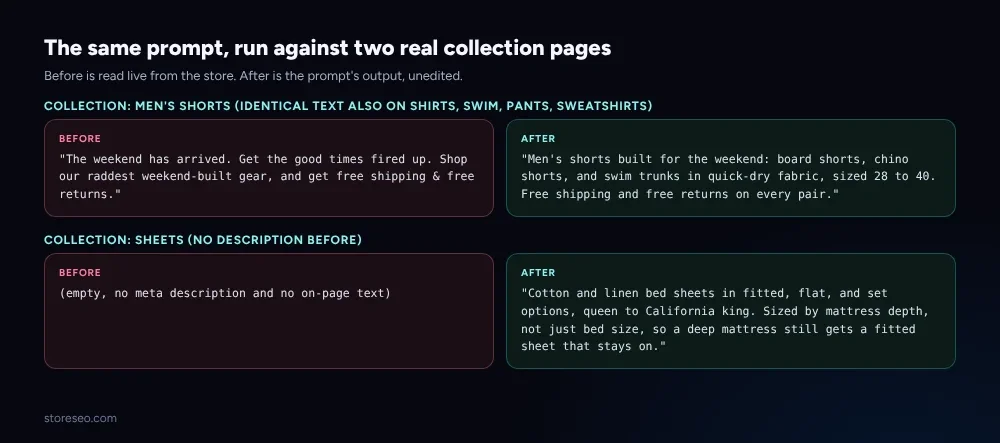 Before is read live from the store. After is the prompt’s output, unedited.
A bedding retailer’s sheets collection carries no meta description and no on-page description either, confirmed live on 16 November 2026. The prompt: “List 5 to 8 products from [collection] with their key attributes, then write a 2 to 3 sentence description from those attributes alone.” List the products first so the model has facts to draw from instead of guessing at the category:
"Cotton and linen bed sheets in fitted, flat, and set options, queen to
California king. Sized by mattress depth, not just bed size, so a deep
mattress still gets a fitted sheet that stays on."
What to check: did the model invent a claim that is not in the product list you gave it, a material, a certification, a size, that none of the actual listed products carry? A description built from nothing is only as honest as the facts fed into the prompt.
How Do You Stop Reusing the Store’s Tagline as Every Collection’s Description?
A subtler version of duplication: the description is not copied between collections, it is copied from the store’s own homepage tagline onto a specific category page. One Shopify beverage store’s /collections/water page carries the identical sentence as its /collections/all page, the brand’s own one-line pitch, confirmed live on 16 November 2026 on both URLs.
The prompt: “Here is the store’s brand tagline: [paste it]. Write a collection description for [category] that does not reuse it.” Naming the tagline explicitly in the prompt is what stops the model from drifting back toward it; without that line, a generic request to “write a collection description” tends to reproduce the same brand voice almost verbatim.
"Still and sparkling water, zero sugar, in 12-pack cans built for a case
of fridge space. The same can design as every other flavor in the lineup,
so a mixed case still looks like one brand on the shelf."
What to check: read the output next to the homepage tagline. If swapping two nouns would turn one back into the other, the prompt needs a second pass naming exactly what the tagline leaves out, the category’s own products, sizes or use case.
How Do You Turn a Spec List Into a Description a Buyer Actually Reads?
Some collections already have facts on the page, just not in sentence form: a bullet list of attributes with nothing tying them to a reason to buy.
The prompt: “Here are the specs: [list]. Write one sentence a buyer would actually read, not a repeated spec list.” Feed in the raw bullet points exactly as they sit in the product data, not a cleaned-up version; the prompt’s job is the cleanup.
"Wireless earbuds with 30-hour total battery life, IPX5 sweat resistance,
and a USB-C case, built for a gym bag rather than a boardroom."
What to check: does the sentence answer a question a buyer would actually ask (“will these survive a workout,” “how long between charges”) rather than just reordering the same specs into prose? A rewrite that still reads like a feature table with commas instead of bullets has not actually changed anything.
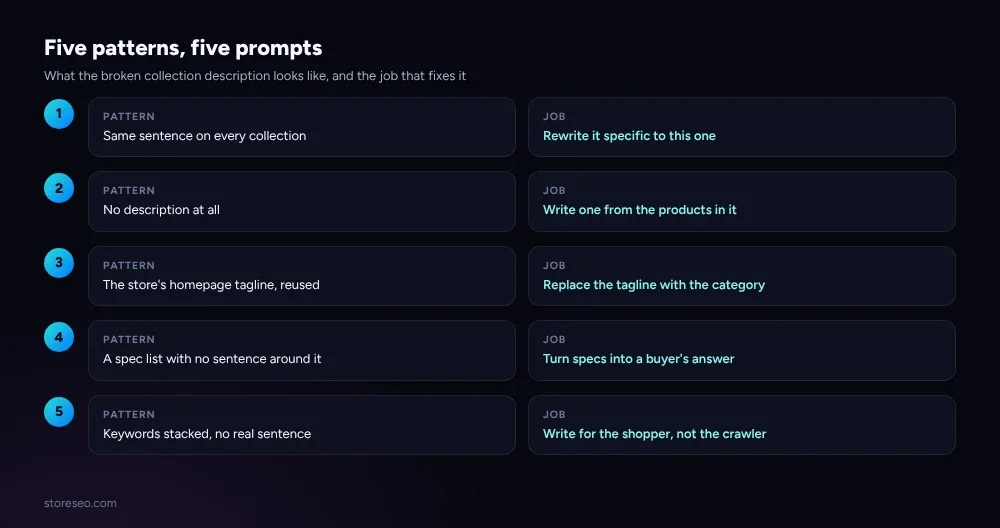 The five jobs from the table above, side by side with the pattern each one answers.
How Do You Fix a Description Stuffed With Keywords Instead of Answers?
The opposite failure from an empty page: a description written for a search engine first, with the product’s name or category repeated three or four times in two sentences, is a textbook case of what Google’s own content guidance calls writing for the algorithm rather than the person reading it.
The prompt: “Here is the current description: [paste it]. Rewrite it for a person reading on a phone, keeping the meaning, cutting repeated keywords.” Keeping the original text in the prompt matters: the model edits toward a cleaner version instead of generating a fresh one that might drop a detail that mattered.
Before: "Shop our best coffee mugs, buy coffee mugs online, coffee mugs
for sale, great coffee mug selection, shop coffee mugs today."
After: "Ceramic mugs in 12oz and 16oz, dishwasher and microwave safe,
single or 4-packs."
What to check: read it out loud. If a sentence has the same word three times in ten words, it was written for a crawler, not a shopper, and the rewrite is not finished.
Where Does AI Get Shopify Collection Copy Wrong?
A model will happily invent a material, a certification, or a size range that is not in the product list you gave it, especially on the “write one from nothing” and “turn specs into a sentence” prompts above, where there is no original text to anchor it. It will also, left with a short prompt and no tagline named explicitly, drift back toward generic brand language on the “replace the tagline” job, since that voice is often the dominant pattern in a store’s other pages. Paste in real product titles and real specs every time, never a category name alone, and read every output against the actual products in the collection before publishing it. For a wider set of prompts beyond collection copy, our 40 ChatGPT prompts for Shopify SEO runs the same real-output discipline across meta descriptions, alt text and FAQ schema. The underlying structural question, which collections should even exist as separate pages, is covered in what to index among tags, collections and filters; duplicate collections with the same products are a routing problem no prompt fixes.
How Do You Run These Prompts at Catalog Scale?
Running five prompts by hand works for a handful of collections; a catalog with fifty categories needs the product data fed in automatically instead of pasted by hand each time. StoreSEO’s Product Description Writer does the same job these prompts do, generating a description from a product’s own fields rather than a blank page, and its AI Content Generator panel runs the same prompt pattern against meta titles, meta descriptions and tags together so collection and product copy follow the same standard across a full catalog instead of one page at a time.
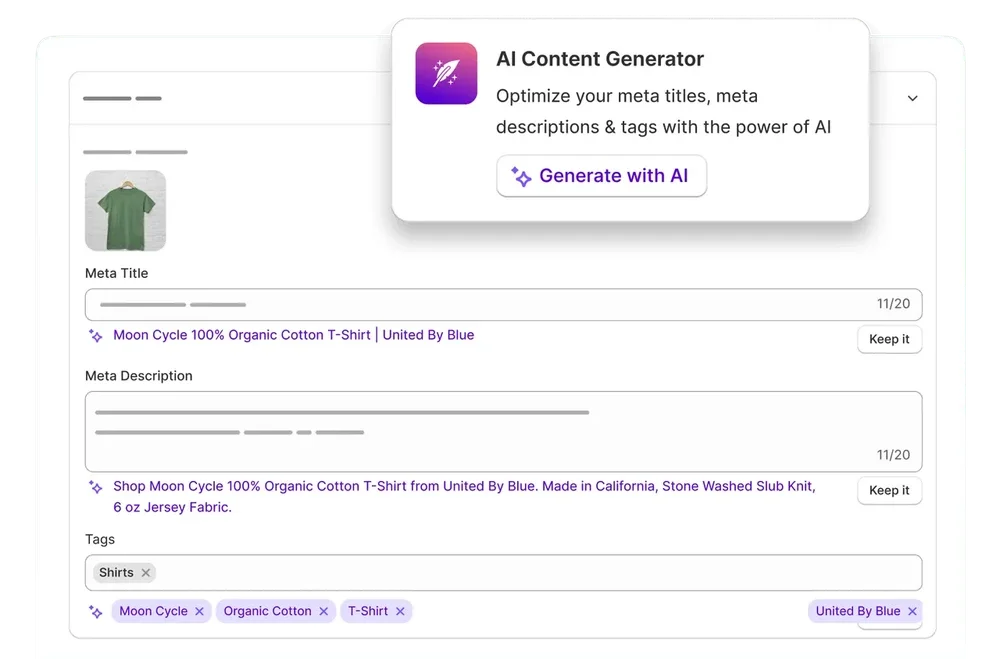 StoreSEO’s AI Content Generator panel, generating a meta description from a product’s own fields.
Even with that running at scale, the same check applies: read a sample of the generated descriptions against the actual products before publishing all of them, the same way you would check one prompt’s output by hand.
Frequently Asked Questions (FAQs)
1. Can I use the same prompt for every collection on my store?
Run the same prompt text, but never reuse its output. Each run needs the real product titles or specs from that specific collection pasted in, or the model has nothing to differentiate one category from another and the result repeats the problem you started with.
2. Will a longer collection description help it rank better?
Length is not the fix. A collection page with 20 products does not need 300 words above the grid; it needs two or three sentences that are actually true of what is in it. StoreSEO’s AI Content Optimizer scores a description on whether it is specific and complete, not on word count.
3. Should the collection description go above or below the product grid?
Either works for SEO, since the HTML is read the same way regardless of position. Most Shopify themes place it above the grid so a shopper reads it before scrolling, which also means a thin or duplicated description is the first thing both a reader and a crawler see.
4. Can ChatGPT read my Shopify collection page directly instead of me pasting product titles?
Not reliably from inside a plain chat window: the model cannot browse your live storefront unless you paste the content in, so the prompts above all start by giving it the product titles or specs by hand. A tool connected to your store’s own product data, including StoreSEO’s generator, skips that pasting step.
5. What happens if two collections genuinely sell the same products?
If a “Men’s Shorts” and a “Summer Shorts” collection hold the exact same products, the fix is not two different descriptions, it is one canonical collection with the other narrowed to a real subset or merged. Writing around duplicate collections with clever copy treats a structural problem as a content one.
6. Do I need a docs link or a code change to try the AI prompts above?
No. Every prompt here runs in any chat interface with no setup, as long as you supply the product titles or specs from your own Shopify admin. StoreSEO’s Product Description Writer is only needed once you want the same job running across a full catalog.
Five prompts, five patterns, and one rule behind all of them: never run one without pasting in the real product titles or specs for that exact collection, because a prompt with nothing specific to work from only produces a more polished version of the same thin page. try StoreSEO on the Shopify App Store
Keep reading
Does Multi-Currency Checkout Hurt Shopify SEO?
Multi-currency checkout risks Shopify SEO only when the price changes without the URL changing, since Google's own crawler then sees one currency.
Read article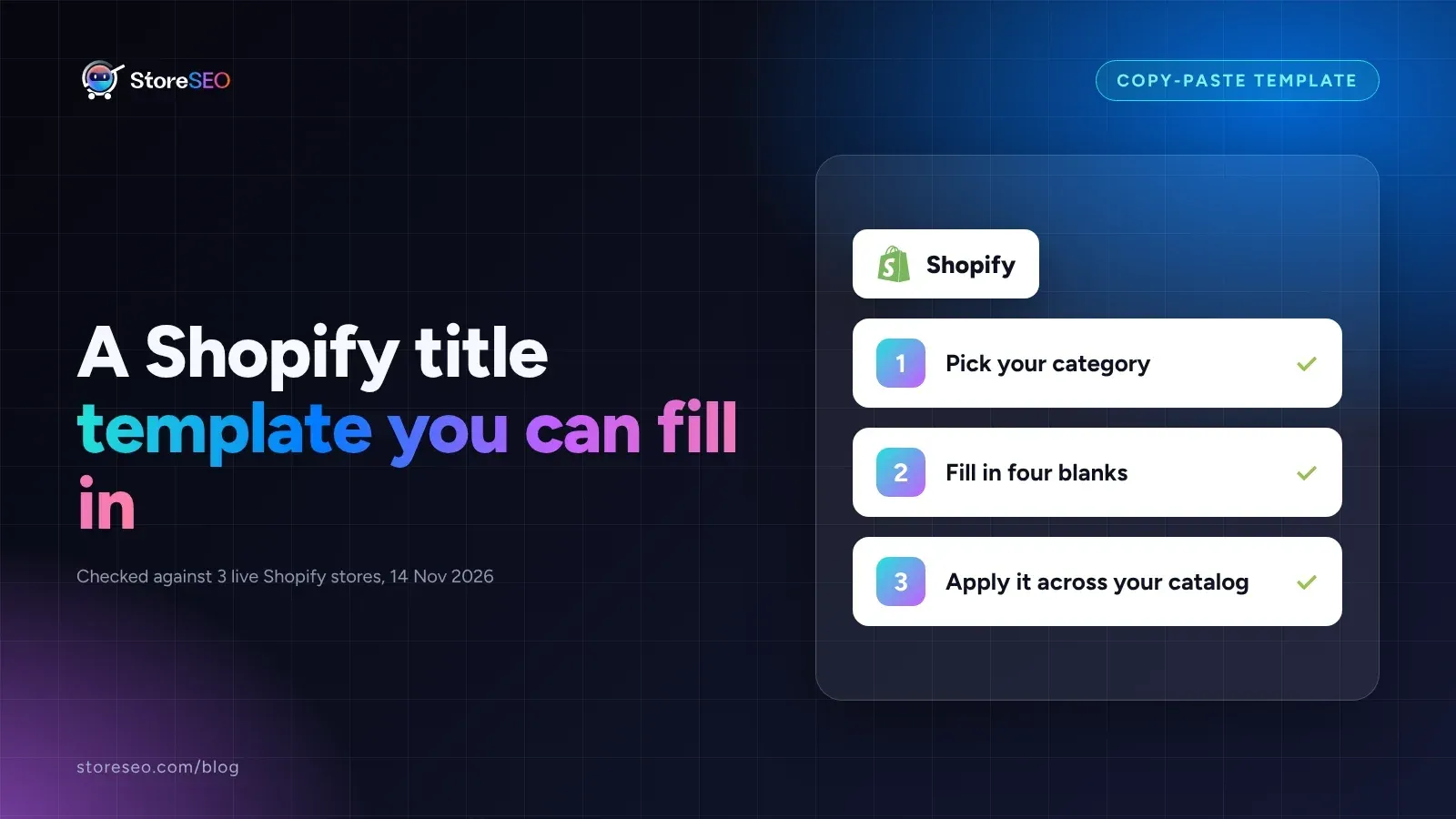
A Shopify Product Title Template You Can Fill In
A Shopify product title works when it fills four blanks in order, product type, key feature, use case, and brand, not when it names the category alone.
Read article
What Happens to SEO When You Merge Shopify Variants?
Merging Shopify products into native variants keeps the old page's SEO value only if you redirect each deleted URL yourself; Shopify never does it for you.
Read article