
A Shopify Product Title Template You Can Fill In
 Written by M Asif Rahman
A Shopify product title works when it answers one search before a shopper even clicks, naming the specific product, not just the category. Four blanks cover almost every listing: product type, key feature, use case or fit, and brand. Fill them in order and the title holds up on a store with ten products or ten thousand.
TL;DR: four blanks, filled for six store types, with what each one is best for.
| Blank | What Goes There | Best For |
|---|---|---|
| [Product Type] | The specific noun a buyer searches, not a generic category | Matching exact search intent |
| [Key Feature Or Variant] | Material, size, flavor or spec that sets this one apart | Long-tail and comparison searches |
| [Use Case Or Compatibility] | Who it is for or what it works with | Click-through over a generic listing |
| [Brand] | Your store or product line name | Brand recall, repeat buyers |
What Does The Fill-In Template Look Like?
Before writing a template, we checked whether real Shopify stores actually use these four blocks. Three live product pages, Allbirds, Native Union, and Blueland, each put product type, a key feature, a use case or compatibility detail, and the brand somewhere in the title. None used the same order. That is the useful finding: the four blocks are consistent, but the sequence is a choice, not a rule.
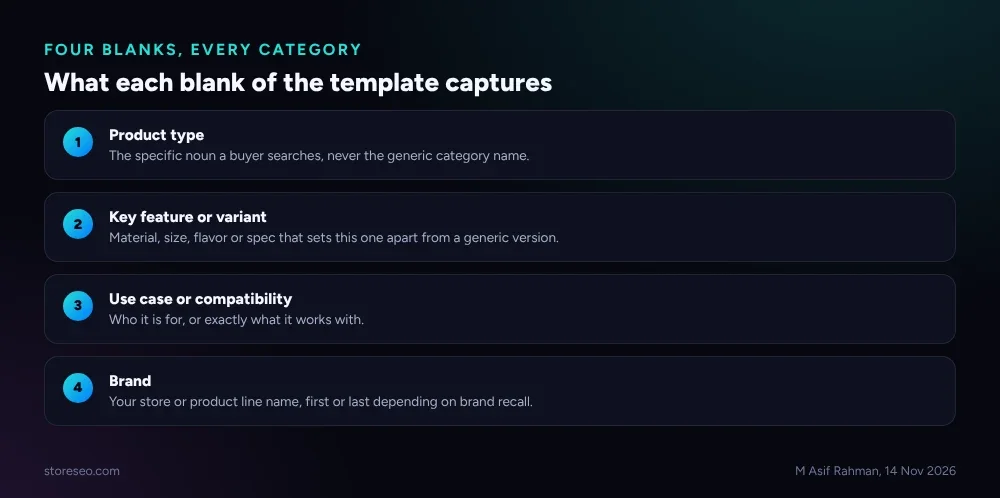 The same four blocks appear in every example below, in a different order each time.
The template, with the order that front-loads the words a search engine or an AI answer engine is most likely to match first:
[Product Type], [Key Feature Or Variant] for [Use Case Or Compatibility] | [Brand]Move [Brand] to the front instead when brand recognition drives more clicks than the product details do, the same choice Allbirds makes below.
What Does The Template Look Like For Apparel And Footwear?
Allbirds titles its men’s wool sneaker page Allbirds Wool Runners, Men’s | Reviews, Sizing Info | Casual Walking, Running Shoes (allbirds.com, fetched 14 Nov 2026). Brand first, then the product type and material, then the use case split across two pipe-separated phrases. Filled from our template instead: Wool Runners, Merino Wool Knit for Casual Walking and Running | Allbirds. Same four blocks, brand moved to the end.
What Does The Template Look Like For Electronics And Accessories?
Native Union titles a phone case page Native Union - Active Case for iPhone 18 Pro & Pro Max (nativeunion.com, fetched 14 Nov 2026): brand, product type, and compatibility, with no separate feature blank at all. Filled from our template with a feature added: Active Case, Reinforced Drop Protection for iPhone 18 Pro and Pro Max | Native Union. The compatibility detail is doing the heaviest lifting in both versions, which tracks: a phone case is worthless to a buyer searching for the wrong model.
What Does The Template Look Like For Home Goods?
Blueland titles a cleaning product page Foaming Hand Soap Starter Set Duo with Glass Dispenser | Blueland (blueland.com, fetched 14 Nov 2026): product type and feature first, brand last behind a pipe. That is the order our template defaults to. Filled with a use case added: Foaming Hand Soap Starter Set, Reusable Glass Dispenser for Everyday Hand Washing | Blueland.
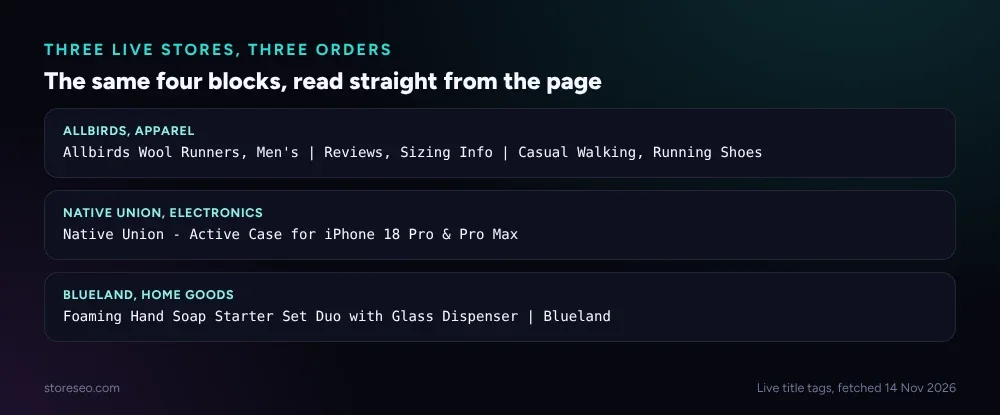 Fetched straight from each store’s own page on 14 Nov 2026, not reconstructed from memory.
What Does The Template Look Like For Beauty And Wellness?
Illustrative, not a real listing: Vitamin C Serum, 15% L-Ascorbic Acid for Dull, Uneven Skin Tone | [Brand]. The feature blank is doing the selling here, a concentration number a shopper comparing three serums will scan for directly.
What Does The Template Look Like For Food And Drink?
Illustrative, not a real listing: Dark Roast Ground Coffee, Single-Origin Ethiopian for Pour-Over Brewing | [Brand]. Origin and roast level fill the feature blank; brew method fills the use case blank, which matters more for coffee than almost any other category since the same bean suits different grinds.
What Does The Template Look Like For Sports And Outdoors?
Illustrative, not a real listing: Insulated Water Bottle, 32oz Double-Wall Steel for All-Day Hiking | [Brand]. Capacity and insulation type fill the feature blank, since those are the two numbers a buyer actually compares before adding to cart.
What Do Google And ChatGPT Need From A Shopify Product Title?
Google’s own guidance is specific: “there’s no limit on how long a <title> element can be,” but “the title link is truncated in Google Search results as needed, typically to fit the device width” (Google Search Central, Influencing your title links in search results, fetched 14 Nov 2026). There is no fixed character count to hit, but a title cut off mid-word still loses whatever came after the cut, which is why the template puts product type and feature first and brand last.
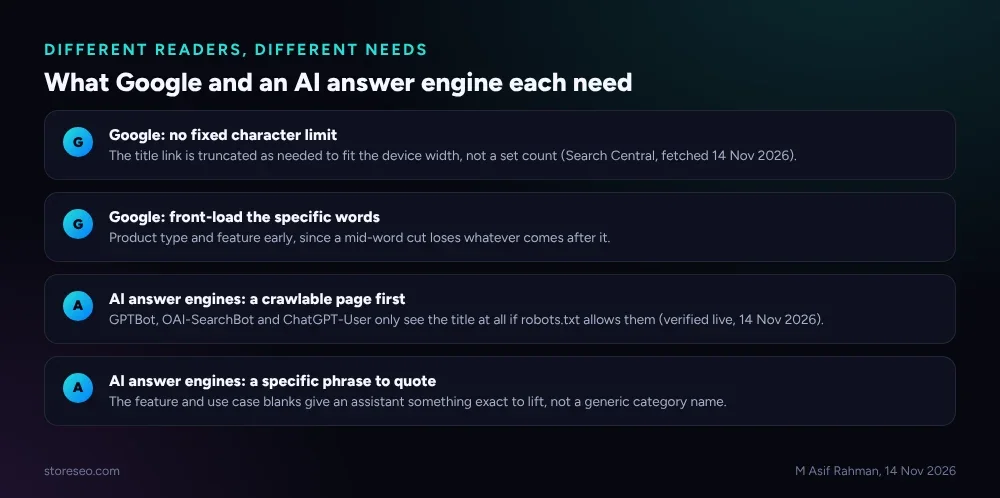 Google truncates by width, not by a character count; an AI answer engine needs the page open to its crawler before it needs a well-written title at all.
An AI answer engine has a different, earlier requirement: it has to be allowed to see the page at all. storeseo.com’s own robots.txt names GPTBot, OAI-SearchBot, ChatGPT-User, ClaudeBot, Claude-Web and PerplexityBot in separate groups, each set to Allow: / (live fetch, storeseo.com, re-confirmed 14 Nov 2026); a store that blocks those crawlers loses the title entirely, however well it is filled in. Once the page is open, SERP Preview Snippets shows how the filled title and the meta description will actually render before you publish, documented at add-meta-description-to-shopify-products.
How Do You Bulk-Apply This Template Across Your Catalog?
Filling four blanks by hand works for ten products. It does not work for a thousand, which is the actual reason a template needs a bulk path, not just a format.
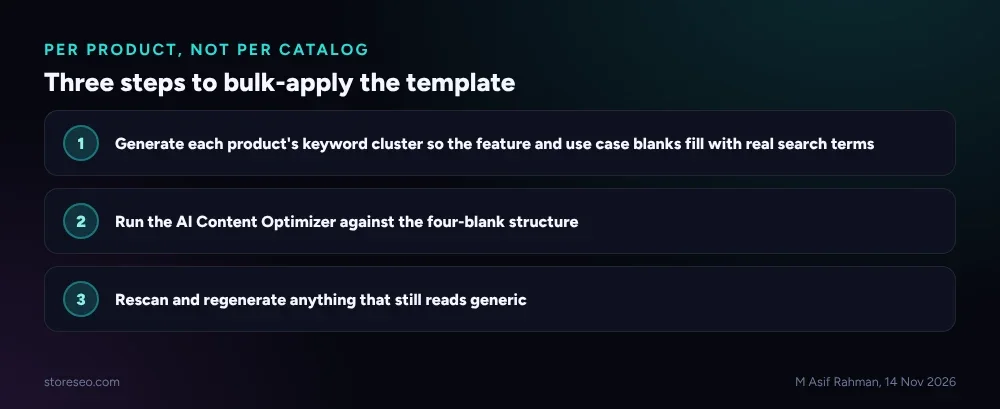 Per product, not per catalog, the same three steps either way.
- Generate each product’s keyword cluster first, so the [Key Feature Or Variant] and [Use Case Or Compatibility] blanks fill with terms shoppers actually search, not a guess.
- Run StoreSEO’s AI Content Optimizer against the four-blank structure, documented at how-to-use-storeseo-ai-content-optimizer; auto-apply is covered separately at how-to-enable-auto-ai-optimization.
- Rescan and regenerate anything that reads generic. A template fills the structure; it does not guarantee a good feature or use case was fed into it.
The nearest sibling to this page answers a related but different question: Shopify Product Description Template (6 Formats) fills in the paragraph below the title, not the title itself, once you know which product type and feature you are leading with. For real annotated examples instead of a blank template, 12 Shopify Product Titles That Rank (Annotated) shows twelve more, broken down the same way. Both sit under the wider Shopify Product Page SEO: Tips And Best Practices pillar, and the homepage version of this same problem is covered at 12 Shopify Homepage Title & Meta Description Examples.
Frequently Asked Questions (FAQs)
1. How long should a Shopify product title be?
There is no fixed limit from Google or from Shopify, but a title cut off mid-word loses everything after the cut. Keep the product type and the feature that matters most inside the first several words, and treat anything after that as a bonus that may or may not display.
2. Does the brand name have to go first in the title?
No. Of the three real titles checked for this post, one put the brand first, one put it last behind a pipe, and one put it in the middle. Put brand first only when a shopper is more likely to search your brand name than the product itself.
3. Can I use the same four-blank template for every product category?
Yes, the four blanks, product type, key feature, use case or compatibility, and brand, apply across every category checked for this post, apparel, electronics, home goods, beauty, food, and outdoor gear. What changes is which blank carries the most weight: compatibility for electronics, origin and brew method for coffee, concentration for a serum.
4. Will this title match my product’s on-page heading?
Not necessarily, and it does not need to. The filled-in title is written for a search result and an AI answer, where the full context is missing; the on-page product heading can stay shorter and more natural since the page around it already supplies that context.
5. Does StoreSEO fill in this template automatically?
StoreSEO’s AI Content Optimizer can generate a title from a product’s existing details and keyword cluster, which gets most products most of the way there. The feature and use case blanks still need a human check, since the optimizer works from what is already in the product listing, not from firsthand knowledge of why a buyer chooses one variant over another.
6. What happens if my filled-in title runs long?
Nothing breaks. Google truncates the display, not the underlying page, so a long title still works, it just may not show in full on every device. Use StoreSEO’s SERP Preview Snippets to see exactly where a specific title would cut before you publish it, rather than guessing at a character count.
Four blanks, filled in an order that puts the words a search engine or an AI answer engine matches first ahead of the ones that matter most for brand recall, cover a far wider range of Shopify catalogs than a single rigid formula ever could. try StoreSEO on the Shopify App Store
Keep reading
What Happens to SEO When You Merge Shopify Variants?
Merging Shopify products into native variants keeps the old page's SEO value only if you redirect each deleted URL yourself; Shopify never does it for you.
Read article
Shopify vs Etsy for SEO: Which Actually Ranks?
Shopify lets you edit titles, descriptions and robots.txt; Etsy locks all three to your first-published title but sends buyers from its own search anyway.
Read article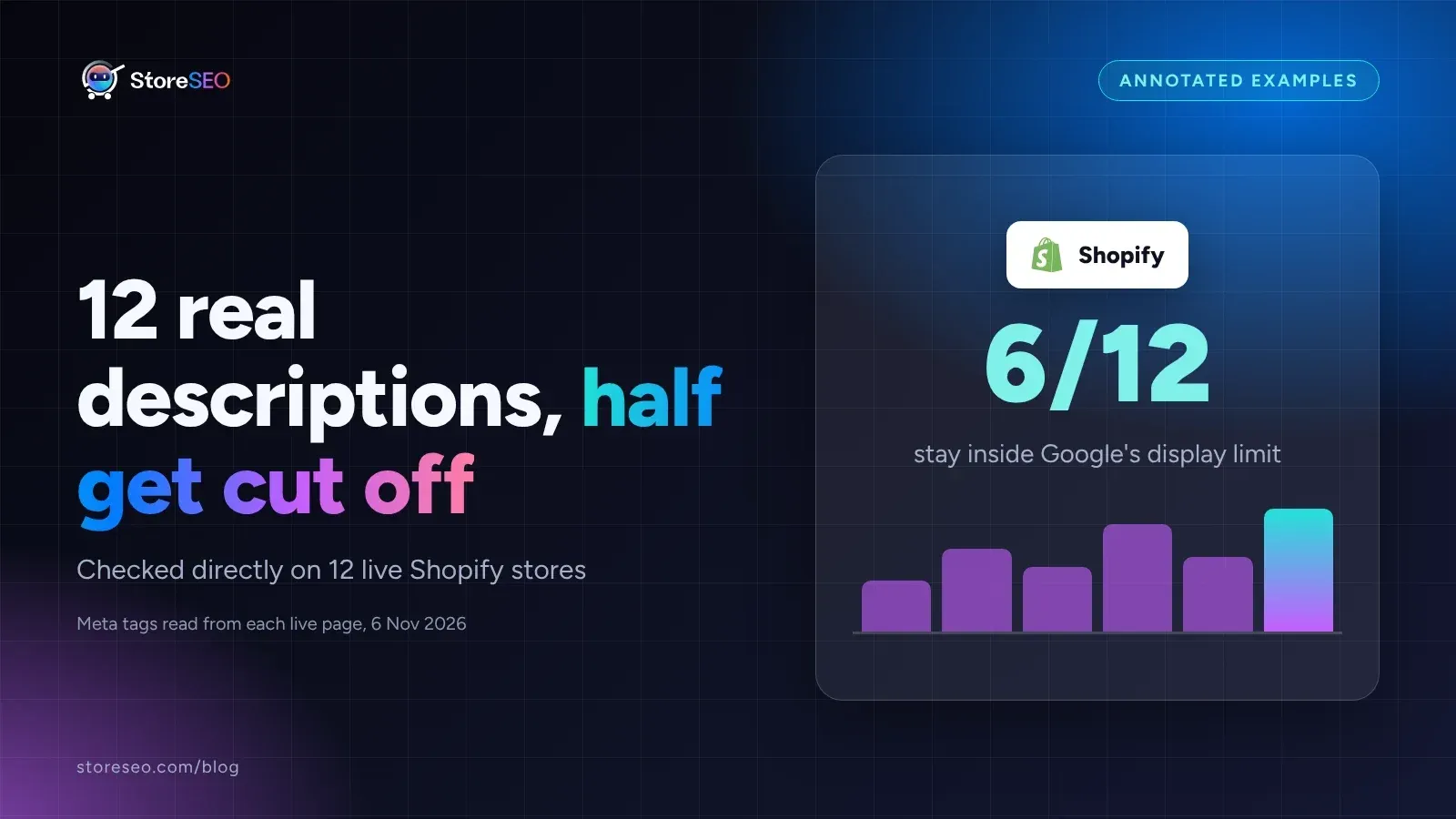
12 Shopify Meta Descriptions That Get Clicked
Twelve real Shopify meta descriptions, from 28 to 298 characters, show exactly where Google starts cutting a search snippet off mid-sentence.
Read article