
Migrate From SearchPie to StoreSEO (Step by Step)
 Written by M Asif Rahman
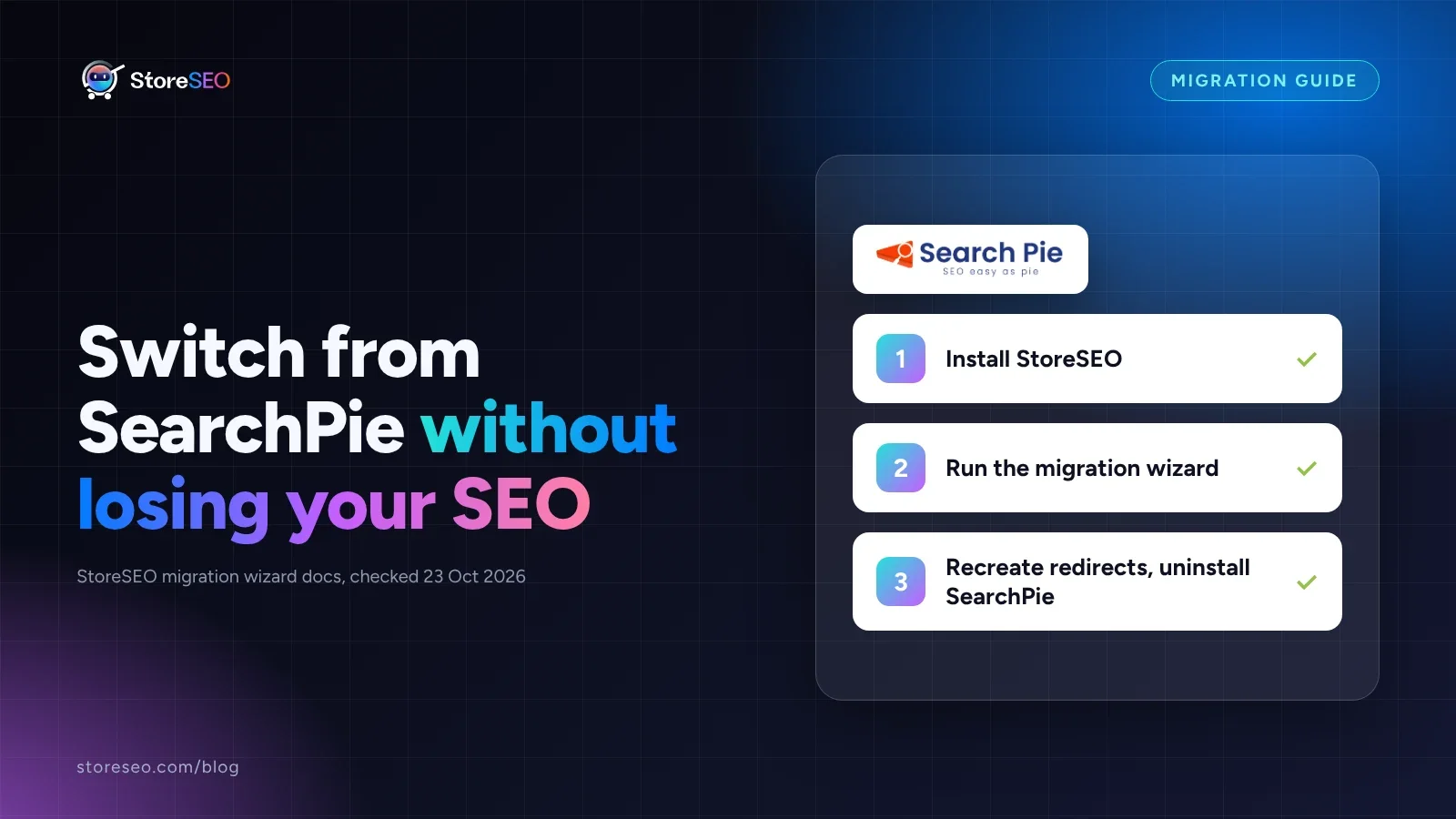
Yes, you can switch from SearchPie to StoreSEO without losing your SEO work. StoreSEO’s built-in migration wizard carries across meta titles, meta descriptions and JSON-LD schema in a few minutes; SearchPie’s own redirects and its AEO/LLMs.txt output need a short manual pass, both covered below.
TL;DR
| Data | Moves automatically | What to do |
|---|---|---|
| Meta titles | Yes | Spot check the top 10 pages after import |
| Meta descriptions | Yes | Spot check the top 10 pages after import |
| Product and page schema (JSON-LD) | Yes | Re-validate with StoreSEO’s schema tool |
| Image alt text | Not listed | Re-run StoreSEO’s bulk alt text tool |
| Redirects SearchPie created | No | Rebuild with the Bulk URL Redirect Manager |
| SearchPie’s AEO / LLMs.txt output | No | Regenerate with StoreSEO’s own LLMs.txt tool |
Step 1: Install StoreSEO And Weigh The Switch
SearchPie is a genuinely capable app: bulk and individual edits across meta tags, images and URLs, a daily SEO report, and its own PageSpeed booster, all through a no-code interface. On the Shopify App Store it carries a 4.9 rating across 2,446 reviews, checked 27 September 2026. StoreSEO’s own listing sits at a full 5.0 across 754 reviews the same day, a smaller base but a cleaner score.
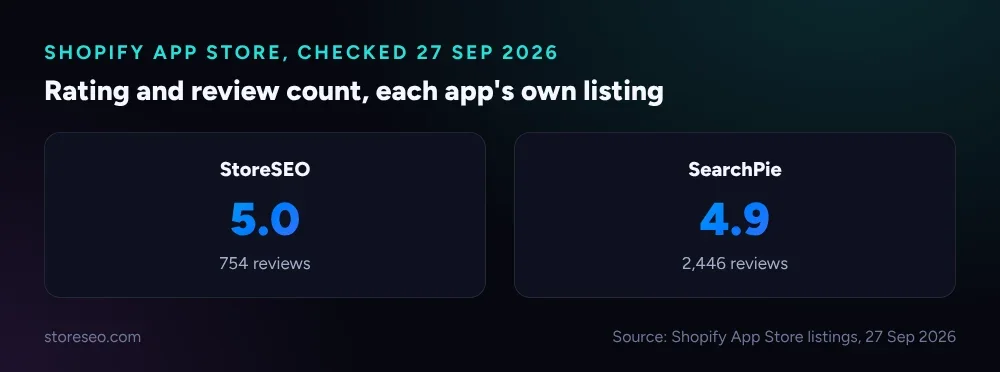 StoreSEO’s smaller review base still holds a full 5.0; SearchPie’s larger base sits at 4.9 (Shopify App Store listings, 27 Sep 2026).
If you have not already compared the two apps feature by feature, StoreSEO vs SearchPie: Honest 2026 Comparison weighs pricing, the AI SEO Agent and reviewer complaints before you commit to anything. For the wider field, the best Shopify SEO apps, expert tested ranks both alongside the rest.
Once you have decided, install StoreSEO on its Free Forever plan and run it alongside SearchPie at first: nothing on your storefront changes until you choose to switch over. Before touching any settings, open StoreSEO’s own Backup Your SEO Data tool and save a restore point, so a bad import is a few clicks from undone.
Step 2: Run The Built-In Migration Wizard
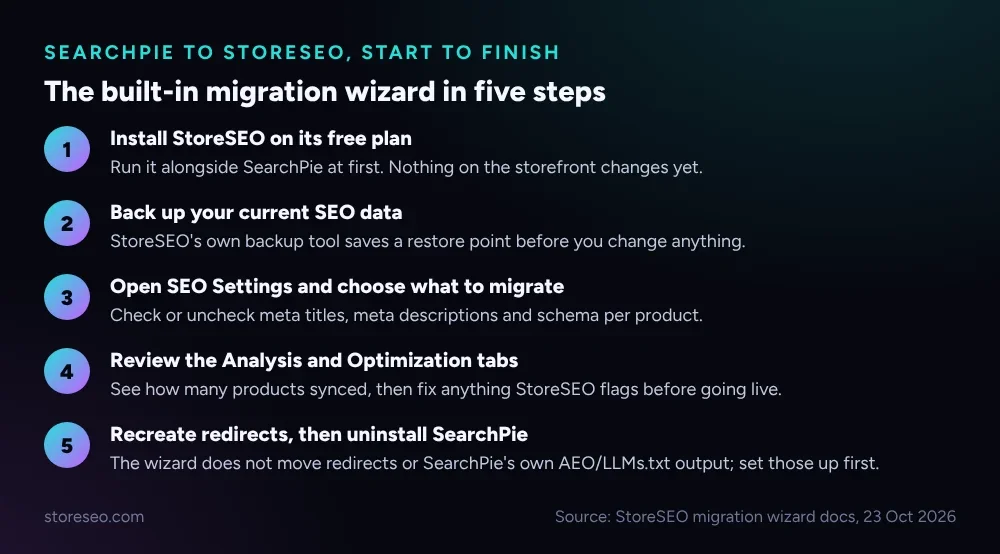 StoreSEO’s wizard is app-agnostic: it reads whatever meta titles, descriptions and schema already exist on your products, whichever app wrote them.
From the StoreSEO dashboard, open SEO Settings and start the migrate your data wizard. Check the boxes for the fields you want to bring across, then click Next to reach the Analysis tab, which reports how many products were found and synced. The Optimization tab flags anything StoreSEO thinks needs attention before you finish; the Success tab confirms the import is done and links out to StoreSEO’s documentation and support.
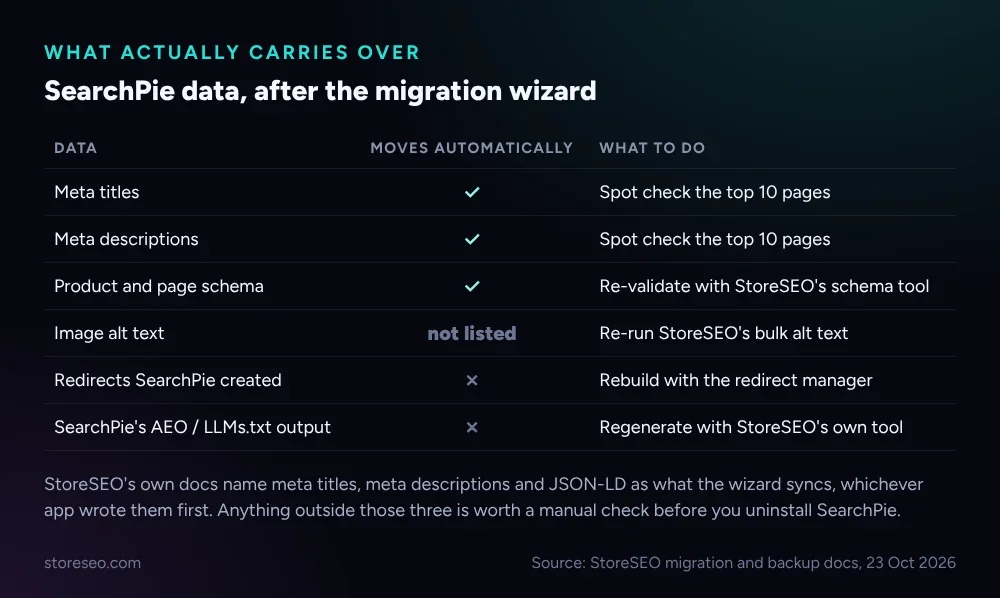 StoreSEO’s own documentation names meta titles, meta descriptions and JSON-LD as what the wizard syncs; treat anything else as worth a manual check.
StoreSEO is explicit that the wizard moves meta titles, meta descriptions and JSON-LD; it does not promise image alt text, so re-run StoreSEO’s own bulk alt text tool as a precaution. Two things the wizard never touches: any redirects SearchPie set up for discontinued or renamed products, and SearchPie’s own AEO and LLMs.txt output if you were on its Enterprise tier. Recreate the redirects with StoreSEO’s Bulk URL Redirect Manager before you uninstall SearchPie, and regenerate your llms.txt from inside StoreSEO once it is your primary SEO app. If you are coming from a different app instead, Switch From Booster SEO to StoreSEO (No Data Loss) runs through the same wizard on a Booster SEO export, step for step.
What Should You Check After Switching?
Give the store a week before you call the migration finished. Check these in order:
- Search Console coverage. Confirm the same pages are still indexed; a sudden drop points at a meta tag or canonical that did not carry over cleanly.
- A handful of product pages, viewed live. Open three or four in a browser and read the title tag and meta description exactly as Google would see them.
- Structured data. Run a few product URLs through StoreSEO’s own schema check and confirm one clean JSON-LD block, not two competing ones.
- Redirects. Test any URL SearchPie used to redirect; a 404 where a redirect used to live is the most common migration miss.
- AI answer visibility. If SearchPie’s AEO output was live, regenerate it in StoreSEO so AI crawlers are not reading a stale file.
Switching apps is also a fair moment to brush up on the fundamentals rather than lean on any single tool for every call; how to become a Shopify SEO expert covers the skills worth learning alongside whichever app ends up running your store.
How Do You Avoid Duplicate Schema Or Meta From Two Apps?
The most common migration mistake is leaving both apps active and writing. Two SEO apps installed at once can each inject their own JSON-LD block or override the same meta tag on save, and search engines see the conflict, not a clean page.
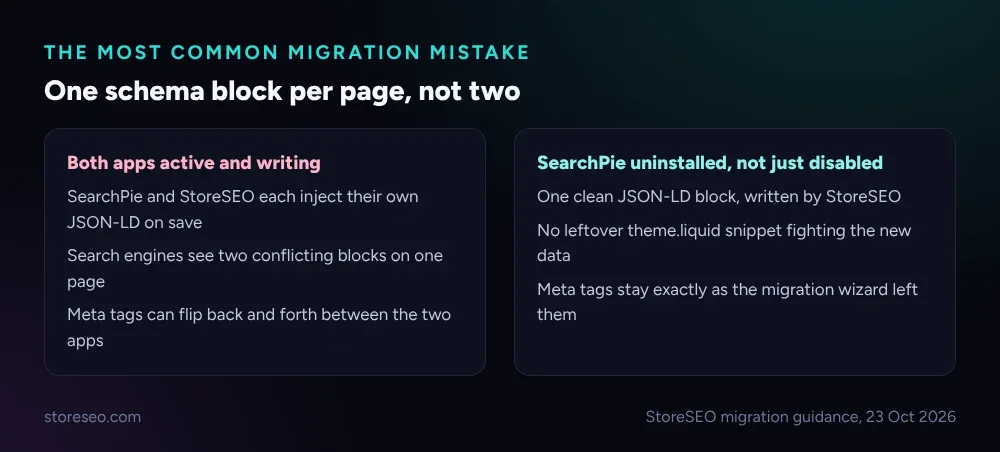 Running both apps briefly is normal; leaving both active for weeks is what causes the conflict.
Once StoreSEO’s Success tab confirms the import, uninstall SearchPie from your Shopify admin rather than just disabling it, since a disabled app can still leave old theme snippets behind. After uninstalling, view the page source on two or three products and confirm exactly one structured-data block per page, written by StoreSEO. If you still see a second block, check your theme’s theme.liquid for a leftover snippet SearchPie added directly, since not every setting an app makes lives inside the app itself. StoreSEO’s own SEO Schema tool is built to be the single source once SearchPie is gone, so you customize the JSON-LD it writes in one place instead of two apps fighting over the same block.
Frequently Asked Questions (FAQs)
1. Does switching from SearchPie to StoreSEO hurt your Google rankings?
Not if the core fields transfer correctly. Google re-crawls pages on its own schedule, and a meta title or description that reads the same after the switch gives it nothing new to react to. The real risk is a broken redirect or a missing canonical, which is why the post-switch checklist above exists.
2. How long does the SearchPie to StoreSEO migration actually take?
The wizard itself runs in minutes once you reach the Analysis tab; most of the real time goes into the backup, the review, and recreating anything that does not carry over automatically. Budget an afternoon for a typical catalog, plus a week of watching Search Console before you uninstall SearchPie.
3. Do you have to manually re-enter every meta title and description?
No. That is the point of the wizard: it reads what is already on your products and brings meta titles, meta descriptions and schema across without you retyping them. You only re-enter fields the wizard does not cover, such as any custom redirects.
4. What happens to SearchPie’s PageSpeed and keyword research tools?
They stay with SearchPie and are not part of this migration at all; speed optimization and keyword research are separate concerns from SEO metadata, and StoreSEO’s own tools for both work differently. If SearchPie’s PageSpeed Booster was a reason you liked it, test StoreSEO’s equivalents before you uninstall anything.
5. Should you uninstall SearchPie before or after migrating?
After, and only once you have checked the post-switch list above. Running both apps briefly side by side is normal; leaving both installed and active for weeks is what causes duplicate schema and meta tag conflicts.
6. Will StoreSEO’s FAQ schema carry over from SearchPie automatically?
No, FAQ blocks are not part of what the migration wizard moves, so rebuild them with StoreSEO’s own FAQ schema tool after the switch. Neither app can promise a rich result in Google for FAQ markup; rich results for FAQ schema have not been guaranteed for any site since May 2026, so treat it as a clarity signal for search engines and AI answers rather than a guaranteed visual upgrade.
A smooth migration only matters if the app you land on keeps moving your Shopify SEO forward rather than just carrying it across: try StoreSEO on the Shopify App Store
Keep reading
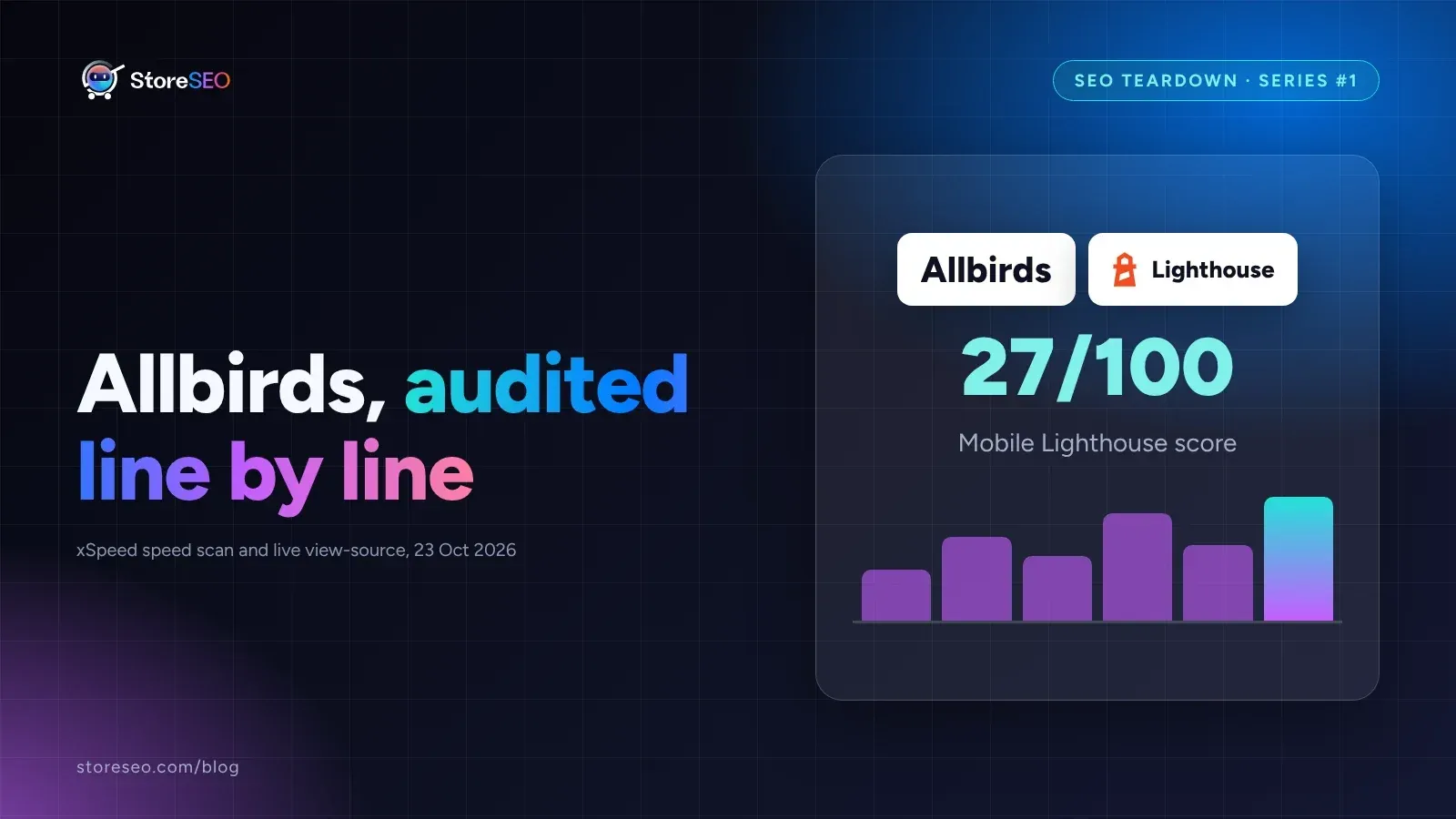
Shopify SEO Teardown #1: Allbirds
We audited Allbirds.com's live pages and found a 27 mobile Lighthouse score, zero homepage schema, three h1 tags, and a typo in the title tag.
Read article
Shopify Image Filenames Are Hurting Your SEO: The Fix
Shopify publishes your uploaded filename straight into the live image URL, so a camera default like IMG_4821.jpg stays that way until you rename it.
Read article
Common Shopify SEO Problems, Ranked by Impact
Six Shopify SEO problems ranked by real cost, each scored for how common it is in our 100+ store audit, how severe, and how fast you can fix it.
Read article