
Does Shopify Duplicate Content Hurt Rankings?
 Written by M Asif Rahman
No. Google has never had a separate “duplicate content penalty”; its own canonicalization guidance calls overlapping URLs on a site normal and not a spam violation. The real cost is diluted crawl budget and split ranking signals, and on Shopify, most of the common causes already resolve themselves through an automatic canonical tag.
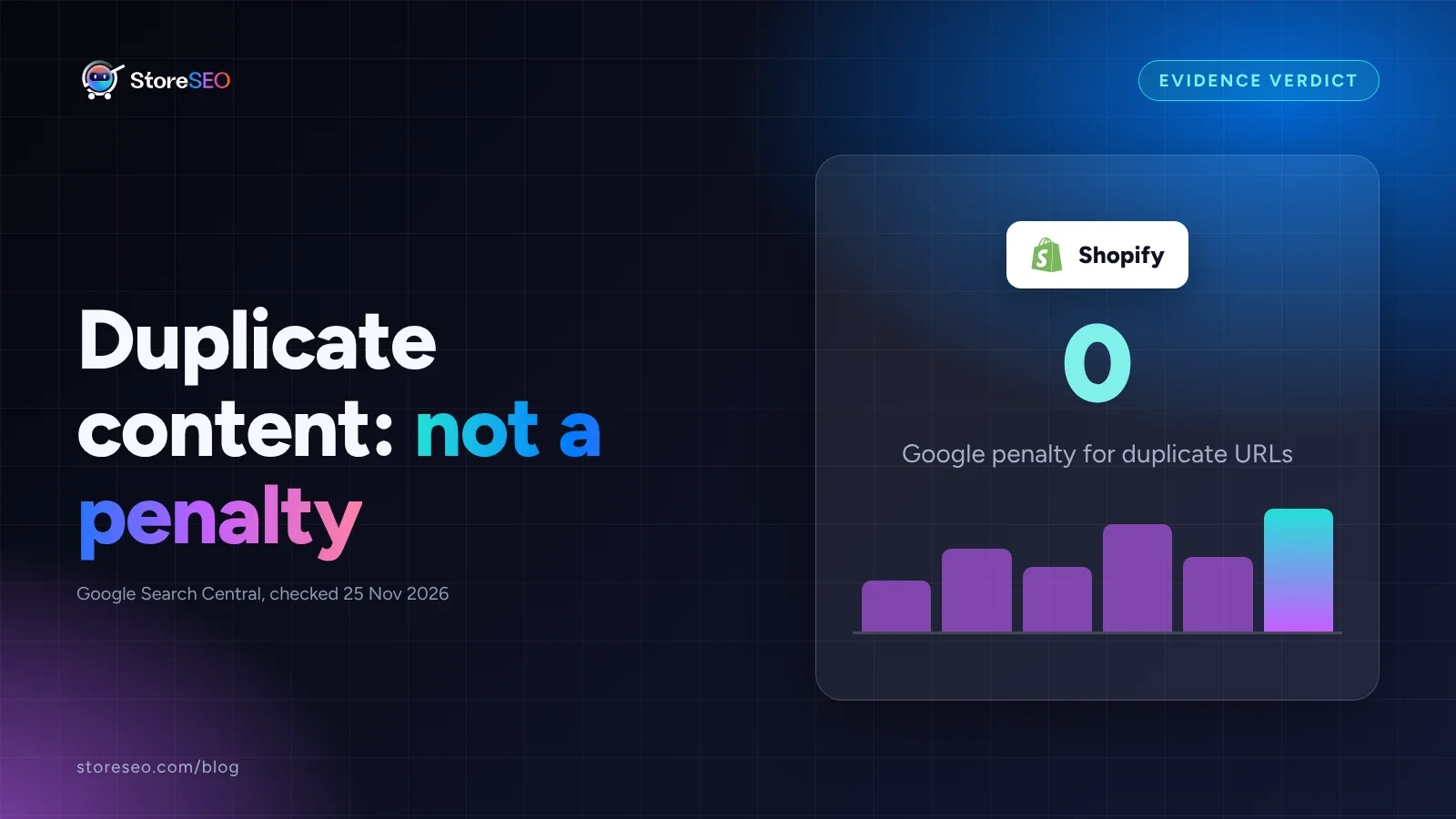
TL;DR: the evidence, weighed.
| Claim | Evidence | Strength | What to do |
|---|---|---|---|
| Google does not run a “duplicate content penalty” | Google’s own canonicalization docs: duplicate content is “normal” and “not a violation of Google’s spam policies” | Strong, Google’s own words | Stop treating it as an emergency |
| Shopify already self-canonicalizes sort and filter URLs | Live fetch of a real Shopify storefront: ?sort_by= and ?filter.v.price.gte= URLs both carry a canonical tag pointing at the bare collection | Strong, verified live, 25 Nov 2026 | Leave these alone |
| Two separate Shopify collections can still serve the same catalog unresolved | Live fetch: one collection’s canonical pointed at a second, near-identical collection that stayed live and indexable on its own URL | Moderate, a platform default, not a guaranteed fix | Redirect or canonicalize by hand |
| Paginated collection pages are not folded into page 1 | Live fetch: a ?page=2 URL kept its own self-referential canonical | Moderate, intentional behaviour, not a bug | Leave pagination as it is |
Does Google Actually Penalize Duplicate Content?
There is no mechanism in Google’s own documentation called a duplicate content penalty, and Google Search Central’s canonicalization guide says so directly: “some duplicate content on a site is normal and it’s not a violation of Google’s spam policies.” What duplicate URLs do cost a site is less dramatic and more mechanical. When Google finds multiple pages with the same or very similar primary content, it clusters them and picks one as canonical; that canonical page “will be crawled most regularly,” while the others “are crawled less frequently in order to reduce the crawling load on sites.” Nothing is suppressed or demoted. The signals a duplicate URL would otherwise have earned, such as links or repeat visits, just get split across versions instead of consolidating behind one URL, which is a real cost, but it is a dilution problem, not a punishment.
This matters for how a Shopify merchant should triage duplicate content. If the mental model is “penalty,” the instinct is panic: noindex everything, delete pages, hide collections. If the mental model is “dilution,” the fix is calmer: tell Google which version is the real one, and let crawl budget and ranking signals consolidate behind it.
What Does Duplicate Content Actually Look Like on a Shopify Store?
A default Shopify theme creates overlapping URLs in a handful of predictable places: a product reachable through more than one collection path, a tag page that mirrors a collection’s own product list under a different URL, sort or filter parameters appended to an otherwise identical page, and paginated results. Not all four behave the same way, and the only way to know which is which is to check a real storefront.
So this run did. Reading the rendered <head> of a real, public Shopify store’s collection pages for their <link rel="canonical"> tag found this:
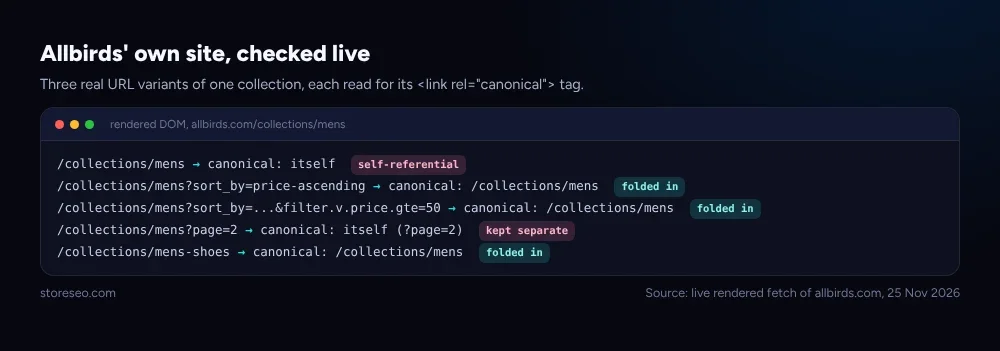 Five real URL variants of one Shopify collection, each read live for its canonical tag, 25 Nov 2026.
Sort and filter parameters fold in automatically: ?sort_by=price-ascending, and the same URL with a price filter stacked on top, both self-canonicalize straight to the bare collection URL, with no app and no manual tag involved. Pagination does the opposite on purpose: ?page=2 keeps its own self-referential canonical rather than folding into page 1, because a paginated page genuinely shows different products, and Google’s own guidance treats that as unique content worth its own URL. The one case that does not resolve on its own is two differently-named collections serving close to the same catalog: one of the two carried a canonical tag pointing at the other, but both stayed live, crawlable and indexable at their own URLs, which is exactly the “two live URLs, nothing telling Google which one to prefer outright” situation Canonical vs Redirect vs Noindex on Shopify already walks through for tag pages and filtered variants.
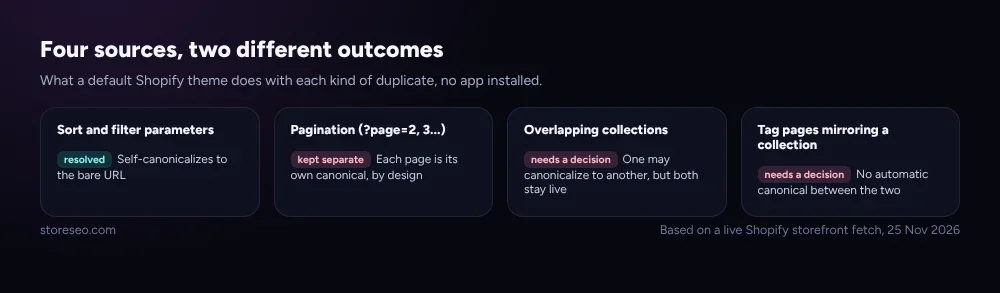 What a default Shopify theme does with each kind of duplicate, no app installed, based on the live fetch above.
Fixing Common Shopify SEO Issues: Duplicate Content, Broken Links & More already names duplicate content as one symptom among several on a Shopify store; what it does not do is weigh the evidence on whether it actually costs rankings, or show which of these four sources Shopify resolves for you versus which still needs a decision. That is the gap this post closes.
How Do You Fix What’s Left on Shopify?
Two of the four sources above need nothing from a merchant: sort and filter consolidation already happens, and pagination is supposed to stay separate. The other two, overlapping collections and tag pages that mirror a collection, need a human decision, and the decision is always one of three:
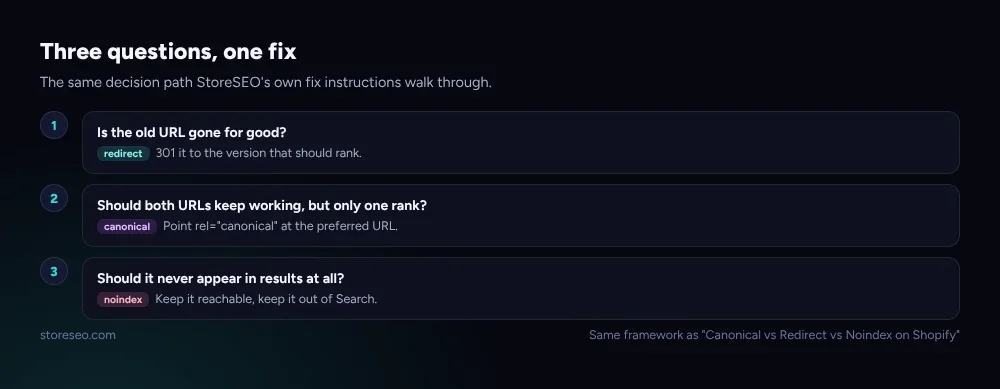 The same three-question framework this blog’s own canonical guide uses, applied to the two sources that don’t resolve on their own.
If the weaker URL should disappear entirely, a 301 redirect is the strongest signal Google accepts, because it reads as an instruction rather than a hint. If both URLs need to keep working but only one should rank, a rel="canonical" link element is the next strongest. A sitemap listing is the weakest of the three and best used alongside one of the other two, never alone, which is exactly how Google’s own guide to consolidating duplicate URLs ranks them:
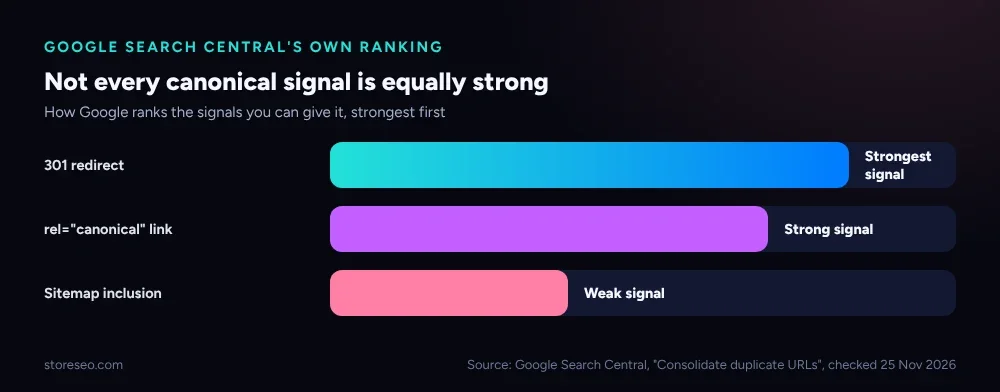 Google Search Central’s own ranking of how strongly each signal influences which URL it treats as canonical.
This is the exact gap StoreSEO’s Detailed fix instructions close: rather than a generic “duplicate content” flag, the SEO Analysis names which collection or tag page is overlapping which, and which of the three fixes applies, instead of leaving a merchant to work it out URL by URL. Noindex is rarely the right call for a duplicate that a real visitor might still land on and use; it is the right call only for a page that should never be found in Search at all, such as an internal testing or staging view, not for a collection a customer is actively browsing.
So What Should You Actually Do?
Stop treating “duplicate content” as an emergency and start treating it as a short, three-step audit. First, list the collection, tag and filtered-URL pairs on your own store the way this post’s live check did, by opening each candidate URL and reading its canonical tag. Second, leave sort, filter and pagination URLs alone; Shopify is already handling the first two for you and should be handling the third one correctly by design. Third, for anything still genuinely duplicated, redirect what should disappear, canonicalize what should stay reachable but unranked, and reserve noindex for pages no visitor should ever be served from Search. Common Shopify SEO Problems, Ranked by Impact walks through how to find which of these issues your own store actually has before you start fixing anything.
Frequently Asked Questions (FAQs)
1. Does Shopify create duplicate content automatically?
Yes, in a few predictable places: a product can sit in more than one collection, tag pages often mirror a collection’s product list under a different URL, and sort or filter parameters append to collection URLs. Most Shopify themes already resolve the sort and filter case with a self-generated canonical tag; the others need a merchant decision.
2. Will duplicate content get my Shopify store penalized by Google?
No. Google’s own documentation describes duplicate content as normal and explicitly not a spam violation. The real cost is that Google crawls the non-canonical copies less often and consolidates ranking signals onto whichever URL it treats as canonical, which can dilute a page’s performance without any penalty being applied.
3. Should I noindex my tag pages?
Only if nobody should ever land on that page from a search result. If a tag page mirrors a collection a customer genuinely browses, a canonical tag pointing at the preferred version is usually the better call, because noindex removes the page from Search entirely rather than just consolidating its signals.
4. Does pagination, like page 2 or page 3 of a collection, count as duplicate content?
Not in the way sort and filter parameters do. A paginated page shows different products than page 1, so Google generally treats each page as its own canonical URL rather than folding it into the first page, and a live check of a real Shopify storefront’s ?page=2 URL confirmed exactly that.
5. How do I find out which of my URLs Google has already picked as canonical?
Open the URL in a browser, view its page source or rendered HTML, and look for a <link rel="canonical"> tag in the <head>. That tag states the URL Google has been told to prefer, whether it was set by the theme, an app, or by hand.
6. Does a canonical tag guarantee Google will respect it?
No. Google treats a canonical tag as a strong hint, not a rule, and may choose a different URL as canonical if other signals, such as redirects or a sitemap, point elsewhere. That is why Google’s own guidance ranks redirects above canonical tags above sitemap inclusion for how strongly each one influences the outcome.
Most of what looks like a duplicate content crisis on a Shopify store is StoreSEO’s own territory: flag the overlap, name the fix, and move on rather than guessing. try StoreSEO on the Shopify App Store
Keep reading
Does Shopify Markets Replace Hreflang?
Shopify Markets auto-generates hreflang tags and canonical URLs, but only for markets you give their own domain, subdomain or subfolder and a language.
Read article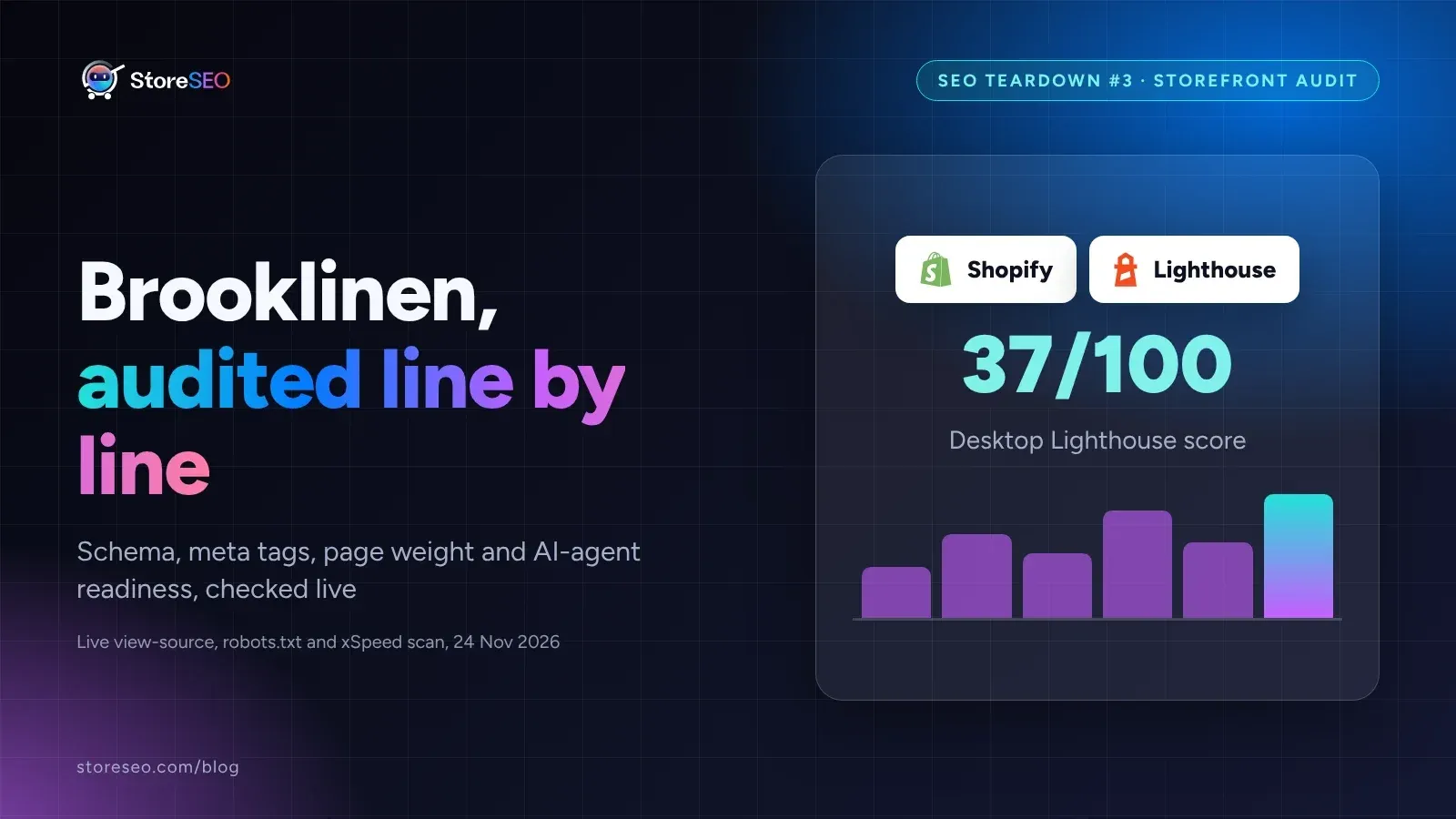
Shopify SEO Teardown #3: Brooklinen
We audited Brooklinen's live Shopify pages and found a 37-out-of-100 Lighthouse score, two conflicting schema blocks, and a 427-character meta description.
Read article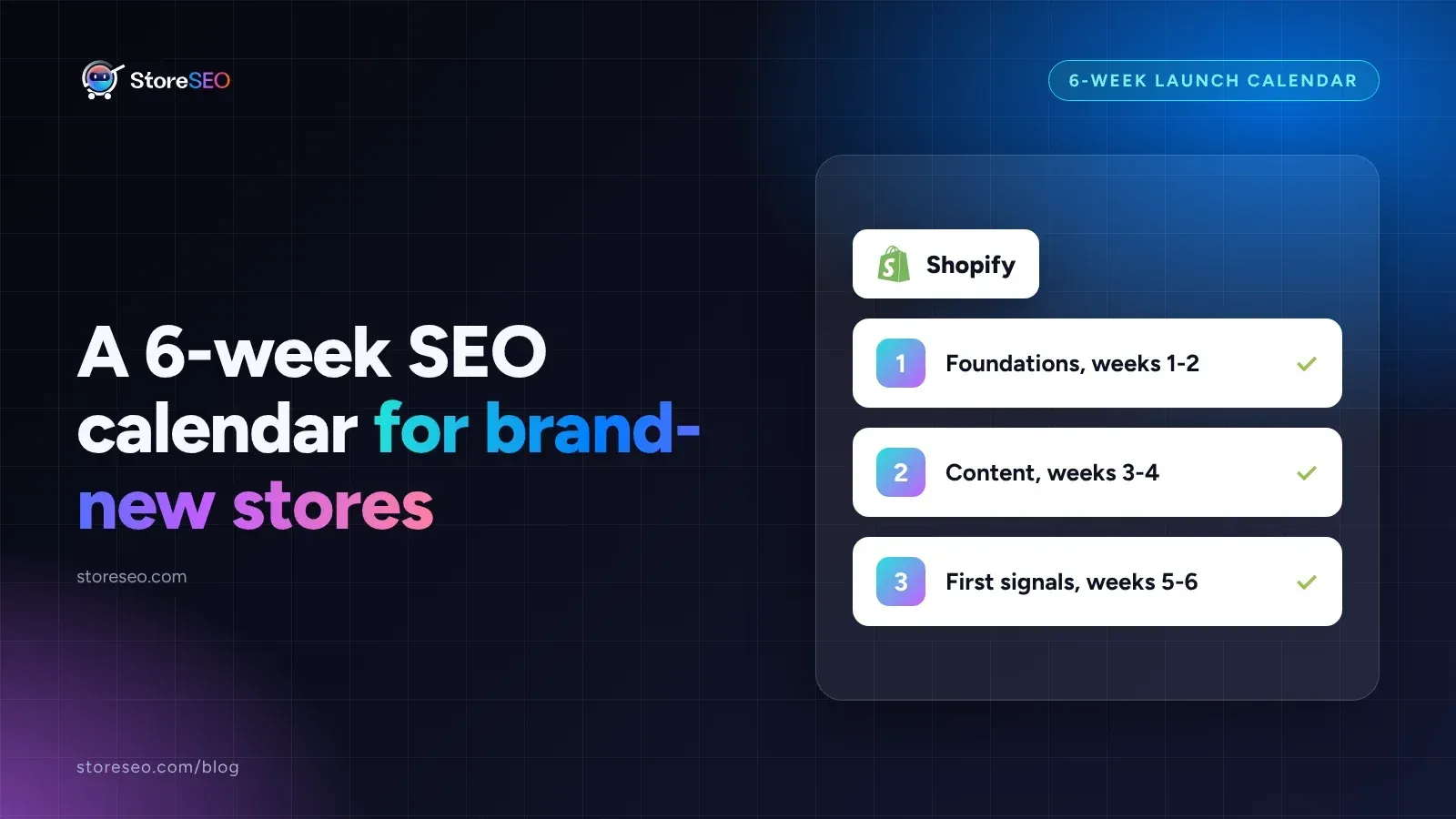
A 6-Week Shopify SEO Calendar for New Stores
A brand-new Shopify store has six weeks of real SEO work before results show: sitemap and titles first, content and images next, reviews and recheck last.
Read article