
Shopify Organic Traffic Dropped? 15-Minute Diagnosis
 Written by M Asif Rahman
If your Shopify store’s organic traffic dropped, check four things in order: whether Google ran a core update, whether you or your theme changed something, whether the drop is seasonal, and whether tracking itself broke. Most drops trace back to one of these inside fifteen minutes in Search Console.
TL;DR: work the branches in this order.
| Branch | Check first | Likely verdict |
|---|---|---|
| Algorithm update | Compare the drop date to Google’s own ranking-update list and Search Console’s Performance report | Site-wide; usually settles in 1 to 3 weeks |
| You changed something | Recent redirects, theme edits, a robots.txt change, or a noindex tag | Page-specific; fixable the same day |
| Seasonal | Compare the same weeks last year, not last month | n/a; demand returns on its own |
| Tracking broke | GA4 or Search Console verification, consent filters, new tags | Traffic never actually moved |
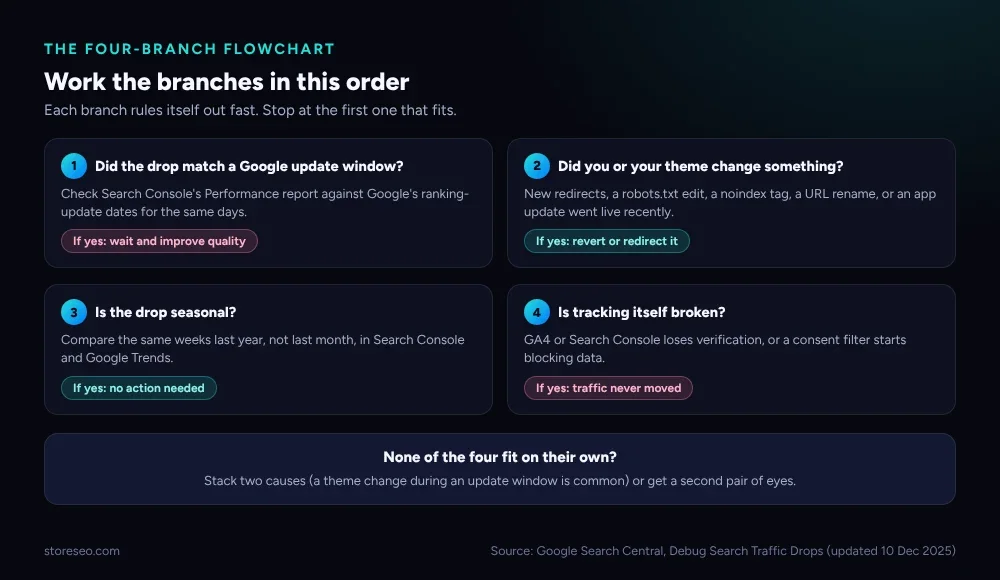 The four branches, worked in order. Stop at the first one that fits.
Before the branches, pull the raw shape of the drop. Open Search Console’s Performance report, set the date range to the last 90 days, and compare clicks, impressions and average position side by side. A drop in clicks with impressions and position both holding steady is usually a CTR problem (a snippet or a competitor change), not a ranking problem, and none of the four branches below apply to it.
| Symptom | Likely cause | How to confirm | Fix |
|---|---|---|---|
| Clicks and impressions both fall, position holds | Seasonal demand or CTR/snippet issue | Compare year over year, check SERP for new competitors | Usually none, or rewrite the title and meta description |
| Clicks and position both fall, impressions hold | Algorithm update or new competition | Match the date to Google’s update list | Improve page quality; wait out the rollout |
| Impressions themselves fall | The page stopped being eligible to show | Check indexing status and robots.txt | Fix the technical block |
| One page or template drops, others do not | A local change: redirect, noindex, URL rename | Diff the page against its last good version | Revert or redirect the specific change |
| Everything falls on the same day, evenly | Tracking or verification broke | Re-check GA4 and Search Console property status | Reconnect the property, fix the filter |
| Drop repeats on the same calendar weeks each year | Seasonality | Overlay this year’s Trends data on last year’s | No action |
Did Google Run an Algorithm Update?
Google documents this branch directly: to debug a Search traffic drop, check for algorithmic updates, technical or security issues, and spam issues, then confirm against the Performance report by comparing data across different time periods, search types and positions, and by checking whether the drop is site-wide or limited to specific pages (Google Search Central, Debug Google Search Traffic Drops, last updated 10 Dec 2025, read 8 Oct 2026). Google’s own ranking updates page lists core and spam updates with their rollout windows; a drop that starts and ends inside one of those windows, across many pages and queries at once, is this branch.
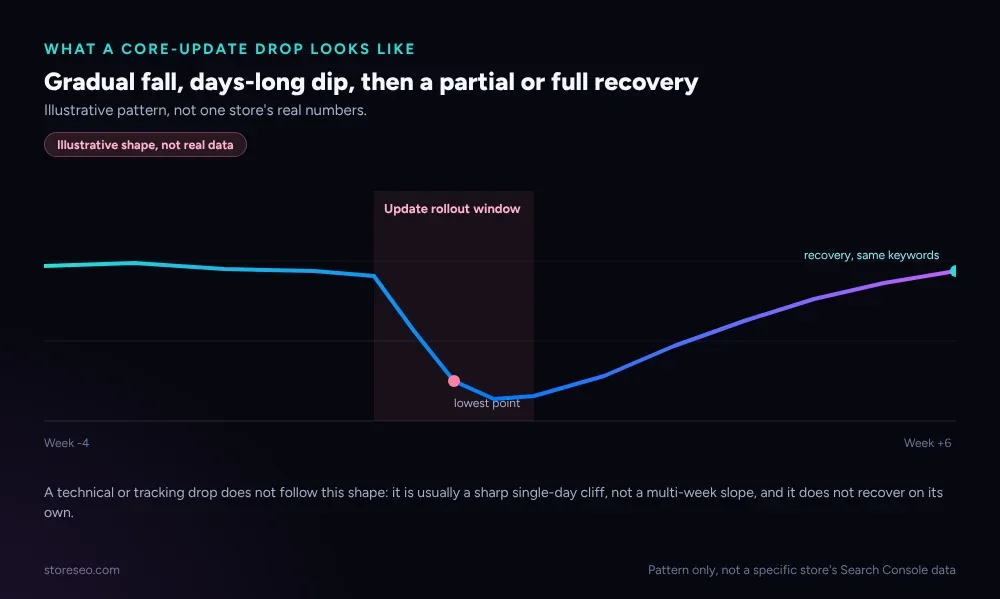 Illustrative shape of a core-update drop: a slope, not a cliff, and a recovery on the same keywords. Not one store’s actual numbers.
A core update is the one branch where the honest fix is patience plus page quality, not a technical change. If your product pages genuinely answer the question a shopper searched (clear specs, real reviews, no thin duplicate variants), a core update usually gives most of the traffic back within a few weeks. If it does not recover after the stated rollout finishes, treat it as a quality signal and work through Google’s own guidance on helpful, people-first content rather than waiting again for the next update. A related pattern worth ruling out at the same time is SERP volatility: shorter, noisier swings that are not a named update at all, and that settle on their own within days rather than weeks.
If you never ranked for these terms in the first place rather than losing a position you once held, the diagnosis is different: see our broader guide on why a Shopify store is not ranking on Google or ChatGPT instead.
Did You or Your Theme Change Something?
This is the branch to rule out first in practice, even though it is second on the flowchart, because it is the fastest to confirm and the easiest to fix. A new redirect rule, a theme update that quietly added noindex, an app that rewrote your robots.txt, or a URL handle renamed without a redirect can all drop a page from the index within a day.
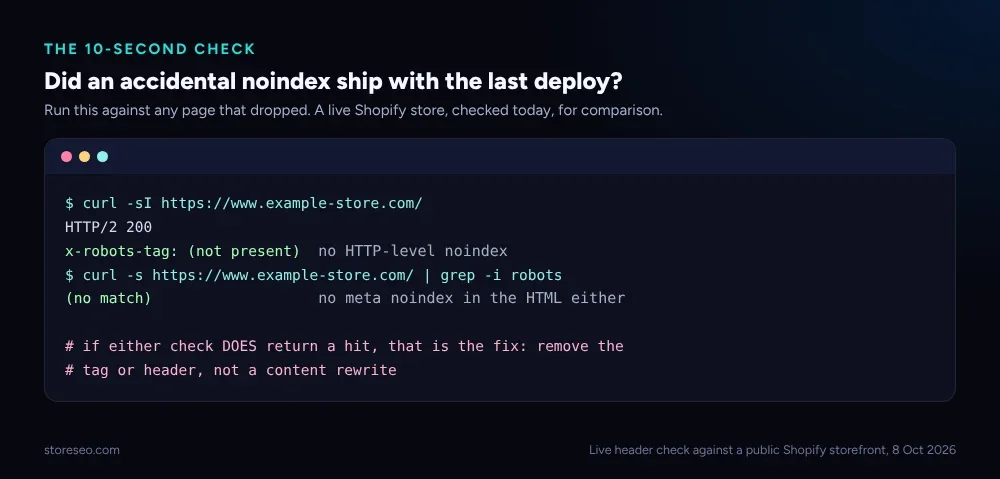 A ten-second check: fetch the page’s headers and HTML for an accidental
 noindex. If it is not in either place, this branch is clear.
Pull up Search Console’s Page Indexing report and the Manual Actions report (support.google.com/webmasters/answer/9044175, confirmed live 8 Oct 2026) for the affected URLs; our guide to every indexing status explains what each one actually means for a Shopify page. If a page that used to say “Indexed” now says “Excluded by noindex tag” or “Page with redirect”, that is your answer, and the fix is reverting the change, not rewriting content. StoreSEO’s Keyword Analytics pulls the same Search Console data into the Shopify admin, so a sudden drop in a tracked keyword’s impressions shows up next to the page it belongs to instead of inside a separate GSC property; the docs on using Search Console insights walk through the same report.
If redirects are the suspect, our bulk redirect guide covers the difference between a clean 301 and a redirect chain that quietly strips a page’s signals.
Is the Drop Seasonal?
Shopify traffic for many categories moves on a yearly calendar: gift categories fall hard in January, swimwear falls in autumn in the northern hemisphere, and B2B-leaning stores often dip across the last two weeks of December. The test is not “is traffic lower than last month”; it is “is traffic lower than the same weeks last year.” Overlay the two in Search Console (or Google Trends for the category term) before concluding anything is actually wrong.
A seasonal drop has one more tell worth checking: it should affect your whole category, not just your store. If a competitor selling the same products is holding steady while you drop on the same weeks, the cause is not seasonality, and it is worth re-checking the other three branches.
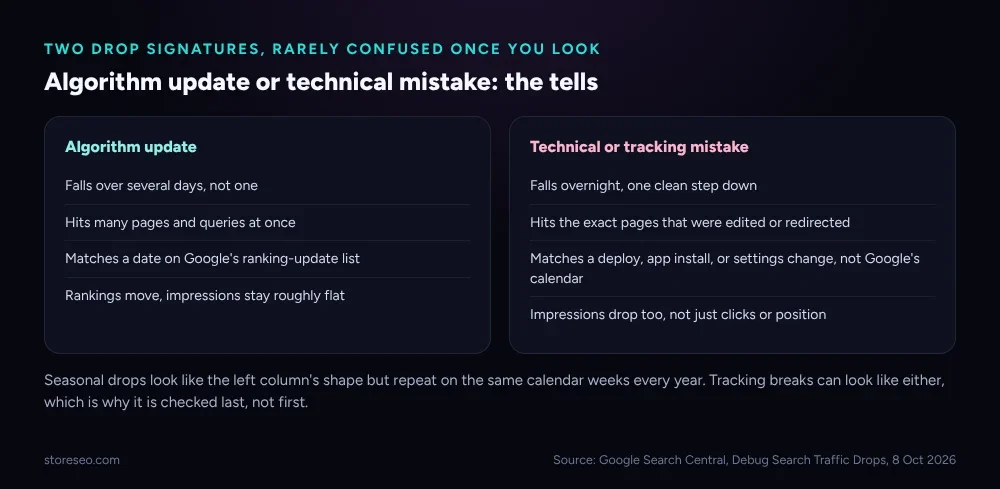 Side by side, the two signatures rarely look alike once you check the shape, the scope and the date.
Is Tracking Itself Broken?
Checked last because it is the least common cause and the easiest to mistake for a real drop: your traffic never moved at all, only your measurement of it did. Confirm that your Google Analytics 4 property is still verified in Search Console under the same domain, that no new consent-mode or cookie-banner change started blocking the GA4 tag, and that nobody added a filter that excludes your own storefront’s traffic by mistake. If Search Console’s Performance numbers look normal but GA4’s sessions cratered, the problem is instrumentation, not Search.
When Should You Get Help?
Get a second pair of eyes if more than one branch seems to apply at once (a theme deploy that happened to land inside an update window is a real and confusing combination), if the drop crosses 50% of organic sessions with no match to any of the four branches, or if the Manual Actions report shows an active penalty, which needs its own fix, not a wait. StoreSEO’s SEO Analysis scores every product page against the checks that most often sit behind a site-wide drop, which narrows the search before you need outside help; if rankings stay flat for weeks after you have worked every branch here, our guide to rankings that will not improve covers what to check next.
Frequently Asked Questions (FAQs)
1. How do I know if a Google core update caused my traffic drop?
Match the start date of your drop to a date on Google’s own ranking updates list, and check whether the fall happened gradually over several days across many pages, not overnight on one page. If both line up, it is very likely the update, not a change you made.
2. My Shopify traffic dropped overnight. Is that a core update?
Usually not. Core updates typically show a multi-day slope as the rollout spreads, not a single-day cliff. An overnight, one-step drop is the signature of a technical change, like a redirect, a noindex tag, or a tracking break.
3. Can changing a theme or installing an app cause a sudden traffic drop?
Yes. A theme update or a new app can add a noindex tag, rewrite robots.txt, or introduce redirect loops without any visible change to the storefront. Check the Page Indexing report for affected URLs right after any theme or app change.
4. Is a seasonal traffic drop normal for Shopify stores?
Yes, for most categories. Compare the current drop to the same calendar weeks last year rather than to last month. If the pattern repeats annually and your category peers show the same dip, it is seasonal and needs no fix.
5. How long does a Google core update take to fully roll out?
Google’s own documentation says rollouts can take one to several weeks to complete, and rankings can fluctuate throughout that window before settling. Wait for the stated rollout to finish before judging the result.
6. What is the fastest way to check if tracking broke instead of traffic?
Compare Search Console’s Performance numbers to Google Analytics 4 for the same days. If Search Console looks normal but GA4 shows a cliff, the problem is almost always measurement, not Search, so check GA4’s property verification and any recent consent or filter changes before assuming traffic actually fell.
Fix the Branch, Not the Content
Most Shopify traffic drops resolve inside one of these four branches once you have the dates and the scope in front of you. Keep the Performance report and your deploy log open side by side, work the flowchart in order, and fix the branch you land on rather than guessing at a content rewrite. try StoreSEO on the Shopify App Store
Keep reading
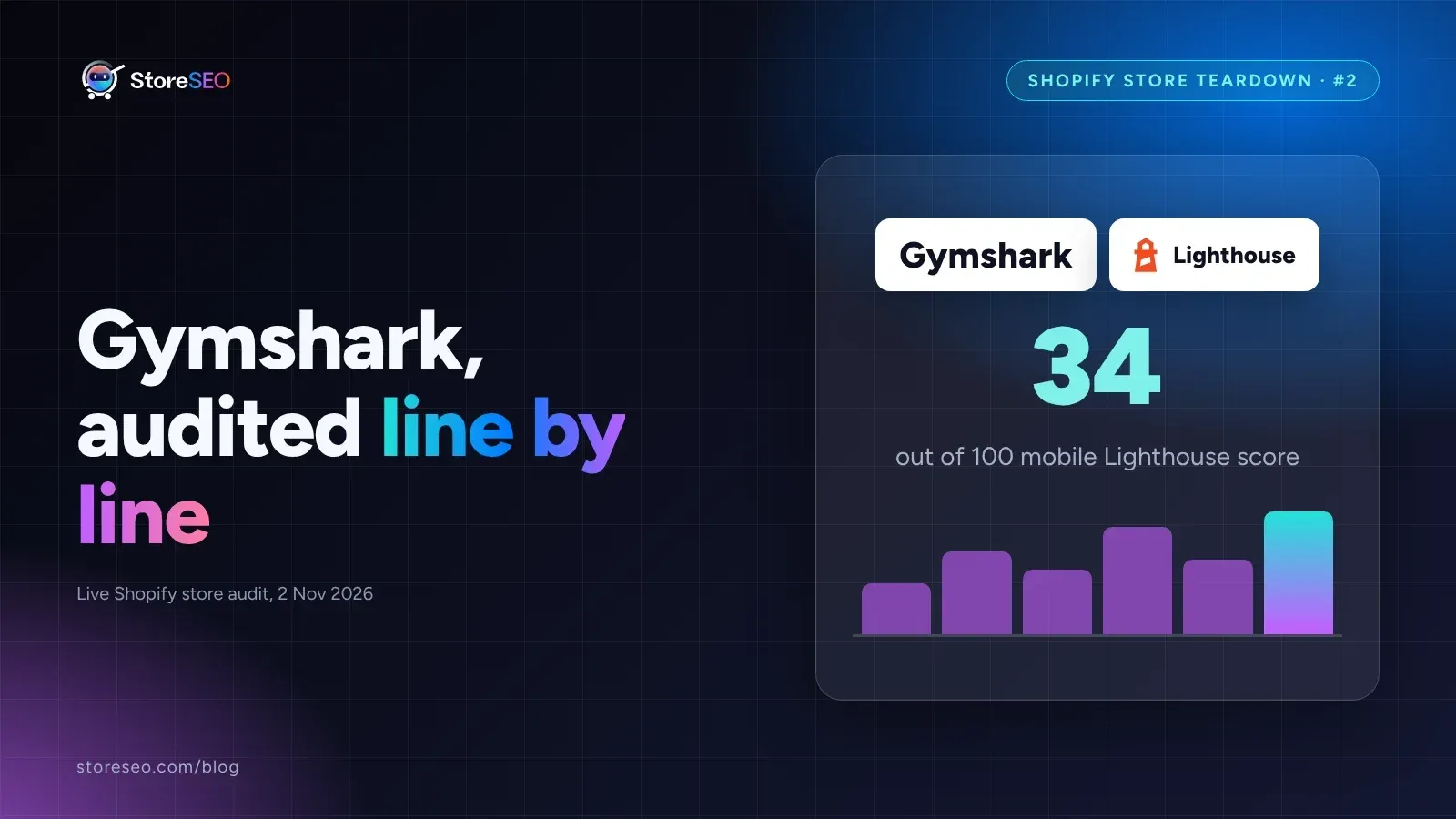
Shopify SEO Teardown #2: Gymshark
We audited Gymshark's live Shopify pages and found a 34-out-of-100 mobile Lighthouse score, a separate URL per color variant, and zero review schema.
Read article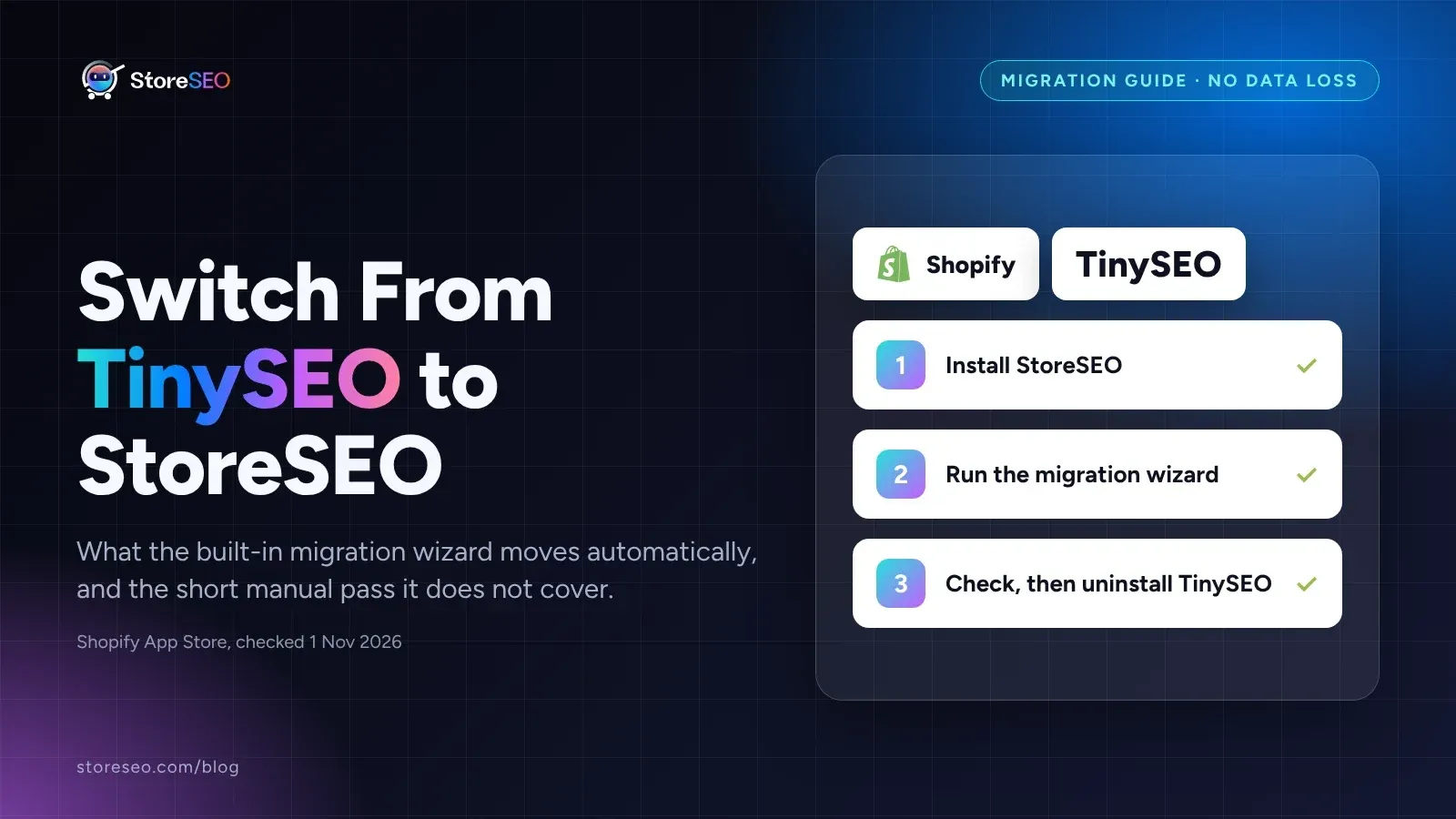
Switch From TinySEO to StoreSEO Without Losing Data
Switching from TinySEO to StoreSEO takes about ten minutes with the built-in wizard, and your schema and image alt text carry over automatically.
Read article
Does a Sitemap Actually Speed Up Shopify Indexing?
A sitemap helps Google and Bing discover new Shopify pages faster, but IndexNow, StoreSEO's instant-indexing feature, never reaches Google at all.
Read article