
Shopify SEO Teardown #1: Allbirds
 Written by M Asif Rahman
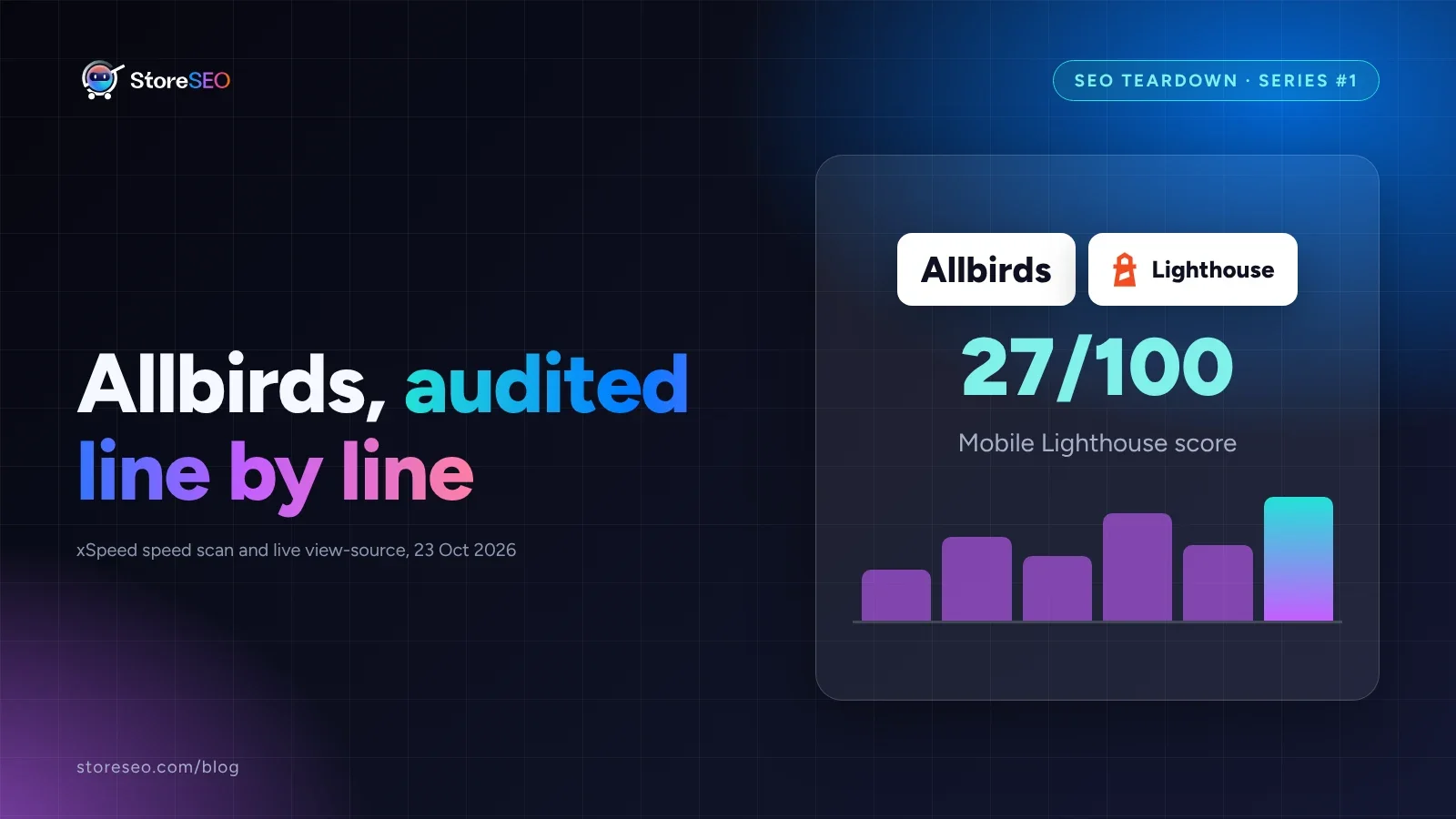
Allbirds runs a Shopify store with real strengths: solid Product schema, clean canonical tags, descriptive image alt text. It also carries a 27-out-of-100 mobile Lighthouse score, a homepage with zero structured data, three H1 tags on one product page, and a typo baked into that page’s own title tag. The single highest-value fix is page weight.
TL;DR: Allbirds.com, scored
| Area | Grade | Evidence, and the fix |
|---|---|---|
| Product schema | B+ | Product, Offer, AggregateRating, Brand and ProductGroup all present; fix: add BreadcrumbList too |
| Homepage schema | F | Zero application/ld+json blocks found; fix: add Organization and WebSite objects |
| Heading structure | C | Product page renders three <h1> elements instead of one; fix: demote two to <h2> |
| Title tags | D | Product page title runs 83 characters, with a capitalisation typo baked in; fix: rewrite under 60 |
| Meta descriptions | Mixed | Homepage 151 characters (within range); product page 298 characters; fix: cut the product one |
| Mobile performance | F | 27/100 Lighthouse, 17.8s LCP, 7.6MB transferred; fix: compress and lazy-load images |
| Desktop performance | C | 58/100 Lighthouse, 2.6s LCP; fix: same image work carries over |
| Crawl hygiene | A | robots.txt blocks sort, filter and checkout crawl traps; clean canonical tags; no redirect chain |
This is the first in a series of Shopify SEO Teardowns: one public, real store, audited the same way every time, from view-source, a live Lighthouse run and a schema check, with StoreSEO’s own on-page tools as the lens. Allbirds is picked for its scale and name recognition, not because anything here is unusual. This is factual commentary on public pages only; it implies no relationship with, and no endorsement by, Allbirds.
What Does This Store Get Right?
Start with the parts that already work, because a teardown that only lists faults is not useful to copy from.
The product page we checked, /products/mens-wool-runners, carries a real Product object in its JSON-LD: brand, SKU-level variants wrapped in ProductGroup, an Offer with price and availability, and an AggregateRating built from real review counts. That is everything Google’s own structured-data guidelines ask for to be eligible for a basic Product result with a star rating, and it is more complete than most of the storefronts StoreSEO’s own schema audit measured: our 300-product-page study found only 29% of stores shipping complete schema, and Allbirds clears that bar on the page we pulled.
Canonical tags are correct on both pages we checked: each one points straight at the URL a visitor actually lands on, with no stray parameter or duplicate target. Image alt text on the product gallery is genuinely descriptive and product-specific (“Men’s Cruiser - Medium Grey (Blizzard Sole)”), not the blank string or filename garbage a default theme install tends to leave behind. And the homepage’s meta description, at 151 characters, sits inside the range Google typically shows in full, which is the one length-sensitive field on this page that is not an issue.
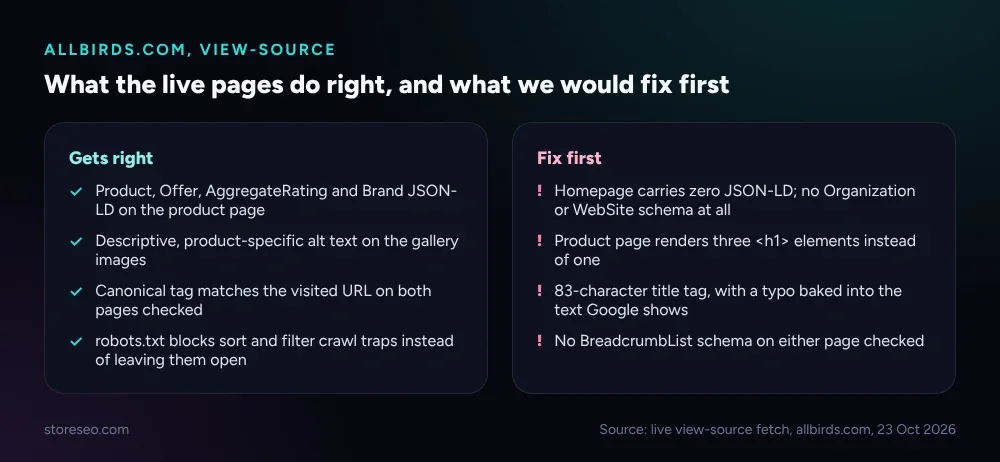 Live view-source fetch of allbirds.com’s homepage and a product page, checked 23 October 2026.
robots.txt is clean too: it blocks the usual Shopify crawl traps (sort and filter query strings, /checkout, /cart, /account) rather than leaving them open for a crawler to burn budget on, and it declares a sitemap. None of this is flashy, but it is the kind of groundwork that keeps a crawler’s attention on pages that are actually meant to rank.
Which 5 Things Would We Fix First?
Here is where the page we audited loses ground, ranked by how much each one is likely costing.
1. Mobile page weight. The product page transfers roughly 7.6MB on a cold mobile load, most of it unoptimised JPG and PNG product photography with no cache headers on the static assets. That is what drags the Lighthouse mobile performance score down to 27, with a Largest Contentful Paint of 17.8 seconds and 2,966ms of Total Blocking Time. The desktop run on the same URL scores 58, with LCP at 2.6 seconds, so the gap is not the page’s content, it is what mobile visitors are made to download before anything useful paints.
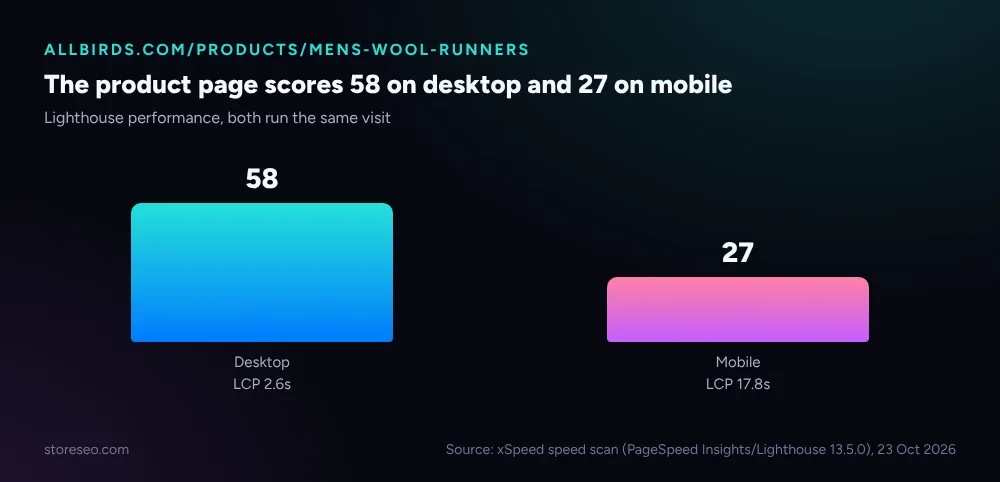 Source: xSpeed speed scan (PageSpeed Insights/Lighthouse 13.5.0), run against allbirds.com/products/mens-wool-runners, 23 October 2026.
2. A homepage with no schema at all. Every application/ld+json check on the homepage came back empty: no Organization object naming the company, no WebSite object that would let Google attach a sitelinks search box. For a brand with Allbirds’ name recognition, that is one of the easier structured-data wins available, and it is sitting unclaimed.
3. Three <h1> elements on one product page. A clean page carries exactly one: the thing the page is actually about. Here, the product title is marked up as an H1 twice (a desktop and a near-duplicate DOM node), and a merchandising section further down the page, “Better Things in a Better Way,” is also tagged as an <h1> rather than an <h2>. None of this breaks the page, but it muddies the single clearest topic signal a page can send.
4. A title tag that runs long and carries a typo. The product page’s <title> reads “Allbirds Wool Runners, Men’s | Reviews, SIzing Info | Casual Walking, Running Shoes”, 83 characters against the roughly 60 that typically show before Google’s results truncate, with a stray capital letter in “SIzing” shipped straight into markup that both search engines and AI crawlers read as-is.
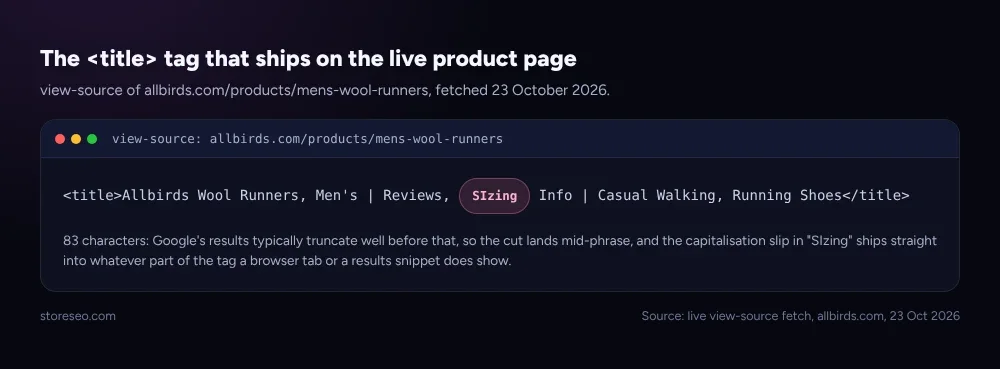 view-source of allbirds.com/products/mens-wool-runners, fetched 23 October 2026.
5. No BreadcrumbList schema anywhere we checked. Neither the homepage nor the product page writes the schema Google uses to render the path shown under a result, the kind defined in schema.org’s own BreadcrumbList reference. For a catalog this size, that is a missed signal for how Google groups product pages under their parent collections.
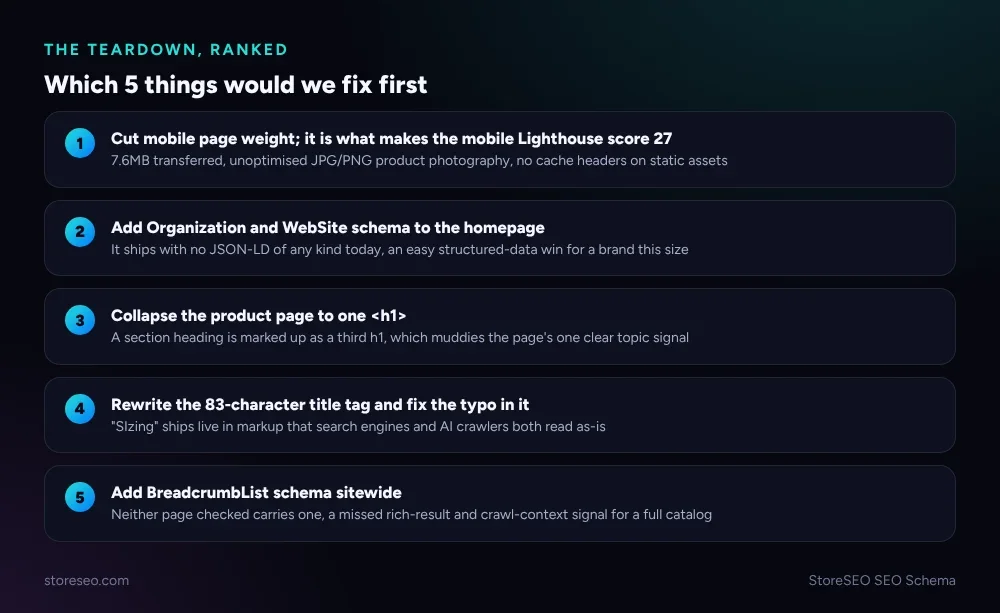 Ranked by estimated impact: the fixes that touch the most traffic, or the easiest wins, come first.
What Can Your Store Copy?
Two things are worth copying outright. First, ship complete Product schema the way the audited page does, including AggregateRating once you actually have reviews behind it, never before. Second, keep a clean robots.txt that blocks crawl traps instead of leaving every sort and filter permutation open; it costs nothing and it is one of the cheapest crawl-budget wins on this whole list.
The five gaps are just as worth copying as fixes, not as faults to repeat. StoreSEO’s SEO Schema feature, documented at local SEO and schema markups, writes Organization, WebSite and BreadcrumbList objects without a theme edit, so a homepage does not have to ship with zero structured data the way the one in this teardown does. Its title and meta-description fields also carry a live character counter, which is exactly what would have caught an 83-character title tag, typo included, before it ever went live. StoreSEO is our product, and we built the Schema feature to close precisely the gaps this teardown found, so take the comparison for what it is: one real store, checked the same way we would check your own.
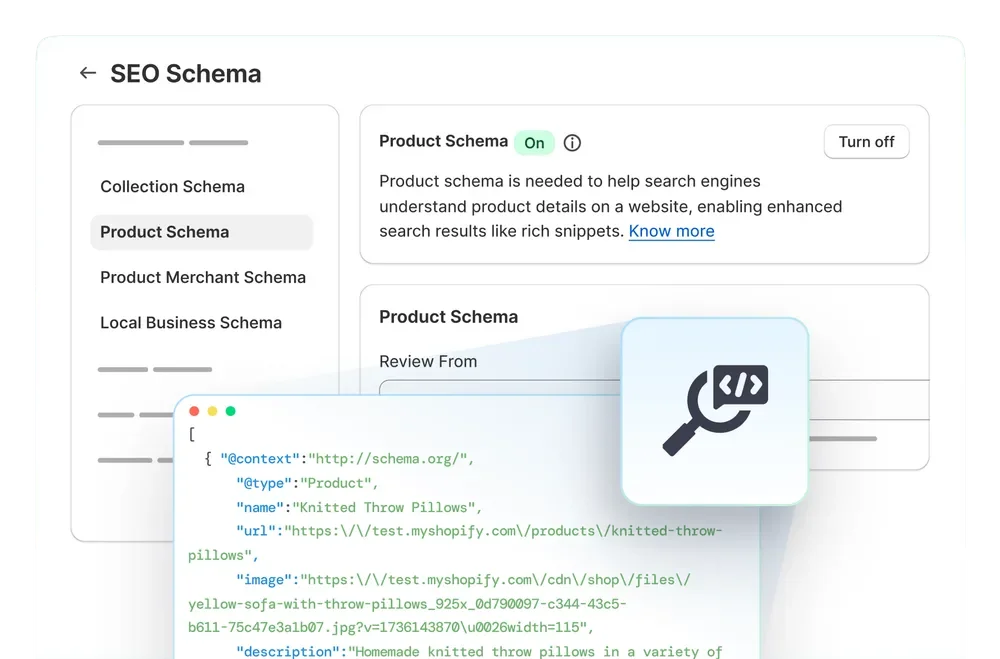 StoreSEO’s own SEO Schema panel: Product, Local Business and Collection schema toggled per store, with the generated markup visible for review before it ships.
If collection pages are more your concern than product pages, our collection-page SEO pillar and its annotated examples cover that ground, and our Dawn theme audit runs this same kind of teardown against Shopify’s own default theme rather than a live merchant, if you want to see where the defaults start from before a brand customises them.
Frequently Asked Questions (FAQs)
1. Does Allbirds run on Shopify?
Yes, the pages checked for this teardown serve from a standard Shopify storefront, confirmed by the platform’s own cart, checkout and CDN URL patterns visible in the page’s markup. The storefront also carries Shopify’s typical crawl-trap blocking in robots.txt and a declared sitemap.xml, both signatures of an unmodified Shopify setup underneath the custom theme.
2. Why does a 27 mobile Lighthouse score matter if the desktop score is higher?
Most Shopify storefront traffic arrives on a phone, so a page that scores well on desktop and poorly on mobile is being judged by its worse experience for most visitors, not its better one. Google’s own ranking signals for Core Web Vitals are measured per device, and a 17.8-second mobile LCP is well outside the “good” threshold regardless of how fast the desktop version loads.
3. What exactly is missing from the homepage’s structured data?
Nothing was found at all: no Organization object naming the business, no WebSite object, and no breadcrumb or navigation schema. A product page on the same domain carries real schema, which means the gap is specific to the homepage template rather than a sitewide limitation.
4. Does a typo in a title tag actually hurt rankings?
A single typo is unlikely to move rankings on its own; title tags are one signal among many, and search engines handle minor errors gracefully. The bigger cost is what a visitor sees: the tag is what shows in a browser tab and can appear in a search snippet, so an error that ships live is a trust signal a shopper notices even if an algorithm does not penalise it directly.
5. Why does it matter that a page has three <h1> tags instead of one?
Heading structure helps both search engines and AI systems understand what a page is primarily about. Multiple H1 elements do not break a page outright, but they dilute that single clearest signal, and the fix is simple: one H1 for the actual page subject, with everything else demoted to H2 or lower.
6. How do I run this same teardown on my own Shopify store?
View-source on your homepage and a product page, search for application/ld+json to see what schema is present, count your <h1> tags, and check your title and meta-description character counts. StoreSEO’s SEO Schema check runs the same read automatically and lists exactly what is present and what is missing, no view-source required.
A store with real Product schema, clean canonicals and good alt text is already doing more right than most of the audits in StoreSEO’s own 300-page study found, and the five gaps here, mobile page weight, a bare homepage, stray H1 tags, a long title with a typo, and no breadcrumb schema, are the same handful of fixes that show up on store after store, famous brand or not. Run this same check on your own product and home pages before assuming your theme has already handled it for you, and try StoreSEO on the Shopify App Store
Keep reading
Migrate From SearchPie to StoreSEO (Step by Step)
Switching from SearchPie to StoreSEO takes about ten minutes with the built-in wizard, and your meta titles and schema carry over automatically.
Read article
Shopify Image Filenames Are Hurting Your SEO: The Fix
Shopify publishes your uploaded filename straight into the live image URL, so a camera default like IMG_4821.jpg stays that way until you rename it.
Read article
Common Shopify SEO Problems, Ranked by Impact
Six Shopify SEO problems ranked by real cost, each scored for how common it is in our 100+ store audit, how severe, and how fast you can fix it.
Read article