
Shopify vs BigCommerce for SEO: What You Control
 Written by M Asif Rahman
Shopify and BigCommerce both give you editable page titles, meta descriptions and a sitemap that builds itself. The real gap is underneath: who controls robots.txt, how a product’s URL gets rewritten, and what each platform does by default before an AI crawler ever shows up.
TL;DR: Shopify vs BigCommerce for SEO control
| SEO element | Shopify | BigCommerce | Verdict |
|---|---|---|---|
| Page title & meta description | Editable per page, or by title_tag/description_tag metafield | Editable per page in the SEO section of every product, category, web page and blog post | Tie |
| Product URL | Edit the handle directly, any time | Set globally from a URL-structure template; editing one product’s URL offers an automatic redirect checkbox | n/a, different models |
| robots.txt | Default file, fully replaceable with a robots.txt.liquid theme template | Edit a settings field, but your rules merge with the platform’s own non-editable defaults | Shopify |
| AI-crawler crawl delay | None in the default theme; a developer has to add one | Built in automatically, hidden from the admin, applied to a platform-defined crawler list | BigCommerce |
| llms.txt | Not generated natively | Not generated natively, per BigCommerce’s own documentation | Tie |
| Structured data / schema | Apps like StoreSEO add product and FAQ schema | Depends on the theme; apps close any gap the same way | Tie |
Neither platform hands you more control outright. Shopify gives you a sharper pen for the files you can already see; BigCommerce does more for you automatically, including a crawler rule most merchants never knew existed.
Which Platform Gives You More SEO Control?
Shopify’s page title and meta description fields work the way most merchants expect: edit them on the product, page or blog post, or set them at scale with the title_tag and description_tag metafields, confirmed in Shopify’s own developer documentation. BigCommerce covers the same ground differently: its own support article lists a separate SEO section for each content type, category pages under “Products › Product Categories › Edit › Search Engine Optimization section” and product pages under “Edit any product or add a product › SEO,” per BigCommerce’s SEO Fields article. Both platforms give you the field. Neither locks it the way a marketplace like Etsy does.
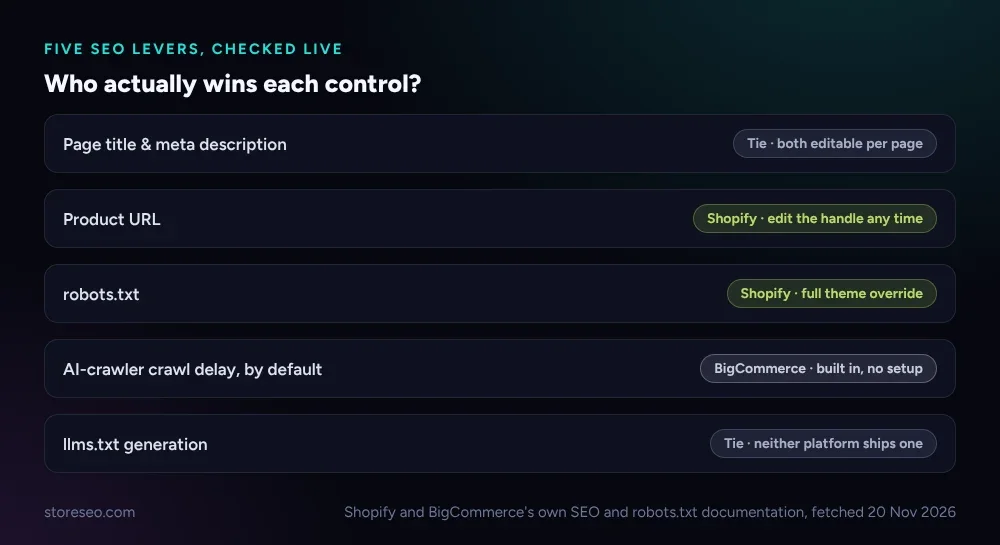 Shopify and BigCommerce’s own SEO and robots.txt documentation, fetched 20 Nov 2026.
Robots.txt is where the platforms actually split. Shopify ships a default file that “works for most stores,” and a theme developer can replace it entirely with a robots.txt.liquid template that adds, removes or rewrites any rule. BigCommerce lets you edit a robots.txt field too, in Settings › Website, but its own documentation is explicit about the limit: “When you save changes to your robots.txt file, BigCommerce automatically combines your custom rules with the system defaults,” per BigCommerce’s Robots.txt File article. You can add a disallow line. You cannot remove the ones BigCommerce ships.
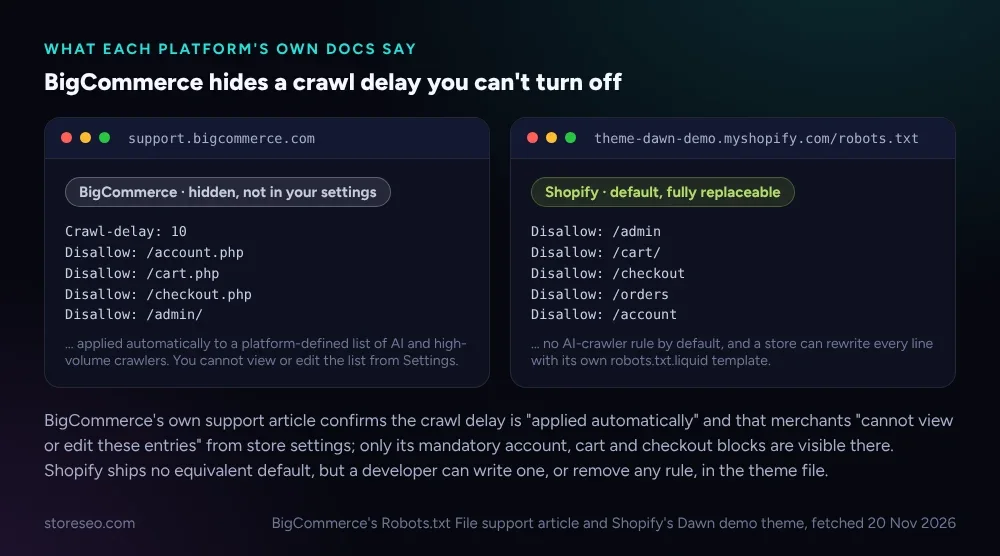 BigCommerce’s Robots.txt File support article and Shopify’s Dawn demo theme, fetched 20 Nov 2026.
URLs follow the same split, by a different route. On Shopify, you edit a product’s handle directly on the product itself, any time, and a renamed or repositioned product keeps a clean link. BigCommerce instead sets a URL template once, in Store Setup › Store Settings, using placeholders like %category% and %productname%, so every product’s link follows one site-wide pattern. Edit a single product’s URL by hand afterward and BigCommerce offers a “Create redirects for old product URLs” checkbox that files the 301 for you, something Shopify leaves to a manual entry in URL Redirects.
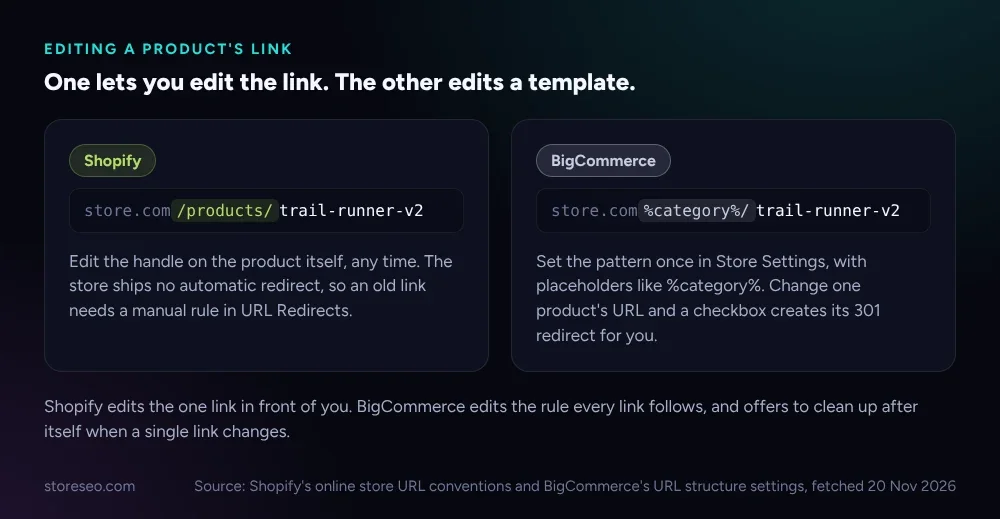 Source: Shopify’s online store URL conventions and BigCommerce’s URL structure settings, fetched 20 Nov 2026.
Which Ranks Faster Out of the Box?
Neither platform promises faster ranking, and both say so directly: this is a hosted SaaS comparison, not a server-speed test, and both ship their own CDN and auto-generated sitemap with no setup required. What differs before you touch a setting is what each one disallows by default. Shopify’s Dawn demo theme blocks the standard account, cart, checkout and order pages and nothing else. BigCommerce blocks the same categories of page, plus, per its own documentation, “additional non-visible default entries” visible only by checking the live file at yourstoredomain/robots.txt rather than in the control panel.
That gap matters most right after launch, when a store has not yet earned external links and a search engine’s only path in is the sitemap. Both platforms build one automatically and resubmitting it does not guarantee a faster crawl on either side, so the practical lever at day one is the same on both: a clean robots.txt with nothing important accidentally blocked, which is worth checking by hand regardless of platform.
Which Is Better for AI Search?
This is the one place the platforms genuinely diverge without you doing anything. BigCommerce’s own FAQ on the topic is blunt: “By default, you do not need to include any robots.txt entries to allow AI bot crawling. The robots.txt file contains a hidden crawl delay that advises bots to limit crawling to 10 second intervals and also blocks them from select sensitive store pages. This is applied automatically to a list of known high-volume crawlers defined by our platform.” You cannot view that list from your store’s settings, only by fetching the live file.
Shopify ships no equivalent rule in its default theme. Checking the Dawn demo theme’s robots.txt live found no named entry for GPTBot, ClaudeBot, PerplexityBot or any other AI crawler, just the same account, cart and checkout disallows every Shopify store gets. That is not a weakness so much as a different default: nothing stops an AI crawler from reading a Shopify page at the same rate as Googlebot, and nothing in the platform slows it down for you.
Neither platform has caught up to llms.txt. BigCommerce says so in its own documentation: “The llms.txt file is a proposed standard that is not yet widely consumed by major LLM crawlers. BigCommerce does not natively generate this file,” adding that a merchant who wants one has to create a raw-HTML page by hand at that path. Shopify has no built-in generator either. On both platforms, what actually gets read by an AI assistant comes down to the structured data on the page itself, which is where an app closes the gap: StoreSEO’s own SEO Analysis and score tool flags a Shopify product’s missing schema and fixes it without writing code, the same job an equivalent BigCommerce app does on that platform.
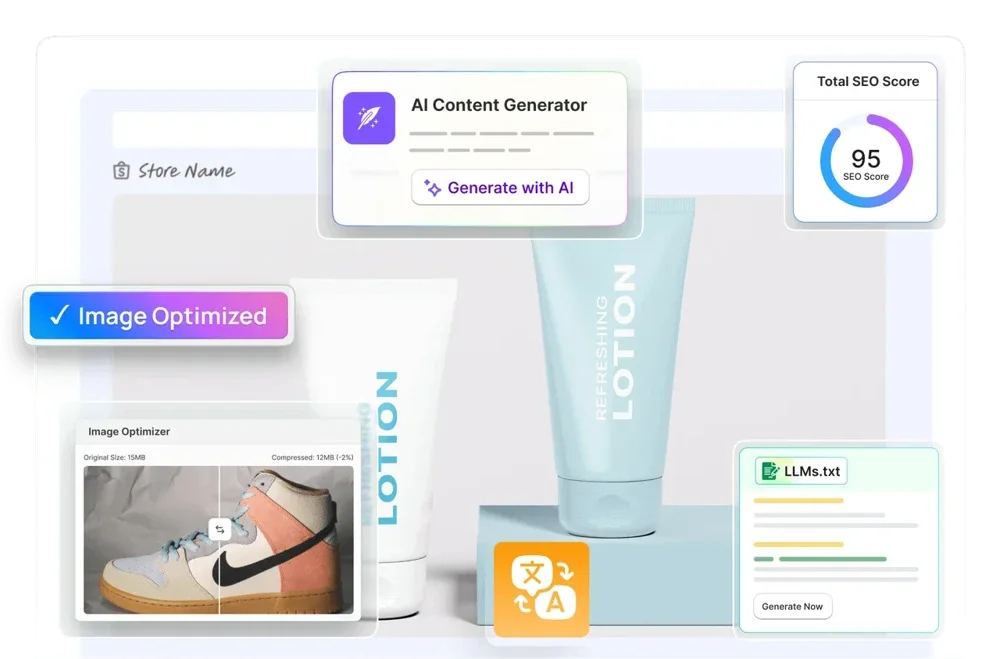 StoreSEO’s own product screen, storeseo.com, 20 Nov 2026.
Which Should You Pick for Your Store?
If you want a file you can fully rewrite, pick Shopify. The theme-level robots.txt.liquid template means nothing is hidden from you: every disallow line in your store’s robots.txt is one you chose, or one you can delete. That matters more to a store running its own technical SEO, or one that wants a specific AI crawler blocked outright rather than merely rate-limited.
If you would rather the platform handle crawler management without you thinking about it, BigCommerce’s hidden defaults are doing real work already: a crawl delay against high-volume and AI bots, applied automatically, with no setup and no theme file to maintain. The tradeoff is that you cannot inspect or change that list from your own settings, only confirm it is there by checking the live file. Neither answer is wrong. One is a sharper tool; the other is a seatbelt you cannot unclip.
Whichever platform you run, the SEO fields themselves are not where stores lose the most ground, the schema, alt text and ongoing fixes a catalog needs are. For the fuller platform comparison, see Shopify vs WooCommerce for SEO, and for a locked-field marketplace instead of an open platform, Shopify vs Etsy for SEO covers that different case. Our Ultimate SEO Checklist is the starting point on either platform.
Frequently Asked Questions (FAQs)
1. Can I fully replace BigCommerce’s default robots.txt?
No. BigCommerce’s own documentation says custom rules are automatically combined with the system defaults, so you can add disallow lines but not remove the platform’s own mandatory entries for pages like checkout and admin. If you paste in a file meant to replace everything, BigCommerce merges it with its defaults rather than swapping them out. The only workaround for a truly custom file is a service like Cloudflare in front of the store, managing access at the infrastructure level instead of in robots.txt.
2. Does Shopify block AI crawlers by default?
No. The Dawn demo theme’s default robots.txt names no AI crawler by user agent, so an AI assistant’s bot reads a Shopify page at the same rate as any other crawler unless a developer adds a rule. That means a Shopify store that wants a specific bot slowed down or blocked has to add it to a robots.txt.liquid template by hand. It also means nothing is quietly rate-limiting GPTBot or similar crawlers on your behalf.
3. Why does BigCommerce’s AI-crawler crawl delay not show up in my settings?
BigCommerce applies it automatically to a platform-defined list of high-volume and AI crawlers, and its own support article says that list is visible only by checking your store’s live robots.txt file at yourstoredomain/robots.txt, not in the control panel. The entries you can edit in Settings cover only the standard account, cart and checkout disallows. The AI-specific crawl delay sits underneath those, applied platform-wide rather than per store.
4. Does changing my BigCommerce product URL break old links?
Not if you use the built-in option. The product-edit flow includes a “Create redirects for old product URLs” checkbox that creates the 301 redirect for you when you update the URL. BigCommerce’s own documentation also notes that redirects tied to a product, category or page keep working even if that item’s underlying URL changes again later. Reviewing the auto-generated redirects afterward is still worth doing, since deleted products and custom landing pages often need a manual rule on top.
5. Do I need an SEO app if my platform already gives me these fields?
The fields get you compliant, not finished. Neither platform fills in schema, alt text or flags thin content on its own at catalog scale, and a 500-product catalog makes checking each page by hand impractical. An app like StoreSEO’s SEO Analysis tool checks every product and tells you what is actually missing, on Shopify specifically, the same job a BigCommerce-side app does for that platform’s catalog.
Keep reading
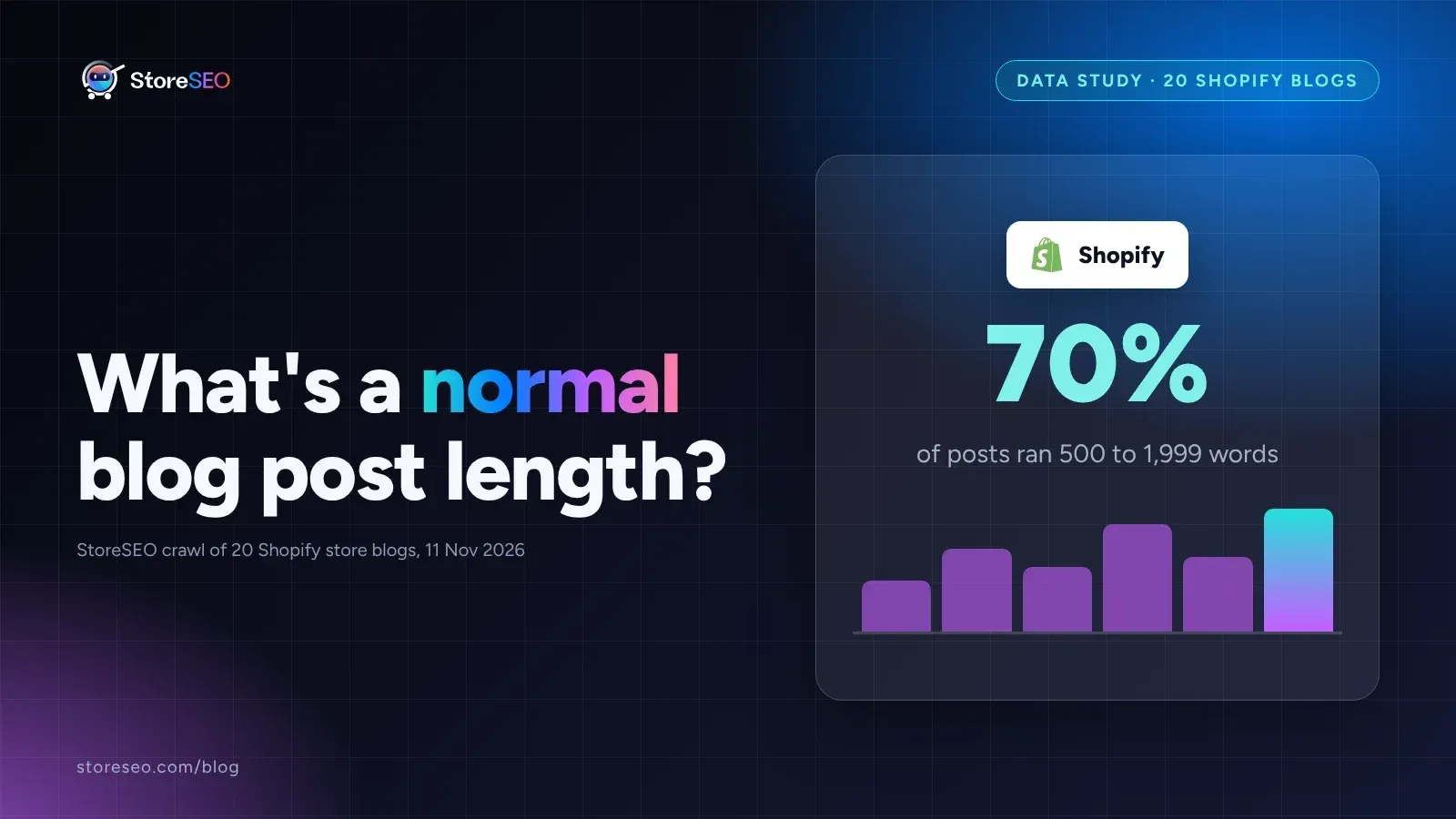
What's a Normal Shopify Blog Post Length?
In a StoreSEO crawl of 20 real Shopify store blogs, 70% of posts ran 500 to 1,999 words, and the shortest posts carried the fewest internal links.
Read article
5 ChatGPT Prompts for Thin Collection Descriptions
Five ChatGPT prompts rewrite duplicated, missing, or keyword-stuffed Shopify collection descriptions, each tested on a real, live collection page.
Read article
Does Multi-Currency Checkout Hurt Shopify SEO?
Multi-currency checkout risks Shopify SEO only when the price changes without the URL changing, since Google's own crawler then sees one currency.
Read article