
Shopify vs Wix for SEO: What You Control
 Written by M Asif Rahman
Shopify gives you a sharper pen for the SEO fields you can already see: a title tag, a meta description, a product handle you can rename any time. Wix does more for you without being asked, including one thing neither Shopify nor most Shopify apps generate yet: an llms.txt file, built automatically, no setup required.
TL;DR: Shopify vs Wix for SEO control
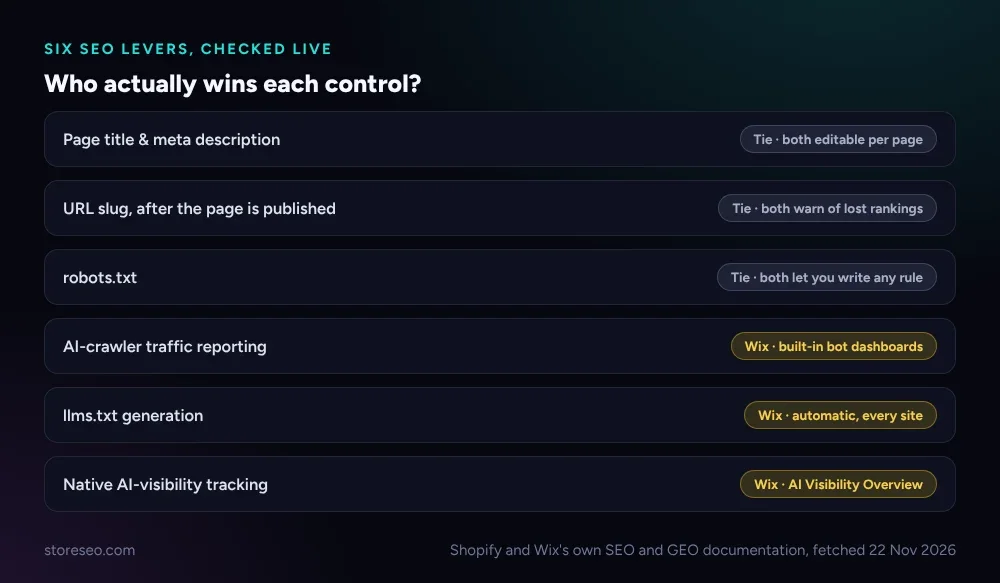
| SEO element | Shopify | Wix | Verdict |
|---|---|---|---|
| Page title & meta description | Editable per page, or at scale via title_tag/description_tag metafields | Editable per page in SEO Settings; a dashboard table edits many pages at once | Tie |
| URL slug after publishing | Edit the handle any time; the old link 404s unless you add a redirect | Edit the slug in SEO Settings; Wix’s own docs warn the old rankings are lost, same manual redirect step | Tie |
| robots.txt | Default file, fully replaceable with a robots.txt.liquid theme template | Edit directives (or reset to default) in the SEO & GEO dashboard’s Robots.txt Editor | Tie, different route |
| AI-crawler traffic reporting | None natively; an app has to add it | Built-in AI Bot Traffic and AI Bot Visits reports in every SEO dashboard | Wix |
| llms.txt | Not generated natively | Generated automatically at yourdomain.com/llms.txt, editable, resettable | Wix |
| Native AI-visibility tracking | None natively | AI Visibility Overview tracks citations across ChatGPT, Gemini, Perplexity and Claude | Wix |
Neither platform locks a field the way a marketplace like Etsy does. Shopify hands you a file you can rewrite by hand; Wix would rather hand you a finished one and let you edit it if you want to.
Which Platform Gives You More SEO Control?
Shopify’s title and meta description fields work the way most merchants expect: edit them on the product, page or blog post, or set them at scale with the title_tag and description_tag metafields, confirmed in Shopify’s own developer documentation. Wix covers the same ground from its SEO Settings panel, one field per page for the title tag and meta description, plus an “Edit by Page” table that lists title tags, slugs and indexability for a site’s main pages in one place so you are not clicking into each one by hand.
 Shopify and Wix’s own SEO and GEO documentation, fetched 22 Nov 2026.
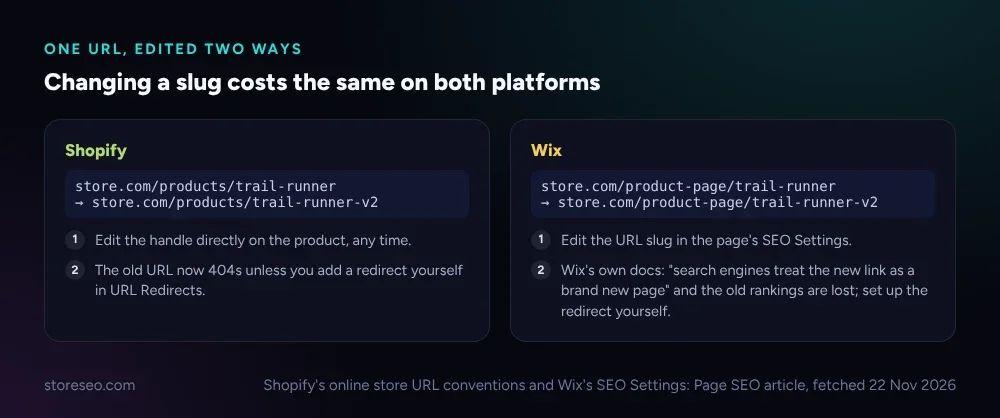
URLs carry the same real cost on both platforms, worded differently. On Shopify you edit a product’s handle directly, any time, and the old URL simply 404s unless you file a redirect yourself in URL Redirects. Wix’s own SEO Settings article is more direct about the consequence: “changing a page’s URL after publishing it will make search engines treat the new link as a brand new page,” the old rankings are lost, and a redirect is again something you set up yourself. Neither platform automates the fix; both tell you up front that it is a real cost, not a hidden one.
 Source: Shopify’s online store URL conventions and Wix’s SEO Settings: Page SEO article, fetched 22 Nov 2026.
Robots.txt is the one row that looks identical on paper and is not quite. Shopify ships a default file you replace entirely with a robots.txt.liquid theme template, meaning a developer writes raw directives in code. Wix keeps the same freedom to write raw directives, but inside a dashboard field: its Robots.txt Editor in the SEO & GEO section lets you add custom lines and reset to the default file with one click, no theme or template involved. Both let you write any rule you want; Shopify asks a developer to open a file, Wix asks a merchant to open a settings page.
Which Ranks Faster Out of the Box?
Neither platform promises faster ranking, and neither should: this is a hosted comparison, not a server-speed test, and both ship their own CDN and an auto-built sitemap with zero setup. Wix’s sitemap is actually a small index of sitemaps, one per feature, so adding Wix Stores adds its own product sitemap to the index automatically; Shopify does the same thing under one combined file. Neither sitemap is hand-editable, on either platform, and resubmitting one does not buy a faster crawl on its own.
What differs before you touch a setting is what each one disallows by default. Shopify’s Dawn demo theme blocks only the standard account, cart, checkout and order pages. Wix’s default robots.txt allows every page unless a page is password-protected, members-only, or marked no-index in the editor or the SEO panel, a narrower and more page-level kind of default blocking than Shopify’s theme-wide disallow list. In practice this matters most right after launch, when a store has earned no external links yet and the sitemap is the only path in; a clean robots.txt with nothing important accidentally blocked is worth checking by hand on either platform, launch day or not.
Which Is Better for AI Search?
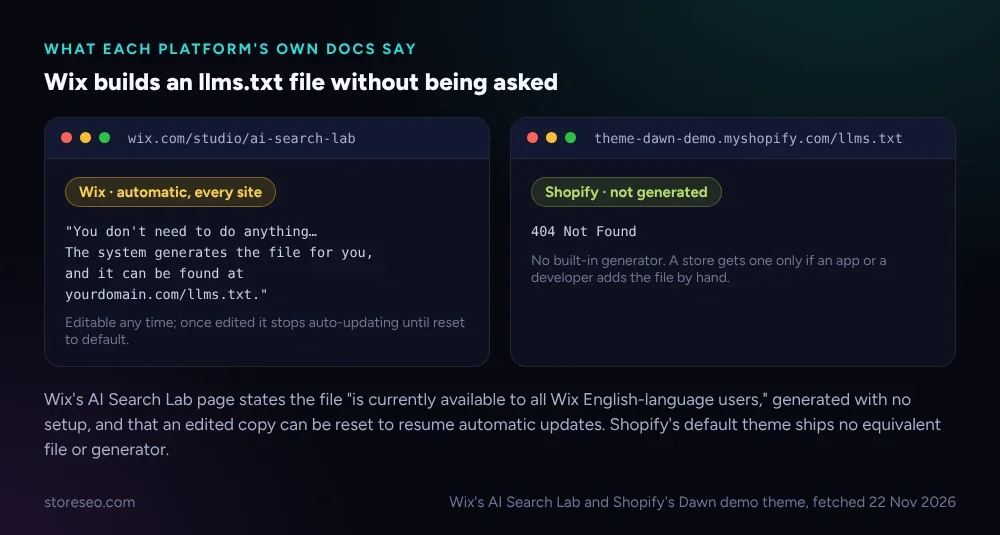
This is where the platforms genuinely diverge without you doing anything. Wix’s AI Search Lab states plainly that an llms.txt file “is currently available to all Wix English-language users” (rolling out to other languages), generated for every site with no setup: “The system generates the file for you, and it can be found at yourdomain.com/llms.txt.” Edit it yourself and it stops auto-updating; reset it and Wix resumes keeping it current. Shopify ships no equivalent. Checking a Dawn demo store’s /llms.txt path returns a plain 404, the same result you get on any Shopify store that has not had one added by hand or by an app.
 Wix’s AI Search Lab and Shopify’s Dawn demo theme, fetched 22 Nov 2026.
Neither platform blocks AI crawlers by default, and Wix says so about as plainly as a vendor can: its own AI-crawler page names robots.txt and noai/noimageai meta tags as the tools you would use to block a training bot, not a setting Wix flips for you. Where Wix does pull ahead is visibility, not blocking: every Wix SEO dashboard includes “AI Bot Traffic over Time” and “AI Bot Visits by Page” reports, so a merchant can see GPTBot or PerplexityBot activity without installing anything. Wix has also shipped a dedicated AI Visibility Overview, announced as the first native generative-engine-optimization tool built into a website platform, tracking how ChatGPT, Gemini, Perplexity and Claude reference a brand. Shopify has no equivalent panel; a Shopify merchant gets that same kind of visibility from a dedicated checker like AIScan’s free agent-readiness scan, run against the store’s own URL, or from an app that reads crawler logs for them.
On structured data the two land close to even. Neither platform writes product or FAQ schema into a page by default; both close the gap with apps. On Shopify, StoreSEO’s own SEO Analysis and score tool flags a product’s missing schema and fixes it without touching code, the same kind of job a handful of Wix App Market listings (JSON-LD and “Schema” apps) do for a Wix catalog.
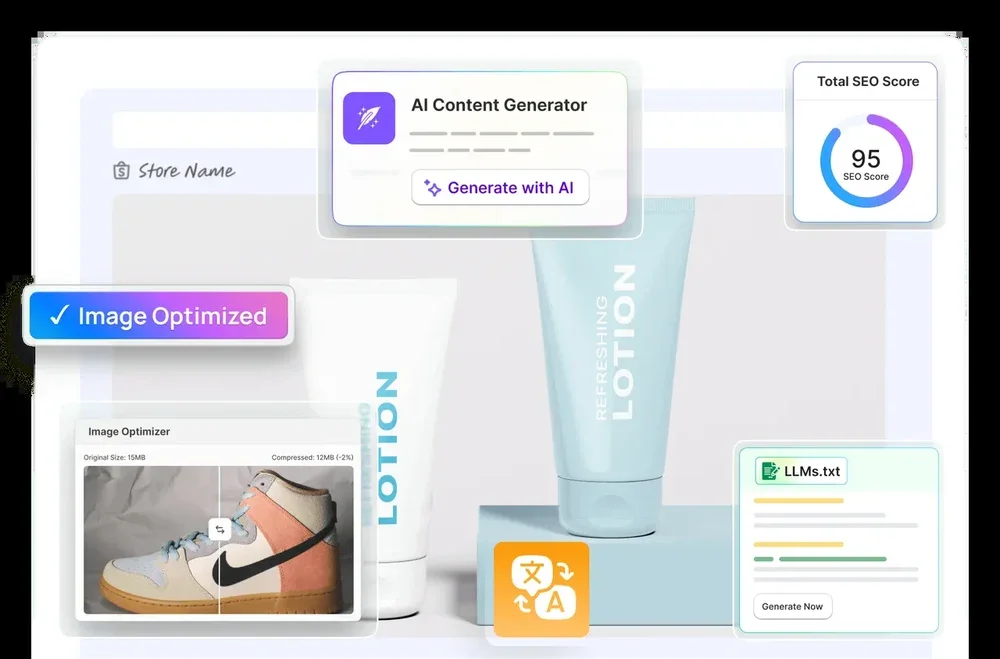 StoreSEO’s own product screen, storeseo.com, 22 Nov 2026.
Which Should You Pick for Your Store?
If you want a platform that automates the newest part of SEO without you learning it first, Wix is ahead right now: a free llms.txt file, built-in AI-crawler reporting and a native AI Visibility Overview, all live before you open a settings panel. That lead is new and vendor-measured rather than independently verified, so treat it as a real head start, not a guarantee of more AI citations.
If you would rather own every line of the files your store ships, Shopify still gives you the deeper raw-file access: a robots.txt.liquid template a developer can rewrite completely, and an enormous, mature app catalog that closes the schema, alt-text and AI-visibility gaps Wix’s native tools have only just started covering. For most growing Shopify stores, that app layer, not a platform switch, is still the faster way to close the gap Wix’s newer tools are chasing.
Whichever platform you run, the SEO fields themselves are rarely where a store loses the most ground, the schema, alt text and ongoing fixes a growing catalog needs are. For the fuller platform comparisons, see Shopify vs WooCommerce for SEO and Shopify vs BigCommerce for SEO; for a locked-field marketplace instead of an open platform, Shopify vs Etsy for SEO covers that different case. Our Ultimate SEO Checklist is the starting point on any of them.
Frequently Asked Questions (FAQs)
1. Does Wix really generate an llms.txt file for every site automatically?
For English-language sites, yes, per Wix’s own AI Search Lab documentation: the file is generated with no action needed and published at yourdomain.com/llms.txt. You can opt out, or edit the file yourself, in which case Wix stops updating it automatically until you reset it back to the default version. Support for other languages is rolling out after the English launch.
2. Can I get an llms.txt file on Shopify?
Not natively. Shopify’s default theme generates no such file, so a store gets one only by adding it manually through a developer or an app built for that purpose. Checking the path directly on an unmodified Shopify theme returns a 404, exactly as it would on any site that has never had the file added.
3. Does changing my product URL hurt my ranking on either platform?
Yes, on both, if you do not add a redirect. Shopify’s old URL 404s unless you create a redirect yourself in URL Redirects; Wix’s own documentation says just as directly that the new link is treated as a brand new page and the old rankings are lost unless you set up a redirect. Neither platform automates this step for you, so plan the redirect at the same time you plan the URL change.
4. Does Wix block AI crawlers like GPTBot by default?
No. Wix’s own AI-crawler documentation names robots.txt rules and noai/noimageai meta tags as the tools a site owner uses to block a training bot, not a default Wix applies for you. What Wix does provide by default is visibility: AI Bot Traffic and AI Bot Visits reports built into every SEO dashboard, so you can see that activity without installing anything.
5. Is Wix’s AI Visibility Overview the same as an independent AI-readiness scan?
No. It is Wix’s own built-in tool, reporting on citations across ChatGPT, Gemini, Perplexity and Claude for sites it manages. A Shopify store does not have an equivalent panel inside the platform, so the closest comparison is an independent agent-readiness checker that grades any public URL, Shopify or otherwise, rather than one tied to a single platform’s own dashboard.
6. Do I still need an SEO app if my platform already covers the basics?
The native fields get you compliant, not finished. Neither platform writes product schema, FAQ schema or alt text into your catalog automatically, and checking hundreds of products by hand does not scale. StoreSEO’s SEO Analysis tool checks every Shopify product and flags exactly what is missing; a handful of schema apps on Wix’s App Market do the same job for a Wix catalog, with the same vendor-claim caveats that apply to any third-party listing.
Keep reading
Shopify vs BigCommerce for SEO: What You Control
Shopify and BigCommerce both let you edit page titles and meta descriptions, but they diverge sharply on robots.txt, URLs and AI-crawler rules.
Read article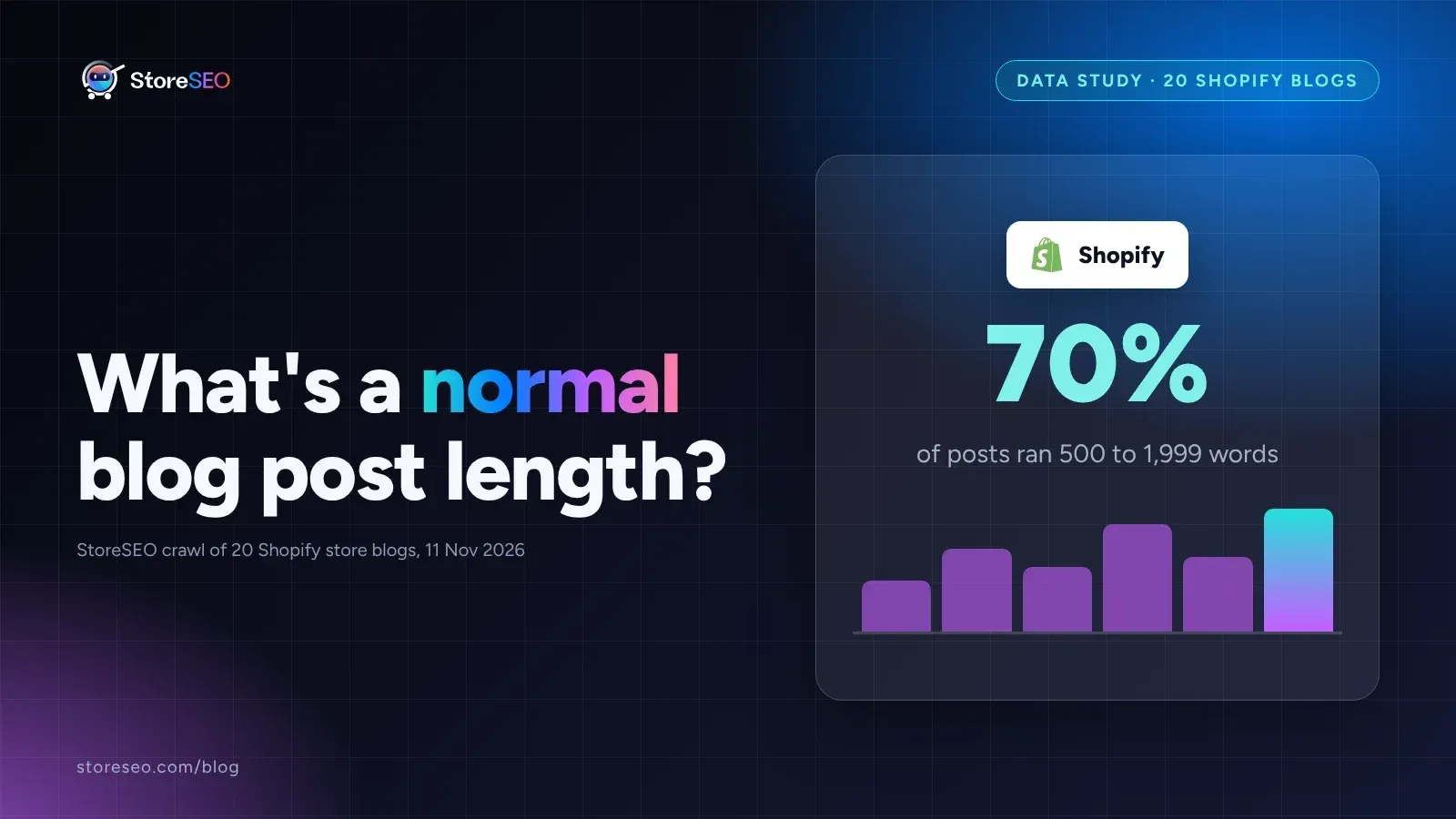
What's a Normal Shopify Blog Post Length?
In a StoreSEO crawl of 20 real Shopify store blogs, 70% of posts ran 500 to 1,999 words, and the shortest posts carried the fewest internal links.
Read article
5 ChatGPT Prompts for Thin Collection Descriptions
Five ChatGPT prompts rewrite duplicated, missing, or keyword-stuffed Shopify collection descriptions, each tested on a real, live collection page.
Read article