
How Long Shopify SEO Takes, Month by Month
 Written by M Asif Rahman
There is no single deadline. Google itself says crawling “can take anywhere from a few days to a few weeks,” indexing follows after that, and most Shopify stores do not see real non-brand clicks until somewhere between month three and month six, assuming the page is reachable, submitted and not blocked.
TL;DR: the timeline, stage by stage, and what it looks like in Search Console along the way.
| Stage | Typical window | What you will see in GSC | Verdict |
|---|---|---|---|
| Crawl | Days 1 to 3 after submission | ”Crawled, currently not indexed” | Normal, not a problem |
| First index | Weeks 1 to 4 | URL Inspection shows “URL is on Google” | Normal, keep waiting |
| Rankings settle | Month 2 to 3 | Impressions climb before clicks do | Normal, do not panic yet |
| First real clicks | Month 3 to 6 | Performance report shows clicks above zero | Normal; check content if missed |
| Compounding growth | Month 6 to 12 | Average position trends upward across pages | Worth investigating if flat |
What Happens in Week 1, Month 1 and Month 3?
In the first few days, Googlebot either finds the new page through your sitemap or discovers it by following a link from a page it already knows. Google’s own guidance on requesting a recrawl is blunt about the range: “crawling can take anywhere from a few days to a few weeks,” and “requesting a crawl does not guarantee that inclusion in search results will happen instantly or even at all.” A crawl is not an index entry, and an index entry is not a ranking.
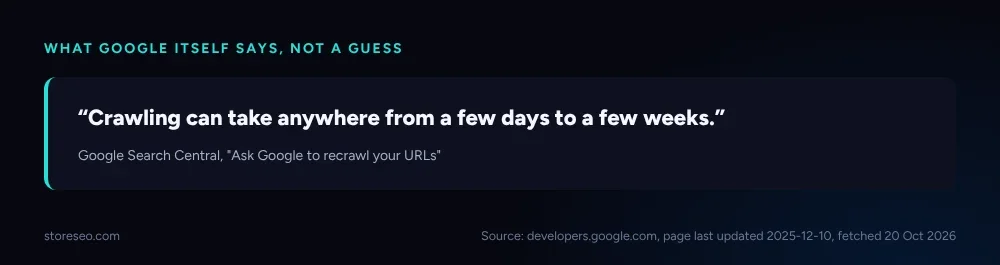 Google’s own words, not an estimate from a third-party tool.
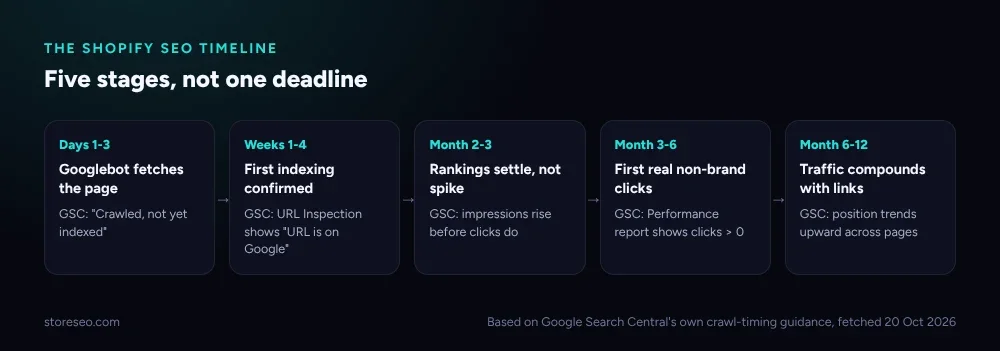 Five stages, not one deadline: what changes, and what Search Console shows at each one.
By month one, a healthy new Shopify page has usually moved from “Crawled, currently not indexed” to appearing in the URL Inspection tool as indexed, though it may still show zero or near-zero impressions while Google works out which queries it deserves to rank for. By month three, impressions typically start outpacing clicks: the page is being shown, just not yet clicked, which is the normal shape of early ranking before position settles into double digits and then, gradually, climbs.
Which Signals Speed Shopify SEO Up?
Two things make the biggest difference, and both are structural rather than content tricks. First, Google can usually discover a site’s pages through its own navigation if everything important is reachable through a menu, a collection or an internal link, but a sitemap still “helps search engines discover URLs,” especially when the site is new and has few external links pointing at it yet. StoreSEO submits and maintains that sitemap automatically, so a merchant publishing a new collection does not have to remember a manual step.
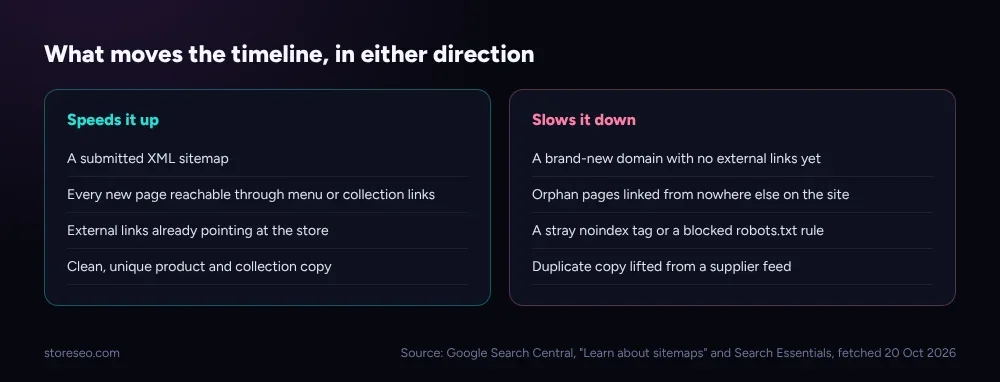 The structural things that move the timeline, in either direction.
Second, every page you want indexed needs a path to it that is not a dead end. An “orphan” page, one linked from nowhere else on the site, is exactly the case Google’s own documentation flags as hardest to discover without a sitemap. Keeping a store’s collection and navigation structure clean, and watching which new pages are actually being picked up, is less about tricks and more about not accidentally hiding your own inventory from the crawler.
What Slows Shopify SEO Down?
The opposite list is shorter but costs more time when it happens. A brand-new domain has no external links pointing at it yet, which is precisely the situation Google’s sitemap guidance calls out as needing extra discovery help. A stray noindex tag left over from a staging theme, a robots.txt rule that blocks more than it should, or a canonical tag pointing at the wrong URL can each quietly take a page out of consideration even after it has been crawled. None of these show up as an error message; they show up as a page that simply never appears in the index, which is why checking Search Console directly matters more than guessing.
Duplicate or thin product copy, lifted straight from a supplier feed, is the other common delay: Google can crawl and index a page like that just as fast as any other, but it has little reason to rank it above a near-identical listing on the supplier’s own site or a competitor’s. This is a ranking problem wearing an indexing costume, and it is worth ruling out before assuming something is technically broken.
How Long Until AI Engines Notice a New Page?
AI answer engines run their own crawlers, separate from Googlebot. StoreSEO’s research cache records OpenAI’s GPTBot, OAI-SearchBot and ChatGPT-User, along with PerplexityBot and Google-Extended, as the named crawlers visiting storeseo.com’s own robots.txt, and none of these publish a guaranteed indexing timeline the way Google’s crawling documentation does. What is known is narrower: OAI-SearchBot handles ChatGPT’s search-answer inclusion independently of GPTBot’s training crawl, so a page can be blocked from one without being blocked from the other, and whether a crawler can reach a page at all is still the first gate before any timing question matters.
The honest answer is that no platform publishes a number here, and a page that is not yet indexed by Google is extremely unlikely to be cited by an AI answer either, since most of these systems lean on the same underlying web index rather than building a fully separate one from scratch. Getting the Google side right first is still the fastest path to showing up on the AI side.
When Should You Actually Worry?
Patience has limits, and three checkpoints catch most real problems before they become mysteries.
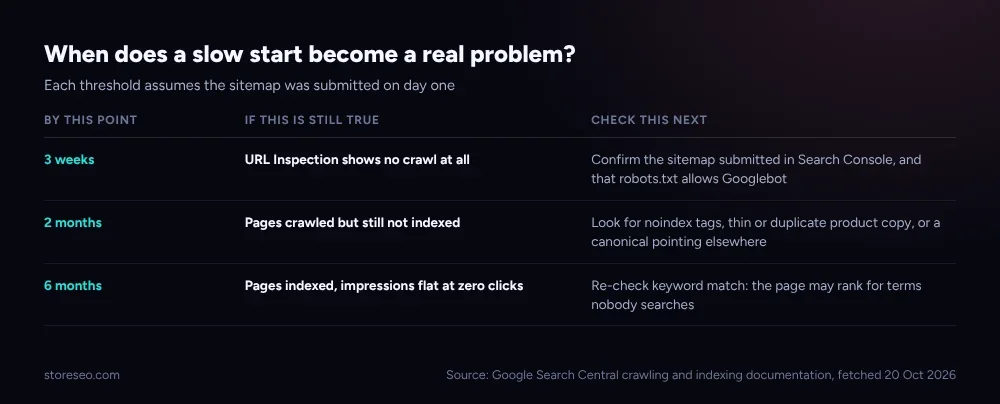 Each threshold assumes the sitemap went out on day one.
If URL Inspection shows no crawl at all three weeks after a sitemap submission, confirm the sitemap is actually in Search Console and that robots.txt is not blocking Googlebot. If a page has been crawled but still is not indexed after two months, look for a leftover noindex tag, thin or duplicated copy, or a canonical pointing somewhere else. If a page is indexed and showing impressions but has earned literally zero clicks after six months, the likely cause has shifted from a technical block to a keyword mismatch: the page may rank, just for terms nobody is searching.
Watching for these checkpoints by hand across dozens of product and collection pages does not scale past a small catalog. StoreSEO’s Keyword Rank Tracker tracks position movement against the keywords each page is meant to rank for, so a merchant sees the early signal (page is stuck on page 3, not page 1) rather than discovering it only when a quarterly traffic review comes up short.
How Does a Merchant Actually Track This?
The timeline above is a baseline, not a guarantee, and tracking it store by store is what turns “SEO takes time” from an excuse into a plan. StoreSEO connects directly to Search Console so new and existing pages can be checked for crawl and index status from one dashboard rather than URL by URL, and its SEO Schema and on-page checks close off the most common silent blockers, like a missing canonical or a thin description, before they cost a page months of waiting. For the fuller list of what else is worth checking alongside timing, our ultimate SEO checklist and our diagnosis guide for a traffic drop are the natural next reads, and our honest answer on whether Shopify is good for SEO covers the platform-level question this post assumes.
Frequently Asked Questions (FAQs)
1. How long does it take for a new Shopify product page to show up on Google?
Crawling typically happens within a few days to a few weeks of the page existing and being discoverable, per Google’s own documentation. Indexing, which is a separate step, usually follows within the same window if nothing is blocking it, though Google never guarantees a fixed number of days.
2. Why is my Shopify store indexed but still getting zero traffic?
Being indexed only means Google has a copy of the page; it does not mean the page ranks for a query anyone is typing. This is common for the first two to three months after launch, and it usually resolves as the page accumulates relevance signals, unless the underlying keyword is one with little real search demand.
3. Does submitting a sitemap make Shopify SEO faster?
It helps discovery rather than speed. A sitemap tells Google which URLs exist and are considered important, which matters most for a new domain with few external links pointing at it yet. It does not shorten how long crawling or indexing itself takes once a page is found.
4. Can I speed up indexing by requesting a recrawl in Search Console?
Requesting indexing through URL Inspection can help Google notice a page sooner than it otherwise might. Google’s own documentation is explicit, though, that this does not guarantee faster inclusion or any inclusion at all, and requesting a recrawl repeatedly for the same URL will not get it crawled any faster than the first request did.
5. How long before Shopify SEO changes affect my rankings?
A technical fix, like removing a stray noindex tag, can be recrawled within the usual days-to-weeks window once it is live. The ranking effect of a content or schema change typically takes longer to show, often four to eight weeks, since Google needs to recrawl the page, reindex it, and then re-evaluate it against the competing pages already ranking for the same query.
6. Is six months a normal wait for Shopify SEO results with no traffic at all?
It depends on what “no traffic” means. Zero impressions after six months on a submitted, unblocked page points to a discovery or indexing problem worth investigating directly, while impressions with zero clicks more often points to a keyword-targeting problem instead, so the right fix differs between the two.
Every store’s timeline runs a little differently, but the checkpoints above catch the problems that actually cost months, and the StoreSEO dashboard is built to surface them before a quarter goes by unnoticed. try StoreSEO on the Shopify App Store
Keep reading
Should You Noindex It? A Shopify Decision Tree
Noindex hides a Shopify page from Google's results while still letting it load; this table decides exactly which pages need the tag and which do not.
Read article
How Google Crawls a Shopify Store (One Diagram)
Googlebot finds a Shopify page through your sitemap or an internal link, fetches and renders it, then decides whether to keep it in the index at all.
Read article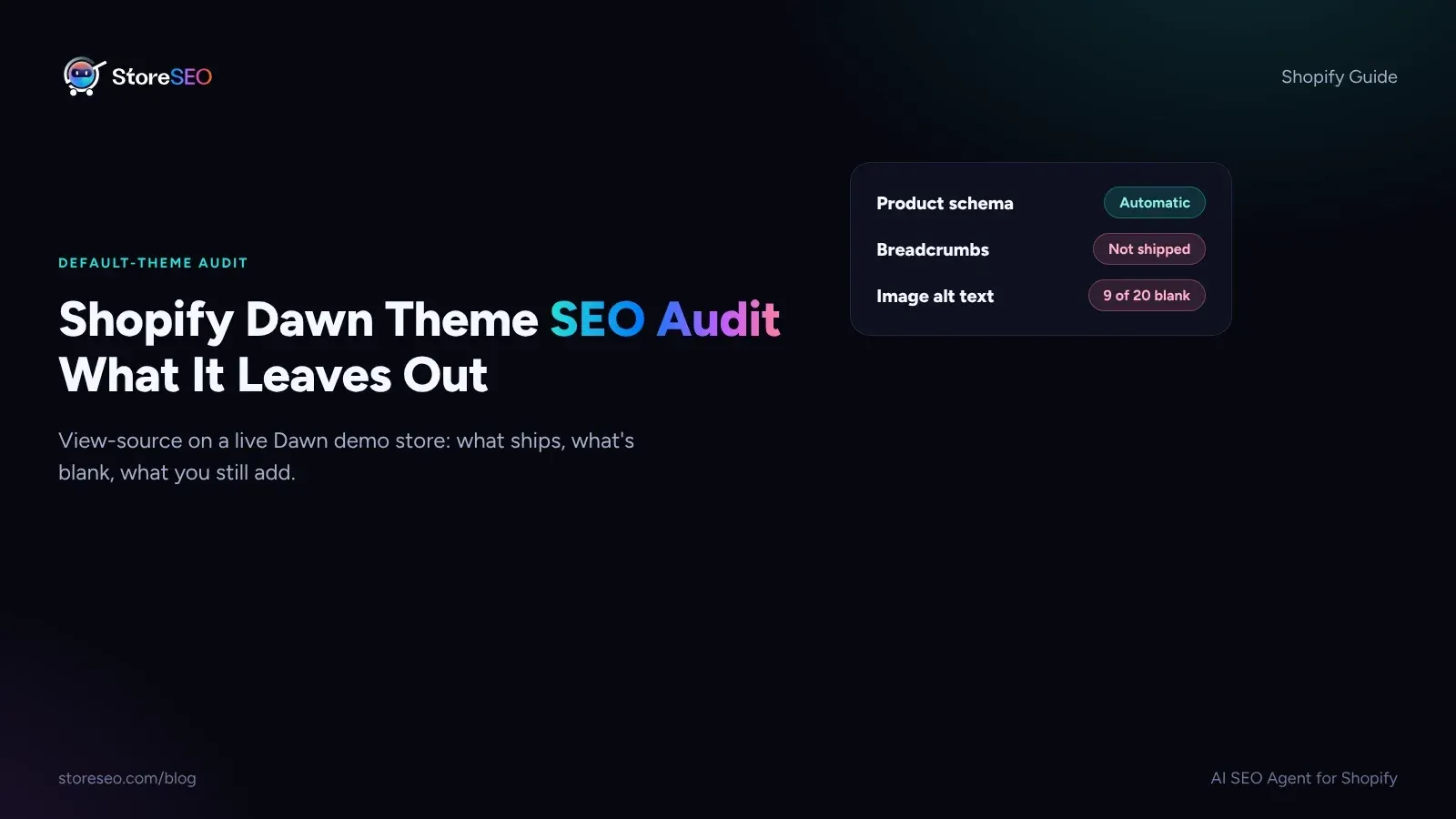
Shopify Dawn Theme SEO Audit: What It Leaves Out
Shopify Dawn writes Product and Organization schema on its own, but it ships no breadcrumbs, no image alt text and no review markup out of the box.
Read article