
Do Shopify Stores Need Breadcrumbs for SEO?
 Written by M Asif Rahman
Mostly yes, with one catch. A breadcrumb trail helps shoppers click back up a level, and breadcrumb schema helps Google read your site’s structure, but Shopify’s own Dawn theme ships neither by default. You add breadcrumb schema yourself, usually with a one click app toggle, not a theme edit.
TL;DR
| Question | Verdict |
|---|---|
| Does Dawn show breadcrumbs? | No. No visible trail, no schema block, confirmed by live fetch. |
| Should you fix it? | Yes. It helps Google read your site hierarchy, at no cost to the storefront. |
| How hard is the fix? | One toggle. No theme edit required. |
What Do Breadcrumbs Actually Do for SEO?
A breadcrumb trail is the small “Home > Collection > Product” line near the top of a page. Google’s own structured data documentation describes it as a feature that “indicates the page’s position in the site hierarchy,” available on desktop in every region where Search runs (Google Search Central). Two things sit under that one name, and they do different jobs:
- The visible trail is a navigation element shoppers click, built into the theme template.
- Breadcrumb schema (
BreadcrumbListin JSON-LD) is a code block Google reads, separate from whatever the page shows a human.
A store can have one without the other. That matters here, because Dawn has neither.
Does Shopify’s Dawn Theme Show Breadcrumbs by Default?
No. We fetched a live Dawn demo product page on 5 November 2026 and read its full page source. It carries exactly two ld+json blocks: an Organization block and a ProductGroup block. No BreadcrumbList block exists anywhere in the source, and no “breadcrumb” string appears in the rendered HTML at all, meaning there is no visible trail either.
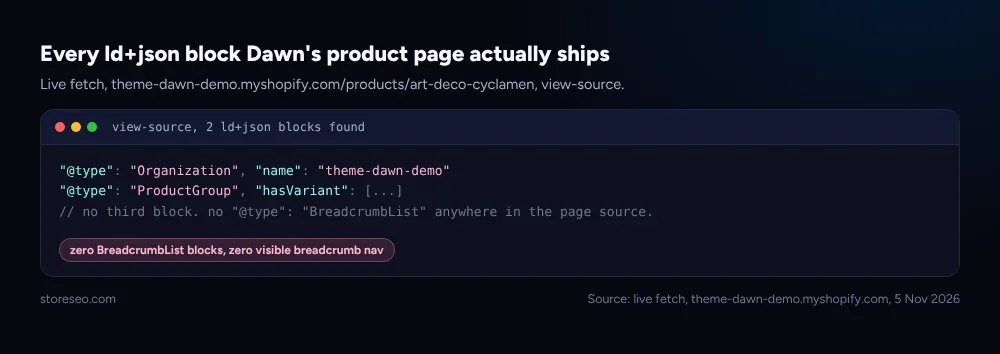 Live fetch, theme-dawn-demo.myshopify.com, confirming zero BreadcrumbList blocks.
This lines up with what our Dawn theme SEO audit already found when it checked the theme’s default structured data more broadly: Dawn covers the product and organization basics well, but leaves schema gaps for a store owner to close. It is one more item on our ultimate Shopify SEO checklist, the fundamentals list this blog keeps coming back to.
What’s the Difference Between the Trail and the Schema?
Worth separating clearly, because fixing one does not fix the other.
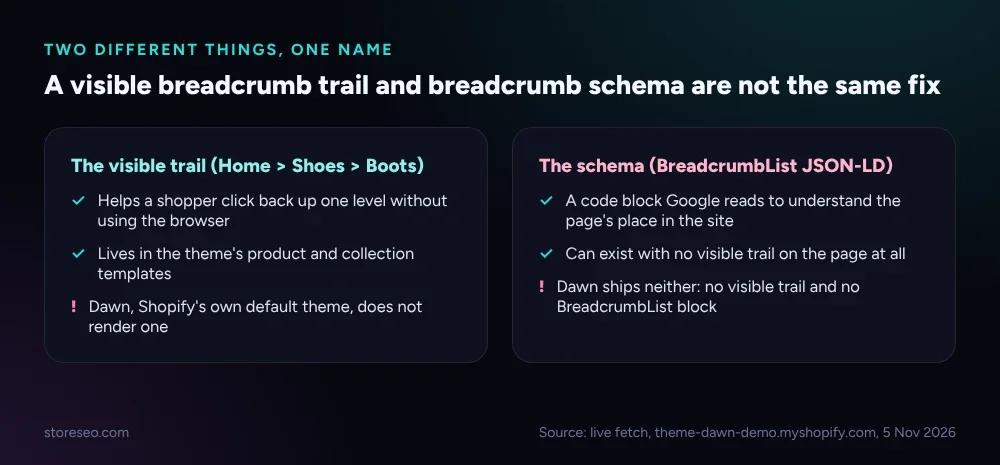 The visible nav is a template element; the schema is a code block Google reads independently of it.
The practical takeaway: a theme customization that adds a visible trail does not add BreadcrumbList markup, and an app that adds the markup does not change what a shopper sees on the page. StoreSEO’s own docs put it plainly: once you turn the schema on, “you won’t see any direct changes on your Shopify store,” because it sends a code block to Google in the background rather than altering the storefront.
How Do You Add Breadcrumb Schema on Shopify?
StoreSEO ships a dedicated Breadcrumb Schema toggle inside its SEO Schema panel, alongside Collection, Product, Product Merchant, Local Business, Article, Blog and Organization schema, so it is one setting among several rather than a one off feature.
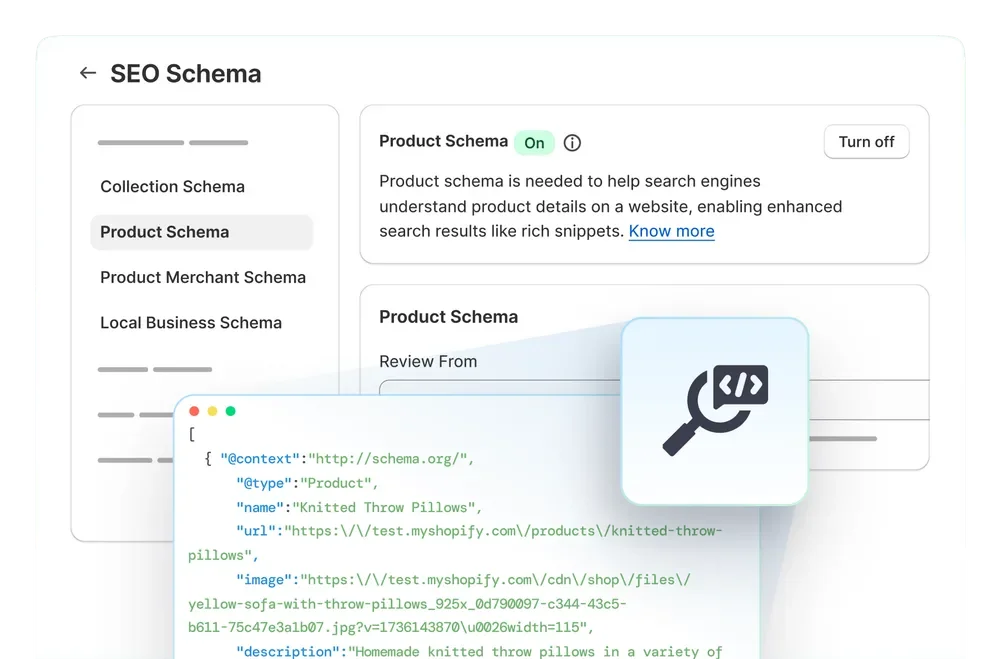 StoreSEO’s SEO Schema panel: Breadcrumb Schema sits in the same toggle list as Product and Local Business schema.
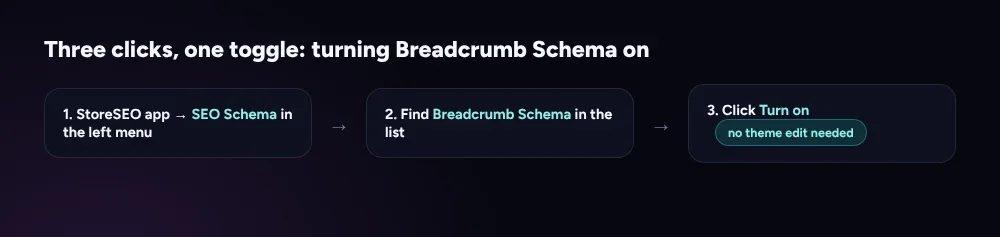 No theme file to open, no code to paste: the whole change happens inside the StoreSEO panel.
Open the StoreSEO app, click SEO Schema in the left menu, find Breadcrumb Schema in the list, and click Turn on. There is no field to fill in and no theme file to edit. StoreSEO’s own SEO Schema setup docs walk through every schema type in the same panel, step by step. If you would rather see the full field reference for every schema type StoreSEO can enable, including Product and Local Business, our Product Schema JSON-LD reference and Local Business schema guide cover those in depth.
So, Do You Need Breadcrumbs on Shopify?
If you are asking about the schema: yes, turn it on. It costs one click, it never shows up as a visible change a customer could object to, and it closes a gap Shopify’s default theme leaves open. If you are asking about the visible trail: it is a smaller win, mainly a navigation convenience on stores with deep collection structures, and some themes other than Dawn already include it. Either way, neither one is optional guesswork: confirm what your own theme ships before assuming a trail or a schema block is already there, the way this post confirmed Dawn ships neither.
Frequently Asked Questions (FAQs)
1. Does breadcrumb schema create a visible rich result in Google’s search listings?
Not reliably. Google’s documentation describes breadcrumb markup as a way to communicate site structure; whether and how it is surfaced in a given result is Google’s own decision, not a guarantee the markup earns. Treat it as a structure signal, not a promised visual.
2. Will adding breadcrumb schema break my Dawn theme?
No. The schema is a code block added to the page’s head, not a change to the theme’s visible template. StoreSEO’s panel toggle does not touch theme files, so there is nothing to roll back if you turn it off later.
3. Do I need a visible breadcrumb trail too, or is the schema enough?
They solve different problems. The schema helps Google read your hierarchy; the visible trail helps a shopper navigate. A small catalog with simple navigation can skip the visible trail and still benefit from the schema. A store with deep, multi-level collections benefits from both.
4. Does every Shopify theme leave out breadcrumbs the way Dawn does?
No, this post verified Dawn specifically, Shopify’s own default free theme, live on 5 November 2026. Other themes, including some paid ones, build a visible trail into collection and product templates. Check your own storefront’s page source rather than assuming either way.
5. Where does StoreSEO’s Breadcrumb Schema toggle live?
Inside the StoreSEO app, under SEO Schema in the left navigation. It sits in the same list as Collection, Product, Product Merchant, Local Business, Article, Blog and Organization schema, so it is easy to find once you know the panel’s name.
6. Does this affect how AI assistants like ChatGPT or Gemini describe my store?
Indirectly at most, since breadcrumb schema is a site-structure signal aimed at search engines, not a content signal AI answer engines are documented to read directly. It is still worth having for Google regardless.
This covers the gap cleanly: turn on StoreSEO’s Breadcrumb Schema, confirm it in your page source the same way this post confirmed Dawn’s gap, and move on to the structured data that actually needs more attention, like product schema. try StoreSEO on the Shopify App Store
Keep reading
Shopify FAQ Answer Template: 6 Fill-In Formats
Six copy-paste FAQ answer templates for shipping, returns, sizing, warranty, subscriptions, and general support, ready to fill in and publish today.
Read article
Does Changing Your Shopify Theme Hurt SEO?
Switching your Shopify theme keeps your URLs and settings intact, but it can quietly change the schema markup and headings your pages output.
Read article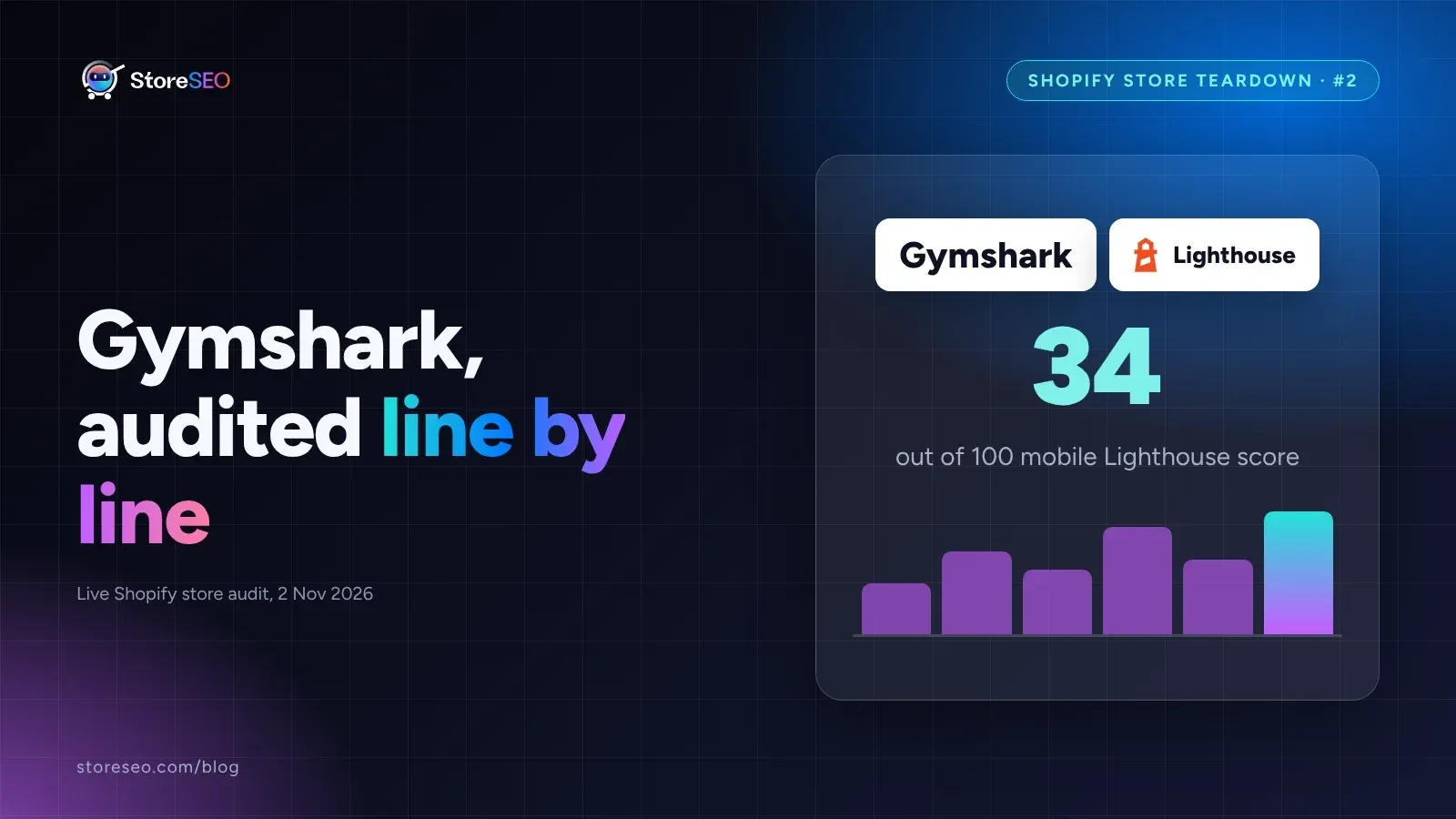
Shopify SEO Teardown #2: Gymshark
We audited Gymshark's live Shopify pages and found a 34-out-of-100 mobile Lighthouse score, a separate URL per color variant, and zero review schema.
Read article