
Where StoreSEO's AI Still Gets Shopify SEO Wrong
 Written by M Asif Rahman
StoreSEO is our product, and here is where its AI Content Optimizer still gets Shopify SEO wrong: it turns one focus keyword into a meta title, description and tags in a single click, and feed it a thin or repeated keyword and the output reads thin and repeated too.
TL;DR
| What we did | What it cost merchants | The fix now |
|---|---|---|
| Built Auto AI Optimization to turn one focus keyword per product into a meta title, description and tags, in one click | On catalogs where many SKUs share a near-identical keyword, the generated copy reads close to identical across SKUs too | We say so here, in plain language, instead of leaving merchants to find it the hard way |
| Marketed Auto AI Optimization as the fix for catalogs too large to touch by hand | The catalogs that need it most, bulk dropshipping and print on demand stores, are also the ones most likely to start from supplier-written titles that are already identical, so the AI has nothing distinct to work from | Our own AI Content Optimizer docs get a companion in this post: vary the keyword, not just the output |
| Let Auto AI Optimization touch Meta Titles, Descriptions and Tags together by default once turned on | A small number of App Store reviewers told us it felt like more generation than they expected to review | We recommend starting with one content type, checking a sample of products, then widening it |
| Sold the AI Content Optimizer credit bundle as an SEO fix on its own | One reviewer theme in our own tracked data reads “not a complete seo solution,” and the optimizer genuinely is not one | We name what it covers and what it does not, honestly, further down |
How Does StoreSEO’s AI Content Optimizer Actually Generate Text?
StoreSEO’s AI Content Optimizer add on works from two inputs: the focus keyword you set for a product, and the product’s existing title. From those two inputs, one click produces a meta title, a meta description and a set of tags. Turn on Auto AI Optimization in Settings, and the same mechanism runs automatically every time a new product is added, generating Meta Titles and Descriptions, Tags, or both, plus image alt text if you choose.
That single click is the whole appeal. It is also the whole limit. The optimizer does not browse your storefront, read your competitors, or compare the product to anything else in your catalog. It takes the keyword you gave it and writes around it. If the keyword is specific and the product is distinct, the output is specific and distinct too. If the keyword is generic, or the same keyword sits on several products, the output inherits that sameness.
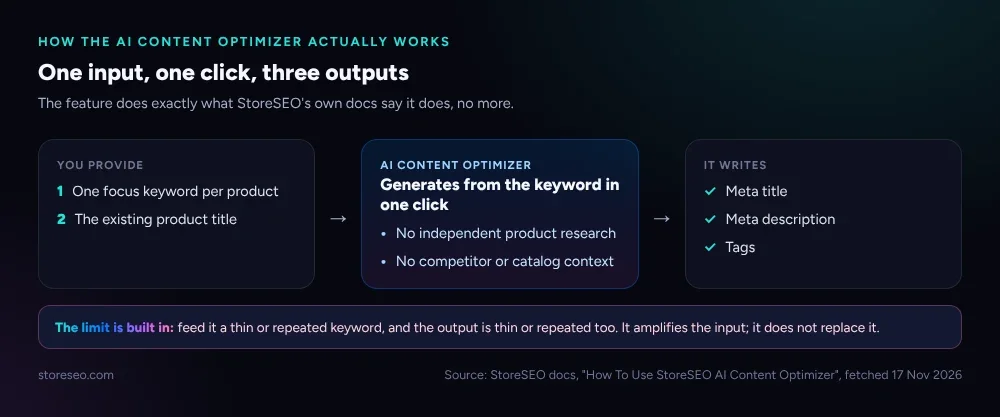 The feature does exactly what StoreSEO’s own docs say it does, no more.
Why Does AI Content Read Generic on Some Shopify Catalogs?
The catalogs most likely to hit this limit are the ones StoreSEO’s own site names as a use case: dropshipping and print on demand, where, in the site’s own words, every seller starts from “same supplier copy as everyone else.” If ten stores list the same supplier’s wireless earbuds under the same obvious keyword, “wireless earbuds,” ten AI Content Optimizer runs produce ten meta titles that read like close cousins of each other, because they are working from the same input, not because the AI itself is broken.
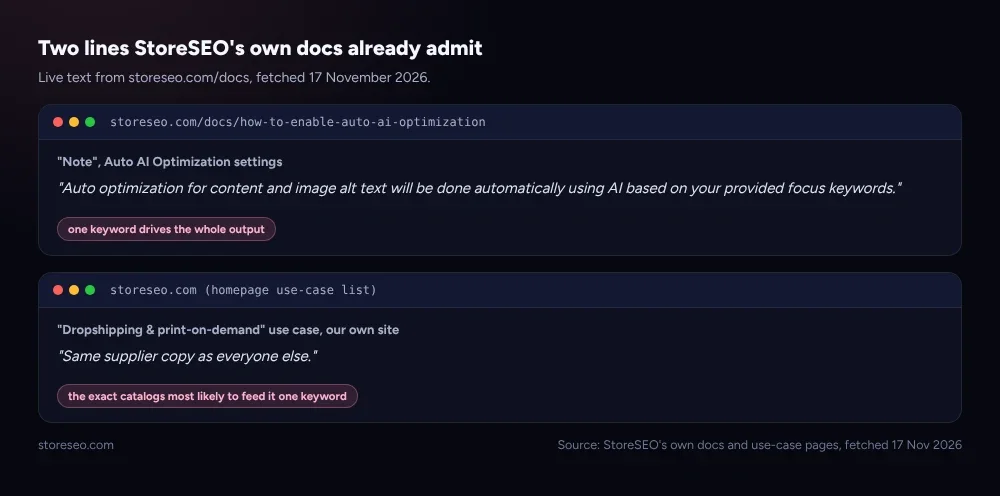 Both lines are live on storeseo.com today; neither is a secret, and neither is advertised as a limit.
The fix is not to stop using Auto AI Optimization. It is to stop feeding it one keyword for many different products. A catalog of wireless earbud variants gets more from three or four distinct keywords, noise cancelling, for running, budget, than from one shared keyword repeated across every listing. The example below is illustrative, built from how the feature is documented to behave rather than pulled from a live store, but the pattern holds for any keyword-driven generator, not just this one.
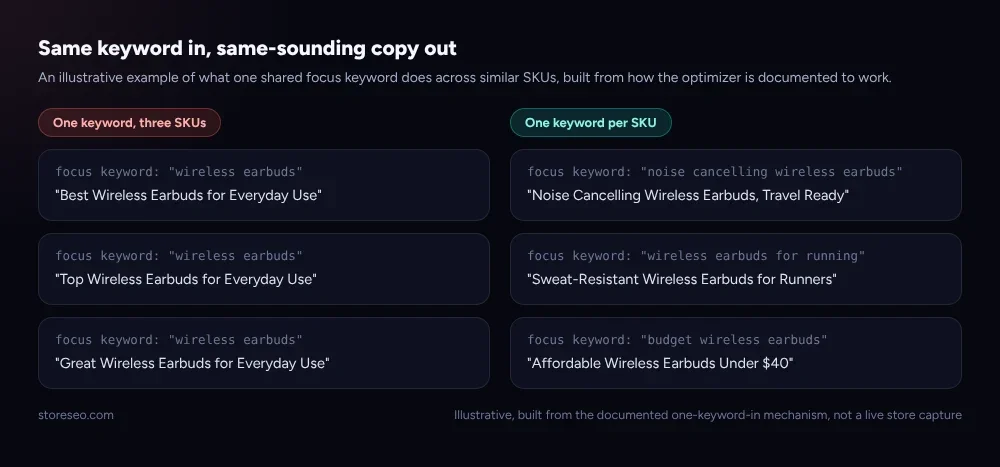 Illustrative, built from the documented one-keyword-in mechanism, not a live store capture.
What Does Our Own Review Data Say?
We track our own App Store reviews the same way we would track a competitor’s, through AppStorePulse. Across 281 AI-analyzed reviews from the past year, the themes are overwhelmingly about support, not content quality: helpful and responsive support shows up across more than a dozen separate praise themes. But two named pain themes sit closer to this post’s subject: “excessive automatic ai generation” and “not a complete seo solution.” Each is a single mention in a year of reviews, a real signal, not yet a trend, and we are naming it here rather than waiting for it to become one.
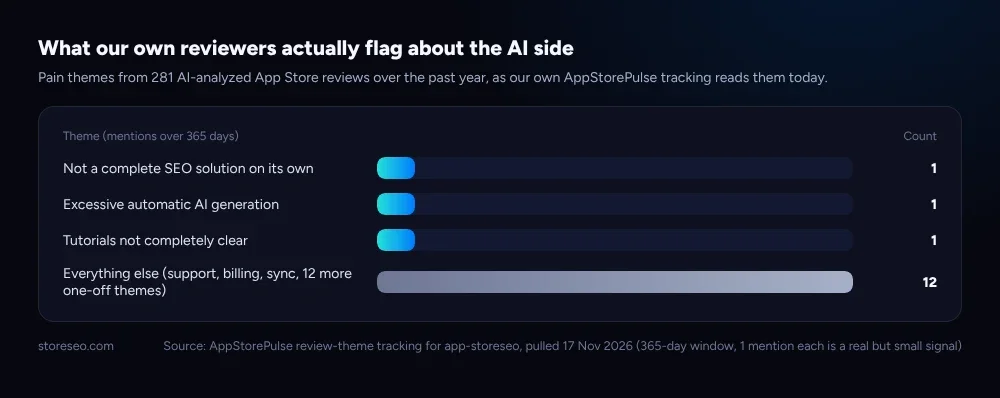 Pulled from our own AppStorePulse tracking, 17 November 2026.
Taking a one-mention theme seriously before it becomes a ten-mention theme is the point of writing this post now, rather than in a future review roundup.
What Should You Do Before Turning on Auto AI Optimization?
Three habits keep the output specific instead of generic.
- Set one keyword per product, not one keyword per category. Thirty variants of one SKU do not need thirty identical keywords; pick the detail that actually differs, color, size, use case or audience, and let that drive the keyword.
- Turn on one content type first. Enable Meta Titles and Descriptions, check a sample of ten products, then add Tags once the first pass looks right, rather than trusting all three categories on day one.
- Treat a generic catalog as the cause, not the AI. If your supplier’s product titles are already identical across your own catalog, as they are on many dropshipping and print on demand stores, fix the title first. The optimizer writes from what is there.
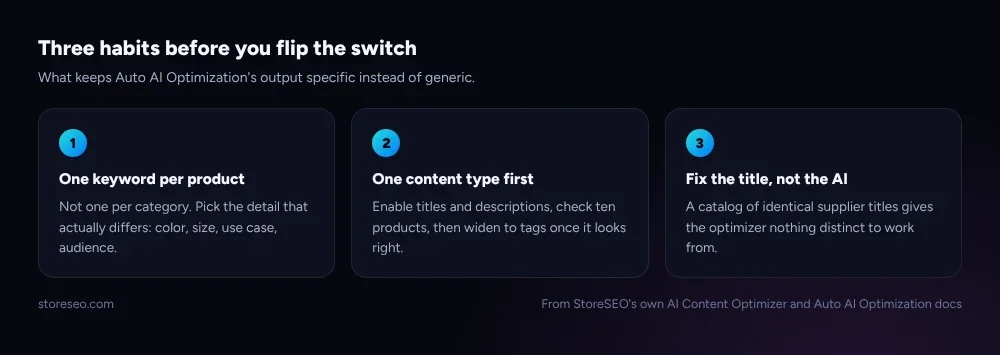 What keeps Auto AI Optimization’s output specific instead of generic.
This is the same discipline behind a broader AI first content strategy for a Shopify store: AI tools amplify the quality of the input you give them, they do not substitute for it.
What StoreSEO’s AI Content Optimizer Is Not
It is not a complete SEO solution, and we should say so as plainly as a reviewer did. It writes metadata; it does not fix page speed, backlinks, crawlability or a thin product page. Google’s own guidance on creating people first content names “extensive automation to produce content” as a warning sign worth reevaluating, and that is exactly the automation this post is about: useful inside a single-click add on, risky if left unattended across a messy catalog.
It is also not the only place we have turned the same lens on ourselves. We audited our own 345-post blog for stale and thin content earlier this year, and we have written honestly about why AI referral traffic sometimes does not show up in StoreSEO’s own reporting. None of this is an argument against using an SEO app on Shopify at all. It is an argument for knowing exactly what one click does and does not do before you click it across three hundred products at once.
Frequently Asked Questions (FAQs)
1. Does StoreSEO’s AI Content Optimizer replace writing your own product copy?
No. It generates a meta title, meta description and tags from the focus keyword and existing title you give it. It works best as a fast first pass you review, not a final draft you leave untouched on every product.
2. Why do some AI-written meta titles look similar across my products?
Because they were generated from the same or a very similar focus keyword. The optimizer does not compare products to each other, so if the input repeats, the output repeats too. Setting a more specific keyword per product fixes this directly.
3. Does turning on Auto AI Optimization hurt my SEO?
Not on its own, and for most catalogs it saves real time over writing every tag by hand. The narrower risk is a catalog with repeated supplier titles and one shared keyword ending up with repeated metadata too, which is a content quality issue worth checking, not a technical SEO penalty.
4. What does the AI Content Optimizer not do?
It does not research competitors, browse your storefront for context, fix page speed or crawlability, or build backlinks. It writes metadata from the keyword and title you give it; everything else in an SEO plan still needs its own tool or its own work.
5. Should dropshipping and print on demand stores avoid Auto AI Optimization?
No, but they are the catalogs most likely to feed it one repeated keyword across many near-identical SKUs, since that is often how supplier titles arrive. Setting a distinct keyword per product before enabling the feature, rather than after, gets the most out of it.
6. How do I fix generic AI output that is already live?
Open the affected products, set a more specific focus keyword for each one, built from the variant, the use case or the audience, and rerun the AI Content Optimizer. It will regenerate from the new keyword the same way it did the first time, because the mechanism has not changed; only the input has.
StoreSEO’s AI Content Optimizer is still one of the fastest ways to get unoptimized Shopify products into reasonable shape, and naming its limit here does not change that. It means being honest about where a merchant’s own judgment still has to do the work a one-click keyword cannot: try StoreSEO on the Shopify App Store.
Keep reading
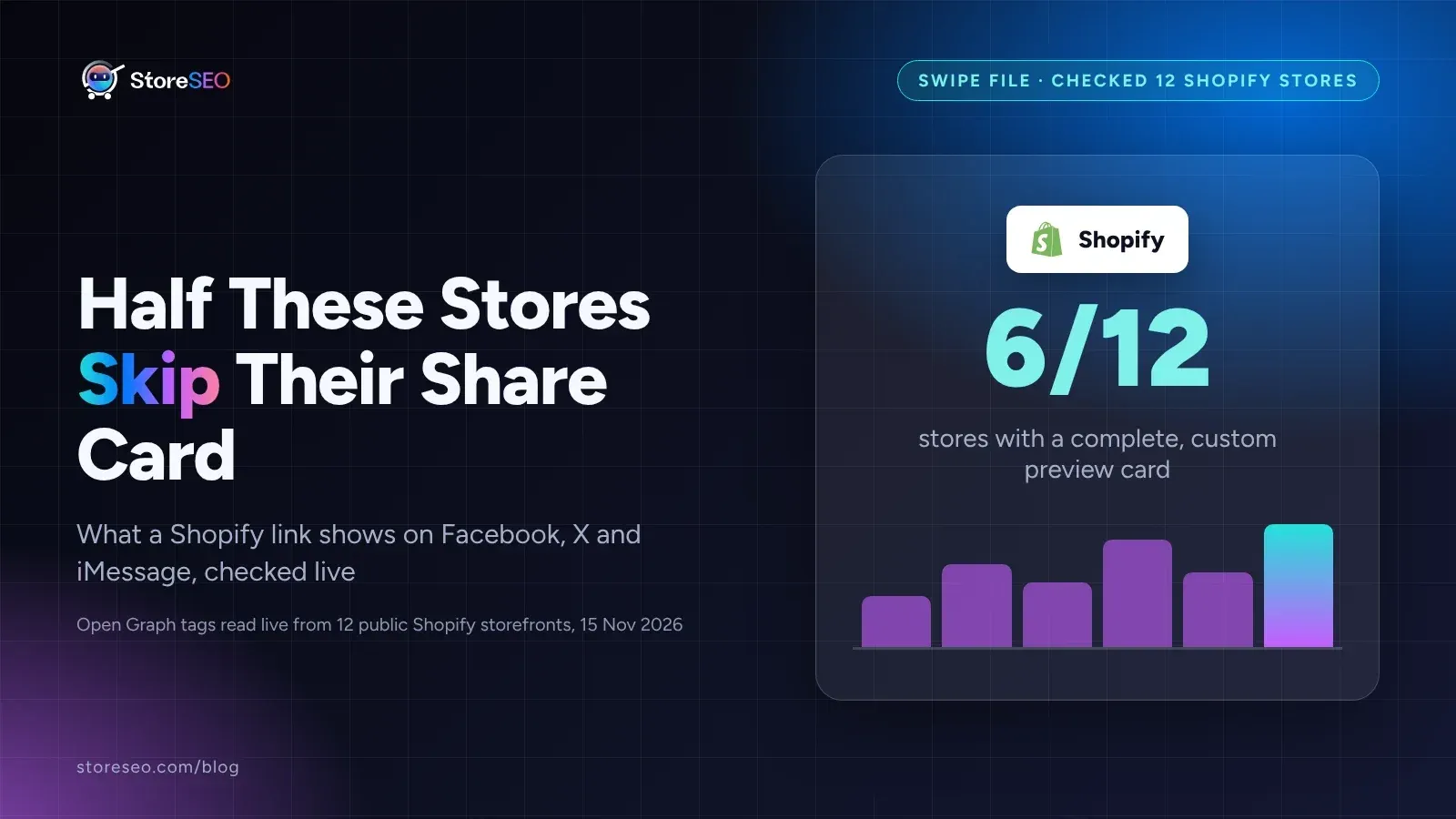
12 Shopify Social Preview Cards That Get Clicks
We checked 12 live Shopify stores' social preview cards, and only half ship a complete one; here is exactly what the other half are missing.
Read article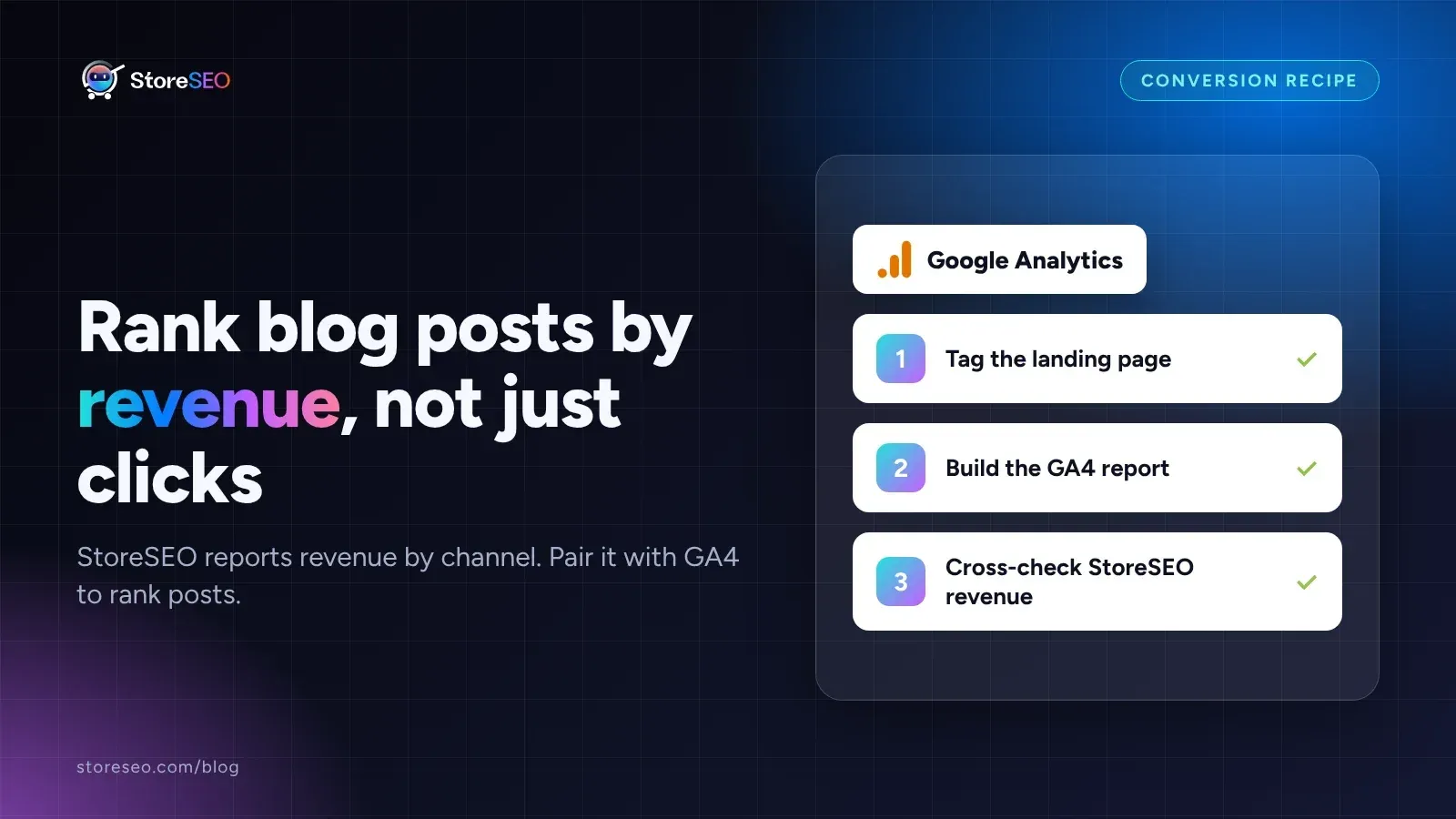
Find Your Highest-Converting Blog Post With StoreSEO
StoreSEO reports revenue by channel, not by post, so pair its Orders report with a GA4 landing page report to rank blog posts by actual sales.
Read article
AI vs Manual Alt Text: We Tested 13 Shopify Photos
Hand-written alt text named a specific, searchable keyword in all 13 tests; AI-generated text matched it only twice, accurate but too generic.
Read article