
Black Friday 2026 Shopify SEO & AI-Search Checklist
 Written by M Asif Rahman
Start eight weeks before Black Friday: refresh your best sellers’ titles and descriptions, fix anything slow, and build a redirect plan for items that will sell out. Wait until BFCM week and you are only reacting. This checklist runs deadline by deadline, ending with what AI shopping answers need from your pages.
TL;DR: the tasks that matter, in the order Google and AI crawlers need to see them.
| Deadline | What to do | Why | Time needed |
|---|---|---|---|
| 2 Oct (8 weeks out) | Refresh titles and meta descriptions on your top 20 sellers | Google needs weeks to recrawl and re-rank a changed page before the sale starts | 2 to 3 hours |
| 2 Oct (8 weeks out) | Run a Core Web Vitals check and fix the worst offender | Traffic spikes punish a slow page hardest, right when it matters most | 1 hour |
| 30 Oct (4 weeks out) | Build a redirect map for products likely to sell out | A 404 during BFCM loses the ranking a soft redirect would have kept | 1 hour |
| 30 Oct (4 weeks out) | Enable image optimization on new sale banners and bundles | Unoptimized banner images are the most common Black Friday speed regression | 30 minutes |
| 23 to 30 Nov (BFCM week) | Watch Search Console daily for crawl errors and index drops | A broken redirect or blocked URL is cheap to fix in an hour, costly after a week | 15 minutes a day |
| 23 to 30 Nov (BFCM week) | Redirect, never delete, any product that sells out | Deleting removes years of accumulated ranking signal along with the page | 5 minutes per product |
| 1 Dec onward | Decide which sale pages to keep live and which to redirect | Some Black Friday landing pages keep ranking for adjacent terms after the sale ends | 1 hour |
| 1 Dec onward | Resubmit the updated pages in Search Console | Confirms the post-sale version is the one indexed before January traffic arrives | 20 minutes |
What Should You Do 8 Weeks Before Black Friday?
Eight weeks out is 2 October 2026 for this year’s 27 November Black Friday, and it is the point where a title or meta description change still has time to be recrawled and re-ranked before the sale starts. Start with the 20 product and collection pages that already carry your organic traffic: rewrite any meta description that reads like a pitch rather than an answer, and confirm every title still fits without truncating in search results.
Speed is the second task, and it is worth doing before the sale banners and bundle images go up, not after. Run Shopify Core Web Vitals Audit Guide against your product and collection templates now, while a fix is still a quiet, low-traffic change rather than an emergency during a spike. If you are not sure a fix landed cleanly, a checklist pass against the Ultimate SEO Checklist catches anything the speed audit does not cover, such as a missing canonical tag or an unoptimized theme asset.
What Should You Do 4 Weeks Before Black Friday?
By 30 October, decide what happens to every product that might sell out completely during the sale. A sold-out page that 404s during your highest-traffic week hands its ranking to a competitor with nothing to show for it; a 301 to the nearest live alternative or the parent collection keeps that signal working for you. Write the redirect map now, while there is no pressure, so BFCM week is execution rather than triage.
This is also the week to turn on image optimization for whatever new creative marketing is about to upload. Sale banners and bundle graphics are usually exported at full resolution and dropped straight into a theme section, and an unoptimized banner is one of the most common causes of a Black Friday speed regression. StoreSEO’s Image Optimizer compresses and resizes images automatically as they are added, so a marketing upload does not have to wait on a manual pass. Merchant Center and Shopping graph feeds should also be current by this point: Quick Wins for Ranking in Google’s Shopping Graph covers what Google reads from your feed before it will surface a deal.
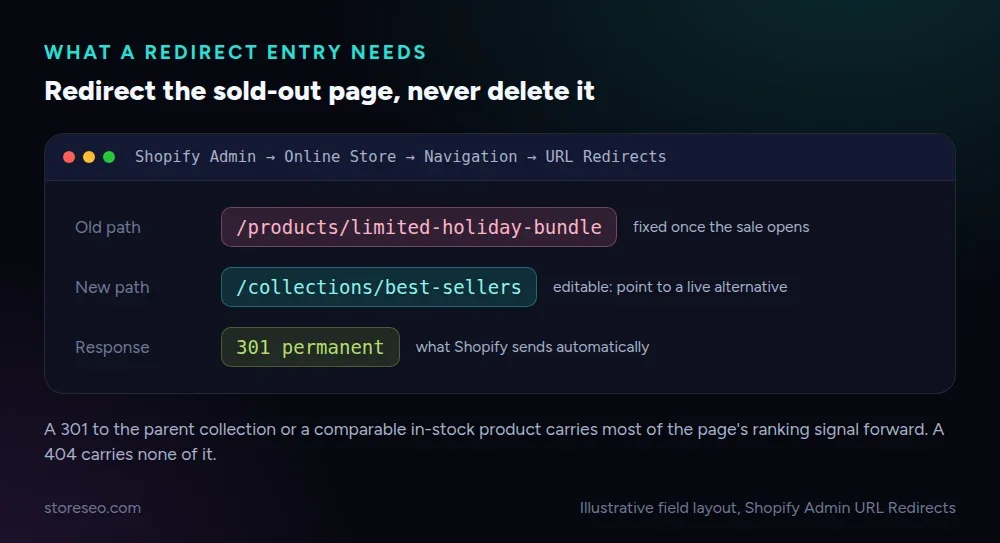 A standard Shopify URL redirect entry, illustrative field layout.
What Should You Do During BFCM Week?
From 23 to 30 November, the job changes from preparation to monitoring. Check Search Console once a day, not once a week: a crawl error or a sudden drop in indexed pages is cheap to fix within a day of it appearing and expensive to fix after the week is over. How to Use Google Search Console Insights walks through reading the coverage and performance reports StoreSEO surfaces without leaving your Shopify admin.
The one rule that matters most this week: redirect, never delete, a product that sells out. Deleting a product page removes every backlink and every ranking signal it built up, while a redirect to the parent collection or a comparable in-stock item keeps that signal working through Cyber Monday and beyond. If a listing is only temporarily unavailable, mark it out of stock rather than deleting it so it can come straight back once inventory returns.
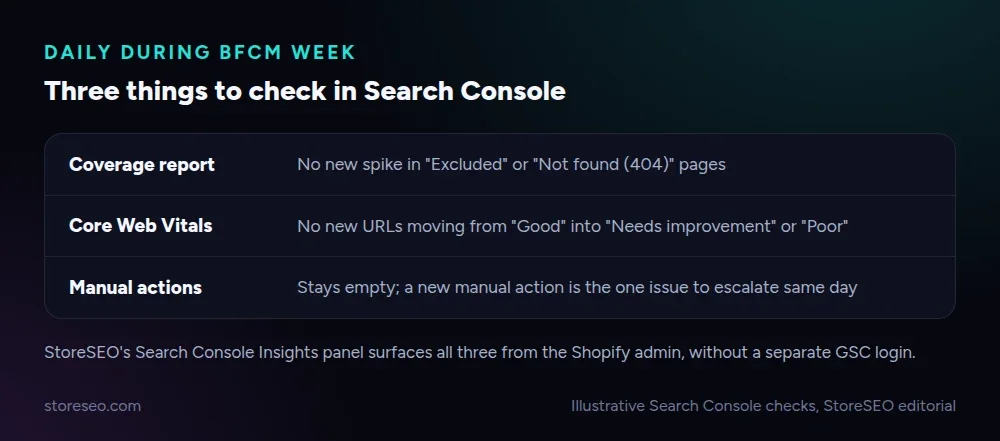 Illustrative daily checks, StoreSEO editorial.
How Do You Get Your Deals Into AI Shopping Answers?
ChatGPT, Gemini and Perplexity answer shopping questions by reading structured, current information, not marketing copy. A deal buried in a hero banner image is invisible to them; a deal stated as text, with the discount, the dates and the product name in the same sentence, is something an AI answer can quote directly.
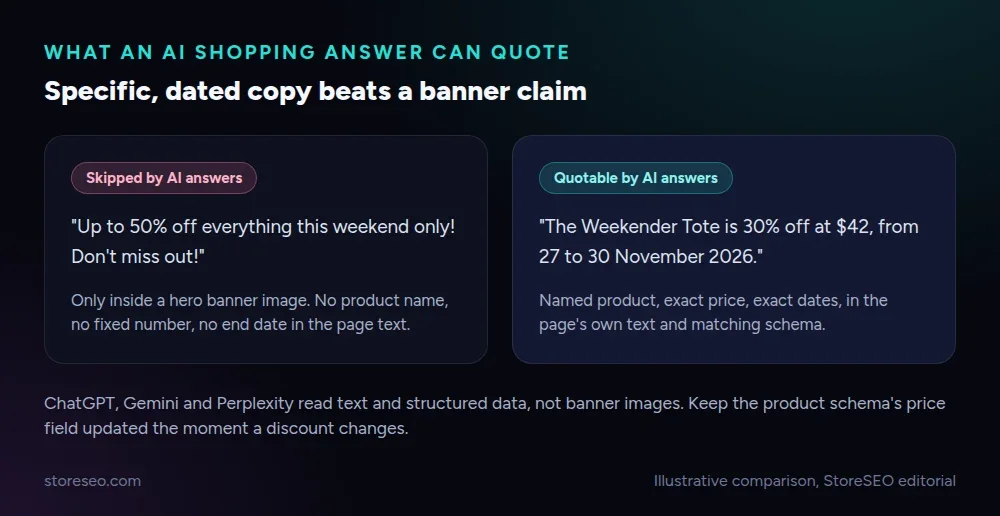 Illustrative comparison: specific, dated copy versus a generic banner claim.
Write the specific version everywhere a shopper might land: the product page, the collection description and any dedicated deals page. How to Get Your Shopify Products Featured in Google’s AI Overviews covers the structured data and phrasing patterns AI Overviews read from most reliably, and the same patterns carry over to ChatGPT and Perplexity shopping answers. Keep your product schema and price fields updated the moment a discount goes live, since a stale price in structured data is the fastest way for an AI answer to quote the wrong number.
What Should You Do After Cyber Monday?
Cyber Monday, 30 November this year, is not the finish line. Decide within the first week of December which sale-specific pages earn their keep beyond BFCM: a dedicated “Black Friday deals” collection page often keeps ranking for adjacent, non-seasonal terms if you update its copy rather than deleting it, while a page built purely around a discount that no longer exists should redirect to whatever replaces it.
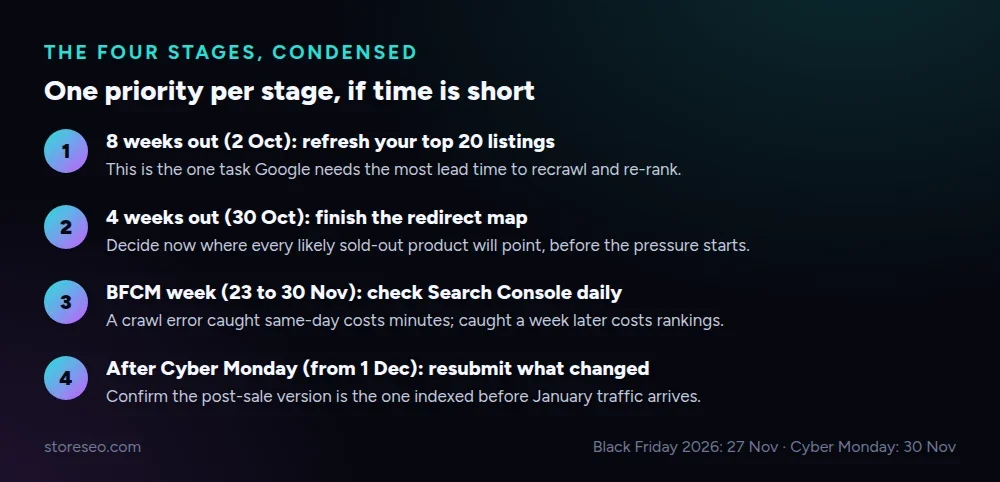 The four-stage timeline this checklist follows, condensed to one priority per stage.
Resubmit whatever changed to Search Console rather than waiting for the next crawl to find it on its own. Because this page’s URL carries no year, you can refresh the dates, the top sellers and the proof points every autumn instead of starting from a blank page, which is the point of building it this way in the first place.
Frequently Asked Questions (FAQs)
1. When should a Shopify store start Black Friday SEO preparation for 2026?
Eight weeks before Black Friday, which is 2 October 2026 for the 27 November date, gives Google enough time to recrawl and re-rank a refreshed title or meta description before the sale starts. Waiting until BFCM week itself means any change you make is still unindexed when the traffic arrives.
2. Does redirecting a sold-out product hurt its SEO?
No, a 301 redirect to the parent collection or a comparable in-stock product passes along most of the accumulated ranking signal, while deleting the page or letting it 404 loses that signal outright. Mark a product out of stock instead of deleting it whenever the item is expected to come back.
3. Should I build a new URL for Black Friday every year, or reuse one?
Reuse one evergreen URL and refresh its dates, offers and top sellers each year, rather than publishing a new page annually. A reused URL keeps whatever ranking and backlinks it earned in previous years instead of starting over from zero every autumn.
4. Can ChatGPT or Gemini recommend my Black Friday deals?
They can, but only from specific, current text: a stated discount percentage, dates and product name in a normal sentence, backed by product schema with an accurate price. A deal shown only inside a banner image or a vague “up to X% off” claim gives an AI answer nothing concrete to quote.
5. What is the single biggest SEO mistake during BFCM week?
Deleting a sold-out product’s page instead of redirecting it. It is the fastest way to lose ranking signal during the one week of the year that page was most likely to convert, and it is avoidable with a redirect map built weeks in advance.
6. Does site speed actually matter more during Black Friday traffic spikes?
Yes, a page that loads acceptably at normal traffic can slow noticeably under a Black Friday spike, and Core Web Vitals feed directly into how Google ranks and how likely a shopper is to complete checkout. Fixing the worst offender before the spike, as this checklist’s first task, is cheaper than diagnosing it mid-sale.
Run this checklist once a year against the same URL, and each Black Friday takes less last-minute work than the one before it. For the full quarter around it, from early October through the first week of January, see the Q4 Shopify SEO Calendar. If you want the title and meta refresh, the speed check and the redirect map handled from one Shopify admin screen, try StoreSEO on the Shopify App Store.
Keep reading
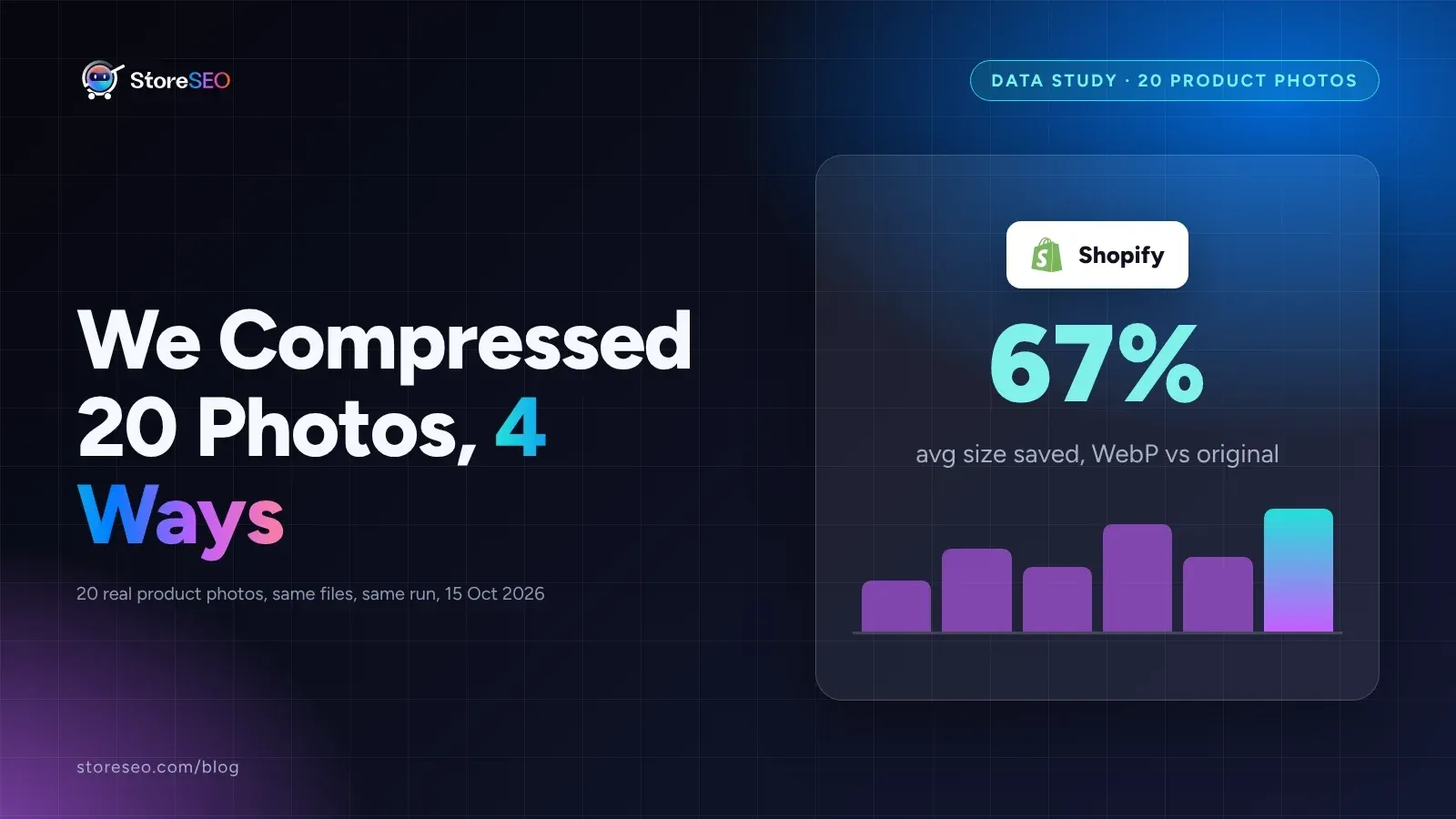
We Compressed 20 Shopify Product Photos 4 Ways
We compressed 20 real Shopify product photos 4 ways and found WebP cuts average file size by 67 percent, the biggest saving of the four we tested.
Read article
Shopify Product Description Template (6 Formats)
A Shopify product description template is a fill-in-the-blank structure for one niche that keeps every listing consistent, specific and fast to write.
Read article
12 Shopify Collection Pages, Annotated for SEO
Twelve real, public Shopify collection pages share three repeatable SEO patterns: a keyword-first title, a descriptive meta line, and a specific URL slug.
Read article