
A robots.txt Template for Shopify AI Crawlers
 Written by M Asif Rahman
Shopify’s Dawn theme ships one generic robots.txt group with no named AI crawler at all, so GPTBot, ClaudeBot, PerplexityBot and the rest all fall under the same blanket Allow. Below is a copy-paste template that names each one, so you can allow AI citations, block AI training, or do both, on purpose rather than by default.
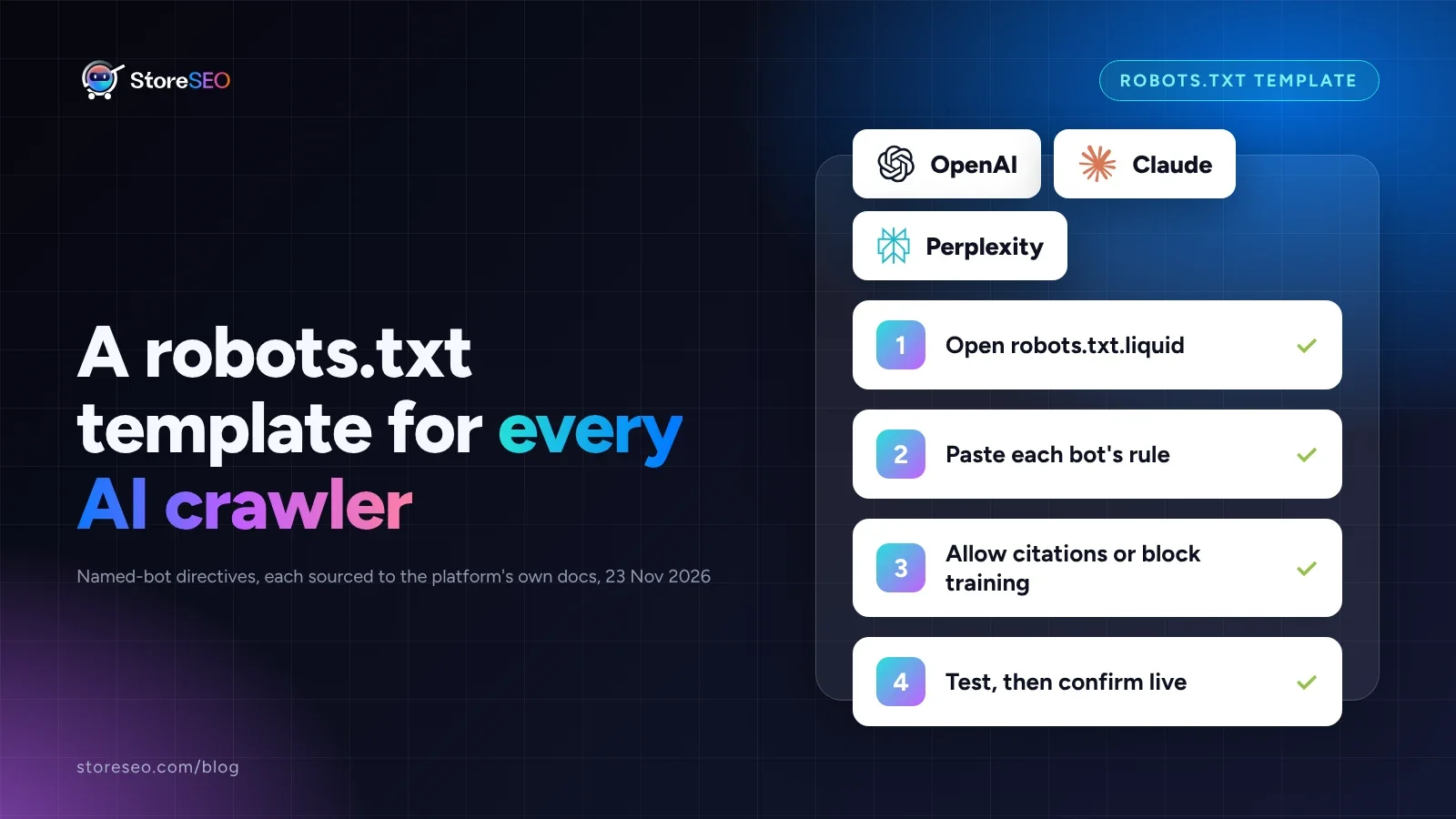
TL;DR: the rules, bot by bot
| Bot | Owner | Purpose | What to Do | Rule |
|---|---|---|---|---|
| GPTBot | OpenAI | Training-data crawl | Block to opt out of training | Disallow: / |
| OAI-SearchBot | OpenAI | Feeds ChatGPT search answers | Allow to stay citable | Allow: / |
| ChatGPT-User | OpenAI | Live, user-triggered fetch | Usually left open | Allow: / |
| ClaudeBot | Anthropic | Training-data crawl | Block to opt out of training | Disallow: / |
| Claude-SearchBot | Anthropic | Feeds Claude’s search results | Allow to stay citable | Allow: / |
| Claude-User | Anthropic | Live, user-triggered fetch | Usually left open | Allow: / |
| PerplexityBot | Perplexity | Feeds search and citations | Allow to stay citable | Allow: / |
| Perplexity-User | Perplexity | Live, user-triggered fetch | Usually left open (often ignores robots.txt anyway) | Allow: / |
| Google-Extended | Gemini/AI-grounding training signal | Block to opt out of training only | Disallow: / | |
| Applebot-Extended | Apple | Apple Intelligence training signal | Block to opt out of training only | Disallow: / |
| Bingbot | Microsoft | Standard search crawl | Leave open | Allow: / |
Can You Edit robots.txt on Shopify?
Yes. Shopify generates robots.txt from a theme template, templates/robots.txt.liquid, which every theme can override. Create that file in the theme code editor (it does not exist by default on Dawn), open it with a short Liquid loop that reuses Shopify’s own default groups so checkout, cart and account stay disallowed, then add a named User-agent group for each AI crawler underneath. No app or developer is required, though StoreSEO’s own guidance on why a store is not appearing in Google walks through the same file for indexing problems more broadly, not only AI bots, and it sits among the wider list in Common Shopify SEO Problems, Ranked by Impact.
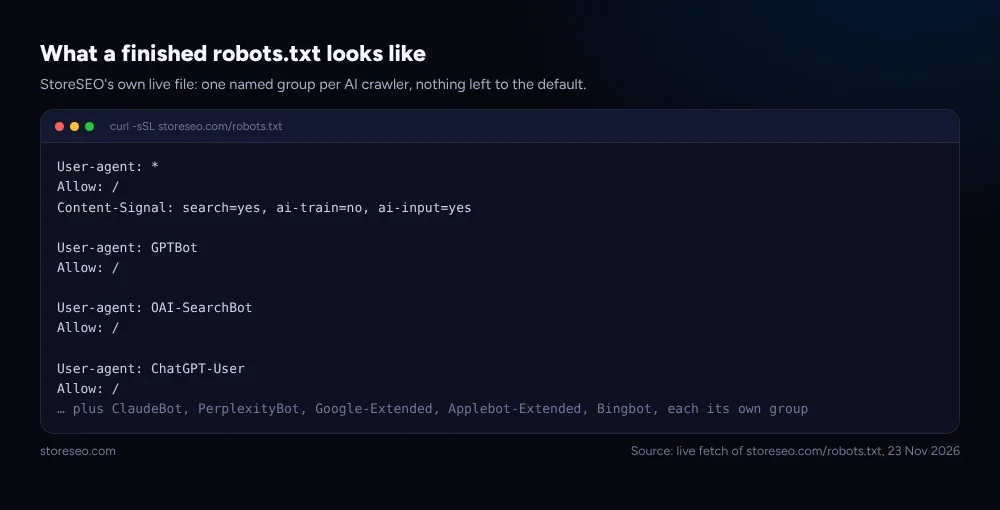 StoreSEO’s own live robots.txt: one named group per AI crawler, Allow on every one, re-verified 23 November 2026.
What Does Shopify’s Default robots.txt Block?
Not much, and nothing AI-specific. A live fetch of Shopify’s Dawn demo theme on 23 November 2026 shows one User-agent: * group that disallows checkout, account, cart.js and a handful of filter and sort crawl-trap URL patterns, plus a separate adsbot-google group for Google’s ad-landing-page checks. There is no named group for GPTBot, ClaudeBot, PerplexityBot, or any other AI crawler, so every one of them currently crawls, and can be cited by, under the same blanket Allow: / as Googlebot. That is a choice by omission, not a deliberate policy, and it is the gap We Checked 148 Shopify Stores for AI Crawler Blocks found across a wider sample: almost no store names an AI bot at all, for or against. The general mechanics of the file, beyond just AI bots, are covered in Shopify robots.txt Guide: Rules for Google & AI Bots.
Which AI Crawlers Should You Allow, Limit, or Block?
The crawlers split into three jobs, and a rule written for one does nothing to the other two.
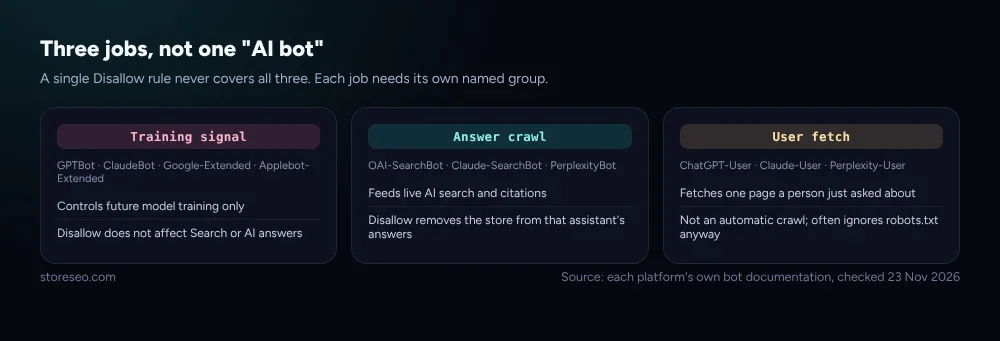 OpenAI, Anthropic and Perplexity each ship three separate bots: one for training, one for live answers, one for a single user’s request.
Training-signal crawlers (GPTBot, ClaudeBot, Google-Extended, Applebot-Extended) only control whether future models are trained on the page. OpenAI’s own documentation confirms disallowing GPTBot opts a site out of training use without touching ChatGPT’s search feature, and Anthropic’s crawler docs describe ClaudeBot the same way for Claude. Google says the same of Google-Extended: it “does not impact a site’s inclusion in Google Search” and governs Gemini training and grounding only, through a token with no crawler of its own. Apple’s Applebot-Extended works identically: it does not crawl, it only flags already-crawled pages out of Apple Intelligence training, and pages that disallow it “can still be included in search results.”
Answer-crawl bots (OAI-SearchBot, Claude-SearchBot, PerplexityBot) are the ones that actually feed a live AI answer. Disallowing OAI-SearchBot removes a site from ChatGPT’s search citations specifically, separate from GPTBot. Anthropic’s Claude-SearchBot and Perplexity’s PerplexityBot work the same way for their own assistants. A store that wants to show up when a shopper asks ChatGPT, Claude or Perplexity for a product recommendation leaves these three open.
User-fetch bots (ChatGPT-User, Claude-User, Perplexity-User) only fetch a page a person is actively asking about, not an automatic crawl. OpenAI’s docs note that robots.txt rules may not even apply to ChatGPT-User, since the action is user-initiated, and Perplexity says Perplexity-User “generally ignores robots.txt rules” for the same reason. Declaring them is still good practice: it documents intent even where the bot does not strictly need to obey it.
Here is the block that applies the common default, which is StoreSEO’s own: stay fully open to answers and citations, opt out of training only.
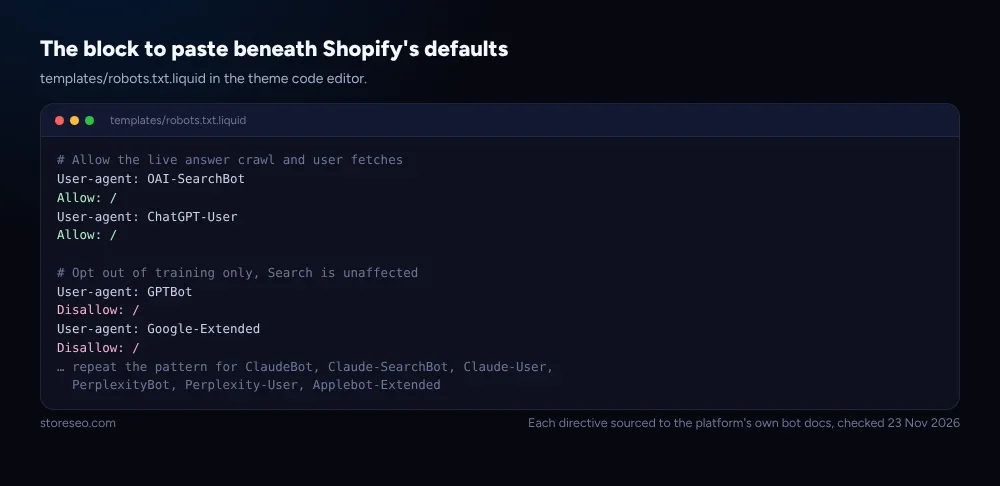 Add one
User-agent/rule pair per bot beneath Shopify’s default groups; repeat the Allow pattern for every answer-crawl and user-fetch bot, and the Disallow pattern for every training-only signal.
A store with a different goal reads the same bots differently:
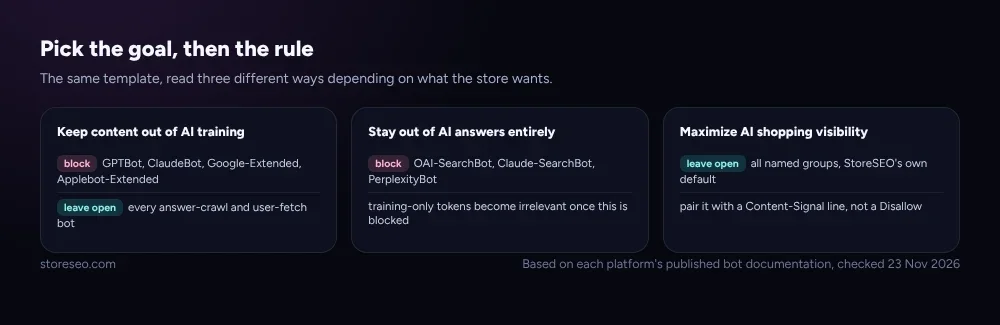 Blocking all AI training leaves the citation bots untouched; blocking all AI answers makes the training-only tokens moot.
robots.txt only decides whether a crawler is let in. What it reads once it is on the page is a separate question, covered in Shopify Product Schema JSON-LD: Copy-Paste Code Blocks.
How Do You Test Your robots.txt Changes?
Save templates/robots.txt.liquid, then load the store’s own /robots.txt path in a browser and confirm each named group appears with the directive you intended; Shopify serves theme changes immediately, with no separate deploy step. Google Search Console’s robots.txt report (under Settings → Crawling) re-checks the live file against Googlebot’s own rules, though it does not test AI-bot groups directly. For those, the fastest check is a command-line fetch that sends the bot’s own name as the user agent, which confirms the right named group answers rather than the default * group.
What Mistakes Deindex a Store?
The costliest mistake is a blanket User-agent: * Disallow: / meant for one bot that accidentally blocks every crawler, including Googlebot and Bingbot, because the wildcard group applies to anything without its own named section. The second is assuming a Disallow on GPTBot also blocks OAI-SearchBot, Claude-SearchBot or PerplexityBot; it does not; each bot needs its own group, as the table above shows. The third is forgetting that the platform groups (Google-Extended, Applebot-Extended) carry no crawler of their own: disallowing them changes nothing about whether Googlebot or Applebot can still crawl and index the page for search.
Frequently Asked Questions (FAQs)
1. Does Shopify’s default robots.txt block AI crawlers?
No. A live check of Shopify’s Dawn theme shows one generic group with no named AI-bot rule at all. Every AI crawler, training or citation, currently falls under the same blanket Allow as Googlebot until a store adds its own named groups.
2. What is the difference between GPTBot and OAI-SearchBot?
GPTBot crawls pages that may be used to train OpenAI’s models; disallowing it opts out of training only. OAI-SearchBot is a separate crawler that feeds ChatGPT’s search feature; disallowing it removes the site from search citations specifically. Blocking one has no effect on the other.
3. Does blocking GPTBot remove my products from ChatGPT’s shopping answers?
No. OpenAI’s own documentation ties GPTBot to training use only. A store that wants to stop appearing in ChatGPT’s live search and shopping answers needs to disallow OAI-SearchBot instead, which is a separate named group.
4. Should I disallow Google-Extended?
Only if the goal is to opt a site’s content out of training and grounding for Gemini. Google states that Google-Extended “does not impact a site’s inclusion in Google Search,” so disallowing it is unrelated to normal search ranking or indexing.
5. Do ChatGPT-User and Claude-User even read robots.txt?
Not reliably. Both are triggered by a real person asking the assistant about a specific page, not an automatic crawl, and both companies’ own documentation says the fetch may proceed regardless of a robots.txt rule. Declaring them in the file still documents intent clearly.
6. How do I check which AI crawlers have actually visited my store?
robots.txt only states policy; it does not log visits. Server or CDN access logs are the way to confirm a named bot actually crawled a page, by filtering for its user-agent string in the raw logs.
Shopify leaves every AI crawler on the same default rule as Google until a store writes its own, and that silence is rarely a deliberate choice. try StoreSEO on the Shopify App Store
Keep reading
What Happens If You Block GPTBot on Shopify?
Blocking GPTBot in robots.txt opts your Shopify store out of AI training data, but it does not remove you from ChatGPT search or stop AI shoppers.
Read article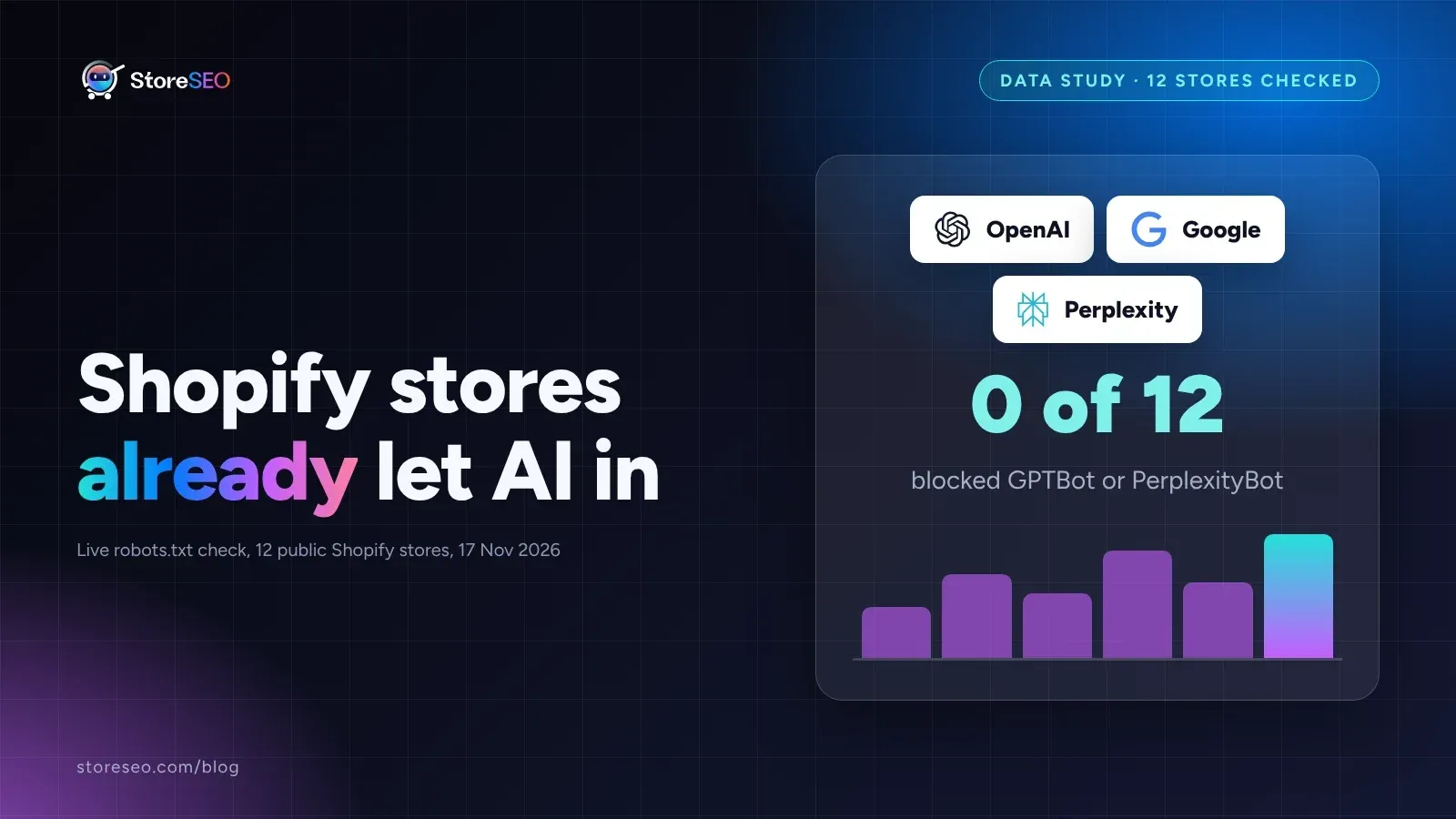
How Often Does AI Actually Cite Shopify Stores?
None of the 12 public Shopify stores we checked block GPTBot or PerplexityBot, so the real bottleneck to being cited by AI usually is not robots.txt.
Read article
AI Search Glossary for Shopify Merchants
This glossary defines 20 AI search terms Shopify merchants now hit, from AI Overview to zero-click, each checked against the source that coined it.
Read article