
12 Shopify SEO Questions Merchants Ask Most
 Written by M Asif Rahman
Shopify SEO questions tend to repeat: indexing delays, out of stock products, URL handles, AI assistants, and whether an app is worth it. Below are straight, sourced answers to the twelve that come up most, each checked against Google or Shopify documentation rather than guesswork.
TL;DR:
| Question | Short answer | What to do |
|---|---|---|
| Why isn’t my store showing up on Google? | It’s usually not indexed yet, not banned; check before you panic | docs |
| How long does Shopify SEO take? | Months, not days; first real clicks usually land in month 3 to 6 | full timeline |
| Do out-of-stock products hurt SEO if I leave them live? | No, deleting them is the bigger risk; redirect instead | docs |
| Does changing a URL handle hurt rankings? | Only if you skip the redirect; the redirect is what protects the ranking | Shopify docs |
| How many product tags should I use? | As many as genuinely describe the product, never a quota | n/a |
| Do duplicate collection pages hurt SEO? | Rarely a penalty; Shopify’s canonical tags handle most of it automatically | n/a |
| Does page speed really affect my rankings? | It’s one signal among many, not the single lever | Google docs |
| Can ChatGPT or Perplexity recommend my store? | Yes, if their bots can reach your pages; many stores block them by accident | AI search guide |
| Do I need an SEO app, or can I do this manually? | Shopify covers the basics; an app adds AI content, rank tracking and bulk fixes | docs |
| How many internal links does a product page need? | No fixed number; each link should help the shopper decide, not pad a count | common problems |
| Does switching themes reset my SEO? | Not automatically, but it can silently drop meta fields and schema | SEO myths |
| Is AI Overviews replacing my organic traffic? | It changes where clicks come from, not whether Google indexes you | glossary |
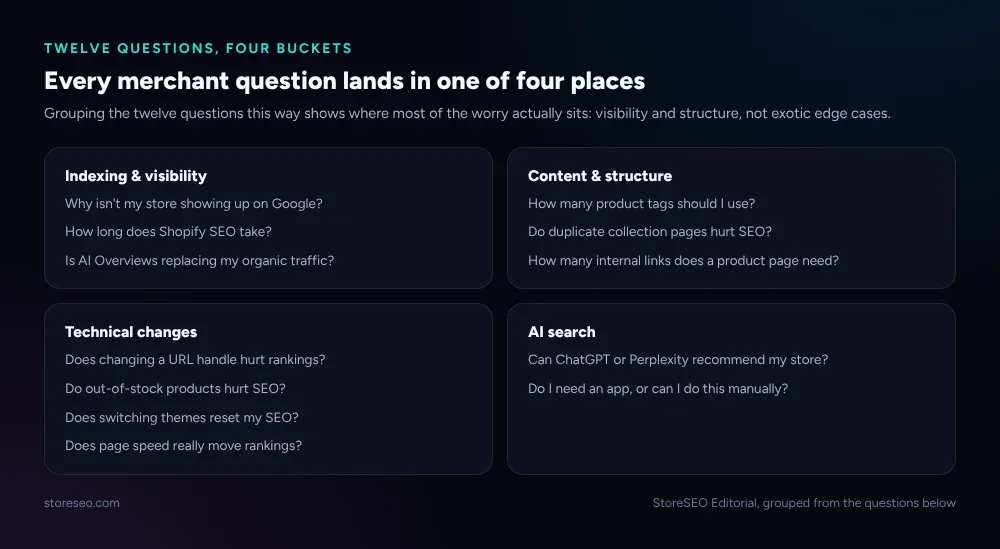 Most of the worry sits in four places, not twelve unrelated problems.
Why Isn’t My Shopify Store Showing Up on Google?
Almost always this means “not indexed yet,” not “banned.” A brand-new store, or a page you just published, can sit in Google’s queue for days before it is crawled at all, and crawled is not the same as indexed. Open Search Console’s URL Inspection tool before assuming the worst: it tells you, in order, whether Google has fetched the page, whether it decided to index it, and if not, why.
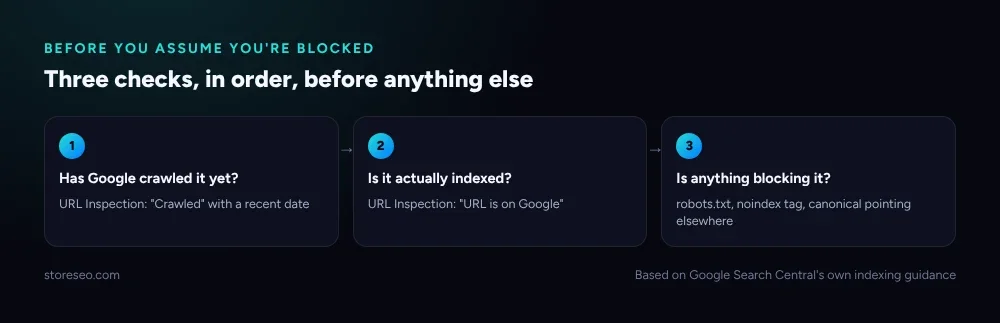 Work through these three before you touch anything on the page itself.
The usual blockers are mundane: a noindex tag left on from a staging theme, a canonical tag pointing at a different URL, or a robots.txt rule that is wider than intended. StoreSEO’s sitemap and indexing tools walk through each one, and our Shopify SEO checklist covers the setup that prevents most of them from happening in the first place. If the page genuinely has been indexed and still is not ranking, that is a different, slower problem, covered in our month-by-month timeline.
Does Changing a Product’s URL Handle Hurt Rankings?
Only if you skip the redirect. Shopify lets you edit a product’s URL handle at any time, and the search engine that had indexed the old URL does not automatically know the page moved, so a visitor or a crawler following the old link gets a 404 until something tells them otherwise. Shopify’s own documentation on URL handles is explicit that a changed handle breaks the old link unless you set a redirect yourself.
The fix is a single redirect from the old handle to the new one, created the moment you change the URL, not after you notice traffic dropped. Do it rarely, and batch changes rather than renaming handles one at a time over weeks: every redirect is a small, permanent tax on crawl budget and on the rare visitor who bookmarked the old link.
Can ChatGPT, Gemini or Perplexity Actually Recommend My Shopify Store?
Yes, but only if their crawlers can read your pages in the first place, and that is the step most stores get wrong without noticing. GPTBot, ChatGPT-User, PerplexityBot and Claude’s crawlers are separate user agents from Googlebot, each with its own line in robots.txt, and a theme or a security app that blocks “unknown bots” by default can quietly block all of them at once.
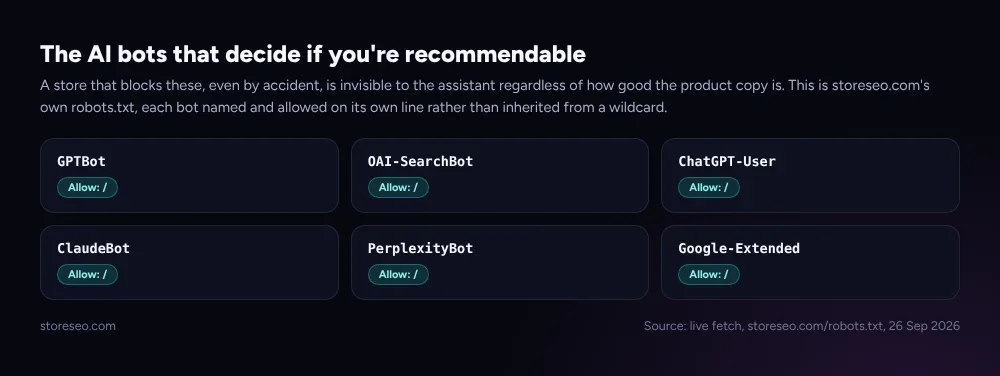 Named and allowed, not inherited from a wildcard: this is what access actually looks like.
Access is the floor, not the whole answer. Once a crawler can reach the page, what it finds matters just as much: clear product data, FAQ content phrased the way a shopper would ask it, and a store that answers the question directly rather than burying it under marketing copy. The free AIScan checker, a project of StoreSEO’s own founder, grades exactly this, whether AI crawlers can reach a site and whether what they find is actually usable. Our guide to how ChatGPT, Gemini and Perplexity choose what to recommend goes deeper on the content side once access is confirmed.
Do I Need a Dedicated SEO App, or Can I Do This Manually?
Shopify’s native tools cover the basics: editable titles and meta descriptions one page at a time, automatic canonical tags, and simple redirects. What they do not cover is scale. Writing a unique, keyword-aware title for 400 products by hand, tracking where each one ranks over time, and finding every missing image alt text are jobs native Shopify was never built to do in bulk.
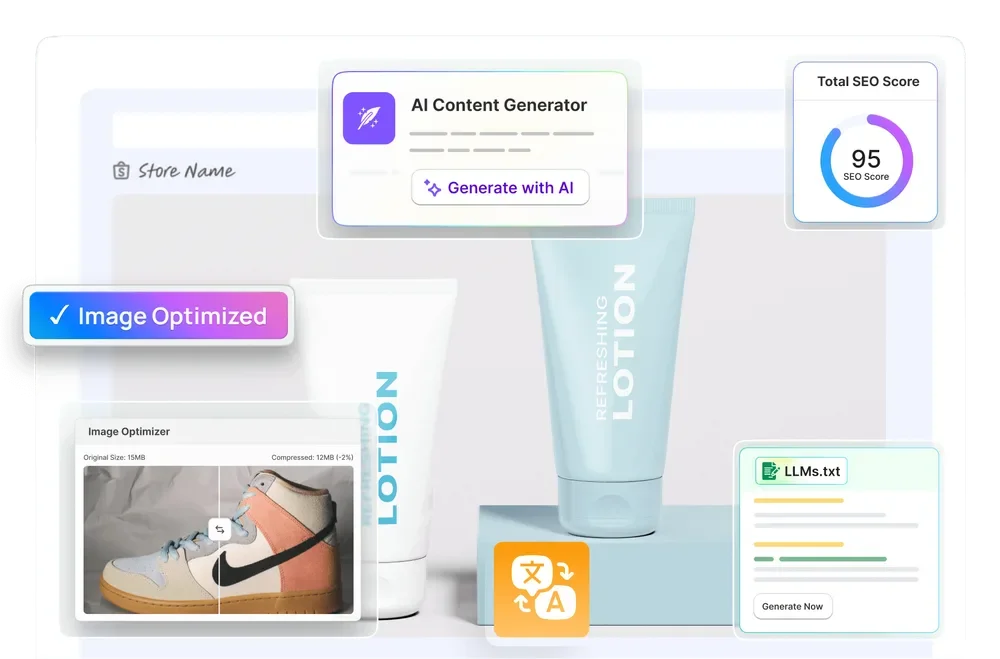 What an app adds on top of Shopify’s native editor: a visible score, bulk AI content, and the fixes native Shopify leaves to you.
StoreSEO’s own SEO Analysis and score is built for exactly that gap: it scores every product and page, points at the specific fix rather than a vague warning, and the AI Brand Visibility tools extend the same idea to whether AI assistants can find and recommend the store at all. A manual setup is not wrong for a ten-product store; it stops scaling well past that.
Where Did These 12 Questions Come From?
Worth saying plainly: this list is not pulled from an anonymised support-ticket export, which would need a data-sharing step this programme cannot take on its own. It is compiled from the questions that recur across Google’s and Shopify’s own documentation, and from the questions this blog’s own FAQ sections have answered most often across dozens of published posts, cross-checked rather than reused verbatim.
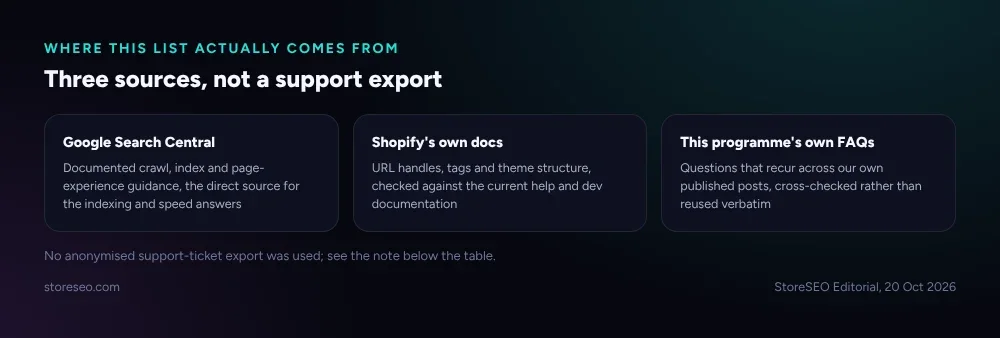 Three sources, not a support export. Each answer above is checked against one of these, dated at the time of writing.
That is a narrower claim than “what our support team hears most,” and it is the honest one. If an answer above does not match what you are actually seeing on your store, Search Console’s own data for your store is always the better source than any general guide, ours included.
Frequently Asked Questions (FAQs)
1. How many product tags should I use?
As many as genuinely describe the product and nothing more. Tags help shoppers filter your collections, so a handful of accurate, specific tags beats a long list padded with near-duplicates. There is no minimum or maximum Shopify enforces; the test is whether a tag would actually help someone narrow their search.
2. Do duplicate collection pages hurt my SEO?
Rarely as a direct penalty, but they can dilute ranking signals if two pages compete for the same query. Shopify’s own canonical tags handle most accidental duplication automatically, pointing search engines at one preferred version. The bigger risk is deliberate near-duplicate collections built for different filters with almost identical content; merge or differentiate those rather than relying on canonicals alone.
3. Does page speed really affect my Shopify rankings?
It is one signal among many, not the single lever that moves rankings. Google measures it through Core Web Vitals, and a genuinely slow store can lose both rankings and conversions, but a fast store with thin or poorly structured content will still be outranked by a slower one that answers the query better. Treat speed as a floor to clear, not a strategy on its own.
4. How many internal links does a product page need?
There is no fixed number to hit. What matters is whether each link helps the shopper decide, for example a link from a product to the comparison guide or FAQ that answers the question they are about to ask. A page with three genuinely useful links is doing more work than one with fifteen links that exist only to pad a count.
5. Does switching Shopify themes reset my SEO?
Not automatically, and your URLs stay the same through a theme switch. What can go wrong is silent: a new theme that does not carry over meta description fields, structured data, or an alt-text pattern your old theme rendered automatically. After switching, check a handful of pages against what they looked like before, rather than assuming everything came across.
6. Is Google’s AI Overviews feature replacing my organic traffic?
It is changing where some clicks come from, not whether Google indexes or ranks your pages at all. A query that triggers an AI Overview can still send traffic to the pages it cites, and a well-structured, directly-answered page is more likely to be the one cited. The shift is real, but it is a redistribution of clicks, not a shutdown of organic search.
7. Do I need to delete out-of-stock products to keep my store looking fresh for Google?
No. Deleting a product that has earned backlinks, reviews, or rankings creates a dead link and throws away the ranking signal the page already built. The better move is to keep the page live with a clear “out of stock” state, or redirect it to the closest in-stock alternative if it is genuinely discontinued, which is what StoreSEO’s own redirect on out of stock feature is built for.
8. Will fixing these twelve things guarantee a ranking increase?
No single guide guarantees that, and treat any claim that it does with suspicion. These answers remove common, self-inflicted blockers so your genuinely good pages get a fair chance to rank; they do not substitute for content that actually answers what the searcher wants. If rankings still are not moving once these are fixed, our docs on why your Google ranking has not improved walk through the slower-moving causes this list does not cover.
Twelve questions covers the ones that come up again and again, but a store’s own Search Console data will always surface the ones specific to it, and a second pair of eyes on your actual setup catches what a general guide cannot: try StoreSEO on the Shopify App Store.
Keep reading
How Long Shopify SEO Takes, Month by Month
Most new Shopify pages get crawled within days to a few weeks, and most stores see real organic traffic building between month 3 and month 6.
Read article
Should You Noindex It? A Shopify Decision Tree
Noindex hides a Shopify page from Google's results while still letting it load; this table decides exactly which pages need the tag and which do not.
Read article
How Google Crawls a Shopify Store (One Diagram)
Googlebot finds a Shopify page through your sitemap or an internal link, fetches and renders it, then decides whether to keep it in the index at all.
Read article